
If you’ve been managing LinkedIn for clients manually, you know the challenges. The constant pressure to get more clients from LinkedIn, create engaging content for them, send personalized connection requests, manage multiple accounts, and produce detailed performance reports—all while staying profitable.
LinkedIn automation isn’t just about saving time. It’s about transforming how your agency delivers value. When implemented correctly, automation allows you to scale your LinkedIn services without proportionally increasing your team size or hours worked.
The challenge is finding the right tools for your specific situation. With dozens of LinkedIn automation tools on the market in 2026, each claiming to be essential, how do you identify what’s actually worth your investment?
I’ve analyzed these tools specifically from an agency perspective, evaluating them based on:
- Multi-client management capabilities
- White-labeling and reporting features
- Team collaboration functionalities
- Scalability as you add more clients
- Compliance with LinkedIn’s terms of service
- Value for agency budgets
This guide breaks down the complete landscape of LinkedIn automation tools in 2026, organized by functionality and use case. Let’s dive into what matters for your specific needs.
The Complete LinkedIn Tool Finder
Quickly navigate all 60+ tools analyzed in our 2026 guide. Filter by category to build your agency’s perfect growth stack.
What are you looking for?
Agency Strategy: These are your “Central Command” centers. Use them for multi-profile scheduling, client approval portals, and cross-platform analytics.
Sprout Social
Enterprise Leader
Robust workflows for high-ticket clients with strict compliance needs.
Agorapulse
Mid-Market ROI
Unique for LinkedIn ad comment moderation and direct ROI dashboarding.
Sendible
Agency White-Label
The most customizable branding options for your client-facing dashboard.
SocialPilot
Bulk Efficiency
Best for agencies managing 20+ profiles at an aggressive price point.
Zoho Social
CRM Integration
Native document posting (PDFs/Carousels) and seamless CRM flow.
NapoleonCat
Auto-Moderation
Powerful social inbox for managing high volumes of LinkedIn comments.
Agency Strategy: Prioritize cloud-based tools with dedicated IPs for safety. These tools handle the “heavy lifting” of connection building and messaging.
Expandi
Safety First
Consistently ranked #1 for avoiding account restrictions. Cloud-based only.
Dripify
Visual Automation
Easy-to-build drip sequences with human-like behavior patterns.
Skylead
Multi-Channel Sales
LinkedIn + Email combined. SalesGPT handles auto-replies seamlessly.
HeyReach
Agency Scaler
Designed specifically to manage 50+ client accounts from one dashboard.
Zopto
Lead Gen Engine
Sophisticated AI-powered campaign assistant for high-touch outreach.
PhantomBuster
Automation Scripts
Advanced “Phantoms” for data scraping and cross-platform automation.
Waalaxy
Freemium Lead Gen
The best entry-level tool for agencies just testing LinkedIn automation.
Agency Strategy: Automation is only as good as your targeting. Use these to find verified mobile numbers and personal emails for your prospects.
ZoomInfo
B2B Intel Leader
The most expensive but most accurate database for enterprise B2B.
Cognism
GDPR Compliance
Unbeatable for UK/European mobile numbers and GDPR safety.
Apollo.io
Massive Database
275M+ records with a powerful free tier for small agency prospecting.
Wiza
Sales Nav Export
Turn any Sales Navigator search into a verified CSV in seconds.
Evaboot
Smart Data Cleaning
Automatically cleans and normalizes names/titles from Sales Nav.
Kaspr
Real-time Extraction
Find phone numbers instantly while browsing LinkedIn profiles.
Agency Strategy: Quality content drives inbound leads. Use these to create high-engagement carousels and analyze exactly what works.
Taplio
Thought Leadership
AI-driven ideation and post library based on viral performance.
Shield
Deep Analytics
Essential for showing clients historical growth and content impact.
Lumen5
Video Production
Quickly turn client blog posts into professional LinkedIn videos.
AuthoredUp
Visual Formatting
Optimize “hooks” and formatting for the specific LinkedIn feed UI.
Crystal Knows
Personality Intel
AI personality reports to help you tailor your message tone to leads.
Agency Strategy: This is where you justify your retainer. These tools bridge the gap between “automation actions” and “actual revenue.”
Swydo
Client Dashboards
Professional white-label reports that combine LinkedIn with other channels.
Supermetrics
Data Pipe
Move LinkedIn data into Sheets, Looker, or Excel for complex modeling.
Surfe
CRM Bridge
Sync conversation data directly into HubSpot or Salesforce automatically.
Shield Teams
Performance Tracking
Track the ROI of individual team members’ LinkedIn activity.
The Four Categories of LinkedIn Automation Tools
LinkedIn automation tools generally fall into four distinct categories, each serving different aspects of your agency’s workflow:
- Social Media Management Platforms – These handle LinkedIn alongside other social networks, providing unified dashboards for content scheduling, analytics, and engagement management.
- LinkedIn-Specific Automation Tools – These focus exclusively on LinkedIn functionality like connection requests, messaging sequences, and profile engagement.
- Content-Focused LinkedIn Tools – These specialize in content creation, curation, and engagement specifically for LinkedIn.
- Data and Lead Generation Tools – These extract and enrich data from LinkedIn for targeted outreach campaigns.
Most agencies need a combination of tools from different categories to deliver comprehensive LinkedIn services. The specific mix depends on your service offerings, client types, and business model.
Safe Automation Limits
Before diving into specific tools, understanding safe daily limits is crucial for protecting client accounts:
| Action | Free Account | Premium/Sales Navigator | Notes |
|---|---|---|---|
| Connection requests | 10-15/day | 20-25/day | Stay 30-40% below maximum |
| Messages | 50/day | 100/day | Personalized only |
| Profile views | 70-80/day | 250/day | No more than 10/hour |
| Weekly invitations | ~50 | 150-200 | Unused requests don’t roll over |
Key safety practices: Use cloud-based tools with dedicated country-based IP addresses, implement 8-week warm-up periods for new accounts, randomize delays between actions (15-90 seconds variance), maintain 20%+ connection acceptance rate, and mix manual engagement with automation.
Social Media Management Platforms for LinkedIn
These platforms allow you to manage LinkedIn alongside other social networks, providing a unified dashboard for content management, analytics, and reporting.
1. Sprout Social
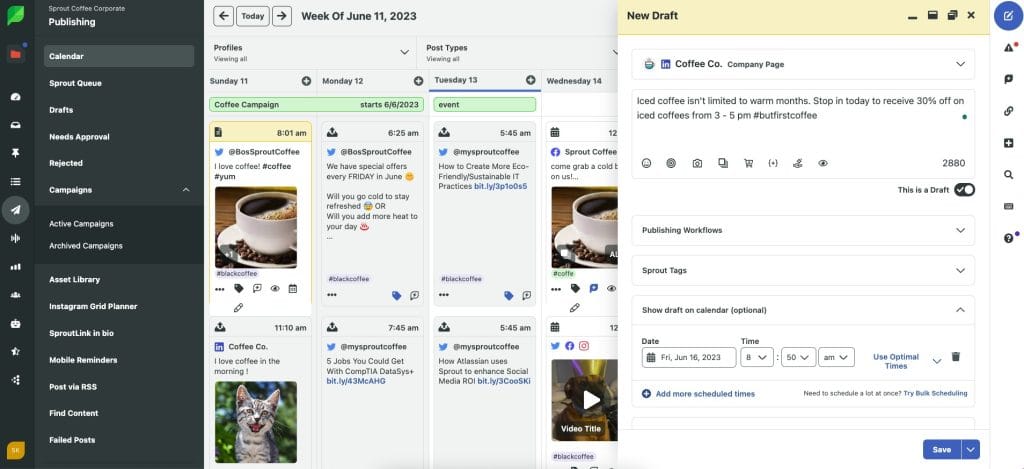
If you manage LinkedIn for enterprise clients with strict requirements and complex approval workflows, Sprout Social delivers the comprehensive solution you need. The platform excels at multi-tier permissions that let junior team members draft content while requiring senior approval before publishing.
What sets Sprout Social apart for agencies is its unified analytics across platforms. When clients ask about LinkedIn’s contribution to their overall social media ROI, you can show precise data rather than guesswork. The platform’s smart inbox consolidates engagement across platforms, saving your team significant time on manual checking.
AI Assist features enhance post and reply creation, making content generation faster while maintaining quality. LinkedIn Company Pages and Personal Profiles are fully supported with scheduling, publishing, and analytics.
Key agency benefits:
- Multi-tier permission structures for team members
- Unified client analytics across platforms
- In-depth LinkedIn Page and profile analytics
- Advanced scheduling with message approval workflows
- Smart inbox for consolidated engagement management
- AI Assist for content creation and replies
- Competitor analysis and benchmarking
- Custom reporting with white-label options
Pricing (annual billing):
- Standard: $199/seat/month (5 social profiles)
- Professional: $299/seat/month (unlimited profiles, competitor reports)
- Advanced: $399/seat/month (sentiment analysis, API access)
- Enterprise: Custom pricing (dedicated support, premium analytics)
Best for: Enterprise agencies managing Fortune 500 clients or those requiring complex approval workflows and comprehensive cross-platform analytics.
2. Agorapulse
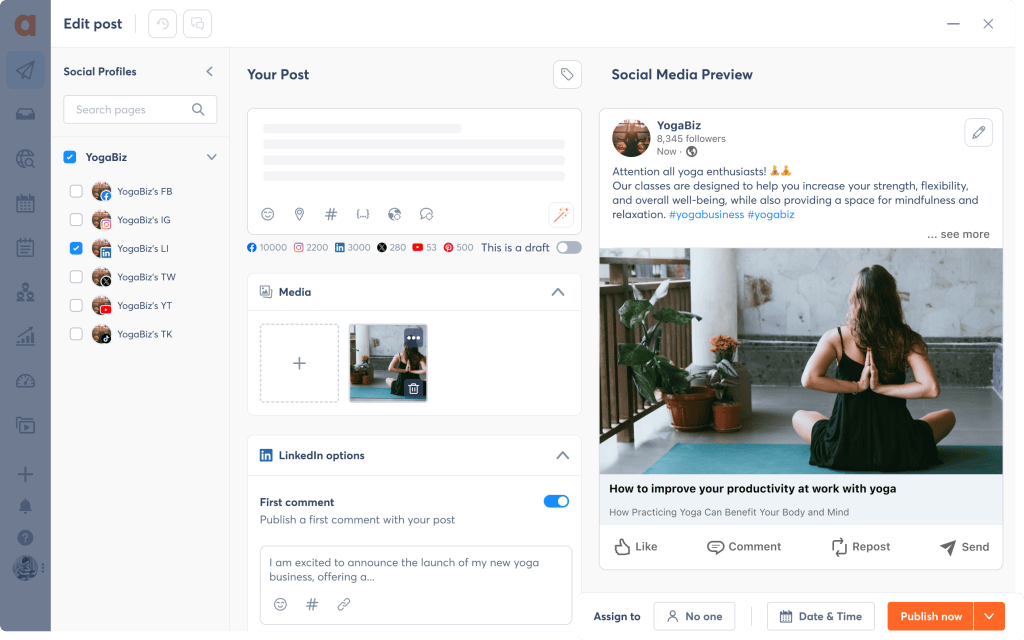
If your client roster includes small to mid-sized businesses without enterprise-level complexity, Agorapulse hits that sweet spot of functionality and cost-effectiveness. Starting at $79/month, it provides a balance of features and usability that won’t require weeks of team training.
Agorapulse’s Social Media ROI dashboard directly addresses a common client question: “What’s the actual business impact of our LinkedIn efforts?” This tool connects social media activities to business results, helping you justify your services with tangible data.
New in 2025-2026: The Agorapulse AI Writing Assistant and expanded platform support for Reddit and Bluesky. LinkedIn ad comments moderation is a standout feature that competitors lack.
Key agency benefits:
- Social Media ROI dashboard for client reporting
- Team collaboration features with client access
- Content labeling for organizing client campaigns
- Unified publishing calendar for multiple clients
- AI Writing Assistant for content creation
- LinkedIn ad comments moderation (unique feature)
- Automated inbox management with saved replies
- Power reports with custom date ranges
Pricing (annual billing):
- Standard: $79/user/month (10 profiles)
- Professional: $119/user/month (ad comment moderation, shared calendars)
- Advanced: $149/user/month (AI-powered inbox assistant)
- Custom: Enterprise pricing available
Best for: Mid-market agencies managing 10-50 clients who need strong ROI reporting without enterprise pricing.
3. Hootsuite
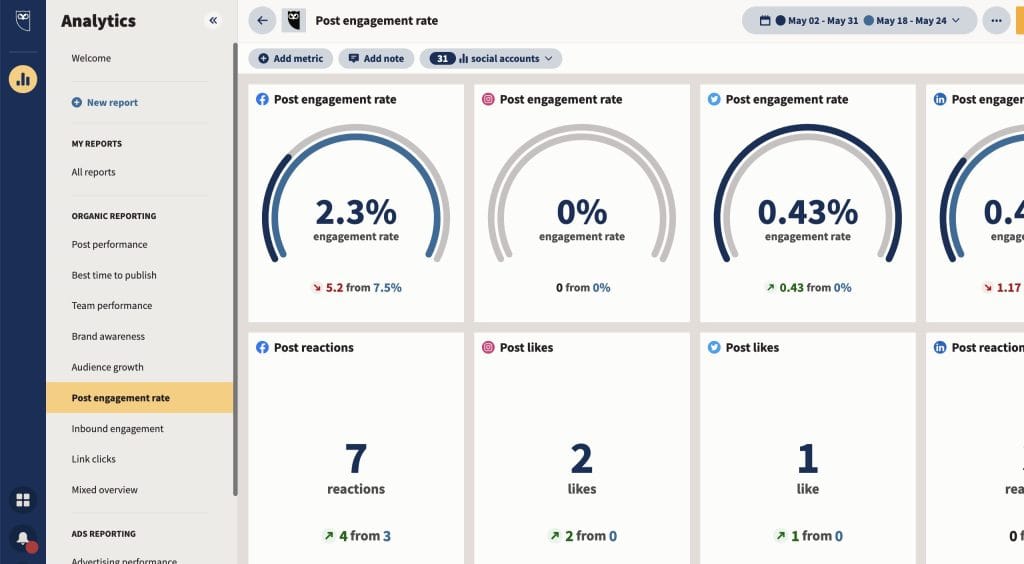
Hootsuite has long been a staple in the social media management space, and its robust feature set makes it particularly valuable for agencies managing LinkedIn as part of broader social media strategies. Its extensive app directory allows for integration with over 250 platforms.
Important change for 2026: Hootsuite eliminated its free plan entirely in 2025—a major shift that affects budget-conscious users. This was one of the most significant pricing changes in the social media management space last year.
New in 2025-2026: AI caption and hashtag generation tools have been added, along with improved LinkedIn analytics. The platform now offers OwlyWriter AI for content creation assistance.
Key agency benefits:
- Extensive integration options with 250+ platforms
- Team assignment and task management features
- Advanced social listening across LinkedIn
- Granular permission settings for team management
- AI caption and hashtag generation
- OwlyWriter AI for content assistance
- Bulk scheduling capabilities
- Advanced analytics with custom reports
Pricing (annual billing):
- Professional: $99/month (1 user, 10 social accounts)
- Team: $249/month (3 users, 20 social accounts)
- Enterprise: Starting at $15,000+/year (custom users and accounts)
Best for: Agencies already invested in the Hootsuite ecosystem or those needing extensive third-party integrations.
4. Buffer
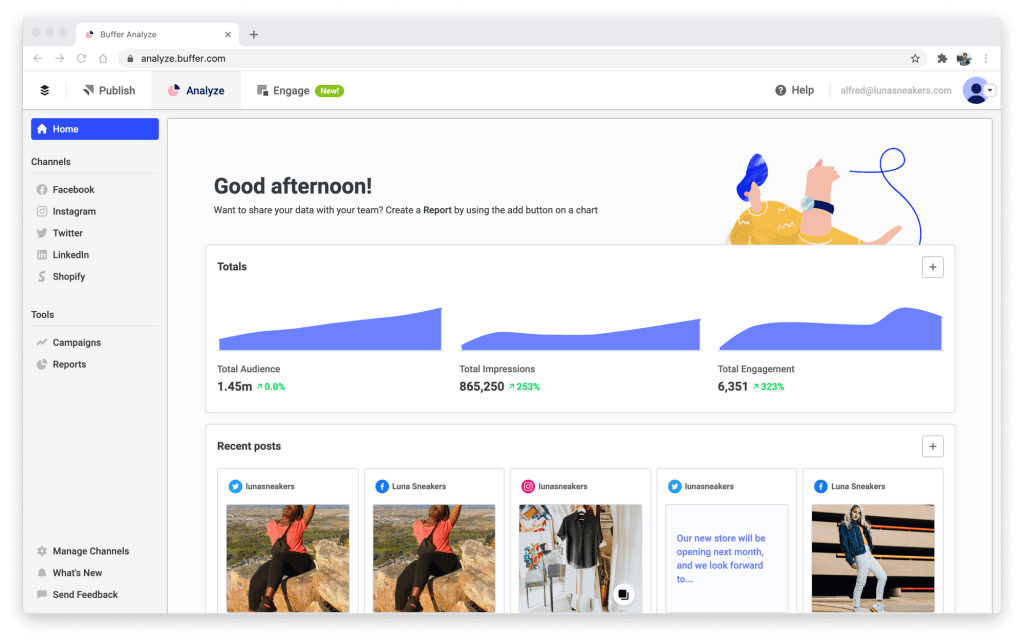
Buffer offers a straightforward approach to LinkedIn management that’s particularly well-suited for smaller agencies or those just beginning to offer LinkedIn services. Its intuitive interface requires minimal training, allowing new team members to become productive quickly.
New pricing model for 2026: Buffer shifted to per-channel pricing, which can be more economical for agencies managing fewer than 10 channels. The AI Assistant now includes unlimited credits on all plans, and a community inbox for engagement replies was added in November 2025.
Key agency benefits:
- Intuitive interface requiring minimal training
- Per-channel pricing for cost flexibility
- AI Assistant with unlimited credits on all plans
- Community inbox for engagement management
- Full-featured mobile app for on-the-go management
- Start Page for link-in-bio functionality
- Analytics with exportable reports
- Team collaboration with approval workflows
Pricing:
- Free: 3 channels, basic scheduling
- Essentials: $5/channel/month (engagement tools, analytics)
- Team: $10/channel/month (unlimited team members, client access)
Best for: Small agencies or freelancers managing a limited number of client accounts who value simplicity and cost efficiency.
5. SocialPilot

If you’re managing LinkedIn for multiple clients but operating with tighter margins, SocialPilot offers remarkable value without sacrificing core functionality. The platform’s bulk scheduling capability allows you to prepare up to 500 posts in a single session, dramatically improving your team’s efficiency.
For agencies specifically, SocialPilot’s white-label capabilities let you present the platform under your own branding, reinforcing your agency’s professionalism with every client interaction.
Key agency benefits:
- Client management dashboard for organized workflow
- White-label PDF reports that maintain your branding
- Bulk scheduling up to 500 posts for efficiency
- AI-powered caption and hashtag suggestions
- Content curation from RSS feeds
- Social inbox for engagement management
- Custom branding options for client portals
- Detailed analytics with competitor tracking
Pricing (annual billing):
- Essentials: $25.50/month (1 user, 7 accounts)
- Standard: $42.50/month (3 users, 15 accounts)
- Premium: $85/month (6 users, 25 accounts)
- Agency+: $170/month (unlimited users, 50 accounts)
Best for: Budget-conscious agencies managing multiple clients who need comprehensive features without premium pricing.
6. Sendible
If your agency model involves giving clients direct access to review and approve content, Sendible’s white-labeling capabilities make it a standout choice. You can create custom-branded client experiences under your own domain, reinforcing your agency brand with every client interaction.
Sendible’s content recycling engine is particularly valuable for LinkedIn, where consistent posting improves algorithm performance. The platform also offers first-comment scheduling for LinkedIn—a feature that helps boost post visibility.
Key agency benefits:
- Comprehensive white-labeling including custom domain
- Client-specific dashboards and reporting
- Smart content recycling for evergreen posts
- First-comment scheduling for LinkedIn
- Strong Canva integration for visual content
- Priority inbox for engagement management
- Content suggestions and RSS automation
- Detailed analytics with presentation-ready reports
Pricing (annual billing):
- Creator: $25/month (1 user, 6 profiles)
- Traction: $76/month (4 users, 24 profiles)
- Scale: $170/month (7 users, 49 profiles)
- White Label+: $638/month (100 users, 300 profiles)
Best for: Agencies that want to present a fully branded experience to clients or those managing high volumes of evergreen content.
7. Zoho Social

For agencies already using other Zoho products like CRM or Projects, Zoho Social offers seamless integration that creates an end-to-end workflow for LinkedIn management. The platform stands out for offering a genuinely useful free tier—something increasingly rare in 2026.
New in 2025-2026: Zia AI (ChatGPT-powered) content generation and LinkedIn document posting support for DOC, PDF, and PPT files—making it easier to share lead magnets and presentations directly on LinkedIn.
Key agency benefits:
- Seamless integration with Zoho ecosystem (CRM, Projects, etc.)
- SmartQ feature for optimal posting times
- Zia AI for content generation
- LinkedIn document posting (DOC, PDF, PPT support)
- CRM integration for lead tracking
- Brand health monitoring
- Custom reporting dashboards
- Competitive analysis tools
Pricing (annual billing):
- Free: 1 brand, 6 channels
- Standard: $10/month (1 brand, unlimited members)
- Professional: $30/month (1 brand, Zia AI features)
- Agency: $320/month (50 brands, advanced features)
Best for: Agencies already in the Zoho ecosystem or those seeking excellent value with a functional free tier.
8. Loomly
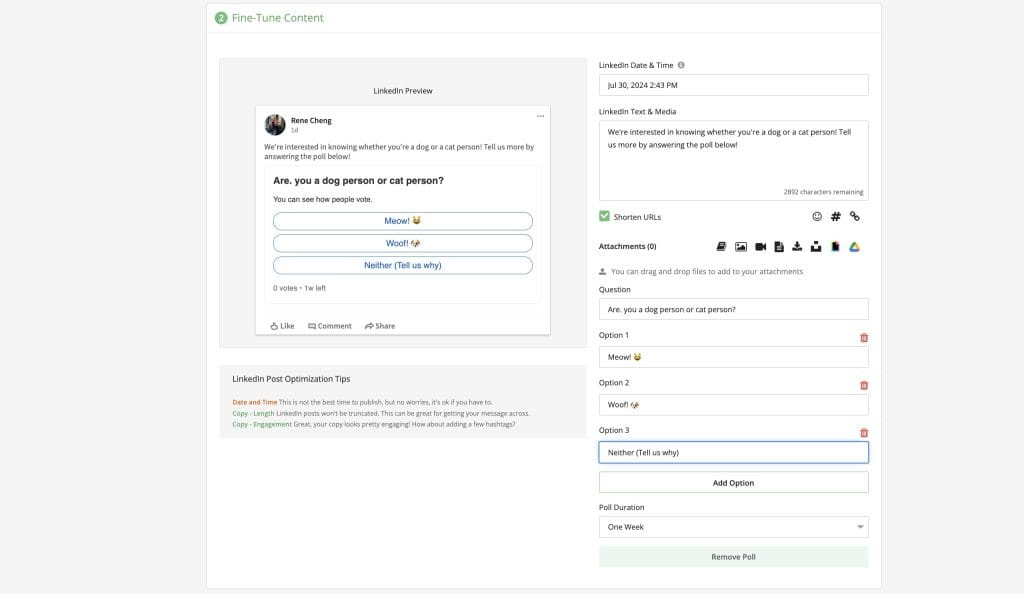
Loomly differentiates itself through its strong emphasis on content creation and curation, making it particularly valuable for agencies where creative LinkedIn content is a primary service offering. Its Post Ideas feature automatically generates content suggestions based on trending topics, holidays, and social media best practices.
Note for 2026: Loomly underwent significant price restructuring. The free tier now allows only 5 posts/month, and best-time-to-post suggestions for LinkedIn have been added.
Key agency benefits:
- Automated content suggestions for LinkedIn (Post Ideas)
- Centralized asset library for client materials
- Real-time post optimization recommendations
- Customizable approval workflows
- Best-time-to-post suggestions for LinkedIn
- Hashtag suggestions and management
- Interaction tracking and response management
- Advanced analytics with UTM tracking
Pricing (annual billing):
- Base: $26/month (2 users, 10 social accounts)
- Standard: $59/month (6 users, 20 social accounts)
- Advanced: $129/month (14 users, 35 social accounts)
- Premium: $269/month (30 users, 50 social accounts)
Best for: Content-focused agencies where creative ideation and content quality are primary differentiators.
9. NapoleonCat
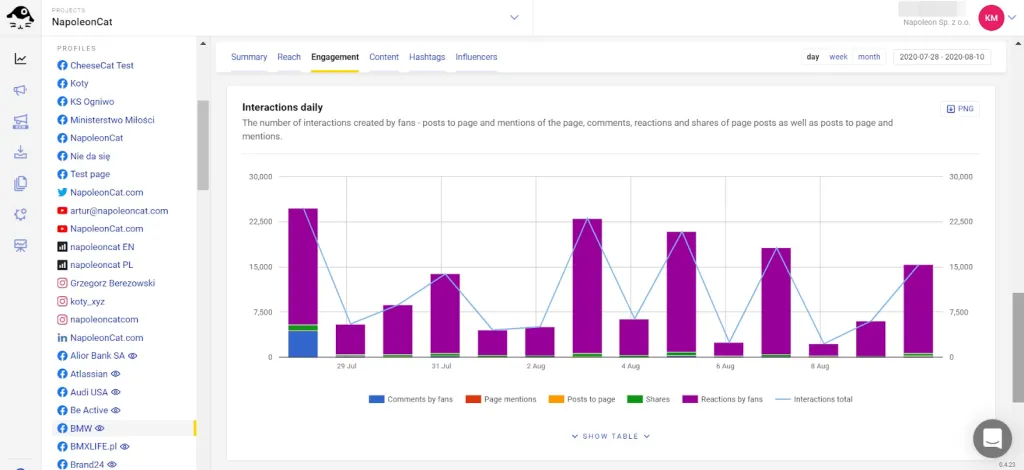
NapoleonCat has gained popularity among European agencies due to its strong GDPR compliance features and regional support, though its functionality benefits agencies worldwide. Its standout feature is the advanced Social Inbox, which provides exceptional moderation capabilities for LinkedIn comments and messages.
The platform’s Auto-moderation feature can automatically respond to common LinkedIn inquiries based on predefined rules, significantly reducing response times for high-volume accounts.
Key agency benefits:
- Advanced moderation for LinkedIn engagement
- AI-powered auto-moderation for routine interactions
- Competitive analytics and benchmarking
- GDPR compliance features built-in
- 50% nonprofit discount available
- Multi-language support (important for international agencies)
- Detailed sentiment analysis
- Custom workflow automation rules
Pricing:
- Flexible pricing based on profiles and users
- Starting at approximately €49/month for smaller agencies
- Custom pricing for larger teams
- Volume discounts for multiple accounts
- 50% discount for nonprofits
Best for: European agencies requiring GDPR compliance or any agency needing advanced moderation and auto-response capabilities.
LinkedIn-Specific Automation Tools
While social media management platforms help with publishing and analytics, dedicated LinkedIn automation tools take your capabilities to another level—enabling connection outreach, messaging sequences, and profile engagement at scale. These tools require careful implementation to avoid account restrictions.
10. LinkedIn Sales Navigator

Before diving into third-party automation tools, it’s worth investing in LinkedIn’s own premium solution. Sales Navigator isn’t technically an “automation” tool, but it forms the essential foundation for any serious LinkedIn strategy—and carries zero ban risk as an official LinkedIn product.
New in 2025-2026: Account IQ provides AI-generated company summaries, and Lead IQ offers buyer insights based on intent signals. 50 InMail credits per month on Core tier, with native Salesforce and HubSpot integration.
Key agency benefits:
- Zero ban risk as official LinkedIn product
- Advanced search with 30+ filters (industry, company size, role, etc.)
- Lead and account recommendations powered by AI
- TeamLink for leveraging client network connections
- Account IQ and Lead IQ AI features
- CRM integration for tracking outreach (Salesforce, HubSpot, Microsoft Dynamics)
- InMail credits for direct outreach (50-150 depending on tier)
- Real-time alerts for lead activities
Pricing:
- Core: $99.99/month per user (50 InMails, basic features)
- Advanced: $179.99/month per user (team features, CRM sync)
- Advanced Plus: Custom pricing (enterprise CRM integration)
- 30-day free trial available for all tiers
Best for: Every agency doing LinkedIn outreach—this should be considered foundational rather than optional.
11. Expandi
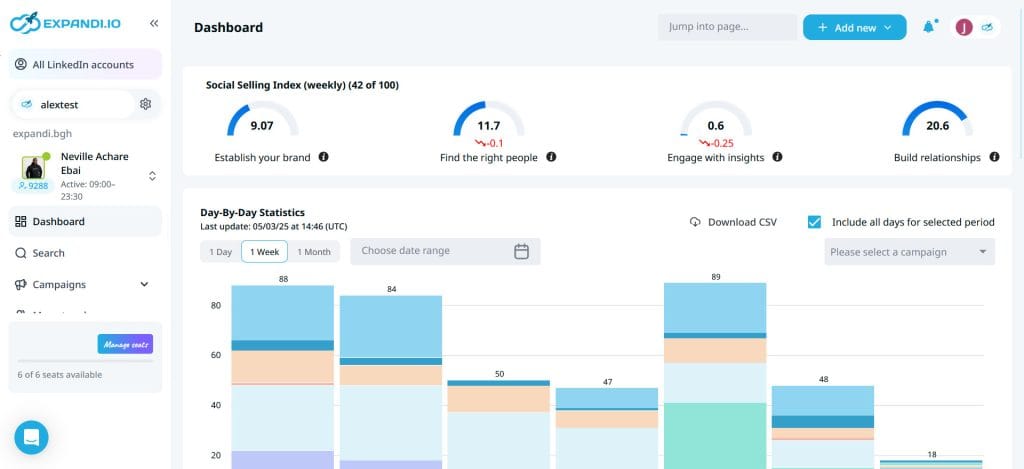
If you’ve ever had a client’s LinkedIn account restricted due to automation, you understand the importance of safety features. Expandi has built its reputation on keeping accounts safe even with high-volume outreach, consistently ranking as the safest third-party tool with a Tekpon 9.2 rating.
Its cloud-based operation means you don’t need to keep computers running 24/7, and its dynamic personalization features enable hyper-relevant outreach. The Mobile Connector feature can generate +100 connections per week through mobile-like behavior patterns that are harder for LinkedIn to detect.
Key agency benefits:
- Cloud-based with dedicated country-based IP address
- Auto warm-up and smart safety algorithms
- 10+ campaign types including Mobile Connector
- Image/GIF personalization via Senspark integration
- HubSpot, Salesforce, Pipedrive integrations
- Smart sequences with conditional logic
- A/B testing for message optimization
- Detailed campaign analytics and reporting
Pricing:
- Business: $99/month per seat ($79 with annual billing)
- Custom agency pricing available for 10+ accounts
- 7-day free trial available
Best for: Agencies prioritizing account safety above all else, especially those who have experienced LinkedIn restrictions in the past.
12. Dripify
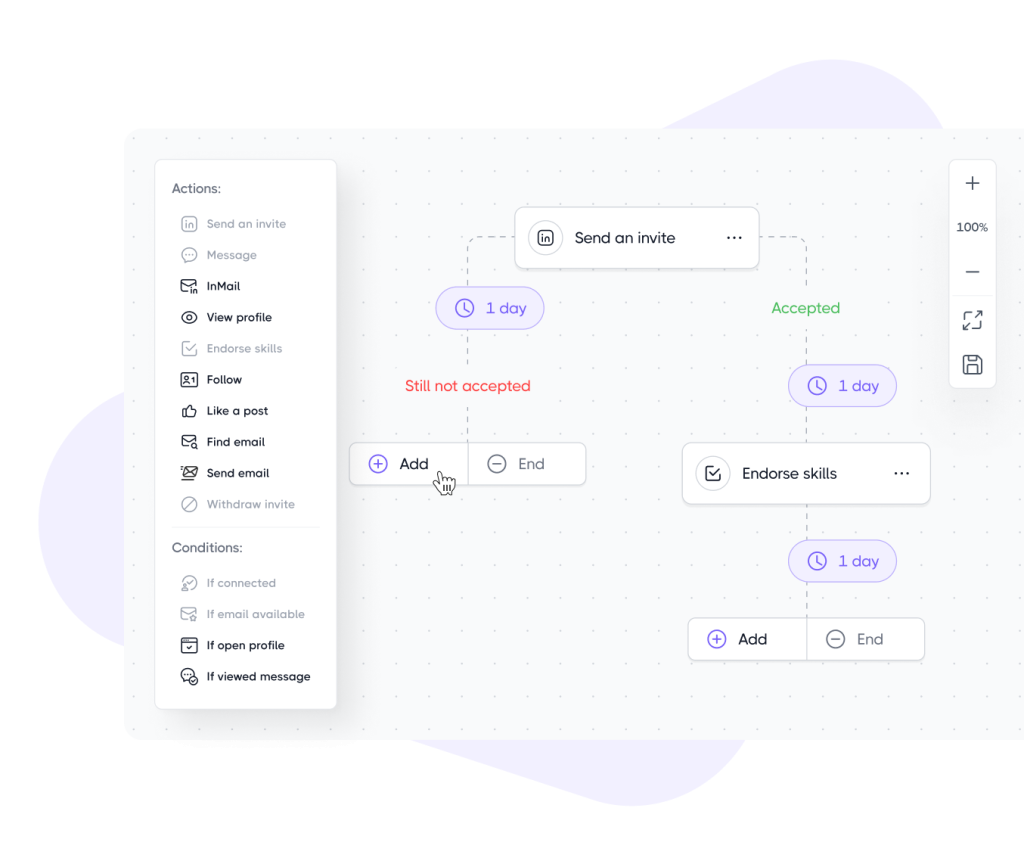
Dripify distinguishes itself through its focus on account safety and drip campaign sequencing at a more accessible price point than competitors. Its proprietary algorithms mimic human behavior patterns to keep accounts operating within LinkedIn’s acceptable parameters even at scale.
The platform’s drag-and-drop campaign builder makes it ideal for beginners, while hyper-personalization with 20+ variables and AI icebreakers provides sophistication for advanced users.
Key agency benefits:
- Cloud-based with unique local IP access
- 100 email finder credits included
- Hyper-personalization with 20+ variables
- AI icebreaker suggestions for connection requests
- Easy drag-and-drop campaign builder
- Smart inbox for managing conversations
- Team management with role-based permissions
- Webhook integrations for custom workflows
Daily quotas by plan:
- Basic: 20 connection requests, 30 messages
- Pro: 50 connection requests, 75 messages
- Advanced: 75 connection requests, 100+ messages
Pricing (annual billing, 35% savings):
- Basic: $39/user/month
- Pro: $59/user/month
- Advanced: $79/user/month
Best for: Agencies new to LinkedIn automation who want an intuitive interface with strong safety features at competitive pricing.
13. LaGrowthMachine
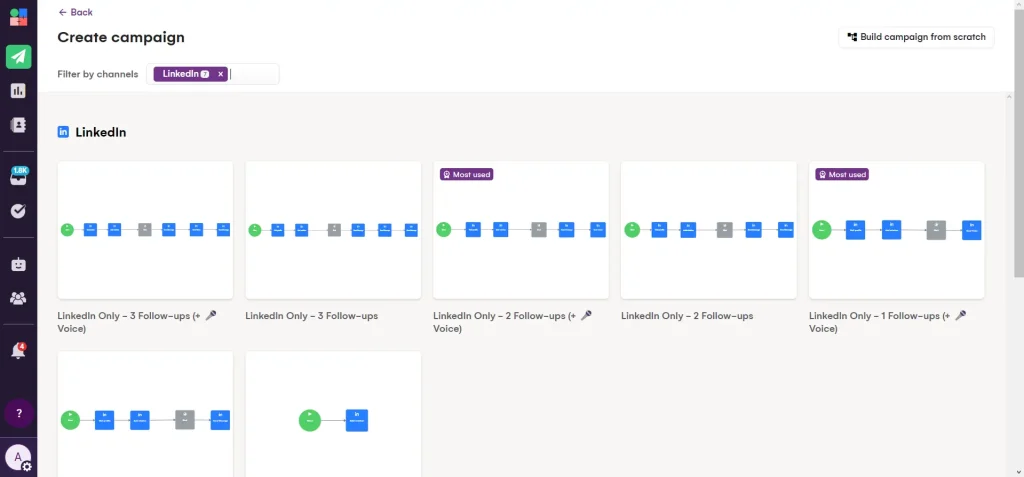
When your clients need LinkedIn outreach integrated with email and other channels, LaGrowthMachine provides the multi-channel capabilities needed for sophisticated campaigns. The platform enables sequences that start on LinkedIn but extend to email and Twitter, creating a cohesive prospect experience across touchpoints.
New in 2025-2026: AI voice messages and a copywriting assistant, plus a 27M+ company database with lookalike prospect finder. The platform claims to be the “safest LinkedIn automation platform” with 100% cloud operation and dedicated 5G mobile proxies.
Key agency benefits:
- Multi-channel: LinkedIn + Email + Twitter + Calls
- AI voice messages and copywriting assistant
- 27M+ company database with enrichment
- Lookalike prospect finder for expanding lists
- Visual workflow builder with conditional logic
- Native HubSpot and Pipedrive on Ultimate tier
- Lead scoring and qualification
- Advanced analytics with revenue attribution
Pricing (annual billing):
- Basic: €60/identity/month (LinkedIn only)
- Pro: €120/identity/month (email enrichment, API access)
- Ultimate: €180/identity/month (CRM sync, priority support)
Best for: Agencies running sophisticated multi-channel outreach campaigns that need LinkedIn, email, and social touchpoints unified in one platform.
14. Skylead
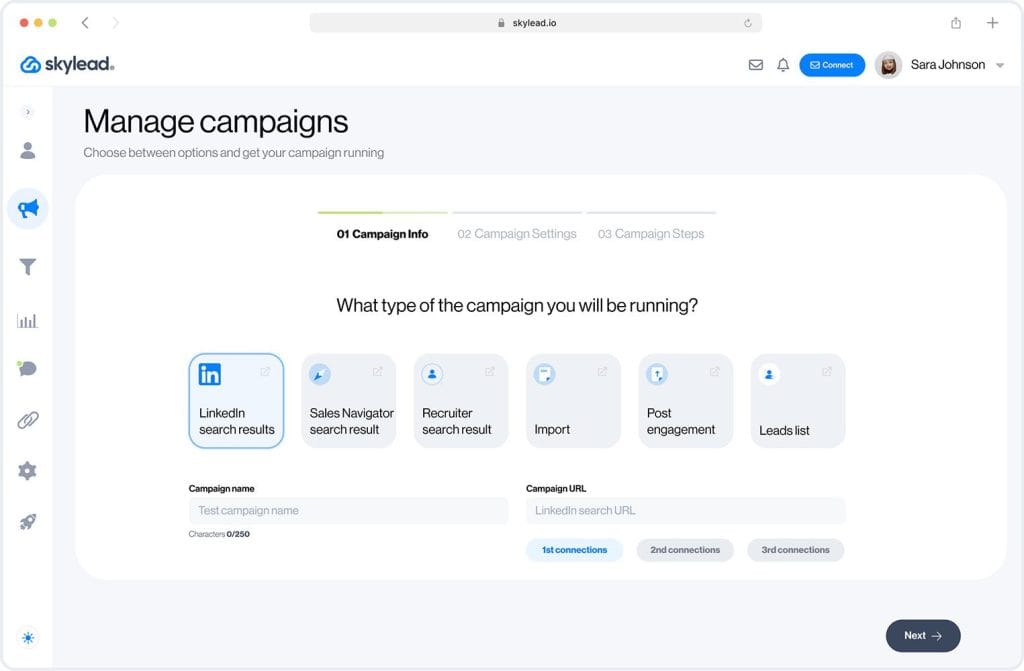
Skylead differentiates itself through advanced personalization capabilities including image and GIF support, plus the standout feature of unlimited email accounts included at no extra cost with free email warm-up.
New in 2025: SalesGPT 2.0 AI assistant for auto-responses and meeting booking. The platform’s smart sequences with if/else conditions create natural conversation flows rather than rigid scripts.
Key agency benefits:
- Unlimited email accounts with free warm-up included
- SalesGPT 2.0 for auto-responses and meeting booking
- Smart sequences with if/else conditions
- Image and GIF personalization in messages
- Claims 100% LinkedIn ToS compliant
- Native integrations with major CRMs
- Email verification built-in
- Comprehensive campaign analytics
Pricing:
- All-in-One: $100/seat/month (all features included)
- Volume discounts available for agencies (10+ seats)
- 7-day free trial available
Best for: Agencies that need combined LinkedIn and email outreach with sophisticated AI-powered responses and meeting scheduling.
15. HeyReach
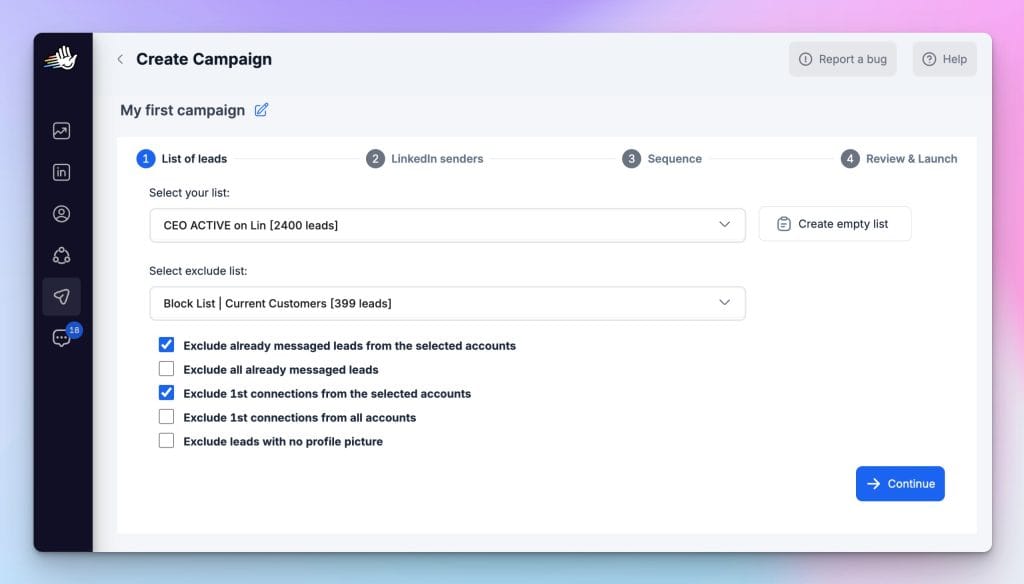
HeyReach specializes in managing multiple LinkedIn sender accounts from a unified interface, making it ideal for agencies running high-volume outreach campaigns across numerous client brands. Its unique multi-sender rotation bypasses daily limits by distributing actions across accounts.
New in 2025: MCP integrations with ChatGPT and Claude for AI-powered personalization. The unified inbox consolidates messages from all connected LinkedIn accounts, creating a centralized communication hub.
Key agency benefits:
- Multiple LinkedIn sender management from one dashboard
- Unified inbox for centralized communication
- MCP integrations with ChatGPT and Claude
- Multi-sender rotation to scale beyond daily limits
- Enterprise-grade security protections
- White-label reporting options
- Hard daily limits (40 actions/day max per account) for safety
- Team workspaces for client separation
Pricing:
- Starter: $79/sender/month (drops to $59 for 10+ accounts)
- Agency: $999/month for 50 senders
- Unlimited: $1,999/month (unlimited senders)
Best for: Lead generation agencies managing outreach across many LinkedIn accounts who need centralized control and reporting.
16. Waalaxy
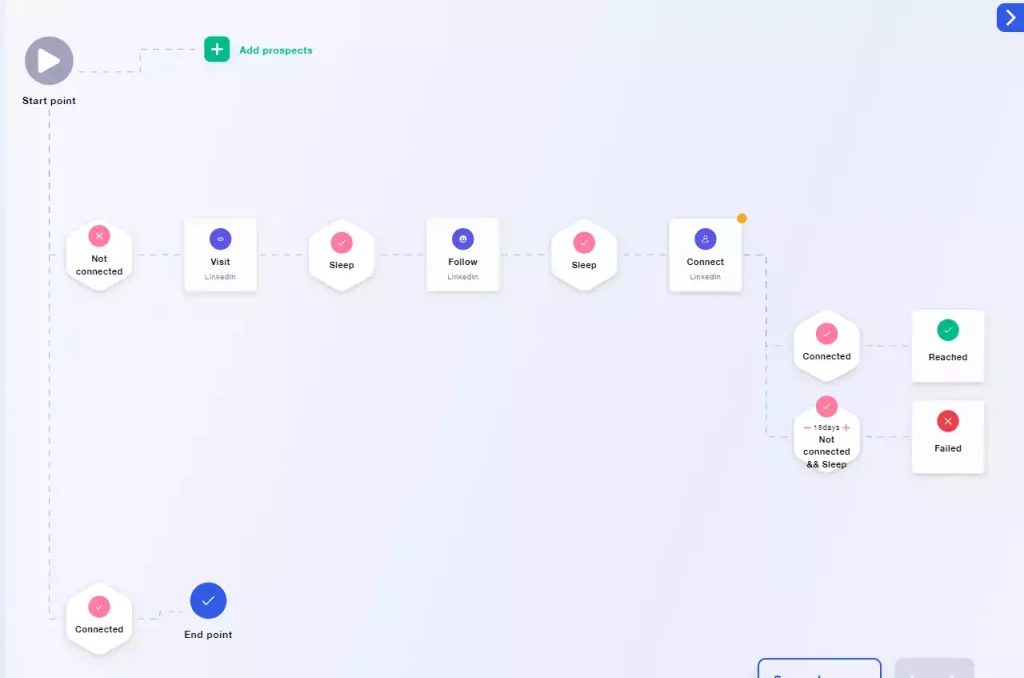
Waalaxy (formerly ProspectIn) offers a simplified approach to LinkedIn and email outreach with a genuinely useful free tier—80 invitations per month at no cost. This makes it the best entry point for agencies testing LinkedIn automation before committing to more expensive solutions.
The platform offers 99+ pre-made campaign templates, AI Prospect Finder, and Waalaxy AI for message writing. Note: It operates as a browser extension, which carries slightly higher detection risk than cloud-based alternatives.
Key agency benefits:
- Free tier with 80 invitations/month (genuinely useful)
- 99+ pre-made campaign templates
- AI Prospect Finder for building lists
- Waalaxy AI for message writing assistance
- User-friendly interface with minimal learning curve
- CRM integration (HubSpot, Salesforce, Pipedrive)
- Email finder and verification built-in
- Campaign performance analytics
Pricing (annual billing):
- Free: 80 invitations/month, basic features
- Pro: €19/month (LinkedIn automation, 800 invitations/month)
- Business: €69/month (multi-channel, email integration)
Best for: Agencies testing LinkedIn automation for the first time or those with tight budgets who can accept slightly higher risk from browser-based operation.
17. Linked Helper
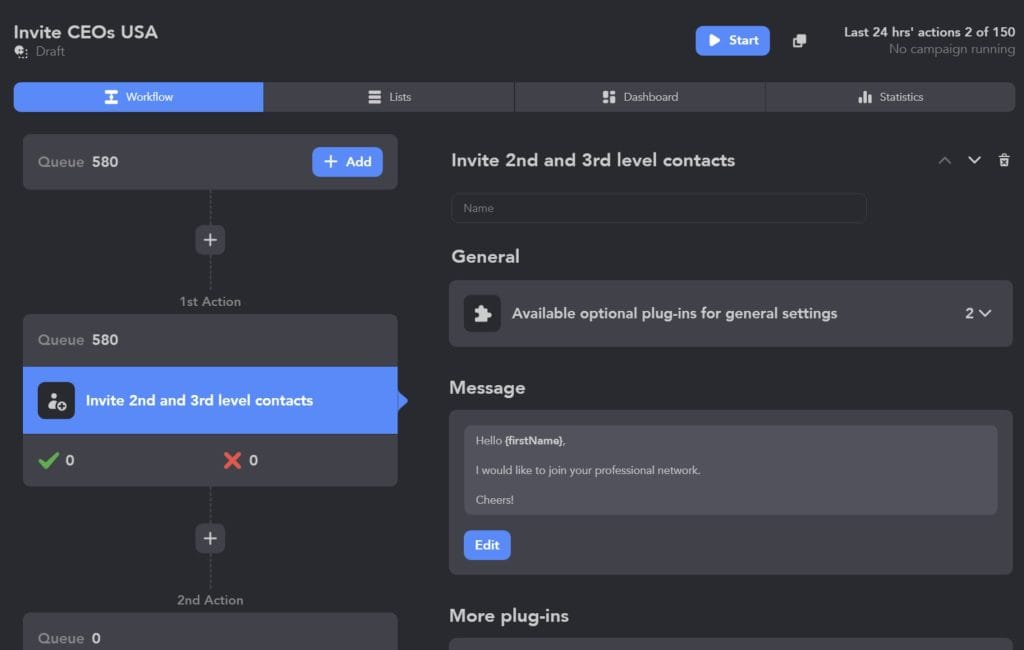
For agencies with tighter budgets, Linked Helper offers a desktop-based alternative at the lowest price point in the market. Starting at just $15/month, it’s the most affordable serious LinkedIn automation option available.
Important caveat: As a desktop application, it requires your computer to stay running and creates detectable fingerprints. Research shows a 23% account restriction rate within 90 days for desktop-based tools. Best for budget-conscious technical users willing to accept higher risk.
Key agency benefits:
- Most affordable option in the market ($15-$45/month)
- Comprehensive LinkedIn action support
- Built-in CRM with unlimited campaigns
- Data extraction for list building
- Up to 64% bulk discounts available
- Auto-responder functionality
- Profile visit automation
- Export capabilities for data portability
Pricing:
- Standard: $15/month (basic automation)
- Professional: $30/month (advanced features, auto-responder)
- Premium: $45/month (all features, priority support)
- Bulk discounts: Up to 64% off for multiple licenses
Best for: Budget-conscious agencies with technical expertise who understand and accept the higher account restriction risk.
18. Lemlist
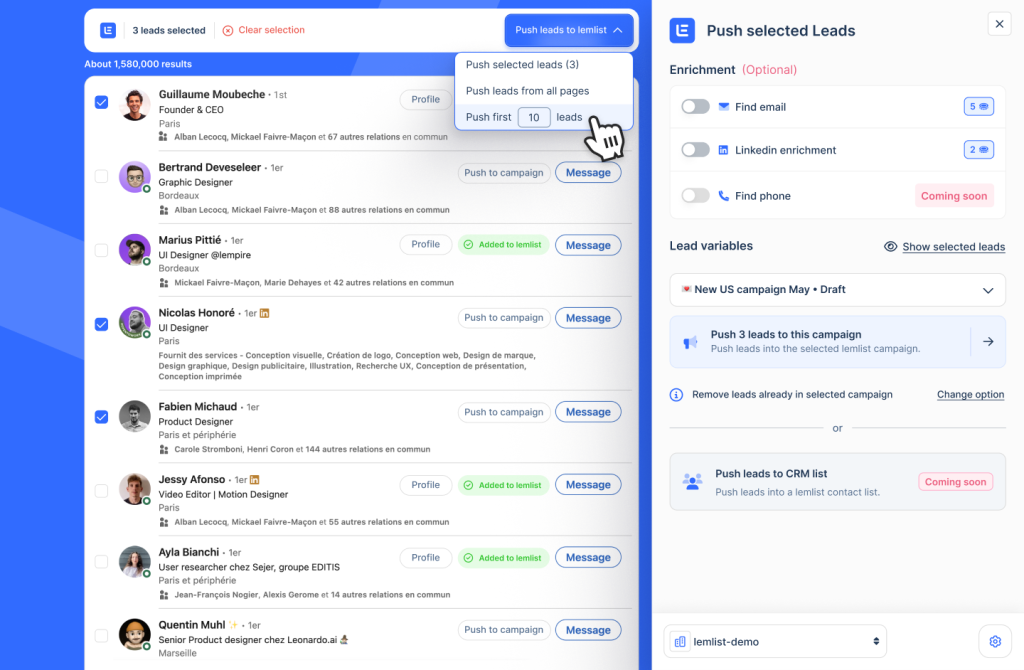
Lemlist excels at integrating LinkedIn outreach with email campaigns, creating seamless multi-channel workflows from a single platform. Its 600M+ lead database provides extensive prospecting capabilities without needing separate data tools.
New in 2025: LinkedIn AI voice messages and WhatsApp prospecting. Multi-channel support includes email, LinkedIn, calls, and WhatsApp (add-on). Email warm-up (Lemwarm) is included. Note: LinkedIn is secondary to email focus—the $69 tier is email-only.
Key agency benefits:
- 600M+ lead database for prospecting
- Multi-channel: email, LinkedIn, calls, WhatsApp
- LinkedIn AI voice messages (new)
- Email warm-up (Lemwarm) included
- AI email writing on Professional tier
- Dynamic personalization with custom variables
- A/B testing for optimization
- CRM integrations (Salesforce, HubSpot, Pipedrive)
Pricing (annual billing):
- Email Pro: $69/user/month (email only)
- Multichannel Expert: $99/user/month (includes LinkedIn)
- Enterprise: Custom pricing (API access, dedicated support)
Best for: Agencies where email is the primary channel but need LinkedIn as a supporting touchpoint in their sequences.
19. Zopto
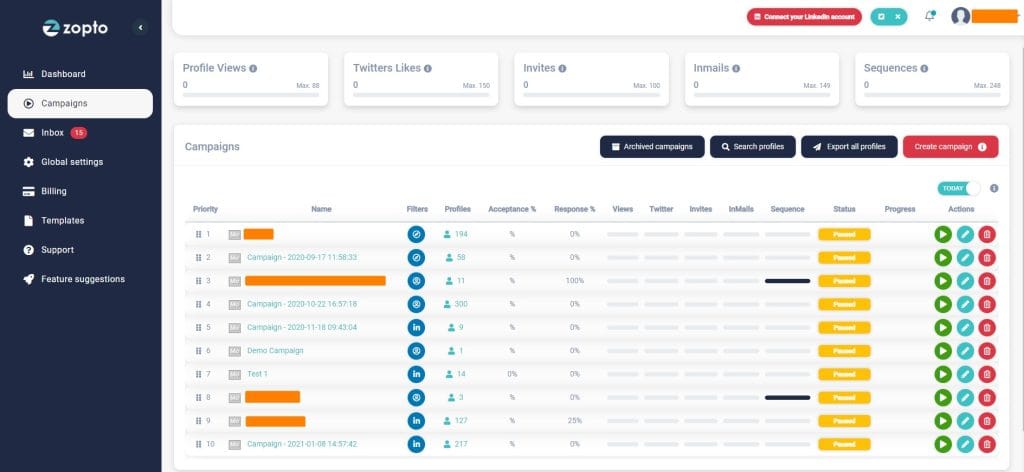
For agencies focused on lead generation, Zopto offers advanced targeting and campaign management capabilities with AI-powered features. Its AI campaign assistant “Zhoo” is powered by GPT-4 for sophisticated personalization.
The platform provides omnichannel support for LinkedIn, Email, and Twitter with 5,000 email contacts/month on Basic tier. Note: Higher pricing and some user complaints about cancellation policies—best suited for enterprise-oriented teams.
Key agency benefits:
- AI campaign assistant “Zhoo” (GPT-4 powered)
- Omnichannel: LinkedIn + Email + Twitter
- 5,000 email contacts/month on Basic tier
- Centralized campaign management dashboard
- White-label client reporting
- Advanced targeting filters
- Real-time campaign optimization
- Dedicated account manager on higher tiers
Pricing:
- Personal: $197/month (1 account)
- Grow: $297/month (2 accounts, advanced features)
- Agency: Custom pricing (multiple accounts, white-label)
- Enterprise: Custom pricing (dedicated support)
Best for: Enterprise-focused agencies with larger budgets who need AI-powered personalization and white-label capabilities.
20. Octopus CRM
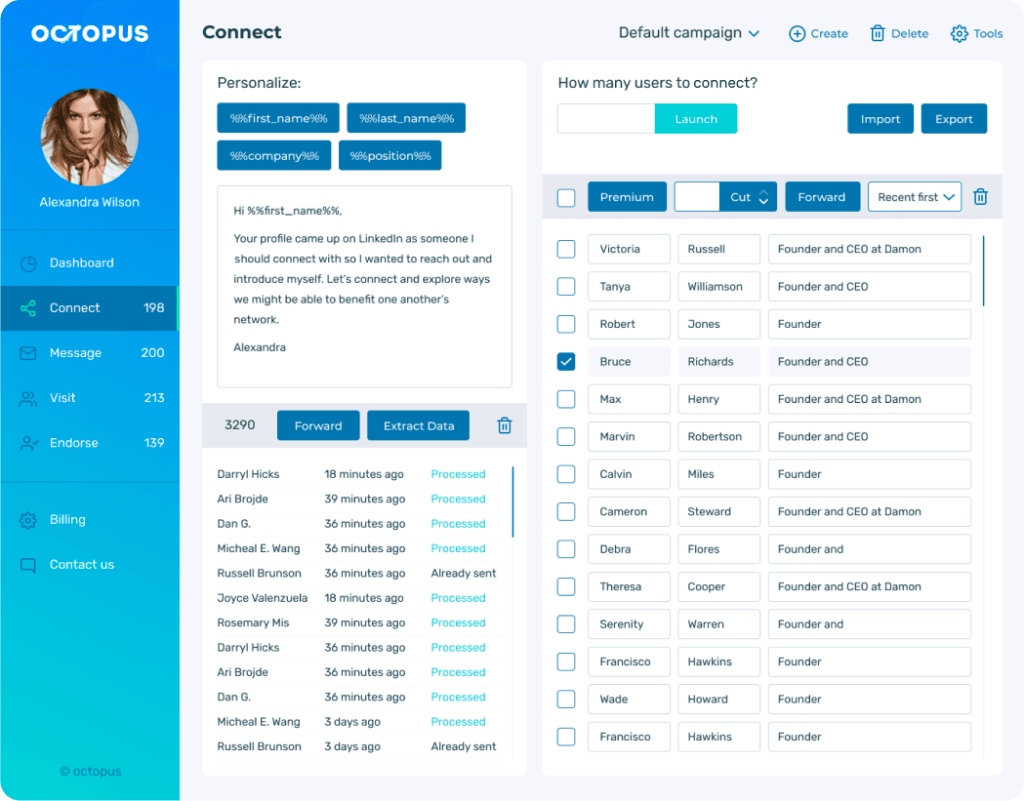
Octopus CRM offers a browser-based approach to LinkedIn automation that appeals to budget-conscious individuals. Starting at just $9.99/month, it’s one of the most affordable options available.
Caution: As a browser extension, it carries higher detection risk than cloud-based tools. The “Connect via email” feature bypasses some LinkedIn limits. Best for individuals with tight budgets willing to accept extension risks.
Key agency benefits:
- Most affordable starting price ($9.99/month)
- Profile viewing automation
- Skill endorsements automation
- Connection requests and messaging
- “Connect via email” feature (bypasses some limits)
- Data extraction for list building
- Campaign statistics and analytics
- 40% annual savings available
Pricing:
- Starter: $9.99/month (basic automation)
- Pro: $14.99/month (auto-view, auto-endorse)
- Advanced: $21.99/month (all features)
- Unlimited: $39.99/month (unlimited campaigns)
Best for: Individual users or very small agencies with minimal budgets who accept the higher risk of browser-based tools.
21. MeetAlfred
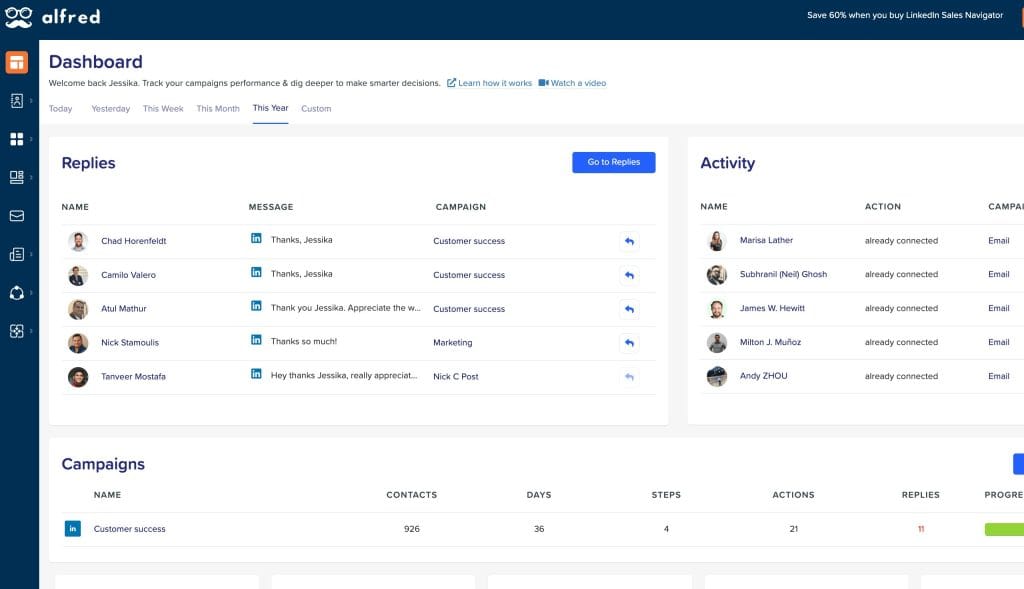
MeetAlfred provides comprehensive campaign management across LinkedIn, Email, and Twitter from a single interface. The platform includes a built-in CRM, smart inbox, and 3,000+ app integrations through Zapier.
Note: User reports indicate higher ban risk and mixed customer support quality. Feature-rich but proceed with caution and conservative limits.
Key agency benefits:
- Multi-channel: LinkedIn + Email + Twitter
- Built-in CRM for lead management
- Smart inbox for conversation management
- 3,000+ app integrations via Zapier
- Team collaboration features
- Campaign templates library
- Analytics and reporting dashboard
- LinkedIn post scheduling
Pricing:
- Personal: $59/user/month (basic features)
- Business: $99/user/month (advanced automation)
- Agency: Custom pricing (white-label, multiple workspaces)
Best for: Agencies needing multi-channel capabilities who are willing to monitor account health closely and use conservative automation limits.
22. Reply.io
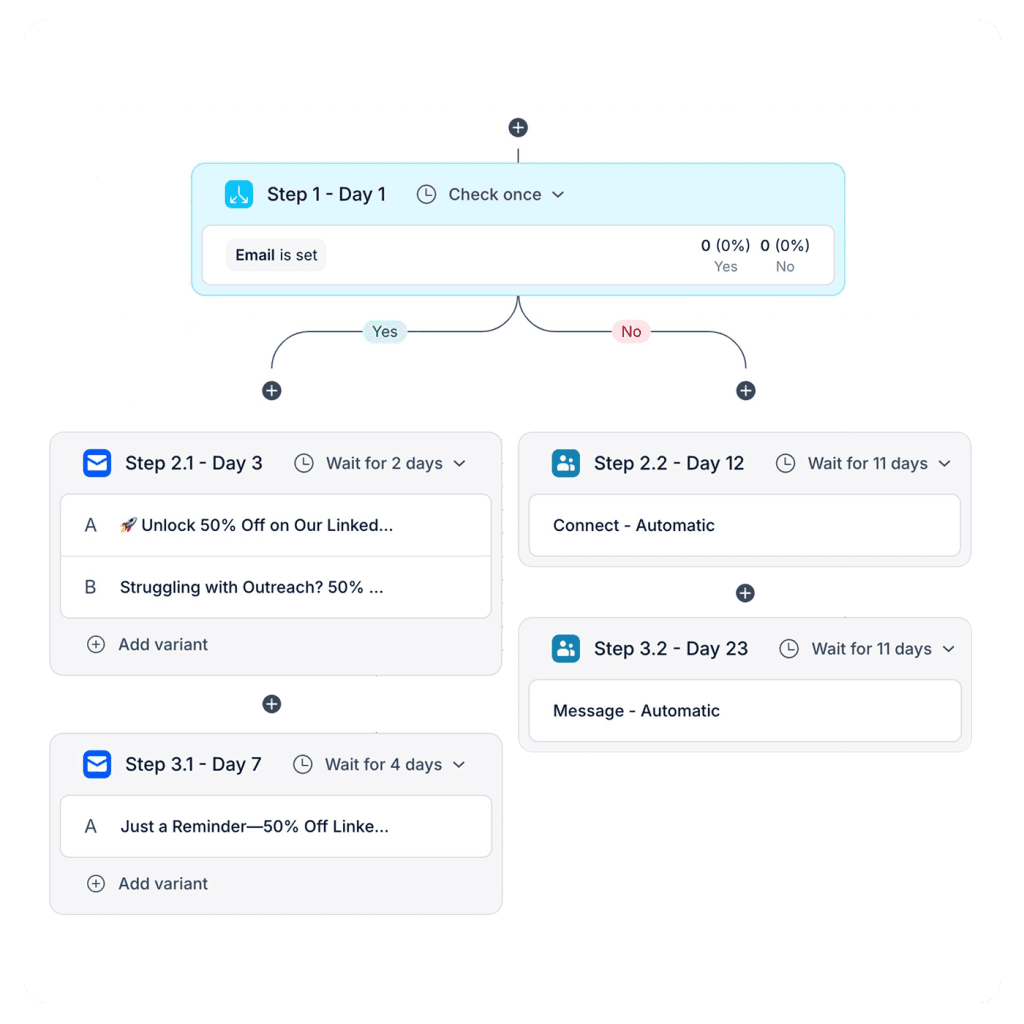
Reply.io provides sophisticated integration between LinkedIn activities and broader sales engagement efforts. Its Jason AI autonomous LinkedIn outreach agent can handle responses automatically, qualifying leads and booking meetings.
Important: LinkedIn automation requires a separate $69/month add-on per LinkedIn account. The primary focus is email, with a 1B+ contact database for prospecting.
Key agency benefits:
- Jason AI autonomous outreach agent
- 1B+ contact database for prospecting
- Multi-channel: Email + LinkedIn + SMS + Calls
- AI-powered response handling
- Meeting scheduling automation
- CRM integrations (native with major platforms)
- Advanced analytics and reporting
- Team collaboration features
Pricing (annual billing):
- Starter: $89/month (email outreach)
- Professional: $179/month (multichannel, AI features)
- Ultimate: $299/month (advanced AI, priority support)
- LinkedIn Add-on: $69/month per account
Best for: Sales-focused agencies where email is primary but need LinkedIn as part of a comprehensive outreach strategy with AI-powered responses.
23. PhantomBuster
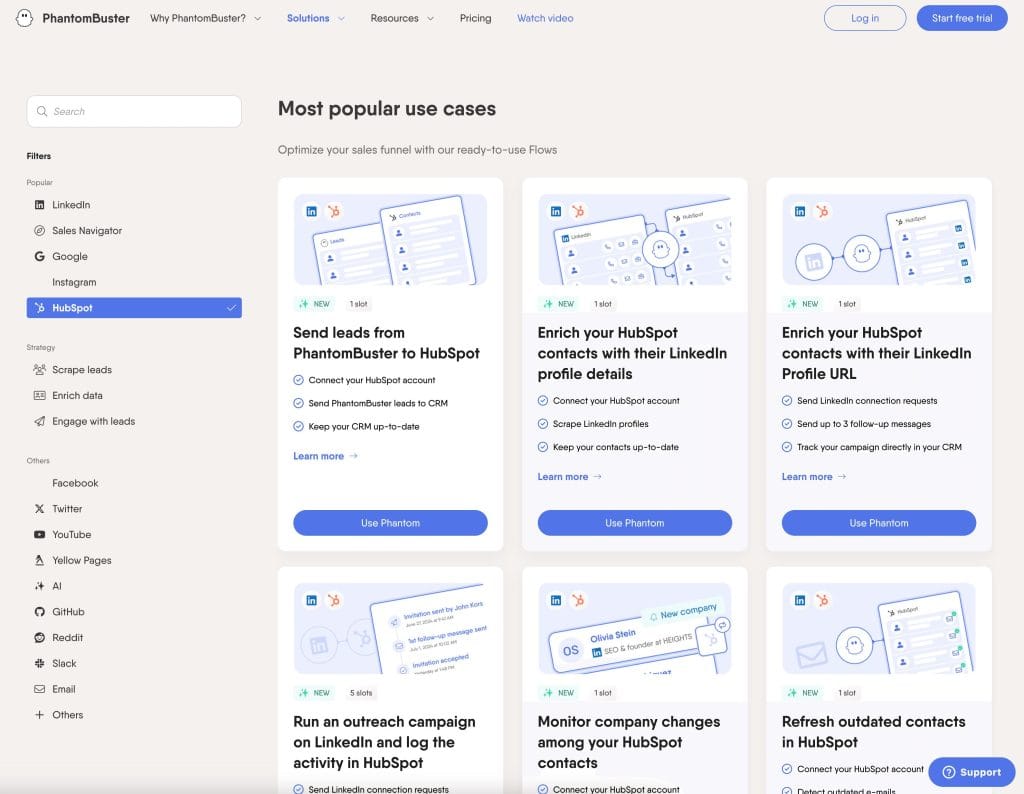
100+ “Phantoms” (pre-built automations) for automation across LinkedIn, Instagram, Twitter, Facebook, and Google. Powerful for data extraction but requires technical understanding.
Note: Complex credit/slot/execution time system. Not specifically LinkedIn-focused—best for technically-oriented agencies needing multi-platform capabilities.
Key agency benefits:
- 100+ pre-built automations (“Phantoms”)
- Multi-platform: LinkedIn, Instagram, Twitter, Facebook, Google
- Powerful data extraction capabilities
- API access for custom integrations
- Workflow chaining for complex automations
- Scheduled automation runs
- Data enrichment features
- Export to multiple formats
Pricing:
- Starter: $69/month (20 hours execution time)
- Pro: $159/month (80 hours, priority support)
- Team: $439/month (300 hours, team features)
Best for: Technically sophisticated agencies needing multi-platform automation and data extraction beyond just LinkedIn.
24. WeConnect
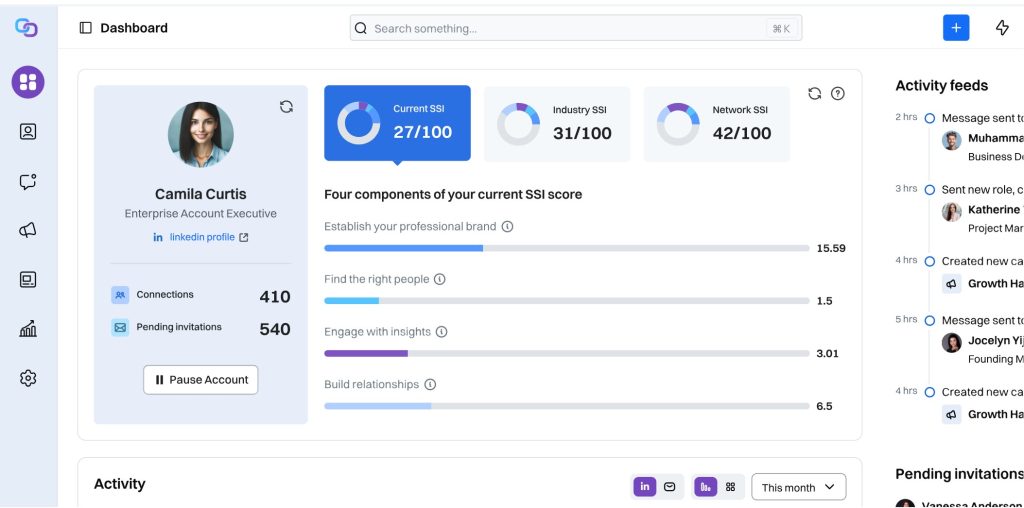
WeConnect focuses on streamlining LinkedIn outreach through efficient automation and intelligent targeting. Its standout feature is the open profile identification system, which automatically flags LinkedIn users who accept messages from outside their network—creating valuable outreach opportunities without connection requirements.
The platform’s connection request capabilities include advanced personalization based on profile data, mutual connections, and company information. This contextual relevance significantly improves acceptance rates compared to generic approaches, often exceeding 50% for well-targeted campaigns.
Key agency benefits:
- Open profile identification for efficient targeting
- Advanced personalization capabilities
- Natural campaign sequencing
- Comprehensive safety features
- Detailed analytics dashboard
- Simple implementation with minimal training
- Team collaboration features
- Affordable pricing structure
Pricing:
- Standard: $49/month
- Pro: $79/month
- Agency: Custom pricing
- Discounts for annual subscriptions
25. LinkedFusion
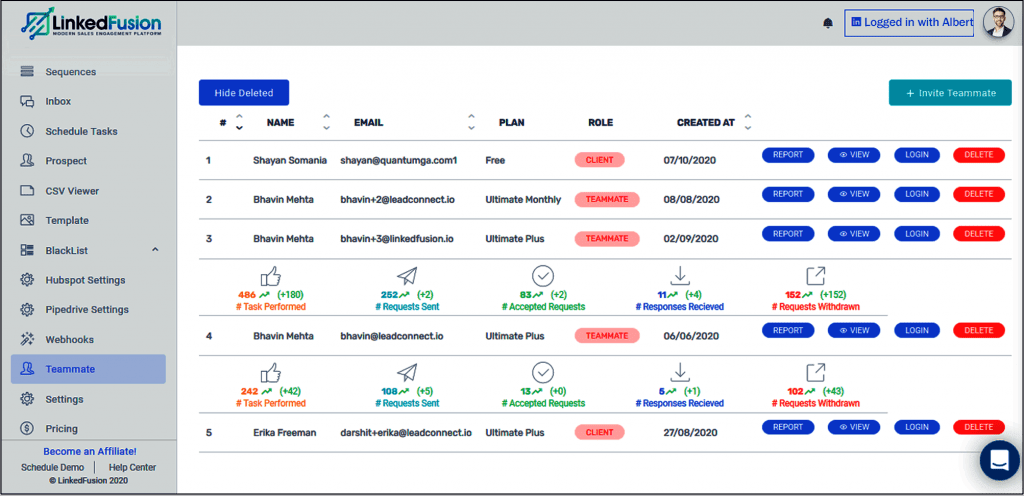
LinkedFusion offers a cloud-based LinkedIn automation solution specifically designed for agencies and sales teams managing multiple client accounts. Its standout feature is its focus on security through dedicated exclusive IP addresses, which create more stable and secure client-server connections.
The platform’s team collaboration capabilities are particularly valuable for agencies, allowing multiple team members to work within the same LinkedIn campaigns while maintaining clear accountability. The hierarchical permission structure and automatic assignment features ensure consistent quality across all accounts.
Key agency benefits:
- Dedicated exclusive IP addresses for enhanced security
- Team collaboration with role-based permissions
- Cloud-based accessibility from any device
- Seamless integration with CRMs and other tools
- LinkedIn Academy for strategy development
- Comprehensive analytics for performance tracking
- Automated connection requests to teammates
- Free sales and technical support
Pricing:
- Professional: $65.95/month per user
- Grow: $95.95/month per user
- Ultimate: $135.95/month per user
- Volume discounts available for agencies
26. DuxSoup
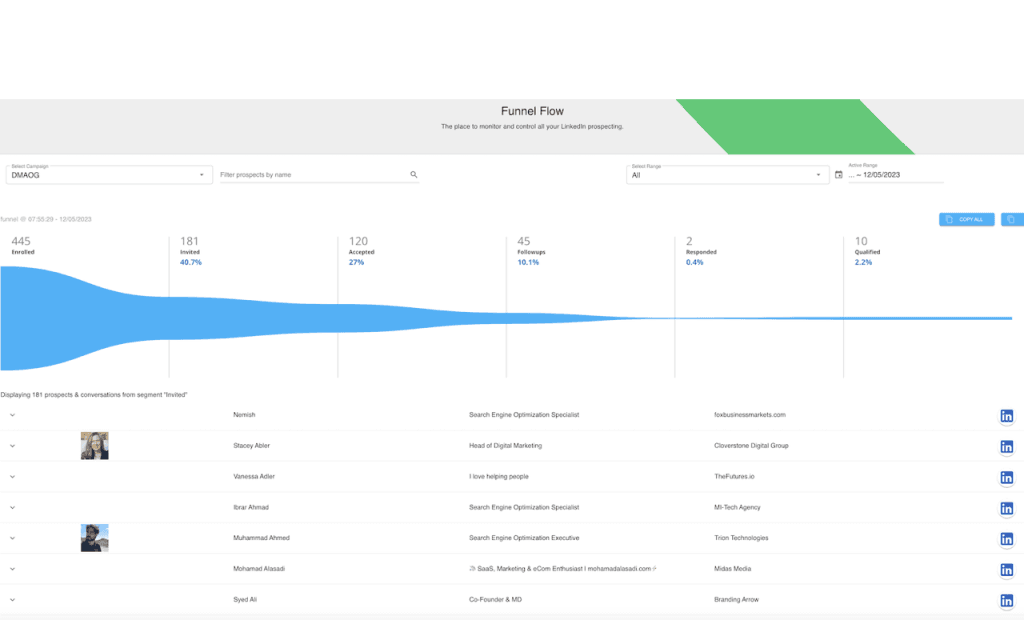
DuxSoup offers a straightforward approach to LinkedIn automation with both browser extension and cloud options. Established since 2015 with 300K+ users, it has the best safety record among browser extensions.
The Cloud Dux option ($99/month) enables 24/7 operation without keeping your computer running. Good for users preferring an established, mature tool.
Key agency benefits:
- Established platform (since 2015, 300K+ users)
- Browser extension with cloud option
- Best safety record among browser tools
- Profile visiting automation
- Connection request automation
- Messaging sequences
- Data extraction and export
- CRM integration via Zapier
Pricing:
- Pro Dux: $14.99/month (browser, basic features)
- Turbo Dux: $55/month (advanced automation)
- Cloud Dux: $99/month (24/7 cloud operation)
Best for: Agencies preferring a mature, established tool with the option to upgrade from browser-based to cloud operation.
27. LinkedFusion
LinkedFusion stands out with its 700M+ native profile database, eliminating the need for separate data enrichment tools. AI Commenting feature and dedicated exclusive IP per account provide both functionality and safety.
Key agency benefits:
- 700M+ native profile database
- AI Commenting feature for engagement
- Post scheduler included
- Account warmup automation
- Dedicated exclusive IP per account
- Smart sequences with conditions
- Team collaboration features
- Analytics and reporting
Pricing (annual billing):
- Professional: $46.95/user/month
- Grow: $65.95/user/month
- Ultimate: $95.95/user/month
Best for: Agencies wanting an all-in-one solution with built-in data access who don’t want to pay for separate enrichment tools.
28. Salesflow
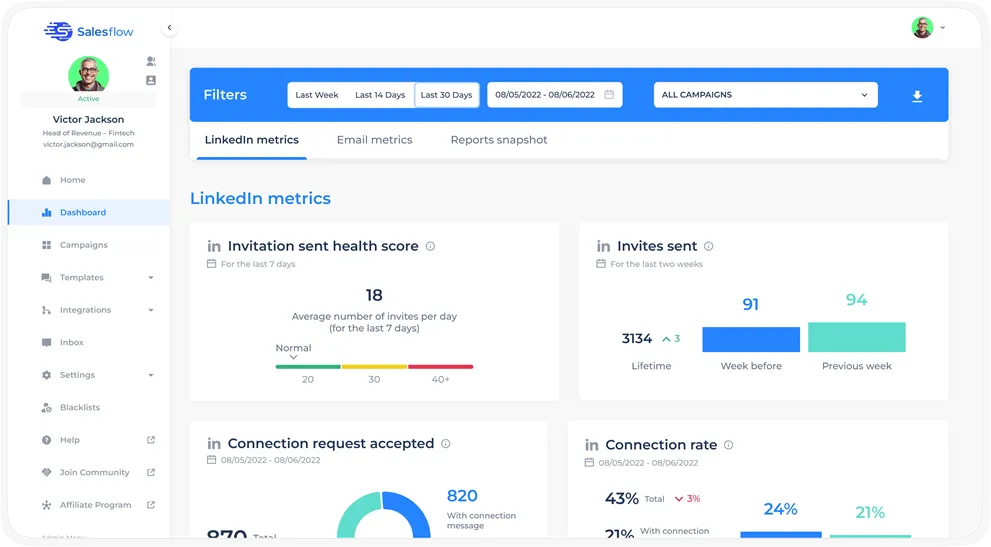
Salesflow offers generous monthly limits with 400 invites, 800 InMails, and 2,000 follow-ups. AI Reply Detection helps prioritize hot leads for follow-up.
Note: Mixed user reviews about customer support quality. Agency and Teams pricing is not publicly disclosed.
Key agency benefits:
- 400 invites/month capacity
- 800 InMails/month capacity
- 2,000 follow-ups/month capacity
- AI Reply Detection for lead scoring
- White-label reporting
- Team management features
- CRM integrations
- Campaign templates
Pricing:
- Single User: $99/user/month
- Agency: Contact for pricing
- Teams: Contact for pricing
Best for: Agencies needing high-volume outreach capacity who are willing to contact sales for agency pricing. who are willing to contact sales for agency pricing.
29. Hyperise
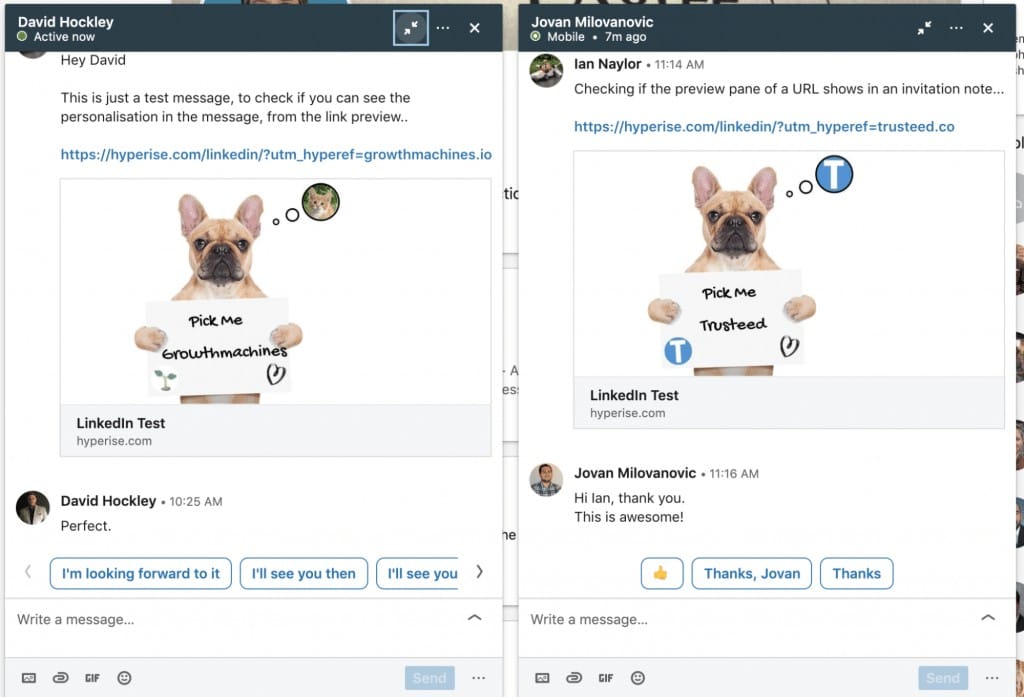
Hyperise specializes in dynamic image personalization for LinkedIn messages, which can boost response rates by up to 76% according to their case studies. It integrates with other automation tools rather than replacing them.
Key agency benefits:
- Dynamic image personalization
- GIF personalization capabilities
- Video personalization options
- 76%+ response rate improvement claims
- Integration with major automation tools
- Landing page personalization
- Website personalization
- Analytics on personalization performance
Pricing:
- Images: $39/month (image personalization)
- Websites: $79/month (website + images)
- Videos: $149/month (all personalization types)
- Platform: $299/month (enterprise features)
Best for: Agencies wanting to enhance their existing automation tools with visual personalization to increase response rates.
30. LeadConnect
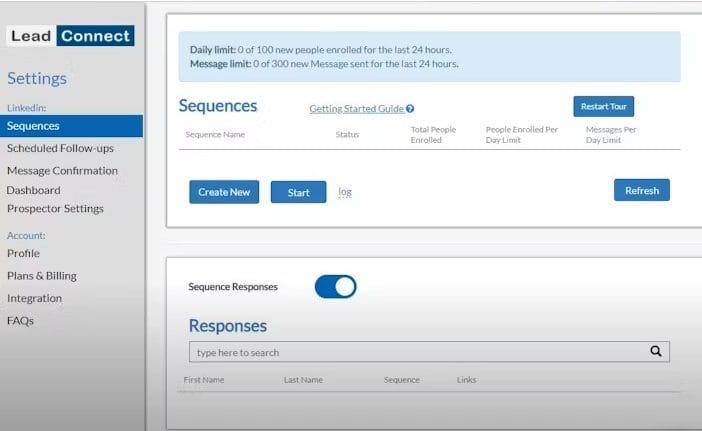
LeadConnect specializes in HubSpot integration, making it ideal for agencies already invested in that ecosystem. Automated email discovery and CRM synchronization streamline workflows.
Key agency benefits:
- Deep HubSpot integration
- Automated email discovery
- CRM synchronization
- Connection request automation
- Messaging sequences
- Profile visit automation
- Data export capabilities
- Team features
Pricing:
- Professional: $22.95/month
- Grow: $45.95/month
- Ultimate: $85.95/month
Best for: HubSpot-focused agencies wanting tight CRM integration without complex setup.
31. Closely
Closely offers competitive pricing with strong safety features including dedicated residential proxies and human-like behavior simulation.
Key agency benefits:
- Dedicated residential proxies
- Human-like behavior simulation
- Multi-channel (LinkedIn + Email)
- Built-in email finder
- CRM integrations
- Team collaboration
- Campaign analytics
- A/B testing
Pricing:
- Personal: $59/month
- Growth: $99/month
- Pro: $149/month
Best for: Safety-conscious agencies seeking residential proxy protection at competitive pricing.
32. Salestools.io
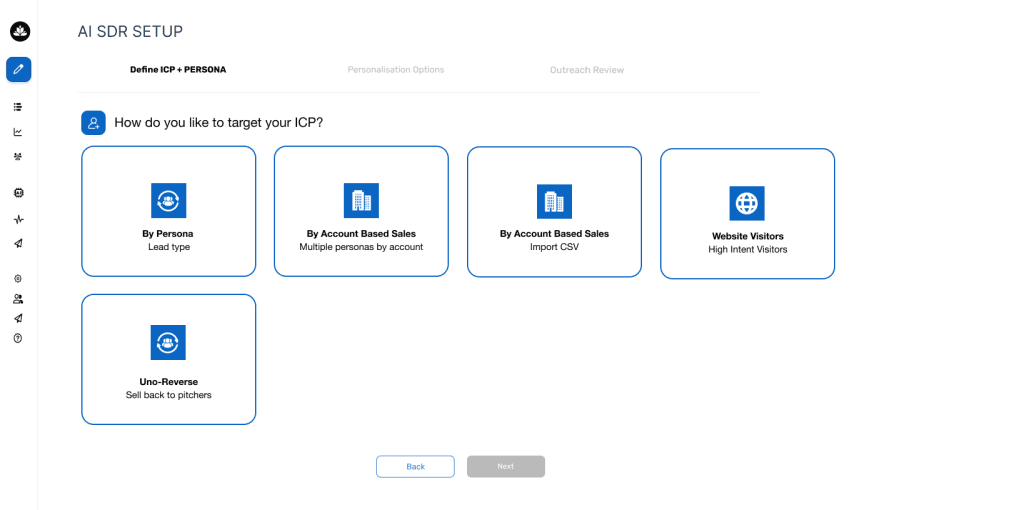
Salestools.io provides automation with built-in email verification and multi-touch sequence capabilities across LinkedIn and email channels.
Key agency benefits:
- Built-in email verification
- Multi-touch sequences
- LinkedIn + email automation
- Lead scoring
- CRM integrations
- Team management
- Analytics dashboard
- A/B testing
Pricing:
- Contact for current pricing (historically $50-100/month range)
Best for: Agencies needing combined LinkedIn and email automation with built-in data verification.
33. Kennected
Kennected focuses on cloud-based LinkedIn automation with video messaging capabilities that help personalize outreach at scale.
Key agency benefits:
- Cloud-based operation
- Video messaging features
- Connection automation
- Messaging sequences
- CRM integrations
- Team features
- Campaign analytics
- Training and support included
Pricing:
- Starts at $89/month
- Enterprise pricing available
Best for: Agencies wanting video-enhanced LinkedIn outreach with strong customer support.
Beyond Lemlist itself, the Lempire suite includes complementary tools like lemwarm (email warmup) and lemcal (scheduling) that integrate with LinkedIn workflows.
Key agency benefits:
- Integrated tool ecosystem
- Email warmup included
- Calendar scheduling integration
- Unified dashboard
- Multi-channel capabilities
- Team collaboration
- Analytics across tools
- API access
Pricing:
- Varies by tool combination
- Bundle discounts available
Best for: Agencies wanting an integrated suite of prospecting and outreach tools from a single vendor.
34. Botdog
Botdog focuses on simplicity with AI-powered personalization using natural language instructions. The platform earned a 4.9/5 rating on G2 and emphasizes ease of use—setup takes under 3 minutes for most users.
Cloud-based operation ensures safety, and the company claims to be “30% cheaper than competitors” while offering comparable features.
Key agency benefits:
- AI-powered personalization with natural language instructions
- Setup in under 3 minutes
- Cloud-based for account safety
- Human-like behavior simulation
- Smart daily limits
- Campaign analytics
- CRM integrations via Zapier
- Responsive customer support
Pricing:
- Standard: $29.99/month (all core features)
- Volume discounts available for agencies
Best for: Agencies wanting simple, affordable LinkedIn automation without complex setup or learning curves.
35. Kanbox
Kanbox offers a visual Kanban CRM pipeline integrated directly with LinkedIn automation—unique positioning that appeals to agencies who think visually about their sales pipeline. 6-step sequences with up to 75,000 leads/month on higher tiers.
Key agency benefits:
- Visual Kanban CRM pipeline
- LinkedIn automation integrated with CRM
- 6-step sequences
- Up to 75,000 leads/month capacity
- 98% email deliverability claimed
- Pipeline visualization
- Team collaboration
- Export capabilities
Pricing:
- Starter: $10/month (basic features)
- Pro: $30/month (advanced sequences)
- Business: $60/month (high volume)
- Enterprise: Custom pricing
Best for: Agencies who prefer visual pipeline management and want CRM + automation unified in one interface.
36. Konnector
Konnector offers ChatGPT-powered personalized messages with a unique positioning: designed for both sales professionals AND job seekers. Dynamic safety limits adjust to LinkedIn’s real-time thresholds automatically.
The auto-withdrawal feature removes pending requests after 21 days, helping maintain healthy account metrics.
Key agency benefits:
- ChatGPT-powered message personalization
- Dynamic safety limits (auto-adjust)
- Designed for sales AND recruiting
- Auto-withdrawal of pending requests (21 days)
- Smart sequences
- Unlimited accounts on single plan
- Campaign analytics
- CRM integrations
Pricing:
- All-in-One: $69/month (unlimited accounts and features)
Best for: Agencies handling both B2B sales outreach and recruiting clients who want a single tool for both use cases.
37. ReactIn
ReactIn represents the emerging signal-driven approach with “SmartLists” that auto-inject leads based on intent signals. Campaigns run continuously without manual list uploads—a significant workflow improvement.
Intent triggers include job changes, post interactions, website visits (with pixel), and Stripe/Calendly events.
Key agency benefits:
- SmartLists with automatic lead injection
- Intent-based automation triggers
- Job change monitoring
- Post interaction tracking
- Website visitor tracking (with pixel)
- Stripe/Calendly event triggers
- Continuous campaign operation
- Advanced analytics
Pricing:
- Free: 50 credits/month
- Starter: $59/month
- Growth: $119/month
- Scale: $189/month
Best for: Agencies wanting to move beyond static list-based outreach to dynamic, signal-driven prospecting.
38. Bearconnect
Bearconnect is the first tool combining LinkedIn outreach automation WITH content scheduling in one platform. Content calendar + outreach campaigns unified in a single interface.
Founded May 2024 by a bootstrapped solo founder, it’s a newer player but has gained traction quickly.
Key agency benefits:
- LinkedIn outreach automation
- Content scheduling in same platform
- Unified content calendar
- Campaign management
- Analytics dashboard
- Team collaboration features
- CRM integrations
- Export capabilities
Pricing:
- Standard: $67/month per account
Best for: Agencies wanting unified personal brand building (content) + lead generation (outreach) for clients in one tool.
39. Sendr
Sendr specializes in AI video and text personalization—videos appear personally recorded with the prospect’s name spoken using AI voice cloning and lip-sync technology. Not direct LinkedIn automation but uses LinkedIn data for personalized video outreach.
Key agency benefits:
- AI voice cloning for video personalization
- Lip-sync video technology
- Personalized landing pages
- LinkedIn data integration
- Email integration
- Video analytics
- A/B testing
- CRM integrations
Pricing:
- AppSumo lifetime deals occasionally available
- Standard pricing: Contact for current rates
Best for: Agencies wanting to differentiate with highly personalized video outreach using LinkedIn prospect data.
40. Instantly.ai
Instantly.ai offers best-in-class email deliverability with unlimited email accounts and warm-up on all plans. While it doesn’t have native LinkedIn automation, it integrates with HeyReach for LinkedIn steps in sequences.
Key agency benefits:
- Unlimited email accounts with warmup
- Best-in-class deliverability
- 450M+ B2B database (separate purchase)
- Lead finder built-in
- A/B testing
- Campaign analytics
- CRM integrations
- HeyReach integration for LinkedIn
Pricing:
- Growth: $37/month (unlimited accounts)
- Hypergrowth: $97/month (advanced features)
- Light Speed: $286/month (highest limits)
Best for: Email-first agencies who want LinkedIn as a secondary channel through integration with dedicated LinkedIn tools.
Content-Focused LinkedIn Tools
Creating consistent, engaging LinkedIn content for multiple clients is a significant challenge for many agencies. These specialized tools can transform your content workflow from a constant scramble to a systematic process.
41. Taplio
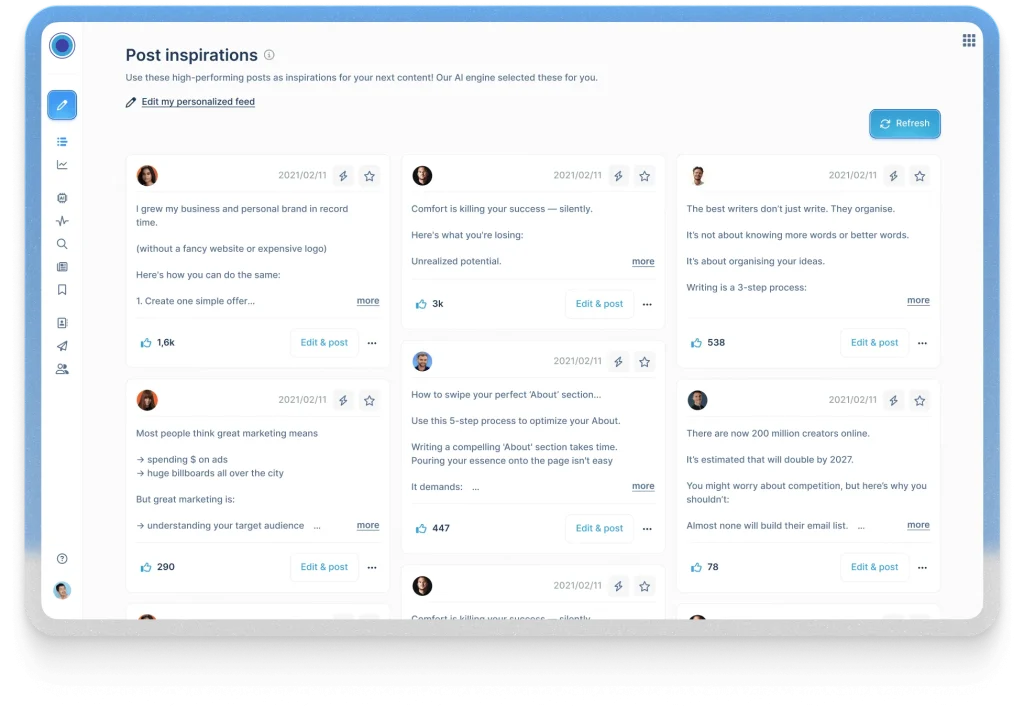
Taplio has rapidly become a favorite among agencies managing thought leadership content for multiple clients. Its AI is trained on 500M+ LinkedIn posts, providing content suggestions that match what actually performs well on the platform.
The viral post library contains 5M+ searchable posts for inspiration, and the Pro tier includes a 3M+ account database for engagement outreach.
Note: Some reports of LinkedIn temporarily blocking Taplio connections—moderate risk for automation features.
Key agency benefits:
- AI trained on 500M+ LinkedIn posts
- Viral post library (5M+ searchable posts)
- Carousel creator for visual content
- Hook generator for engaging openings
- Scheduling with re-queue functionality
- 3M+ account database on Pro tier
- Analytics and insights
- Content inspiration tools
Pricing:
- Starter: $39/month (scheduling, basic features—excludes AI)
- Standard: $65/month (AI features included)
- Pro: $149/month (lead database, advanced features)
Best for: Agencies focused on thought leadership content where content quality and engagement are primary goals.
42. Shield
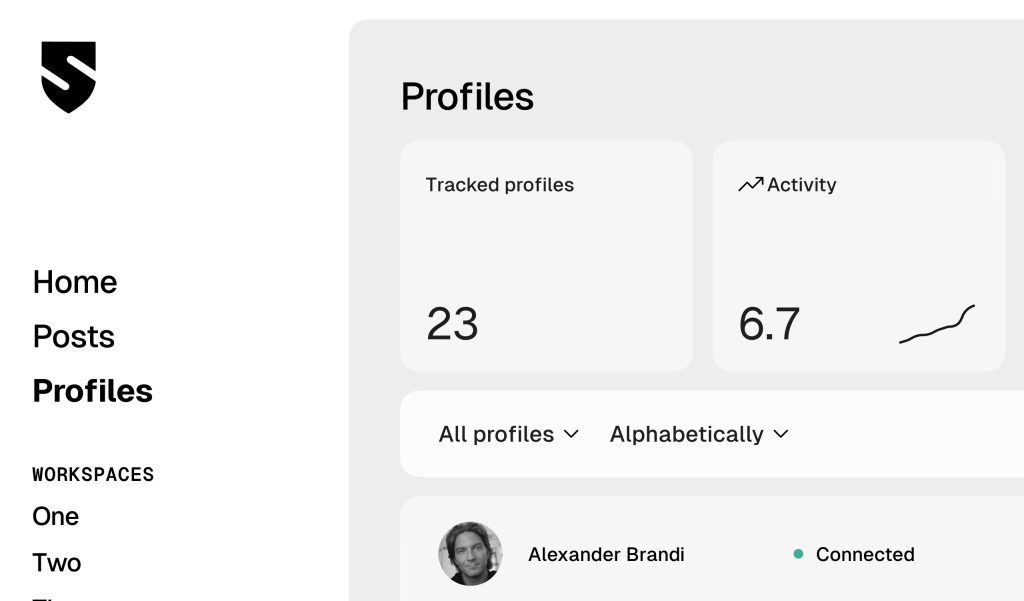
Shield addresses a critical gap for agencies by providing in-depth LinkedIn analytics far beyond the platform’s native capabilities. This is a LinkedIn-ONLY analytics tool with pure focus—no AI writing, no scheduling, just comprehensive data.
100% safe as a read-only tool with zero automation risk—it only reads data, never takes actions.
Key agency benefits:
- LinkedIn-specific analytics (deep focus)
- Historical data tracking (LinkedIn native loses data)
- Audience demographics analysis
- Best posting time analysis
- Content performance breakdown
- Competitor benchmarking
- Growth tracking
- Export for client reporting
Pricing:
- Creator: $8/month (1 profile, basic analytics)
- Professional: $16/month (1 profile, advanced analytics)
- Team: $25/month (multiple profiles, team features)
Best for: Agencies needing deep LinkedIn analytics beyond what native tools provide, especially for demonstrating ROI to clients.
43. Canva
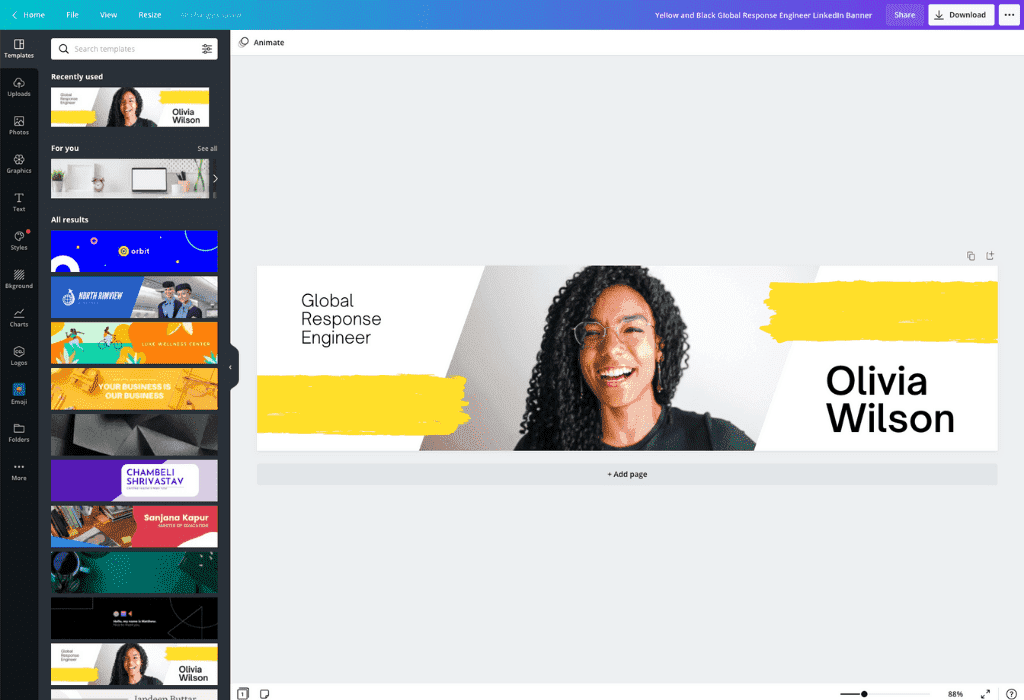
Canva has become essential for agencies creating visual content for LinkedIn, offering professional design capabilities without requiring specialized expertise. 1,064+ LinkedIn Carousel templates are available, and research shows 68% of high-performing LinkedIn carousels are created with Canva.
Major 2025 pricing change: Teams plan jumped from approximately $120/year (5 users) to $100/user/year—a 300%+ increase for small teams. Budget accordingly.
Key agency benefits:
- 1,064+ LinkedIn Carousel templates
- Magic Studio AI tools (Write, Media, Edit, Resize)
- Brand kit for consistent client branding
- Team collaboration features
- Stock photo/video library
- Animation capabilities
- One-click resizing for different platforms
- Export in multiple formats
Pricing:
- Free: 50 AI uses, basic templates
- Pro: $15/month (500 AI uses, premium templates)
- Teams: $100/user/year (brand kits, team features)
- Enterprise: Custom pricing
Best for: Every agency creating visual LinkedIn content—essentially required for professional carousel and graphic creation.
44. Lumen5
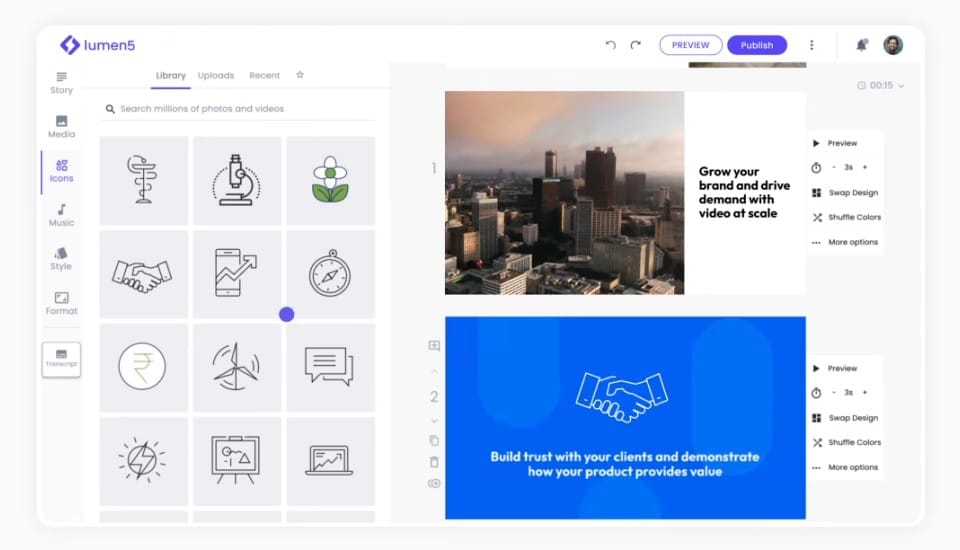
Lumen5 addresses a critical gap in many agencies’ LinkedIn toolkits by simplifying video content creation. Video typically generates 3x higher engagement than text-only posts on LinkedIn.
AI-powered blog-to-video conversion with LinkedIn-optimized dimensions and AI voiceover in multiple voices.
Key agency benefits:
- AI-powered blog-to-video conversion
- LinkedIn-optimized video dimensions
- AI voiceover with multiple voices
- Stock media library
- Brand kit for consistency
- Template library
- Automatic scene generation
- Easy editing interface
Pricing:
- Free: 5 videos/month with watermark
- Basic: $29/month (no watermark, basic features)
- Starter: $79/month (premium features)
- Professional: $199/month (advanced features, priority rendering)
- Enterprise: Custom pricing
Best for: Agencies wanting to add video content to client LinkedIn strategies without complex video production skills.
45. CoSchedule
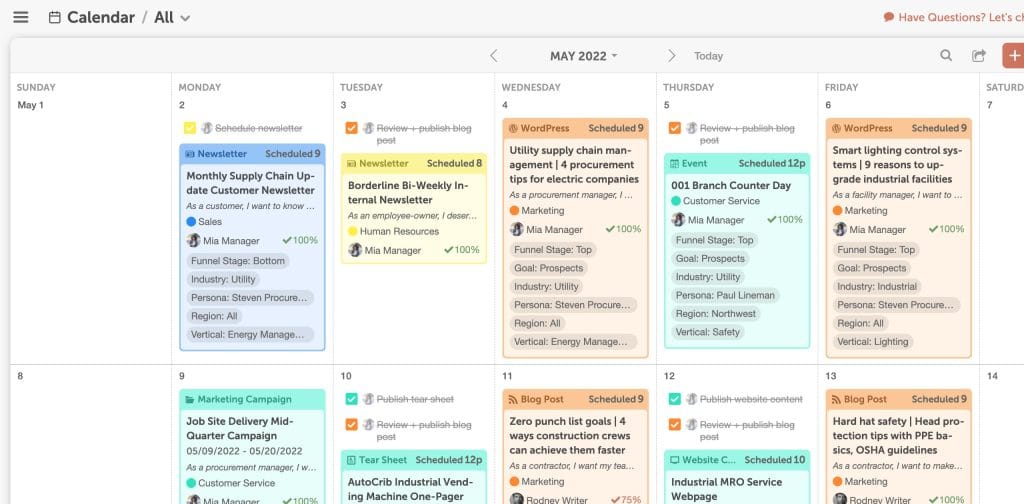
CoSchedule provides agencies with comprehensive calendar management for LinkedIn content alongside other marketing activities. The MiaWand AI assistant helps with content creation across channels.
ReQueue feature automates evergreen content republishing, and WordPress integration enables blog-to-LinkedIn promotion workflows.
Note: Approximately 12% of posts reportedly fail to publish—monitor important content manually.
Key agency benefits:
- Unified marketing calendar
- MiaWand AI assistant for content
- ReQueue for evergreen content automation
- WordPress integration
- Team collaboration
- Approval workflows
- Analytics and reporting
- Social campaign management
Pricing:
- Free: 1 profile, 15 scheduled posts
- Social Calendar: $19/user/month
- Content Calendar: $39/user/month
- Marketing Suite: Custom pricing
Best for: Agencies managing LinkedIn as part of broader content marketing campaigns who need unified calendar management.
46. AuthoredUp
AuthoredUp is a LinkedIn-specific content creation tool offering post formatting, scheduling, and analytics. Known for its post preview feature that shows exactly how content will appear.
Key agency benefits:
- LinkedIn-specific post formatting
- Preview exactly how posts will appear
- Scheduling capabilities
- Content analytics
- Hook templates
- Formatting tools (line breaks, etc.)
- Draft management
- Performance tracking
Pricing:
- Personal: $19.95/month
- Team: Contact for pricing
Best for: Agencies focused specifically on LinkedIn post quality and presentation who want precise control over formatting.
47. Publer
Publer offers social media management with strong LinkedIn support, including the ability to publish LinkedIn documents (PDFs) and articles.
Key agency benefits:
- LinkedIn document publishing
- Article publishing support
- Scheduling and automation
- Analytics
- Team collaboration
- Content calendar
- Bulk scheduling
- Browser extension
Pricing:
- Free: 3 social accounts
- Professional: $12/month
- Business: $21/month
Best for: Budget-conscious agencies needing LinkedIn document and article publishing alongside standard scheduling.
Data and Lead Generation Tools
The final piece of the LinkedIn automation puzzle involves extracting and enriching data to support targeted outreach. These tools transform LinkedIn from just a content platform into a powerful prospecting engine.
Enterprise B2B Databases
48. ZoomInfo
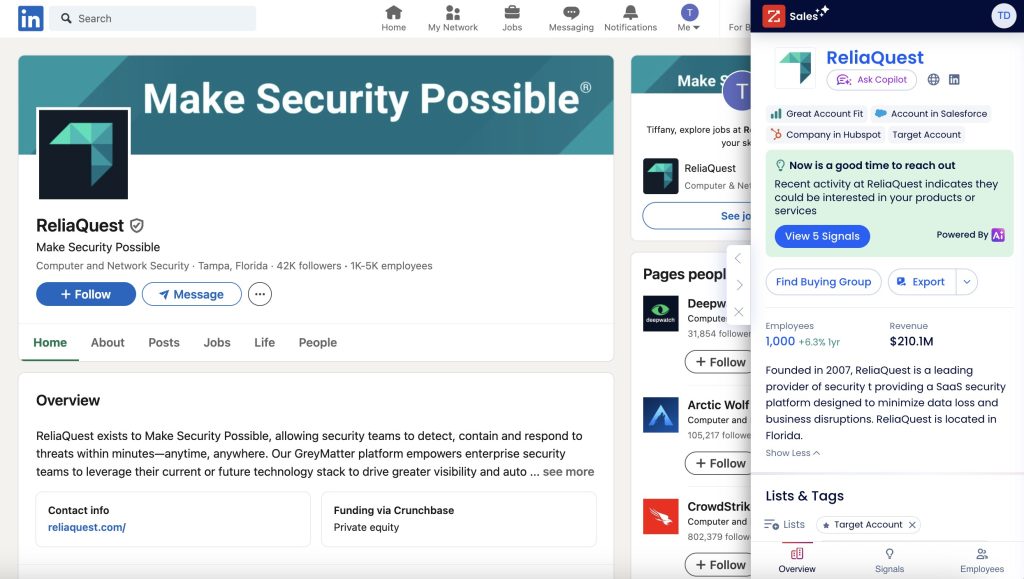
ZoomInfo remains the enterprise leader in B2B contact data with 160M+ verified contacts. ZoomInfo Copilot AI assistant launched October 2025 provides sales intelligence recommendations.
Important: Annual contracts only with 15-20% price increases common at renewal—negotiate carefully and budget for increases.
Key agency benefits:
- 160M+ verified contacts
- ZoomInfo Copilot AI assistant
- ReachOut Chrome extension for LinkedIn
- Intent signals (Bombora-powered)
- Technographic data
- Org charts
- Buying committee identification
- CRM integrations
Pricing:
- Professional: $14,995/year minimum
- Advanced: $24,995/year minimum
- Elite: $39,995/year minimum
- Enterprise: $150,000+/year
Best for: Enterprise agencies with substantial data budgets who need the most comprehensive B2B database available.
49. Cognism
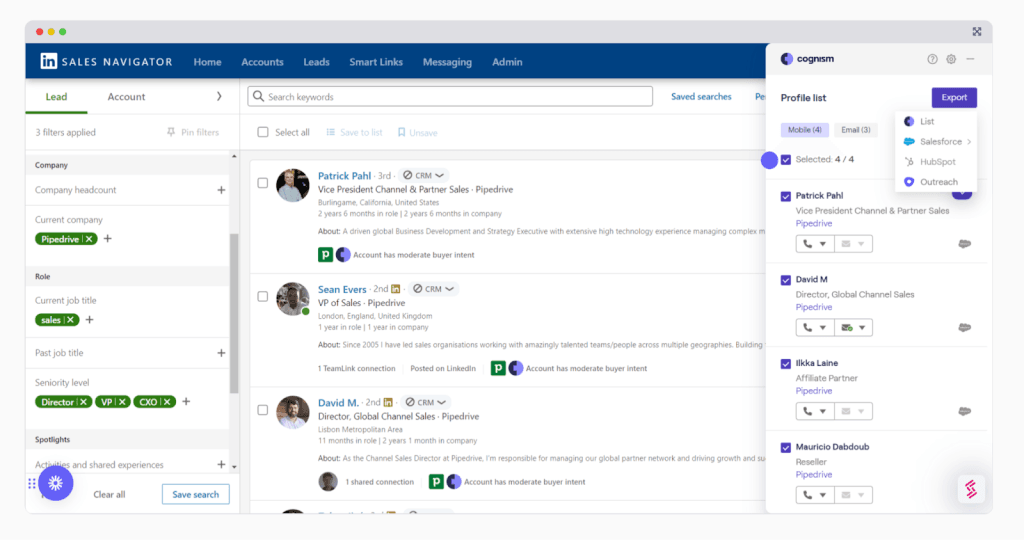
Cognism offers Diamond Data® phone-verified mobiles with 87% connect rate versus 30% industry average. Strongest European/EMEA coverage among major data providers—2-3x more contacts than competitors in those regions.
GDPR-first approach with no credit limitations—fair use policy instead.
Key agency benefits:
- Diamond Data® phone-verified mobiles (87% connect rate)
- Strongest European/EMEA coverage
- GDPR-first compliance approach
- No credit limitations (fair use)
- Sales Companion AI
- Intent data
- Chrome extension for LinkedIn
- CRM integrations
Pricing:
- License-based (not credit-based)
- Starting at approximately $16,500/year
- Enterprise: $25,000+/year
Best for: Agencies with European clients or GDPR concerns who need verified phone numbers for cold calling alongside LinkedIn outreach.
Mid-Market Data Solutions
50. Lusha

Lusha offers accessible B2B data with 100M+ business profiles and 60M+ decision-maker emails. Free tier with 70 credits makes it easy to test before committing.
New in 2025: Lusha AI and AI Prospect Playlists for automated list building. 81% data accuracy (above 60-70% industry average).
Key agency benefits:
- 100M+ business profiles
- 60M+ decision-maker emails
- Free tier with 70 credits
- 81% data accuracy
- Lusha AI for prospecting
- AI Prospect Playlists
- Chrome extension for LinkedIn
- CRM integrations
Pricing (annual billing):
- Free: 70 credits
- Pro: $22.45/user/month
- Premium: $52.45/user/month
- Scale: Custom pricing
Best for: Agencies needing good-quality B2B data at accessible price points with a free tier to start.
51. Apollo.io
Apollo.io provides one of the largest B2B databases with 275M+ contacts and 60M+ companies. Chrome extension works on LinkedIn for data extraction. Free tier offers 100 credits/month.
Important: LinkedIn “automation” is manual task reminders only—no true automation. Database and email are the primary value.
Key agency benefits:
- 275M+ contacts
- 60M+ company database
- Free tier with 100 credits/month
- Chrome extension for LinkedIn
- Email sequencing
- Meeting scheduler
- CRM integrations
- Intent data on higher tiers
Pricing (annual billing):
- Free: 100 credits/month
- Basic: $49/user/month
- Professional: $79/user/month
- Organization: $119/user/month
Best for: Agencies wanting comprehensive B2B data with generous free tier and strong email capabilities (LinkedIn data extraction, not automation).
52. Kaspr
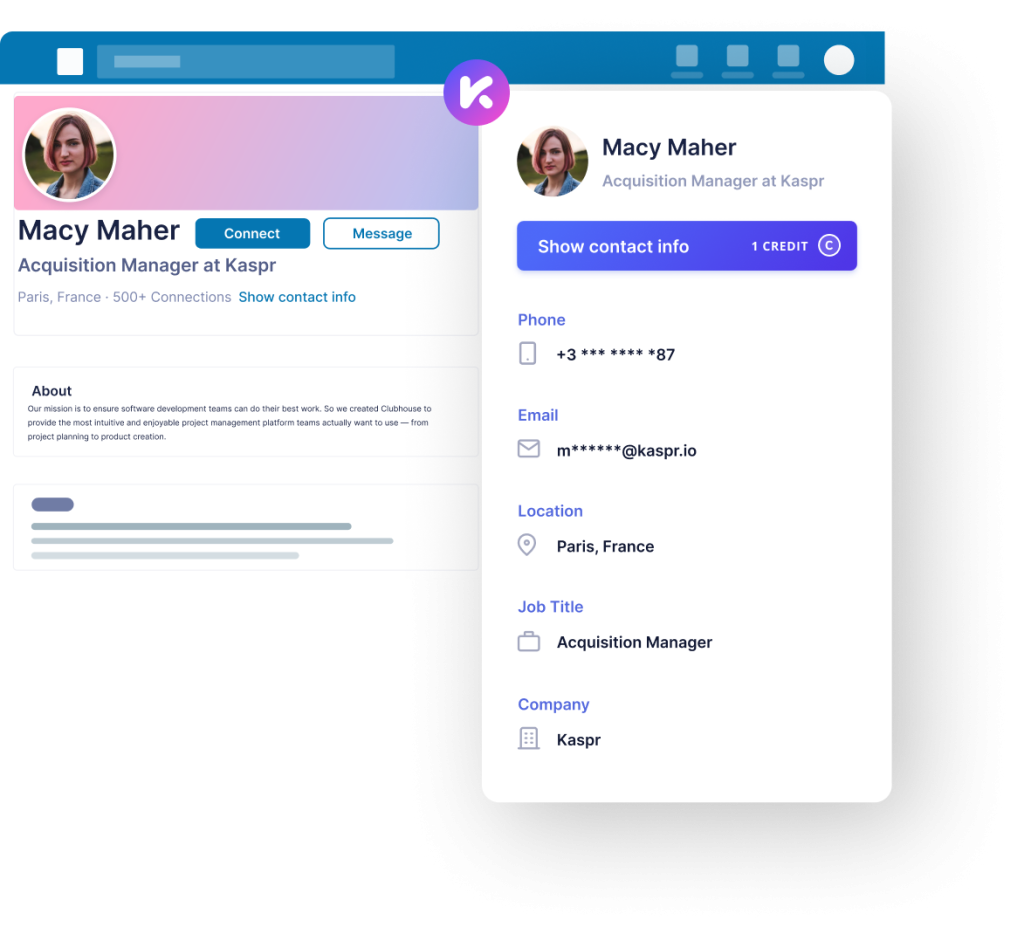
Kaspr is owned by Cognism and offers a Chrome extension built specifically for LinkedIn data extraction. Strong European data (87% accuracy), weaker US mobile (52%). Real-time extraction from 120 verified sources.
Recruiter Lite integration available on Business+ tier.
Key agency benefits:
- Chrome extension built for LinkedIn
- Strong European data (87% accuracy)
- 120 verified data sources
- Real-time extraction
- Recruiter Lite integration
- Email and phone data
- CRM integrations
- Team management
Pricing (annual billing):
- Free: 5 phone, 5 email, 15 B2B emails/month
- Starter: $49/month
- Business: $79/month
- Organization: Custom pricing
Best for: Agencies focused on European markets or those needing LinkedIn-specific data extraction at accessible pricing.
53. Wiza
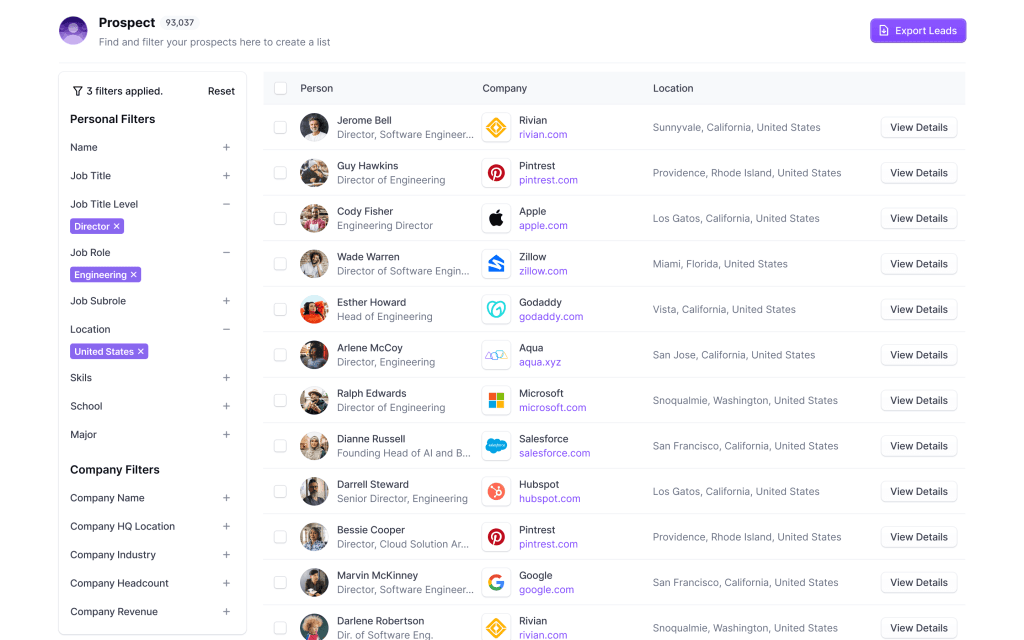
Wiza offers a Chrome extension for LinkedIn and Sales Navigator with the ability to export up to 2,500 contacts per Sales Navigator search. 99% email accuracy claimed with less than 1% bounce rate.
Wiza Monitor tracks job changes via Slack/email alerts—valuable for trigger-based outreach.
Key agency benefits:
- Chrome extension for LinkedIn/Sales Navigator
- Export up to 2,500 contacts per search
- 99% email accuracy claimed
- Less than 1% bounce rate
- Wiza Monitor for job change alerts
- 850M+ database for direct prospecting
- CRM integrations
- Team management
Pricing (annual billing):
- Free: 20 emails/month
- Starter: $69/month
- Email Plus: $83/month
Best for: Agencies using Sales Navigator who need bulk export capabilities with high email accuracy.
54. Evaboot
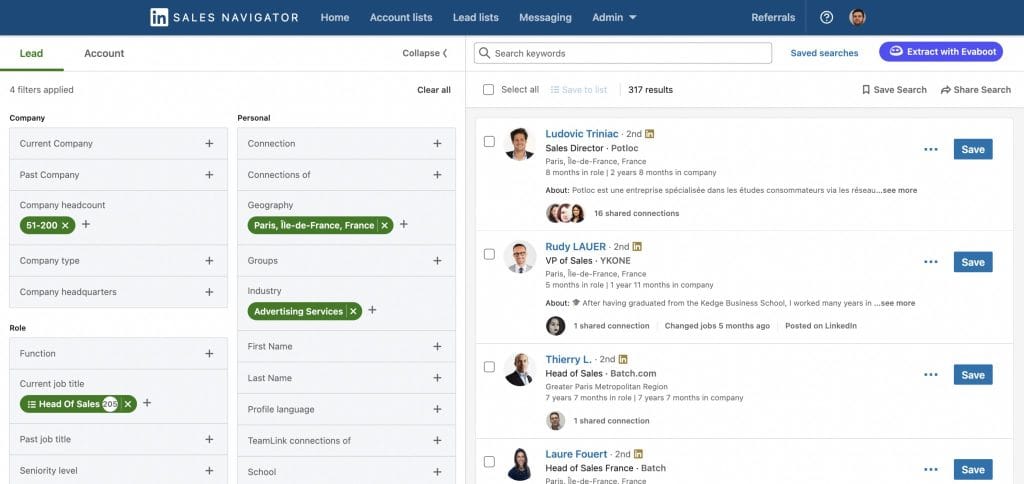
Evaboot offers a Chrome extension specifically designed for LinkedIn Sales Navigator data extraction. Exports up to 2,500 leads per search with automatic data cleaning (names, titles, companies normalized).
Important: REQUIRES LinkedIn Sales Navigator (additional $99-180/month)—this tool only works with Sales Navigator, not basic LinkedIn.
Key agency benefits:
- Designed specifically for Sales Navigator
- Export up to 2,500 leads per search
- Automatic data cleaning and normalization
- Email finding (75-80% accuracy)
- Real-time processing
- Lead deduplication
- CSV export
- Team features on higher tiers
Pricing:
- Starter: $9/month (100 leads)
- Growth: $49/month (500 leads)
- Scale: $99/month (2,000 leads)
- Enterprise: $199/month (unlimited leads)
Best for: Sales Navigator power users who need clean, organized data exports for outreach campaigns.
55. Hunter.io
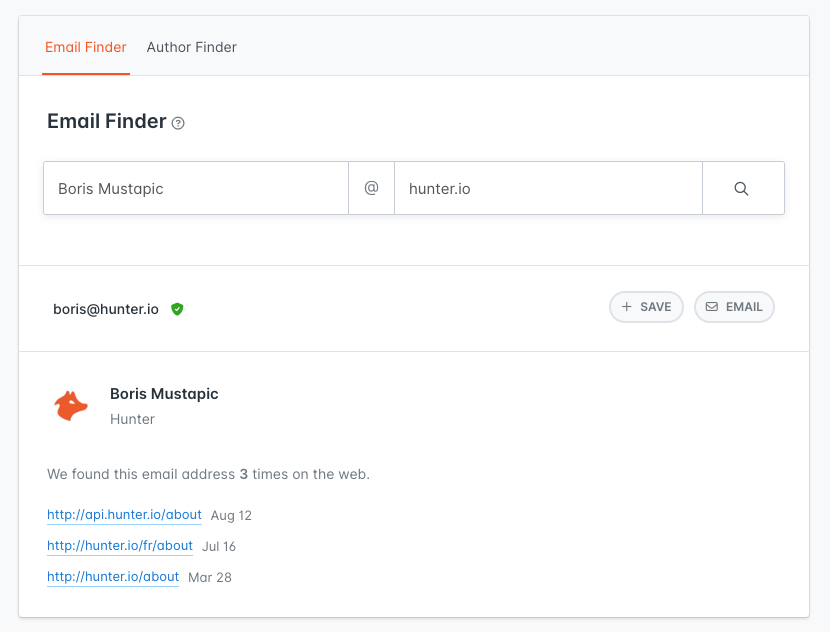
Hunter.io provides email finding and verification without direct LinkedIn integration—works via domain/company lookup instead. GDPR/CCPA compliant with source transparency.
30% annual discount available on all paid plans.
Key agency benefits:
- Email finder via domain lookup
- Email verification
- GDPR/CCPA compliant
- Source transparency
- Chrome extension
- Bulk processing
- CRM integrations
- API access
Pricing (annual billing, 30% discount):
- Free: 25 searches/month
- Starter: $34/month
- Growth: $104/month
- Business: $209/month
Best for: Agencies needing email finding/verification without LinkedIn scraping, especially for compliance-sensitive clients.
56. Surfe (formerly Leadjet)
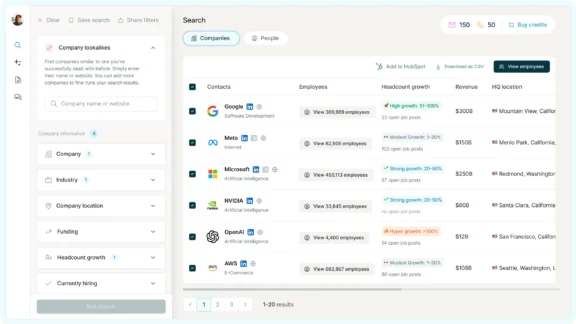
Surfe provides a LinkedIn-to-CRM bridge with 1-click contact adding from LinkedIn to your CRM. Waterfall enrichment from 15+ data providers achieves 93% email accuracy.
ISO 27001 certified for enterprise security requirements.
Key agency benefits:
- LinkedIn-to-CRM bridge
- 1-click contact adding
- Waterfall enrichment from 15+ providers
- 93% email accuracy
- Export up to 1,000 contacts/day on Pro
- ISO 27001 certified
- Works with Salesforce, HubSpot, Pipedrive, Copper
- Team management
Pricing (annual billing):
- Free: 20 emails/year (yes, per year)
- Essential: $29/month
- Pro: $53/month
Best for: Agencies wanting seamless LinkedIn-to-CRM workflow with high email accuracy from multiple data sources.
57. Crystal Knows
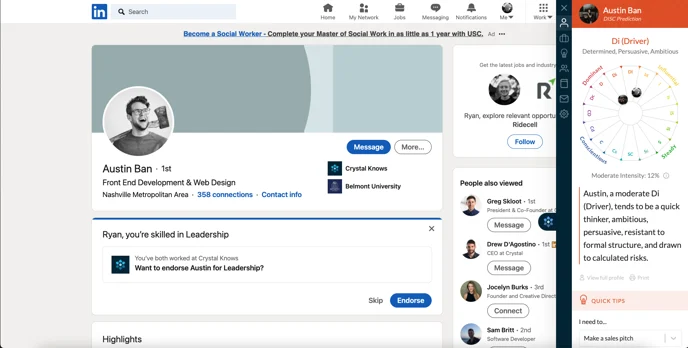
Crystal Knows offers DISC personality predictions from LinkedIn profiles. Chrome extension generates pre-meeting personality reports to help customize communication style for each prospect.
Unique positioning—not data extraction, but communication optimization based on personality insights.
Key agency benefits:
- DISC personality predictions from LinkedIn
- Pre-meeting personality reports
- Communication style recommendations
- Email tone suggestions
- Chrome extension
- CRM integrations
- Team features
- API access
Pricing:
- Free: 5 predictions
- Premium: $49/month
- Business: Custom pricing
Best for: Agencies focused on high-touch, personalized outreach where communication style optimization can improve conversion rates.
58. BookYourData
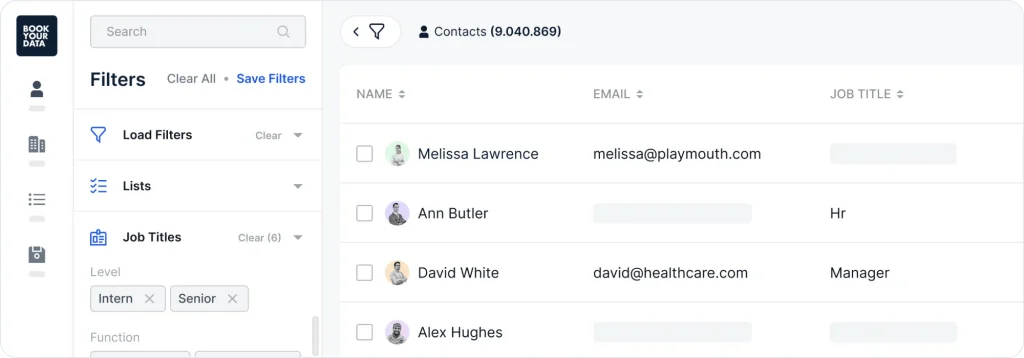
BookYourData offers pay-as-you-go pricing with no subscriptions—credits never expire. 250M+ verified contacts with 97% accuracy via 8-step real-time verification.
No LinkedIn scraping—independent database built from multiple sources.
Key agency benefits:
- Pay-as-you-go (no subscription)
- Credits never expire
- 250M+ verified contacts
- 97% accuracy claimed
- 8-step real-time verification
- Pre-built industry lists
- Real-time verification
- CRM integrations
Pricing:
- Pay-as-you-go: $0.15-$0.40/lead depending on volume
- No subscription required
- Bulk discounts available
Best for: Agencies with occasional data needs who don’t want ongoing subscriptions—pay only when you need data.
59. Clearbit (Now Breeze Intelligence)
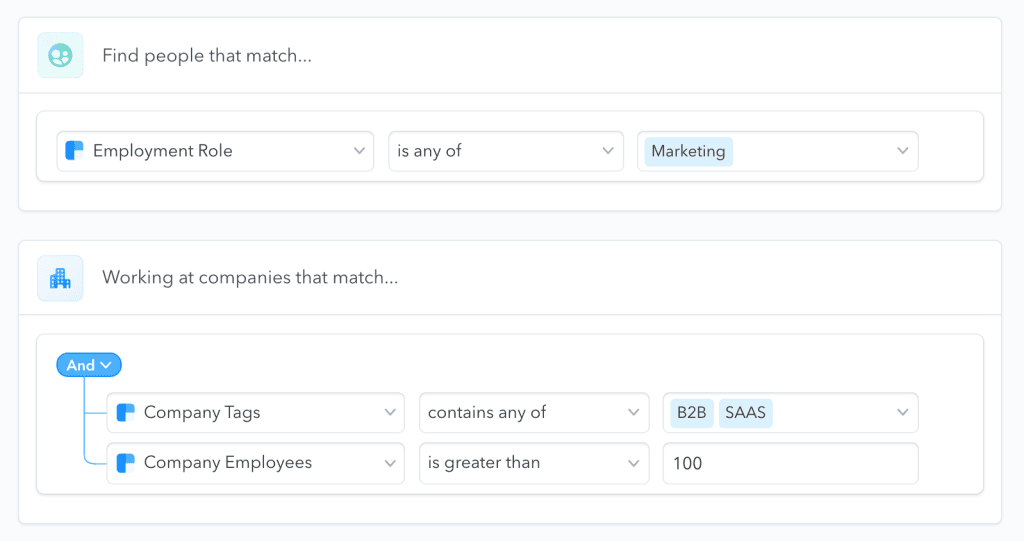
Clearbit was acquired by HubSpot in November 2023 for $150M and rebranded as “Breeze Intelligence” within the HubSpot ecosystem. Standalone access is becoming increasingly limited.
Clearbit Connect Chrome extension still available with 10 free credits for basic use.
Key agency benefits (within HubSpot):
- Enrichment for HubSpot contacts
- Form shortening
- Buyer intent signals
- Industry classifications
- Company data
- Contact data
- Website visitor identification
Pricing:
- Best accessed through HubSpot subscription
- Standalone options increasingly limited
60. Outreach.io
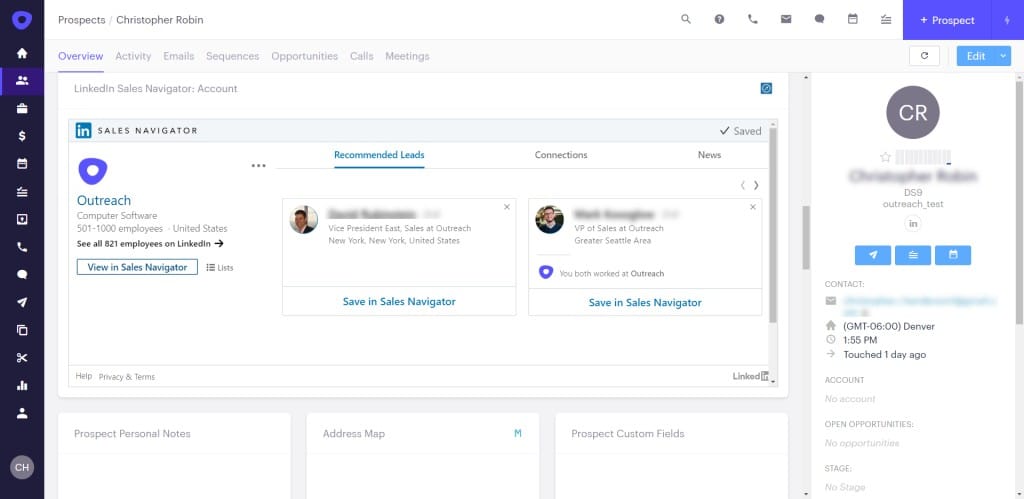
Outreach.io is a sales engagement platform (NOT a data extraction tool) that works with imported contacts for multi-channel sequences.
AI Revenue Agents and Kaia 2.0 call coaching provide AI-powered sales assistance.
Important: Minimum investment approximately $20,000/year—enterprise-focused pricing.
Key agency benefits:
- Multi-channel sequences (email, phone, LinkedIn)
- AI Revenue Agents
- Kaia 2.0 call coaching
- Deal analytics
- Pipeline management
- Forecasting
- CRM integrations
- Advanced reporting
Pricing:
- Standard: $100-150/user/month (annual)
- Enterprise: Custom pricing
- Minimum approximately $20,000/year
Best for: Enterprise agencies with sophisticated sales processes who need comprehensive sales engagement beyond just LinkedIn.
Reporting Tools
61. Swydo
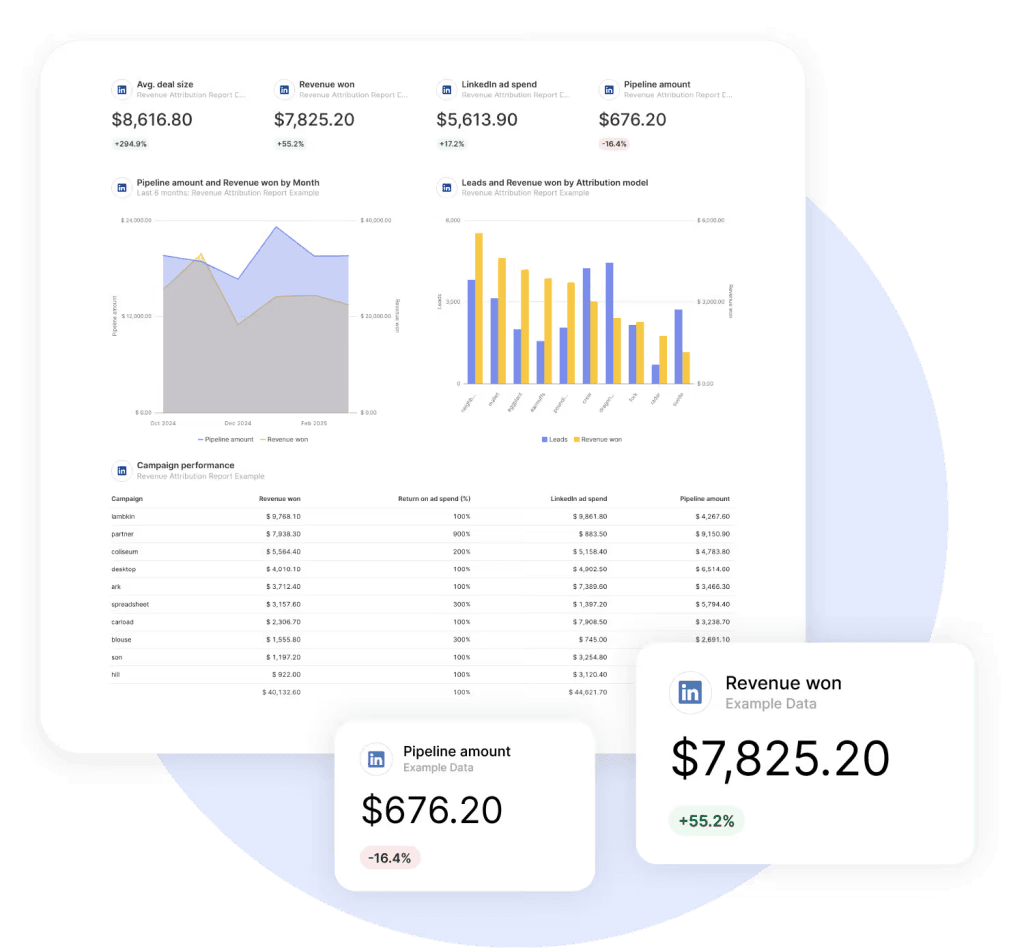
Swydo stands out as a specialized reporting platform that integrates directly with LinkedIn to provide comprehensive analytics and client-facing reports. While not an automation tool itself, it complements other LinkedIn tools by transforming raw data into meaningful insights and professional presentations.
The platform connects directly to LinkedIn’s API, automatically pulling performance metrics without manual data entry. This integration ensures accurate, up-to-date reporting while saving significant time compared to manual reporting processes.
Key agency benefits:
- Direct LinkedIn API integration (LinkedIn Pages, LinkedIn Business Manager, LinkedIn Ads)
- Customizable white-labeled reports
- Automated generation and distribution
- Multi-channel performance integration
- Contextual annotation capabilities
- Client portal for self-service access
- Scheduled and on-demand reporting
- Presentation-ready visualizations
- Swydo AI Beta for summaries
Pricing:
- Base: $69/month for 10 data sources
- Additional sources: $2-$4.50 each
- Enterprise: Custom pricing
Best for: Agencies needing professional, white-labeled multi-channel marketing reports that include comprehensive LinkedIn analytics.
62. Supermetrics
Supermetrics connects LinkedIn data (Pages, Ads) to spreadsheets, data visualization tools, and data warehouses for custom reporting.
Key agency benefits:
- LinkedIn Pages data extraction
- LinkedIn Ads data extraction
- Connect to Google Sheets, Excel, Looker Studio
- Data warehouse connections
- Automated data refresh
- Custom metrics
- API access
- Team collaboration
Pricing:
- Single connector: Starting at $29/month
- Multiple connectors: $99-$299/month
- Enterprise: Custom pricing
Best for: Data-savvy agencies building custom LinkedIn analytics in spreadsheets or business intelligence tools.
Key Considerations When Selecting LinkedIn Automation Tools
When evaluating LinkedIn automation tools for your agency, consider these important factors:
1. Safety and Compliance
LinkedIn regularly updates its algorithms to detect and restrict automated activities that violate their terms of service. In 2026, their detection capabilities have improved 340% compared to 2023, making tool selection more critical than ever.
Choose tools that prioritize account safety with features like:
- Gradual activity scaling that mimics human behavior
- Random intervals between actions (15-90 seconds variance)
- Operating hour limitations matching normal work patterns
- Daily connection and message limits well below maximums
- IP protection with dedicated country-based IPs
- 8-week warm-up periods for new accounts
- Automatic pause when unusual activity detected
2. Cloud vs. Browser-Based Architecture
This is one of the most important decisions you’ll make. Cloud-based tools now dominate the market with good reason:
| Factor | Browser Extensions | Cloud-Based Tools |
|---|---|---|
| Account restriction rate | ~23% within 90 days | ~5-10% within 90 days |
| 24/7 operation | Requires computer running | Automatic |
| IP consistency | Uses your IP (risky) | Dedicated IPs |
| Detection fingerprint | Browser detectable | Server-based (harder to detect) |
| Setup complexity | Easy | Moderate |
| Cost | Generally lower | Generally higher |
Recommendation: For agency use where client accounts are at stake, cloud-based tools are worth the premium for significantly reduced restriction risk.
3. AI Personalization Capabilities
AI personalization is now table stakes in 2026—it’s no longer a differentiator but an expectation. Research shows:
- Response rates for AI-personalized campaigns: 46-71%
- Response rates for template-based campaigns: 5-15%
- 74% of sales professionals believe AI tools will significantly shape their work
Look for tools that offer:
- Dynamic variable insertion (name, company, role, etc.)
- AI-generated icebreakers based on profile data
- Sentiment analysis for response prioritization
- A/B testing for message optimization
- Content suggestions based on engagement data
4. Multi-Channel Integration
Prospects receiving both LinkedIn and email touchpoints show 2.3x higher response rates than LinkedIn-only outreach. Modern outreach creates 8 touchpoints across 16 days typically.
Leading multi-channel tools include:
- Skylead (LinkedIn + unlimited email)
- LaGrowthMachine (LinkedIn + email + Twitter + calls)
- Lemlist (email primary + LinkedIn)
- Reply.io (email + LinkedIn add-on)
5. Value vs. Cost Analysis
Pricing has stratified clearly in 2026:
Budget tier ($10-$50/month):
- Octopus CRM ($9.99-$39.99)
- Linked Helper ($15-$45)
- Kanbox ($10-$60)
- Waalaxy Free/Pro (Free-€19)
- Buffer Free/Essentials (Free-$5/channel)
Mid-market ($50-$100/month):
- Dripify ($39-$79)
- Expandi ($79-$99)
- We-Connect ($69-$79)
- Konnector ($69)
- Botdog ($29.99)
- Skylead ($100)
Enterprise ($100-$200+/month):
- Zopto ($197-$297)
- HeyReach Agency ($999-$1,999)
- Reply.io ($89-$299 + LinkedIn add-on)
- LaGrowthMachine (€60-€180)
6. Integration Requirements
Consider what systems the tool needs to connect with:
CRM Integration Priorities:
- HubSpot: LeadConnect, Surfe, Expandi, Dripify
- Salesforce: Expandi, LaGrowthMachine, Reply.io, Outreach
- Pipedrive: Expandi, LaGrowthMachine, Skylead
- Zoho CRM: Zoho Social (native)
Other Integration Considerations:
- Zapier support for custom workflows
- Native API for custom development
- Webhook support for real-time data
- Calendar integration for meeting booking
How to Build Your LinkedIn Automation Stack for 2026
Based on the latest market trends and tool developments in 2026, most agencies need a combination of tools from different categories to deliver comprehensive LinkedIn services. Here are recommended combinations for different agency types:
For Full-Service Digital Marketing Agencies
If you manage LinkedIn as part of broader social media services:
Recommended Stack:
| Category | Tool | Monthly Cost |
|---|---|---|
| Foundation | Sprout Social or Agorapulse | $79-$199 |
| LinkedIn Outreach | Expandi or Skylead | $99-$100 |
| Content Tools | Taplio + Shield | $73-$81 |
| Data Enhancement | Apollo.io or Wiza | $49-$69 |
| Reporting | Swydo | $69 |
| Total | $369-$518/month |
Key benefits of this stack:
- Unified social management for multiple platforms
- Safe, cloud-based LinkedIn automation
- Content creation and analytics tools
- Lead data for targeted outreach
- Professional client reporting
For LinkedIn Lead Generation Specialists
If your agency focuses specifically on LinkedIn lead generation:
Recommended Stack:
| Category | Tool | Monthly Cost |
|---|---|---|
| Foundation | LinkedIn Sales Navigator | $99.99-$179.99 |
| Outreach Automation | Dripify or LaGrowthMachine | $39-€120 |
| Data Enrichment | Kaspr or Cognism | $49-custom |
| Multi-Channel | Skylead or Lemlist | $99-$100 |
| Total | ~$290-$500/month |
Key benefits of this stack:
- Zero-risk foundation with Sales Navigator
- Safety-focused automation
- Quality data for targeting
- Multi-channel capability for higher response rates
For Content Marketing Agencies
If your primary focus is LinkedIn content:
Recommended Stack:
| Category | Tool | Monthly Cost |
|---|---|---|
| Primary Platform | SocialPilot or Loomly | $25.50-$59 |
| Content Enhancement | Taplio | $39-$65 |
| Analytics | Shield | $8-$16 |
| Visual Design | Canva Pro | $15 |
| Total | $87.50-$155/month |
Key benefits of this stack:
- Cost-effective content management
- AI-powered content creation
- Deep LinkedIn analytics
- Professional visual content
For Smaller Agencies with Limited Budgets
If you’re operating with tighter margins:
Recommended Stack:
| Category | Tool | Monthly Cost |
|---|---|---|
| Primary Platform | Buffer Free or Zoho Social Free | $0 |
| LinkedIn Automation | Waalaxy Free or Octopus CRM | $0-$9.99 |
| Data | Lusha Free or Apollo.io Free | $0 |
| Analytics | Shield Creator | $8 |
| Total | $8-$17.99/month |
Key benefits of this stack:
- Minimal monthly investment
- Functional LinkedIn presence
- Basic automation capabilities
- Essential analytics
Limitations to accept:
- Higher account restriction risk with browser tools
- Limited automation volume
- Basic features only
- Manual work required for gaps
For Enterprise/Large Agencies
If you have significant budgets and enterprise clients:
Recommended Stack:
| Category | Tool | Monthly Cost |
|---|---|---|
| Social Management | Sprout Social Advanced | $399/seat |
| Sales Intelligence | LinkedIn Sales Navigator Advanced | $179.99 |
| Outreach Platform | Outreach.io or Reply.io | $150-$299 |
| Data | ZoomInfo or Cognism | $1,250-$2,000+ |
| Reporting | Swydo + Supermetrics | $100-$200 |
| Total | $2,079-$3,078+/month |
Key benefits of this stack:
- Premium support
- Enterprise-grade security and compliance
- Comprehensive data coverage
- Advanced AI capabilities
- Full integration ecosystem
Conclusion
Your total monthly investment: $300-500 for a complete stack that can manage 10-20 client accounts. That’s roughly one additional client’s monthly retainer to transform your entire LinkedIn service delivery.
Most agencies waste months testing free tools or trying to build everything in-house. Pick proven tools, implement systematically, and focus on results over features.
LinkedIn Automation Tools FAQ
Direct answers for agencies scaling LinkedIn services safely and profitably
Use cloud-based tools with dedicated IPs, start with 8-week warm-ups, randomize actions with 15-90 second delays, stay 30-40% below daily limits, mix manual activity, and monitor for unusual patterns. Tools like Expandi prioritize these to keep restriction rates low at 5-10%.
For free accounts: 10-15 connections, 50 messages, 70-80 views per day. Premium/Sales Navigator: 20-25 connections, 100 messages, 250 views. Limit to work hours, maintain >20% acceptance rate, and don’t exceed weekly invites (50/150-200).
No, browser extensions have ~23% restriction risk within 90 days due to detectable fingerprints. Cloud tools with dedicated IPs are safer, harder to detect, and allow 24/7 operation without your device running.
Choose GDPR-compliant tools like Cognism or NapoleonCat. Avoid scraping without consent, use verified data sources, and maintain source transparency. European agencies should prioritize tools with built-in compliance features to avoid fines.
Over-automation without manual mix, ignoring acceptance rates, no warm-up, using desktop apps, poor personalization (leading to reports), and not monitoring for restrictions. Always test conservatively on non-client accounts first.
Prioritize multi-client dashboards, white-label reports, team permissions, scalability, safety, CRM integrations, and budget fit. Top picks: HeyReach for volume, Expandi for safety, Sendible for branding.
Budget: Waalaxy (free tier useful), SocialPilot ($25+). Mid: Dripify ($39+), Apollo.io (free tier). Premium: Sprout Social ($199+). Calculate ROI by clients handled—$300-500 stack often pays for itself with one extra client.
Budget ($10-50): Octopus, Linked Helper. Mid ($50-100): Dripify, Expandi. Enterprise ($100+): Zopto, Outreach. Look for annual discounts (30-40%), agency tiers, and per-account vs per-user billing.
AI personalization (variables, icebreakers), auto-replies (SalesGPT), content generation (Taplio), lead scoring, and behavior simulation. These boost responses 46-71% vs templates.
Free tiers (Waalaxy 80 invites, Apollo 100 credits) suit testing but lack scalability, safety, and features. Paid unlocks unlimited actions, integrations, white-labeling—essential for agency profitability.
HeyReach (50+ accounts, rotation), Sprout Social (workflows), Agorapulse (ROI dashboards). Use separate workspaces, permissions, and unified inboxes to scale without chaos.
Use tools like Agorapulse or Swydo for dashboards linking actions to revenue. Track leads, conversions, engagement—white-label reports justify retainers.
Yes, Sendible (custom domain), SocialPilot (PDF reports), Swydo (magazine-quality dashboards). Reinforces your brand in client interactions.
Export data (CSV), pause campaigns, warm up new tool gradually, transfer integrations (CRM). Test on one client first to minimize disruption.
Management Platforms (Sprout, Hootsuite), Specific Automation (Expandi, Dripify), Content Tools (Taplio, Lumen5), Data/Leads (ZoomInfo, Apollo), Reporting (Swydo, Supermetrics).
Management: SocialPilot; Outreach: Dripify; Content: Taplio; Data: Apollo; Reporting: Swydo. Total $200-400/month for 10-20 clients.
Taplio (AI ideas, virals), Shield (analytics), Canva (carousels), Lumen5 (videos). Focus on engagement-boosting formats like carousels (68% high-performers use Canva).
Apollo (275M contacts, free tier), Cognism (EU mobiles), Wiza (Sales Nav exports). Pair with Sales Navigator ($99+) for zero-risk foundation.
HubSpot: LeadConnect, Surfe; Salesforce: Expandi, Reply.io; Pipedrive: Skylead, LaGrowthMachine. Look for native sync to track ROI from lead to revenue.
Tools like Skylead (LinkedIn + email), LaGrowthMachine ( + Twitter/calls). Aim for 8 touchpoints over 16 days—boosts responses 2.3x.
Mobile patterns (e.g., Expandi’s Mobile Connector) are harder to detect. Avoid desktop apps like Linked Helper (high risk); use cloud for device-agnostic safety.
Use AI (20+ variables, GPT-powered icebreakers), images/GIFs (Hyperise), videos (Sendr). Boosts responses up to 76%—essential for agency results.
Stop manually compiling LinkedIn automation reports. Show clients real ROI with professional dashboards.
Start Your Free Trial Today