
You’re about to present your monthly results to a high-value client when they notice something that makes them pause. “Wait,” they say, squinting at the corner of your dashboard, “who’s Whatagraph?” That tiny “Powered by” logo just planted a seed of doubt about whether you’re actually the expert they’re paying for—or just reselling someone else’s work.
This exact scenario explains why white label reporting tools have become essential for modern agencies. I’ve spent the past three months testing 11 major platforms, analyzing their actual capabilities, and talking to agencies using them daily. What I found will help you choose the right tool without wasting thousands on the wrong one.
What White Label Reporting Actually Means
White label reporting isn’t simply about replacing someone else’s logo with yours. That’s cosmetic branding, and it barely scratches the surface.
True white label reporting means complete vendor invisibility across every client touchpoint. Think of staying at a Marriott hotel. You don’t see signs that say “bed provided by Sealy” or “toiletries by bulk supplier XYZ.” The brand experience stays seamless because they’ve eliminated every trace of their suppliers.
Your clients expect the same from your reporting.
This includes your agency logo on dashboards, PDFs, and mobile apps. Custom domain hosting at reports.youragency.com rather than vendor.com/youragency. Password reset emails from your domain, not the platform’s. Login pages that look like your product. Zero “powered by” footers anywhere. Branded loading screens and favicons.
When clients see third-party branding, they start wondering if they could just buy the tool directly and skip your markup. You don’t want that conversation.
The True Cost Nobody Talks About
Most comparison articles gloss over a critical detail. The subscription price is only part of your actual cost.
What you’ll really spend:
- Platform subscription: $500-6,000/year depending on size
- Setup time: 8-16 hours (your hourly rate matters here)
- Team training: 4-6 hours per person
- First month productivity dip while everyone adjusts
But here’s the payoff:
Most agencies spend 10-15 hours weekly creating reports manually across a typical client roster. That means extracting data from Google Analytics, Facebook Ads Manager, LinkedIn Campaign Manager, copying numbers into spreadsheets, formatting PDFs, writing summaries, and emailing everything out.
At $150/hour—which is conservative for agency work—that’s $1,500-2,250 weekly in pure labor costs. Or $78,000-117,000 annually.
With automated reporting, that drops to 2-3 hours weekly for quality checks and strategic insights. You save $60,000-100,000+ annually in time costs alone.
The right platform pays for itself within the first month.
The 10 Best White Label Reporting Tools
I’ve personally tested each platform, connected real client data, and evaluated them against what agencies actually need.
1. AgencyAnalytics — The Complete Package
Best For: Full-service agencies managing 10-50 clients across multiple channels
Pricing: Starts at $79/month for 5 clients; Agency plan at $479/month for 10 clients
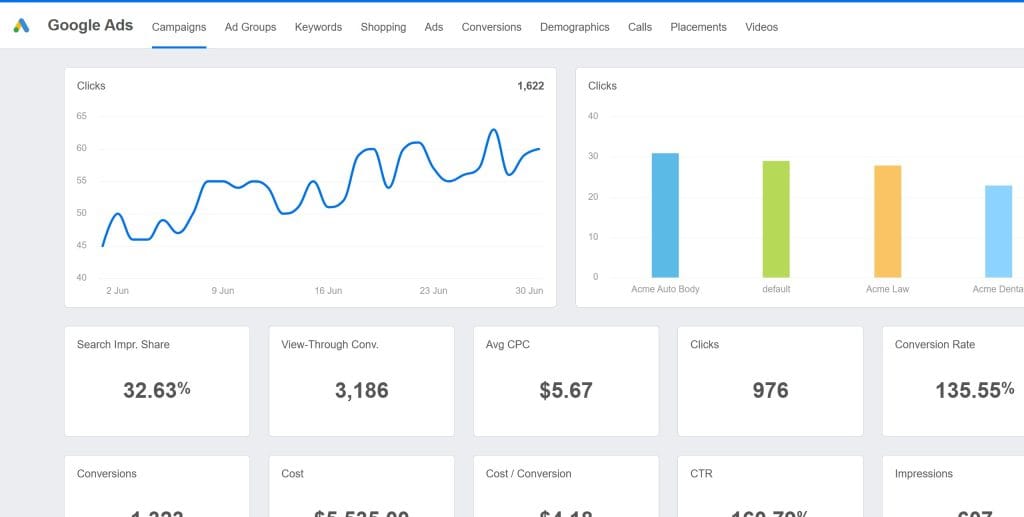
AgencyAnalytics feels like someone who actually runs an agency designed it. Everything sits exactly where you’d expect it to be.
What Makes It Stand Out
The platform includes 80+ native integrations covering Google Analytics, Facebook Ads, Instagram, LinkedIn, Google Search Console, and even SEO tools. This matters because you’re not paying for separate rank tracking software. The functionality comes built in.
The automated reports actually work without formatting headaches. Set up your template once, and every client gets a professionally branded report on schedule. The dashboard updates automatically, and your clients can log in 24/7 to check their metrics.
White Label Capabilities
AgencyAnalytics offers complete removal of their branding on Agency tier plans and above. Add your logo, customize colors, set up custom domains like reports.youragency.com, and brand the mobile app. I tested thoroughly with password reset emails, error messages, and mobile views. I couldn’t find “AgencyAnalytics” anywhere in the client-facing experience.
The Catch
Pricing increases as you add clients. Plans get structured around campaigns (client accounts), and once you exceed your plan’s limit, you pay per additional campaign. Budget for growth. It does require Agency Plan or higher, the Freelance plan does not provide complete white labeling solutions.
One significant hidden cost surfaced in user forums: connecting to MySQL databases requires a $700/month add-on. Database connectors aren’t standard integrations but high-cost extras for custom data needs.
Ideal For: Agencies billing $5,000-50,000/month who need comprehensive data from multiple platforms without juggling separate tools.
Skip If: You manage 100+ clients because costs scale up significantly, or you only need basic Google Analytics reporting.
2. Swydo — The Automation Expert
Best For: Agencies drowning in repetitive monthly reporting tasks
Pricing: $69/month base for 10 data sources, plus $4.00 per additional source (scales down to $2.00 per source in higher tiers)
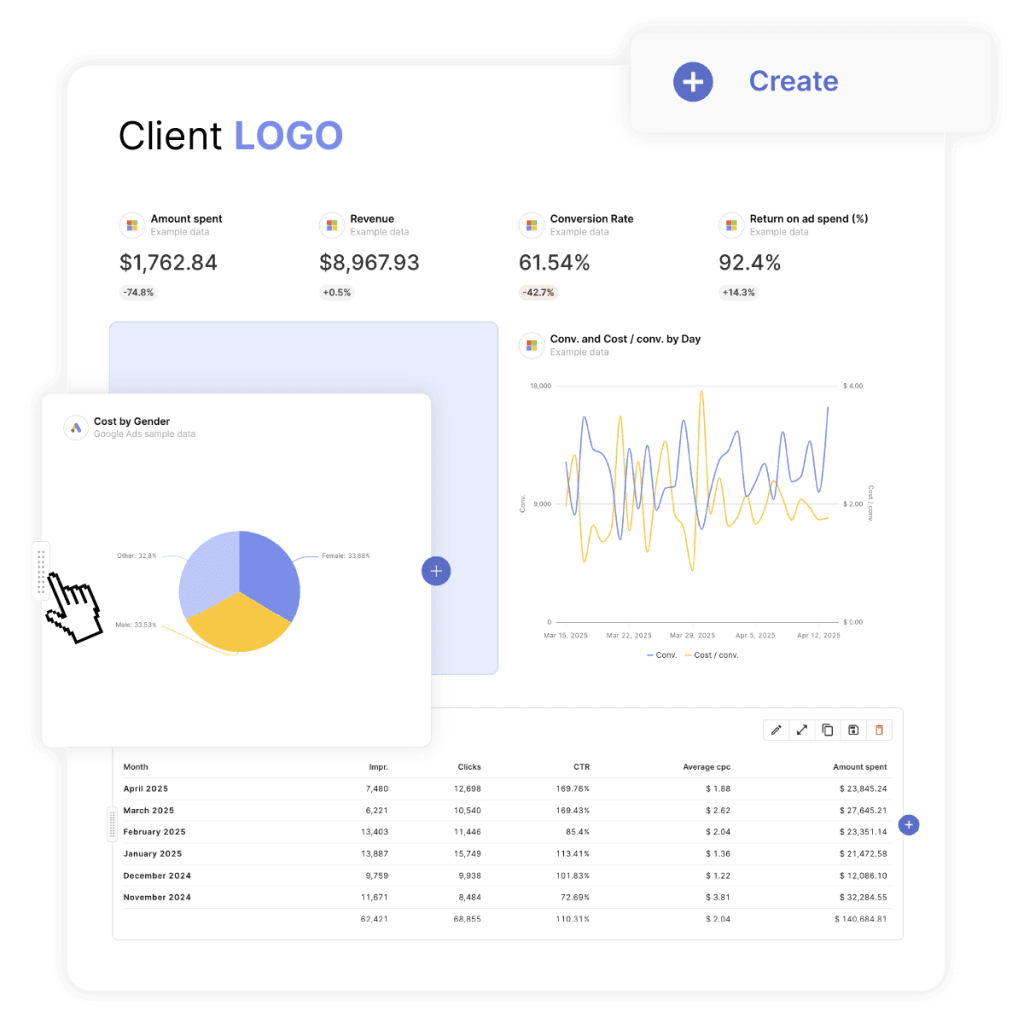
Swydo focuses relentlessly on eliminating manual work. While others emphasize pretty dashboards, Swydo emphasizes workflows and automation.
The Automation Philosophy
Configure Swydo to automatically generate and email reports on schedule. Pull data from 30+ sources, apply branded templates, and send personalized PDFs to each client without you touching anything.
Set up conditional logic like “If Google Ads ROAS drops below 3:1, send an alert to the account manager.” This workflow automation stays rare at this price point.
The platform launched significant updates in 2025, including Swydo AI Beta for report summaries and Combined Data Sources to merge metrics from up to 5 ad platforms into a single widget.
White Label Implementation
Full white-labeling comes available on all plans. Custom domains, logos, colors, and branded email delivery. Setup takes about 45 minutes. User reviews consistently rate Swydo 5/5 stars for white-label capabilities.
Integration Coverage
Connects to 30+ platforms including Google Analytics, major ad networks, social media, email marketing tools, and CRM systems. Integrations proved reliable with no data accuracy issues in my testing.
The Trade-Off
The per-source model suits agencies who standardize their reporting stacks. Agencies with highly variable client setups may prefer flat per-client pricing for simpler budgeting
Ideal For: Agencies with established reporting schedules who want to automate repetitive tasks and whose clients stay comfortable with emailed PDF reports. The per-source pricing model becomes affordable as you grow compared to per-client models.
Not Right If: Clients demand real-time dashboard access, you need sophisticated data visualization, or your reporting requirements change frequently.
3. DashThis — The Speed Champion
Best For: Agencies that need fast client onboarding without complexity
Pricing: Starts at $409/month (Standard for 5 dashboards); scales to $689/month (Pro for 15 dashboards) and $1,099/month (Enterprise for 50 dashboards)
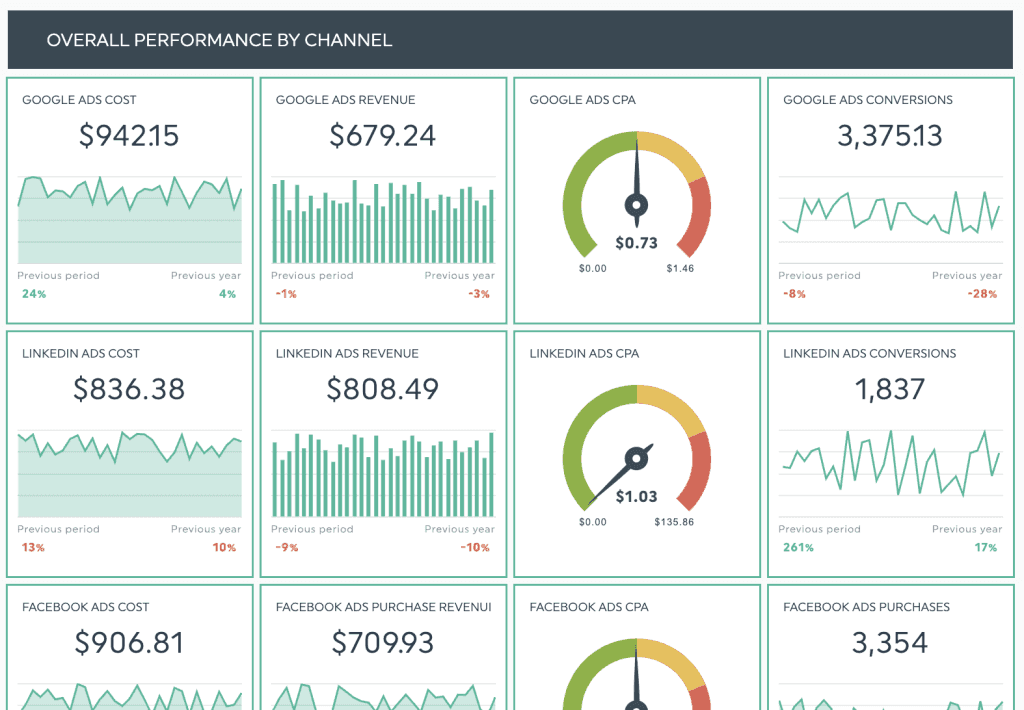
DashThis prioritizes speed above everything else. You can go from account creation to a fully branded, client-ready dashboard in under 30 minutes.
The Template Advantage
DashThis provides pre-built templates for dozens of common scenarios like e-commerce, local business, SaaS, and lead generation. Each template includes the right KPIs and logical layouts. You don’t start from scratch wondering what to include.
Better yet, customize a template once and reuse it across similar clients. Three local service businesses mean one template, three dashboards, done in 30 minutes total.
White Label Configuration
Full white-labeling comes on all paid plans starting with Standard. This includes custom domains with CNAME records and custom email addresses with SMTP configuration. These Level 3 white-label features come standard, not as paid add-ons.
Integration Coverage
DashThis offers unlimited integrations per dashboard across all plans. Connect to Google Analytics, Google Ads, Facebook, Instagram, LinkedIn, Mailchimp, and HubSpot. Integrations work straightforward with automatic data refresh daily. All plans include unlimited data sources and unlimited users.
The Trade-Off
Speed and simplicity mean fewer advanced features. No predictive analytics, limited data blending between sources, and moderate customization depth. If clients need sophisticated cross-channel attribution or custom calculations, you’ll hit walls.
Perfect For: Small-to-medium agencies with 5-30 clients who value implementation speed and prefer proven templates over unlimited customization.
Not Ideal If: You need real-time data because updates happen daily, require advanced data modeling, or manage clients with unusual metrics that templates don’t cover.
4. Whatagraph — The Multi-Platform Specialist
Best For: Agencies managing complex campaigns across many platforms per client
Pricing: Freemium model; paid plans start around $286-724/month with various tiers
Whatagraph offers a freemium model with accessible plans for small-to-mid-sized agencies, not just enterprise clients.
The Pricing Structure
Whatagraph uses a tiered approach: Free (basic features), Start/Boot plans (286/month), Boost plans (724/month), and Max (enterprise-grade). No minimum annual commitment required.
What You Get
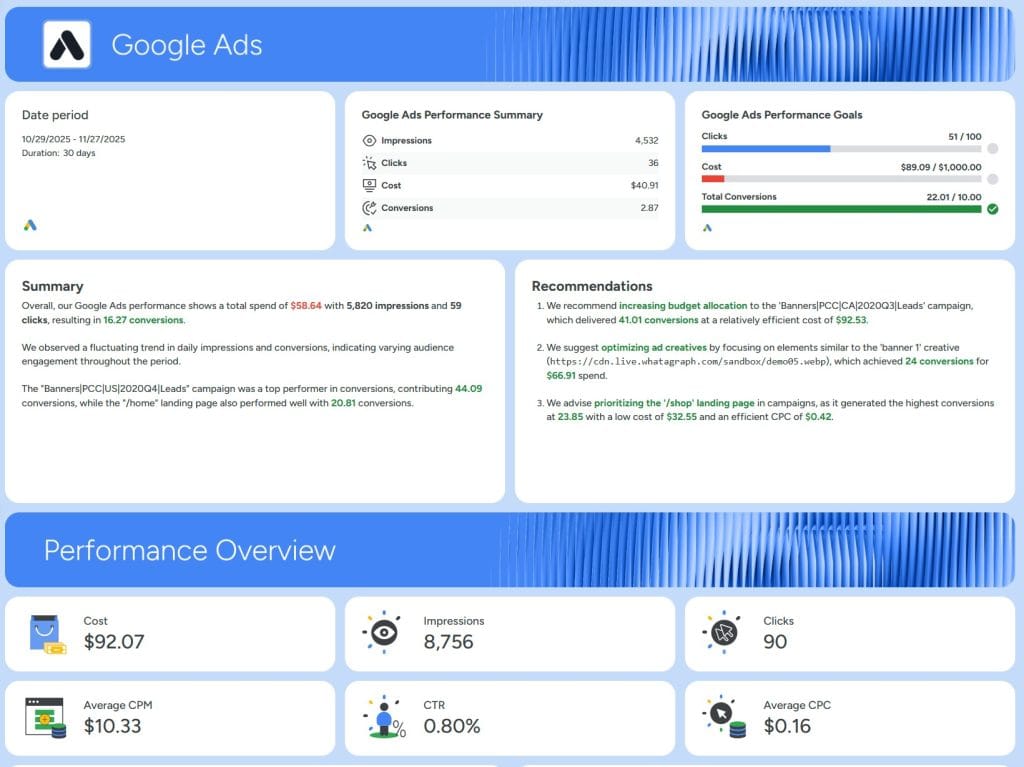
55+ integrations with data blending capabilities. Custom domains, branded reports, and AI-powered features through Whatagraph IQ. The platform excels at combining data from multiple sources into unified ROAS calculations or showing complete customer journeys across platforms.
White Label Capabilities
Full white-labeling available in Boost tier and above. Custom domains, branded reports, and removal of Whatagraph branding from client-facing experiences.
The Trade-Off
Data refresh typically happens every 24 hours. If you need sub-hourly updates, this won’t work for real-time decision-making scenarios.
Who This Serves: Medium agencies with 20-100 clients who manage multi-platform campaigns where cross-channel analytics justify the investment.
Pass If: You manage simple campaigns with 2-3 sources per client because you’ll overpay, or you need immediate data refresh.
5. Databox — The Real-Time Dashboard Specialist (With Add-On Costs)
Best For: Clients who check dashboards daily and make quick decisions
Pricing: $159/month for Professional plan with 3 data sources; white-labeling costs an additional $200/year (add-on package)
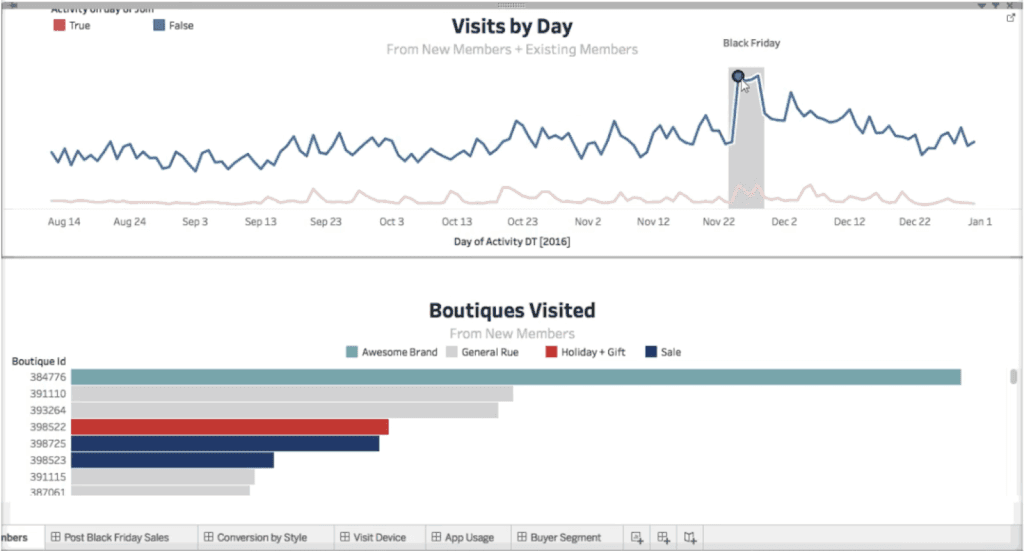
Databox focuses on real-time dashboards that clients check constantly—sometimes hourly—rather than monthly reports.
The Real-Time Advantage
While most platforms refresh daily, Databox updates every 15-60 minutes depending on the data source. For clients running active campaigns with daily budget decisions, this matters.
The mobile app stands as the best I’ve tested. Clients check key metrics from phones without complex navigation. For executives who want high-level visibility without deep analysis, this works perfect.
The Pricing Structure
The $159/month Professional plan does NOT include white-labeling as a standard feature. Databox charges an additional fee for their white-labeling and custom domain package (approximately $200 annually or equivalent monthly cost).
White Label Configuration
Once you purchase the white-label add-on, you get logos, colors, custom domains, and branded mobile apps. Everything becomes customizable.
Integration Ecosystem
Connects to 130+ services including Google Analytics, advertising platforms, CRM systems, email marketing, and business intelligence tools.
The Trade-Off
Pricing charges per data source, not per client. One client with Google Analytics, Google Ads, Facebook, and LinkedIn equals four sources. Budget accordingly. More frequent sync options (15-minute refresh for 5 sources) only come with higher-tier plans like Premium at $799/month.
Ideal For: Agencies serving data-savvy clients who make daily decisions and stay willing to pay premium prices for real-time visibility.
Not Right If: The white-label add-on breaks your budget, clients prefer scheduled reports, you need extensive historical analysis, or you serve price-sensitive clients.
6. TapClicks — The Enterprise Platform
Best For: Large agencies with 50+ clients and complex data infrastructure needs
Pricing: Custom pricing; realistic costs range $900-1,400+/month when combining data plans
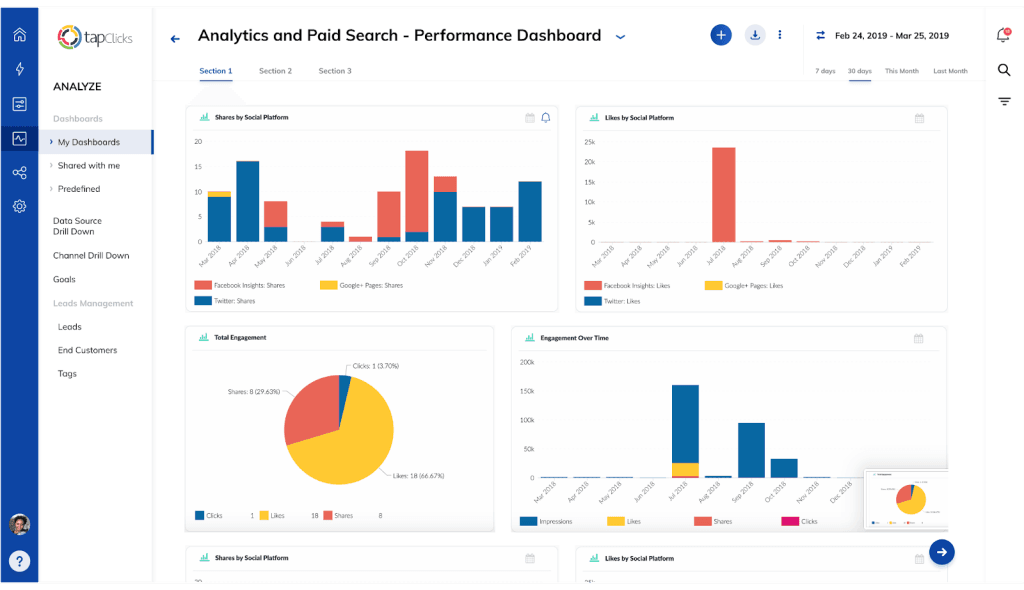
TapClicks doesn’t play in the same league as consumer-grade platforms. This is enterprise software for agencies managing hundreds of clients with sophisticated requirements.
What You Get for Enterprise Pricing
TapClicks offers 250+ native connectors. The platform also has a team that builds custom connectors if your clients use proprietary or industry-specific software through their SmartConnector feature.
The platform gets built for agencies managing 15-30 data sources per client, not the typical 5-8. Data warehouse capabilities, automated pipelines, and custom calculation engines come included. Features like margin and markup tracking and goals and pacing analytics target large agencies managing complex budgets and P&L.
White Label at Scale
Managing 100+ clients makes centralized brand management critical. Update your logo, colors, or domain settings once and changes propagate across all client dashboards instantly.
The platform includes white-labeled client portals where clients log in and access reports—all under your branding.
The Reality of Enterprise Software
Implementation takes 4-8 weeks, not days. You need technical resources—at minimum an account manager comfortable with APIs and data structures. The platform doesn’t hold your hand.
Pricing stays genuinely custom based on data volume, users, and features needed.
Who Needs This: Agencies with 50+ clients, multiple service lines, complex data requirements, and budget for enterprise infrastructure. You’re likely billing $100,000+/month in retainers.
Skip If: You manage fewer than 50 clients because you’ll dramatically overpay, have no technical staff, or need plug-and-play simplicity.
7. Reporting Ninja — The Budget Option
Best For: Budget-conscious small agencies with simple reporting needs
Pricing: $20/month for 10 reports and 4 users, scales to $120/month
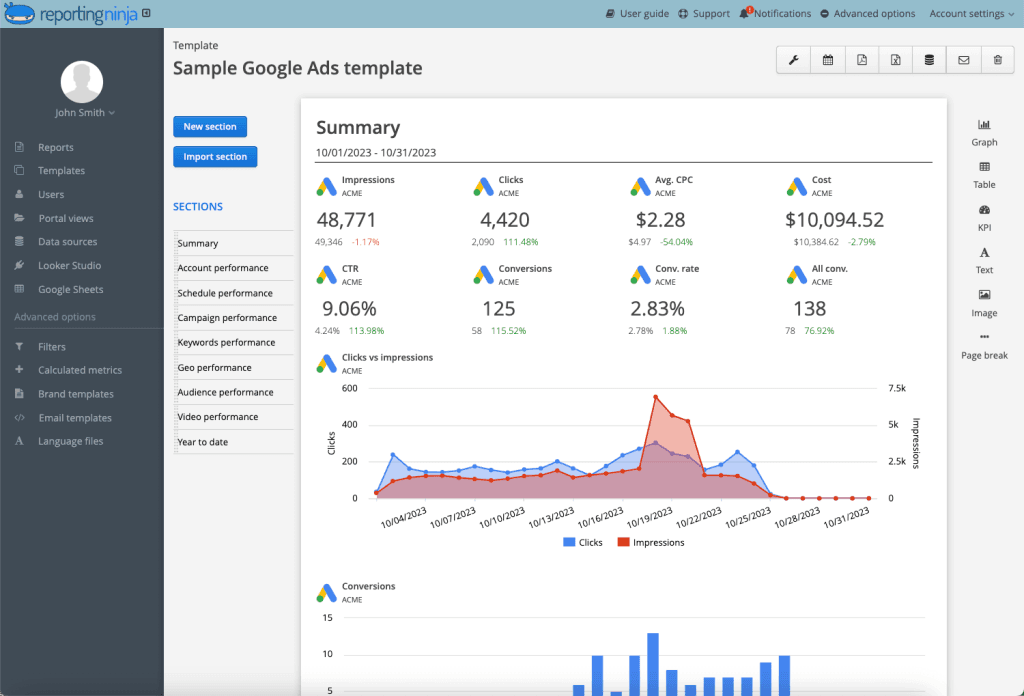
Reporting Ninja offers aggressive pricing with unlimited clients from $20/month. The platform has maintained this pricing since 2015 with no price increases—a documented stability guarantee.
What You Get for $20/Month
Unlimited clients, unlimited reports. The Starter plan includes everything except team collaboration features.
Connects to core data sources including Google Analytics, Google Ads, Facebook, Instagram, LinkedIn. Custom dashboards, automated reports, and client portals come included.
The Catch
Smaller integration library compared to enterprise options. Limited advanced features like custom metrics and complex data blending.
Support stays email-only on lower tiers with no phone support or dedicated account managers.
Perfect For: Solo consultants and small agencies with 1-20 clients who need simple automated reporting without enterprise pricing. The price stability since 2015 makes budgeting predictable.
Skip If: You need advanced integrations with specialized platforms, require phone support, or manage enterprise clients with technical questions.
8. Looker Studio — The “Free” Option With Serious Considerations
Best For: Internal reporting and small agencies using only Google products
Pricing: Free with limitations, $9/month per user for Looker Studio Pro
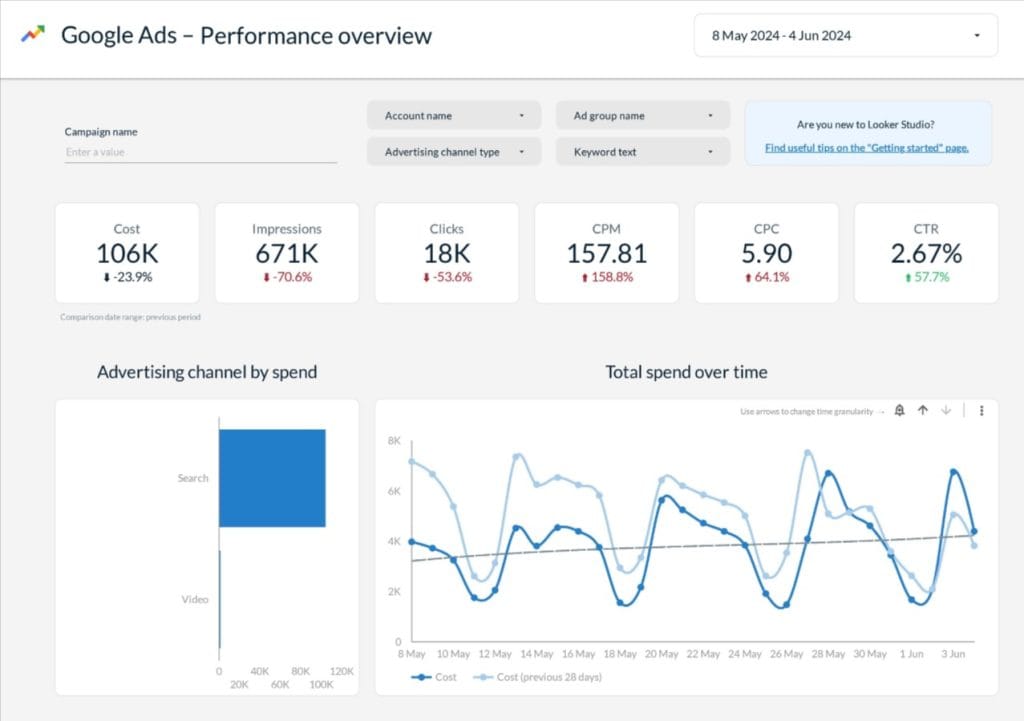
Looker Studio (formerly Google Data Studio) gets frequently recommended because it’s “free.” After extensive testing, here’s the reality of what “free” actually means.
The Free Tier Reality
Looker Studio itself doesn’t charge subscription fees. But the platform works natively only with Google’s own ecosystem (Google Ads, GA4, YouTube, Search Console).
To connect any third-party data source like Facebook Ads, LinkedIn Ads, Instagram Insights, or TikTok Ads, you must purchase paid third-party connectors. A single connector from Supermetrics for Facebook Ads costs $49/month. An agency reporting on the standard combination of Google Ads, Facebook Ads, and LinkedIn Ads pays $0 for Looker Studio but $100-150/month for the connectors required to make it functional.
White Label Limitations
Looker Studio fails the professional agency white-label test. UI customization stays limited, and the Looker Studio watermark and privacy policy appear at the bottom of reports. This stays unprofessional and represents a non-starter for most agencies.
Custom domain capabilities exist in the paid enterprise-grade Looker (Google Cloud core) product, not the free Looker Studio product. An agency cannot host its free Looker Studio reports on reports.myagency.com.
Security Considerations
Business email compromise (BEC) attacks have exploited Looker Studio’s sharing functionality. Hackers create malicious “reports” and use the scheduled report feature to email victims from legitimate Google domains. Because emails originate from Google’s trusted servers, they bypass spam filters.
While Google has addressed some related issues, security researchers documented this attack vector in 2023-2024, with some reports extending into 2025.
When Looker Studio Makes Sense
Internal reporting where branding doesn’t matter. Small agencies with 1-5 clients using only Google products. Agencies with technical staff comfortable building custom reports. Testing concepts before investing in paid platforms.
When It Doesn’t
Building each dashboard from scratch takes significant time. Factor in connector costs, security considerations, labor for custom builds, and limited white-labeling before you commit.
9. Klipfolio — The Developer’s Choice
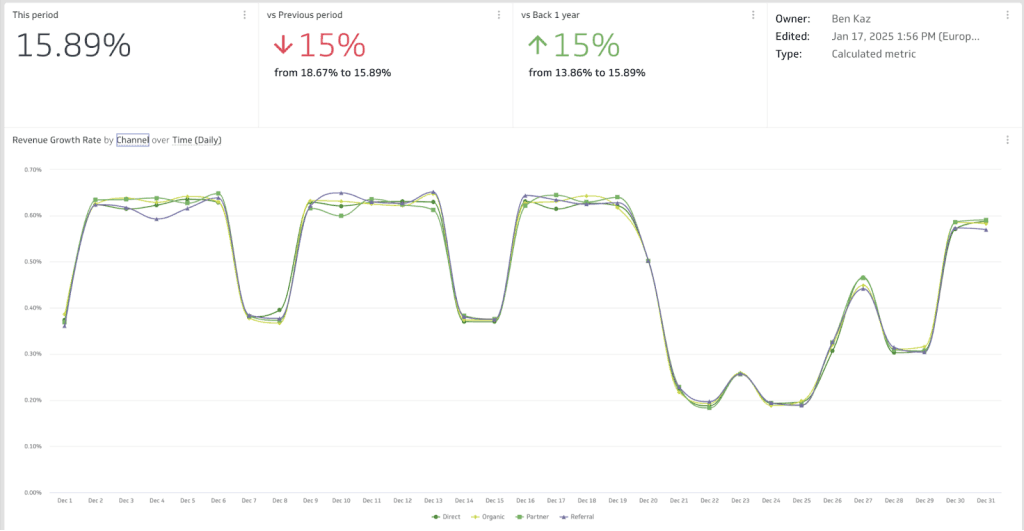
Best For: Agencies with unique reporting requirements that templates can’t satisfy
Pricing: Starts at $120/month, scales to $600+ for teams; white-label as add-on (approximately $299/month bundle)
Klipfolio gives you maximum flexibility for building truly custom dashboards. While others offer templates with limited modifications, Klipfolio lets you build exactly what you envision.
The Customization Depth
Create custom metrics using formulas that combine data from multiple sources. Design unique visualizations unavailable in template libraries. Upload custom CSS and JavaScript to dramatically overhaul Klipfolio’s look and feel.
130+ pre-built connectors exist for common data sources, plus robust REST API, SQL database, FTP/SFTP, and local file support.
White Label Capabilities
White-labeling comes as an add-on bundle (approximately $299/month). Custom domains, logos, and branding appear across dashboards and reports once purchased.
The Learning Curve Reality
Klipfolio’s flexibility comes with complexity. You’re essentially coding dashboards rather than dragging widgets. The platform offers a $379/month “Dedicated Data Hero” subscription service to help with implementation—which signals the technical skill required.
For agencies with diverse clients requiring unique configurations, this investment pays off. For agencies serving 30 similar clients, you’re over-engineering.
Perfect For: Specialized agencies serving industries with unique metrics like SaaS subscription analytics or healthcare patient acquisition, agencies with in-house data analysts or developers, and consultants billing premium rates where custom dashboards justify investment.
Skip If: You serve typical businesses with standard metrics, have no technical resources, or need fast client onboarding.
10. NinjaCat — The Mid-Market Enterprise Bridge
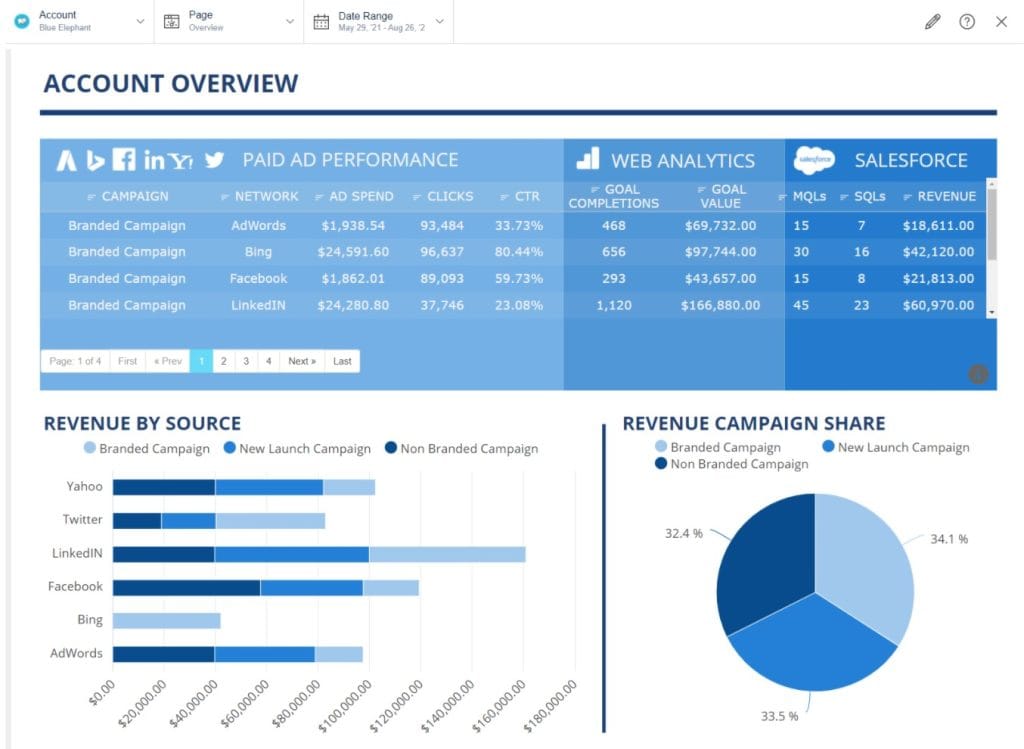
Best For: Large agencies with complex workflow automation needs
Pricing: Custom enterprise pricing; estimates suggest mid-to-high four figures monthly
NinjaCat positions between mid-market platforms and full enterprise solutions. It offers sophisticated capabilities without overwhelming complexity.
What Makes It Different
NinjaCat’s strategy focuses heavily on AI capabilities. The platform offers “AI Agents” designed to automate junior-level agency tasks like PPC hygiene, creative checks, spend monitoring, and taxonomy audits. This goes beyond simple AI summaries that other platforms offer.
Strong focus on marketing performance management beyond just reporting. This includes workflow automation, approval processes, and budget management tools that larger agencies need.
A unified data layer means you’re not managing dozens of individual integrations. Data flows through a central system for consistency. The platform offers native connectors with emphasis on data unification.
White Label Capabilities
Complete white-labeling with custom domains (vanity URLs), branded portals, email SMTP configuration, and configurable interfaces. Strong multi-client management for agencies handling 50-200 accounts.
The Sweet Spot
NinjaCat works well for agencies outgrowing mid-market tools but finding TapClicks overwhelming or expensive. You get enterprise features with mid-market friendliness.
Ideal For: Growing agencies with 30-100 clients needing advanced workflow management, agencies with complex approval processes, and teams wanting enterprise features without maximum complexity. The AI Agents justify the premium for agencies ready to invest in workflow automation.
Skip If: You run a small agency with simple needs because you’ll overpay, or you need the most extensive proven analytics capabilities.
How to Choose the Right White Label Reporting Tools
Stop overcomplicating this decision. Here’s what actually matters.
Match your agency size to the right tool:
- 1-10 clients: Budget matters most. Choose Reporting Ninja ($20-120/month) or consider Swydo ($69/month base).
- 10-30 clients: Balance cost and features. Choose DashThis ($409+/month) for speed and templates, or Swydo ($69+/month) for automation and scalability.
- 30-50 clients: Go with AgencyAnalytics ($179/month) for comprehensive features or Swydo for better per-source pricing economics.
- 50+ clients: You need enterprise infrastructure. Choose TapClicks (custom pricing, $900-1,400+/month realistic) for data unification and advanced analytics.
Match your service focus:
- PPC specialists: Swydo ($69+/month)
- Full-service agencies: AgencyAnalytics or Swydo
- Real-time dashboard priority: Databox ($159/month + white-label add-on)
- Fast client onboarding: DashThis
Match your technical skills:
- Low technical skills: DashThis (templates), Reporting Ninja (simple setup)
- Moderate skills: AgencyAnalytics, Swydo, Whatagraph
- High technical skills: Klipfolio (custom coding), TapClicks (enterprise complexity)
Run a simple test:
Pick your top 3 platforms. Sign up for trials. Set up one identical dashboard on each using the same client data. Compare these three things: setup time, data accuracy, and client-facing appearance. Choose the one that takes least time, shows correct numbers, and looks most professional. That’s your answer.
Calculate if it’s worth it:
Take your current weekly hours spent on manual reporting. Multiply by your hourly rate. Multiply by 52 weeks. If that annual number exceeds $10,000, buy a platform immediately. If it’s under $5,000, keep doing it manually.
My Final Recommendations
For solo consultants and tiny agencies (1-10 clients):
Choose Reporting Ninja at $20-120/month. You get unlimited clients, price stability since 2015, and simple automated reporting. Nothing beats this for budget predictability.
For small growing agencies (10-30 clients):
Choose Swydo at $69/month base. The per-source pricing scales affordably as you grow. Full white-labeling comes standard. The AI and automation updates make it highly competitive. You’ll spend less time wrestling with complexity and more time serving clients.
Alternative: DashThis at $409+/month if you prioritize speed over everything else and consolidate client data into single comprehensive dashboards. Templates get you live in 30 minutes.
For established mid-size agencies (30-50 clients):
Choose AgencyAnalytics at $179/month (10 clients) if you need comprehensive features and can accept per-client pricing. Watch for database connector costs if you need custom data.
Alternative: Swydo still works well here because the per-source model stays more economical than per-client pricing when you scale.
For large agencies and enterprises (50+ clients):
Choose TapClicks at realistic $900-1,400+/month. You need the 250+ connectors, data warehouse capabilities, and enterprise infrastructure. Nothing else handles this scale properly.
For PPC-focused agencies:
Choose Swydo at $69/month. Purpose-built for ad spend management with alerts and call tracking integration.
For real-time dashboard specialists:
Choose Databox at $159/month base plus white-label add-on costs. Best mobile app, best real-time updates, best for clients who check metrics hourly.
What to avoid:
Skip Looker Studio for external client reporting. Hidden connector costs ($100-150/month), no true white-labeling, and security considerations make it suitable only for internal use.
Check current pricing directly with vendors before committing. Platforms update pricing regularly, and trial periods let you verify actual costs and features match your needs.
Your Next Step
Calculate your current weekly reporting hours. Multiply by your hourly rate and 52 weeks. If that number exceeds $10,000 annually, you’re losing money every day you delay.
Register for three platform trials this week based on your agency profile above. Set up one test dashboard on each. The one that feels easiest and looks most professional wins.
Choose your platform. Set up white-labeling. Migrate 2-3 pilot clients. Document what works. Plan full migration.
The agencies winning today stopped spending 15 hours weekly on manual reporting. They reinvested that time into growing their business.
White Label Reporting Tools FAQ
Direct answers to the most common questions about agency reporting software
White label reporting lets you deliver client reports under your agency’s brand with zero trace of the software provider. Your logo appears on dashboards and PDFs, reports live at your custom domain (like reports.youragency.com), and all emails come from your address—not the platform’s.
Think of it like a hotel that doesn’t label which company made the bed sheets. Your clients see a seamless experience from your brand, which protects your perceived expertise and prevents them from wondering if they could buy the tool directly.
When clients see “Powered by [Tool Name]” on your reports, they question whether they could cut costs by purchasing the software themselves. White label reporting eliminates this risk by positioning your agency as the sole source of insights and technology.
Beyond protecting margins, it saves massive time. Most agencies spend 10-15 hours weekly on manual reporting. Automated white label tools reduce this to 2-3 hours for quality checks. That’s $60,000-100,000+ annually in recovered labor costs for a typical agency.
White label reports are static documents (usually PDFs) sent on a schedule—monthly, weekly, or after campaigns end. They’re designed for clients who prefer reviewing data at set intervals.
White label dashboards are live, interactive interfaces that update automatically. Clients log into a branded portal (hosted on your custom domain) and explore metrics in real-time. Choose dashboards for data-savvy clients who make daily decisions, and reports for executives who prefer periodic summaries.
With proper white labeling, no. The best platforms remove all vendor branding from dashboards, reports, login pages, password reset emails, error messages, mobile apps, and loading screens. Your clients see your brand at every touchpoint.
However, complete white labeling often requires higher-tier plans. Budget options may leave “Powered by” footers or vendor URLs visible. Before choosing a platform, test the full client experience—log in as a client would and check every screen for third-party branding.
For agencies with 1-10 clients, Reporting Ninja offers the best value at $20-120/month with unlimited clients and full white labeling. The platform covers core integrations (Google Analytics, Google Ads, Facebook, Instagram, LinkedIn) and has maintained stable pricing for years.
If you need more automation, Swydo at $69/month provides workflow features and conditional alerts (like notifying you when ROAS drops below targets). For agencies prioritizing speed, DashThis gets you from account creation to client-ready dashboard in under 30 minutes, though pricing starts at $409/month.
Most agencies need 10-20 core integrations covering: Google Analytics, Google Ads, Facebook Ads, Instagram, LinkedIn, and your industry-specific tools. A platform with 30-80 native integrations typically covers standard agency needs.
Having 250+ integrations sounds impressive but rarely matters unless you serve clients using niche platforms. Before committing, audit every data source across your client roster. If a platform lacks native support for sources covering 20%+ of your reporting workload, factor in workaround costs.
Looker Studio is “free” but fails professional agency requirements. It only connects natively to Google products. Adding Facebook Ads, LinkedIn, or Instagram requires paid third-party connectors ($49+ each monthly). An agency using standard sources pays $100-150/month in connector fees alone.
More critically, Looker Studio can’t fully white label. The watermark and privacy policy appear on reports, you can’t host on custom domains, and building each dashboard from scratch takes significant time. Use it for internal reporting or Google-only clients, but not for professional client-facing work.
Consider enterprise platforms when you manage 50+ clients, need custom connector development, require data warehouse capabilities, or manage 15-30 data sources per client. TapClicks offers 250+ connectors and can build custom ones for proprietary systems.
Enterprise implementation takes 4-8 weeks and requires technical staff comfortable with APIs. Realistic pricing runs $900-1,400+ monthly. If you’re billing $100,000+/month in retainers and need sophisticated data unification, enterprise tools justify their cost. Otherwise, you’ll dramatically overpay.
Budget tools start at $20-69/month (Reporting Ninja, Swydo). Mid-tier platforms run $159-479/month (AgencyAnalytics, DashThis, Databox). Enterprise solutions range $900-1,400+/month (TapClicks, NinjaCat).
Watch for hidden costs: per-client fees, per-data-source charges, white-label add-ons (Databox charges ~$200/year extra), and premium connector fees (AgencyAnalytics charges $700/month for MySQL database access). Always calculate total cost for your specific client roster before committing.
Calculate: (weekly reporting hours × hourly rate × 52). If that exceeds $10,000 annually, buy a platform immediately. Most agencies recover $60,000-100,000+ yearly by reducing manual reporting from 10-15 hours weekly to 2-3 hours.
At $150/hour, even 8 hours saved weekly equals $62,400 annually—paying for any mid-tier platform within the first month. Beyond time savings, automated reporting improves client retention by delivering consistent, professional updates that reinforce your agency’s value.
Per-client pricing (AgencyAnalytics model) charges a flat fee per client account, regardless of data sources. It’s predictable but scales linearly—50 clients means 5x the cost of 10 clients.
Per-source pricing (Swydo, Databox model) charges per connected platform. One client with Google Analytics, Google Ads, Facebook, and LinkedIn equals four sources. This works better when clients share similar reporting stacks but gets expensive for clients with many platforms. Model your actual client mix to compare true costs.
It varies by platform. DashThis and Swydo include full white labeling on all paid plans. AgencyAnalytics requires the Agency tier ($179/month) or higher for complete branding removal. Databox charges approximately $200/year as a separate white-label add-on.
Always verify what “white label” includes. Some platforms offer logo replacement on lower tiers but reserve custom domains, branded emails, and mobile app branding for premium plans. Test the complete client-facing experience during your trial.
Custom domains require creating a CNAME record in your domain registrar (GoDaddy, Cloudflare, etc.). You’ll point a subdomain like “reports.youragency.com” to your reporting platform’s servers. The platform then generates an SSL certificate for secure access.
Steps: (1) Choose your subdomain in the platform settings, (2) Log into your domain registrar, (3) Add a CNAME record pointing your subdomain to the platform’s specified address, (4) Wait 15 minutes to 72 hours for DNS propagation, (5) Verify in the platform. Most platforms provide step-by-step guides for popular registrars.
Basic setup takes 2-4 hours: connecting data sources, creating your first report template, and configuring white label settings. Full implementation with custom templates, automation rules, and team training typically requires 1-2 weeks.
Enterprise platforms take longer—expect 4-8 weeks for TapClicks or similar. Factor in a productivity dip during the first month as your team learns new workflows. Start with 2-3 pilot clients to validate the setup before migrating your full roster.
No direct export functionality exists between reporting platforms. You’ll need to manually recreate report layouts, reconnect data sources, and rebuild automation workflows in the new platform.
Before migrating, document your current setup: screenshot report layouts, list all data source connections, note automation rules, and export any custom calculations. Expect 2-6 weeks for complete migration depending on client count and report complexity. Consider a gradual rollout rather than switching all clients at once.
Sign up for free trials (most offer 14-30 days). Set up one identical dashboard on your top 2-3 platforms using the same client data. Compare: setup time, data accuracy versus source platforms, and client-facing appearance under your branding.
Test the complete white label experience—check password reset emails, error messages, mobile views, and loading screens for any vendor branding. Verify integrations work reliably with your actual data sources. The platform that’s fastest to set up, shows accurate numbers, and looks most professional wins.
AgencyAnalytics offers more integrations (80+ vs 30+), built-in SEO tools like rank tracking, and AI-powered report summaries. It costs $59-179/month depending on tier, with per-client pricing that scales linearly.
Swydo focuses on deeper integration with core platforms, conditional monitoring alerts, and per-source pricing ($69/month base + $3.50 per additional source) that often costs less for agencies with standardized client stacks. Choose AgencyAnalytics for breadth and SEO features; choose Swydo for automation and cost efficiency.
DashThis prioritizes speed and simplicity. Pre-built templates get you from signup to client-ready dashboard in under 30 minutes. Pricing uses dashboard tiers ($409/month for 10 dashboards). Best for agencies wanting fast onboarding without complex customization.
Whatagraph excels at multi-platform campaigns with data blending capabilities—combining metrics from up to 5 ad platforms into unified ROAS calculations. Pricing starts around $286/month. Best for agencies managing complex cross-channel campaigns where unified analytics justify higher investment.
Swydo was purpose-built for PPC with templates optimized for Google Ads, Facebook Ads, and paid media performance. Its monitoring tool sends alerts when metrics like ROAS drop below thresholds—catching issues before clients notice.
For real-time budget decisions, Databox updates every 15-60 minutes versus daily refresh on most platforms. Its mobile app lets clients check spend and performance throughout the day. Add the white-label package (~$200/year) for complete branding control.
Most platforms refresh data once daily, which satisfies 80%+ of clients reviewing reports weekly or monthly. For faster updates, Databox offers 15-60 minute refresh depending on data source and plan tier.
Real-time dashboards cost more and require faster data connections. Many clients who request “real-time” actually need “same-day” data. During onboarding, clarify how clients use reports and how quickly they make decisions—daily refresh often meets their actual needs.
AgencyAnalytics includes built-in rank tracking, backlink monitoring, and site audit tools—eliminating the need for separate SEO software. It integrates with Ahrefs, SEMrush, and Moz for agencies using those platforms.
SEO agencies face unique white label challenges because most SEO tools prominently display their own branding. Sending keyword reports from SEMrush or site audits from Screaming Frog exposes your tool stack. AgencyAnalytics consolidates this data under your brand, positioning you as the expert rather than a tool aggregator.
Deliver polished, branded reports that keep clients impressed and save you hours every week.
Start Your Free Trial Today