
Invoicing software handles the full lifecycle of getting paid. It creates professional invoices, sends them to your clients, accepts credit card and bank payments, tracks who owes you what, and automates reminders for late payers. Simple enough on the surface. But the wrong platform quietly bleeds your money through processing fees, forced upgrades, and time you spend fighting a clunky interface.
So what changed recently? A lot. AI went from a vague marketing term to a real product feature across the biggest platforms. QuickBooks now has autonomous AI agents that draft invoices from forwarded emails. Xero built a conversational assistant you can text over WhatsApp. HoneyBook’s AI predicts which leads will convert before you pick up the phone. And at the same time, prices climbed steeply. HoneyBook raised prices 89%. Wave shifted to a paid model. Square overhauled its entire pricing structure.
Whether you’re a freelance designer who sends five invoices a month or an agency that manages hundreds, this guide breaks down what actually matters for your business right now.
Quick Comparison of Every Tool at a Glance
Before you read every review, skim this table. It’ll help you narrow your shortlist fast so you can spend your time on the two or three platforms that actually fit your situation.
| Tool | Best For | Starting Price | Free Plan? | AI Features |
|---|---|---|---|---|
| QuickBooks Online | Full accounting + invoicing | $38/mo | No (trial only) | Intuit Assist agents |
| FreshBooks | Freelancers & service businesses | ~$21/mo | No (trial only) | Minimal |
| Xero | Larger teams & international | $25/mo | No (trial only) | JAX AI assistant |
| Zoho Invoice | Budget-conscious invoicing | $0 | Yes (full) | Limited (via Zoho Books) |
| Wave | Startups & sole proprietors | $0 (Starter) | Yes (limited) | None |
| Square Invoices | Retail & in-person businesses | $0 | Yes (full) | Basic automation |
| Stripe Invoicing | SaaS & developer-led billing | 0.4% per invoice | Pay-per-use | Smart Disputes |
| HoneyBook | Creatives & client businesses | $36/mo | No (trial only) | Comprehensive AI |
| Harvest | Time-based billing & agencies | $0 (1 seat) | Yes (limited) | None |
| Invoice Ninja | Open-source & self-hosted | $0 (5 clients) | Yes (limited) | None |
| BILL | AP/AR automation (mid-market) | $49/user/mo | No | AI Agents suite |
| Billdu | Mobile-first invoicing | $4.99/mo | No (trial only) | None |
| Sage | Desktop & UK businesses | ~$52/mo | No (trial only) | Sage Copilot (UK) |
| Hiveage | Simple recurring billing | $0 (5 clients) | Yes (limited) | None |
Promotional discounts may lower entry prices temporarily.
What Invoicing Software Actually Does
Most people think invoicing software just creates bills. That’s like saying a smartphone just makes calls. Your invoicing platform handles the entire revenue cycle, and that cycle touches almost every part of your business.
Here’s what a good invoicing platform actually manages for you:
- Professional invoices with your branding, sent through email or a client portal
- Credit card, ACH, and multi-method payment acceptance
- Automated reminders for overdue payments (so you don’t have to chase people)
- Real-time reports on outstanding balances and cash flow
- Recurring invoices for retainer clients
- Synced data with your accounting software, tax tools, or bank
- Multi-currency support if you work with international clients
But the real ROI isn’t in the invoice itself. It’s in what happens around it. Intuit found that businesses that use AI-generated payment reminders through QuickBooks got paid an average of five days faster. That might not sound like much, but if you send 50 invoices a month, even a three-day improvement could mean tens of thousands of dollars in better cash flow. How much time do you currently spend chasing late payments?
Do You Need Standalone Invoicing or Full Accounting?
This is the first fork in the road, and it matters more than most people realize. Standalone tools like Zoho Invoice, Square Invoices, and Invoice Ninja focus on one thing: creating, sending, and tracking invoices. They’re simpler and often free. Full accounting platforms like QuickBooks, FreshBooks, Xero, and Wave bundle invoicing with expense tracking, bank reconciliation, and tax preparation. They cost more but they give you the whole financial picture in one place.
Ask yourself: do you already have a separate accounting system? If yes, a standalone invoicing tool might be all you need. But if you’re running your finances out of spreadsheets or want everything in one dashboard, a full accounting platform will save you from duct-taping three tools together.
Each Platform, Reviewed in Detail
Not every platform is right for every business. The reviews below are organized so you can quickly scan what matters to your situation: what it costs, what’s good, what’s not, and whether the AI features are actually useful or just marketing. If you only read two or three, pick the ones closest to your setup.
QuickBooks Online — Best for Full-Suite Accounting with AI
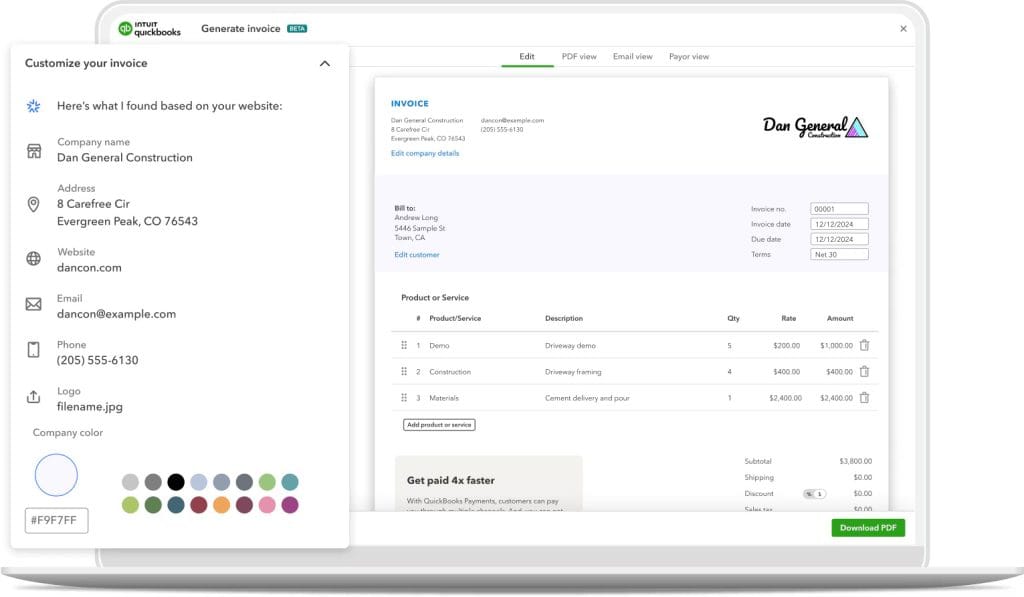
QuickBooks Online is the 800-pound gorilla of small business accounting. Biggest market share in the U.S., deepest integration ecosystem (800+ apps), and the most aggressive AI rollout of any invoicing platform. That said, it’s gotten expensive. And the support has gotten worse.
What you’ll pay: Simple Start is $38/mo. Essentials is $75. Plus is $115. Advanced is $275. No annual discount. You can get 50% off the first three months or a 30-day free trial, but not both.
What the AI actually does: Intuit Assist is a tiered AI system that gets more capable on higher plans. On the $38 plan, it auto-categorizes your expenses. Bump up to Essentials and you get an Accounting Agent that posts transactions and a Payments Agent that sends intelligently timed reminders. Plus adds AI bank reconciliation. Advanced adds scenario planning. Intuit says these reminders help businesses get paid 45% faster, or about five days sooner. That’s a real number worth paying attention to if late payments are a pain point for you.
A few things to watch out for:
- Simple Start was $25/mo just two years ago, so expect continued price creep
- Per-user pricing scales badly for teams (compare to Xero’s unlimited users)
- The October 2025 UI overhaul drew significant user criticism
- G2 rating sits at roughly 4.0/5, the lowest among major platforms here
If you’re on Desktop: Intuit stopped selling new Desktop subscriptions on September 30, 2024. Desktop 2022 support already ended. Desktop 2024 is the final version, and it loses support in May 2027.
| Verdict: The most feature-complete platform on the market, and Intuit Assist puts it ahead on AI. But you’re paying a premium for that, and the support quality has dropped. Best if you need deep accounting, extensive integrations, and don’t mind the cost. |
FreshBooks — Best for Freelancers and Service-Based Businesses
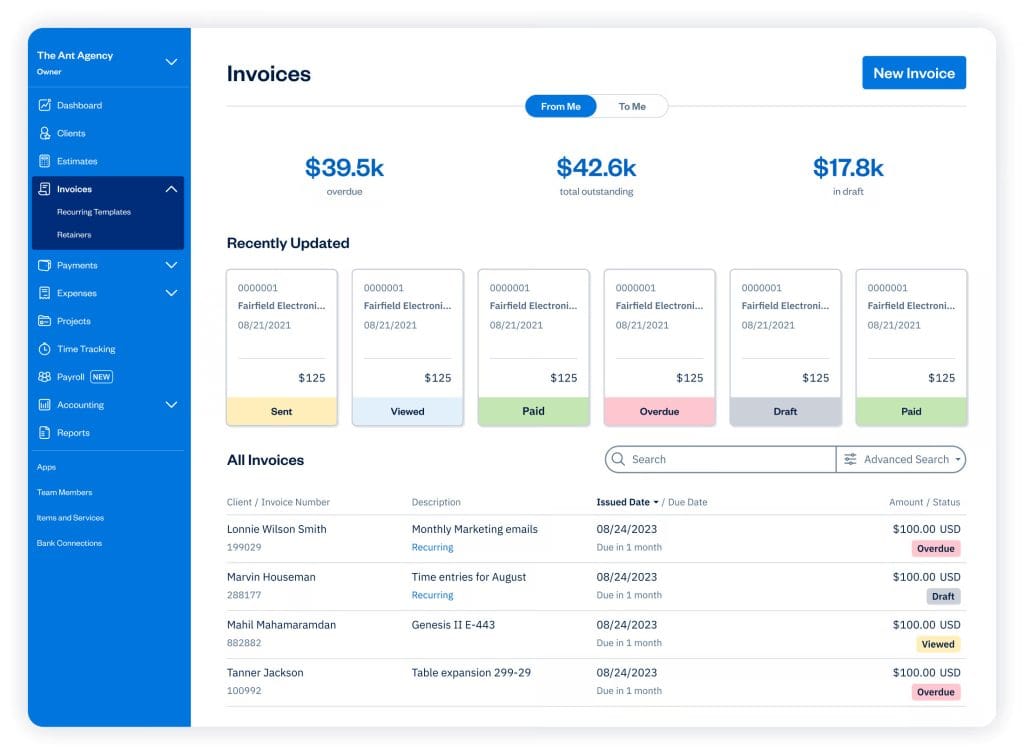
If QuickBooks is the enterprise sedan, FreshBooks is the sports car for solo operators. The interface was designed for people who’d rather do their actual work than wrestle with accounting software. Time tracking feeds directly into invoices. Proposals convert with one click. Retainers are built in.
What you’ll pay: Lite is $21–23/mo for 5 clients. Plus is $38–43/mo for 50 clients. Premium is $58–65/mo for unlimited clients. Each extra team member is $11/mo. FreshBooks runs 60–70% promos regularly, so you might start as low as $6–7/mo, but that resets after three months.
Payment processing: Cards are 2.9% + $0.30. Amex runs 3.5% + $0.30. ACH is 1%. They also added Buy Now, Pay Later via Affirm in October 2025.
Here’s the catch: the Lite plan caps you at 5 billable clients. If you regularly work with more than that, you’re immediately bumped to Plus at $38+. FreshBooks also has no meaningful AI features, which puts it behind QuickBooks and Xero if automation matters to you. The mobile app is excellent (4.7/5 on iOS), and there are 200+ integrations. But is the ease of use worth falling behind on AI? That depends on how much manual work you’re comfortable doing.
| Verdict: The best invoicing experience if you value simplicity. Great for hourly billing and proposals. Just know you’ll outgrow the lower tiers fast. |
Xero — Best for Larger Teams and International Businesses
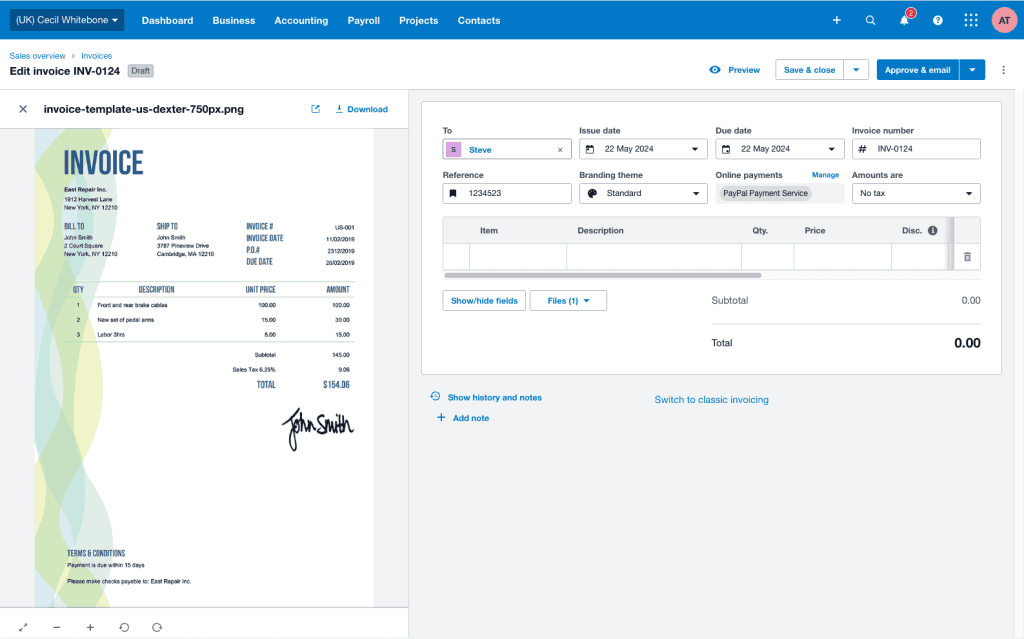
Xero does two things no major competitor matches: unlimited users on every plan and one of the most ambitious AI assistants in the category. If you have a team of five or more, the pricing math alone makes this worth a hard look.
What you’ll pay: Early is $25/mo. Growing is $55/mo. Established is $90/mo. Every plan includes unlimited users at no extra cost. Compare that to QuickBooks at $38/mo for a single user. Xero is also running an 85% discount for the first six months on new subscriptions right now.
What JAX AI actually does: Xero’s “Just Ask Xero” assistant entered open beta in September 2025 through a partnership with OpenAI. It handles bank reconciliation automatically (targets 80%+ of statement lines), creates invoices through conversational prompts, predicts when customers will actually pay based on their history, and delivers proactive financial insights. It also has a built-in “JAX Assure” system designed to reduce AI hallucinations in financial data. Xero connects to 1,000+ apps and 21,000+ financial institutions.
What to keep in mind:
- The Early plan caps you at 20 invoices and 5 bills per month, which is tight
- Full multi-currency support (160+ currencies) requires the $90 plan
- No phone support, only email and callbacks
- Payment processing runs through Stripe at standard rates (2.9% + $0.30)
| Verdict: The strongest choice if your team is larger than two or three people. Unlimited users alone saves you hundreds per month compared to QuickBooks. The AI is still in beta, but the approach is solid. Best for teams of 5+ and international work. |
Zoho Invoice — Best Completely Free Invoicing (No Catch)
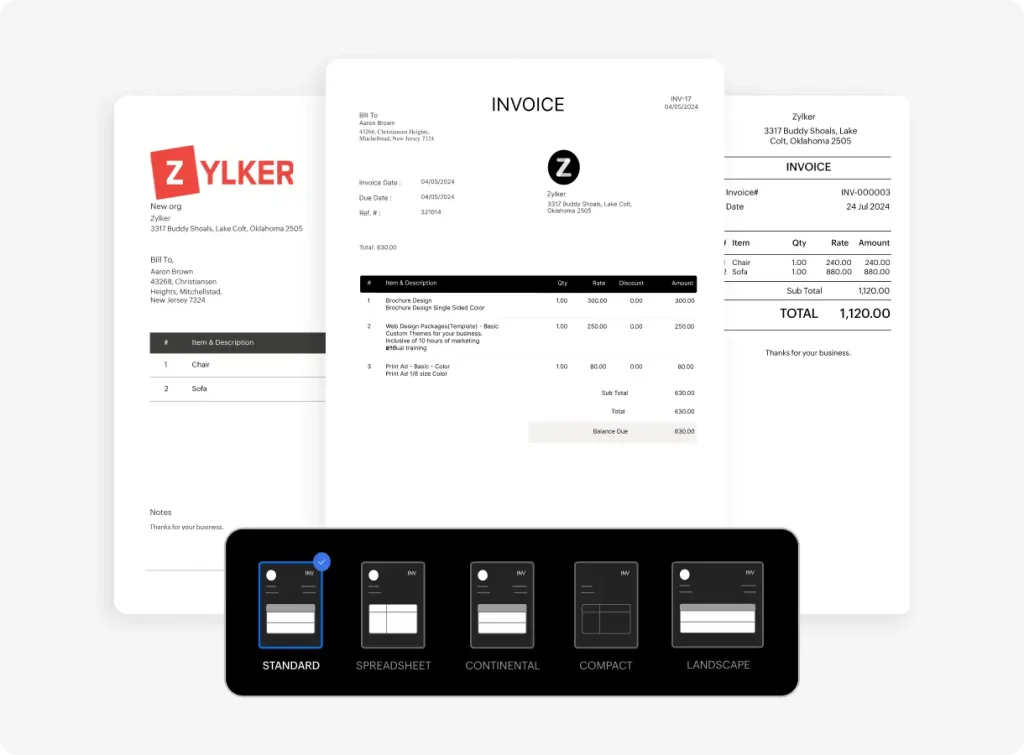
In a market where “free” increasingly means “free until we change our mind,” Zoho Invoice is genuinely, completely free. No contracts. No ads. No surprise paywalls.
What you’ll pay: $0. Up to 2 users, 500 invoices per year, and 3 active projects. You get payment reminders, recurring invoices, time tracking, expense tracking, and support for Stripe, PayPal, and Square as payment gateways.
The trade-off is clear: Zoho Invoice is purely an invoicing tool. No bank reconciliation, no P&L statements, no balance sheets. If you need that, you’d upgrade to Zoho Books at $20/mo. The AI is minimal here too, since Zoho’s Zia assistant lives in Books, not the free Invoice product. The 500-invoice-per-year cap works for most freelancers but could pinch if your volume is higher. The mobile app is excellent (4.8/5), and the broader Zoho ecosystem gives you a natural upgrade path.
| Verdict: If you just need to create and send professional invoices without paying a dime, this is your best option. It does invoicing well and doesn’t try to be anything else. |
Wave — Free Invoicing with Built-In Accounting (with Caveats)
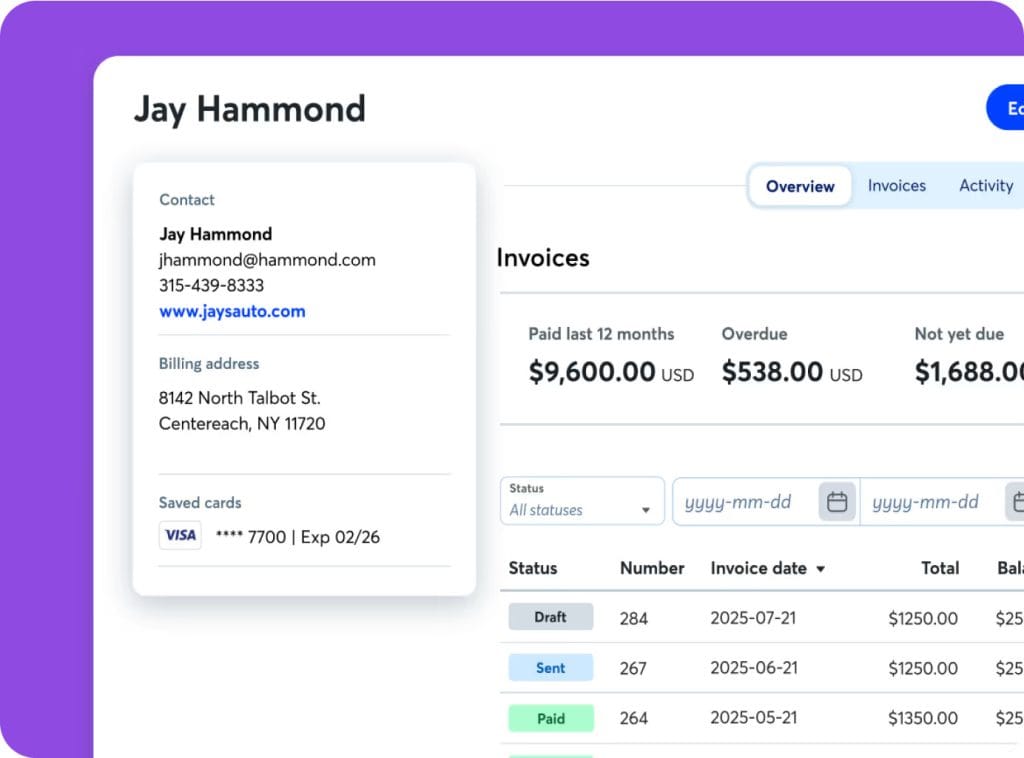
Wave used to be the go-to recommendation for free invoicing-plus-accounting. Then on June 10, 2024, it migrated everyone to a freemium model. The free plan still exists, but it’s meaningfully limited now.
What you’ll pay: Starter is free with unlimited invoices and basic accounting. But automatic bank imports, receipt scanning, multi-user access, and payment reminders now require the Pro plan at $19/mo. Processing fees run 2.9% + $0.60 per card transaction (note the $0.60 flat fee versus the industry-standard $0.30). Amex is 3.4% + $0.60. ACH is 1%.
Wave was acquired by H&R Block in 2019 for $405 million. It still operates independently, but the main integration is tax filing through Block Advisors. The bigger concern is that many articles still call Wave “completely free.” That hasn’t been true since June 2024. And the May 2025 payroll migration to CheckHQ generated a lot of user complaints.
| Verdict: Still solid for sole proprietors who want free invoicing with basic accounting. But the gap between Wave’s free plan and Zoho Invoice’s free plan has narrowed. At $19/mo for Pro, you’re competing directly with FreshBooks and Xero’s promo pricing. |
Square Invoices — Best for Retail and In-Person Businesses
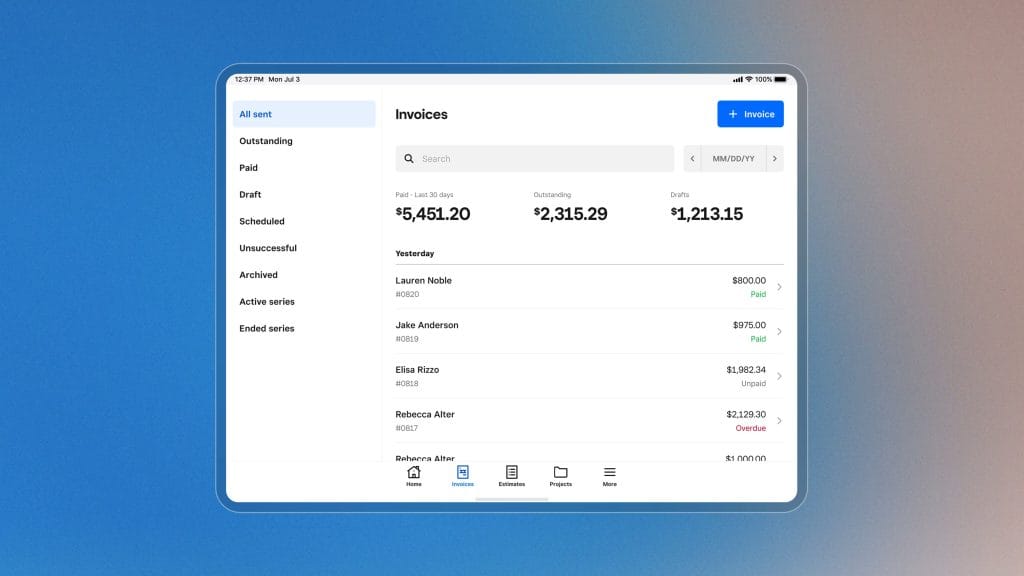
Square rebuilt its invoicing pricing in October 2025. The free tier is genuinely good, but the fee increase catches people off guard.
What you’ll pay: Free gets you unlimited invoices, recurring billing, estimates, contracts, and multi-method payments (cards, Cash App, Apple Pay, Google Pay, ACH). Plus is $49/mo per location. Premium is $149/mo per location.
Here’s the part most people miss: the free plan’s online card fee jumped from 2.9% to 3.3% in October 2025. On $10,000 in monthly payments, that’s an extra $40/mo in fees. So ask yourself if the “free” plan is actually free at your volume. Plus subscribers keep the 2.9% rate. The mobile app is one of the best (4.8/5). Multi-currency is limited to your account’s base currency only.
| Verdict: Best if you also accept in-person payments, since the POS integration is seamless. Great for low-to-moderate volume. Higher-volume businesses should do the math on Plus. |
Stripe Invoicing — Best for SaaS and Developer-Friendly Billing
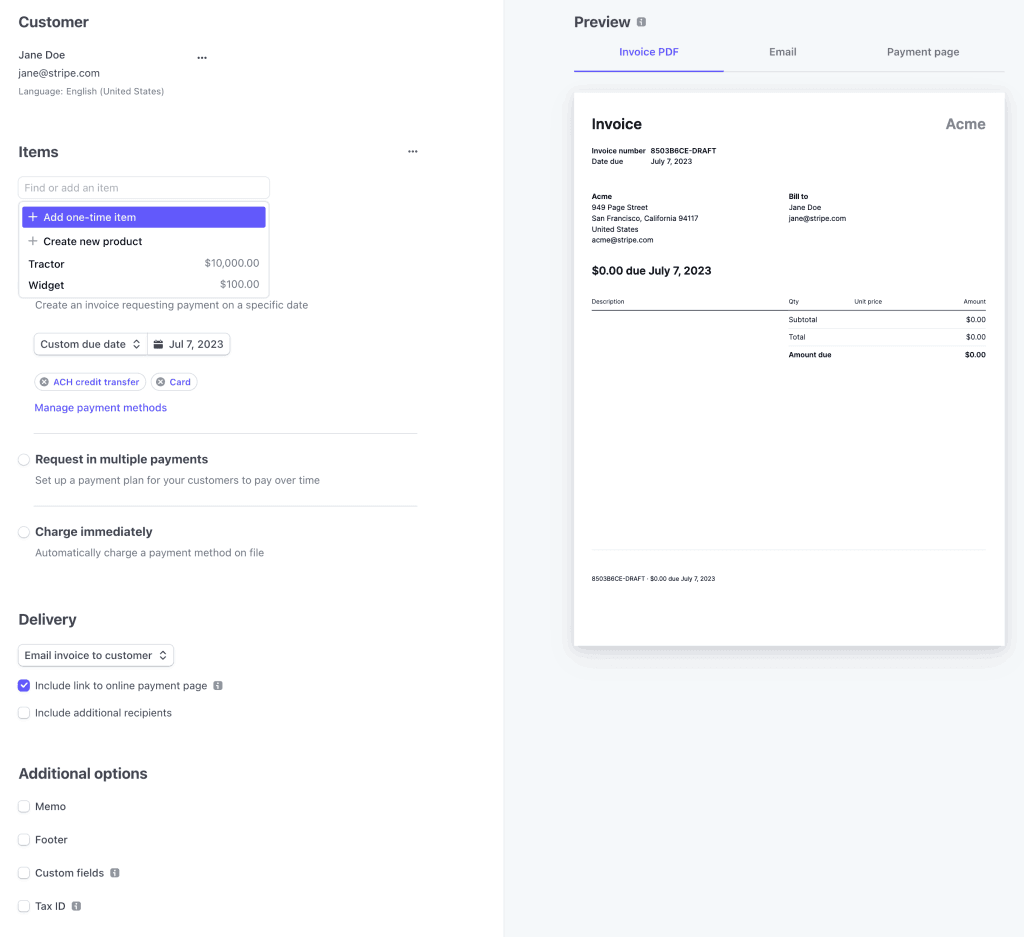
Stripe is a completely different animal. No monthly fee. Pure usage-based pricing. API-first. If you have a developer on your team (or you are one), Stripe gives you maximum control.
What you’ll pay: 0.4% per paid invoice on Starter, 0.5% on Plus, on top of Stripe’s standard 2.9% + $0.30 for cards and 0.8% for ACH (capped at $5). Billing for subscriptions is 0.7% and now includes revenue recognition. Tax automation is an extra 0.5%. Supports 135+ currencies in 195+ countries.
This is not a tool for a non-technical freelancer. There’s no drag-and-drop builder or client dashboard like FreshBooks has. But if you run a SaaS business or need global invoicing at scale, nothing else comes close.
| Verdict: The clear winner for SaaS companies and developer-led teams. You only pay when you get paid. Overkill for a photographer or consultant, but unbeatable if you need global reach and flexibility. |
HoneyBook — Best for Creative Professionals
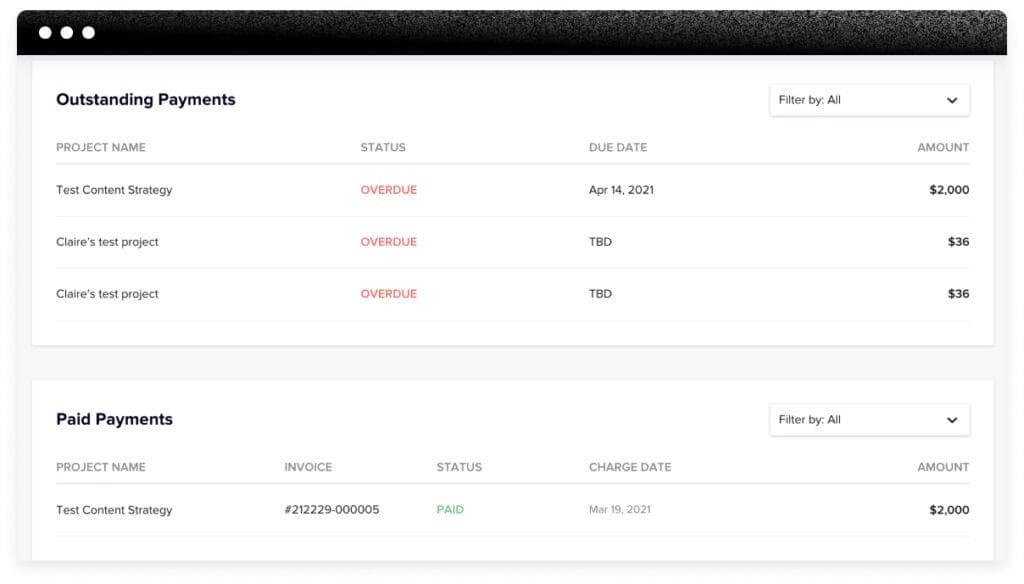
HoneyBook goes well beyond invoicing. It wraps invoicing, CRM, contracts, scheduling, and proposals into one platform. If you’re a photographer, event planner, designer, or consultant who manages the full client relationship from inquiry to final invoice, this approach can eliminate three or four separate tools.
What you’ll pay: Starter is $36/mo ($29 annually). Essentials is $59/mo ($49). Premium is $129/mo ($109). These represent an 89% increase from early 2025, when Starter was just $19/mo. That price hike was tied to a full AI rollout across all plans.
What the AI includes: Email drafts, automated workflow builder, meeting notes capture, predictive lead alerts, business briefings, and dormant lead reactivation. Cards are 2.9% + $0.25 with no Amex surcharge. ACH is higher at 1.5%.
The trade-off? HoneyBook is U.S. and Canada only. The integration ecosystem is small (15–20 apps). And if you don’t need contracts, proposals, and scheduling, you’re paying for features you’ll never touch. Is the all-in-one approach worth the premium, or would two separate tools serve you better for less?
| Verdict: Best all-in-one for creatives who manage the full client lifecycle. The AI justifies the price if you use it. For pure invoicing, it’s overbuilt. |
Strong Contenders Worth Considering
The platforms above are the major players. But depending on your needs, one of these might actually be the better fit. Here’s a quick rundown.
Harvest — Best for Time-Based Billing
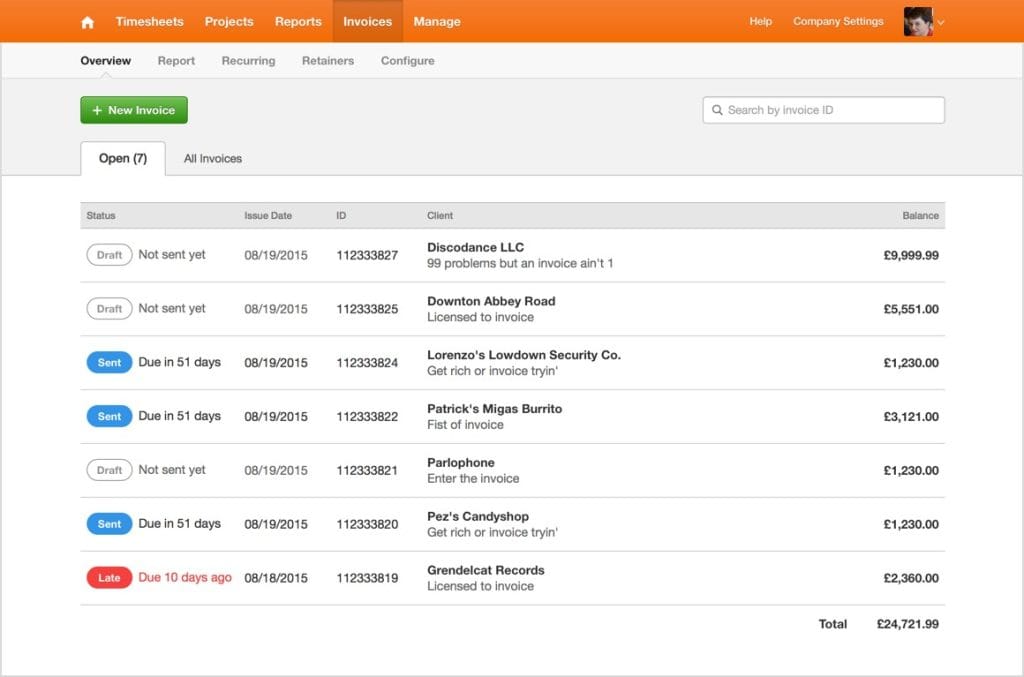
Harvest turns tracked hours directly into invoices. Free for 1 seat and 2 projects. Teams is $11/seat/mo ($9 annually). It integrates with 50+ apps including Stripe, PayPal, QuickBooks, and Xero. No AI, no full accounting. But if your business bills by the hour, the time-to-invoice workflow is the cleanest on the market. Capterra rating: 4.6/5.
Invoice Ninja — Best Open-Source and Self-Hosted
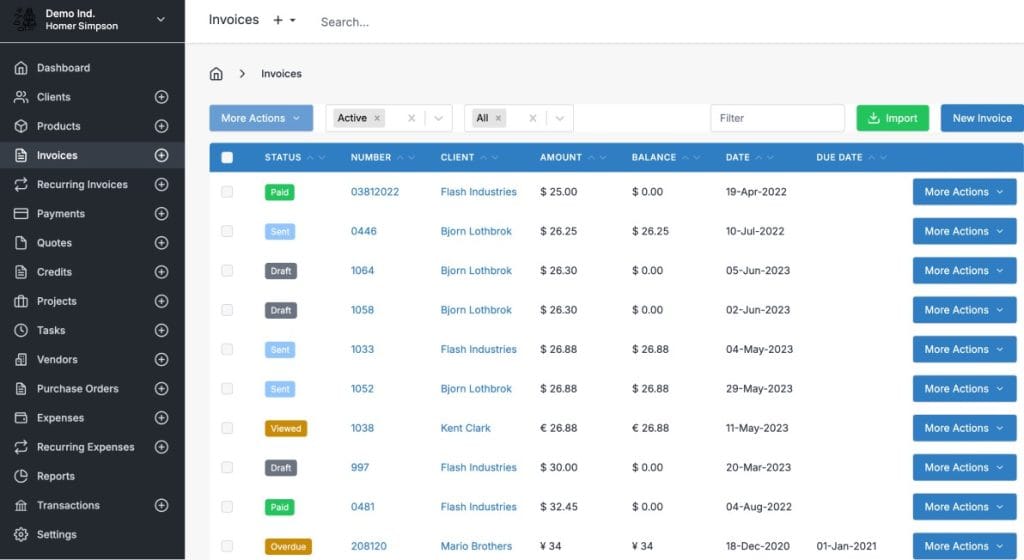
Free for 1 user and 5 clients. Pro is $14/mo. Enterprise scales from $18/mo (2 users) to $300/mo (100 users). The standout? A fully self-hostable open-source version (9,500+ GitHub stars) where all paid features are free. Only white-label removal costs $40/year. Supports 100+ currencies and PEPPOL e-invoicing for EU compliance. If you want full control of your data, this is the one. Capterra rating: 4.7/5.
BILL — Best for Accounts Payable and Receivable Automation
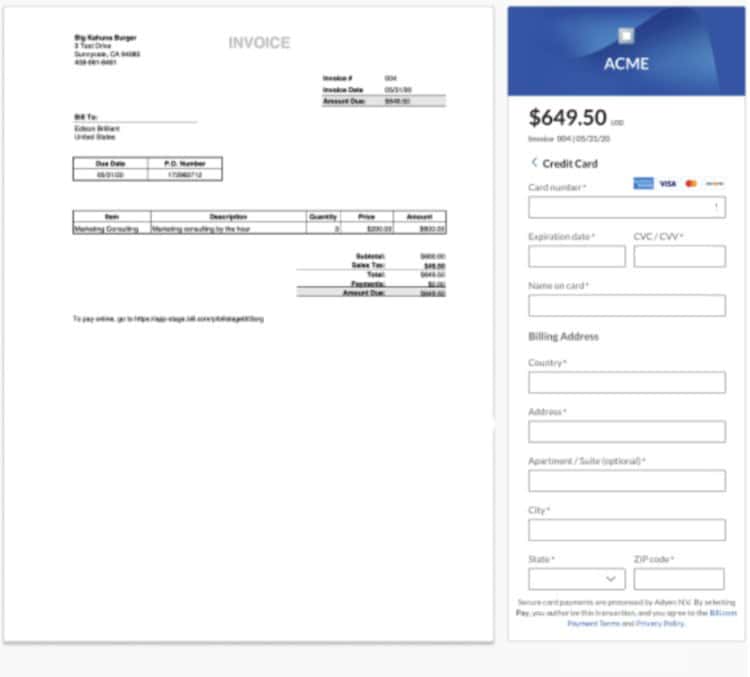
BILL targets mid-market businesses at $49/user/mo (Essentials), $65 (Team), and $89 (Corporate). Its AI Agents suite launched in October 2025 with touchless W-9 collection, automated receipt reconciliation, and fraud detection that blocked 8 million attempts in fiscal year 2025. Supports 130+ countries and 135+ currencies. Overkill for freelancers, but if you manage both incoming and outgoing bills at scale, BILL is the category leader.
Billdu — Best Mobile-First Invoicing
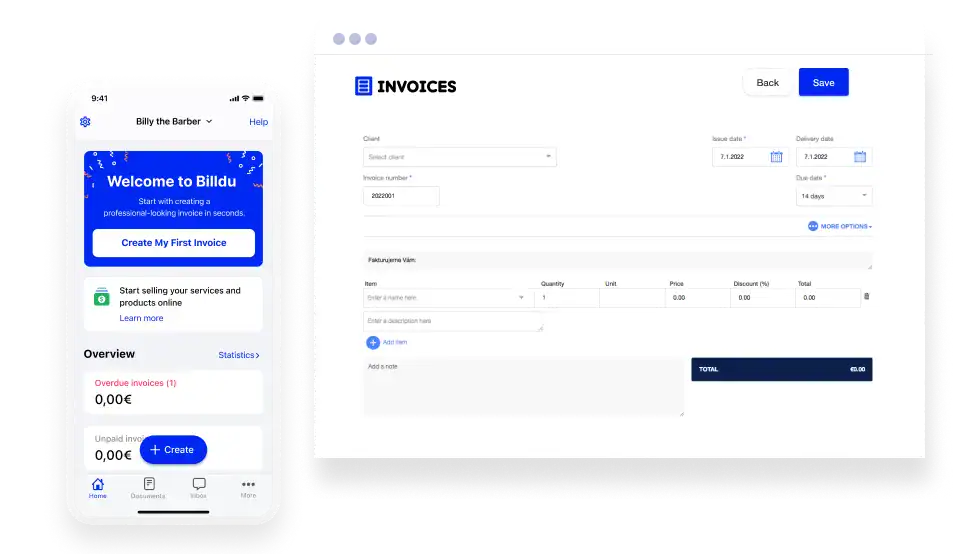
The most affordable option here: Lite is $4.99/mo (10 clients), Standard $9.99/mo (50 clients), Premium $19.99/mo (unlimited). The iOS app rates 4.8/5 with 25,000+ ratings. Integrations are limited (about 5). No AI. But if you’re a contractor who just needs to send invoices from your phone, Billdu does that job well.
The AI Factor and Which Tools Are Actually Smart
Every platform claims AI. But there’s a big difference between a tool that auto-drafts invoices from a forwarded email and one that just sends rule-based reminders with an “AI” label. Here’s where each platform actually stands.
| Platform | AI Capability | What It Actually Does |
|---|---|---|
| QuickBooks | Intuit Assist (tiered) | Auto-categorizes expenses, drafts invoices from emails/photos, smart reminders, reconciliation, scenario planning (Advanced) |
| Xero | JAX AI (beta) | Conversational invoicing, predictive payment timing, 80%+ auto-reconciliation, financial insights |
| HoneyBook | Comprehensive suite | Email drafts, workflow builder, meeting notes, lead scoring, business briefings, dormant lead reactivation |
| BILL | AI Agents suite | Touchless W-9 collection, receipt reconciliation, fraud detection (8M blocked FY2025) |
| Stripe | Smart Disputes | Auto-compiles chargeback evidence, optimizes authorization rates |
| FreshBooks | Minimal | Rule-based recurring invoices and payment reminders |
| Zoho Invoice | Limited | Basic automation only; Zia AI available in Zoho Books, not free Invoice |
| Wave / Square | None / Basic | Standard automation and reminders only |
Only three platforms, QuickBooks, Xero, and HoneyBook, have AI that actually changes how you work. BILL’s AI is strong but it’s designed for a different use case (AP/AR automation). For everyone else, “AI” means rule-based automation. Useful, but it won’t fundamentally change your workflow.
What You’ll Actually Pay
The sticker price is just the starting point. Between processing fees, per-user charges, and feature-gating that forces you into a higher tier, the real cost can look very different from what’s on the pricing page. Here’s what three common business profiles would actually pay.
| Your Scenario | QuickBooks | FreshBooks | Xero | Zoho Invoice | Square (Free) |
|---|---|---|---|---|---|
| Solo, 10 invoices/mo, $5K revenue | ~$53/mo | ~$36/mo | ~$40/mo | ~$15/mo | ~$17/mo |
| 3-person team, 50 invoices/mo, $25K rev. | ~$150/mo | ~$97/mo | ~$70/mo | N/A (2 user cap) | ~$83/mo |
| 10-person team, 200 invoices/mo, $100K rev. | ~$375/mo | ~$170/mo | ~$105/mo | N/A | ~$330/mo |
Estimates include subscription plus approximate card processing (2.9–3.3% on 60% of revenue run through the platform).
See how Xero’s advantage grows with team size? That’s the unlimited-users factor. QuickBooks and FreshBooks both charge per-user fees that add up fast. And Zoho Invoice’s 2-user cap takes it out of the conversation for any team larger than two. What does your team look like?
7 Mistakes to Avoid When You Choose Your Platform
These are the mistakes we see over and over. Most of them are easy to avoid if you know what to look for.
1. You budgeted for the promo price, not the real price. Nearly every platform offers 50–85% off for three to six months. QuickBooks at 50% off feels like a steal at $19/mo. At full price, it’s $38. And that’s the entry tier.
2. You forgot about processing fees. A $0 subscription with 3.3% + $0.30 processing (Square free tier) costs more than a $25/mo subscription with lower rates if you’re doing any meaningful volume. Calculate your total cost, not just the subscription.
3. You picked something you’ll outgrow. Moving between invoicing platforms is painful. Data rarely transfers cleanly, and the learning curve resets. If you’re planning to hire in the next year, pick a platform that can handle that growth now.
4. You didn’t test the mobile app. If you do any work outside an office, mobile invoicing is essential. Square and Zoho lead at 4.8/5. FreshBooks is right behind at 4.7/5. Some platforms have apps that are afterthoughts.
5. You assumed “free” means no cost. Wave’s free plan removes bank imports. Zoho caps at 500 invoices/year. Square’s free tier charges 3.3% per card. Read the fine print.
6. You didn’t check integrations. Your invoicing tool needs to talk to your CRM, project management, payment processor, and bank. QuickBooks has 800+ integrations. Xero has 1,000+. HoneyBook has 15–20. Billdu has about 5.
7. You skipped e-invoicing compliance. If you invoice EU clients, this matters right now. Belgium mandated B2B e-invoicing as of January. Germany, France, and Poland are rolling out mandates through 2027. Invoice Ninja’s PEPPOL support and Stripe’s global infrastructure handle this best.
The Bottom Line
There is no single “best” invoicing software. There’s the best one for your situation. Here’s a quick summary:
- Best overall for most small businesses: Xero. Unlimited users, strong AI, 1,000+ integrations, and the 85% new-subscriber discount makes it hard to pass up.
- Best free option: Zoho Invoice. Genuinely free, solid features, and a natural upgrade path to Zoho Books when you need more.
- Best for freelancers: FreshBooks. Unmatched ease of use and an invoicing workflow built for solo operators.
- Best for power users and AI: QuickBooks Online. Intuit Assist is the most advanced AI in the market. You pay a premium, but you get the most comprehensive platform.
- Best for creative professionals: HoneyBook. All-in-one client management that replaces separate invoicing, CRM, and scheduling tools.
The right platform depends on your team size, your volume, how much you process in payments, and which integrations you can’t live without. Start with those four questions and the answer gets a lot clearer.
Best Invoicing Software FAQ
Quick, direct answers to the most common questions about choosing invoicing software
Invoicing software handles the full lifecycle of getting paid. It creates professional invoices, sends them to clients, accepts credit card and bank payments, tracks who owes you what, and automates reminders for late payers.
A good platform also syncs with your accounting software, supports recurring invoices for retainer clients, handles multi-currency for international work, and gives you real-time reports on outstanding balances and cash flow.
Invoicing software only handles billing and payments. Accounting software handles the full financial picture—reconciliation, expenses, profit and loss statements, balance sheets, and taxes.
QuickBooks, Xero, FreshBooks, and Wave bundle both together. Zoho Invoice, Square Invoices, Stripe, and Invoice Ninja focus on invoicing only, so you’d need a separate accounting tool for year-end taxes and financial reporting.
Dedicated software pays for itself the moment you spend less time chasing payments. Manual invoices in Word or Excel don’t track who’s paid, don’t send automatic reminders, and don’t accept online payments—which means slower cash flow and more unpaid invoices.
Intuit data shows AI-powered payment reminders through QuickBooks help businesses get paid an average of five days faster. Across 50 invoices a month, even a three-day improvement meaningfully improves your cash position.
Yes, almost all modern platforms accept credit cards, ACH bank transfers, and digital wallets. Many also support Apple Pay, Google Pay, Cash App, and Buy Now Pay Later options like Affirm.
Processing fees typically run 2.9% + $0.30 per card transaction and around 1% for ACH. Stripe, Square, and FreshBooks have the widest acceptance of payment methods; Stripe leads for international card support across 195+ countries.
Yes—every major invoicing platform supports recurring invoices for retainer clients and subscriptions. You set the schedule once (weekly, monthly, quarterly, annually) and invoices send automatically.
Stripe Billing is the strongest option for SaaS subscription billing with built-in revenue recognition. FreshBooks, HoneyBook, and Hiveage are excellent for simple retainer setups. Even free plans like Zoho Invoice and Square Invoices include recurring billing.
FreshBooks is the best paid option for freelancers, and Zoho Invoice is the best free one. FreshBooks (~$21/mo) has built-in time tracking, one-click proposal-to-invoice conversion, and a 4.7/5 mobile app designed for solo operators.
If you’d rather not pay, Zoho Invoice is genuinely free for up to 500 invoices per year with a 4.8/5 mobile app. Harvest is the better pick if you bill strictly by the hour—its time-tracking-to-invoice workflow is the cleanest on the market.
Xero is the best overall choice for most small businesses. Every plan includes unlimited users (no per-seat fees), 1,000+ integrations, conversational AI through JAX, and new subscribers currently get 85% off for the first six months.
QuickBooks Online is more feature-complete if you need deep accounting and the widest integration ecosystem (800+ apps), but you’ll pay a premium starting at $38/mo. FreshBooks is the middle ground—simpler than QuickBooks, more full-featured than standalone invoicing tools.
Stripe Invoicing is the clear winner for SaaS and developer-led billing. No monthly fee—you pay 0.4–0.5% per paid invoice plus standard processing, and you only pay when you get paid.
It supports 135+ currencies across 195+ countries, has the strongest API in the category, and Stripe Billing adds subscription management and revenue recognition for 0.7%. The downside: no drag-and-drop builder or client dashboard, so it’s not for non-technical users.
HoneyBook is purpose-built for creatives—photographers, event planners, designers, and consultants. It combines invoicing, CRM, contracts, scheduling, and proposals in one platform starting at $36/mo.
The comprehensive AI suite handles email drafts, workflow automation, lead scoring, and dormant lead reactivation. Note that HoneyBook only operates in the U.S. and Canada, and the integration ecosystem is small (15–20 apps). If you don’t need contracts and scheduling, you’re paying for features you won’t use.
Square Invoices is the top choice if you also take in-person payments. The free tier includes unlimited invoices, recurring billing, estimates, and contracts, and it integrates directly with Square POS hardware.
Watch the processing fees: the free plan’s online card rate is now 3.3% (up from 2.9%), so on $10,000 in monthly online payments that’s an extra $40/mo. The $49/mo Plus plan keeps the 2.9% rate. The mobile app rates 4.8/5.
Harvest is built specifically for time-based billing. Tracked hours flow directly into invoices, making it the cleanest workflow for consultants, agencies, and anyone who bills by the hour.
Harvest is free for 1 seat and 2 projects, and Teams pricing is $11/seat/mo ($9 annually). It integrates with 50+ apps including Stripe, PayPal, QuickBooks, and Xero. FreshBooks is a strong alternative if you want invoicing plus time tracking plus basic accounting in one tool.
Yes—Invoice Ninja has a fully self-hostable open-source version with 9,500+ GitHub stars where all paid features are free. Only white-label branding removal costs extra ($40/year).
The cloud version is free for 1 user and 5 clients, with Pro at $14/mo. It supports 100+ currencies and PEPPOL e-invoicing for EU compliance. If you want full control of your data and infrastructure, this is the only major option.
Xero, because it charges nothing per user. Every plan includes unlimited users, while QuickBooks and FreshBooks charge per-seat fees that add up quickly.
For a 10-person team processing 200 invoices monthly, Xero runs about $105/mo, compared to roughly $375/mo for QuickBooks and $170/mo for FreshBooks. For mid-market AP/AR automation at scale, BILL is the category leader at $49–89/user/mo with strong AI Agents for fraud detection and receipt reconciliation.
Invoicing software ranges from free to $275+/mo. Free options include Zoho Invoice, Wave Starter, Square Invoices, and Invoice Ninja. Most paid plans start between $21–$49/mo.
| Tool | Starting Price | Free Plan |
|---|---|---|
| Zoho Invoice | $0 | Yes (full) |
| Wave | $0 (Starter) | Yes (limited) |
| Square Invoices | $0 | Yes (full) |
| Billdu | $4.99/mo | No (trial) |
| FreshBooks | ~$21/mo | No (trial) |
| Xero | $25/mo | No (trial) |
| HoneyBook | $36/mo | No (trial) |
| QuickBooks Online | $38/mo | No (trial) |
| BILL | $49/user/mo | No |
Zoho Invoice is the only major platform that’s genuinely, completely free. No contracts, no ads, no surprise paywalls—up to 2 users, 500 invoices per year, and 3 active projects.
Wave’s free plan lost key features in June 2024 (bank imports, receipt scanning, and payment reminders now require the $19/mo Pro plan). Square’s free plan is functional but charges 3.3% on online card payments. Invoice Ninja’s free tier caps at 5 clients.
Expect 2.9% + $0.30 per card transaction as the industry standard. American Express typically runs 3.4–3.5% + $0.30. ACH bank transfers are much cheaper at around 1%.
Watch for outliers: Wave charges a higher $0.60 flat fee per transaction, Square’s free tier now charges 3.3% on online cards, and HoneyBook charges 1.5% for ACH (higher than most). A “free” subscription with 3.3% processing can cost more than a $25/mo plan with 2.9% fees at meaningful volume.
Usually not—entry tiers have strict limits that push you to upgrade quickly. FreshBooks Lite caps at 5 clients. Xero’s Early plan caps at 20 invoices and 5 bills per month. Zoho Invoice caps at 500 invoices per year.
Check your actual volume before committing. If you send 30 invoices a month, Xero Early isn’t enough. If you work with 10+ clients, FreshBooks Lite isn’t enough. Picking a platform you’ll outgrow in three months wastes the learning curve investment.
Promos are real savings, but budget for the full price. Most platforms offer 50–85% off for three to six months, then prices reset. QuickBooks at 50% off feels like $19/mo but resets to $38.
Xero currently runs 85% off for the first six months. FreshBooks regularly offers 60–70% off, so you might start as low as $6–7/mo before resetting. The promo gets you through the migration period, but your real monthly budget should assume full pricing.
AI features are the biggest driver. HoneyBook raised prices 89% when launching its AI suite (Starter jumped from $19/mo to $36/mo). QuickBooks keeps increasing prices as it builds out Intuit Assist. Wave ended its fully-free model.
If you don’t need AI features, you can still find strong options at lower prices: Billdu starts at $4.99/mo, Zoho Invoice remains free, and Wave Starter still covers basic invoicing for $0.
Only three platforms have AI that genuinely changes how you work: QuickBooks, Xero, and HoneyBook. Everyone else calls rule-based automation “AI.”
QuickBooks Intuit Assist drafts invoices from forwarded emails, sends smart reminders (said to help businesses get paid 45% faster), and handles AI reconciliation. Xero’s JAX assistant creates invoices through conversation and auto-reconciles 80%+ of bank lines. HoneyBook’s AI drafts client emails and scores leads. BILL has strong AI for AP/AR automation in mid-market businesses.
Yes—Intuit reports AI-powered payment reminders help QuickBooks users get paid about 5 days faster on average, or roughly 45% faster overall. The AI analyzes each client’s payment history to send reminders at the moment they’re most likely to pay.
Xero’s JAX predicts when customers will actually pay based on historical behavior, letting you prioritize follow-ups. For a business sending 50 invoices a month, even a three-day improvement in days-to-payment can mean tens of thousands in improved cash flow annually.
Focus on these essentials: professional branded invoices, automated payment reminders, multiple payment methods (card + ACH), recurring billing, a solid mobile app, and integrations with your bank and accounting tool.
Nice-to-haves that matter depending on your business: time tracking (for hourly billing), multi-currency support (international), client portals (for approval workflows), proposals and contracts (creative services), and AI-powered reminders (to improve cash flow).
Stripe Invoicing supports 135+ currencies across 195+ countries—the widest global reach of any platform. Xero supports 160+ currencies but requires the $90/mo Established plan for full multi-currency.
Invoice Ninja handles 100+ currencies and includes PEPPOL e-invoicing for EU compliance. BILL supports 130+ countries. Avoid HoneyBook (U.S./Canada only) and Square Invoices (single-currency only) if you invoice internationally.
Square Invoices, Zoho Invoice, and Billdu all rate 4.8/5 on iOS. FreshBooks is right behind at 4.7/5 and is particularly strong for invoicing on the go.
If you work outside an office, test the mobile app during any free trial before committing. Billdu was built mobile-first specifically for contractors who invoice from their phone. Square integrates directly with POS hardware, making it the best choice for businesses accepting both online and in-person payments.
Check that your specific tools connect—total count matters less than the right connections. At minimum, your invoicing platform should integrate with your bank, CRM, project management tool, and payment processor.
For reference: Xero has 1,000+ integrations, QuickBooks has 800+, FreshBooks has 200+, Harvest has 50+, HoneyBook has 15–20, and Billdu has about 5. If you rely heavily on a specific CRM or ecommerce platform, verify the integration exists before signing up—not every tool connects everywhere.
Yes—FreshBooks added Buy Now, Pay Later via Affirm in October. Square and Stripe also support BNPL options through their payment processing.
BNPL lets clients spread payments across installments while you still get paid upfront. It’s especially useful for higher-ticket invoices where an installment option might prevent the client from stalling. Check which BNPL providers your platform supports and the fees involved before enabling.
Mostly yes—basic data exports cleanly, but details often don’t. You can export invoices and client contacts as CSVs and import them into a new platform. Payment history, attachments, and recurring invoice setups rarely transfer.
The best time to switch is at the start of a new fiscal year. Keep access to your old platform for at least 90 days as a safety net. To avoid switching later, pick something you won’t outgrow in the next 12–24 months.
Yes if you invoice EU clients, and increasingly yes if you work internationally. Belgium’s B2B e-invoicing mandate is in effect, Germany requires businesses to receive e-invoices now, and France and Poland are rolling out mandates through 2027.
Invoice Ninja has built-in PEPPOL support for EU compliance, and Stripe’s global infrastructure handles most international requirements. If e-invoicing compliance applies to your business, verify your chosen platform supports the specific standards in your clients’ countries.
Intuit stopped selling new Desktop subscriptions on September 30, 2024. Desktop 2022 support has already ended, and Desktop 2024—the final version—loses support in May 2027.
You have time, but start planning your migration. This is a good moment to evaluate alternatives rather than automatically moving to QuickBooks Online, especially given its price increases. Xero’s unlimited-user pricing and strong AI roadmap make it an especially compelling alternative for Desktop teams.
The top mistakes: budgeting the promo price instead of the real price, ignoring processing fees, and picking a plan you’ll outgrow in a year.
Other common pitfalls: not testing the mobile app before committing, assuming “free” means no cost (Wave, Zoho, and Square all have limits or fees in their free tiers), skipping integrations check, and ignoring e-invoicing compliance if you have international clients. Calculate your total cost—subscription plus processing fees at your actual volume—not just the sticker price.
Major platforms use bank-level encryption and are PCI-DSS compliant for card data. Stripe, QuickBooks, Xero, Square, and FreshBooks all meet strict security standards required to process payments.
If data sovereignty is a concern—government contractors, healthcare, or businesses in regulated industries—Invoice Ninja’s self-hosted open-source version is the only major option that keeps everything on your own infrastructure. BILL also highlights fraud detection AI that blocked 8 million attempts across its last fiscal year.
Prove your value and get paid faster with automated client reports.
Start Your Free Trial Today