
Disclosure: Swydo built this guide and Swydo is one of the seven tools reviewed below. We’ve included tools that beat us in specific use cases, named the disqualifiers honestly — including ours — and ranked everything by who it actually fits, not by who paid us.
TL;DR: The Best Client Reporting Software in 2026
The best client reporting software for marketing agencies in 2026 depends on agency type and size:
- Swydo — Best for PPC and multi-channel agencies that want predictable, scaling-friendly pricing with real-time monitoring built in. From $69/mo monthly or $62/mo annual (10 sources included).
- AgencyAnalytics — Best for all-around agency reporting with mature AI. From $79/mo monthly or $59/mo annual (5 clients).
- Whatagraph — Best for AI-driven cross-channel reporting. From $286/mo monthly or $229/mo annual (Start plan)
- DashThis — Best for small agencies that want simplicity. From $54/mo monthly or $44/mo annual.
- Raven Tools — Best for SEO-focused agencies. From $49/mo monthly or $39/mo annual.
- NinjaCat — Best for enterprise agencies serving multi-location clients. Custom pricing (third-party estimates: $1,500–$3,000/mo annual contracts).
- TapClicks — Best for large agencies with complex enterprise data. Custom pricing (third-party estimates: starts ~$599/mo for Basic, scales to $1,500–$5,000+/mo for full implementations).
The cheapest agency-specific option is Raven Tools at $39/month annual. The tool with the most integrations is TapClicks (250+ native connectors). The tool with the broadest AI feature stack is TapClicks SmartSuite, followed by Whatagraph IQ for mid-market agencies.
Quick Comparison: All 7 Tools at a Glance
The fastest way to see which tool fits your agency is the comparison table below. It covers who the tool is built for, starting price, free trial, integration count, and AI features.
All 7 Client Reporting Tools
Pricing in USD, verified May 2026 — scroll horizontally to compare every tool side by side
Swydo

Agency
Analytics

Whata
graph
DashThis
Raven
Tools

NinjaCat

TapClicks
Overview
Pricing & Scale
White-Label & Branding
AI & Automation
What Is Client Reporting Software?
Client reporting software is a tool that automates the collection, visualization, and white-labeled delivery of marketing campaign data to agency clients. It connects to ad platforms, analytics tools, and CRMs, pulls metrics on a schedule, applies your branding, and either emails a PDF or gives the client a live dashboard.
Client reporting software replaces the manual process of copying numbers from Google Ads, Meta Ads, GA4, and other platforms into spreadsheets or slide decks at the end of every reporting cycle. Agencies typically save 10–20 hours per week by switching from manual reporting to a specialized tool.
How Much Could Your Agency Save?
Drag the sliders to see your monthly time and labor savings
Time saved per month
24 hrs
Based on 80% automation of manual work
Labor cost saved per month
$1,440
Hours saved × hourly rate
Payback period
~1 day
vs $69/mo Swydo base plan
Estimates assume monthly reporting cadence and 80% of manual work automated by a specialized reporting tool. Industry benchmark: agencies typically save 10 to 20 hours per week after switching.
What Should Agencies Look for in Client Reporting Software in 2026?
Five features matter more than the rest in 2026: AI features, pricing model, integration depth, white-label and client portal capabilities, and goal tracking and alerts. The order below reflects how often each one is the deciding factor in tool selection.
AI Features
The four AI features that matter most in client reporting software are: generative report summaries, conversational data queries, anomaly detection, and predictive forecasting. TapClicks SmartSuite and NinjaCat AI Agents lead at the enterprise tier. At the mid-market level, Swydo AI, AgencyAnalytics Ask AI, Databox AI Analyst, and Whatagraph IQ all ship comparable capabilities — pick on pricing model and integration fit, not on AI marketing copy.
Swydo and Databox include AI on every paid plan; AgencyAnalytics and Whatagraph gate the most useful AI behind mid-tier plans. Raven Tools and Geckoboard offer no meaningful AI features, which is a real disadvantage in 2026 — but be honest with yourself about whether your team will actually use a conversational AI layer or just keep writing summaries by hand.
Pricing Model
Three pricing structures dominate the client reporting category: per-client pricing (AgencyAnalytics, DashThis), per-data-source pricing (Swydo above 10 sources, Databox), and per-dashboard pricing (DashThis, Klipfolio). Fast-growing agencies should price each model out on a 12-month projection, because a model that looks cheap at 5 clients can become expensive at 25, and vice versa.
Per-Client vs Per-Source Pricing: The Crossover
Monthly cost on annual billing as agencies grow — assuming an average of 4 data sources per client
At 15 clients
$287 vs $349
Swydo $62/mo cheaper
At 25 clients
$467 vs $509
Swydo $42/mo cheaper
At 50 clients
$812 vs $909
Swydo $97/mo cheaper
Integration Depth
Integration count matters less than integration depth for client reporting tools. A “Google Ads integration” that only pulls campaign-level data is useless for keyword reporting. NinjaCat (150+) and TapClicks (250+ native) win on count; AgencyAnalytics (80+) wins on agency-relevant breadth; Swydo (34+) wins on depth-per-source for the platforms it covers, with Manual KPIs as a fallback for offline data or platforms without a native integration.
Integration Count Comparison
Native data connectors available across the 7 specialized client reporting tools
White-Label and Client Portal
All seven specialized tools support white-labeling. The differences sit in the polish: custom domain (Swydo, AgencyAnalytics, NinjaCat, TapClicks, Whatagraph on Boost+, DashThis on Professional+), custom email sender (most tools), and full removal of vendor branding from client-facing dashboards (varies by plan tier).
Convincing white-label reporting requires logos, cover pages, brand colors, a custom email domain, and dashboard branding — and most tools in this category gate at least one of those behind a higher tier.
Goal Tracking and Alerts
Real-time goal alerts are the most underrated feature in client reporting software. When a client’s CPA breaks the goal, agencies want a Slack ping immediately, not a discovery email three weeks later. Swydo, AgencyAnalytics (Agency tier), NinjaCat, TapClicks, and Whatagraph (IQ+ on Boost+) all support real-time alerts.
DashThis and Raven Tools are weaker on alerts. If you bill on performance, this category is non-negotiable — and it ties directly to the client reporting best practices that separate agencies who keep retainers from agencies who lose them.
The 7 Best Client Reporting Software Tools for Marketing Agencies
Each tool below is the best fit for a specific agency type. The “Don’t pick this if” disqualifier in each section names the agencies a tool is wrong for. All prices in USD, verified on each vendor’s pricing page in May 2026.
1. Swydo— Best for PPC and Multi-Channel Agencies That Want Predictable Scaling
Per-source pricing that rewards scale, with real-time monitoring on every plan.
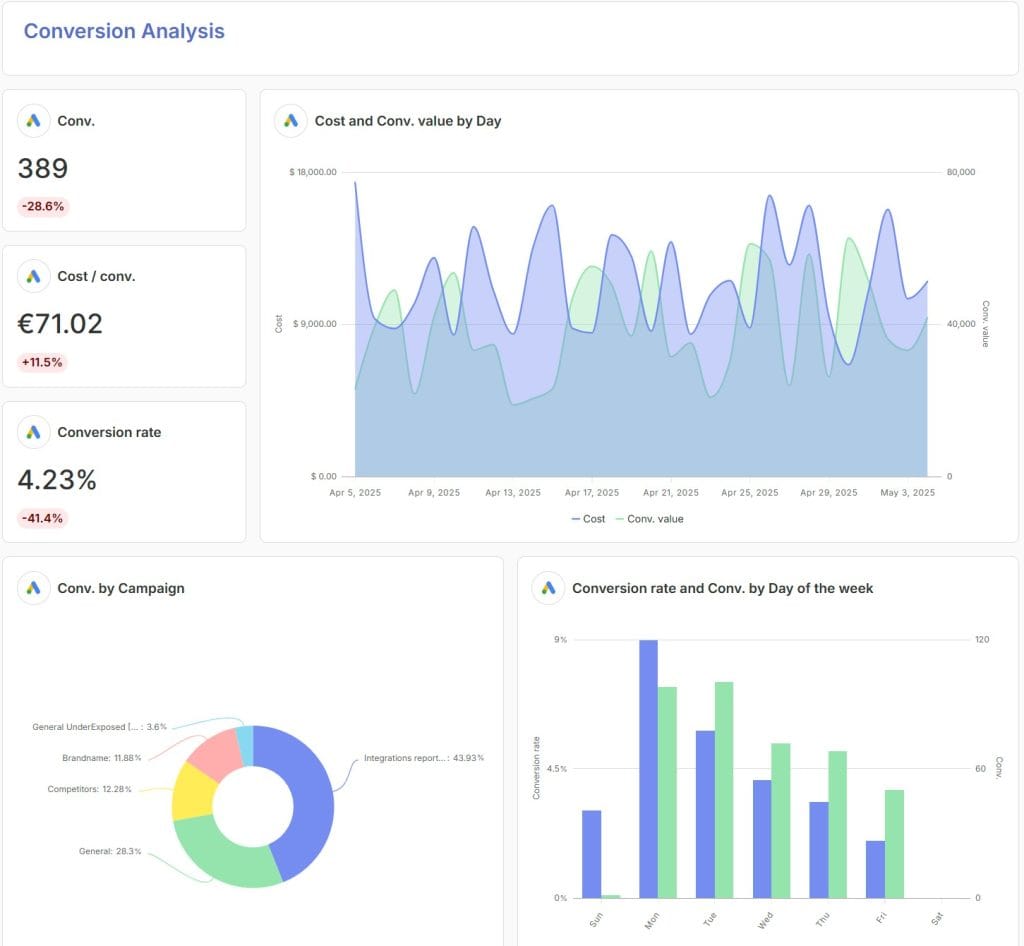
Swydo is a client reporting and monitoring platform built for marketing agencies managing PPC and multi-channel campaigns at scale. It wins on three things competitors don’t bundle together: proactive integration-failure alerts that catch broken connections before reports send, real-time goal monitoring with KPI alerts on every plan (not gated to higher tiers), and per-data-source pricing that drops to $2/source above 500 sources.
My favorite feature: Combined Data Sources. Plug in Google Ads, Meta Ads, Microsoft Ads, LinkedIn, and TikTok, then drop a single widget that shows blended Cost, Clicks, Impressions, Conversions, Revenue, and ROAS across all five. Most tools force you to build five separate widgets and let the client do the math. Swydo merges them at the metric level, so a client looking at “Total Ad Spend” sees one number, not five.
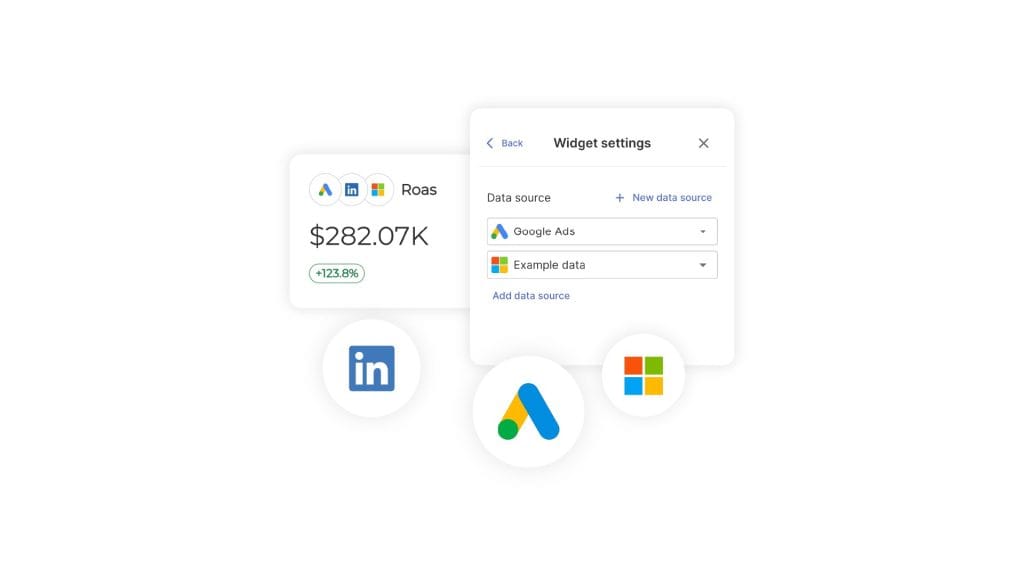
Don’t pick Swydo if your stack relies on a niche platform Swydo doesn’t natively integrate with and Google Sheets piping (the standard workaround via Zapier or Make) won’t bridge it, or you’re a 1–2 client freelancer who’d be cheaper on a per-client flat fees.
Key features:
- 34+ integrations including Google Ads, GA4, Meta, LinkedIn, Microsoft Ads, TikTok, Pinterest, Snapchat, Reddit Ads, and Google Sheets for custom data
- Combined Data Sources — merge metrics from up to 5 ad platforms into single widgets; also works inside Monitoring Boards, Goals, Alerts, and Metrics Overview, not just reports
- Swydo AI — built-in reporting assistant with conversational natural-language prompts (“What are the main wins and issues this month?”), one-click default actions (Summary, Wins, Issues, Recommendations), section-level and widget-level targeting for focused insights, and multilingual output (English, Dutch, French, German, Spanish). 4,000 credits per month included on every plan (~95 credits per typical report). AI summaries can also be inserted into scheduled report emails so every recurring send arrives with a fresh, contextual summary on top.
- Report Revision History — undo button for reports with up to 100 revisions stored per report (1-hour window); restore prior versions of widgets, KPIs, text, and sections
- Goals with On Track / Off Track / Achieved states calculated against a target glide path
- Monitoring Boards with email notifications when a tracked target turns red or green
- Metrics Overview — cross-client view showing up to 6 KPIs across every client at once
- Data Source Health Check Alerts — proactive warnings when integrations break, before reports send
- Brand Templates — reusable visual styles (colors, fonts, report cover, comparison palette)
- Report Templates with linked reports — change a template once and every linked client report updates automatically
- Custom Metrics with formula editor for calculated metrics like “Cost × 1.20” reused across reports
- Manual KPIs for offline or unsupported data
- White-label with custom domain (e.g., reports.youragency.com) and custom email sender domain
- Unlimited users on every plan with role-based access
- Multilingual reporting and AI output (Dutch, English, French, German, Spanish, and more)
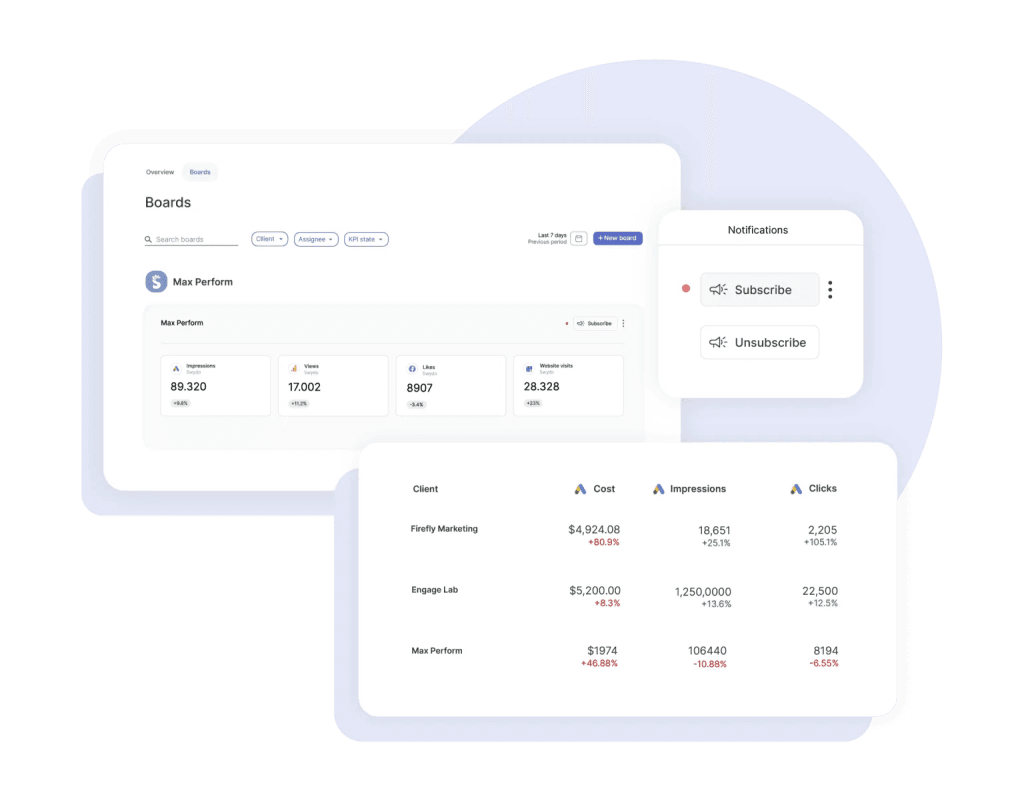
Sidenote. A “data source” in Swydo’s pricing is each individual property — one Google Analytics connection with three website properties counts as three sources. A 50-client agency averaging 4 sources per client (200 sources) pays approximately $284/mo on annual billing.
Pros:
- Proactive integration-failure alerts before reports send (unique in this lineup)
- Volume pricing favors agencies with 100+ data sources
- Real-time monitoring and goal alerts on every plan, not gated to higher tiers
- Unlimited clients, unlimited users, unlimited reports on every plan
- Auto-height toggle for clean PDF exports
- Human support, not chatbot deflection — accredited specialists handle every ticket, replies within minutes during business hours, no AI triage layer to bounce through first
Cons:
- 34+ integrations is fewer than AgencyAnalytics (80+) or NinjaCat (150+)
- Swydo AI doesn’t support cross-report comparisons
- No public API (Google Sheets + Zapier/Make is the workaround)
Pricing (USD, verified on swydo.com/pricing):
- Monthly billing: $69/mo base (includes 10 data sources, unlimited clients, unlimited users, unlimited reports)
- Annual billing: $62/mo base — saves 10%
- Volume tiers (above 10 sources, same on monthly and annual): 11–100 sources at $4.50/source · 101–500 at $3.00/source · 501+ at $2.00/source
- Free trial: 14 days, no credit card required
- Pause subscription: $10/mo preserves all reports, clients, and data sources for seasonal agencies
Further reading: How Swydo’s per-source pricing compares to per-client models
2. AgencyAnalytics— Best for All-Around Agency Reporting With Mature AI
The widest agency feature stack — if per-client pricing fits your growth.
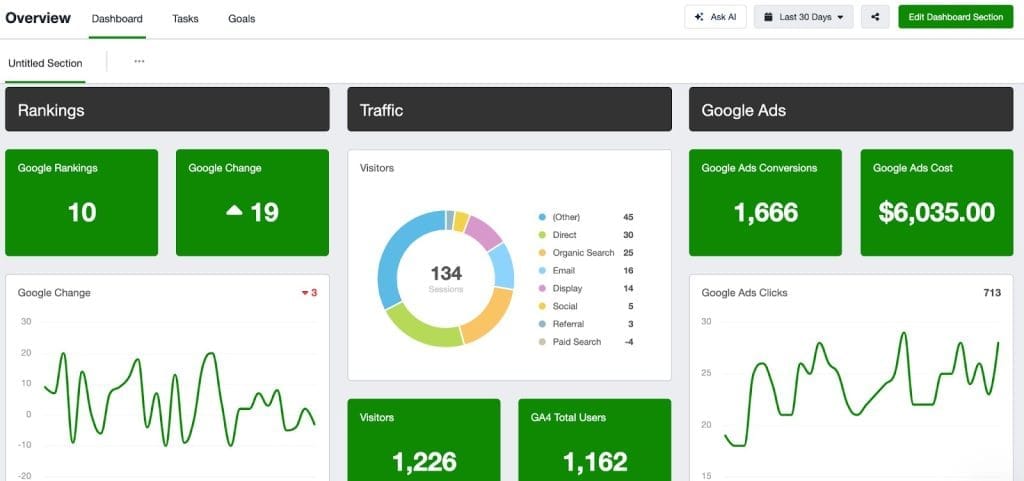
AgencyAnalytics is the most widely-deployed agency-specific reporting platform. It’s the strongest pick for agencies that want every category of feature — reporting, dashboards, SEO tools, and mature AI — in a single tool. Per-client pricing scales linearly, the most useful AI features are gated to the Agency tier and above, and the jump from Freelancer to Agency is steep.
My favorite feature: Ask AI Co-Pilot. Type “Which campaigns drove the most conversions last month?” into a dashboard and get a chart and a sentence back. It’s the closest thing in this category to talking to a junior analyst — useful when you’re producing high-volume Google Ads reporting for agencies where every account needs a quick “what changed” read. The catch — Ask AI is locked to the Agency tier and above.
Don’t pick AgencyAnalytics if you manage 50+ clients (per-client pricing punishes scale), you bill PPC management fees on a tight budget (Ad Spend Markup is gated to the Agency tier), or you only need basic reporting (DashThis is cheaper).
Key features:
- 80+ integrations spanning PPC, SEO, social, email, ecommerce, and call tracking
- Ask AI Co-Pilot — conversational data queries (Agency plan and above)
- AI Summary with tone customization (Casual, Professional, Detailed)
- Smart Reports and Smart Dashboards — auto-generated from connected sources
- Benchmark Comparisons against industry averages (Agency Pro)
- Forecasting and Anomaly Detection (Agency Pro)
- Built-in SEO toolkit: rank tracker (paid add-on starting $50/mo for 500 keywords), backlink checker, site audit
- Ad Spend Markup for PPC management fee billing (Agency tier and above)
- Roll-up reports across multiple clients
- Task assignment for team workflows
- Client portal with custom domain (Agency tier and above)
Sidenote. The most powerful AgencyAnalytics AI features (Ask AI, AI Summary) are not available on the Freelancer plan. The Freelancer-to-Agency jump costs $120/mo on annual billing.
Pros:
- Largest set of agency-relevant integrations (80+)
- Most mature AI suite among agency-specific tools that publish their pricing
- Built-in SEO toolkit eliminates separate Ahrefs/Semrush at lower client counts
- Roll-up reports for portfolio views
- Strong client portal with custom domain on Agency tier
Cons:
- Per-client pricing gets expensive at scale ($16/client/mo annual or $20/client/mo monthly adds up)
- Freelancer plan locks out AI features
- Some users report widget failures during heavy data loads
- Forecasting and Anomaly Detection locked to Agency Pro tier
- Rank Tracker is a paid add-on, not bundled
Pricing:
- Freelancer: $79/mo monthly, $59/mo annual — 5 clients
- Agency: $239/mo monthly, $179/mo annual — 10 clients (includes Ask AI + AI Summary, Goal & Budget Tracking, Ad Spend Markup, Full Branding, unlimited users)
- Agency Pro: $479/mo monthly, $349/mo annual — 15 clients (adds Forecasting, Anomaly Detection, Benchmarking, Data Aggregation, API access)
- Enterprise: Custom pricing
- Additional clients: $20/mo monthly or $16/mo annual each
- Free trial: 14 days, no credit card required
- Money-back guarantee: 30 days
Further reading: Swydo vs AgencyAnalytics comparison
3. Whatagraph— Best for AI-Driven Cross-Channel Reporting
A coherent AI suite with a clean builder — if the credit-based pricing fits your client mix
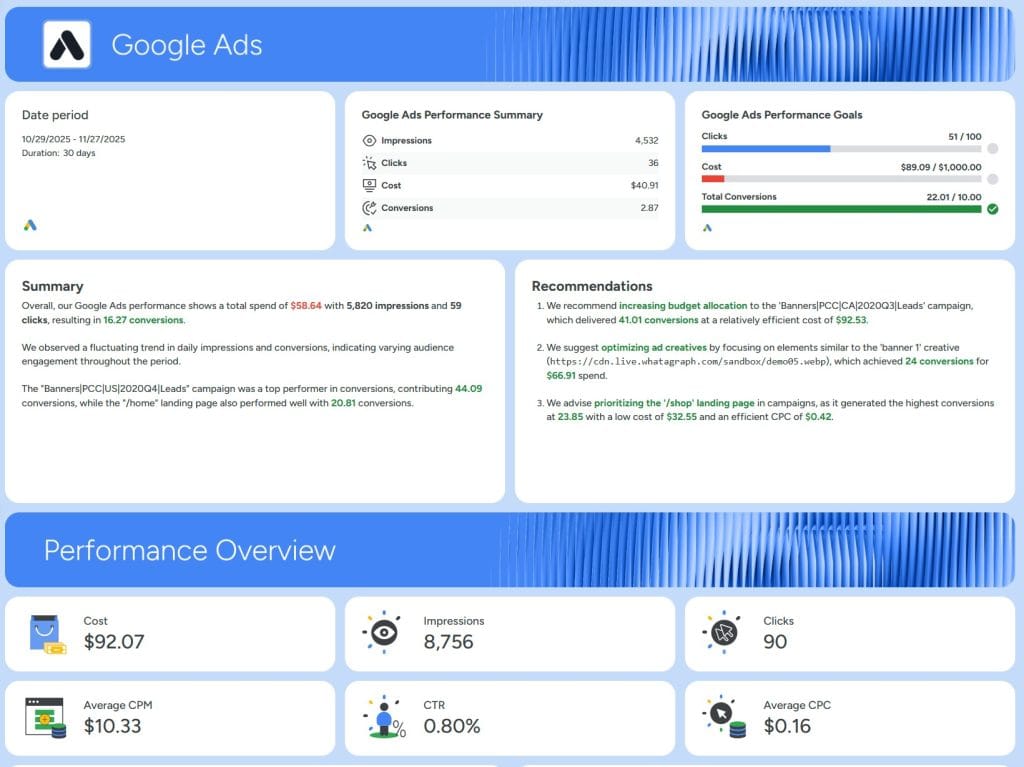
Whatagraph rebuilt its product around AI in 2025–2026 with the Whatagraph IQ suite. It pairs a clean drag-and-drop builder with the AI features that are now table stakes in this category (summaries, conversational queries, and goal tracking), most of which overlap functionally with AgencyAnalytics Ask AI, Databox AI Analyst, and Swydo AI.
The real story is the pricing model: every connected source consumes one credit, and credits are capped per tier rather than expanding with usage. An agency with 15 clients averaging 4 sources each is already at 60 credits, over Boost’s 50-credit cap, before adding a single landing page or call-tracking source. The next stop after Boost is a custom-priced Max-tier sales call.
My favorite feature: review-before-send on scheduled emails. Whatagraph’s automation gates every scheduled report through a manual review step: Data Gathering → Review → Ready for Sending → Sent. A reviewer gets an email when the report is ready, can roll back to Review if something’s wrong, and the report only goes out after explicit approval. Most reporting tools fire scheduled emails on a timer with no human check, so an AI-summary hallucination or a broken integration goes straight to the client. Whatagraph builds the safety net in.
Don’t pick Whatagraph if you have more than 50 sources across your client portfolio (the Boost cap will force a Max-tier conversation fast), you need entry pricing under $200/mo, you require white-label on a starter budget, or your AI needs are better served by Databox’s AI Analyst and MCP server integration at a similar price point.
Key features:
- 50+ integrations across marketing, social, and ecommerce
- Whatagraph IQ Report Creation — generate full reports from a prompt
- Whatagraph IQ Chat — conversational data Q&A on any dashboard
- Whatagraph IQ Summary — AI-written executive summaries in 18 languages and 5 formats
- Whatagraph IQ+ Goals & Alerts — predictive goal tracking (Boost and Max only)
- No-code BigQuery export for data warehouse workflows
- “Organize” feature unifies metrics across data sources
- Currency conversion for multi-region reporting
- Funnel chart visualization (rare in this category)
- White-label with custom domain (Boost and Max only)
- Dedicated Customer Success Manager on Max plan
Sidenote. All Whatagraph paid plans include unlimited users, unlimited reports, and unlimited workspaces. Pricing is credit-based; each connected source consumes 1 credit. Toggle the pricing page to USD to see the rates below as published.
Pros:
- Native AI suite (IQ Chat, IQ Summary on Start+; IQ+ Goals & Alerts gated to Boost+)
- Clean drag-and-drop builder for non-technical users
- BigQuery export without code (rare among agency-specific tools) Free plan exists for testing
- Funnel chart support (rare in agency reporting tools)
- IQ Summary across 18 languages — relevant for agencies with international clients
Cons:
- Source-credit pricing creates a hard ceiling at every plan tier (20 on Start, 50 on Boost) — multi-source clients hit it fast
- Overage paths funnel agencies toward a Max-tier sales conversation rather than published volume-tier pricing
- Higher entry price than US-based competitors ($286/mo monthly, $229/mo annual on Start)
- White-label gated to Boost ($463/mo annual or $579/mo monthly) — Start plan reports carry Whatagraph branding
- 50+ integrations is fewer than AgencyAnalytics’s 80+
- AI features overlap heavily with Databox AI Analyst, AgencyAnalytics Ask AI, and Swydo AI — the lead is narrower than marketing copy suggests
Pricing:
- Free: $0 — 5 source credits, 1 user, 3 reports
- Start: $286/mo monthly, $229/mo annual — 20 source credits, basic branding, IQ Chat, IQ Summary
- Boost: $579/mo monthly, $463/mo annual — 50 source credits, white-label, IQ+ goals & alerts
- Max: Custom pricing (annual billing only) — 50+ credits, premium integrations, dedicated CSM, SSO
- Free plan available indefinitely
Further reading: Swydo vs Whatagraph comparison
4. DashThis— Best for Small Agencies That Want Simplicity
Lowest learning curve in the category, with caveats on customization.
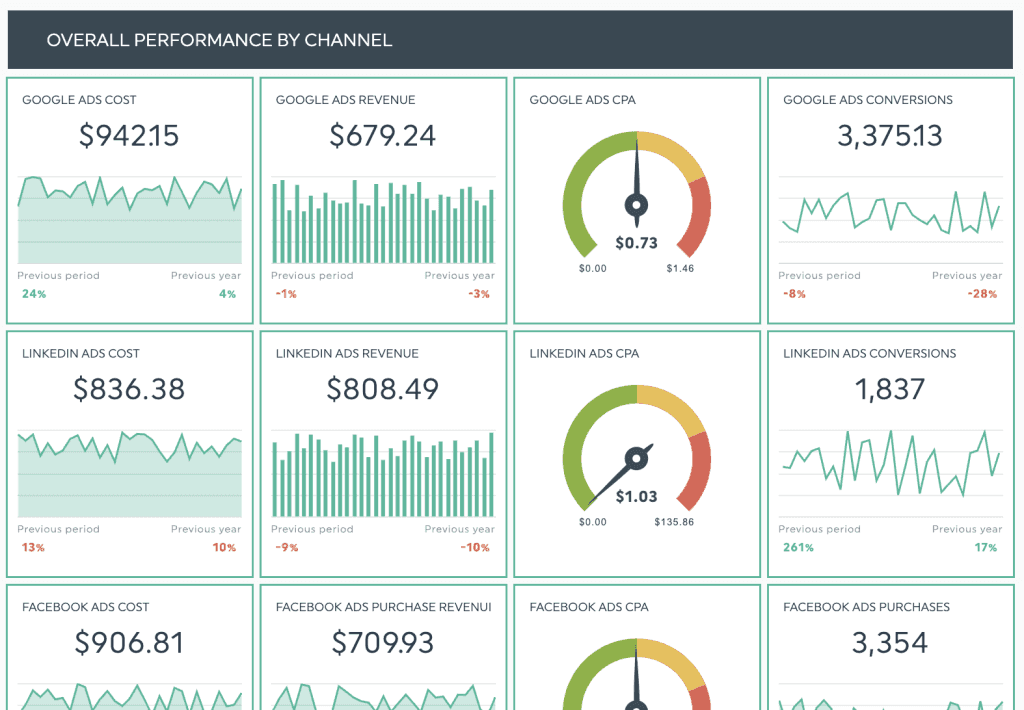
DashThis is the easiest tool to learn in the client reporting category. It has the lowest entry price among agency tools at $44/mo annual and unlimited clients on every plan. The 2026 pricing change added source-based limits that constrain multi-platform agencies, and DashThis has no public API. (For agencies sizing the two head-to-head, our Swydo vs DashThis write-up walks through which pricing model fits which agency profile.)
My favorite feature: Free AI Insights on every plan. Most competitors gate AI summaries behind upgrades. DashThis gives you four preset insights at every tier with no add-on cost. Not the deepest AI in the category — but the only one you don’t pay extra for.
Don’t pick DashThis if you need real-time monitoring with alerts, you want deep customization of report layouts, you manage clients with 10+ data sources each, or you need API access for custom workflows.
Key features:
- 30+ integrations covering core marketing platforms
- 9 widget types: Pie, Trend, Stacked Columns, Gauge, Historic, Simple Number, Multi-Column List, Year Over Year, List
- AI Insights (free, 4 preset insights: Wins, Issues, Opportunities, Summary) on every plan
- AI Insights Pro add-on (chat mode, custom dashboard context, unlimited insights): $19/mo monthly, $15/mo annual
- CSV import for non-integrated data
- Reusable dashboard templates
- Share via email, URL, or PDF
- Unlimited clients on every plan
- White-label with custom logo and colors (custom domain on Professional+)
- Basic markup options on cost-metric widgets
Sidenote. The 2026 DashThis pricing update added source-based limits alongside dashboard limits. Multi-platform agencies should verify they fit within the source caps before committing.
Pros:
- Lowest learning curve in the category
- Lowest entry price among agency tools ($44/mo annual)
- Unlimited clients on every plan
- AI Insights free on every plan
- 15-day free trial (longer than most competitors)
- 30% discount available for nonprofits
Cons:
- Limited customization compared to Swydo or AgencyAnalytics
- 9 widget types is the smallest selection among specialized tools
- Source caps added in 2026 can constrain multi-platform agencies
- AI Insights Pro is an add-on, not included
- No real-time goal alerts
- No public API
- Custom domain only on Professional and above (Individual plan ships with DashThis branding)
Pricing (USD, verified on dashthis.com/pricing — annual billing saves ~15%):
- Individual: $54/mo monthly, $44/mo annual — 3 dashboards / 15 sources
- Professional: $164/mo monthly, $139/mo annual — 10 dashboards / 40 sources (unlocks white-label, custom domain, custom email)
- Business: $324/mo monthly, $279/mo annual — 25 dashboards / 100 sources (Most Popular per DashThis)
- Standard: $499/mo monthly, $429/mo annual — 50+ dashboards / 200+ sources (configurable up to 1,500 dashboards / 6,000 sources)
- AI Insights Pro add-on: $19/mo monthly, $15/mo annual
- Free trial: 15 days
Further reading: Swydo vs DashThis comparison
5. Raven Tools— Best for SEO-Focused Agencies
The only reporting tool here that bundles a real SEO toolkit.
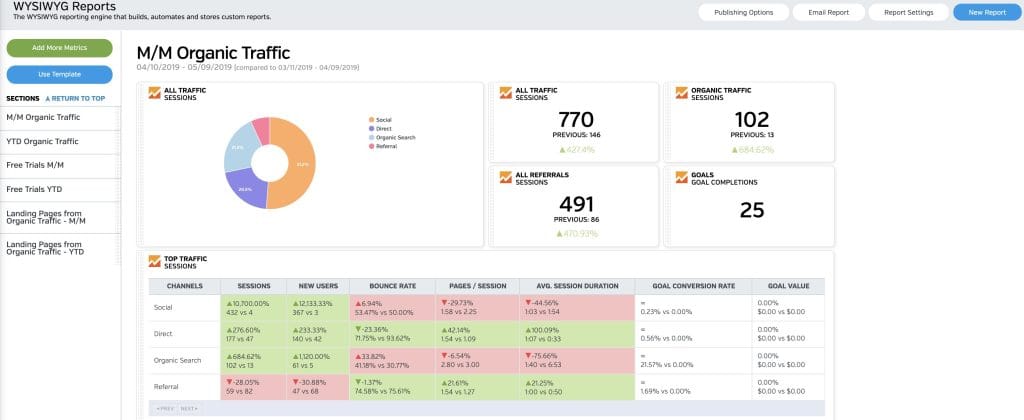
Raven Tools is the only client reporting tool in this guide that bundles a real SEO toolkit (rank tracker, backlink checker, site audit) into the same platform as the reporting. It’s owned by TapClicks and serves SEO-focused agencies. The combination saves money for SEO shops by replacing a dedicated SEO tool subscription. Outside SEO, Raven Tools is the least feature-rich tool in this lineup.
My favorite feature: Site auditor inside the report. Most agencies pay for a separate site audit tool (Screaming Frog, Sitebulb, Ahrefs Site Audit) and a separate reporting tool. Raven puts technical SEO findings inside the same client deliverable as the rank report. One subscription instead of two — and clients see the SEO audit findings alongside the wins, instead of as a separate document they have to chase.
Don’t pick Raven Tools if you serve clients across PPC, social, ecommerce, and SEO equally (you’ll outgrow Raven on the non-SEO side), you want modern AI features, or you need advanced data visualization.
Key features:
- 25+ data integrations
- Rank tracker for keyword positions (1,500–30,000 monthly checks depending on plan)
- Backlink checker with link profile analysis (Majestic data)
- Live site audit for technical SEO (50k–7M monthly page crawls depending on plan)
- Competitor research including domain analysis (Moz + Majestic data)
- Reusable report templates
- Standard chart types (bar, line, pie)
- White-label reports (full white-label on Grow and above)
Pros:
- SEO toolkit included (saves on separate SEO tool subscriptions)
- Lowest entry price among agency-specific tools ($39/mo annual)
- Domain-based pricing favors agencies with high client counts and shallow data per client
- Owned by TapClicks (stable parent company)
- Up to 30% discount on annual prepaid plans
Cons:
- Weakest AI feature set in this guide
- 25+ integrations is the smallest count
- Only basic chart types (no advanced visualizations)
- UI dated compared to Whatagraph or DashThis
- No conversational AI or generative summaries
- Annual plans are pre-paid in full (no monthly installments)
Pricing (USD, verified on raventools.com/marketing-platform/pricing):
- Small Biz: $49/mo monthly, $39/mo annual prepaid ($468/yr) — 2 domains, 2 users
- Start: $109/mo monthly, $79/mo annual prepaid ($948/yr) — 20 domains, 4 users
- Grow: $199/mo monthly, $139/mo annual prepaid ($1,668/yr) — 80 domains, 8 users (full white-label unlocks here)
- Thrive: $299/mo monthly, $249/mo annual prepaid ($2,988/yr) — 160 domains, 20 users
- Lead: $479/mo monthly, $399/mo annual prepaid ($4,788/yr) — 320 domains, 40 users
- Enterprise: Custom pricing
- Free trial: 7 days
Further reading: Best SEO reporting software for agencies
6.NinjaCat— Best for Enterprise Agencies Serving Multi-Location Clients
AI agents and managed Data Cloud for the largest agencies in the category.
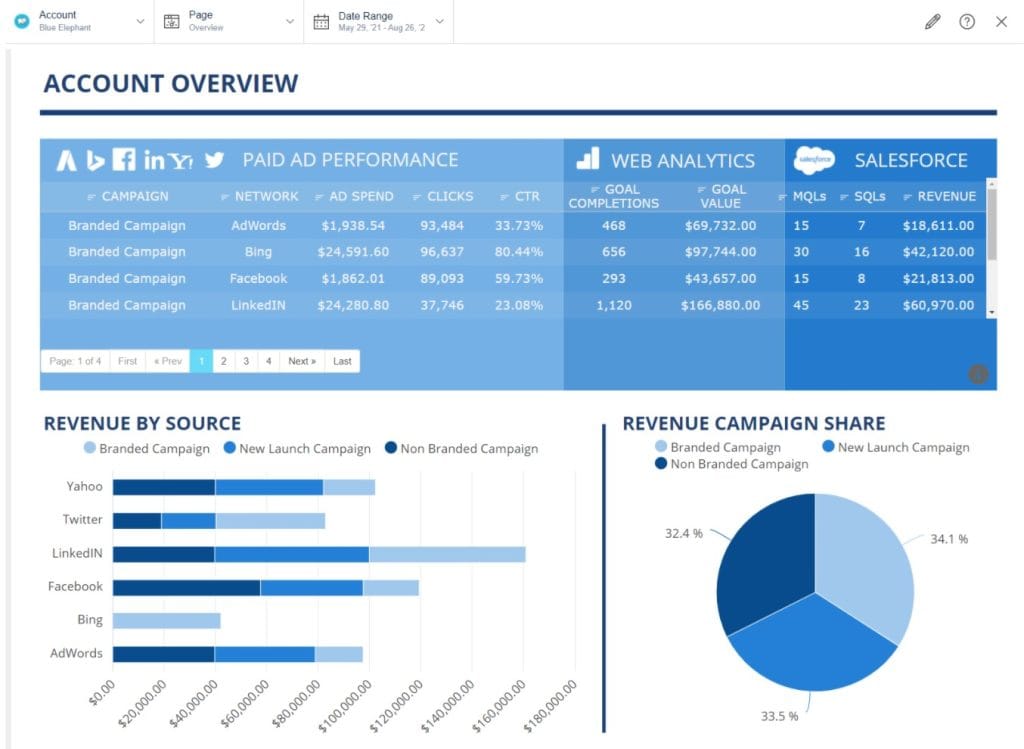
NinjaCat is built for the largest agencies in the client reporting category. It repositioned in 2025–2026 around AI agents — software workers that monitor budgets, flag campaign issues, and surface insights without being asked. NinjaCat is the most expensive tool in this lineup at typical contract sizes and pricing is not publicly listed.
My favorite feature: Pre-built AI agents library. Negative keyword discovery, search-term mining, ad copy QA, budget pacing, anomaly detection — each one is a job a junior media buyer used to do manually. The agents run on a schedule and only escalate when something needs a human. Most other tools in this guide require you to configure those workflows yourself.
Don’t pick NinjaCat if you have under 50 clients, you need monthly billing, you want to self-serve sign-up, or you don’t serve multi-location enterprise clients.
Key features:
- 150+ data integrations across advertising, analytics, call tracking, and CRM
- AI Copilot with natural language data queries
- AI Agents library — pre-built agents for budget monitoring, anomaly detection, KPI tracking, negative keyword discovery, search-term mining, and ad copy QA
- Build-Your-Own AI Agent capability
- Fully managed Data Cloud running on Snowflake with ETL and semantic data modeling
- Direct integration with BI tools (Tableau, Looker Studio) and warehouses (BigQuery, Redshift, Databricks)
- PPC markup for management fee billing
- Real-time alerts on budget pacing and KPI changes
- API access for custom integrations
- Multi-location reporting (key for franchise/QSR/healthcare clients)
- White-label client portal
Pros:
- Strongest multi-location reporting in the category
- AI agents automate work other tools require manual configuration for
- Managed Data Cloud removes the need for separate ETL tools
- 150+ integrations covers most enterprise marketing stacks
- SOC 2 Type II certified, customer data never used to train models
Cons:
- Most expensive option in the lineup
- Annual contracts only
- No free trial — demo-and-quote sales process
- Steeper learning curve than agency-specific tools
- Overkill for agencies under 50 clients
- Pricing not published — must request a quote
Pricing (NinjaCat does not publish pricing publicly — figures below are aggregated third-party estimates from G2, SoftwareSuggest, Improvado, and ITQlick as of 2025–2026):
- Industry-reported starting range: $1,500–$3,000/mo on annual contracts
- Some sources cite: $3,000+ per contract (annual)
- Implementation fees (third-party estimates): $500–$2,000 for SMBs (4–6 weeks), $3,000–$10,000 for enterprise (8–12 weeks)
- Free trial: None; demo only
7. TapClicks— Best for Large Agencies With Complex Enterprise Data
The broadest data integration footprint in the category, plus the deepest AI stack.
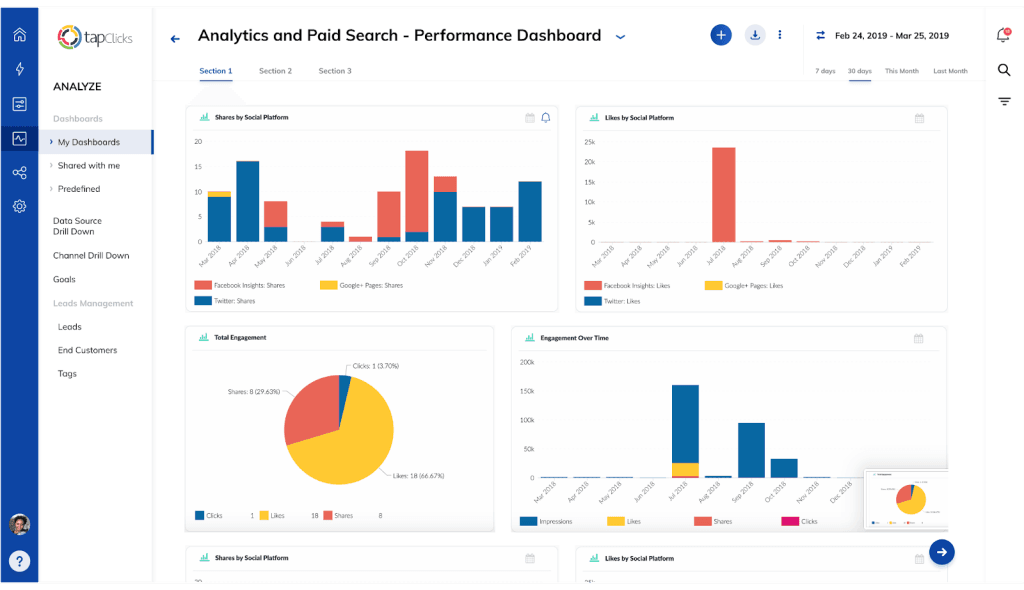
TapClicks rebuilt its product around AI in 2026 with the TapAI / SmartSuite stack. It offers the broadest enterprise data integration in the category with 250+ native connectors plus SmartConnector for any source not in the library. Pricing is opaque (quote-based), the interface has a learning curve, and TapClicks is overkill for most agencies under 100 clients. TapClicks owns Raven Tools and iSpionage.
My favorite feature: SmartConnector. Every reporting tool advertises its native integration count. TapClicks is the only one in this guide where “we don’t have an integration for that” essentially never applies — SmartConnector lets you build a pipeline to any source with API access. For agencies serving niche industries (legal tech, B2B SaaS verticals, regional ad networks), this matters more than a 250-vs-150 integration headline. If you’re evaluating the broader category beyond the agency-specific tools listed here, our roundup of the best report automation tools covers options outside the agency niche too.
Don’t pick TapClicks if you’re an SMB agency, you need transparent pricing before a sales call, you want to self-serve, or you don’t have data-savvy team members to leverage the AI stack.
Key features:
- 250+ native data connectors plus SmartConnector for any source not in the native library
- TapAI / SmartSuite stack:
- SmartStory — narrative AI summaries and executive-ready presentations
- SmartReports — automated report generation
- SmartAnalytics — predictive insights with machine learning
- SmartSlides — AI-generated PowerPoint reports
- SmartEmail — auto-AI insights delivered via email
- AI Insights Agents by Persona — different views for CMO, MarOps, Sales
- AI Operator Agents — Data Transformation Agent for cleaning and standardizing data
- Build-Your-Own AI Agents
- TapAnalytics for in-depth marketing analysis
- iSpionage access for PPC and SEO competitor intelligence
- Customizable, automated white-label reports
- Combo charts (unique in this category)
- Direct push to Snowflake, BigQuery, Redshift, S3, Tableau, Power BI, and Looker Studio
Pros:
- Broadest data integration in the category (250+ native plus SmartConnector for anything else)
- Most extensive AI feature stack of any tool in this guide
- Includes iSpionage for competitive intelligence
- Snowflake/BigQuery integration for enterprise data warehouses
Cons:
- No public per-tier pricing (quote-only)
- Steepest learning curve in the lineup
- UI considered dated by some users
- Implementation typically requires onboarding services
- Overkill for most agencies under 100 clients
- Long-term contract lock-in reported in user reviews
Pricing (TapClicks does not publish per-tier pricing on its own pricing page in 2026 — figures below are aggregated third-party estimates from Capterra, SoftwareFinder, Tekpon, and TrustRadius):
- Basic (third-party estimates): ~$599/mo, flat-rate, monthly billing
- Pro (third-party estimates): ~$999/mo per user
- Elite: Custom pricing — contact vendor
- Industry-reported full implementations: $1,500–$5,000+/mo
- 2026 product structure: SmartStory, SmartReports, SmartAnalytics, SmartSuite tiers (all quote-based)
- Free trial: Demo only; 14-day trial available on request per some sources
- Implementation fees (third-party estimates): $1,000–$10,000
Detailed Feature Comparisons
The category-by-category tables below compare the seven specialized tools on the dimensions that change buying decisions. AI features are the biggest 2026 differentiator.
Which Client Reporting Tool Has the Best AI Features?
TapClicks SmartSuite has the broadest AI feature stack of any client reporting tool in 2026, with NinjaCat as the strongest enterprise-tier alternative. At the mid-market level, AgencyAnalytics Ask AI, Databox AI Analyst, and Whatagraph IQ ship comparable capabilities, and the deciding factor is usually pricing model rather than feature depth. Raven Tools is the only tool in this guide without meaningful AI features.
AI Features by Tool
Six AI capabilities that differentiate client reporting tools — and which platforms support each
| AI Feature | Swydo | Agency Analytics | Whata graph | Dash This | Raven Tools | Ninja Cat | Tap Clicks |
|---|---|---|---|---|---|---|---|
| Generative summaries | ✓ | ✓Agency+ | ✓ | ✓ | — | ✓ | ✓ |
| Conversational queries | ✓ | ✓Agency+ | ✓ | ✓Pro add-on | — | ✓ | ✓ |
| Anomaly detection & alerts | ✓ | ✓Pro tier | ✓Boost+ | — | — | ✓ | ✓ |
| Predictive forecasting | — | ✓Pro tier | Limited | — | — | ✓ | ✓ |
| Autonomous AI agents | — | — | — | — | — | ✓ | ✓ |
| AI-generated slides | — | — | — | — | — | — | ✓ |
| AI on base plan? | Yes | No | Partial | Yes | — | Yes | Yes |
Data Visualization Comparison
All seven client reporting tools support bar, line, pie, KPI, and table charts. The differences sit in advanced visualizations — area charts, gauges, funnels, and geospatial maps.
Data Visualization by Tool
Chart types and advanced visualizations supported across the 7 specialized client reporting tools
| Chart Type | Swydo | Agency Analytics | Whata graph | Dash This | Raven Tools | Ninja Cat | Tap Clicks |
|---|---|---|---|---|---|---|---|
| Bar / Line / Pie | ✓ | ✓ | ✓ | ✓ | ✓ | ✓ | ✓ |
| KPI widgets | ✓ | ✓ | ✓ | ✓ | ✓ | ✓ | ✓ |
| Data tables | ✓ | ✓ | ✓ | ✓ | ✓ | ✓ | ✓ |
| Area charts | ✓ | — | ✓ | — | — | ✓ | — |
| Gauge charts | — | ✓ | — | ✓ | — | — | ✓ |
| Funnel charts | — | — | ✓ | — | — | — | ✓ |
| Geospatial maps | ✓ | ✓ | — | — | — | ✓ | — |
| Visualization score | 5/7 | 5/7 | 5/7 | 4/7 | 3/7 | 5/7 | 5/7 |
Automation, Scheduling, and Alerts Comparison
All seven client reporting tools support automated report generation, multi-client scheduling, automated email distribution, and shareable links. The differentiation is in advanced automation — alerts, goal tracking, budget monitoring, and integration-failure protections.
Automation, Scheduling & Alerts by Tool
Real-time monitoring and proactive alerts are the most underrated features in the category
| Feature | Swydo | Agency Analytics | Whata graph | Dash This | Raven Tools | Ninja Cat | Tap Clicks |
|---|---|---|---|---|---|---|---|
| Custom scheduling | ✓daily/weekly/monthly/custom | ✓daily/weekly/monthly | ✓daily/weekly/monthly | ✓daily/weekly/monthly | ✓daily/weekly/monthly | ✓daily/weekly/monthly/custom | ✓daily/weekly/monthly/custom |
| Real-time data updates | ✓ | ✓ | ✓ | ✓ | Partial | ✓ | ✓ |
| Automated KPI alerts | ✓ | ✓Agency+ | ✓IQ+ | — | — | ✓ | ✓ |
| Goal tracking & pacing | ✓ | ✓Agency+ | ✓IQ+ | — | — | ✓ | ✓ |
| Budget monitoring | — | ✓Agency+ | — | — | — | ✓ | ✓ |
| Integration-failure alerts | ✓ | Limited | — | — | — | ✓ | ✓ |
| Automation score | 5/6 | 5/6 | 4/6 | 2/6 | 1/6 | 6/6 | 6/6 |
Collaboration and Team Features Comparison
White-labeling is universal across the seven specialized client reporting tools. Custom domains and full client portals are not.
Collaboration & Team Features by Tool
White-labeling is universal — custom domains and client portals are not
| Feature | Swydo | Agency Analytics | Whata graph | Dash This | Raven Tools | Ninja Cat | Tap Clicks |
|---|---|---|---|---|---|---|---|
| Team role assignments | ✓ | ✓ | ✓ | ✓ | ✓ | ✓ | ✓ |
| Unlimited users | ✓ | ✓Agency+ | ✓paid plans | —per-plan caps | — | ✓ | ✓ |
| Task assignment | — | ✓ | — | — | ✓ | ✓ | ✓ |
| White-label reports | ✓ | ✓full on Agency+ | ✓Boost+ | ✓logo/colors only | ✓ | ✓ | ✓ |
| Custom domain | ✓ | ✓Agency+ | ✓Boost+ | — | ✓ | ✓ | ✓ |
| Client portal | ✓ | ✓ | — | — | ✓ | ✓ | ✓ |
| Collaboration score | 5/6 | 6/6 | 3/6 | 2/6 | 5/6 | 6/6 | 6/6 |
When Should Agencies Use a General BI Tool Instead?
Agencies should use a general BI tool (Looker Studio, Tableau, Power BI, Klipfolio, Geckoboard, or Databox) when they have a dedicated data analyst, when reporting includes non-marketing data (finance, HR, operations), when enterprise clients specifically request these tools, or when they need custom data models and transformations.
For most agencies — those without a dedicated analyst, reporting primarily on marketing data, serving SMB-to-mid-market clients — agency-specific tools save 10–20 hours per week and produce more polished client deliverables out of the box.
Data Studio (Formerly Looker Studio)
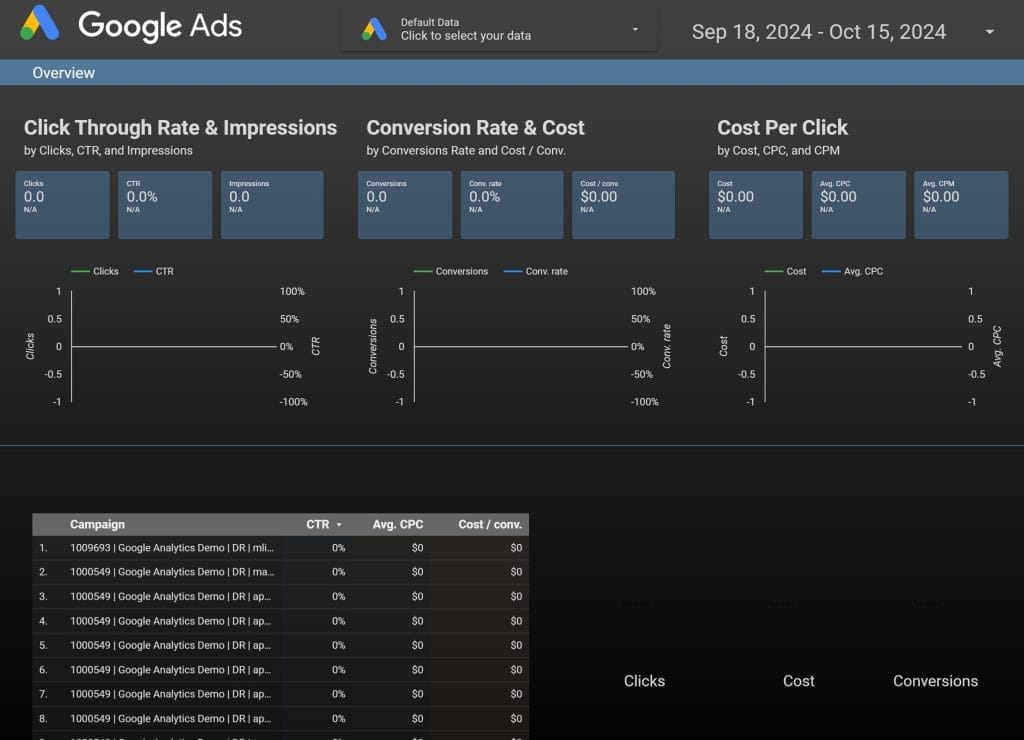
Dara Studio is Google’s free reporting tool with native integration into Google Ads, GA4, BigQuery, and Search Console. It’s the cheapest entry into client reporting if an agency has technical capability. The free tier has connector limits, performance lags, and minimal support.
Pricing: Free for Dara Studio. Data Studio Pro: $9/user/project/month annual (30-day free trial). Conversational Analytics with Gemini is free through September 30, 2026, with token-based pricing after that. For the full breakdown of free vs. Pro features and the third-party connector costs that surprise most agencies, see Swydo’s Data (Looker) Studio pricing guide.
Best for: Agencies deep in the Google ecosystem that want a free starting point.
Pros: Free; native Google integration; large library of community connectors; real-time collaboration; Pro tier adds organizational ownership and IAM/SSO compliance.
Cons: Steep learning curve for advanced features; data connections drop frequently; third-party connectors cost extra (Supermetrics, Funnel.io often $20–$500/month); limited customer support on free plan; Pro is per-user-per-project, so multi-client agencies pay for each Google Cloud project separately.
Tableau
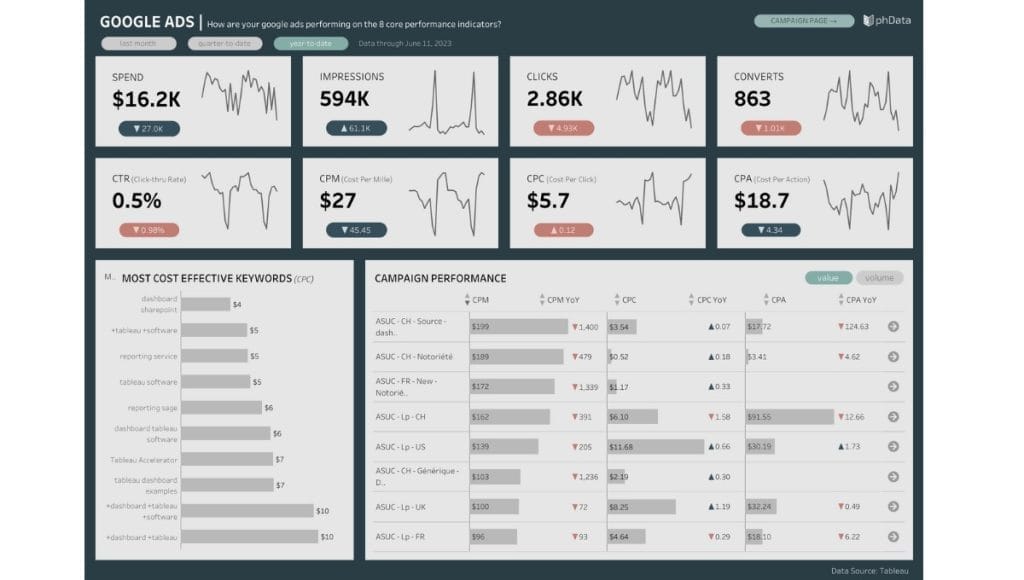
Tableau is the gold standard for advanced data visualization. Tableau is Salesforce-owned, with the strongest BI ecosystem of any tool in this guide. The 2025–2026 launches of Tableau Pulse, Tableau Agent, and Tableau Next push Tableau firmly into AI territory.
Pricing (USD, annual billing):
- Tableau Desktop Free Edition: $0 (local authoring, can’t share dashboards)
- Tableau Cloud Standard: Viewer $15/user/mo, Explorer $42/user/mo, Creator $75/user/mo
- Tableau Cloud Enterprise: Viewer $35/user/mo, Explorer $70/user/mo, Creator $115/user/mo
- Tableau+ Bundle (with Tableau Next): Custom pricing
- 14-day free trial on Creator
Best for: Agencies handling complex, large-scale data with dedicated analysts.
Pros: Most powerful visualization in this guide; strongest BI ecosystem; AI features (Pulse, Agent, Next); handles huge datasets; works with R, Python, Einstein Discovery.
Cons: Highest price for full team deployment; significant learning curve; per-user pricing punishes large teams; requires technical expertise; Tableau Desktop now only included with Creator licenses.
Power BI
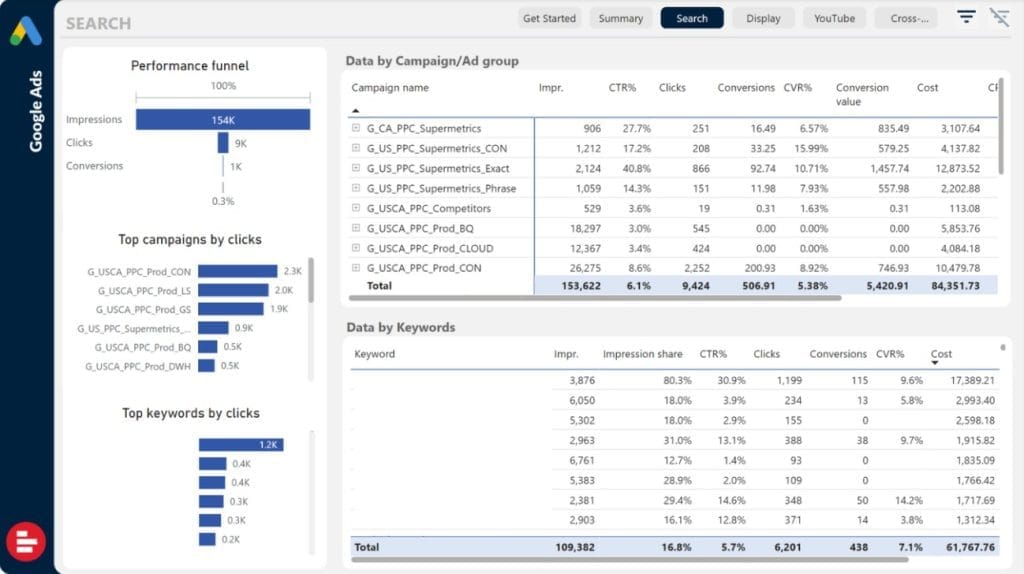
Power BI is Microsoft’s BI platform with deep Excel and Microsoft 365 integration. Power BI Copilot ships with PPU and Fabric capacity. Microsoft raised Power BI Pro from $10 to $14 per user/month and PPU from $20 to $24 per user/month effective April 1, 2025, and Microsoft Fabric replaced legacy Premium SKUs for new buyers.
Pricing (USD):
- Power BI Free: $0 (personal workspace only, can’t share)
- Power BI Pro: $14/user/month
- Power BI Premium Per User (PPU): $24/user/month
- Microsoft Fabric F64: ~$5,257/month (replaces legacy P-SKUs; bundles unlimited free viewers)
Best for: Agencies in the Microsoft ecosystem with Excel-heavy clients.
Pros: Tight Microsoft 365 integration; Power BI Copilot included with PPU and F64+; AI/ML for predictive analysis; affordable Pro tier; Fabric F64 makes economic sense above ~400 viewers.
Cons: Windows-only authoring; DAX formula language has a learning curve; pricing tiers confuse non-IT buyers; complex enterprise features locked to Fabric capacity; price increased 40% in 2025.
Coupler.io
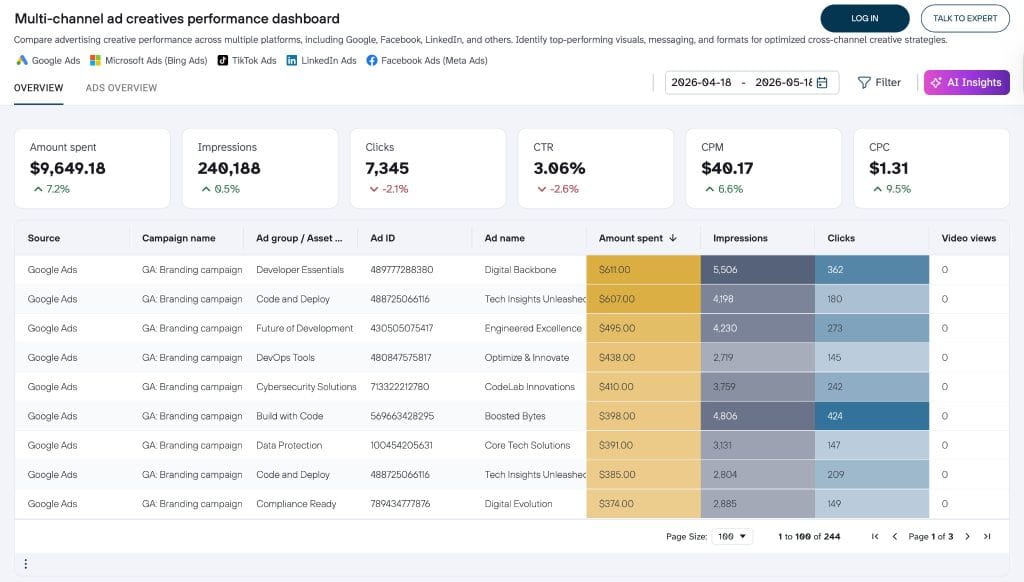
A no-code data automation platform built for agencies that wan more control over how reporting data is collected, transformed, and delivered.
Coupler.io sits somewhere between a reporting platform and a lightweight ETL tool. It helps agencies automate the movement, transformation, and analysis of marketing data across platforms like Google Ads, Meta Ads, GA4, HubSpot, Shopify, Airtable, BigQuery, Google Sheets, Excel, and Looker Studio. It expanded heavily into AI-powered reporting with integrations for ChatGPT, Claude, Gemini, Cursor, and Perplexity, plus an AI Agent for conversational analysis and business insights. It’s strongest for agencies centralizing data from multiple platforms into a single source of truth — and loses to dedicated tools like Swydo or AgencyAnalytics on built-in monitoring, KPI alerting, and client management.
My favorite feature: Data transformations before export. Most reporting connectors simply move raw data from point A to point B. Coupler.io lets agencies filter, merge, sort, calculate, and reshape datasets before they land in Google Sheets, Excel, or BI tools. For agencies combining PPC, CRM, ecommerce, and attribution data into custom dashboards, this removes a surprising amount of spreadsheet cleanup work.
Don’t pick Coupler.io if you want a polished all-in-one client reporting platform with built-in live client portals, KPI alerts, or agency-focused templates out of the box.
Pricing:
- Free plan available with limited refresh frequency
- Paid plans scale by refresh interval, row limits, and connector usage:
- Starter $24/month
- Active $99/month
- Pro $199/month
- Custom enterprise plans available for larger teams
Key features:
- 400+ integrations, including Google Ads, Meta Ads, GA4, HubSpot, Shopify, Airtable, Pipedrive, LinkedIn Ads, Microsoft Ads, and TikTok Ads
- Automated data syncing to Google Sheets, Excel, BigQuery, Looker Studio, Power BI, and other destinations
- No-code data transformations before export
- Scheduled refreshes for automated reporting workflows
- Multi-source data blending and custom calculations
- Ready-to-use dashboard templates
- Historical data imports and automatic backups
- API connector for custom sources
- AI integrations with Claude, ChatGPT, Gemini, Cursor, and Perplexity
- AI Agent for conversational analysis and business insights
- Team collaboration and shared reporting workflows
Pros: Coupler.io is more flexible than standard dashboard-only reporting tools, with strong Google Sheets and Looker Studio workflows that make it genuinely useful for agencies building custom reporting stacks. It reduces manual spreadsheet cleanup and data prep work significantly, and works well as a reporting infrastructure layer alongside BI tools.
Cons: It’s not a dedicated client reporting platform and has no built-in client portal, fewer native white-label presentation features, and requires more setup than template-first agency reporting tools. Advanced workflows may still require BI knowledge.
Klipfolio
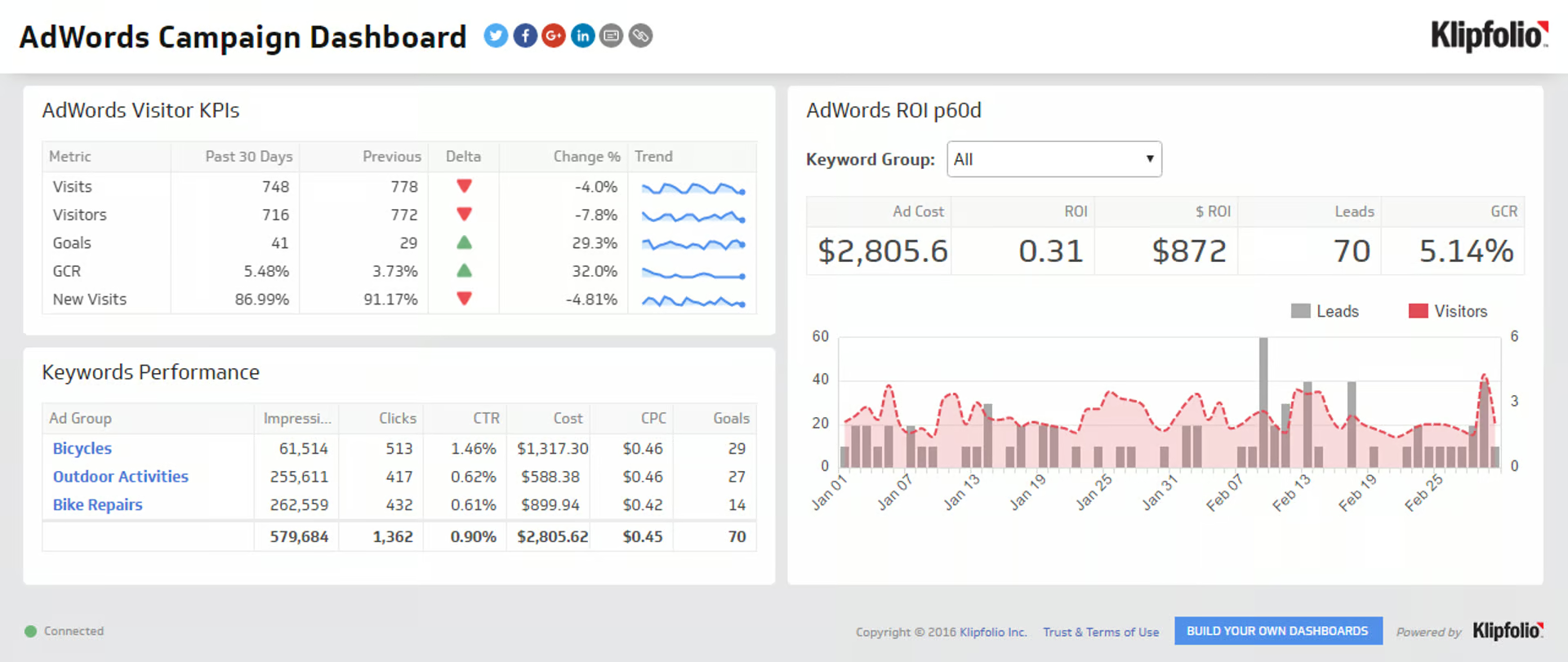
Klipfolio offers two products: Klips (custom dashboards for technical users) and PowerMetrics (metric-first product for less technical users). Klipfolio supports 130+ integrations and has a strong mobile experience.
Pricing (USD, annual billing — Klips):
- Base: $90/month — 3 dashboards, 4-hour refresh, unlimited users
- Grow: $190/month — 10 dashboards, 1-hour refresh, PDF + scheduled reports
- Team: $350/month — 20 dashboards, 15-minute refresh, SSO
- Team+: $600/month — 40 dashboards, near-real-time refresh
- 14-day free trial
White-label, custom domain, and custom CSS in Klipfolio are paid add-ons (Branding+ $199/month, custom theme $69/month, custom domain extra). AI features sit in PowerMetrics, not Klips.
Best for: Small to medium agencies wanting a balance of pre-built and custom dashboards.
Pros: Easy setup for basic dashboards; cloud-based mobile access; 130+ integrations; password-protected sharing; unlimited users on every plan.
Cons: Klips and PowerMetrics confuse buyers; advanced customization requires technical skills; pre-built templates have limited modification; latency on large datasets; white-label is a paid add-on.
Geckoboard
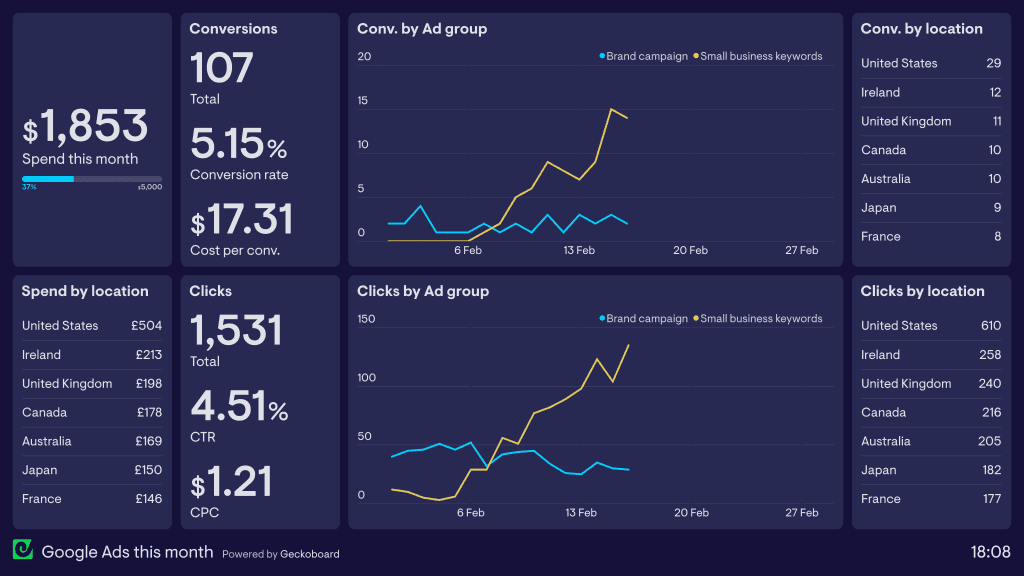
Geckoboard specializes in real-time KPI dashboards optimized for office TV displays. Geckoboard supports 90+ data sources, has no significant AI features, and offers the simplest interface in the BI category.
Pricing (USD):
- Essential: $60/month annual ($75 monthly) — 1 dashboard, 1 editor, 10 viewers
- Core: $175/month annual ($219 monthly) — 20 dashboards, 5 editors
- Pro: $319/month annual ($399 monthly) — 50 dashboards, KPI alerts to Slack/Teams, audit logs
Each extra dashboard, editor, or viewer beyond Geckoboard plan limits adds $25/month. 14-day free trial.
Best for: Agencies that want real-time KPI dashboards on office TVs and big screens.
Pros: Best real-time TV dashboard experience; simple interface; KPI notifications to Slack/Teams (Pro only); Slack and Microsoft Teams snapshot delivery.
Cons: No AI features; data refresh rates slower than competitors; white-labeling limited to logo and color theme (no custom domain); add-ons add up fast at $25/unit.
Databox
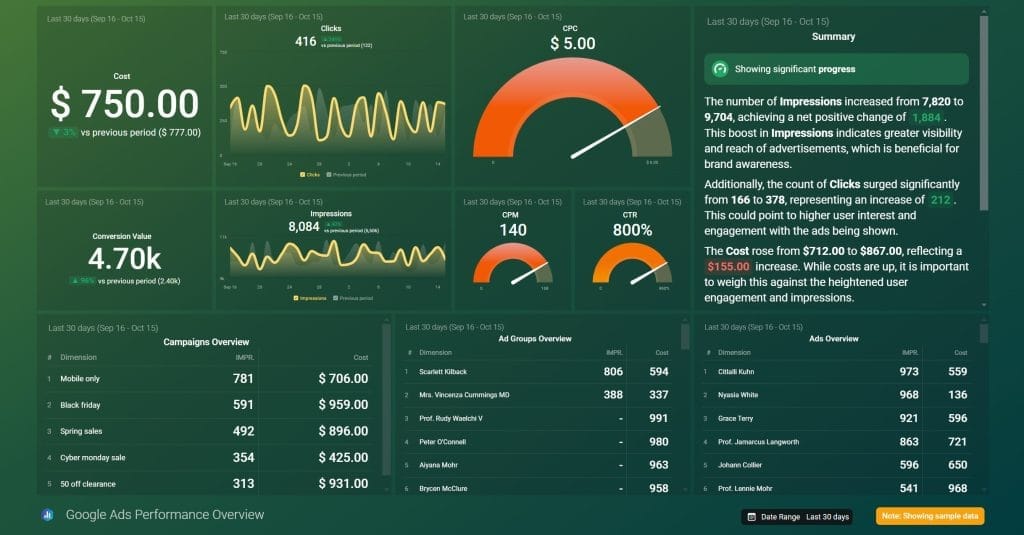
Databox added significant AI features in 2025–2026, including AI Analyst, AI Performance Summaries, and an MCP server for ChatGPT/Claude. Databox has the best mobile experience in the BI category, including Apple Watch support. Important: Databox eliminated its Free plan.
Pricing:
- Free plan: Eliminated as of 2026 (was 3 sources, 1 dashboard)
- Professional: $199/mo monthly, $159/mo annual — 3 data sources included, hourly refresh, AI Analyst, unlimited dashboards, unlimited users
- Growth: $499/mo monthly, $399/mo annual — adds AI Performance Summaries, anomaly detection, forecasting, benchmarking, SQL database connection
- Premium: ~$799/mo annual — 100 data sources, near-real-time syncs, dedicated CSM, priority support
- Additional data sources beyond included: $7/mo each (monthly billing) or $5.60/mo each (annual billing)
- Free trial: 14 days on Growth plan
Best for: Small to medium agencies wanting an easy all-in-one with strong AI.
Pros: Strongest AI in the BI category; intuitive interface; excellent mobile (Apple Watch support); MCP server for ChatGPT/Claude integration; unlimited dashboards and users on every paid plan; Databox Benchmarks (compare anonymized performance to similar businesses) is unique.
Cons: Free plan no longer available; only 3 data sources included on Professional ($159/mo annual) — most agencies need to upsize fast; per-source pricing climbs with multi-client agencies; doesn’t export to BigQuery/Snowflake natively.
Client Reporting Software FAQ
Direct answers to what agencies search before they buy
Client reporting software is a tool that automates the collection, visualization, and white-labeled delivery of marketing campaign data to agency clients. It connects to ad platforms, analytics tools, and CRMs, pulls metrics on a schedule, applies your branding, and either emails a PDF or gives the client a live dashboard.
It replaces the manual process of copying numbers from Google Ads, Meta Ads, GA4, and other platforms into spreadsheets or slide decks at the end of every reporting cycle.
Agencies typically save 10 to 20 hours per week by switching from manual reporting to a specialized tool. The savings come from automated data pulls, reusable templates, and scheduled delivery — work that previously meant copying numbers into spreadsheets or slides every cycle.
If you spend more than 2 hours per week building reports manually, a specialized tool typically pays back its monthly cost within the first month.
A strong client report headlines the metric that maps to the client’s business goal, then supports it with the KPIs that explain why the number moved.
Standard sections are: an executive summary, headline KPIs against goals, channel-by-channel performance (Google Ads, Meta, GA4, etc.), wins and issues from the period, and recommended next actions. AI summaries in tools like Swydo, AgencyAnalytics, Databox, and Whatagraph generate the narrative sections automatically.
Monthly is the standard cadence for most agency retainers because it gives enough data to show real trends without the noise of daily fluctuations. High-spend paid media accounts often add bi-weekly summaries plus always-on dashboard access for pacing visibility.
Match the cadence to the client’s decision-making cycle, not your team’s convenience. Quarterly is too slow for active campaigns; weekly is too noisy for most retainer relationships.
Reports are scheduled snapshots delivered as PDF or hosted page on a fixed cadence. Dashboards are live, interactive views clients access on demand. All seven specialized client reporting tools support both formats.
Executives tend to prefer scheduled PDFs they can forward. In-house marketing teams tend to prefer live dashboards they can drill into. Agencies that offer both — a monthly PDF plus an always-on dashboard — tend to retain clients longer.
Client reporting software is built for agencies delivering marketing reports to clients. BI tools (Looker Studio, Tableau, Power BI) are built for data analysts working with any kind of data. Reporting software ships with marketing integrations, white-label, client portals, and reusable templates out of the box; BI tools require building most of that yourself.
Use a BI tool if you have a dedicated analyst, need to combine marketing with finance or operations data, or have an enterprise client who specifically requests Tableau or Power BI.
Not effectively. Project management tools are built for internal team workflows, not for delivering polished, white-labeled marketing reports to clients. Their dashboards focus on task status and project velocity — metrics clients rarely care about.
Marketing agencies typically need a dedicated reporting tool to pull data from ad platforms and analytics tools, not a project management platform extended sideways into reporting.
Yes if you spend more than 2 hours per week on reports, manage 3+ clients, or pay for third-party connectors like Supermetrics or Funnel.io. Below that threshold, a Looker Studio template or even a Google Sheets dashboard can be enough.
The other forcing functions are: needing white-label deliverables, wanting real-time alerts on campaign performance, or having lost dashboards because employees left and took the knowledge with them.
There’s no single best tool — the right choice depends on agency size, channel mix, and pricing model fit. Swydo wins for PPC and multi-channel agencies that want predictable scaling. AgencyAnalytics wins for all-around agency reporting with mature AI. Whatagraph wins for AI-driven cross-channel reporting if its credit-based pricing fits. DashThis wins for small agencies that want simplicity. Raven Tools wins for SEO-focused agencies. NinjaCat and TapClicks win for enterprise.
| Agency profile | Best fit |
|---|---|
| PPC / multi-channel, scaling | Swydo |
| All-around with bundled SEO | AgencyAnalytics |
| AI-first mid-market (credit cap permitting) | Whatagraph or Databox |
| Small agency, simplicity | DashThis |
| SEO-focused | Raven Tools |
| Enterprise, multi-location | NinjaCat |
| Enterprise, complex data | TapClicks |
DashThis Individual ($44/mo annual) for the simplest setup, Swydo ($62/mo annual with 10 sources included) for multi-platform clients who need real-time alerts and AI summaries, AgencyAnalytics Freelancer ($59/mo annual) if SEO tools matter, or Raven Tools ($39/mo annual) for SEO-focused work.
Swydo’s flat $62/mo annual base with 10 sources included often beats per-client tools as soon as clients have 3 or more data sources each, and real-time goal alerts, AI summaries, and PPC Markup are on every plan rather than gated behind higher tiers.
Swydo’s per-source pricing scales most economically at this stage. At 100 sources on annual billing, Swydo costs about $467/month with all features included — Monitoring Boards across all clients, Metrics Overview for portfolio-wide KPIs, AI summaries, and unlimited users.
For comparison, AgencyAnalytics Agency Pro at $349/month for 15 clients plus $16/month per additional client works out to $909/month at 50 clients on annual billing.
Swydo for agencies under 100 clients, NinjaCat for enterprise PPC agencies. Swydo’s Custom Metrics let you build a “Cost × 1.20” markup formula once and reuse it across every client, with real-time campaign monitoring on every plan. NinjaCat is the upgrade once you need AI agents and managed Data Cloud.
AgencyAnalytics also supports Ad Spend Markup but only on the Agency tier ($179/mo annual) and above. Whatagraph and Raven Tools require manual markup calculation.
Raven Tools for pure SEO shops, because it bundles a rank tracker, backlink checker, and site audit into the reporting subscription — which can replace a separate SEO tool. Starting price is $39/month annual prepaid.
AgencyAnalytics is the better choice for agencies that need broad PPC and social reporting alongside SEO and want modern AI. Raven’s weaknesses outside SEO — only 25+ integrations and no meaningful AI — show up quickly for multi-channel work.
NinjaCat for multi-location enterprise clients (franchise, QSR, healthcare). TapClicks for the most complex enterprise data needs. NinjaCat’s AI agents, managed Data Cloud on Snowflake, and 150+ integrations are the differentiators. TapClicks ships 250+ native connectors plus SmartConnector for anything else, and the broadest AI stack (SmartStory, SmartReports, SmartAnalytics, SmartSlides).
Both are quote-based with demo-only sales. Industry-reported NinjaCat contracts run $1,500–$3,000/mo on annual terms; TapClicks ranges from ~$599/mo Basic to $1,500–$5,000+/mo for full implementations.
AgencyAnalytics is better if you want a single tool covering reporting, dashboards, and a built-in SEO toolkit and you’re under 25 clients. Swydo is better if you have 3+ data sources per client, plan to scale beyond 25 clients, or need real-time alerts and PPC Markup without gating to higher tiers.
Cost crossover happens around 15 to 25 clients. AgencyAnalytics charges per client ($16/month annual or $20/month monthly per additional client). Swydo charges per data source, with rates dropping to $2/source above 500 sources.
AgencyAnalytics is better for most US-based agencies — it ships comparable AI features (Ask AI, AI Summary) at a lower entry price, with bundled SEO tools and 80+ integrations vs Whatagraph’s 50+. Whatagraph makes sense if you specifically need a no-code BigQuery export, funnel chart visualization, or the Organize data-transformation layer for unifying messy multi-source data.
Whatagraph’s source-credit pricing also creates a hard ceiling — 20 credits on Start, 50 on Boost — that multi-source clients hit quickly. AgencyAnalytics’ per-client model scales more predictably for portfolios with deep data per account.
DashThis is better for solo operators with simple, single-platform reporting needs and the smallest possible budget. Swydo is better for any agency with multi-platform clients, monitoring needs, or growth plans.
DashThis lacks real-time goal alerts, has only 9 widget types, no API, and ships with DashThis branding on the Individual plan (custom domain only on Professional+). Swydo includes alerts, AI summaries, PPC Markup, and a custom-domain client portal on every plan starting at $62/month annual.
Specialized client reporting software typically costs $39 to $500 per month for SMB agencies, and $1,500+ per month for enterprise tools. The cheapest entry points: Raven Tools at $39/mo annual prepaid, DashThis at $44/mo annual, AgencyAnalytics at $59/mo annual.
| Tool | Starting price (annual, USD) |
|---|---|
| Raven Tools | $39/mo prepaid |
| DashThis | $44/mo |
| AgencyAnalytics | $59/mo |
| Swydo | $62/mo (10 sources included) |
| Whatagraph | $229/mo (Start plan) |
| NinjaCat | ~$1,500–$3,000/mo (quote) |
| TapClicks | ~$599+/mo (quote) |
Raven Tools at $39/month annual prepaid is the cheapest agency-specific tool. DashThis is second at $44/month annual. Looker Studio is free but typically pulls in $20 to $500/month in third-party connector costs (Supermetrics, Funnel.io). Whatagraph has a free plan with 5 source credits for testing.
Cheapest sticker price isn’t always cheapest total cost. Tools with per-client pricing get expensive at scale, and tools with strict source caps force plan upgrades earlier than expected.
Looker Studio is free and has native integrations with Google Ads, GA4, BigQuery, and Search Console. Whatagraph has a free plan with 5 source credits, 1 user, and 3 reports. Note that Databox eliminated its free plan in 2026.
Free tools usually cost real money in adjacent ways: Looker Studio agencies typically pay $20 to $500/month for third-party connectors, and Whatagraph’s free plan carries vendor branding because white-label sits behind the Boost tier.
Per-client pricing scales linearly with client count, so every signed client adds a fixed monthly cost regardless of how much you actually use the tool. AgencyAnalytics, for example, charges $16/month annual (or $20/month monthly) per additional client above plan limits.
For agencies with shallow data per client (1 or 2 sources each), per-client pricing is competitive. For agencies with deep data per client (5+ sources), per-source pricing models like Swydo’s tend to be cheaper because you’re not paying a flat fee for every client.
A data source is each individual property or account connected to the tool, not each integration type. One Google Analytics integration connecting three website properties counts as three sources. One Meta Ads integration connecting two ad accounts counts as two sources.
This matters most for per-source pricing models like Swydo and Databox, and for credit-based models like Whatagraph where each source consumes 1 credit against a plan cap. Before signing, multiply (number of clients) × (average platforms per client) × (accounts per platform) to forecast your real source count.
Switch when you spend more than 2 hours per week maintaining reports, when you’re paying for third-party connectors, or when you’ve lost dashboards because employees left. Time savings typically pay back the monthly cost within the first month.
Stay on Looker Studio if you’re technical, don’t need white-label or a polished client portal, and don’t need proactive alerts. After accounting for Supermetrics or Funnel.io fees ($20 to $500/month), a specialized tool is often cheaper anyway.
Most do. Swydo and AgencyAnalytics offer 14 days. DashThis offers 15 days. Raven Tools offers 7 days. Whatagraph has both a free plan and trial. NinjaCat and TapClicks are demo-only.
Swydo and AgencyAnalytics don’t require a credit card to start a trial. Use the trial to test the workflows that matter most: connecting your actual platforms, building a real client report, and triggering an alert.
TapClicks SmartSuite has the broadest AI stack overall, followed by NinjaCat AI Agents at the enterprise tier. At the mid-market level, Swydo AI, AgencyAnalytics Ask AI, Databox AI Analyst, and Whatagraph IQ ship comparable capabilities — generative summaries, conversational queries, anomaly detection. The right pick depends more on pricing model fit than AI feature depth.
| AI feature | Tools that support it |
|---|---|
| Generative report summaries | Swydo, AgencyAnalytics, Whatagraph, DashThis, Databox, NinjaCat, TapClicks |
| Conversational data queries | Swydo, AgencyAnalytics, Whatagraph, DashThis (Pro), Databox, NinjaCat, TapClicks |
| Anomaly detection & alerts | Swydo, AgencyAnalytics (Pro), Whatagraph (Boost+), Databox (Growth+), NinjaCat, TapClicks |
| Predictive forecasting | AgencyAnalytics (Pro), Databox (Growth+), NinjaCat, TapClicks |
| MCP server for ChatGPT/Claude | Databox |
| Autonomous AI agents | NinjaCat, TapClicks |
| AI-generated slides | TapClicks SmartSlides |
Four AI features matter most: generative report summaries (write the narrative for you), conversational data queries (ask the dashboard a question), anomaly detection (flag broken campaigns), and predictive forecasting (project pacing to month-end).
Generative summaries deliver the biggest immediate time savings — they write the “wins, issues, recommendations” section every agency writes manually today. Anomaly detection and forecasting are bigger wins for high-spend PPC accounts where small drift costs real money. Be honest with yourself about whether your team will actually use a conversational AI layer, or just keep writing summaries by hand.
Yes — all seven specialized client reporting tools support white-labeling. Custom domains are supported by Swydo, AgencyAnalytics (Agency tier+), Whatagraph (Boost+), DashThis (Professional+), Raven Tools, NinjaCat, and TapClicks.
DashThis’s Individual plan ships with DashThis branding (custom domain only unlocks on Professional+). Whatagraph’s Start plan reports carry Whatagraph branding because white-label sits behind the Boost tier ($463/month annual).
TapClicks has the most: 250+ native connectors plus SmartConnector for anything else. Integration count by tool: TapClicks (250+), NinjaCat (150+), AgencyAnalytics (80+), Whatagraph (50+), Swydo (32+), DashThis (30+), Raven Tools (25+).
Integration count matters less than integration depth. A “Google Ads integration” that only pulls campaign-level data is useless for keyword-level reporting. Check that each tool covers the depth you actually need for the platforms you actually use.
Yes. Most specialized tools support cross-channel widgets that blend data from multiple ad platforms into single metrics like blended cost, blended ROAS, or total conversions. Swydo’s Combined Data Sources merges metrics from up to 5 ad platforms into single widgets — and the same blending works inside Goals, Alerts, and Metrics Overview, not just reports.
This matters when clients want one ROAS number across Google Ads, Meta Ads, and TikTok rather than three separate channel breakouts.
Yes, through manual KPI inputs or Google Sheets integrations. Swydo supports Manual KPIs for offline or unsupported data and formula-based Custom Metrics. AgencyAnalytics and Whatagraph offer similar manual-entry fields. Most tools also integrate with Google Sheets as a fallback for any data not covered by a native connector.
This matters for agencies reporting on call tracking, in-store sales, lead quality scores, or any KPI sourced from a CRM or spreadsheet rather than an ad platform.
Yes. Real-time goal and KPI alerts are supported by Swydo, AgencyAnalytics (Agency tier+), Whatagraph (IQ+ on Boost+), NinjaCat, and TapClicks. Alerts fire when metrics cross thresholds — for example, when a CPA breaks the goal or daily spend pacing falls below target.
Swydo also offers proactive integration-failure alerts that warn you when a connection breaks before reports send — unique among the specialized tools. DashThis and Raven Tools are weaker on alerts.
Swydo (PPC Markup via Custom Metrics), AgencyAnalytics (Ad Spend Markup, Agency tier+), and NinjaCat support PPC markup natively. TapClicks supports it through SmartSuite. DashThis offers basic markup on cost-metric widgets at every tier. Whatagraph and Raven Tools require manual calculation.
Swydo includes Custom Metrics (the formula engine that powers markup) on every plan, so you can build a “Cost × 1.20” formula once and reuse it across every client.
Goal tracking calculates a target glide path and shows whether each KPI is On Track, Off Track, or Achieved against it. Instead of just displaying “CPA: $42,” the report shows “CPA: $42 (On Track — goal $45).”
Swydo, AgencyAnalytics (Agency tier+), Whatagraph (IQ+ on Boost+), NinjaCat, and TapClicks all support goal tracking with pacing states. This is the feature that turns a report from a data dump into a conversation about whether the campaign is winning.
Specialized reporting tools use OAuth to connect to ad platforms, so your client’s credentials never sit in the reporting tool itself. Enterprise tools like NinjaCat carry SOC 2 Type II certification and do not use customer data to train AI models.
For smaller tools, check the security page for SOC 2, GDPR compliance, and the AI training data policy if you have clients in regulated industries (healthcare, finance, government).
2 to 4 hours for the first dashboard with DashThis, Swydo, or AgencyAnalytics. 1 to 4 weeks for NinjaCat or TapClicks because they include managed onboarding.
Self-serve tools ship with reusable templates that cut the time to a first polished report. Enterprise tools bundle implementation services into the contract — this is a feature, not a bug, but it’s worth budgeting for in the rollout timeline.
Run the old and new tools in parallel for at least one full reporting cycle (usually one month). Connect the same data sources to both, rebuild the most-used client reports in the new tool, and compare numbers side-by-side before sending anything to a client.
Historical data availability varies sharply by integration. Most ad platforms (Google Ads, Meta Ads, GA4) backfill on connection. Several organic and CRM connections (Instagram Business, LinkedIn organic, Pinterest organic, Mailchimp, ActiveCampaign, Klaviyo, TikTok organic) start accruing data from connection day with no historical backfill — so onboard those early. Export existing dashboards as PDFs before canceling the old tool so you have a permanent archive.
Start a free trial of two or three tools that fit your profile, connect the same real client account to each, and rebuild your current monthly report in every tool. Pick the one your team uses without complaining.
Test the workflows that matter most: connecting the platforms you actually use, building a report that mirrors your current deliverable, scheduling and white-labeling the output, and triggering an alert if alerts are part of your buying criteria.
Five features matter most — the PIWGA framework: Pricing model, Integration depth, White-label and client portal, Goal tracking with real-time alerts, and AI features. The order is deliberate. Pricing model breaks more deals than AI ever will.
Real-time goal alerts are the most underrated feature in the category. When a client’s CPA breaks the goal, you want a Slack ping immediately, not a discovery email three weeks later.
Use roll-up reports or cross-account widgets to combine multiple accounts into one client view. AgencyAnalytics supports roll-up reports across multiple clients. Swydo’s Combined Data Sources merges up to 5 ad platforms into single widgets. NinjaCat and TapClicks handle this natively with multi-location reporting.
Multi-location reporting is the standout differentiator for franchise, QSR, and healthcare clients — NinjaCat is purpose-built for this use case.
Yes, through client portals. Swydo, AgencyAnalytics (Agency tier+), Raven Tools, NinjaCat, and TapClicks all offer white-label client portals where clients log in to view live dashboards.
Most tools also support shareable URLs (no login required) and scheduled email delivery, so you can match how each client prefers to receive reports — portal access, weekly emailed PDF, or both.
Yes. All seven specialized tools support reusable templates, but they handle updates differently. Swydo’s linked reports automatically update every client report when the underlying template changes. DashThis, AgencyAnalytics, and Whatagraph offer template duplication, with Whatagraph’s Linked Report Templates propagating master changes to children.
Linked templates save real time at scale: one template change updates every linked client report instead of requiring per-client edits.
Swydo AI generates summaries in Dutch, English, French, German, Spanish, and more, with a separate in-app language picker for the UI itself. Most other tools support English plus a handful of European languages.
Language support matters for agencies serving multi-region clients or operating in non-English markets. Test the actual translation quality during the free trial — automated translation is usable for KPI labels but uneven for narrative summaries.
Use a BI tool (Looker Studio, Tableau, Power BI) when you have a dedicated data analyst, need to combine marketing with non-marketing data, have an enterprise client requesting these specific tools, or need custom data models the agency-specific tools can’t build.
For most agencies — those without an analyst, reporting primarily on marketing data, serving SMB to mid-market clients — agency-specific tools save 10 to 20 hours per week and produce more polished deliverables out of the box.
Final Picks: Which Client Reporting Tool Fits Which Agency Type?
The recommendations below match each agency profile to a specific client reporting tool, with concrete pricing math in USD.
Which Client Reporting Tool Fits Your Agency?
Find your profile below — each path leads to the tool built for that exact situation
What does your agency look like?
↳ Solo / under 5 clients
Single operator, simple reports, smallest possible budget, often single-platform clients
DashThis$44/mo annual · simplicity wins
↳ Small agency, 5–25 clients
Multi-channel clients with 3+ data sources each, wants alerts and AI summaries included on every plan
Swydo$62/mo annual · 10 sources included
↳ SEO-focused agency
Pure SEO shop wanting rank tracker + backlink checker + reporting in one subscription
Raven Tools$39/mo annual prepaid · cheapest entry
↳ Mid-size, 25–100 clients
Multi-channel reporting at scale, PPC markup billing, portfolio-wide monitoring
Swydo~$467/mo at 100 sources
↳ Wants bundled SEO toolkit
10–15 clients, wants rank tracker, backlink data, and Ask AI co-pilot — willing to pay the Agency-tier jump for AI features
AgencyAnalytics$179/mo annual Agency tier
↳ Heavy data-prep workflows
Cross-channel data unification, blends, custom transformations, review-before-send approval gates — source count fits under credit caps (20–50)
Whatagraph$229–$463/mo annual
↳ Enterprise: multi-location
Franchise, QSR, healthcare clients with hundreds of locations each, AI agents for monitoring
NinjaCat~$1,500–$3,000/mo · annual contract
↳ Enterprise: complex data
250+ data sources, direct push to Snowflake / BigQuery, broadest AI feature stack
TapClicks~$599+/mo Basic · quote-based
Best Client Reporting Tool for Freelancers or Agencies Under 5 Clients
DashThis Individual ($44/mo annual) for the simplest setup, AgencyAnalytics Freelancer ($59/mo annual) if AI and SEO tools matter, or Swydo ($62/mo annual with 10 sources included) if clients have multiple data sources and monitoring matters.
Swydo’s flat $62/mo base on annual billing with 10 sources included often comes out cheaper than DashThis Individual once an agency has a couple of clients with 3+ sources each — and Swydo includes real-time alerts, AI-generated summaries, and PPC Markup that DashThis doesn’t offer at any tier. Swydo’s 14-day trial requires no credit card.
Best Client Reporting Tool for Small Agencies (5–25 Clients)
Swydo is the strongest fit for small agencies. Swydo’s $62/mo annual base plus volume-discounted per-source pricing typically lands cheaper than per-client tools as soon as an agency has 3+ sources per client, and unlike per-client models, the cost doesn’t jump every time the agency signs a new client.
Real-time goal alerts with On Track / Off Track / Achieved pacing states, Brand Templates that apply visual style across every client report, PPC Markup for management-fee billing, and proactive integration-failure warnings are on every Swydo plan. AgencyAnalytics Agency ($179/mo annual, 10 clients included) is the alternative if monitor your link-building campaigns matter.
Best Client Reporting Tool for Mid-Size Agencies (25–100 Clients)
Swydo’s per-source pricing scales economically for mid-size agencies. At 100 sources on annual billing, Swydo costs approximately $467/mo ($62 base + 90 sources × $4.50) with all features included. AgencyAnalytics Agency Pro at $349/mo annual for 15 clients plus $16/mo per additional client = $909/mo for 50 clients on annual billing.
Swydo’s Report Templates with linked reports also matter at mid-size scale: change a template once and every linked client report updates automatically — exactly the kind of leverage report automation for marketing agencies is supposed to deliver. Whatagraph ($463/mo annual on Boost) is the alternative if AI features are the deciding factor.
Best Client Reporting Tool for PPC Agencies Billing Management Fees
Swydo or NinjaCat for PPC agencies. Swydo fits agencies under 100 clients — Custom Metrics let agencies build a “Cost × 1.20” markup formula once and reuse it across every client, real-time campaign monitoring is on every plan, and per-source pricing scales to hundreds of accounts without per-client penalties.
NinjaCat (third-party estimates: $1,500–$3,000/mo annual contracts) is the upgrade for enterprise PPC agencies that need AI agents and managed Data Cloud. For paid-media agencies weighing a wider set of options, our roundup of the best PPC reporting tools includes both reporting platforms and PPC-native tools.
Best Client Reporting Tool for SEO-Focused Agencies
Raven Tools ($39–$399/mo annual prepaid) for the bundled SEO toolkit. AgencyAnalytics is a stronger choice if the agency also needs broad PPC and social reporting and wants modern AI. For SEO-only agencies comparing options, our guide to the best SEO reporting software covers the dedicated SEO reporting tools agencies typically run alongside or instead of Raven.
Best Client Reporting Tool for Mid-Market Agencies Wanting Top AI Features
Whatagraph ($229–$463/mo annual on Start to Boost) for mid-market agencies prioritizing AI, if their source count fits comfortably under the credit cap (20 on Start, 50 on Boost). Databox Growth ($399/mo annual) is the alternative for agencies that want AI Analyst, anomaly detection, forecasting, and the MCP server integration with ChatGPT and Claude — comparable AI breadth at a similar price point, with per-source overage pricing instead of a hard credit ceiling.
AgencyAnalytics Agency Pro ($349/mo annual) is the third option for agencies preferring per-client pricing and bundled SEO tools. If AI matters but isn’t the sole deciding factor, Swydo is worth the comparison too — Swydo AI ships conversational queries, section-level analysis, and multilingual summaries on every plan from $62/mo annual, with no AI-tier upsell.
Best Client Reporting Tool for Enterprise Agencies Serving Multi-Location Clients
NinjaCat (third-party estimates: $1,500–$3,000/mo annual contracts) for multi-location enterprise agencies. Multi-location reporting and AI agents are NinjaCat’s core differentiators.
Best Client Reporting Tool for Large Agencies With Complex Enterprise Data
TapClicks (third-party estimates: $599+/mo Basic, $999/user/mo Pro, $1,500–$5,000+/mo full implementations) for large agencies with complex data. TapClicks’ 250+ native connectors plus SmartConnector for everything else is unmatched, and SmartSuite is the broadest AI stack in the category.
Best Reporting Tool for Agencies With a Dedicated Analyst
Looker Studio (free) plus Supermetrics or Funnel.io for non-Google data, or Tableau Cloud Standard Creator at $75/user/mo annual for agencies with the budget and analyst depth to leverage it.
Final Thoughts
Run every shortlisted tool through PIWGA — Pricing model, Integration depth, White-label, Goal tracking, AI features — and verify the USD pricing yourself on each vendor’s site before you book a single demo. Pricing changes; the figures in this guide were verified in May 2026, but every vendor reserves the right to update tiers, add fees, or change billing terms. The right tool matches how your agency actually works: client mix, billing model, team’s technical depth, and growth trajectory.
Most agencies should free-trial two or three tools that fit their profile, run them on the same client account for two weeks, and pick the one their team uses without complaining.
Build white-labeled client reports across every channel — without the per-client price tag.
Start Your Free Trial Today