
Swydo vs DashThis, Which One Costs Your Agency Less at Your Client Count
DashThis plans used to come with unlimited data sources. The cheapest one now stops at 15.
Both tools bill you on data sources, so the old shorthand about Swydo charging per source and DashThis charging per dashboard no longer tells you anything useful. DashThis charges for both. Every plan comes with a fixed dashboard count and a fixed source count, and you pay for whichever one you don’t fill. Swydo charges for sources only and puts no cap on clients, reports, or dashboards.
We build Swydo, so treat the pricing math here as something to check rather than something to trust. Every number below comes off both companies’ public pricing pages, and the formulas are simple enough to run against your own client list in about ten minutes.
Here’s the order. First, what each tool charges and the single test that decides which is cheaper at your size. Then the five product differences that change your week. Then five questions to answer before you commit to either.
What Each Tool Charges Right Now
Swydo starts at $69 a month with 10 data sources included, and DashThis starts at $54 a month with 3 dashboards and 15 data sources. From there the two models diverge fast, because Swydo adds cost one source at a time while DashThis moves in four fixed steps.
What Swydo Charges
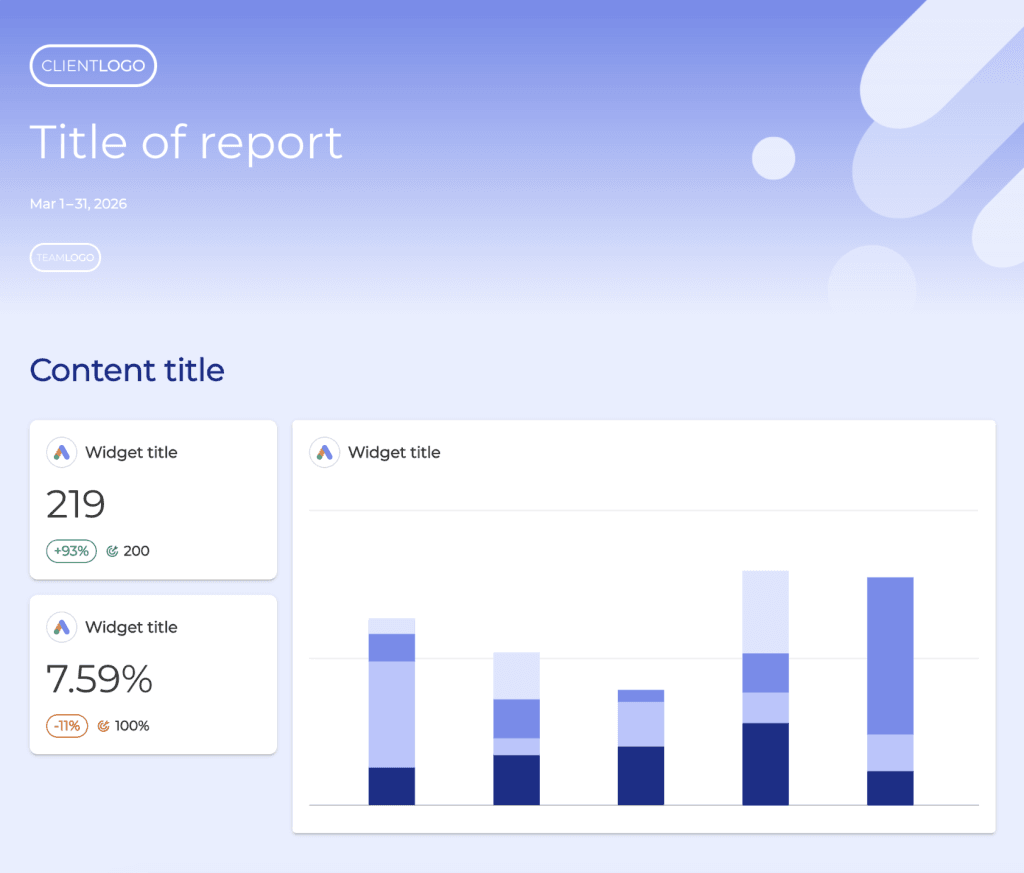
Swydo’s base fee is $69 a month and covers your first 10 data sources. After that:
- Sources 11–100: $4.50 each
- Sources 101–500: $3.00 each
- Sources 501 and up: $2.00 each
Clients, reports, dashboards, and team seats are unlimited on every plan. There’s no tier to climb and no feature locked behind a higher price. White-labeling, custom domains, the Monitoring suite, and Swydo AI all sit in the base fee. A 40-source agency pays $204 a month. A 100-source agency pays $474.
Prices exclude VAT, and there’s a 14-day free trial with no credit card.
What DashThis Charges
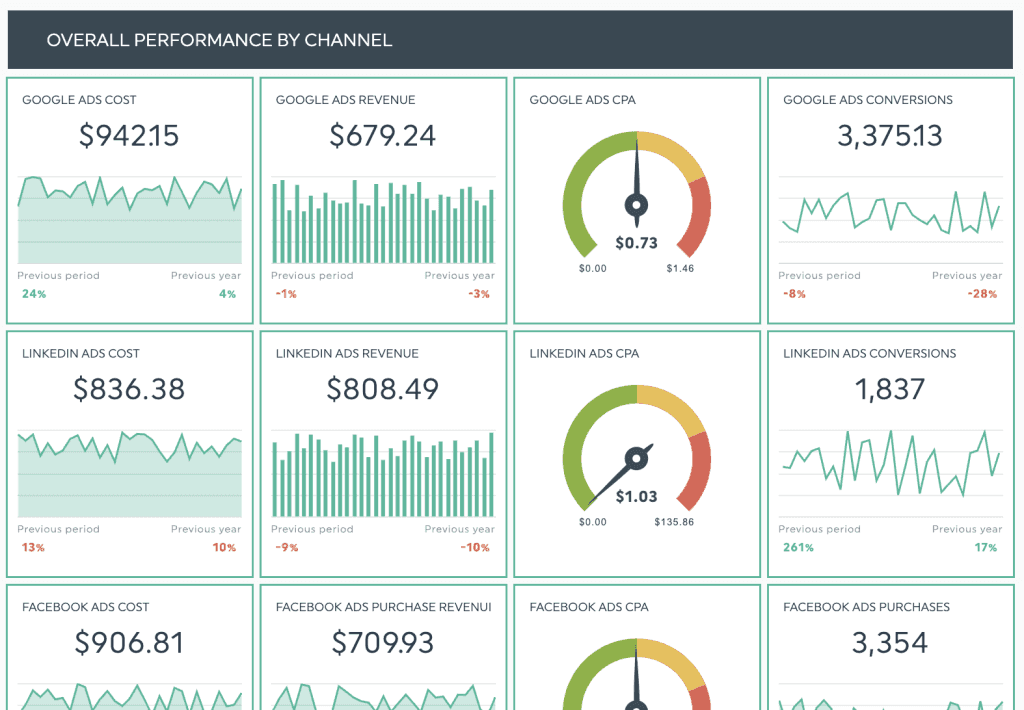
DashThis sells four plans, each bundling a dashboard limit with a source limit. Yearly billing knocks roughly 15–20% off.
| Plan | Monthly | Billed yearly | Dashboards | Data sources |
|---|---|---|---|---|
| Individual | $54/mo | $44/mo | 3 | 15 |
| Professional | $164/mo | $139/mo | 10 | 40 |
| Business | $324/mo | $279/mo | 25 | 100 |
| Standard | $499/mo | $429/mo | 50 | 200 |
The Standard plan has a dropdown that scales up to 1,500+ dashboards and 6,000+ sources for larger operations. Users and integrations are unlimited on all four plans. AI Insights is included everywhere; AI Insights Pro is a $19/month add-on ($15/month billed yearly). Priority support, personalized onboarding, a customer success specialist, and 1-on-1 screen-sharing sessions start at the Business plan.
DashThis also runs a 14-day trial, with 10 dashboards available during it.
The Fill Test
Work out which DashThis plan your client list would land you on, then work out how full it would be. Under about 45% full, Swydo is cheaper on either billing cycle. Over about 78% full, DashThis is cheaper on either. Between those two marks it’s close enough that the specific plan and your billing cycle decide it.
Three steps, five minutes:
- Count your clients. That’s your dashboard count. Find the smallest DashThis plan that holds it: 3, 10, 25, or 50.
- Count your individual accounts. Every ad account, GA4 property, and social profile counts once. If that number breaks the plan’s source ceiling, move up one plan.
- Divide your sources by that plan’s source allowance. The percentage is your answer.
Here’s where each plan actually breaks even against Swydo’s per-source math.
| DashThis plan | Source allowance | Swydo matches it at | Plan is that full |
|---|---|---|---|
| Professional | 40 | 31 sources ($164/mo) | 78% |
| Business | 100 | 67 sources ($324/mo) | 67% |
| Standard | 200 | 108 sources ($499/mo) | 54% |
Yearly billing pulls every one of those down. Professional breaks even at 26 sources, Business at 57, Standard at 90. So the bigger the DashThis plan, the less of it you need to fill before the flat fee starts winning.
What pushes agencies below the fill line is almost always the dashboard cap. Every DashThis plan bundles roughly four sources per dashboard: 10 and 40, 25 and 100, 50 and 200. A local SEO shop running Google Business Profile, Search Console, and GA4 for each client sits at three sources per client, hits the dashboard ceiling first, and lands on a plan it can only fill three-quarters of the way. Run fewer than four accounts per client and you’ll under-fill by design.
Swydo has no dashboard number to hit, so there’s nothing to under-fill. You pay $4.50 for source 41 whether it’s your fourth client’s fourth account or your twentieth client’s first.
Where Each Tool Wins
Find the DashThis plan your client count forces you onto, then divide your data sources by that plan’s source allowance.
Under 45%
Of the source allowance
Your client count, not your account count, is what put you on this plan. Most of the sources you are paying for stay unconnected.
Swydo is cheaper, monthly or yearly
45 to 78%
Of the source allowance
The two prices land within a rounding error of each other, so the plan you are on and the discount decide it rather than the product.
Too close to call
Over 78%
Of the source allowance
You are using nearly everything the plan includes, so the flat fee beats paying $4.50 a source.
DashThis is cheaper, monthly or yearly
Past 50 dashboards or 200 sources, DashThis publishes no price. The selector on their pricing page scales to 1,500+ dashboards and 6,000+ sources, but no figure appears for those options. Swydo’s rates run the whole way up: $3.00 a source from 101 to 500, $2.00 above 500.
Key Takeaways
Accounts per client moves the answer, client count barely does. At 2 accounts per client, Swydo wins at 5, 15 and 30 clients alike.
Every DashThis plan bundles about four sources per dashboard. Run fewer than four accounts per client and the dashboard cap strands you on a plan you cannot fill.
DashThis has a band, not a slope. Its best result is 50 clients at 4 accounts each, $499 against $774. Its worst is 5 clients at 2 accounts each, $164 against $69.
Break-even points against Swydo: Professional at 31 of 40 sources, Business at 67 of 100, Standard at 108 of 200. Yearly DashThis billing moves those to 26, 57 and 90.
Which Tool Is Cheaper at 5, 15, 30, and 50 Clients
How many accounts each client runs moves the answer far more than how many clients you have. Add clients and the winner mostly stays put. Add a third and fourth ad account to every client and the winner flips.
The grid below holds client count on one axis and accounts per client on the other. Every figure is monthly billing, with the yearly-billed DashThis result noted where it changes the outcome.
| Clients | 2 sources each | 4 sources each | 6 sources each |
|---|---|---|---|
| 5 clients | Swydo by $95 | Swydo by $50 | Too close to call |
| 15 clients | Swydo by $165 | Swydo by $30 | DashThis by $105 |
| 30 clients | Swydo by $205 | DashThis by $35 | DashThis by $215 |
| 50 clients | Too close to call | DashThis by $275 | No published DashThis price |
Read the grid down and very little happens. A shop with 2 accounts per client saves with Swydo at 5 clients, at 15, and at 30, and the two prices only converge at 50. Read it across and the answer flips inside every single row.
That’s the shape of it. DashThis isn’t the tool that gets cheaper as you grow; it’s the tool that gets cheaper as each client gets heavier. A 50-client agency running two accounts per client is a worse fit for DashThis than a 15-client agency running six.
Where DashThis’s Band Sits
DashThis’s advantage is a band, not a slope. Its best result in the grid is 50 clients at 4 accounts each, $499 against $774 in Swydo, or $429 against $774 on yearly billing. Its worst is 5 clients at 2 accounts each, $164 against $69. Same tool, a $275 win at one end and a $95 loss at the other, with client count moving very little of that.
The band closes at the top, too. Fifty clients at 6 accounts each is 300 data sources, past Standard’s 200-source ceiling, and DashThis publishes no price beyond that point. The pricing page has a selector that scales to 1,500+ dashboards and 6,000+ sources, but picking any of those options doesn’t show a figure. Swydo publishes its formula the whole way up: $3.00 a source from 101 to 500, $2.00 above 500, which puts 300 sources at $1,074 and 600 at $1,874 with no call required.
So the largest agencies aren’t choosing between two published prices. They’re choosing between a formula they can run today and a quote they have to ask for.
One Cost Curve Is a Line, the Other Is a Staircase
Monthly cost against total data sources, assuming your client count is low enough that the DashThis dashboard cap is not the binding limit. Each circle marks a point where the two prices meet.
Swydo costs less to the left of each circle and more to the right of it, until DashThis steps up to its next tier and the pattern repeats. Yearly DashThis billing shifts all three crossovers left, to 26, 57 and 90 sources. Past 200 sources or 50 dashboards, DashThis publishes no price at all. Figures from dashthis.com/pricing and swydo.com/pricing.
Two Setups With Identical Data and Very Different Bills
Fifteen clients at 2 accounts each and 10 clients at 3 accounts each are both 30 data sources. Both cost $159 in Swydo. In DashThis one costs $324 and the other costs $164, and the only thing that changed is how the same accounts were split between clients.
Fifteen clients need fifteen dashboards, fifteen dashboards need the Business plan, and Business bills you for 100 sources whether you connect 30 or 100. Split the same 30 accounts across 10 clients instead and Professional covers it for half the price.
Every cell in the grid follows the fill test. Under 45% of the plan’s source allowance, Swydo wins on either billing cycle. Over 78%, DashThis wins on either. The cells marked too close to call all sit between those two marks.
Swydo and DashThis Priced Side by Side
A DashThis plan must cover your dashboards and your sources, so the client count in each row is what decides the plan. Monthly prices shown, with the yearly-billed rate underneath.
| Your setup | Swydo$69 + $4.50/source | Individual3 dash / 15 src | Professional10 dash / 40 src | Business25 dash / 100 src | Standard50 dash / 200 src | Cheaper |
|---|---|---|---|---|---|---|
| 3 clients × 39 sources | $69 | $54$44 yearly | $164$139 yearly | $324 | $499 | DashThis, $15 |
| 5 clients × 210 sources | $69 | Dashboard cap | $164$139 yearly | $324 | $499 | Swydo, $95 |
| 5 clients × 630 sources | $159 | Both caps | $164$139 yearly | $324 | $499 | Too close, $5 |
| 15 clients × 230 sources | $159 | Dashboard cap | Dashboard cap | $324$279 yearly | $499 | Swydo, $165 |
| 15 clients × 460 sources | $294 | Both caps | Both caps | $324$279 yearly | $499 | Too close, $30 |
| 15 clients × 690 sources | $429 | Both caps | Both caps | $324$279 yearly | $499 | DashThis, $105 |
| 30 clients × 260 sources | $294 | Dashboard cap | Dashboard cap | Dashboard cap | $499$429 yearly | Swydo, $205 |
| 30 clients × 4120 sources | $534 | Both caps | Both caps | Both caps | $499$429 yearly | DashThis, $35 |
| 50 clients × 2100 sources | $474 | Dashboard cap | Dashboard cap | Dashboard cap | $499$429 yearly | Too close, $25 |
| 50 clients × 4200 sources | $774 | Both caps | Both caps | Both caps | $499$429 yearly | DashThis, $275 |
| 50 clients × 6300 sources | $1,074 | Both caps | Both caps | Both caps | Source cap | No DashThis price |
“Dashboard cap” means your client count breaks that plan’s dashboard limit; “Source cap” means your account count breaks its source limit. Above 50 dashboards or 200 sources DashThis publishes no figure, so pricing there needs a quote. Comparisons use monthly billing. Prices in USD, excluding VAT, from dashthis.com/pricing and swydo.com/pricing.
What Counts as a Data Source in Each Tool
Both tools count one connected account as one source, and the definitions match almost word for word. DashThis states that a source is counted when a data account is actively connected to at least one dashboard, and that each connected account counts once no matter how many widgets use it.
Swydo counts each individual property inside a connection: one Google Ads advertiser account, one GA4 property, one Facebook Page, one Instagram Business Account.
So a client with five regional Google Ads accounts is five sources in both tools. That used to be the single biggest cost difference between them, and now it’s a wash.
Two practical notes follow from that. In DashThis, a source stops counting once you disconnect it from every dashboard, so cleaning up abandoned accounts drops your usage. In Swydo, watch the copy-report flow, because copying a report with “include data sources” checked duplicates billable sources into the destination client. Train your team to connect at the client level instead.
One habit is worth building either way. Once a quarter, pull your source list and ask which accounts nobody has looked at in three months. Most agencies find between five and fifteen. At $4.50 apiece that’s real money in Swydo, and it’s the same money in DashThis when those dead sources are what pushed you past a ceiling.
The Five Differences That Change Your Week
Price gets you to a shortlist, and these five differences settle it. Both tools build a good-looking client report, so the tiebreakers sit in what happens between reports.
Watching 30 Clients Without Opening 30 Dashboards
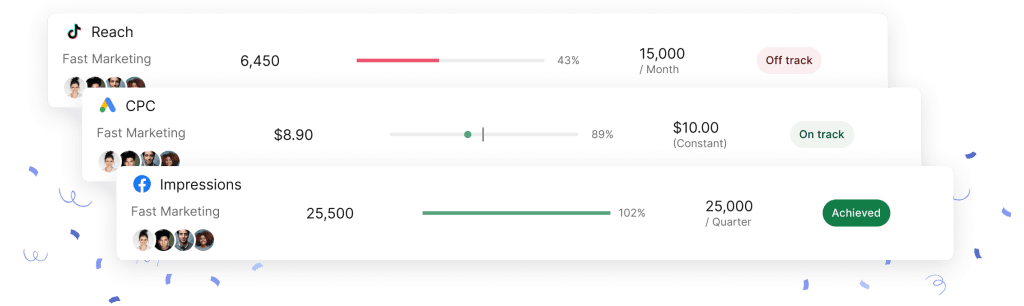
Swydo has a cross-client monitoring layer and DashThis doesn’t, which matters most on the days between report sends. Metrics Overview puts up to six metrics for every client on one screen, with unlimited saved views. Goals track pacing against a target and mark each one On Track, Off Track, or Achieved. Alerts check any metric daily against a condition you set over a 1, 7, 30, or 90-day window, and notify you by email or in Slack.
DashThis handles the report itself well, with drag-and-drop editing, widget notes, dashboard comments, and custom templates. To check performance across your whole book, you open dashboards one at a time.
That difference compounds with client count. At six clients you can eyeball six dashboards on a Monday. At thirty you won’t, which is when problems get found by the client instead of by you. The distinction between monitoring vs reporting is the one most agencies discover a quarter too late.
Swydo also runs Data Health Check Alerts, which flag broken connections and expired tokens before a report goes out with a blank widget in it.
How Clients Get to Their Reports
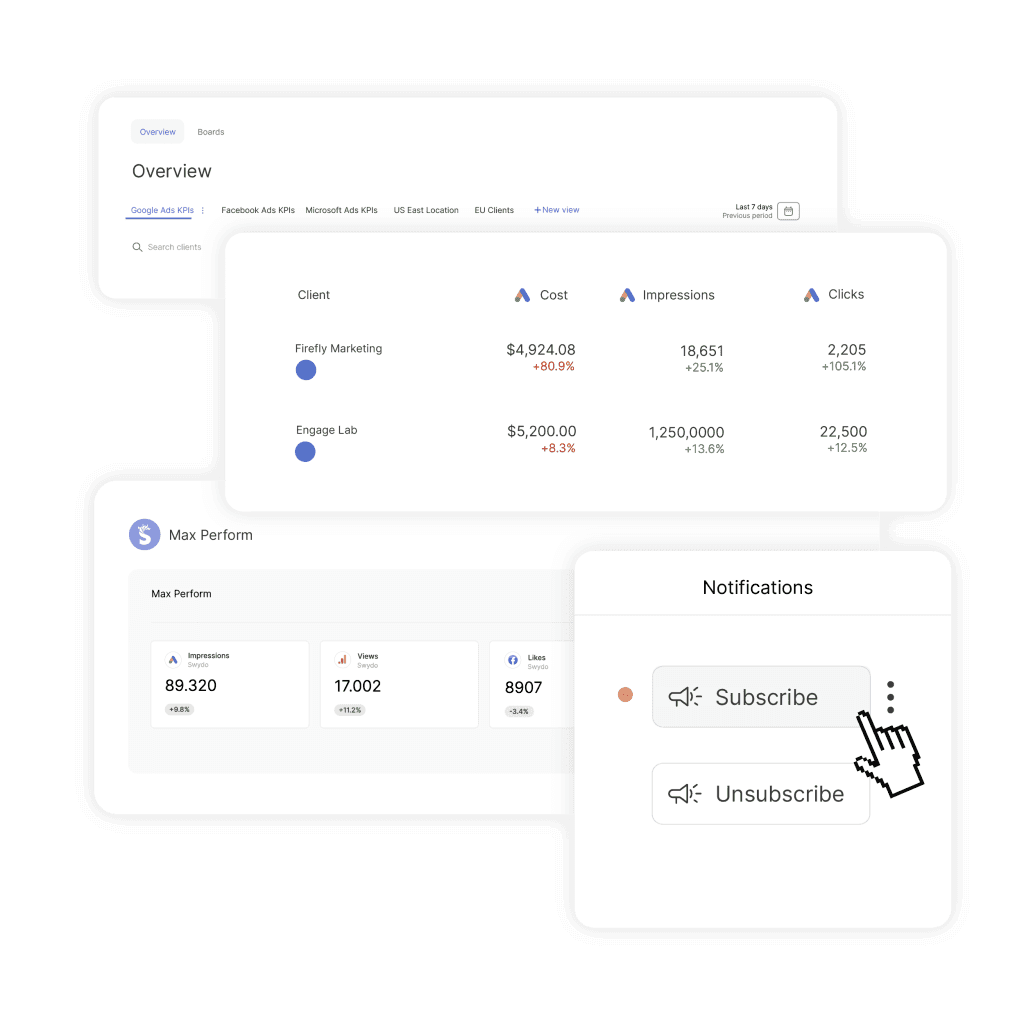
Swydo’s Client Portal puts everything you’ve chosen to share behind one link; DashThis shares one dashboard link at a time. For a client with three reports and a KPI board, that’s one bookmark instead of four.
Open the client’s account, go to the Portal tab, switch it on, and pick what goes in. Reports carry the detail, boards give the at-a-glance KPI view, and goals let the client watch progress against a target without asking you where it stands. Preview it before you send so you see what they’ll see.
Access stays yours to control. Add a password when a client needs one. Regenerate the link at any point, which kills the old one immediately, which matters when someone leaves the client’s team and nobody remembers who still has the URL. Swap the contents whenever their reporting needs move.
If your clients currently email you on the 18th asking for a number, a portal is what stops that.
Showing One ROAS Number Across Five Channels
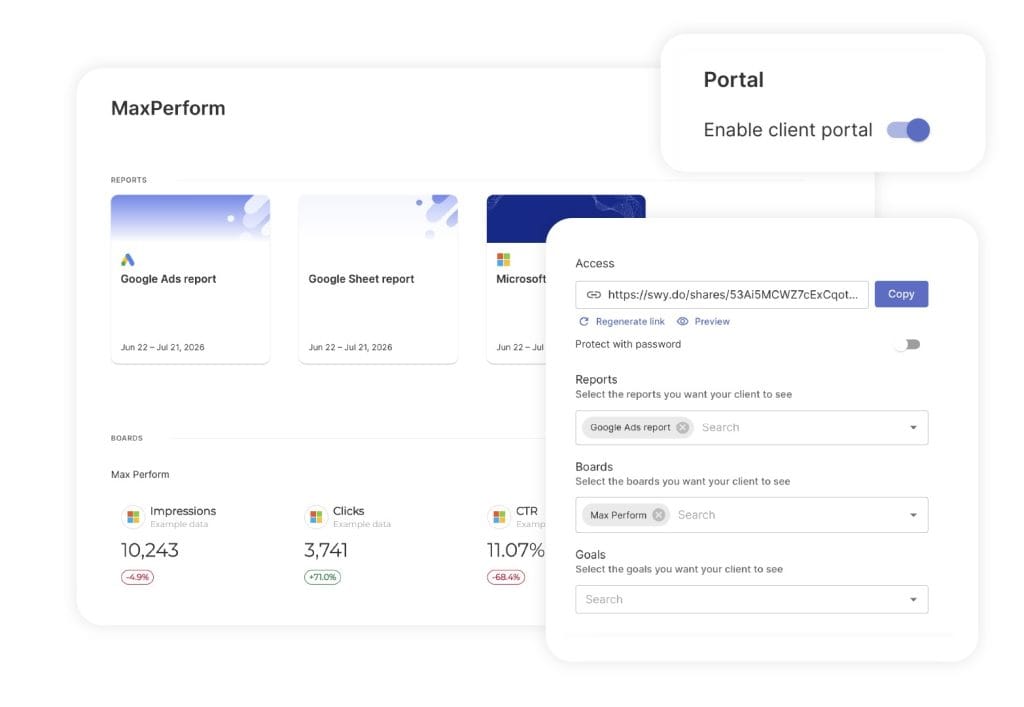
Swydo’s Combined Data Sources widget merges up to five ad platforms into a single metric, and DashThis aggregates channels at the dashboard level rather than inside one widget. Supported platforms include Google Ads, Microsoft Ads, Meta, LinkedIn, TikTok, Pinterest, Snapchat, X, and Reddit. Supported metrics cover Cost, Clicks, Impressions, Conversions, CPC, CTR, CPM, Cost per Conversion, Revenue, Purchases, and ROAS.
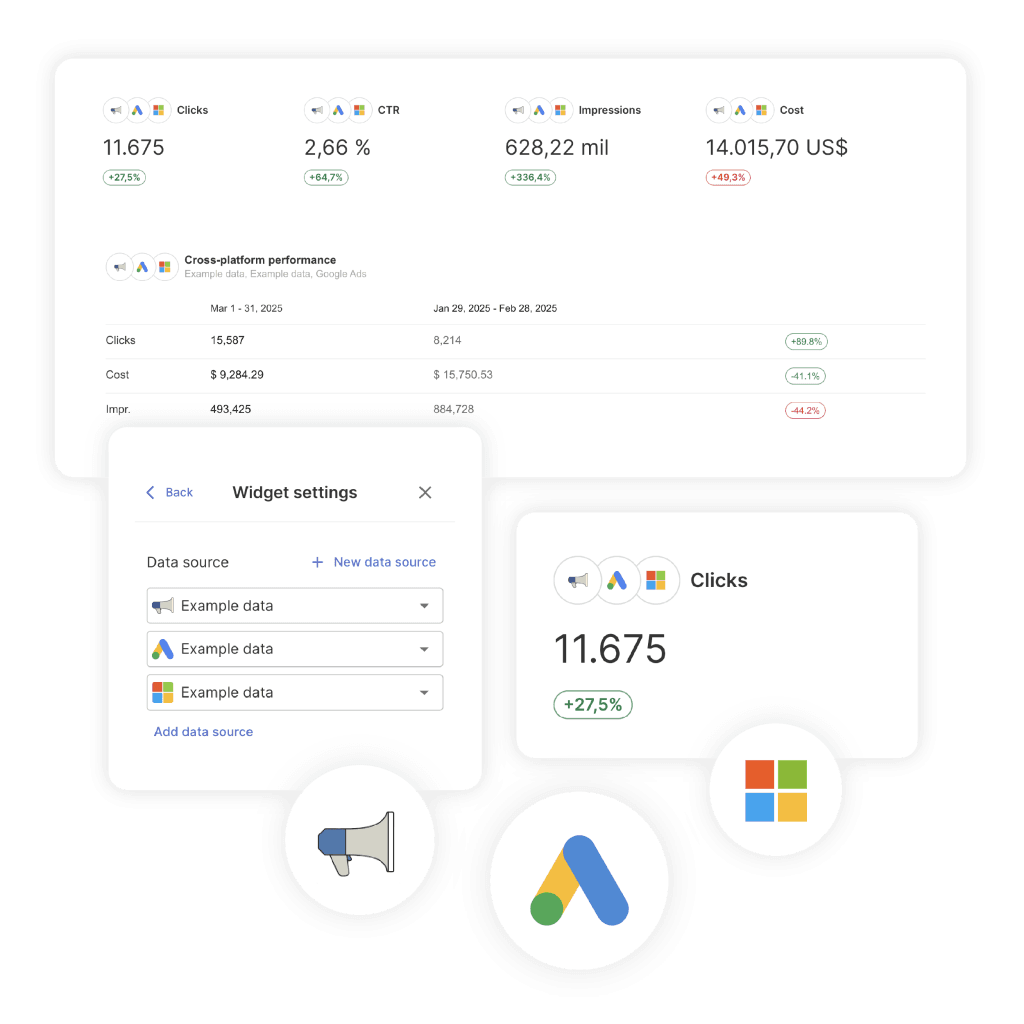
Combined widgets aren’t limited to reports either. They feed Boards, Goals, Alerts, and Metrics Overview, so you can set an alert on blended cross-channel ROAS instead of on one platform’s number.
There’s a real limit here. Custom metrics can’t be used inside Combined Data Sources widgets, which is the most common complaint we get about the feature. If your agency reports on a calculated metric of your own invention across channels, that specific combination doesn’t work yet, and you’ll build it per-platform instead. Worth understanding how data blending behaves before you promise a client a single blended figure.
How AI Works in Each Tool
Swydo’s AI builds and edits the report; DashThis’s AI explains it. Both analyze performance well, and only one of them will assemble the thing for you.
DashThis includes AI Insights on every plan, which reads a dashboard and surfaces wins, issues and opportunities without being asked. AI Insights Pro, the $19 a month add-on, adds Chat Mode for asking questions of your data and Dashboard Context so the answers reflect that client’s goals and reporting style.
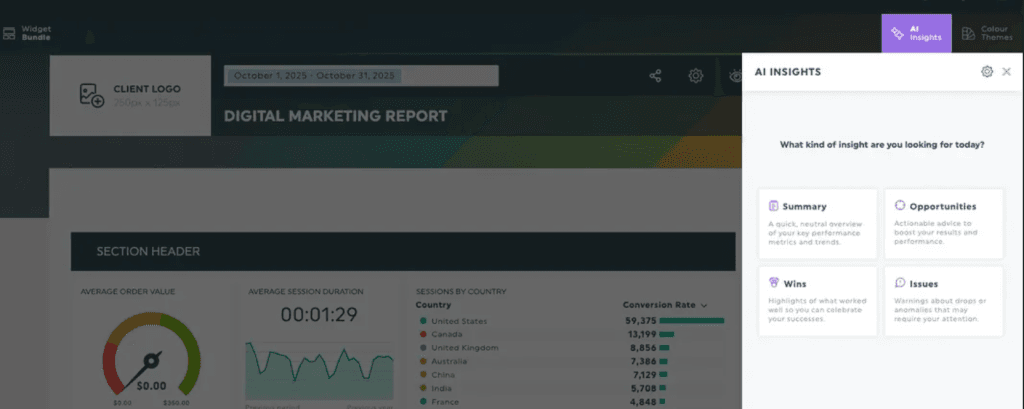
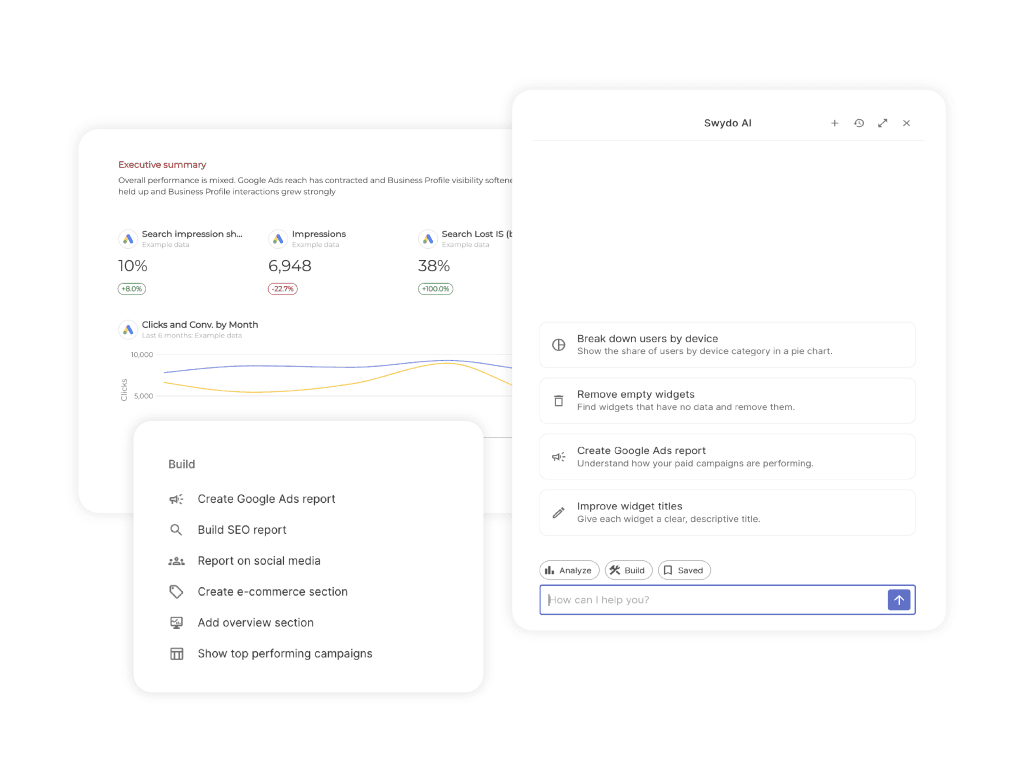
Swydo’s assistant opens from the icon at the top right of any report and runs in three modes:
- Analyze answers questions about the data and drops the output straight into a text widget, with presets for Summary, Wins, Issues and Recommendations.
- Build creates and edits the report itself from plain language. “Add a line chart showing CPC trends for the last six months.” “Move all KPI widgets into a new Top KPIs Overview section.” It handles KPIs, tables, line charts, bar charts and comparison widgets, changes date ranges, chart types, metrics, dimensions and sorting on widgets that already exist, and creates, renames and reorders sections.
- Saved keeps the prompts that worked, so the next client report gets built the same way by whoever picks it up.
After reading a report, the assistant also proposes changes to it: a tighter section order, a widget you are missing, a different chart for a metric that is not reading clearly.
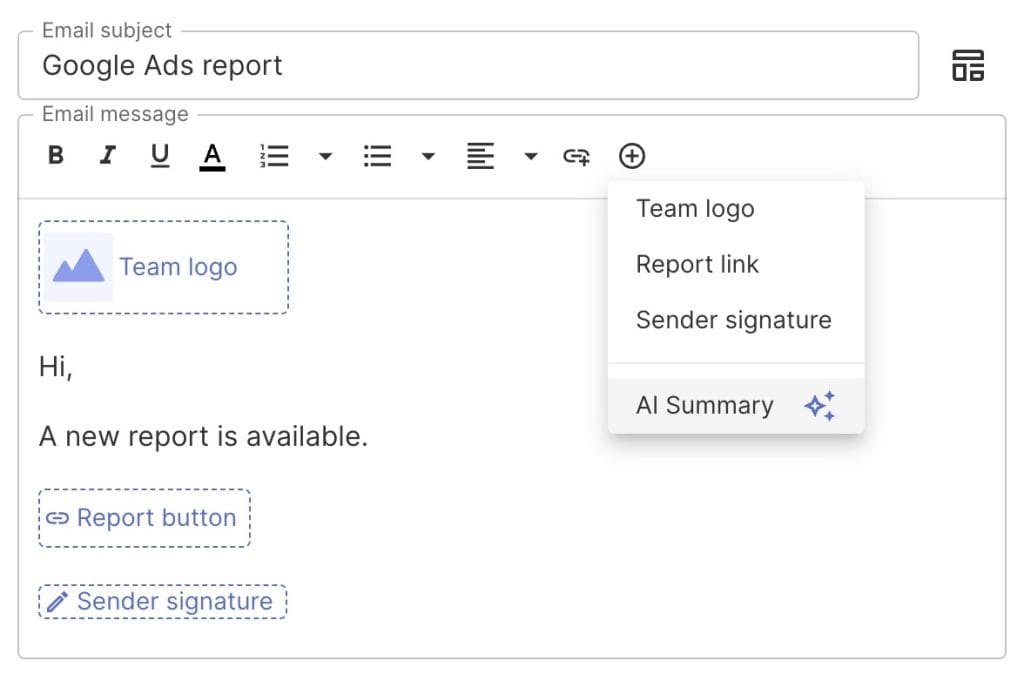
Two more pieces sit outside the report. Switch AI on for clients under Settings and they can ask their own questions on a shared dashboard instead of emailing you, though dashboards run a reduced feature set and the usage still comes out of your credits. And an AI Summary block dropped into an email template regenerates on every scheduled send, so one setup covers twelve months of reports. The assistant replies in whatever language you write to it in.
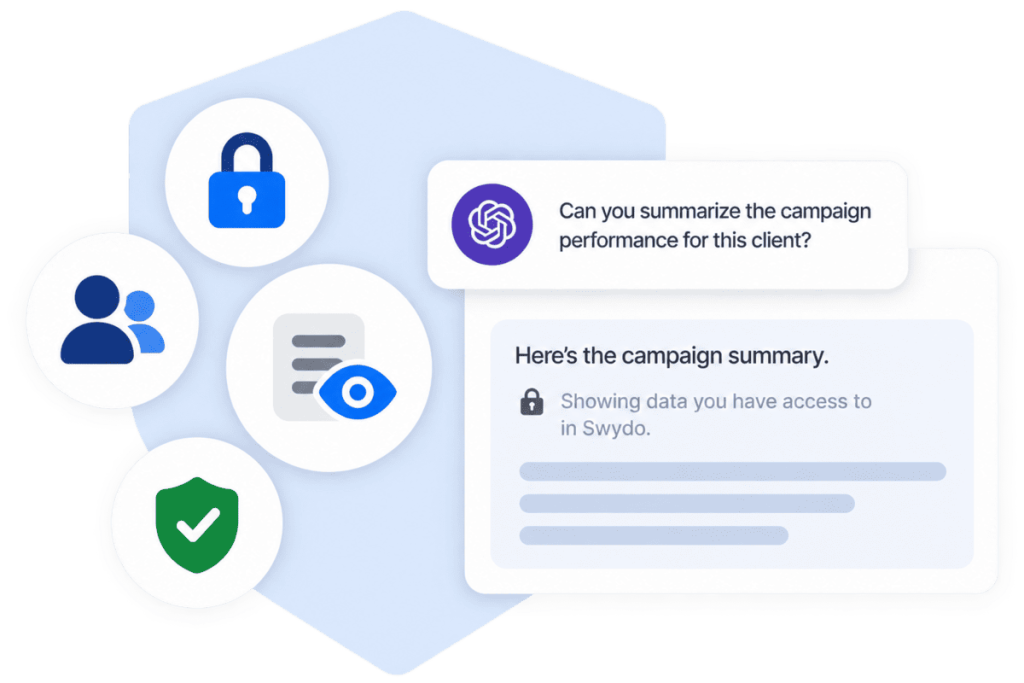
A third piece lives outside Swydo altogether. The Swydo MCP connector links your account to ChatGPT, Claude, or any AI tool that supports MCP, so you can ask about one client or all of them from the chat window you already use. It reads any metric a data source offers, including ones you never put in a widget, can’t edit anything, and doesn’t spend your Swydo credits. DashThis doesn’t list an equivalent.
The build side has real gaps. It will not touch text widgets, spaces, page breaks, manual KPIs, custom metrics, combined data sources or filters. It works in reports and dashboards but not in templates, which is the awkward one, because templates are where an agency standardizes. It cannot compare across reports, past threads are view-only once created, and AI summaries do not refresh when the data underneath them changes, so a summary written on the 3rd still says what it said on the 3rd.
Credits are the other constraint. Every plan includes 4,000 a month, an average summary costs about 95, and longer prompts cost more. Credits reset monthly with no carryover, and you set your own spending limit for anything past the included allowance, billed only on what you actually use.
Both tools have AI, so the real question is whether you want it to explain a finished report or write one. Only Swydo does the second, and only DashThis charges extra for the first.
Integration Coverage
Swydo lists 38 integrations and DashThis lists 34, and the overlap covers everything most agencies run. Both connect Google Ads, GA4, Search Console, Google Business Profile, Meta Ads and Insights, Instagram, LinkedIn Ads and Pages, TikTok, Pinterest, Reddit Ads, YouTube, Semrush, Mailchimp, Klaviyo, HubSpot, CallRail, and Shopify.
Where the lists diverge:
- Only in Swydo: ActiveCampaign, AccuRanker, SE Ranking, Call Tracking Metrics, AdRoll, Pingdom, Google PageSpeed Insights, Toggl, Snapchat Ads, X Analytics, Spotify, LinkedIn Personal Profile
- Only in DashThis: Ahrefs, Moz, WebCEO, keyword.com, Campaign Monitor
- Custom data: Google Sheets in Swydo (pairs with Zapier or Make for anything else), a CSV File Manager in DashThis
If your SEO reporting runs on Ahrefs or Moz, DashThis connects natively and Swydo needs a Sheets bridge. That’s a genuine reason to pick DashThis and the kind of thing worth checking against your actual stack rather than an integration count. Swydo’s Shopify connector also sits in maintenance mode, so new e-commerce connections aren’t accepted there.
Feature by Feature Comparison
What each platform actually gives you, including where the other one wins
| Feature | Swydo | DashThis |
|---|---|---|
| Data and integrations | ||
| Blend platforms inside a single widget One blended ROAS figure across up to 5 ad platforms | ✓ | ✗ Dashboard level only |
| Native integrations | 38 | 34 |
| Ahrefs, Moz and keyword.com connectors | ✗ Google Sheets bridge | ✓ Native |
| Custom data import | ✓ Google Sheets | ✓ CSV File Manager |
| Public REST API | ✗ | ✗ |
| Monitoring and alerts | ||
| Cross-client monitoring view Every client’s KPIs on one screen | ✓ Metrics Overview | ✗ One dashboard at a time |
| Daily metric alerts | ✓ Email and Slack | ✗ Not offered |
| Goals with pacing status | ✓ On Track, Off Track, Achieved | ✗ |
| Broken connection warnings | ✓ Data Health Check Alerts | ~ Shown in the dashboard |
| AI and automation | ||
| AI performance analysis | ✓ 4,000 credits a month | ✓ AI Insights, all plans |
| Build widgets and sections from a plain-language prompt KPIs, tables, line and bar charts, comparison widgets, whole sections | ✓ Reports and dashboards, not templates | ✗ Analysis only |
| Edit an existing widget by describing the change Date range, chart type, metrics, dimensions, sorting | ✓ | ✗ |
| Save and reuse AI prompts across clients | ✓ | ✗ |
| AI summary refreshes when the data changes | ✗ Static once generated | ~ Regenerated on request |
| Clients can chat with the report themselves AI answers on the shared dashboard | ✓ Toggle in share settings | ✗ |
| Ask about client data from ChatGPT or Claude (MCP) Read-only, live data, follows each user’s permissions | ✓ Included, no Swydo credits | ✗ Not listed |
| AI chat included in the base price | ✓ | ~ AI Insights Pro, $19/mo |
| Master template updates every linked report | ✓ | ~ Custom templates, bulk editing |
| Client access and sharing | ||
| One portal combining reports, boards and goals Optional password, and a regenerate button that revokes the old link | ✓ Client Portal | ✗ One dashboard link at a time |
| White labeled dashboards on your own domain | ✓ | ✓ |
| Scheduled delivery as a PDF or a live link | ✓ | ✓ |
| Pricing model | ||
| Entry price | $69/mo 10 sources included | $54/mo $44 yearly, 3 dash / 15 src |
| Dashboard and report limit | Unlimited | 3 to 50 By plan |
| Data source limit Both tools count one connected account as one source | No cap Pay $4.50 each above 10 | 15 to 200 By plan |
| Published price above 200 sources | ✓ $3.00, then $2.00 a source | ✗ Quote only |
| Team seats | Unlimited | Unlimited |
| Setup and support | ||
| Drag and drop report editing | ✓ | ✓ |
| Priority support on the entry plan | ✓ Every feature on every plan | ✗ Business and Standard only |
| Hands-on migration help | ✓ | ✗ Not advertised |
| Free trial | 14 days No credit card | 14 days 10 dashboards |
Plan limits, prices and feature availability from dashthis.com/pricing, dashthis.com/integrations, swydo.com/pricing and swydo.com/features/mcp.
Where DashThis Is the Better Buy
Pick DashThis when your usage would fill a plan past about three-quarters of its source allowance. Three situations make it the right call:
- Your clients each run four or more accounts and you fill the tier. Fifty clients at four accounts each puts you $275 a month ahead monthly and $345 ahead on yearly billing, and 15 clients at six accounts each puts you $105 ahead.
- Your SEO stack runs on Ahrefs, Moz, or keyword.com. Native connectors beat a Google Sheets workaround every time.
- You want one number on the invoice regardless of what clients add. Adding a source inside your plan’s allowance costs nothing extra, so a client who bolts on a new ad account doesn’t change your bill until you cross a ceiling.
Where Swydo Is the Better Buy
Pick Swydo when the dashboard cap would land you on a plan you can’t fill, or when you need to see across clients without opening each one. Four situations make it the right call:
- You have more clients than accounts per client. Local SEO, single-channel PPC, and social-only retainers push you onto a big plan on client count alone, then leave half its sources unused.
- You have few clients with heavy accounts. Eight enterprise clients at six sources each breaks Professional’s source ceiling while using eight of ten dashboards.
- You need alerts and goals, not just reports. Cross-client monitoring, pacing goals, and daily metric alerts have no DashThis equivalent.
- You want one number blended across channels inside a single widget. Cross-channel ROAS in one KPI, and the same widget reusable in an alert.
- You want AI to build the report, not just describe it. Prompt-built widgets and sections, with the working prompts saved so every team member turns out the same shape of report.
Worth noting for teams weighing more than two options: our comparisons against Swydo vs AgencyAnalytics and Swydo vs Looker Studio run the same math with different price structures.
What Neither Tool Does Well
Swydo has no public REST API, so custom integrations run through Google Sheets with Zapier or Make rather than direct calls. There’s no permanent free tier either, so the trial ends at 14 days and billing starts. Custom metrics don’t work inside combined widgets, X Analytics only returns 30 days of posts because of the API, and Shopify is frozscen for new connections. Per-source billing also means your bill moves every time a client adds an ad account, which some finance teams dislike.
DashThis has no cross-client monitoring view, no alerting layer, and no in-widget blending across platforms. Its lower two plans exclude priority support, onboarding, and a named contact, which matters if you’re a two-person shop that can’t afford a stalled setup. And the source caps mean a growing roster can push you into a higher tier twice, once on dashboards and once on sources.
Neither tool migrates your existing reports automatically at the click of a button. Swydo offers hands-on migration help with setup; DashThis doesn’t advertise an equivalent. Either way, budget a few hours of rebuilding.
Five Questions That Settle It in Twenty Minutes
Answer these against your own client list before you start either trial. The whole exercise takes about twenty minutes with a spreadsheet.
- How many clients need their own report? That’s your DashThis dashboard count. Compare it against 3, 10, 25, and 50.
- How many individual accounts do those clients run in total? Count every ad account, GA4 property, and social profile separately. That’s your source count for both tools.
- How full would that DashThis plan be? Sources divided by the plan’s allowance. Under 45% favors Swydo, over 78% favors DashThis. Above 50 clients or 200 sources, DashThis has no published price and you’ll need a quote.
- Do you check performance between report sends? If yes, price the alternative, because a person opening dashboards every Monday costs more per year than either subscription.
- Which tool connects your odd integration natively? Find the one platform in your stack that isn’t Google or Meta and check both lists. That single connector often decides it.
Run those five and the answer usually falls out before you’ve opened a trial. How full would your plan actually be?
Price Both Tools at Your Size
A DashThis plan has to cover your dashboards and your sources, so both numbers matter.
15
Clients
3
Sources per client
Swydo
$204
DashThis
$324
Swydo: $69 a month including 10 data sources, then $4.50 each to 100, $3.00 to 500, $2.00 above. DashThis: Individual $54 (3 dashboards, 15 sources), Professional $164 (10, 40), Business $324 (25, 100), Standard $499 (50, 200). Yearly DashThis billing is $44, $139, $279 and $429. Prices in USD, excluding VAT.
Which One Should You Pick
Find the DashThis plan your client count forces you onto, then divide your sources by that plan’s allowance. Under 45% and Swydo is cheaper on either billing cycle, by $50 to $205 a month at the setups above. Over 78% and DashThis is cheaper, by up to $275 a month at 50 clients with four accounts each.
The strongest reason to choose Swydo is that nothing about your bill changes when you add a client, so growth never forces a tier decision at an inconvenient moment. The strongest reason to choose DashThis is the opposite instinct, a fixed number you can quote to your finance team for a year.
Build one real client in both tools before you commit, using the same accounts, the same metrics, and the same date range. An afternoon of that tells you more than any comparison table, including this one. For the wider field, our roundup of best client reporting software and the list of DashThis alternatives cover the tools that didn’t make this head-to-head.
Swydo and DashThis, Frequently Asked Questions
Quick answers to help you choose the right reporting platform
Swydo is a marketing reporting and monitoring platform that pulls data from your ad, analytics and SEO accounts into reports, live dashboards and a monitoring suite. It charges per data source, with unlimited clients, reports, dashboards and team seats on every plan.
DashThis is a dashboard-based marketing reporting tool built around speed and preset templates. Each plan includes a fixed number of dashboards and a fixed number of data sources, with a drag and drop editor and AI Insights on every tier.
DashThis caps two things, Swydo caps one. A DashThis plan has both a dashboard limit and a source limit, and you pay for whichever one you do not fill. Swydo has no dashboard or client limit and bills only on data sources.
What that means for you: a DashThis plan is cheaper when you fill it and more expensive when you do not, while Swydo’s cost tracks your real usage either way.
Both run 14-day free trials. Swydo’s needs no credit card. DashThis gives you 10 dashboards to work with during the trial period.
Yes. Both render dashboards responsively in a mobile browser, so clients can open their reports on a phone or tablet. Building and editing reports is still better on a desktop.
Swydo starts at $69 a month including 10 data sources. Extra sources cost $4.50 each from 11 to 100, $3.00 from 101 to 500, and $2.00 above 500. Clients, reports, dashboards and users are unlimited on every plan. Prices exclude VAT.
For reference, 40 sources is $204 a month, 60 sources is $294 and 100 sources is $474.
Individual is $54 a month for 3 dashboards and 15 sources, Professional $164 for 10 and 40, Business $324 for 25 and 100, and Standard $499 for 50 and 200. Billed yearly those drop to $44, $139, $279 and $429.
AI Insights Pro is a separate add-on at $19 a month, or $15 billed yearly.
It depends on how many accounts each client runs, not on how many clients you have. Find the DashThis plan your client count forces you onto, then divide your sources by that plan’s source allowance.
Under about 45% full, Swydo is cheaper on either billing cycle, by $50 to $205 a month at typical agency sizes. Over about 78% full, DashThis is cheaper, by up to $275 a month at 50 clients running four accounts each.
No. Every DashThis plan now includes a set number of sources, 15, 40, 100 or 200 depending on the tier. A source counts once a data account is connected to at least one dashboard.
One connected account, in both tools. A client with five regional Google Ads accounts is five data sources whether you use them in one widget or twenty.
In DashThis a source stops counting once you disconnect it from every dashboard. In Swydo, avoid copying reports with “include data sources” checked, since that duplicates billable sources into the destination client.
DashThis does not publish a price above the Standard plan. Their pricing page has a selector that scales to 1,500+ dashboards and 6,000+ sources, but no figure appears for those options, so you will need a quote.
Swydo publishes its rates the whole way up, which puts 300 sources at $1,074 a month and 600 at $1,874.
Neither charges a setup or cancellation fee, and neither locks you into a contract on monthly billing. Check the current terms before committing to an annual DashThis plan.
Yes, in both. Swydo adjusts your bill automatically as you add or remove data sources, so there is no tier to move between. DashThis needs a manual plan change, and a growing roster can push you up a tier twice, once on dashboards and once on sources.
Swydo lists 38 integrations and keeps adding them, covering Google Ads, GA4, Search Console, Google Business Profile, Meta Ads and Insights, Instagram, LinkedIn Ads and Pages, Microsoft Ads, TikTok, Pinterest, Snapchat, Reddit Ads, X, YouTube, Semrush, SE Ranking, AccuRanker, HubSpot, Mailchimp, Klaviyo, ActiveCampaign, CallRail, CallTrackingMetrics, AdRoll, Pingdom, PageSpeed Insights and Toggl. Custom data comes in through Google Sheets.
DashThis lists 34 native integrations across the same major ad, analytics and social platforms, plus Ahrefs, Moz, WebCEO, keyword.com and Campaign Monitor, which Swydo does not connect natively. Custom data comes in through a CSV File Manager.
Both can, at different levels. Swydo merges up to five ad platforms inside a single widget, so one KPI can show blended cross-channel ROAS, and that same widget works in alerts and goals. DashThis combines platforms across a dashboard rather than inside one widget.
One limit worth knowing: Swydo’s custom metrics cannot be used inside a combined widget.
Swydo, yes. The Client Portal combines the reports, boards and goals you select into a single shareable link. Open the client’s account, go to the Portal tab, enable it, pick the content, preview what the client will see, and send the link. You can add a password, and regenerating the link revokes the previous one immediately.
DashThis shares one dashboard link at a time, so a client with three reports and a KPI view ends up with several URLs to keep track of.
Yes, on every plan in both tools. Custom logos, color themes, a custom domain and a custom sending address are all included, so clients see your brand rather than the platform’s.
They do different jobs. DashThis reads and explains a finished dashboard, with AI Insights on all plans and Chat Mode plus Dashboard Context behind the $19 a month Pro add-on. Swydo also builds: its assistant creates and edits widgets and whole report sections from plain-language prompts, saves the prompts that worked, exposes AI to clients on a shared dashboard, and writes a fresh summary into every scheduled email.
Both include AI in the base price. Only DashThis charges separately for the chat layer.
Yes. Open the AI panel from the top right of a report and describe what you want. Build mode creates KPIs, tables, line charts, bar charts and comparison widgets, edits existing ones by changing date range, chart type, metrics, dimensions or sorting, and creates, renames and reorders sections. It also suggests improvements once it has read the report, and Saved prompts let you reuse the ones that worked.
What it cannot do yet: text widgets, spaces, page breaks, manual KPIs, custom metrics, combined data sources and filters. It works in reports and dashboards but not in templates, it cannot compare across reports, and past threads are view-only.
Every plan includes 4,000 credits a month. An average report summary costs about 95, and longer or more complex prompts cost more because bigger reports take more processing. Credits reset monthly and do not carry over.
You set your own spending limit for anything past the included allowance, and you are billed only on what you actually use. Billing then “view usage details” shows the credits spent per thread and per team member.
Swydo, yes. Metrics Overview shows up to six metrics per client across your whole book, with Goals for pacing and daily Alerts on top, delivered by email or Slack. DashThis, no. You open each client dashboard individually.
Swydo runs Data Health Check Alerts, which flag broken connections and expired tokens by email with a link to fix them, before a report goes out with a blank widget. DashThis surfaces connection errors inside the dashboard itself.
Yes, in both. Schedule reports to send daily, weekly or monthly, as a PDF or a link to a live dashboard, with different schedules per client.
Both have drag and drop editors and preset template galleries, and teams are usually productive within a few hours either way. DashThis leans harder on presets, Swydo on customisation, so the answer depends on whether your reports are standard or bespoke.
Usually Swydo, because small agencies get caught by the dashboard cap. Five clients with three accounts each is only 15 sources, exactly what DashThis Individual includes, but it is five dashboards against a three-dashboard cap, so you land on Professional at $164 against $91.50 in Swydo.
DashThis Individual wins if you have three clients or fewer.
Client count alone does not decide it. At two accounts per client, Swydo is cheaper at 5, 15 and 30 clients, and the two prices only converge around 50. At four accounts per client, DashThis pulls ahead from about 30 clients and is $275 a month cheaper at 50.
Past 50 clients or 200 sources, DashThis publishes no price, so the comparison becomes a formula against a quote.
Usually Swydo. Paid media clients tend to run two or three ad accounts each, which leaves a DashThis plan picked on client count well under half full. Blending Google, Microsoft and social spend into a single ROAS widget also matches how PPC teams report.
Often DashThis, since full-service clients run four or more accounts each and fill a plan’s source allowance. Run the number rather than assuming it, though: 15 clients at six accounts each favours DashThis by $105 a month, while 15 clients at four accounts each favours Swydo by $30.
Yes, and neither has a lock-in contract. Budget a few hours to rebuild reports whichever way you go. Swydo offers hands-on migration help during setup; DashThis does not advertise an equivalent.
Decide on the workflow you repeat every month. If you need to spot problems across clients between report sends, only Swydo has a monitoring layer. If your SEO reporting runs on Ahrefs or Moz, only DashThis connects those natively. Those two facts settle most cases.
Plan one to three hours for your first few reports in either tool. Once you have a template, each new client drops to roughly 15 to 30 minutes. Both ship preset galleries to speed that up.
They compare headline prices without counting clients and accounts separately. DashThis has two ceilings and you hit one of them first, so pricing against the wrong one is how agencies end up on a plan that is 40% empty.
Count both numbers, then build one real client in each tool with the same accounts and the same date range before you commit.
Stop wasting 10+ hours weekly on manual reports. Get professional dashboards that impress clients.
Start Your Free Trial Today