
Data Studio (formerly Looker Studio) is free. The connector you need to put Meta Ads into it costs $20 to $350 a month, per source, paid to a third party like Supermetrics or Windsor, not to Google.
That gap between the free headline and the real bill is the decision. One tool is free for Google’s own data and charges you in connectors, build hours, and workarounds for everything else. The other charges a flat monthly fee and covers the multi-channel reporting an agency does, branded, monitored, and delivered.
This is on the Swydo blog, so weigh the recommendation with that in mind. The pricing, limits, and features below are checked against both tools’ current pages, and the sections on where Data Studio wins are written straight.
Here’s the order: an at-a-glance table, why the tool matters, a nine-part feature comparison in depth, how each scales from 5 to 50-plus clients, what agencies say, when each tool is the right call, and the common questions.
Swydo vs. Data Studio at a Glance
| Feature | Swydo | Data Studio |
|---|---|---|
| Starting price | $69/mo for 10 data sources | Free; Pro $9/user/project/mo |
| Integrations | 38+ native marketing integrations, included | 20+ free (mostly Google), 1,000+ paid third-party |
| Data blending | Combined Data Sources, up to 5 platforms per metric | Capped at 5 sources per chart, 6-min query timeout |
| Visualization | All standard charts plus treemaps and heatmaps | Standard charts, heavy customization for skilled users |
| Ease of use | Marketer-friendly, ~15-minute setup | Steeper learning curve, data-modeling concepts |
| Performance | Consistent regardless of dataset size | Slows past ~150,000 rows; 5,000-row table cap |
| Automation | Full, with bulk scheduling and hourly refresh | Basic scheduling, one report at a time |
| White-label | Included on every plan | Partial; Google branding even on Pro |
| Monitoring and alerts | Real-time KPI monitoring, goals, alerts | None |
| Client portal | Yes, Reports, Boards, and Goals in one link | No |
| Broken-data warning | Data Source Health flags it before you send | You find out when the client does |
| AI | Swydo AI plus AI Report Builder | None native |
| Support | 24/5 email and chat | Community and docs |
| Best for | Multi-channel agency client reporting | Google-only data, warehouse-scale BI |
Short version: if your clients run platforms beyond Google’s own, and they do, Data Studio’s free price is outweighed by connector fees, build time, and the limits below. A purpose-built tool usually costs less money and far less admin.
Why the Right Reporting Tool Matters
You juggle multiple clients, platforms, and metrics every month, and the reporting process quietly decides how much of that time you keep. Manual or half-manual reporting wastes billable hours, invites human error, produces inconsistent client experiences, and caps how far you can scale before reporting becomes someone’s full-time job.
The right tool automates data collection, standardizes the process, and hands clients professional, insightful reports that build confidence in your agency. Swydo and Data Studio solve that problem in fundamentally different ways. Swydo is a marketing reporting system built for agencies, with the connectors, branding, scheduling, and monitoring already assembled. Data Studio is a general-purpose visualization tool that you turn into a reporting system yourself, sourcing the connectors, branding workarounds, and monitoring separately. The nine comparisons below are where that difference shows up.
Feature Comparison
1. Integrations That Connect Your Data
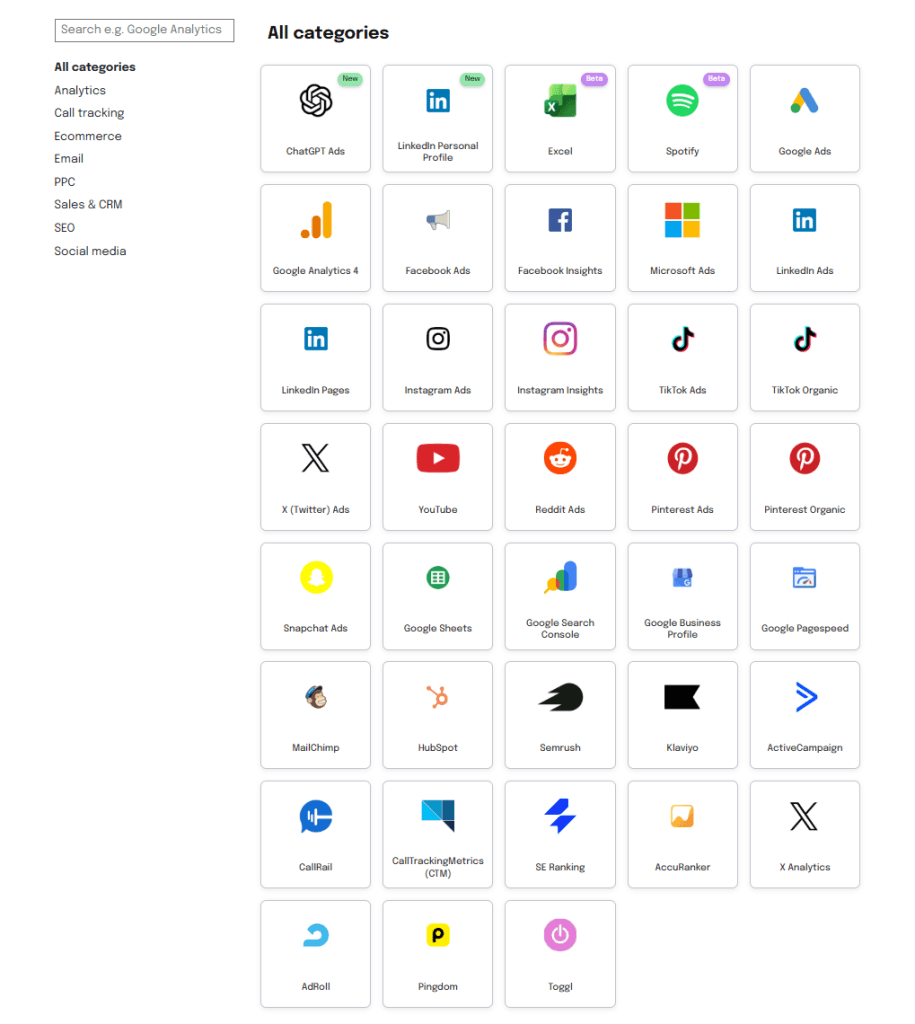
Swydo:
- 38+ native marketing integrations included in the subscription
- Google Ads, Analytics, Search Console, Meta, Instagram, LinkedIn, TikTok, Microsoft Ads, plus major SEO and social platforms
- Deep per-platform field access, not just surface metrics
- Custom data in via Google Sheets and Microsoft Excel
- Combined Data Sources to merge metrics from several platforms into one figure
- LinkedIn Revenue Attribution, plus recent additions: ChatGPT Ads, Spotify Ads, LinkedIn Personal Profile
Data Studio:
- 20+ free connectors, almost all Google’s own (Analytics, Ads, Search Console, YouTube, BigQuery)
- 1,000+ third-party connectors for everything else, at $20 to $350 a month each
- Third-party connectors vary in reliability and are yours to configure and maintain
- Data blending capped at 5 sources per chart
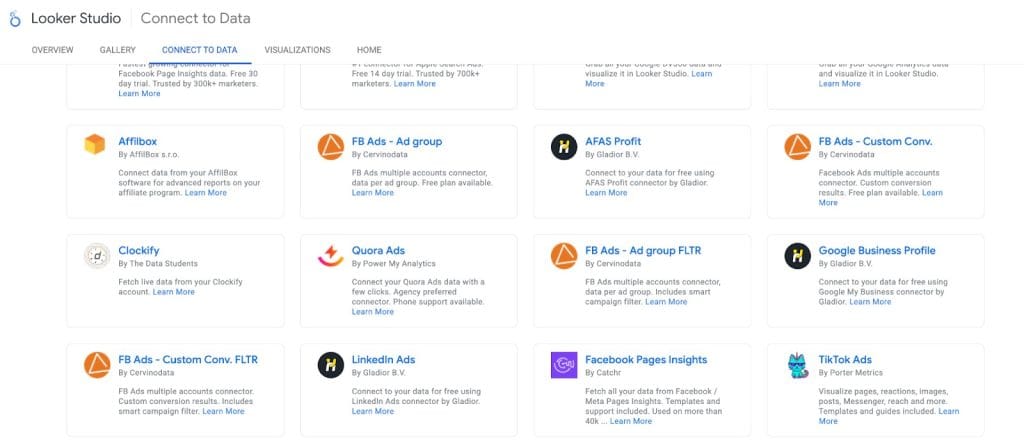
Because Swydo’s integrations are native, it maintains each connection when a platform changes its API, so a version change is Swydo’s problem, not your Monday morning. Data Studio’s non-Google data is a paid marketplace bolted onto a Google-first tool, which is the structural reason for the extra bills. The difference shows the moment a client adds a channel: in Swydo, adding TikTok is a click; in Data Studio, it’s a new connector subscription, an OAuth setup, and one more monthly bill and failure point per client.
For your agency: Swydo’s included integrations keep multi-channel reporting to one predictable cost and one party responsible for uptime. Data Studio covers Google beautifully for free, but every non-Google platform your clients run adds a connector you pay for and babysit.
2. Data Visualization and Report Building
Swydo:
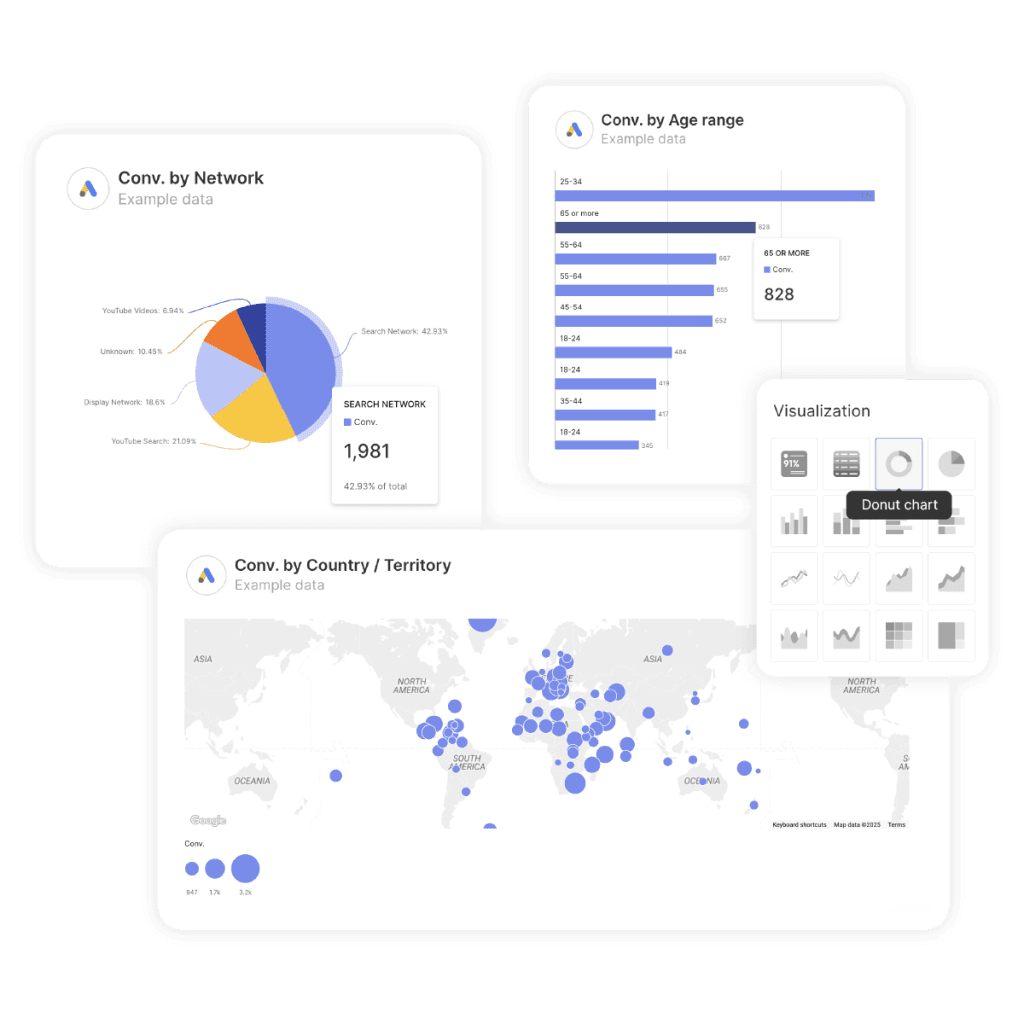
- All standard charts, plus treemaps and heatmaps
- Heatmap targets that color each cell green or red against its own goal
- Pre-built marketing templates with a drag-and-drop editor
- Resizable widgets, report sections with left-hand navigation
- Over 1,000 Google Fonts and per-widget brand templates
- CSV export from any widget, and master templates that push one change to every linked report
Data Studio:
- Standard charts with deep technical customization
- Custom CSS and HTML for advanced users
- Extensive calculated-field formulas
- A blank canvas that rewards, and requires, manual alignment
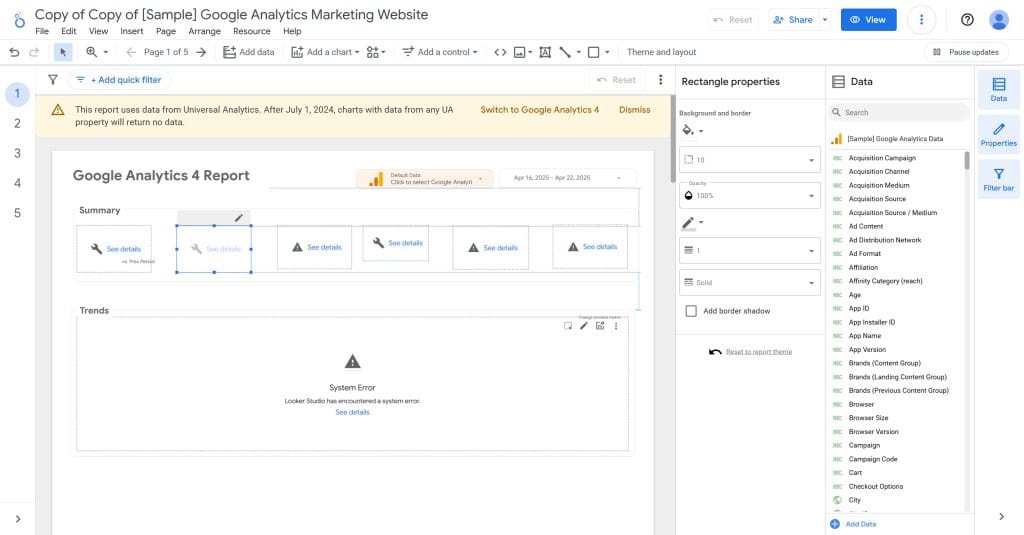
The flexibility in Data Studio is genuine, and so is the time cost, because it’s a BI drawing surface rather than a marketing template system. A Swydo report starts from a template and gets customized; a Data Studio report often starts from nothing and gets built, then rebuilt each time a client’s needs shift.
For your agency: Swydo trades some technical ceiling for speed and client-ready layouts your whole team can produce. Data Studio rewards agencies with data expertise and the time to build and align reports from scratch.
3. Performance and Speed
Swydo:
- Consistent performance regardless of dataset size or client count
- Quick report loads and exports
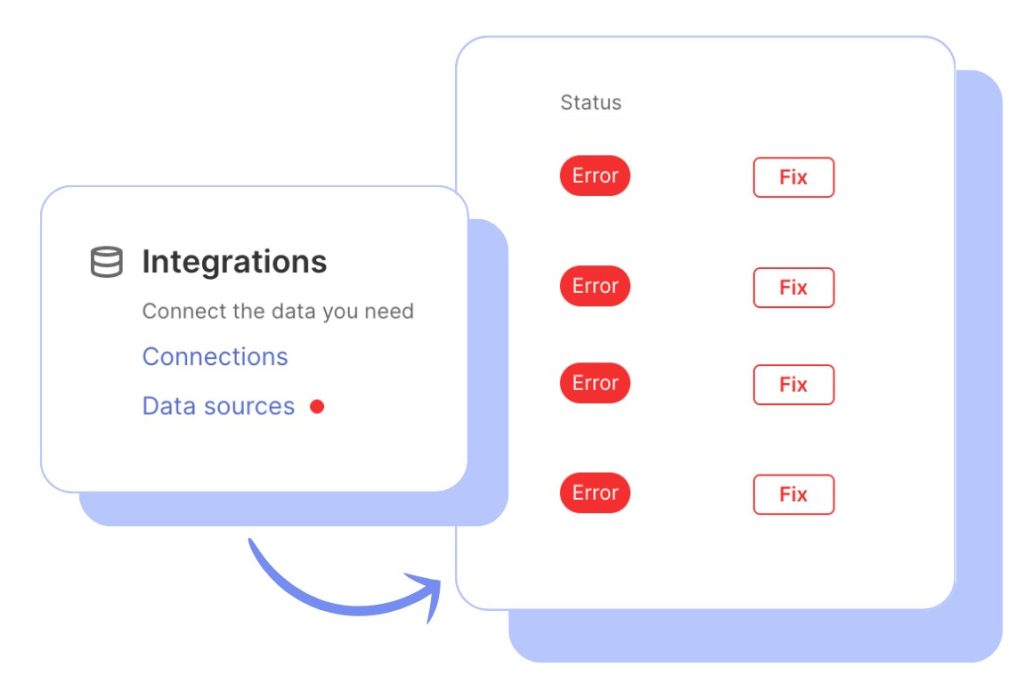
- Stable connections, with Data Source Health flagging breaks
- No noticeable slowdown as you add clients
Data Studio:
- Slows with large datasets; struggles past ~150,000 rows
- Browser tables capped at 5,000 rows
- Queries time out at 6 minutes; pages cap at 50 charts
- Lags with multiple or complex blended sources
- Slows most at month-end, and connections drop on password, permission, or API changes
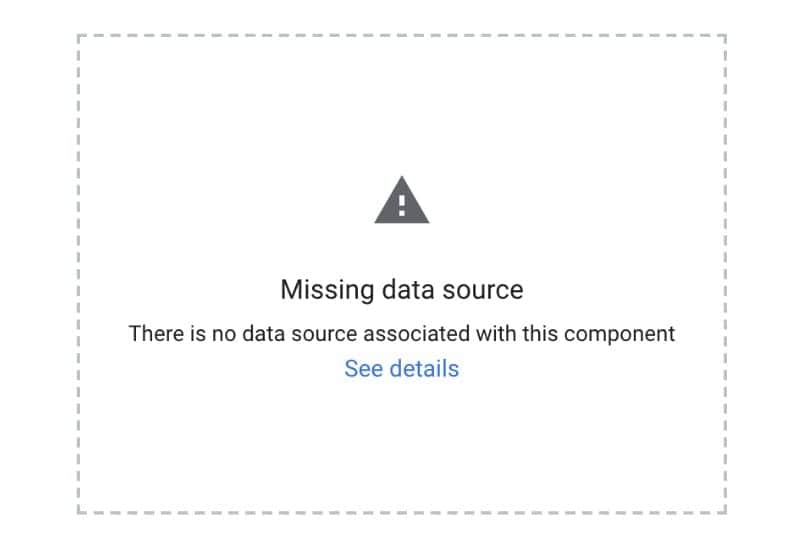
The reason is that Data Studio processes queries in the browser in real time, which gets resource-heavy at scale, while Swydo’s architecture is purpose-built for agency reporting. The scenario agencies describe is the same one: a report that loaded in seconds for months takes minutes during the month-end rush, and someone spends the evening pre-aggregating data to make it usable.
For your agency: the gap is invisible at five clients and decisive at fifty. Swydo stays steady through reporting crunches; Data Studio’s bottlenecks land precisely when you have the least time to absorb them.
4. Automation and Scheduling
Swydo:
- Bulk scheduling across every client at once
- Daily, weekly, monthly, or custom cadences with hourly refresh options
- Schedule Overview with bulk edit, pause, reassign, and date-range actions
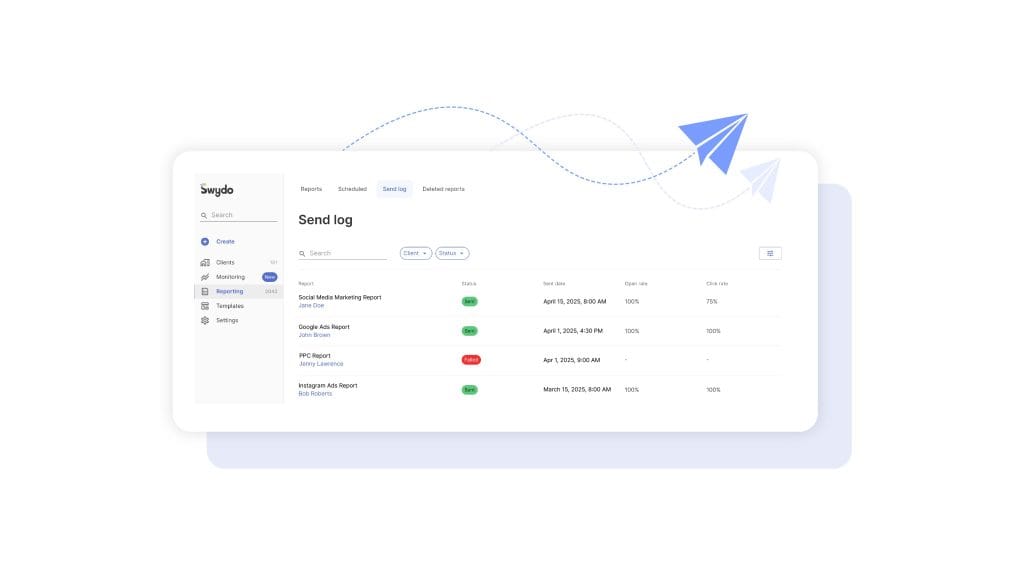
- Delivery tracking per report: sent date, open rate, click rate
- Automatic resend on failed sends, and frequency that doesn’t change your price
Data Studio:
- Basic daily, weekly, or monthly scheduling, set up one report at a time
- No bulk scheduling and no built-in delivery tracking
- Refresh timing that varies by connector
- Auto-refresh gated behind Pro, with manual refreshes as the fallback
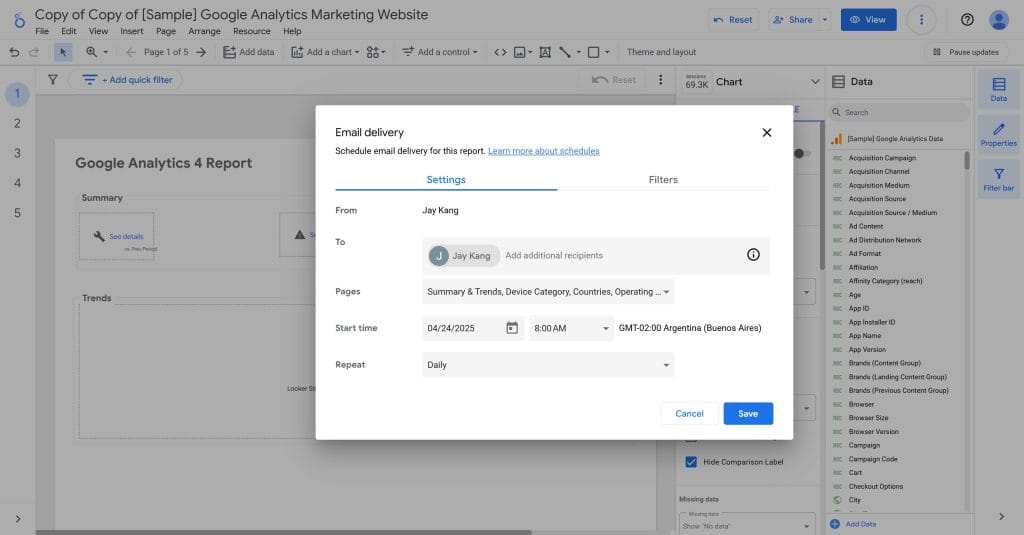
Scheduling in Data Studio is a feature added to a visualization tool, not a workflow designed around an agency sending dozens of reports on the first of the month. With five or more clients, you build and manage each schedule individually, then check manually that the data refreshed before it sent.
For your agency: Swydo’s bulk automation, delivery tracking, and auto-resend remove the manual scheduling and refresh-checking that quietly consume hours in Data Studio every cycle.
5. Monitoring and Goal Tracking
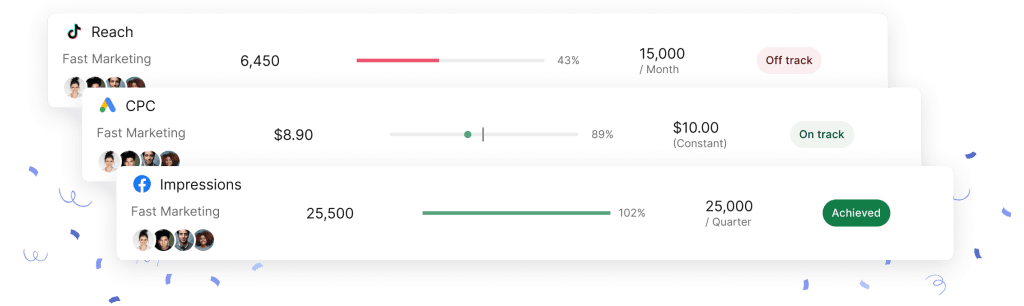
This is the widest gap between the two tools, and the one that changes how an agency operates day to day.
Swydo:
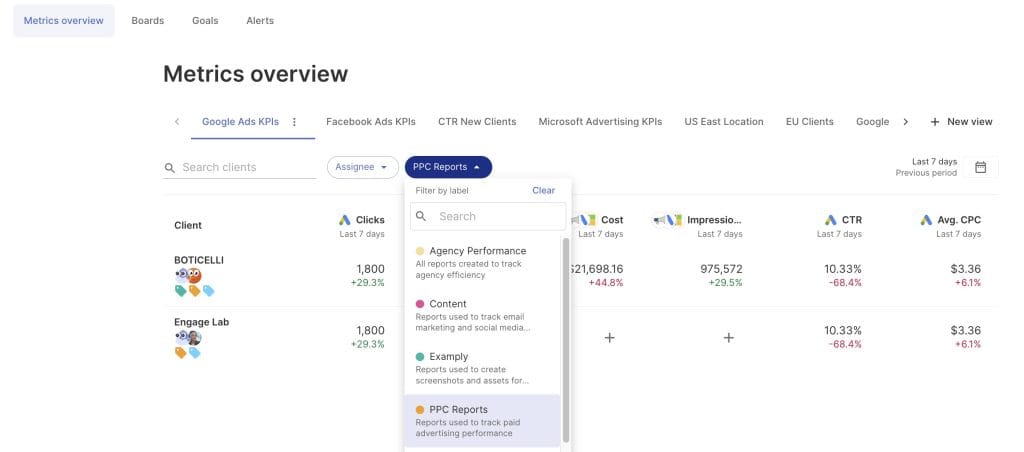
- Metrics Overview: up to 6 key metrics per view across all clients at once, unlimited views, filter by client, account manager, or KPI state
- Goals: every client’s targets in one place with On Track, Off Track, and Achieved states, color-coded, with notifications to the client’s assignee
- Alerts: daily checks on any metric, email or Slack when a threshold is crossed, trigger windows of 1, 7, 30, or 90 days, with the option to skip weekends
- Data Source Health: flags a broken feed before a scheduled report goes out
- Present mode: full-screen view with a laser pointer for client meetings
Data Studio:
- No centralized overview of all clients
- No automated alerts when performance changes
- No built-in goal tracking or status indicators
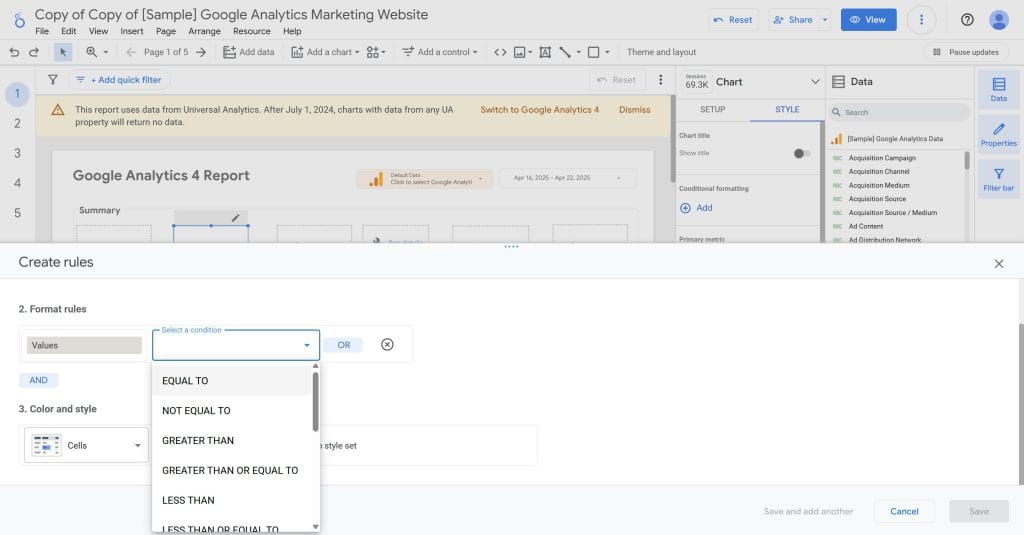
- Conditional formatting on a chart is the closest thing to a signal
- You open each report individually to check it
The real-world impact is a different working model. With Swydo, teams start the day scanning the Monitoring Overview, spot the two or three accounts that need attention, and go straight to the underperforming campaigns instead of reviewing every account in sequence. A problem gets addressed the day it appears, not at month-end, and you reach the client with the issue and the fix before they notice anything is wrong.
With Data Studio, that same visibility means opening thirty reports by hand, which is why problems tend to surface in the monthly report rather than before it. That is the difference between reactive report provider and proactive account manager, and it’s the core of monitoring, not just reporting.
For your agency: monitoring turns reporting from a backward-looking chore into forward-looking account management, often catching problems days or weeks earlier, and it’s the single feature agencies most often move to Swydo to get.
6. AI-Powered Reporting
Swydo:
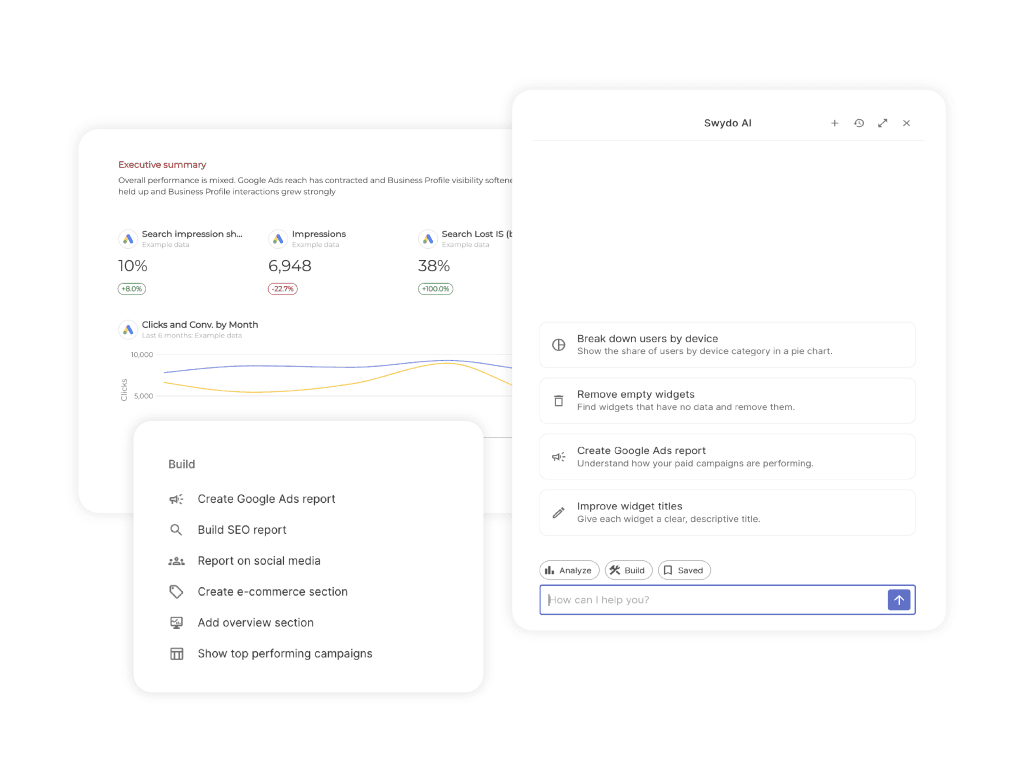
- Swydo AI inside the report: one-click Summary, Wins, Issues, and Recommendations
- Section-specific analysis via the paperclip icon, and multilingual output
- AI Report Builder: describe a report and it creates sections, widgets, KPIs, tables, and charts
- Edits by description: date ranges, chart types, metrics, sorting
- Saved Prompts to reuse a working prompt as a house style
- AI email summaries that regenerate on every scheduled send, plus client-facing dashboard AI
- 4,000 AI credits a month included, roughly 95 per summary
Data Studio:
- No native AI for report insights or summaries
- Narrative, executive summaries, and recommendations require external AI tools
- No automated recommendation engine for marketing reports
The consequence is both time and data governance: producing a narrative in Data Studio means taking client data into an outside tool and bringing the output back, while Swydo generates a client-ready summary in place, in seconds.
For your agency: Swydo generates executive-ready summaries without juggling outside AI tools or exposing client data. One honest limit: the AI builder creates standard widgets and sections, but it doesn’t build custom metrics, combined data sources, or manual KPIs, so you set those up directly.
7. White-Labeling and Client Access
Swydo:
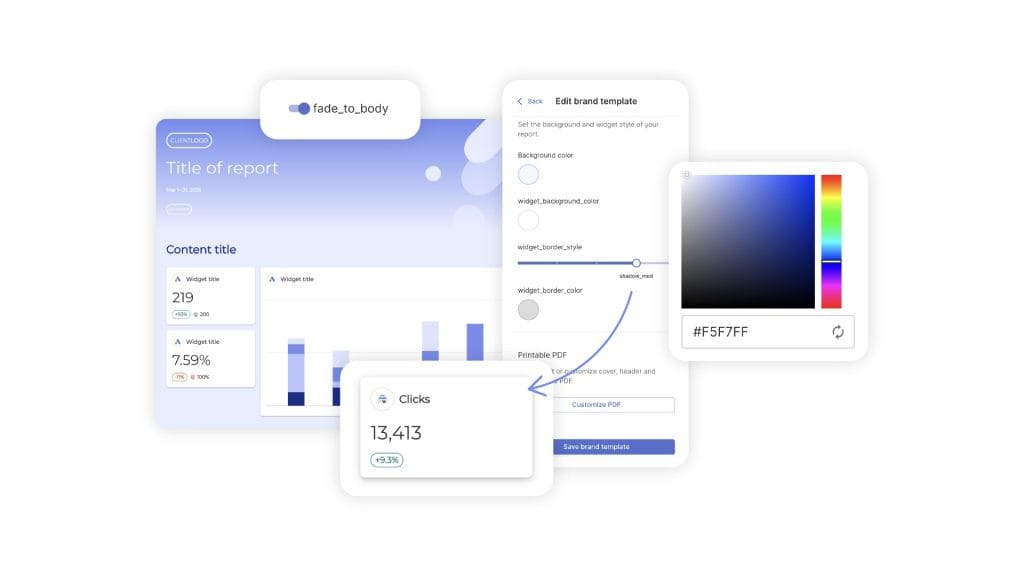
- Full white-label on every plan: your logo, colors, and fonts
- Your own domain on report URLs and your own sending email address
- No Swydo branding anywhere the client can see
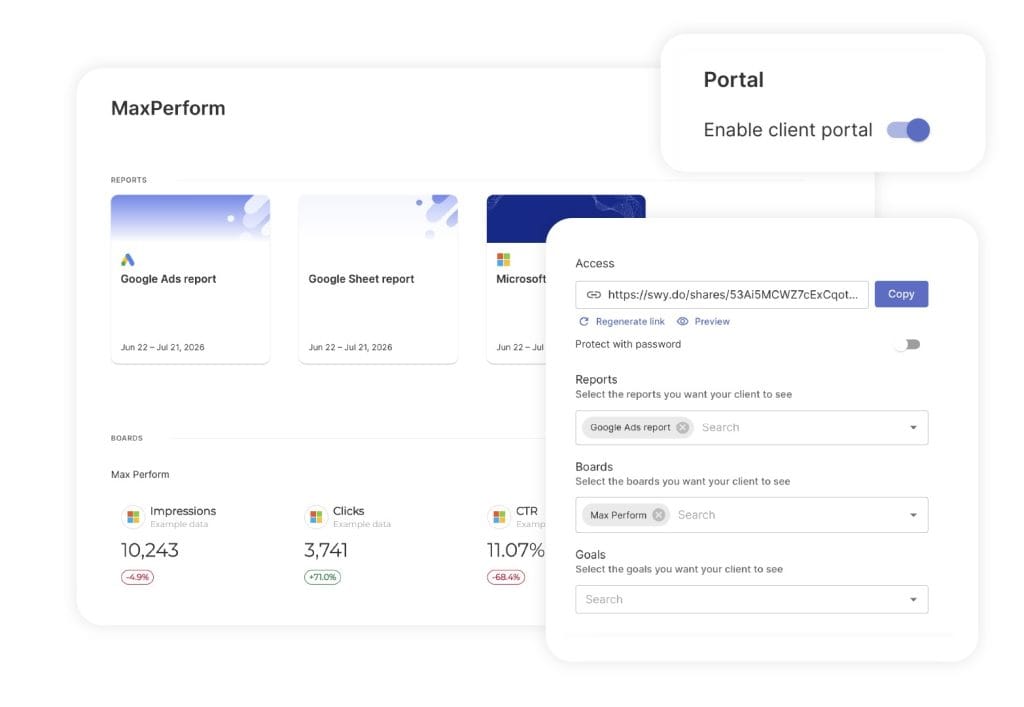
- Client Portal: one secure link per client combining Reports, Boards, and Goals
- Choose what each client sees, add a password, preview before sharing
- Regenerate the link anytime to revoke the previous one instantly
Data Studio:
- Logo and colors only, on the free tier
- A watermark and privacy line on embedded reports
- Scheduled emails can’t be fully branded, and the sender address can’t be changed
- Some Google branding remains even on Pro
- Google-Docs-style sharing by email, no dedicated client space, free-tier reports owned by whoever built them
For an agency, branding and access aren’t cosmetic. They’re how the client experiences your work between calls, and a report that arrives from a Google address with a watermark reads as a tool’s output, not your agency’s.
For your agency: if branded delivery and a clean client experience are part of how you sell and retain, this is one of the clearest gaps in the comparison. The mechanics of white-label reporting explain why it matters most at renewal.
8. Pricing and Value
Swydo:
- $69 a month for 10 data sources
- Unlimited users, clients, and reports
- Every feature included at every tier
- Additional sources: $4.50 each (11–100), $3.00 (101–500), $2.00 (501+)
- No add-on fees, so the total is predictable from client and source count
Data Studio:
- Free for Google data
- Pro at $9 per user per Google Cloud project per month (multiplies by clients, not just users)
- Third-party connectors at $20 to $350 a month each
- BigQuery storage and processing costs for large datasets
- ETL tools for data prep at $100 to $500-plus a month
The pattern is unbundling: Data Studio’s sticker is zero, and each capability an agency needs, connectors, branding, governance, scale, is a separate line you add back. Because agencies isolate each client in its own Google Cloud project, Pro’s per-project billing adds up fast: a five-person team across twenty client projects pays roughly $900 a month in licensing before a single connector.
For your agency: Swydo’s price is predictable and scales with data sources. Data Studio’s free base climbs quickly once you add the connectors and infrastructure a real client roster needs, and the full picture of what reporting tools cost once you add it up rarely matches the pricing page.
9. Ease of Use and Setup
Swydo:
- Marketer-friendly interface, about 15-minute setup
- Point-and-click integrations and marketing-specific templates
- Consistent layout across features, collapsible left-hand menu
- No technical expertise required
Data Studio:
- More technical interface with a steeper learning curve
- Benefits from understanding data-modeling concepts
- Powerful for technical users
- Inconsistent between features, so knowledge doesn’t always transfer
The setup math follows from that: for a five-client agency, expect roughly 1 to 2 hours total in Swydo versus 7 to 14 hours in Data Studio, and each additional client report widens the gap.
For your agency: Swydo lets your whole team build reports without specialized training. Data Studio often needs a dedicated specialist or a real training investment to use well, which is a cost even when the software is free.
Scalability As Your Agency Grows
The features above matter most as your roster expands, because that’s where small per-report differences turn into hours. Here’s how each tool behaves at three sizes.
Small agency, 5 clients
Swydo:
- 1 to 2 hours to connect five accounts and data sources
- 30 to 45 minutes to build each branded report
- About 1 hour a month to review and send
- Roughly 3 hours of monthly maintenance after setup, near the $69 base
Data Studio:
- 2 to 4 hours of initial setup
- 1 to 2 hours to design each report
- 2 to 3 hours a month refreshing and checking
- 5 to 6 hours of monthly maintenance, free for Google platforms
At this volume the occasional performance hiccup stays manageable, and the trade is simple: more build time in Data Studio for no subscription.
Medium agency, 20 clients
Swydo:
- About 15 minutes per client with template reuse
- Automated scheduled delivery, roughly 5 hours a month on review
- Around $200 a month depending on sources per client
- Monitoring dashboard and alerts flag issues before clients notice
Data Studio:
- 30 to 60 minutes per client even with templates
- Manual checks despite scheduling, 15 to 20 hours a month with troubleshooting
- Free base plus $100 to $300 a month for connectors
- Most agencies assign a dedicated reporting specialist, and month-end bottlenecks begin
Large agency, 50-plus clients
Swydo:
- Centralized brand templates with per-client adaptations
- Account managers running their own reporting independently
- Roughly 10 to 12 hours of total team time a month
- Linear, predictable cost scaling; new clients onboard in minutes
Data Studio:
- Often needs BigQuery infrastructure at $150 to $300-plus a month
- A dedicated reporting team to manage systems and repair connections
- 30 to 40 hours a month consumed by complexity
- Peak periods force late hours; the free tool now costs hundreds in staff time
The tipping point
Most agencies find Swydo’s advantages clearly outweigh Data Studio’s free tier around the 10-to-15-client mark, where automation efficiency beats the subscription cost, team members shift from report mechanics to strategy, consistent performance protects client satisfaction, and total cost of subscription plus staff time becomes transparent. The same scaling pattern is covered in depth in how to standardize and scale client reporting as your agency grows.
What Agencies Say
Swydo users consistently praise:
- Setup speed, with accounts and templates connected in under 15 minutes
- Ease of use over tools that pile on filler features
- Support that’s responsive and available
- Data accuracy that matches the source closely
The limitations that come up are narrower: custom data sources aren’t the easiest to implement, and some users want more report-level filtering.
Data Studio users value:
- Seamless Google integration
- Customization for those willing to learn it
- The free entry point
The recurring frustrations match the sections above: reports slow with large datasets, connections drop at month-end, the learning curve is steep for advanced work, and third-party connectors add cost that erodes the free-tier advantage.
When Each Tool Is the Right Choice
Swydo works best for:
- Agencies that prioritize efficiency and reliability
- Teams without a dedicated data specialist
- Growing agencies that need predictable pricing
- Agencies focused on marketing performance reporting with client-friendly visuals
- Teams that value proactive monitoring and AI insights without external tools
Data Studio works best for:
- Agencies deeply invested in Google’s ecosystem
- Teams with the data expertise to use its customization
- Agencies on tight budgets that can live within the free tier
- Organizations with technical resources to manage performance
- Anyone needing specialized visualizations beyond standard marketing reporting
Choose by Agency Size
| Agency profile | Swydo | Data Studio |
|---|---|---|
| 1–5 clients, Google-focused | Good fit | Excellent fit |
| 1–5 clients, multi-platform | Excellent fit | Moderate fit |
| 6–15 clients, technical team | Good fit | Good fit |
| 6–15 clients, marketing team | Excellent fit | Challenging fit |
| 16+ clients, technical resources | Excellent fit | Moderate fit |
| 16+ clients, limited tech resources | Excellent fit | Poor fit |
The true cost isn’t the subscription. It’s the time your team spends creating, troubleshooting, and maintaining reports.
Find Your Ideal Reporting Tool
Interactive decision guide for choosing between Swydo and Data Studio
Swydo
Marketing-focused interface with 15-min setup
38+ native marketing integrations
Stable performance with large datasets
Real-time monitoring with alerts
Combined data sources across platforms
White-labeling included in all plans
Client Portal: Reports, Boards, & Goals
Swydo AI for automated insights & summaries
Goals Overview for centralized KPI tracking
Starts at $69/month
Best for: Marketing agencies prioritizing efficiency, AI-powered insights, and reliability across multiple platforms
Data Studio
Free core tool; Pro at $9/user/project/mo
Deep Google ecosystem integration
Advanced customization capabilities
Multi-tab dashboards for complex reports
Custom CSS and HTML for advanced users
No native AI features
Performance issues with large datasets
Third-party connectors cost $20-350 each
Best for: Google-centric agencies with technical resources and limited budgets
Find the best fit based on your agency size and technical resources:
| Agency Profile | Swydo | Data Studio |
|---|---|---|
| Small Agency (1-5 clients) Google-focused | Good fit | Excellent fit |
| Small Agency (1-5 clients) Multi-platform | Excellent fit | Moderate fit |
| Medium Agency (6-15 clients) Technical team | Good fit | Good fit |
| Medium Agency (6-15 clients) Marketing team | Excellent fit | Challenging fit |
| Large Agency (16+ clients) Technical resources | Excellent fit | Moderate fit |
| Large Agency (16+ clients) Limited tech resources | Excellent fit | Poor fit |
Adjust these sliders based on your agency’s needs:
Based on your needs:
Both platforms have pros and cons for your situation.
Consider trying both platforms with their free trial options to see which one better fits your specific workflow.
Try Swydo for 14 DaysThe Verdict
Count your non-Google data sources across every client and multiply by a connector fee starting around $20 a month, then add the hours you spend building and maintaining dashboards. Compare that to Swydo's $69 base. Past a couple of non-Google sources per client, or past 10 to 15 clients, the flat fee costs less, and the gap widens with every client you add.
For most agencies the deciding factor is coverage, not price. Data Studio reports on Google's data and leaves the rest, the connectors, the white-label, the client access, and the monitoring, for you to assemble and maintain. Swydo ships those as the product. Data Studio stays the better call for Google-only reporting or warehouse-scale BI with a technical team behind it.
Connect two or three real clients to a Swydo trial with their actual data sources and build one branded report. You'll know inside an afternoon whether the flat fee beats the free tool plus its bill.
Swydo vs Data Studio FAQ
Quick answers to common questions about agency reporting tools
Data Studio (which was known as Looker Studio from 2022 until Google reverted the name in April 2026) is Google's free data visualization and business intelligence tool. It builds interactive dashboards by connecting to sources like Google Analytics and Google Ads. The core tool is free, but non-Google integrations require paid third-party connectors at $20 to $350 a month each.
Swydo is a marketing reporting and monitoring platform built specifically for agencies. It includes 38+ native marketing integrations, automated scheduling, real-time KPI monitoring with alerts, a client portal, and white-labeling—all included in every plan. Pricing starts at $69/month for 10 data sources with unlimited users, clients, and reports.
Swydo is purpose-built for agencies, with scheduling, white-labeling, monitoring, a client portal, and 38+ native integrations included at every tier, and setup in about 15 minutes. Data Studio is a general-purpose visualization tool that's free for Google data but needs paid connectors for other platforms, has no built-in alerts, and offers limited automation on the free tier. It allows more technical customization at the cost of more expertise and time.
For most marketing agencies, Swydo is the better choice. It's built specifically for agency workflows with features like bulk report scheduling, client monitoring dashboards, automated alerts, a client portal, and proactive data health checks. Data Studio works better for agencies deeply invested in Google's ecosystem, with the technical resources to manage custom setups, and the ability to work within the free tier's constraints.
Swydo handles unlimited clients at every pricing tier with consistent performance regardless of scale. Data Studio has no official client limit, but most agencies find its practical limits around 15 to 20 clients due to slower load times, connection drops, and heavy manual maintenance. At 30+ clients, most agencies need dedicated reporting staff or additional infrastructure like BigQuery to sustain Data Studio workflows.
The core tool is free for Google's own data sources with no time limit. However, connecting non-Google platforms like Meta, LinkedIn, and TikTok requires third-party connectors at $20 to $350 a month each. Data Studio Pro adds extra features at $9 per user per Google Cloud project per month (which multiplies by clients, not just users). For most agencies, the connectors and licenses become the real cost.
Swydo starts at $69 a month for 10 data sources, including unlimited users, clients, and reports. Additional sources are $4.50 each from 11 to 100, $3.00 from 101 to 500, and $2.00 beyond 500. Every feature, including white-label, monitoring, AI, and all 38+ integrations, is included at every tier with no hidden fees.
Data Studio's hidden costs include: third-party connectors at $20 to $350 a month per platform, BigQuery for large datasets, ETL tools for data prep at $100 to $500-plus a month, and staff time on manual troubleshooting. At scale, agencies report 15 to 20-plus hours a month on maintenance, and a 50-plus client agency often spends $500 to $1,000 a month on connectors and infrastructure alone, plus labor.
For agencies with 10+ clients or using multiple non-Google platforms, Swydo typically delivers a strong ROI. Count your non-Google data sources across every client and multiply by a connector fee, then add the hours you spend building and maintaining dashboards. Past a couple of non-Google sources per client, or past 10 to 15 clients, Swydo's flat fee costs less, and the gap widens with every client you add.
Only partially. You can add a logo and colors, but a watermark and privacy line appear on embedded reports, scheduled emails can't be fully branded, and the sender address can't be customized. Some Google branding remains even on Pro. Swydo fully white-labels reports, domains, and sending emails on every tier, and offers a dedicated Client Portal.
Yes. Swydo AI automatically generates summaries, wins, issues, and recommendations inside reports and supports several languages. The AI Report Builder creates and edits reports, widgets, and sections from natural language prompts. Email reports can carry an AI summary that regenerates on every scheduled send, with 4,000 AI credits a month included. Data Studio has no native AI for report insights.
Swydo offers 38+ native marketing integrations (Google Ads, Meta, LinkedIn, TikTok, Microsoft Ads, plus SEO/social platforms) included in your subscription. Because they are native, Swydo maintains them when APIs change. Data Studio has 20+ free connectors (mostly Google's own) and 1,000+ third-party connectors. The third-party ones vary in reliability and add separate monthly fees per connector.
Yes, but with limitations. Data Studio offers basic daily, weekly, or monthly scheduling, but you must set it up one report at a time. There's no bulk scheduling, no built-in delivery tracking, and auto-refresh is gated behind Pro. Swydo provides bulk scheduling across every client at once, hourly refresh options, automatic resends on failed deliveries, and delivery tracking per report.
Swydo, by a wide margin. Its Monitoring Overview tracks every client's KPIs in one view, alerts trigger when metrics cross your customized thresholds, goals show color-coded progress, and Data Source Health flags broken feeds before you send. Data Studio has no built-in alerts or centralized monitoring, so you check each report by hand.
Both blend data, differently. Swydo's Combined Data Sources merges up to 5 platforms into a single metric for total spend, clicks, or ROAS. Data Studio's blending is capped at 5 sources per chart and can slow reports down with complex blends.
Data Studio performance drops because its browser interface processes queries in real time. It struggles past roughly 150,000 rows, caps browser tables at 5,000 rows, queries time out at 6 minutes, and pages cap at 50 charts. Heavy widget counts and multiple blended sources make it resource-intensive. Fixes like pre-aggregating data or moving to BigQuery get hard to sustain as client counts grow.
Swydo maintains consistent performance regardless of dataset size or client count. Reports load quickly, exports complete reliably, and the platform stays steady through month-end reporting crunches. Its architecture is purpose-built for agency reporting, unlike Data Studio which calculates as a real-time BI drawing surface.
Reports show errors or incomplete data, and you manually find the broken connection, reauthorize it, and verify the numbers, with no proactive notification. Swydo's Data Source Health alerts you the moment a connection breaks, often before a scheduled report goes out, allowing you to reconnect with just a few clicks.
Most agencies hit the practical limits around 15 to 20 clients: slower loads, frequent connection breaks, 15 to 20-plus hours a month of manual maintenance, and the need for dedicated staff or BigQuery infrastructure. The tipping point where Swydo's automation efficiency clearly beats Data Studio's free subscription usually lands at 10 to 15 clients.
Swydo averages about 15 minutes to connect accounts and configure a first template, with no technical expertise required. Data Studio typically takes 2 to 4 hours to set up and 1 to 2 hours per client report. For a five-client agency, that's roughly 1 to 2 hours with Swydo versus 7 to 14 with Data Studio.
Swydo requires no technical expertise—its interface is marketer-friendly with point-and-click integrations and marketing-specific templates. Data Studio has a steeper learning curve, more technical interface, and benefits greatly from understanding data-modeling concepts and custom formulas for advanced use.
Yes. There's no direct import, but Swydo connects to the same data sources, so you recreate reports quickly with templates, and Swydo offers free migration help. Many agencies use the switch to standardize on master templates that apply across all clients.
Yes, a 14-day free trial with no credit card required and full access to features, integrations, and support. Data Studio's basic tier is always free, so you can test both on real client data at once.
Swydo provides 24/5 email and chat support with fast response times, plus free onboarding and migration help. Data Studio relies mainly on community forums and documentation, with paid Premier support requiring a separate enterprise commitment.
Stop wasting hours on reporting. Swydo simplifies everything from setup to delivery.
Start Your Free Trial Today