
A client asks mid-call: “Can you pull together how we’re tracking across Google, Meta, and LinkedIn this month?” It’s a reasonable request. But if getting that answer requires an hour of tab-switching, copy-pasting, and spreadsheet formatting before you can even respond, your reporting process is costing you more than you realize.
PPC reporting tools exist to solve exactly this problem. They pull data from every ad platform your clients use (Google Ads, Meta, LinkedIn, TikTok, Microsoft Ads) and consolidate it into branded, scheduled, client-ready reports. A good reporting tool turns a 3–5 hour monthly task per client into a 30–60 minute one. For a 10-client agency, that recovers 20–40 hours every month. For many agencies, it’s also the difference between clients who feel informed and clients who quietly start looking elsewhere.
The category has shifted significantly in 2026. AI-generated report summaries, natural-language data queries, and privacy-first attribution have gone from differentiators to baseline expectations. Pricing has shifted too. Several tools quietly raised rates in 2024–2025, and the “starting price” advertised often understates what a real agency will actually pay once data sources and clients are added. This guide reflects those realities, with verified pricing and honest trade-offs for each tool.
We reviewed 11 tools across agency size, pricing model, feature depth, and current user feedback. Below is the full breakdown, starting with a quick-reference summary for readers who need to move fast.
Quick Comparison: 11 Best PPC Reporting Tools (2026)
The table below gives you the essential facts at a glance. Pricing reflects 2026 published rates, but read the individual tool sections for the real-world cost picture, which often differs from headline prices.
| Tool | Starting Price | Best For | Integrations | AI Features |
|---|---|---|---|---|
| Swydo | $69/mo | Mid-size agencies, template automation | 34+ | Yes — included in all plans |
| AgencyAnalytics | $79/mo | Full-service agencies (PPC + SEO) | 80+ | Yes — Agency Pro tier |
| Whatagraph | From $229/mo (annual) | Visual reporting, AI-powered analysis | 55+ | Yes — strongest in category |
| Optmyzr | $299/mo (at $25K spend) | PPC optimization + reporting combined | PPC-focused | Yes — Rule Engine, bid AI |
| DashThis | $49/mo (monthly) / $42/mo (annual) | Quick setup, freelancers, small teams | 30+ | Limited |
| TapClicks | $99/mo | Enterprise agencies, 250+ sources | 250+ | Yes — AI/ML insights |
| Databox | $159/mo | KPI monitoring, benchmarking | 70+ | Moderate |
| Supermetrics | From $47/mo | Looker Studio / Sheets power users | 150+ | Limited |
| Funnel.io | Custom | Enterprise ETL, data warehousing | 600+ | Yes |
| ReportGarden | From $75/mo | Reporting + client invoicing combined | 30+ | Limited |
| Two Minute Reports | From $9/mo (monthly) | Looker Studio / Sheets users, budget-conscious teams | 30+ | Limited |
Note: Always verify pricing directly with each vendor before purchasing. Rates change without notice, and per-client or per-data-source overages can significantly increase the real monthly cost above what’s shown here.
What Is a PPC Reporting Tool and Do You Actually Need One?
A PPC reporting tool is software that collects performance data from your paid advertising platforms, organizes it into a unified view, and delivers branded reports to clients on a schedule. Without one, you log into Google Ads, then Meta, then LinkedIn, then build a spreadsheet by hand. The tool does all of that for you and presents the result in a format clients can actually read.
Most agencies underestimate how much time manual reporting consumes until they measure it. The math is straightforward: three hours per client, per month, across ten clients is thirty hours. That’s nearly a full work week, every single month, spent moving numbers from one place to another. None of that time goes toward optimizing campaigns, acquiring new business, or doing the strategic work clients are actually paying for.
If you manage more than three clients with paid media, you need one of these tools. They pay for themselves quickly. Agencies consistently report 70–80% time savings on reporting after switching from manual processes, and the improvement in client satisfaction from cleaner, more consistent, more timely reports often has a measurable impact on retention.
The 11 Best PPC Reporting Tools for Agencies in 2026
The tools below are organized to give you a clear picture of who each one is actually for, what it does well, where it falls short, and what you’ll realistically pay. No tool is right for every agency. The best choice depends on your size, your clients’ platform mix, and what you prioritize in a reporting workflow.
1. Swydo
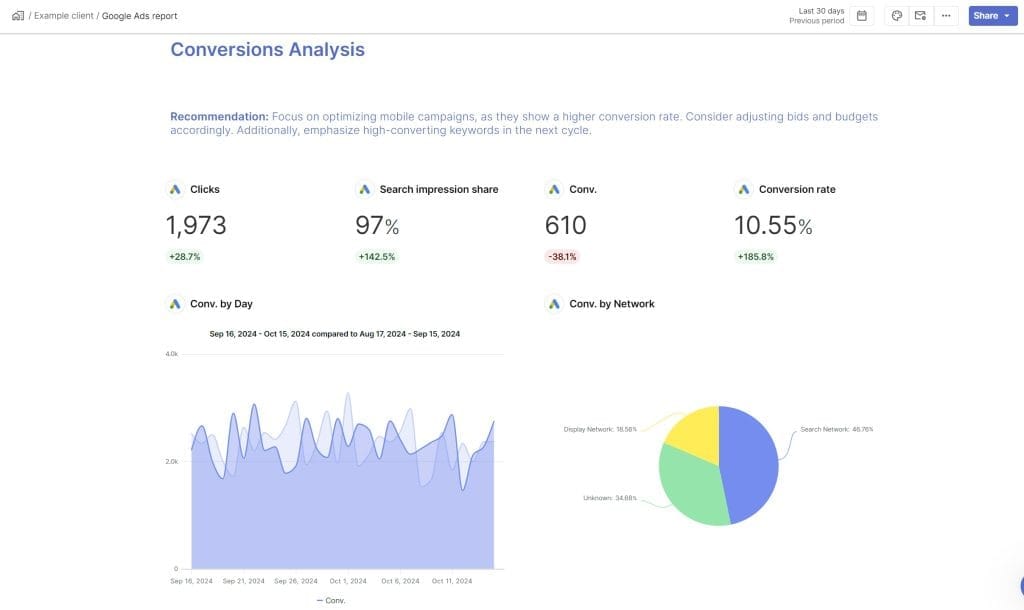
Swydo is the most commonly recommended PPC reporting tool for mid-size agencies, and for good reason. It covers the core workflow (templates, white-labeling, scheduling, multi-client management) at a price point most agencies can justify without a lengthy approval process. It’s not the flashiest tool in the category and it doesn’t have the deepest integration library, but it does the fundamentals reliably and well.
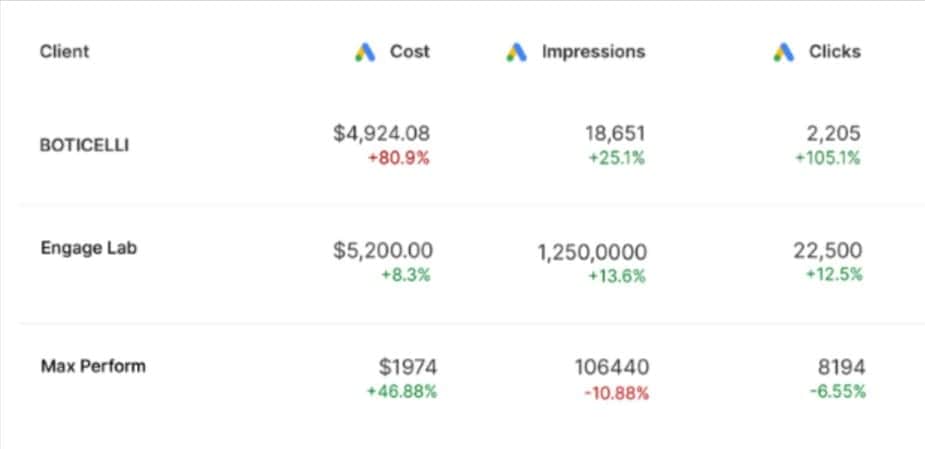
The feature that earns Swydo the most praise from agency users is its template propagation system. When you update a master report template, that change automatically applies across every client account using that template. For an agency managing 15–20 clients on similar platforms, this single feature can save hours every month. White-labeling, bulk scheduling, and a unified monitoring dashboard that shows all client reports in one view are all included at the base price.
AI report summaries are now included with every plan. Each month you get 4,000 credits, and the average report summary uses about 95 credits. That gives you roughly 42 AI-generated summaries per month at no additional cost, which covers most agencies’ monthly report runs.
Pricing
Swydo’s entry plan is $69 per month, which includes 10 data sources and unlimited clients, users, and reports. Additional data sources cost $4.50 each for sources 11–100, dropping to $3.00 for 101–500, and $2.00 beyond 500. Annual billing saves 10%. A 14-day free trial is available with no credit card required.
Swydo charges per data source, not per client. That works in your favor if your clients all use the same 3–4 platforms, but it adds up faster than the entry price suggests when your client roster is diverse. A 20-client agency where each client uses Google Ads, Meta Ads, and GA4 is already consuming 60 data sources, which puts the monthly cost closer to $294. If those same clients also use TikTok, Microsoft Ads, or LinkedIn, you’re well past $300 per month. Some users have flagged that Swydo charges for overages without advance notice, so know that before you add new connections.
Best For
Mid-size agencies (roughly 5–20 clients) whose clients use a consistent set of platforms. Not the best fit for large agencies managing clients with highly varied, complex platform mixes, or for agencies that need deep campaign optimization tools built into their reporting.
2. AgencyAnalytics
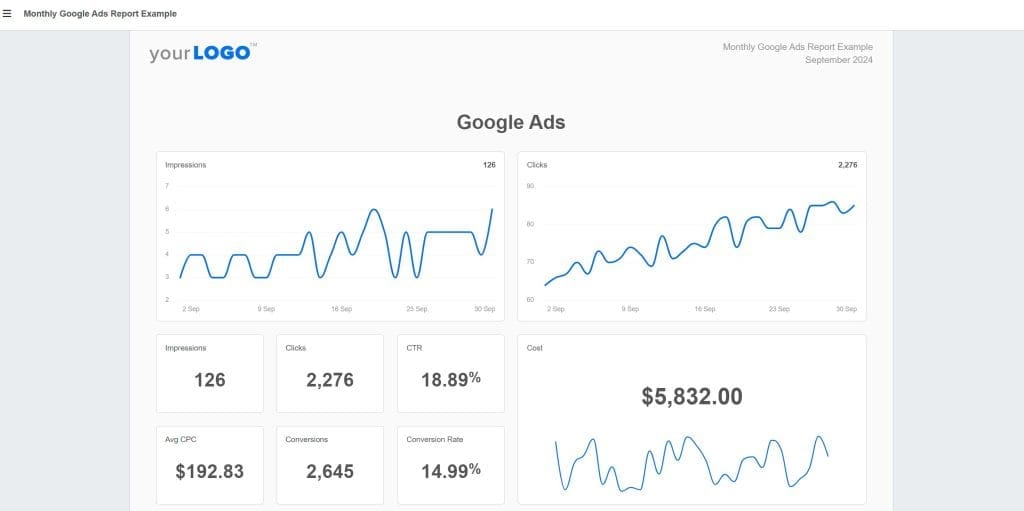
AgencyAnalytics strikes the perfect balance between depth of features and ease of use. What sets it apart AgencyAnalytics is built specifically for marketing agencies managing multiple clients across multiple channels, and it shows. Swydo is primarily a PPC and analytics reporting tool. AgencyAnalytics goes further by bringing SEO rank tracking, site audits, backlink monitoring, and social media reporting under the same roof, which makes it the stronger choice for full-service agencies that don’t want to juggle separate tools for different channels.
The platform has 80+ integrations and a client portal feature that gives each client their own login to view live dashboards without waiting for you to send a report. Those two things alone are among its most cited strengths. The built-in benchmark comparisons let you show clients how their performance stacks up against 150,000+ other campaigns in the AgencyAnalytics database. This is available on Agency Pro and gives account managers a genuinely useful talking point in client conversations.
Pricing
AgencyAnalytics uses per-client pricing. The Freelancer plan starts at $59 per month for up to 5 clients. At 6 clients, the price jumps to $79 per month, and each additional client beyond the plan’s included count now costs $20 per month, up from $10 per month before May 2025. The Agency plan starts at $179 per month and includes 10 clients. Agency Pro starts at $349 per month and includes 15 clients, with additional clients at $20 each. Annual billing discounts of approximately 20% are available across all tiers.
| Plan | Monthly Price (Annual Billing) | Clients Included | Extra Client |
|---|---|---|---|
| Freelancer | $59/mo | 5 | $20/mo each |
| Agency | $179/mo | 10 | $20/mo each |
| Agency Pro | $349/mo | 15 | $20/mo each |
A few limitations worth noting. Data aggregation across all data sources is only available on Agency Pro. White-labeling is restricted on the Freelancer plan. API access is not available on standard plans, and advanced custom metrics require Agency Pro. If you’re evaluating AgencyAnalytics for a small client count, the Freelancer plan is genuinely limited, and most agencies find themselves needing Agency or higher to access the features that make the platform worthwhile.
Best For
Growing agencies (5–25 clients) that manage PPC alongside SEO and social media and want a single platform for all channel reporting. Also a strong choice for agencies that value client portal access, since clients who log in themselves generate far fewer ad-hoc report requests for your team.
Read our AgencyAnalytics vs Swydo comparison to see why their $59 Freelancer plan offers minimal features and pushes for an upgrade to Agency Pro.
3. Whatagraph

Whatagraph sits at the premium end of the PPC reporting category, and it earns that position through two things: the quality of its AI features and the visual polish of its reports. Plenty of reporting tools handle data reliably. Whatagraph is what you choose when the way a report looks and the story it tells matter as much as the data inside it.
The Whatagraph IQ system is the most capable AI in this category right now. It can generate a full, formatted report from a text prompt, answer natural-language questions about your data (“How did Facebook perform compared to Google last month?”), automatically explain unusual performance patterns, and produce narrative summaries that give clients actual context rather than raw numbers. For agencies whose clients want to understand their data rather than just receive it, this fills a gap that most reporting tools still leave open.
The 55+ native integrations in Whatagraph are managed directly by their team rather than routed through third-party connectors, which means data reliability tends to be higher and breakages are fixed by Whatagraph rather than left for your team to troubleshoot.
Pricing
Whatagraph’s pricing is built around source credits, where each credit connects one data account. The Start plan includes 20 source credits and costs $286/month (monthly) or $229/month billed annually. The Boost plan increases this to 60 source credits for $724/month (monthly) or $579/month annually. The Max plan covers 100+ source credits at custom pricing, so contact Whatagraph directly for a quote. All plans include unlimited users and unlimited reports, and a free tier is available for limited use. A 14-day free trial is available.
Best For
Mid-to-large agencies that prioritize visual report quality and AI-powered narrative reporting. The Start plan ($229/month annual) works well for agencies with up to 20 data connections; the Boost plan ($579/month annual) suits those managing broader client portfolios. Not the right fit for budget-conscious small agencies or those who only need basic data delivery without visual polish.
4. Optmyzr
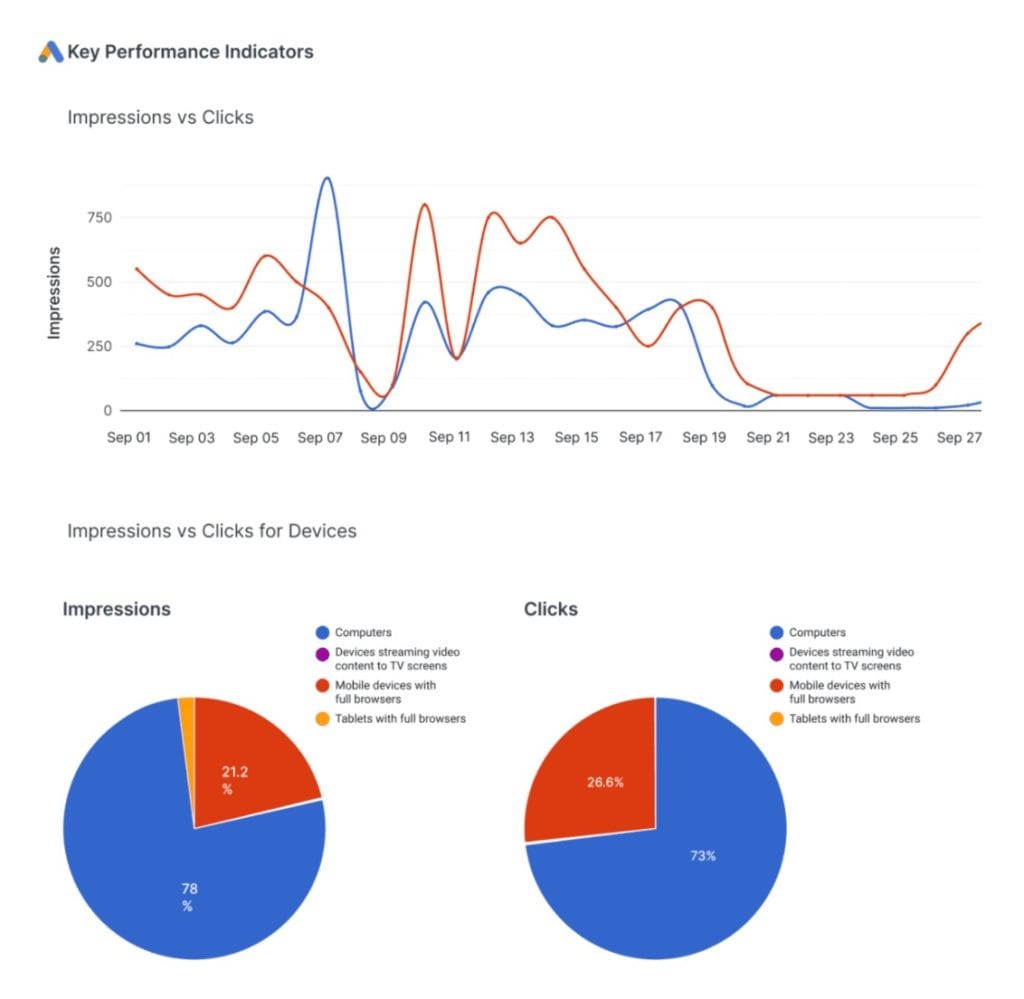
Optmyzr sits in a different category than the other tools on this list. Most PPC reporting platforms show you what happened. Optmyzr is built to help you understand why it happened and act on it, all without leaving the platform. It was founded by former Google employees, and that background shows in the depth of its paid search logic.
The Rule Engine is Optmyzr’s most distinctive feature. It monitors your campaigns in real time and surfaces optimization opportunities based on your reporting data, including bid adjustments, budget pacing issues, and negative keyword candidates. The PPC Investigator tool lets you drill into any performance shift and identify exactly which campaigns, ad groups, or keywords moved the needle. When a client asks “why did our cost per lead go up this month?” you can give a precise, data-backed answer in minutes rather than hours of digging.
Pricing
Optmyzr pricing scales with monthly ad spend. For accounts managing up to $25K/month, the Essentials plan (up to 25 accounts) is $299/month and the Premium plan (unlimited accounts) is $389/month on monthly billing, and both save 30% on annual billing. Higher spend tiers scale up from there, and Enterprise pricing is custom for $500K+ spend. Pricing scales with ad spend rather than client count, which aligns cost with revenue in theory, but watch for high-spend, lower-margin clients that inflate your bill without proportionally increasing revenue. A 14-day free trial is available with no credit card required.
Best For
PPC-specialist agencies managing Google Ads and Microsoft Ads at scale who want optimization capability built directly into their reporting workflow. Less suited for agencies managing primarily social ads or those who need broad cross-channel marketing reporting beyond paid search.
5. DashThis
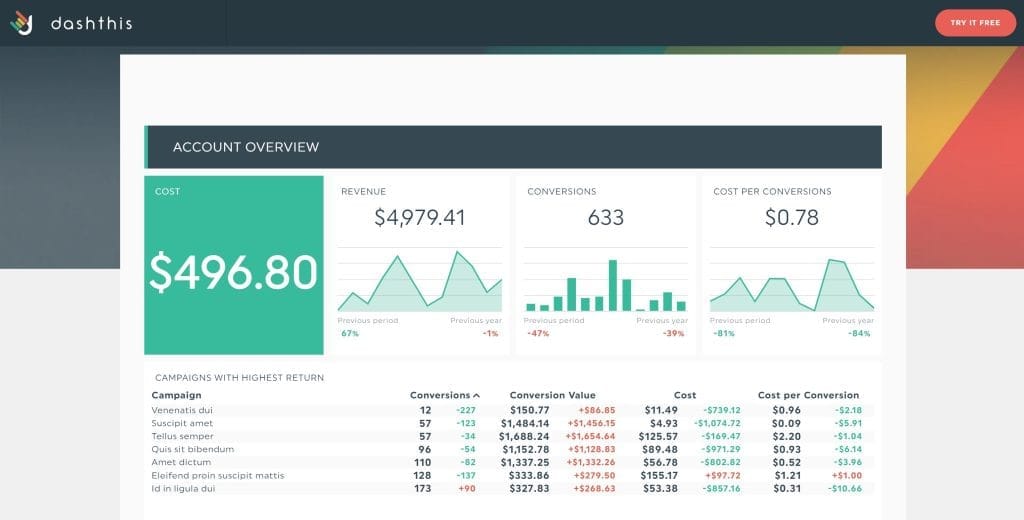
DashThis is the fastest path from zero to a working client dashboard in this category. Other tools trade setup time for feature depth. DashThis makes the opposite trade, where you give up some flexibility and customization in exchange for a reporting system most agencies can have fully operational within a single afternoon.
The platform is built around pre-configured widgets for common PPC metrics, dashboard-based pricing that’s easy to predict, and a straightforward interface that anyone on your team can use without training. Each dashboard can pull from unlimited data sources, which means comprehensive cross-channel client reports don’t require upgrading to a higher tier. You just build one dashboard per client and add whatever connections you need.
Pricing
DashThis charges by number of dashboards, with unlimited users, integrations, and data sources on every plan. Monthly billing: Individual $49/month (3 dashboards), Professional $159/month (10 dashboards), Business $305/month (25 dashboards), Standard $479/month (50 dashboards). Annual billing saves 15%: Individual $42/month, Professional $135/month, Business $264/month, Standard $409/month. AI Insights Free is included with all plans. AI Insights Pro (chat mode, unlimited custom insights) is an add-on at $19/month or $15/month billed annually. A 14-day free trial is available with no credit card required.
Best For
Solo consultants, freelancers, and micro-agencies (1–5 clients) that need fast, repeatable, client-facing dashboards without a steep learning curve or a lot of configuration overhead. Also works well for agencies that already know exactly what they want to report and just need a clean, reliable delivery mechanism.
6. TapClicks
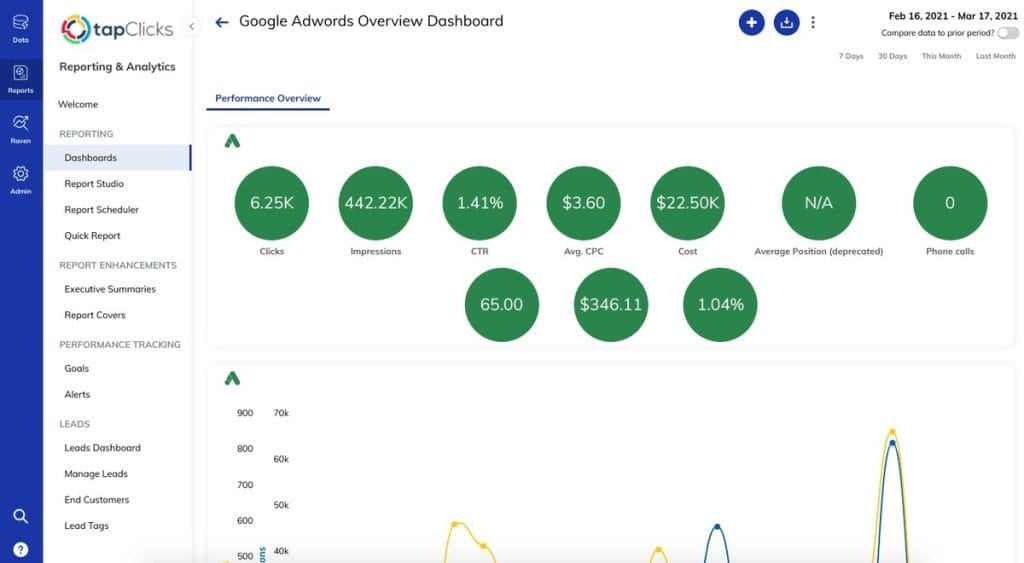
TapClicks sits at the enterprise end of this category. Swydo and AgencyAnalytics are built to get up and running quickly. TapClicks is built to handle the kind of complexity that breaks simpler tools: hundreds of data sources, multiple product lines, sophisticated data transformation requirements, and reporting workflows that need to connect with broader business intelligence systems.
The platform bundles several capabilities that most tools treat as separate products. TapData handles data collection and ETL, TapReports handles visualization and client delivery, TapAnalytics provides insights, and the Raven SEO tools (acquired from a previous platform) extend coverage into organic search. With 250+ marketing platform connections, the broadest native integration library in this list, TapClicks is the right answer when the question is “we need everything connected.”
Pricing
TapClicks starts at $99 per month for the TapDataLite plan. TapData+ is $349 per month, and TapDataMAX is $499 per month. All plans include 10 clients and unlimited users. Enterprise pricing is available with custom terms for larger deployments.
Best For
Large agencies (20+ clients) and media companies managing campaigns across many platforms who need consolidated reporting with data transformation capability. The setup overhead and cost structure aren’t justified for smaller teams. This is a platform you grow into, not one you start with.
7. Databox
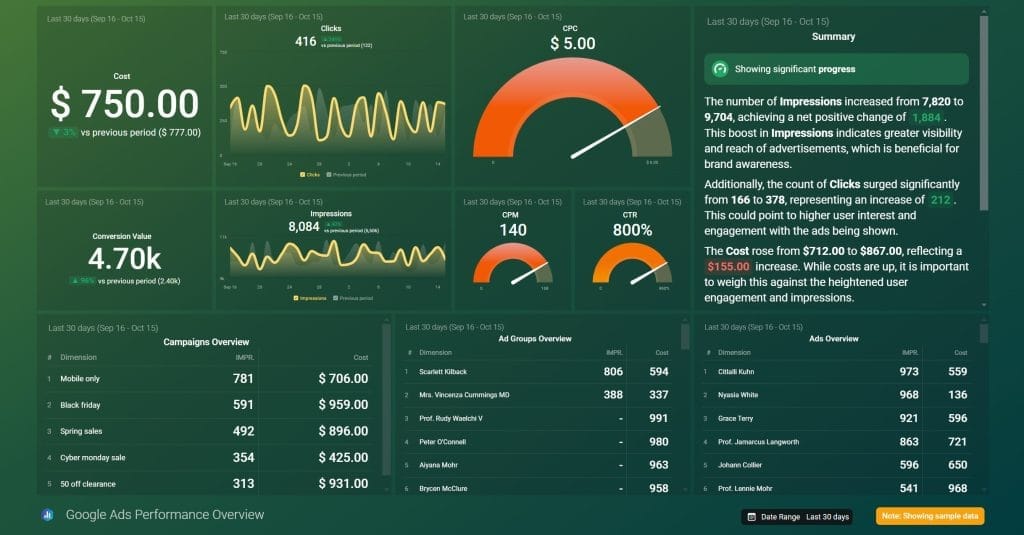
Databox is more accurately described as a KPI monitoring platform than a PPC reporting tool, and understanding that distinction helps you evaluate whether it’s the right fit. Most tools on this list are built around producing scheduled client deliverables: a monthly report, a weekly snapshot. Databox is built around always-on visibility into how metrics are moving, with alerts when something changes and benchmarks that put performance in context.
The industry benchmarking feature compares your clients’ performance against similar businesses in its database, and it’s genuinely useful in a way that isn’t widely available elsewhere at this price point. The Slack integration pushes metric alerts and updates directly into your team’s channels, which keeps everyone informed without requiring anyone to log into a dashboard. These features make Databox particularly valuable for account managers who want to catch issues early rather than discover them at the monthly report.
Pricing
Databox discontinued its free plan in July 2025. All plans now begin with a 14-day free trial of the Growth plan, with no credit card required. Current monthly pricing: Professional $159/month (3 data sources included, $5.60/month per additional source), Growth $399/month (3 data sources, adds AI summaries, datasets, and advanced analytics), Premium $799/month (100 data sources included, adds OKRs, forecasting, dedicated analyst, and priority support). Annual billing saves 20% across all tiers.
Best For
Agencies and in-house teams that prioritize live performance monitoring and real-time alerting over polished monthly report creation. Works well as a complement to a more reporting-focused tool rather than a standalone replacement for one.
8. Supermetrics
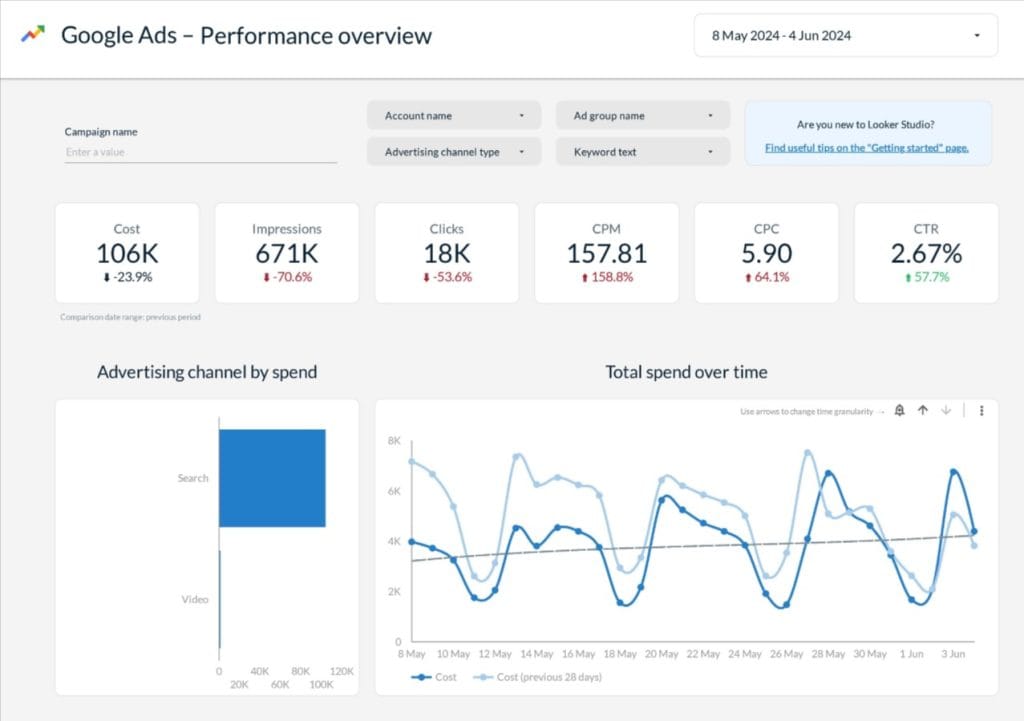
Supermetrics is not a reporting platform in the traditional sense. It’s a data connector. It doesn’t build dashboards, generate reports, or deliver anything to clients. What it does is automate the flow of marketing data from 150+ sources into whatever environment your team already uses to build reports: Google Sheets, Looker Studio, BigQuery, Tableau, Power BI, Snowflake.
For agencies that have invested time in building custom reporting workflows in Looker Studio or Sheets and don’t want to abandon those workflows for a new tool’s dashboard environment, Supermetrics removes the manual data extraction that made those workflows painful. Your templates and visualizations stay exactly as they are. Supermetrics just keeps the data inside them fresh.
Pricing
Supermetrics uses destination-based pricing. The Starter plan is $47/month (monthly) or $37/month (annual) for 1 destination, 3 data sources, 1 user, and 3 accounts per source with weekly data refreshes. The Growth plan is $222/month (monthly) or $177/month (annual) and adds 6 data sources, 2 users, 7 accounts per source, and daily refreshes. Enterprise pricing is custom. Pricing is per destination, so teams using multiple destinations (e.g., both Looker Studio and Google Sheets) pay per destination. A 14-day free trial is available with no credit card required.
Best For
Agencies with strong in-house analytics capability, existing Looker Studio or Sheets templates they want to keep, and a preference for controlling their own reporting environment. Not the right choice if you want a turnkey client reporting system. You still need to build and maintain the reporting layer separately.
9. Funnel.io
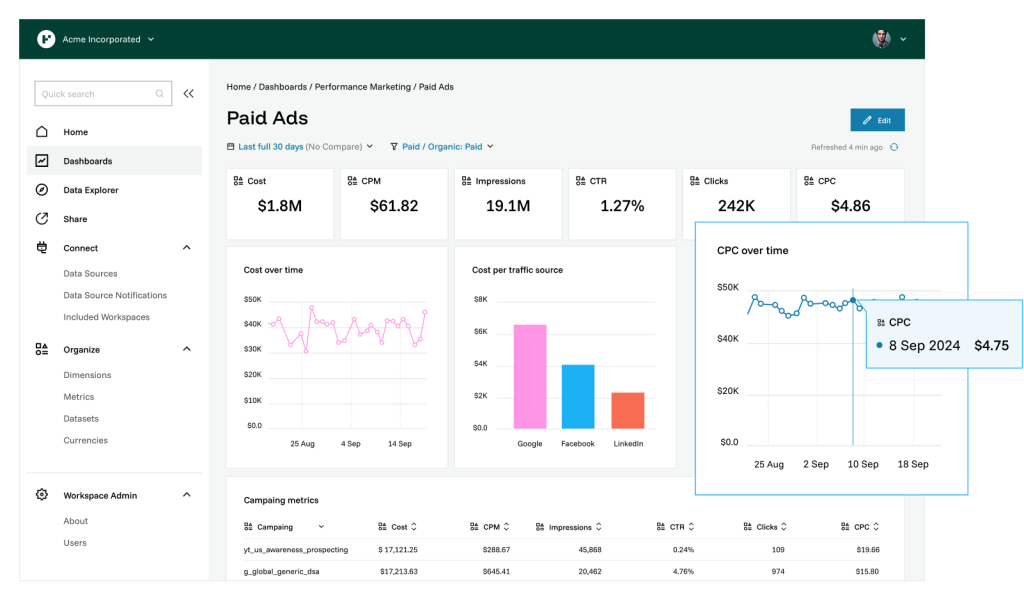
Funnel.io is an enterprise data platform, not a PPC reporting tool in the conventional sense. It collects marketing data from 600+ sources, cleans and normalizes it, and routes it to wherever you need it: data warehouses like BigQuery or Snowflake, BI tools like Tableau or Power BI, or reporting destinations like Looker Studio and Google Sheets. The value is infrastructure. Funnel gives agencies and enterprise marketing teams a reliable, scalable data foundation that sits underneath whatever visualization layer they choose.
The distinction matters because Funnel.io doesn’t produce client reports directly. It ensures the data feeding into those reports is accurate, timely, and consistently structured. For agencies managing enterprise accounts with complex attribution requirements or multiple product lines, that’s often the actual bottleneck. Pre-aggregated data storage on Funnel’s servers also means significantly faster dashboard load times for data-heavy Looker Studio reports, which is a tangible day-to-day benefit for teams that have hit performance walls with other connectors.
Pricing
Funnel.io uses custom pricing based on data volume and the number of destinations. Contact Funnel.io directly for a quote. This is typically used by agencies managing enterprise accounts or large client portfolios where the investment is justified by the scale and complexity of the data environment.
Best For
Large agencies and enterprise marketing teams that need a reliable data pipeline feeding into existing BI infrastructure. Not appropriate for agencies looking for a standalone reporting platform. You need a separate visualization layer, and the cost and setup overhead require a meaningful business case to justify.
10. ReportGarden
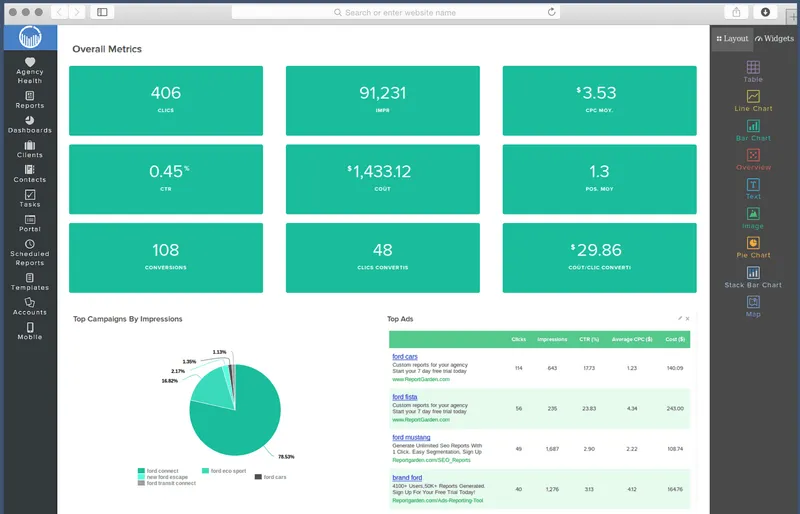
ReportGarden fills a gap that most PPC reporting tools ignore, which is the intersection between client reporting and agency operations. Beyond dashboards and automated reports, it includes budget pacing tools that show real-time spend versus allocated budget per client, and built-in invoicing that lets you manage client billing inside the same platform where you manage their campaign reporting. For agencies currently juggling a separate tool for each of those functions, the consolidation alone can justify the switch.
The reporting side of ReportGarden is solid without being exceptional. More than 1,000 report templates, white-label client portals with custom domains, and multi-channel coverage across PPC, SEO, and social give it the depth most agencies need. Its limitations show up in advanced customization. Highly specific or unique report formats can run into walls, and there’s no agency-level overview dashboard, which means checking in on all clients requires reviewing them one at a time.
Pricing
ReportGarden’s Standard plan is $89 per month (monthly) or $75 per month (billed annually) for up to 5 clients, with unlimited reports and dashboards. The Professional plan is $149 per month (monthly) or $125 per month (billed annually) for up to 10 clients, adding unlimited premium templates and a dedicated onboarding point of contact. Custom pricing is available for larger agencies. Annual plans are discounted, so contact their sales team for specifics. A 14-day free trial is available with no credit card required.
Best For
Small-to-mid-size agencies (5–20 clients) that currently use separate tools for reporting and client billing and would benefit from having both in one place. Also a reasonable choice for agencies that want a solid, no-frills reporting platform with a better price-to-feature ratio than some of the premium options.
11. Two Minute Reports
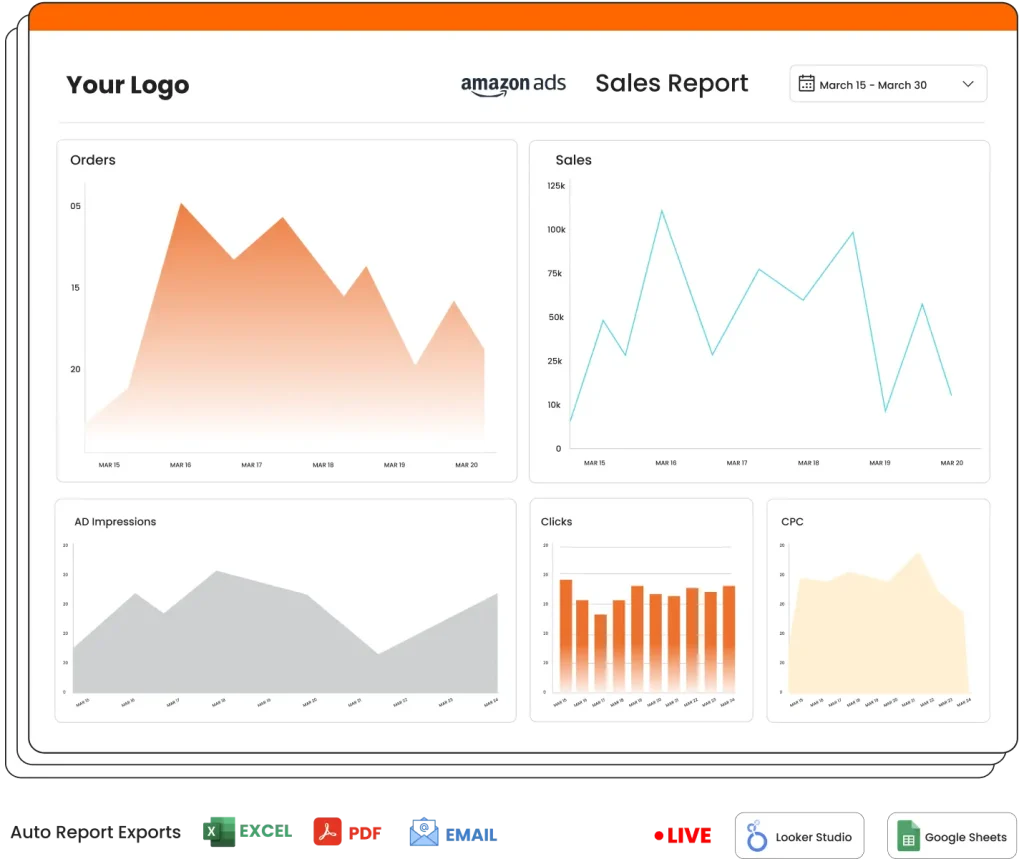
Two Minute Reports is built for marketers who are already living inside Google’s ecosystem and want to automate their reporting without adopting an entirely new platform. Rather than building its own dashboard environment, it works natively inside Looker Studio and Google Sheets, so your existing templates, your existing workflows, and your existing client setups all stay intact. You just stop pulling the data manually. It’s one of the most affordable tools in this category without being a stripped-down product.
The free tier makes it genuinely accessible for freelancers and small agencies who can’t justify a $50–$100 per month reporting subscription. Custom metrics tailored to each client’s goals, 40+ platform integrations, and the ability to get started without a developer or lengthy setup process are its practical advantages. The trade-off is that it inherits Looker Studio’s limitations: API rate limits, occasional reliability issues, and less flexibility for complex white-labeling or multi-client management at scale.
Pricing
There is no free plan. Two Minute Reports offers a 14-day free trial with no credit card required. Paid plans are connection-based. Monthly billing: Lite $15/month (2 connections, 2 accounts per connector, 1 user), Basic $69/month (10 connections, 10 accounts, 4 users), Pro $129/month (50 connections, 50 accounts, 10 users), Business $649/month (200 connections, 200 accounts, 15 users). Annual billing saves 30–40%: Lite $9/month, Basic $49/month, Pro $99/month, Business $499/month. All plans include unlimited queries, data history, and white-label reporting. A 14-day free trial is available.
Best For
Freelancers, small agencies, and in-house teams already using Google Workspace who want automated PPC reporting at a low monthly cost. The Lite plan at $9/month (annual) or $15/month (monthly) makes it the most affordable paid option in this list, and unlike free tools, it includes white-labeling, automated scheduling, and reliable data refreshes. A practical first step for agencies not yet ready to invest in a dedicated reporting platform.
Pricing Models Explained: What You’ll Really Pay
The pricing model of a reporting tool affects your costs more than the headline price does. Two tools with identical starting prices can cost dramatically different amounts at 20 clients depending on how they charge for growth. Before committing to any platform, model out the cost at your actual client count and platform mix, not just the entry level.
Data Source-Based Pricing
Tools like Swydo charge based on the number of platform connections you have active, regardless of how many clients use them. This model works well for agencies whose clients all use a consistent set of platforms. If your typical client uses Google Ads, Meta, and GA4, you’re paying for three sources whether you have five clients or fifteen. It becomes expensive when clients have diverse platform mixes, because each new platform connection adds to the bill. Before you commit, calculate the average number of data sources per client in your current setup.
Per-Client Pricing
AgencyAnalytics and ReportGarden charge based on the number of client accounts you manage. This model is predictable and easy to calculate, since you know exactly what adding a new client will cost. The current AgencyAnalytics rate of $20 per additional client per month (doubled from the previous $10 rate) means a 20-client setup on the Agency plan costs $379 per month, not the $179 starting price. Per-client pricing favors agencies with fewer, higher-value clients rather than high-volume, lower-retainer models.
Dashboard-Based Pricing
DashThis charges by the number of dashboards, with each dashboard able to include unlimited data sources. This rewards agencies that consolidate. If you can serve each client well with a single comprehensive dashboard, the cost per client stays flat and predictable. It becomes less efficient if your clients require multiple dashboards each or if you use dashboards for internal monitoring in addition to client delivery.
Ad Spend-Based Pricing
Optmyzr ties its pricing to the total ad spend you manage across all accounts. This aligns tool cost with the value you’re delivering in theory, but it creates unpredictability when client budgets fluctuate, and it can penalize agencies managing high-spend accounts with thinner margins. If a large client cuts their budget mid-year, your Optmyzr cost drops. If they scale up, it rises. Factor this variability into your budget planning.
Annual vs. Monthly Billing
Annual plans across all tools in this category typically save 15–20% compared to monthly billing. The break-even point against monthly billing is usually around the ten-month mark. If you’ve completed a trial and are confident the tool fits your workflow, annual billing is the better financial decision for tools you plan to use long-term. Monthly billing makes sense during evaluation periods or if your agency is in a growth phase where client count is uncertain.
The Right Tool for Your Agency Type
No single tool is right for every agency. The right choice depends on your size, how many platforms your clients use, what you prioritize in a reporting workflow, and whether reporting is part of a broader optimization practice or a standalone deliverable. The framework below is designed to help you narrow the field quickly.
Solo Consultants and Freelancers
Your primary constraint is time and budget, not feature depth. You need something that gets you to a professional report quickly without a steep learning curve or a significant monthly cost. DashThis is the fastest to set up and the most intuitive for getting a first client dashboard running. Two Minute Reports is the best option if you already use Looker Studio and want to automate data pulls without abandoning your existing templates. Swydo is worth considering if you anticipate growing to five or more clients, since the template system starts paying dividends quickly at that scale.
Mid-Size Agencies on the Rise
At this stage, consistency and scalability are the priorities. You need templates that work across many clients without needing to rebuild them, white-labeling that reinforces your brand, and enough automation that your team isn’t bottlenecked on reporting before the end of every month. Swydo handles this well if your clients use consistent platforms. AgencyAnalytics is the better choice if you’re managing PPC alongside SEO and social and want one platform for all of it. Both are reasonable at this tier. The deciding factor is usually whether your clients are primarily PPC or whether you need the broader channel coverage.
Large Established Agencies
At scale, the requirements change. You need advanced permissions and user management, the ability to create truly customized reports that reflect premium positioning, and integrations with tools beyond the standard ad platforms. Whatagraph delivers the best combination of visual quality and AI capability for agencies where report presentation matters. TapClicks is the right answer when the integration breadth and data pipeline capabilities of a simpler tool have become a bottleneck. For agencies whose clients need enterprise data infrastructure, Funnel.io provides the foundation.
PPC-Specialist Agencies
If paid media is your core service, the tool you choose should reflect that expertise, both in the depth of PPC-specific features it offers and in what it lets you show clients. Optmyzr is the strongest choice if you want optimization built into your reporting workflow. The ability to diagnose a performance issue in your report and act on it without switching platforms is a genuine operational advantage. Swydo’s PPC-focused templates are solid for agencies that want strong reporting without the optimization layer.
How to Switch to a New Reporting Tool Without Disrupting Your Clients
The right tool is only half the challenge. How you roll it out determines whether the investment actually delivers ROI or becomes one more underused subscription. The agencies that get through the transition cleanly tend to follow a consistent pattern.
Start by documenting how much time your team currently spends on reporting per client. This baseline matters because without it, you can’t measure the impact of the change, and you can’t make the business case internally when your team is adjusting to a new system. Get specific about the hours per client per month and what that time actually covers: data collection, formatting, writing commentary, sending, and following up with clients who have questions.
Test the new tool with your most complex client first, not your easiest one. If it handles your hardest reporting scenario well, everything else is downhill. If it struggles with your most demanding client, you’ll find out before you’ve migrated everyone, while there’s still time to adjust or switch.
Build three or four templates that cover your most common client types before you try to cover every edge case. The goal in the first month is to cover 80% of your clients well, not to have a perfect solution for everyone immediately. Templates for the remaining clients can be built as needed once the core workflow is running smoothly.
Run the new system in parallel with your old process for at least one full reporting cycle. This feels inefficient, but it’s a genuine safety net. It lets you catch any data discrepancies, check that reports meet the quality standard your clients expect, and give your team time to develop confidence in the new workflow before you remove the fallback option.
Brief your clients on the change before they see a different report format in their inbox. A short message explaining that you’re upgrading your reporting system, what they’ll see differently, and how to access their new dashboard prevents the inevitable reply of “why does this look different?” and turns the change into a positive signal about your agency’s professionalism.ategies that justify your expertise and fees.
Key Takeway
For most agencies in 2026, two things narrow the field fast: how many clients you manage and how complex their platform needs are. For small and mid-size agencies with consistent client setups, Swydo at $69 per month or AgencyAnalytics at $79 per month cover the core requirements well. For agencies where visual quality and AI-driven insights matter, Whatagraph’s Start plan ($229/month annual) delivers the most sophisticated reporting in the category at a mid-market price point. For PPC specialists who want to act on their data rather than just report it, Optmyzr stands on its own. For enterprise needs, Funnel.io and TapClicks are the serious options.
The tools that don’t make the final cut in your evaluation aren’t bad. They’re just right for different agencies. DashThis and Two Minute Reports are excellent for smaller teams and solo operators. Supermetrics and ReportGarden serve specific use cases well. Databox fills a monitoring role that complements other tools rather than replacing them.
Whatever you choose, the return on investment from a proper reporting tool is well-established: fewer hours on data entry, better client communication, and more time for the strategy work that actually moves the needle. The goal isn’t a great reporting process. The goal is a great client relationship, and good reporting is what gets you there.
PPC Reporting Tools FAQ
Direct answers to the questions agencies and freelancers actually search for
It’s software that automatically pulls data from your ad platforms—Google Ads, Meta, LinkedIn, TikTok—and builds client-ready reports for you. Instead of logging into each platform and copy-pasting numbers into a spreadsheet, the tool does it automatically on a schedule. Most agencies save 70–80% of the time they used to spend on manual reporting.
If you manage more than three clients with paid media, yes. Three hours per client per month across ten clients is thirty hours—nearly a full work week—spent just moving numbers around. That time costs more than any reporting tool does. The tools pay for themselves quickly, and clients who receive consistent, timely reports churn less.
DashThis for speed—most agencies have a working client dashboard within an afternoon. Two Minute Reports if you already use Google Sheets or Looker Studio and want to automate data pulls without rebuilding your templates. Swydo if you’re growing toward five or more clients, since its template system starts saving serious time at that scale and pricing stays reasonable.
AgencyAnalytics. It covers SEO rank tracking, backlink monitoring, site audits, and social media alongside PPC—all in one platform. It also gives each client their own login to view live dashboards, which cuts down on one-off report requests from clients significantly.
It depends on what’s breaking. If you need the broadest integration library and campaign management built in, TapClicks handles 250+ sources and bundles data collection, reporting, and analytics together. If visual quality and AI-powered narrative reporting are the priority, Whatagraph is the strongest in the category. If your clients need enterprise-grade data infrastructure feeding into tools like Tableau or Power BI, Funnel.io is the right foundation—though it’s a data pipeline, not a reporting platform by itself.
Optmyzr is the best fit. It was founded by former Google employees and goes beyond reporting—it monitors campaigns in real time, surfaces optimization opportunities, and lets you act on issues without leaving the platform. Its PPC Investigator tool pinpoints exactly which campaigns, ad groups, or keywords caused a performance shift. Pricing scales with managed ad spend, starting around $299/month for accounts up to $25K/month in spend.
Supermetrics is a data connector, not a reporting tool. It automates the flow of marketing data into Google Sheets, Looker Studio, BigQuery, or Tableau—but it doesn’t build dashboards or deliver anything to clients. You still have to maintain the reporting layer yourself. If you’ve already built templates in Looker Studio that you want to keep, Supermetrics is a good fit. If you want a turnkey system, use a full reporting platform instead.
Funnel.io is a data pipeline, not a client reporting platform. It collects data from 600+ sources, cleans and normalizes it, and routes it into your BI tools or data warehouse. It doesn’t produce client reports directly. It’s the right choice when the problem is data accuracy and infrastructure—not when you just need to send a monthly report.
Entry-level tools start around $49–$79/month. Mid-tier platforms run $150–$350/month. Enterprise tools like TapClicks or Whatagraph’s higher tiers can reach $500+/month. The advertised starting price rarely reflects what an agency actually pays once data sources and clients are added—always model out your real cost at your actual client count and platform mix before buying.
Four main models exist. Data source-based (Swydo) charges per platform connection regardless of how many clients use it—good when clients use consistent platforms. Per-client (AgencyAnalytics, ReportGarden) is predictable but adds up with high client volume. Dashboard-based (DashThis) charges per dashboard with unlimited data sources—works well if each client needs one report. Ad spend-based (Optmyzr) ties cost to total managed spend, which aligns with revenue in theory but fluctuates with client budgets.
Advertised starting prices often understate what an agency actually pays. Here’s the real-world cost at 20 clients using 3 platforms each:
| Tool | Advertised Start | Est. Cost at 20 Clients (3 platforms each) |
|---|---|---|
| Swydo | $69/mo | ~$294/mo (60 data sources) |
| AgencyAnalytics | $179/mo | ~$379/mo (+$20/client over 10) |
| Whatagraph | $229/mo (annual) | $229–$579/mo depending on source credits |
| DashThis | $264/mo (annual) | $264/mo (25 dashboards) |
| TapClicks | $99/mo | $349–$499/mo at scale |
Always verify current pricing directly with the vendor before purchasing.
Usually yes. Annual plans save 15–20% across most tools—Two Minute Reports goes as high as 30–40% off. The break-even against monthly billing is around ten months. Pay monthly only if you’re still evaluating or your client count is in flux.
Per data source. The base plan includes 10 data sources at $69/month. Additional sources cost $4.50 each up to 100, dropping to $3.00 for 101–500. A 20-client agency where each client uses Google Ads, Meta, and GA4 is already at 60 data sources—putting the real monthly cost around $294, not $69. Add TikTok or LinkedIn per client and it goes higher.
Per client. The Agency plan starts at $179/month and includes 10 clients. Each additional client costs $20/month. A 20-client agency on the Agency plan pays $379/month, not $179. Agency Pro (15 clients included) starts at $349/month. White-labeling is restricted on the Freelancer plan, and data aggregation across all sources only unlocks on Agency Pro.
Most of the major ones do—14 days is standard, and most don’t require a credit card. Swydo, AgencyAnalytics, Whatagraph, DashThis, Optmyzr, Databox, Supermetrics, ReportGarden, and Two Minute Reports all offer free trials. Use the trial with your most complex client to get a realistic picture of the tool before committing.
Most do, but not always on the base plan. Swydo includes white-labeling at all tiers. AgencyAnalytics restricts it on the Freelancer plan—you’ll need Agency or higher. DashThis and Two Minute Reports include white-label reporting on all paid plans. Always verify white-labeling is included at the plan you’re actually considering, not just at higher tiers.
Yes, with some tools. AgencyAnalytics has a built-in client portal that gives each client their own login to live dashboards. ReportGarden also includes a white-label client portal. This matters practically: clients who can check their own dashboards generate far fewer ad-hoc “can you pull this for me?” requests, which frees up your team’s time significantly.
Swydo’s template propagation does exactly this—when you update a master template, the change applies automatically across every client account using that template. For an agency managing 15–20 clients on similar platforms, this single feature can save hours every month. It’s one of the most cited reasons mid-size agencies specifically choose Swydo over other tools.
Whatagraph IQ is the most capable right now. It generates full formatted reports from a text prompt, answers natural-language questions about your data (“How did Facebook perform vs. Google last month?”), explains unusual performance patterns automatically, and writes narrative summaries with actual context—not just raw numbers. Swydo includes AI report summaries on all plans (roughly 42 per month within standard credits). AgencyAnalytics offers AI summaries on Agency Pro. DashThis includes a basic AI Insights tier free, with a paid upgrade for chat mode and unlimited custom insights.
At minimum: Google Ads, Meta Ads, LinkedIn Ads, Google Analytics 4, and Microsoft Ads. Verify TikTok, Pinterest, Snapchat, or any programmatic platform your clients use before committing—not all integrations are equally maintained. If you need SEO data built in, AgencyAnalytics and TapClicks include it natively. For 150+ connections into Sheets or Looker Studio, Supermetrics. For 600+ sources into data warehouses, Funnel.io. Whatagraph manages its 55+ integrations in-house rather than through third-party connectors, which means higher reliability and faster fixes when platforms update their APIs.
Optmyzr is built for this. Most reporting tools show you what happened. Optmyzr’s Rule Engine monitors campaigns in real time and flags bid adjustments, budget pacing issues, and negative keyword candidates based on your live data. When a client asks why cost per lead went up, you can give a precise answer in minutes and act on it without switching platforms. It’s more of an optimization platform that includes reporting than the other way around.
ReportGarden includes budget pacing tools and built-in client invoicing alongside reporting—so you can manage campaign reporting and billing in the same platform. For agencies currently using separate tools for each function, the consolidation alone can justify the switch. Its reporting covers 1,000+ templates and includes white-label client portals, even if advanced customization has limits compared to premium tools.
Databox is a KPI monitoring platform, not a traditional PPC reporting tool. It’s built for always-on visibility into how metrics are moving, with real-time alerts when something changes. Its industry benchmarking feature compares client performance against similar businesses, which is genuinely useful context in client conversations. The Slack integration pushes alerts directly into team channels so issues get caught early. It works best alongside a reporting tool focused on client deliverables—not as a standalone replacement for one.
DashThis is the fastest—most agencies are up and running within an afternoon. Two Minute Reports is similarly quick if you know Looker Studio. Swydo takes a few hours to connect sources and build a master template; replicating it across clients is fast after that. AgencyAnalytics usually takes one to two days when setting up client portals and cross-channel integrations. TapClicks and Funnel.io are enterprise platforms with dedicated onboarding measured in days or weeks.
Four steps work consistently. First, document how long reporting currently takes per client—you need a baseline to measure improvement. Second, test the new tool with your most complex client, not your easiest. Third, run both systems in parallel for one full reporting cycle before cutting over. Fourth, tell clients about the change before they see a different report format—a short message framing it as an upgrade prevents confusion and signals professionalism.
Test your most complex client scenario, not a simple one. Connect the actual platforms that client uses, build a complete report, and check that numbers match what you see in native platform dashboards. Test white-labeling if branding matters, verify automated scheduling works, and check your least-common platforms—not just Google and Meta. Then calculate your realistic monthly cost at your full client count—not the entry price—so there are no billing surprises when the trial ends.
Agencies consistently report 70–80% time savings compared to manual reporting. At three hours per client per month, a ten-client agency running manual reports spends thirty hours monthly just on data collection and formatting. A reporting tool typically reduces that to five to ten hours for the same client count. That recovered time goes toward campaign optimization, client strategy, and new business development—work that actually generates revenue.
Yes. Two Minute Reports and Supermetrics are both built to work natively inside Looker Studio—they automate data pulls into your existing templates without forcing you to rebuild anything in a new dashboard environment. Supermetrics supports 150+ data sources into Looker Studio starting at $37/month (annual). Two Minute Reports starts at $9/month (annual). Both preserve your existing setup while eliminating manual data extraction.
DashThis has the lowest learning curve—pre-configured widgets and a clean interface that any team member can use without training. Swydo is also straightforward, and its template system means once one person builds the master template, the rest of the team just applies it. Avoid enterprise platforms like TapClicks or Funnel.io if fast team onboarding is the priority—they’re powerful but require meaningful setup and training investment.
Transform PPC reporting into strategic value your clients will notice.
Start Your Free Trial Today