
If you manage reporting for a marketing agency, you’ve probably found something frustrating about Klipfolio: the platform has real power, but it wasn’t built with your workflow in mind.
Klipfolio started as a business intelligence tool for data teams comfortable with SQL queries and custom formulas. That setup works well when you have a dedicated analyst who builds dashboards all day. Account managers who juggle 15 client reports on a Friday afternoon face a different reality, and the learning curve becomes a bottleneck.
Capterra reviews consistently describe Klipfolio as having a “steep learning curve,” with one reviewer noting they needed “technical knowledge to get the most out of it.” G2 reviews show that approximately 78% of reviewers mention the learning curve as a significant consideration when they evaluate the platform.
None of this criticism takes away from Klipfolio’s strengths. The platform maintains a solid 4.5/5 rating on G2 and 4.7/5 on Capterra for good reason. The question comes down to fit. Klipfolio excels at deep data modeling for technical teams, while marketing agencies often need something else entirely: speed, white-labeling, and the ability to scale client reporting without also scaling headcount.
This guide breaks down which alternatives actually deliver for agencies, rather than the ones that just promise features in their marketing copy.
What Marketing Agencies Actually Need From a Reporting Platform
Before we compare specific tools, take a moment to understand why traditional BI platforms like Klipfolio create friction for agency workflows. The core issue comes down to who builds the reports.
In an enterprise setting, you typically have data analysts who specialize in dashboard creation. They have time to learn complex tools, write custom queries, and optimize data models. Dashboard work is their primary job.
Agency settings work differently. The person who builds client reports is usually an account manager, strategist, or even the agency owner. They need to produce professional deliverables quickly between client calls, campaign adjustments, and business development work. Every hour spent fighting with a reporting tool is an hour not spent on billable work or client strategy.
This difference shapes what features actually matter.
White-labeling as a baseline, not an add-on. When you present reports to clients, your agency’s brand should be front and center. Klipfolio charges $299/month for their White-Label Bundle according to their official pricing page. For agencies where branding is table stakes, paying extra for something this fundamental feels backwards.
Predictable pricing that scales with growth. Agency-specific platforms understand that you add clients regularly. Pricing models that penalize growth through dashboard caps, per-seat fees, or tiered feature lockouts create uncertainty and make budgeting difficult.
Marketing-specific integrations that actually work. General BI tools often treat marketing platforms as an afterthought. You might have a Google Analytics connector, but does it handle the specific metrics your clients care about? Does the Facebook Ads integration stay connected reliably, or do you troubleshoot broken data sources before every client call?
Speed to first report. How quickly can a new team member create a client-ready dashboard? Template-based platforms often get someone productive in hours rather than weeks.
With these criteria in mind, here are the alternatives that actually deliver for marketing agencies.
Swydo Works Best for Cost-Conscious Agencies Who Need Reliable Automation
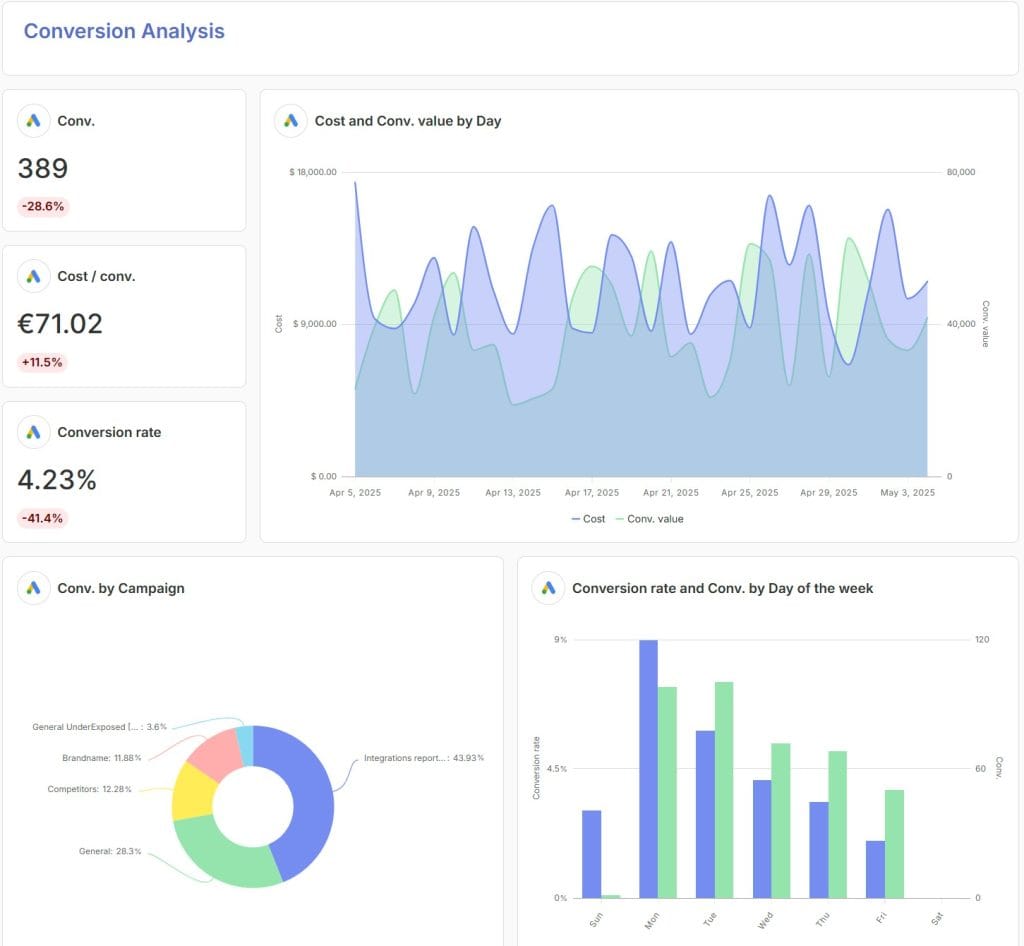
Swydo operates on a completely different pricing philosophy: pay per data source, with all features included from day one. There are no tiered feature lockouts. Every user gets the same capabilities regardless of how much they spend.
Swydo Pricing:
- Base: $69/month includes 10 data sources, unlimited users, all features
- Additional sources: $4.50 each (11-100), $3.00 each (101-500), $2.00 each (501+)
This makes Swydo potentially the most affordable option for specialized agencies. A PPC agency with 20 clients who use Google Ads and Facebook Ads (40 total sources) would pay approximately $204/month. Compare that to platforms that charge $200-500+ for similar scale.
The Reliability Focus: Swydo emphasizes operational reliability and stability. While they incorporate AI features, their focus is on providing a dependable platform. Their recent release introduced Combined Data Sources, allowing agencies to blend metrics from up to five ad platforms into single widgets. Data Health Check Alerts proactively monitor connections and notify you when data sources break, preventing embarrassing situations with clients.
Integration Count Reality: Swydo offers 30+ integrations. Coverage includes Google Ads, Google Analytics 4, Facebook Ads, LinkedIn, TikTok, Microsoft Ads, and other core platforms. This is fewer than some competitors, but the platform prioritizes integration stability over volume. For agencies that stick to mainstream marketing platforms, coverage is typically sufficient.
G2/Capterra Verification: Solid ratings at 4.6/5 on G2 (~100 reviews) and 4.5/5 on Capterra (90 reviews). Users frequently praise setup speed, and multiple reviews mention reports were up and running within 15 minutes. The main criticism involves the per-source billing that catches some agencies off guard as they scale.
Best For: Budget-conscious agencies that manage clients with 2-4 data sources each. Also excellent for agencies that prioritize operational reliability over cutting-edge features.
Watch Out For: Budget-focused agencies should carefully project their data source count. The per-source model works best for specialized portfolios, but costs can rise quickly for agencies with a high volume of multi-channel clients.
DashThis Works Best for Simplicity-First Small Agencies
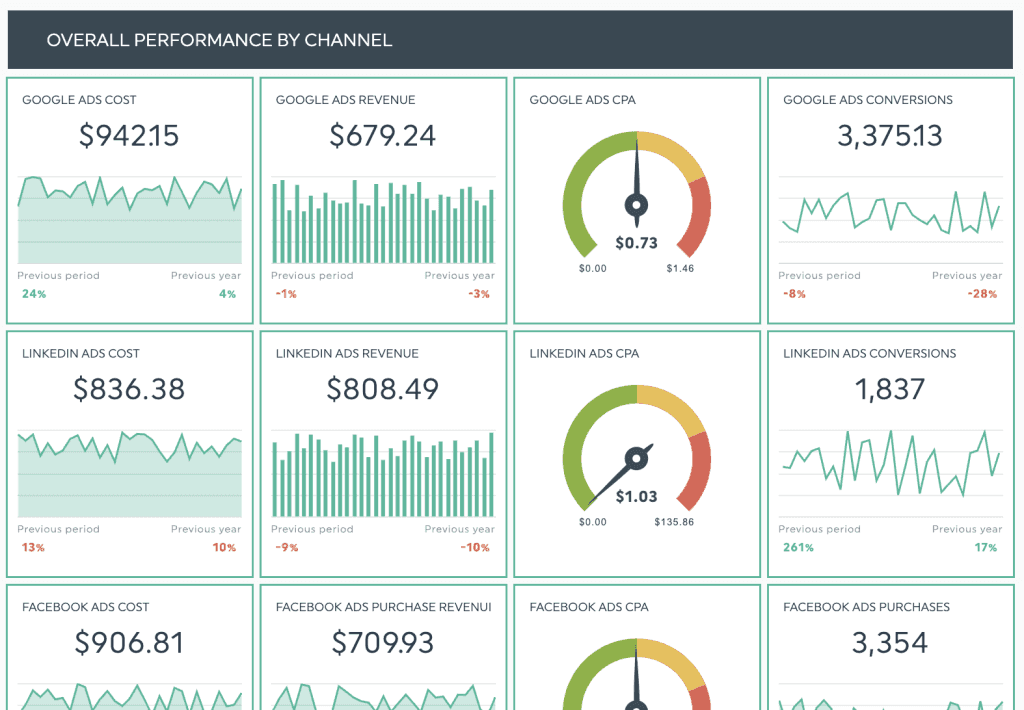
Klipfolio represents maximum flexibility for technical users. DashThis represents maximum simplicity for non-technical ones. The platform has deliberately limited advanced features in favor of speed and accessibility.
DashiThis Pricing:
- Individual: $49/month for 3 dashboards
- Professional: $159/month for 10 dashboards
- Business: $309/month for 25 dashboards (white-label available)
- Standard: $479/month for 50 dashboards
Every plan includes unlimited users and all features with no tiered lockouts. You pay based purely on dashboard volume.
The Speed Advantage: DashThis emphasizes that dashboards can be deployed within a day compared to multi-day setup for more complex platforms. The platform includes 50+ preset templates and over 1,000 widget templates. This enables rapid report creation without technical knowledge.
Integration Limitations: DashThis offers 30+ native integrations. This covers major platforms like Google Analytics, Google Ads, Facebook, Instagram, LinkedIn, and common marketing tools. However, if clients use niche platforms or channels that emerged recently, you may hit limitations. There’s no custom API access, so you’re limited to native integrations plus CSV import.
G2/Capterra Verification: Strong ratings at 4.8/5 on G2 (82 reviews) and 4.5/5 on Capterra (26 reviews). Users consistently praise ease of use and customer support responsiveness. The main criticisms involve customization limitations, and some reviewers note frustration with template constraints and limited ability to rearrange dashboard sections.
Best For: Small agencies (5-15 clients) and freelancers who prioritize operational simplicity over analytical depth. Particularly suited for agencies where non-technical account managers handle client reporting directly.
Watch Out For: The dashboard-based pricing model requires careful management of report volume. Because agencies often create multiple report types (e.g., separate SEO, PPC, and social reports) for a single client, they can quickly approach the ceiling of their pricing tier. Crossing from the 10-dashboard Professional plan to the 25-dashboard Business plan, for instance, represents a significant, non-linear cost increase that agencies must anticipate as they scale.
Whatagraph Works Best for Agencies Who Want AI and Unlimited Scaling
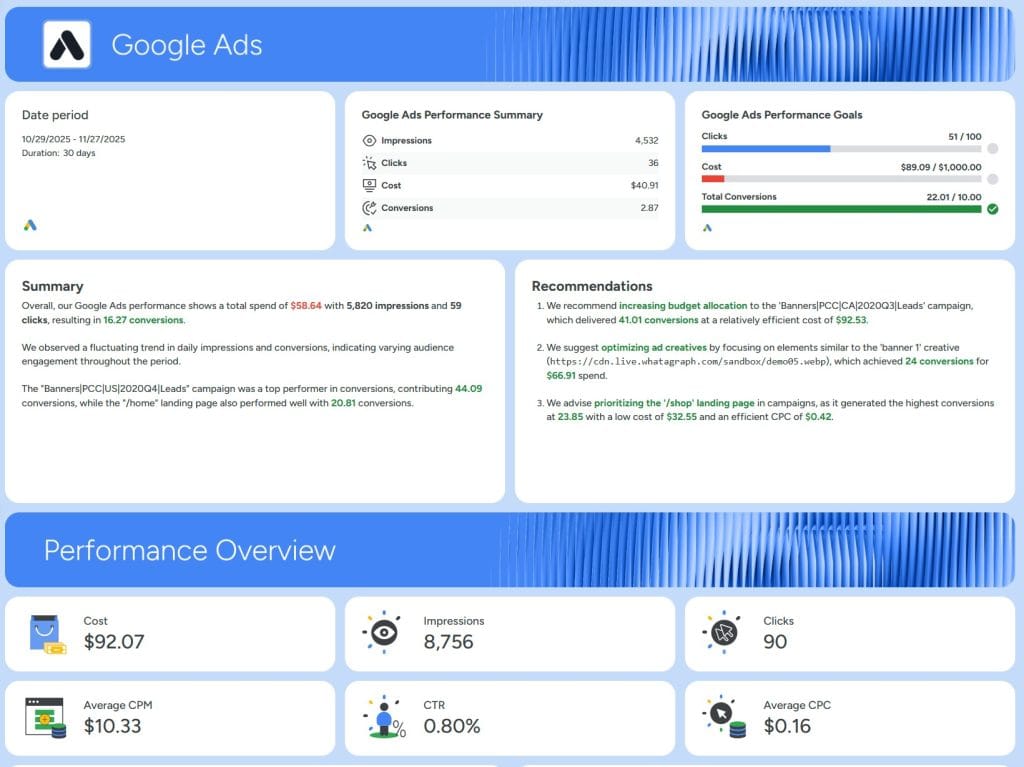
Whatagraph has positioned itself squarely as a marketing-first platform, and its recent AI investments show in the product experience. The platform operates on a credit-based system where each connected data source uses one credit, regardless of how many reports you generate from that source.
Whatagraph Pricing:
- Free: 5 credits, unlimited users, unlimited reports
- Start: $286/month , 20 credits
- Boost: $724/month, 60 credits
- Max: Custom pricing, 100+ credits
Every plan includes unlimited reports and unlimited users, and this fundamentally changes the math for agencies that want to grow. You pay for data connections, not output volume.
The AI Advantage: Whatagraph’s IQ suite represents one of the more ambitious AI implementations in the agency reporting space. IQ Report Creation lets you describe what you need in natural language (“create a monthly paid social report for this client”) and then generates a formatted report. IQ Themes automatically matches your report styling to uploaded brand assets. IQ Summary writes performance explanations in plain language.
G2/Capterra Verification: The platform holds 4.5/5 on G2 (277 reviews) and 4.4/5 on Capterra (80 reviews). Users consistently praise the interface design and template quality, though some note that the credit-based model requires careful monitoring as you add clients across multiple channels.
Best For: Mid-sized agencies (10-50 clients) that want AI-powered automation and predictable per-source pricing. The 60+ native integrations cover most standard agency needs including Google Ads, Meta, LinkedIn, TikTok, and analytics platforms.
Watch Out For: If you run a high-volume agency where each client uses 5+ different platforms, the credit consumption adds up. Calculate your actual source count before you commit.
AgencyAnalytics Works Best for SEO and PPC-Focused Agencies
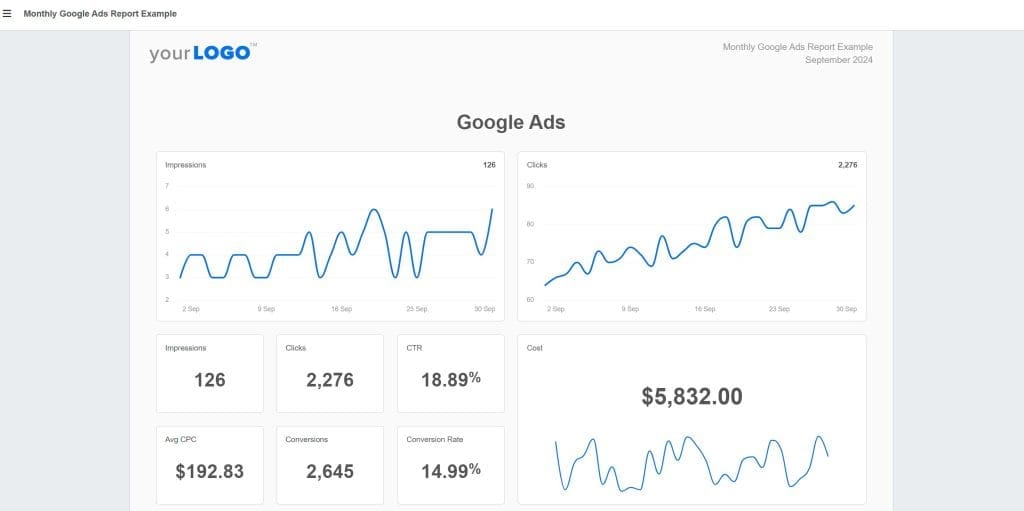
AgencyAnalytics distinguishes itself by offering a per-client pricing model that makes budgeting for new business straightforward. It also bundles core SEO capabilities—specifically Rank Tracking and Backlink Monitoring—that often require separate, expensive subscriptions with standalone tools like Ahrefs or Semrush.
AgencyAnalytics Pricing:
- Freelancer: $59/month (with current promotional pricing), 5 clients, 5 staff users
- Agency: $179/month, 10 clients, unlimited staff users
- Agency Pro: $349/month, 15 clients, includes benchmarks, forecasting, anomaly detection
- Enterprise: Custom pricing with dedicated success manager
Additional clients beyond your plan’s allocation cost approximately $20/month each. This per-client model offers predictable scaling, and you know exactly what five new clients will cost. Add-ons like the Rank Tracker or Proposals (beta) may involve extra, separate monthly fees.
AI Features: The platform introduced AI-powered anomaly detection. This feature proactively alerts account managers when metrics deviate from established baselines, and it helps agencies spot problems before clients do.
G2/Capterra Verification: Strong ratings with 4.7/5 on G2 (390+ reviews) and 4.8/5 on Capterra (115 reviews). However, user feedback consistently mentions occasional integration issues and loading problems. Multiple G2 reviews cite connection disconnections and 2-3 day data delays for some sources. The platform is reliable overall, but test your critical integrations thoroughly during the trial.
White-Label Reality Check: While basic branding is available across all plans, some advanced white-label features like custom domains and multiple brand profiles require higher-tier plans. Verify what’s included at your target plan level.
Best For: Agencies heavily focused on SEO and PPC that want built-in tracking tools without separate subscriptions. It’s also ideal for agencies that prioritize a predictable per-client cost for straightforward financial scaling
Watch Out For: The feature gaps between plan tiers can be significant. Budget-focused agencies may find themselves pushed toward Agency Pro to access custom metrics, AI features, and data aggregation.
Enterprise Options When Agency Platforms Fall Short
Some agencies may genuinely need capabilities beyond agency-specific platforms. This is particularly true for those with dedicated data teams or enterprise clients. Two enterprise options deserve consideration.
Microsoft Power BI
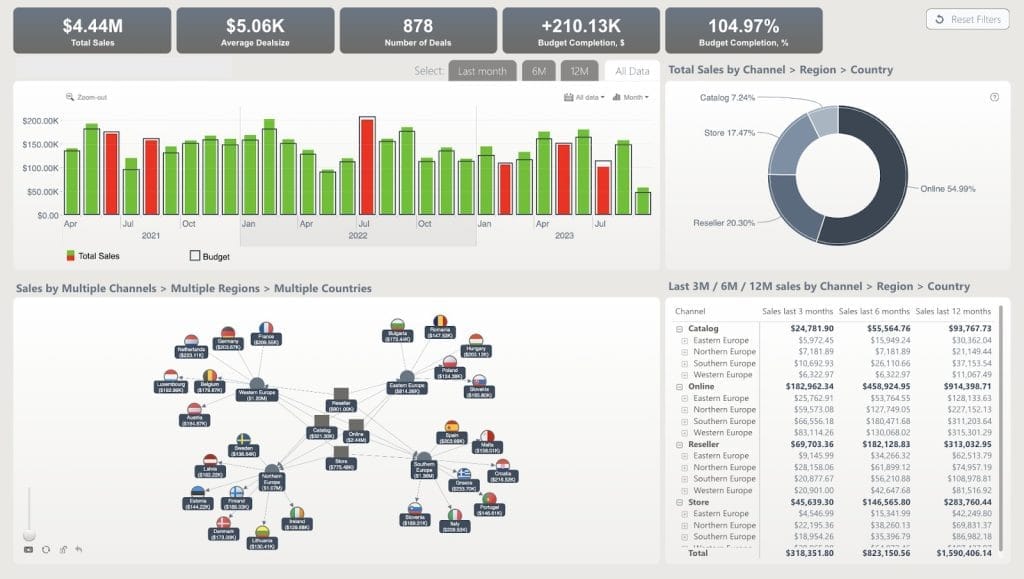
Power BI dominates enterprise BI recommendations through a combination of affordability, deep Microsoft 365 integration, and increasingly sophisticated AI capabilities.
Microsoft Power BI Pricing:
- Power BI Pro: $14/user/month (increased from $10, a 40% increase)
- Power BI Premium Per User: $24/user/month (increased from $20)
This remains dramatically cheaper than most agency platforms on a per-user basis, though the model works differently because you pay per user rather than per client or per data source.
Copilot AI Integration: Power BI now includes extensive Copilot capabilities for natural language queries, report creation, and DAX formula generation.
The Agency Reality Check: Power BI’s capabilities create complexity. The DAX formula language required for advanced calculations rivals Klipfolio’s learning curve. For agencies without dedicated analysts, this capability may go unused while basic tasks require unnecessary effort. White-labeling also requires significant configuration compared to agency-specific platforms where the feature comes built-in.
Best For: Agencies with dedicated data analysts or those that serve enterprise clients already embedded in Microsoft 365. The platform excels when you need sophisticated data modeling combined with enterprise governance features.
Tableau
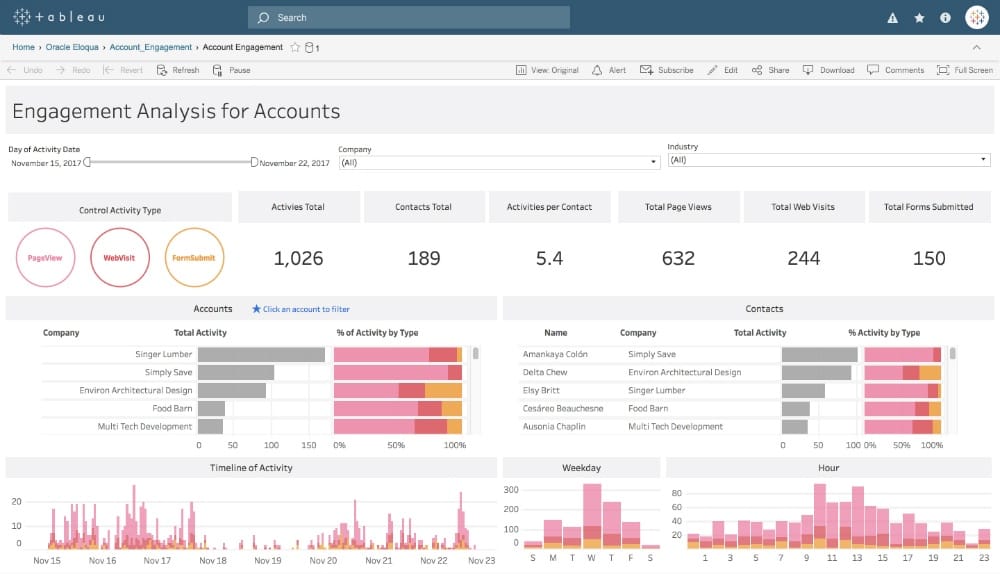
Tableau offers unmatched visualization sophistication with 50+ chart types, pixel-perfect formatting control, and the polish that makes enterprise clients notice your deliverables.
Tableau Pricing:
- Viewer: $15/user/month
- Explorer: $42/user/month
- Creator: $75/user/month
Every deployment requires at least one Creator license. For a typical agency team of five, you’re looking at $2,700-4,500 annually depending on role mix, which is significantly more than agency-specific alternatives.
G2/Capterra Verification: Strong technical ratings at 4.4/5 on G2 (3,318 reviews) and 4.6/5 on Capterra (2,340 reviews). However, cost concerns appear frequently in user feedback as a primary consideration.
Best For: Premium agencies that serve enterprise clients where visualization sophistication directly impacts perceived value and retention. The investment makes sense when you charge premium rates and polished deliverables justify higher fees.
Google Looker Studio as the Free Option Worth Consideration
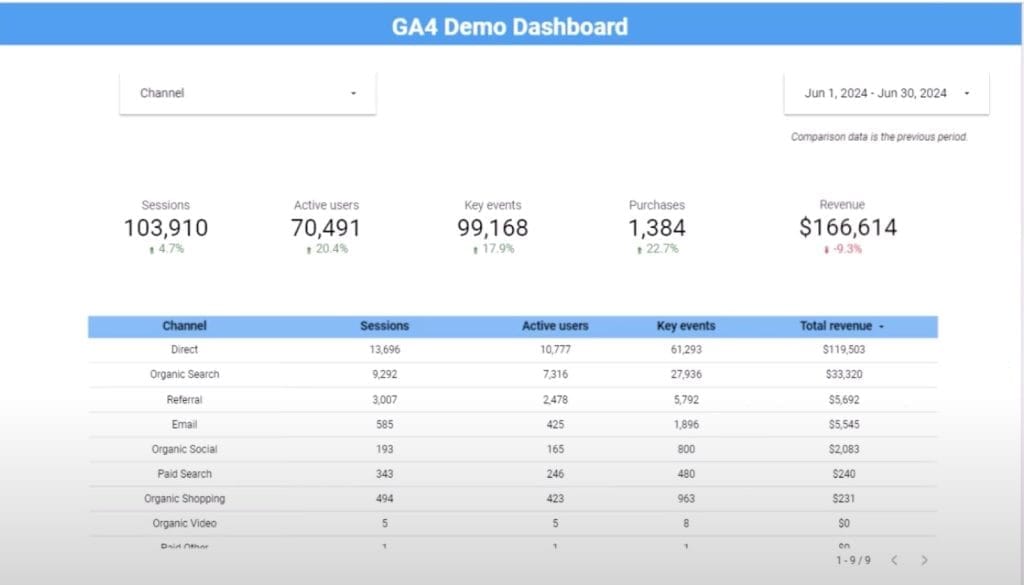
Looker Studio (formerly Google Data Studio) represents the only genuinely free visualization platform capable of professional agency work. Google provides unlimited reports, unlimited dashboards, and unlimited users at zero cost.
The Catch: Looker Studio is free for visualization, but you need third-party connectors to connect data sources beyond Google’s ecosystem (Analytics, Ads, Search Console). Supermetrics, the industry standard, charges $49-299+/month depending on connector volume.
Gemini AI Integration: Google introduced Conversational Analytics powered by Gemin. This enables natural language data queries. However, the feature requires a Looker Studio Pro subscription and administrator enablement, so it’s not available on the free tier.
The Total Cost Equation: Looker Studio ($0) plus Supermetrics ($100-350/month for agency usage) versus a purpose-built agency platform ($200-600/month). If your connector costs exceed $200/month, the economic advantage largely disappears. But for agencies deeply embedded in Google’s ecosystem, the savings can be substantial.
Best For: Agencies with technical staff comfortable with connector subscriptions, or those that serve clients who primarily use Google’s platform ecosystem where native integrations cover most needs.
How to Choose the Right Platform
Rather than chase features you may never use, focus on these questions:
Question 1: Who actually builds your reports?
If dedicated analysts build reports, consider Power BI, Tableau, or Klipfolio. If account managers build reports, prioritize agency-specific platforms with templates.
Question 2: What’s your client volume and complexity?
5-15 clients with standard platforms: DashThis for simplicity, Swydo for cost. 10-50 clients with mixed platforms: Whatagraph or AgencyAnalytics. 50+ clients or enterprise requirements: AgencyAnalytics, Domo, or enterprise BI.
Question 3: What integrations do you actually need?
Google/Meta/LinkedIn only: Almost any platform works. Niche platforms or channels that emerged recently: Verify specific integration availability. Custom data sources: Confirm API access or custom connector options.
Question 4: How do you want to pay?
Per dashboard: DashThis. Per data source: Swydo, Whatagraph. Per client: AgencyAnalytics. Per user: Power BI, Tableau.
Question 5: What’s your white-labeling requirement?
Logo swap only: Most platforms suffice. Custom domains and full brand control: Verify specific plan requirements. Client-facing portal access: Confirm portal features and branding depth.
Trial Testing Checklist
Every platform mentioned offers free trials. Use them strategically:
- Test your actual integrations. Don’t use sample data. Connect real client accounts and verify data accuracy against native platform numbers.
- Build a complete client report. Not a demo dashboard, but an actual deliverable you’d send to a client. Time how long it takes.
- Involve your least technical team member. If they struggle, your whole team will struggle.
- Contact support with a real question. Response time and helpfulness vary dramatically between platforms.
- Calculate true total cost. Include all add-ons, additional sources, and features you’d actually need. Compare to your current spending including time costs.
- Test the export and sharing options. Make sure clients can actually access reports in formats they expect.
The Bottom Line
Klipfolio remains a capable platform for technically-minded teams comfortable with its learning curve and willing to pay for add-ons like white-labeling. But for marketing agencies where reporting is a necessary deliverable rather than a core competency, purpose-built alternatives offer faster time-to-value and more predictable costs.
Whatagraph leads for agencies that want AI automation and unlimited scaling on a source-credit model. AgencyAnalytics delivers the most value for SEO/PPC agencies through bundled ranking and auditing tools. Swydo wins on pure economics for specialized agencies with predictable data source counts. DashThis maximizes simplicity for small teams that prioritize speed over sophistication.
The agencies that thrive with their reporting stack are the ones that honestly assess their actual needs (not theoretical future requirements) and choose platforms that match their team’s capabilities and growth trajectory.
Your platform decision shapes thousands of hours over the coming years. Take the trial periods seriously, test with real data, and choose based on how your team actually works rather than feature comparison spreadsheets.
Klipfolio Alternatives FAQ
Quick answers for choosing the right Klipfolio alternatives for your marketing agency
Klipfolio was built as a business intelligence tool for data teams, not marketing agencies. It requires technical knowledge including SQL queries and custom formulas to get full value. G2 reviews show approximately 78% of reviewers mention the learning curve as a significant consideration. For agencies where account managers build reports between client calls, this creates a bottleneck that slows down delivery.
Klipfolio can work for agencies with dedicated data analysts, but it creates friction for typical agency workflows. The platform excels at deep data modeling and custom visualizations, but features agencies consider essential—like white-labeling—cost extra ($299/month for the White-Label Bundle). Agency-specific platforms like Whatagraph, AgencyAnalytics, and DashThis are purpose-built for non-technical marketers and include white-labeling by default.
The most common complaints include: steep learning curve requiring technical expertise, time-consuming dashboard setup where each widget must be built individually, slower performance with large datasets, white-labeling as a paid add-on rather than included feature, and limited customer support response times. These issues compound when agencies manage multiple client reports with tight deadlines.
Most users report needing several weeks to become proficient with Klipfolio, especially for building custom dashboards. The platform uses its own formula language similar to Excel, plus requires understanding of data connections and widget configuration. Agency-specific alternatives like DashThis and Swydo can have teams productive within hours using pre-built templates, with some users reporting first reports ready in 15 minutes.
The best alternative depends on your agency’s focus. Whatagraph leads for AI automation and unlimited scaling. AgencyAnalytics is best for SEO/PPC agencies due to built-in rank tracking and backlink monitoring. Swydo wins on pure economics for budget-conscious agencies. DashThis maximizes simplicity for small teams prioritizing speed over sophistication. All four include white-labeling and unlimited users by default.
DashThis is designed for maximum simplicity. It offers 50+ preset templates and over 1,000 widget templates, enabling non-technical users to create professional reports without training. The platform holds a 4.8/5 rating on G2 with users consistently praising ease of use. The tradeoff is limited customization compared to more flexible platforms—you’re constrained to template structures.
AgencyAnalytics is the strongest choice for SEO-focused agencies. It bundles Rank Tracking and Backlink Monitoring that typically require separate subscriptions to tools like Ahrefs or Semrush. The platform also includes site audit capabilities and AI-powered anomaly detection. With 80+ integrations and ratings of 4.7/5 on G2 and 4.8/5 on Capterra, it’s well-suited for agencies where search visibility is a core service.
Looker Studio (formerly Google Data Studio) is free and works well for agencies heavily embedded in Google’s ecosystem. However, connecting non-Google data sources requires paid third-party connectors like Supermetrics ($49-299+/month). These connectors can be less reliable than native integrations, leading to slow performance. Calculate your total cost including connectors—if it exceeds $200/month, purpose-built agency platforms may offer better value.
Consider enterprise BI tools only if your agency has dedicated data analysts or serves enterprise clients already using Microsoft 365. Power BI starts at $14/user/month but requires learning DAX formula language. Tableau costs $75/user/month for creators and offers unmatched visualization sophistication with 50+ chart types. Both have steep learning curves similar to Klipfolio. For most agencies where account managers build reports, agency-specific platforms deliver faster results.
Agency reporting tools range from $49-500+/month depending on features and scale. Entry-level options include DashThis at $49/month (3 dashboards) and Swydo at $69/month (10 data sources). Mid-tier options like AgencyAnalytics start at $59/month for 5 clients. Enterprise solutions like TapClicks can cost $1,000+/month. The key is matching the pricing model to your growth pattern—per-dashboard, per-client, or per-data-source pricing each favor different agency types.
| Platform | Starting Price | Pricing Model |
|---|---|---|
| DashThis | $49/month | Per dashboard |
| Swydo | $69/month | Per data source |
| AgencyAnalytics | $59/month | Per client |
| Whatagraph | $286/month | Per credit (source) |
Swydo is typically the most cost-effective for specialized agencies. A PPC agency with 20 clients using Google Ads and Facebook Ads (40 total data sources) pays approximately $204/month with all features included. DashThis offers the lowest entry at $49/month but limits you to 3 dashboards. Google Looker Studio is technically free, but connector costs for non-Google sources often exceed $100-200/month, eliminating the savings.
It depends on the platform. Klipfolio charges $299/month for its White-Label Bundle. Agency-specific platforms like Whatagraph, AgencyAnalytics, and Swydo include white-labeling (logo, colors, custom branding) across all plans. DashThis includes white-label features starting at its Business tier ($309/month). Advanced features like custom domains and multiple brand profiles may require higher-tier plans on some platforms—verify what’s included before committing.
Common cost traps include: white-labeling fees on platforms that charge extra, per-source billing that escalates with multi-channel clients, feature lockouts forcing upgrades to access custom metrics or AI features, and per-user fees that penalize team growth. Always calculate your actual data source count and verify which features are included at your target plan level before signing up.
Whatagraph justifies its $286+/month cost for mid-sized agencies (10-50 clients) that want AI automation and unlimited reports. Its IQ suite offers natural language report generation, automatic brand matching, and AI-written performance summaries. The unlimited reports model means you pay for data connections, not output volume. For smaller agencies or those with predictable needs, Swydo or AgencyAnalytics typically provide better value.
Template-based platforms like DashThis and Swydo can have first reports ready in 15-60 minutes. Multiple G2 reviews confirm reports running within 15 minutes of signup. Complex platforms like Klipfolio, Power BI, or Tableau require days to weeks for initial setup, plus ongoing learning investment. The difference comes down to pre-built templates versus building everything from scratch.
Most agencies need 10-20 core integrations covering Google Ads, Meta (Facebook/Instagram), Google Analytics, LinkedIn, and industry-specific tools. Swydo offers 30+ integrations, DashThis has 30+, Whatagraph provides 60+, and AgencyAnalytics includes 80+. More isn’t always better—integration reliability matters more than volume. Verify your specific required platforms are supported and test connections during free trials.
Whatagraph’s IQ suite leads for AI in agency reporting—it generates reports from natural language prompts, auto-matches brand styling, and writes performance summaries. AgencyAnalytics offers AI-powered anomaly detection and automated report summaries. Power BI includes Copilot for natural language queries and DAX formula generation, but requires more technical setup. DashThis has introduced AI Insights in beta with more limited capabilities.
Yes, all major agency reporting platforms support automated delivery. You can schedule reports to send daily, weekly, or monthly via email, PDF, or live dashboard links. Most platforms allow customizing email subject lines, body copy, and sending domains. Swydo also includes Data Health Check Alerts that proactively notify you when data sources break, preventing embarrassing situations where clients receive reports with missing data.
Test with real data, not demos. Connect actual client accounts and verify data accuracy against native platform numbers. Build a complete client report and time how long it takes. Involve your least technical team member—if they struggle, your whole team will struggle. Contact support with a real question to gauge response time. Check export and sharing options work for your clients. Calculate true total cost including any add-ons you’d need.
Integration availability varies by platform. AgencyAnalytics includes built-in rank tracking and backlink monitoring, reducing need for separate SEO subscriptions. DashThis integrates with Ahrefs, Moz, and Semrush. Swydo integrates with AccuRanker but not Ahrefs or Semrush directly. Check specific integration availability for your required tools before committing—not all platforms support the same SEO data sources.
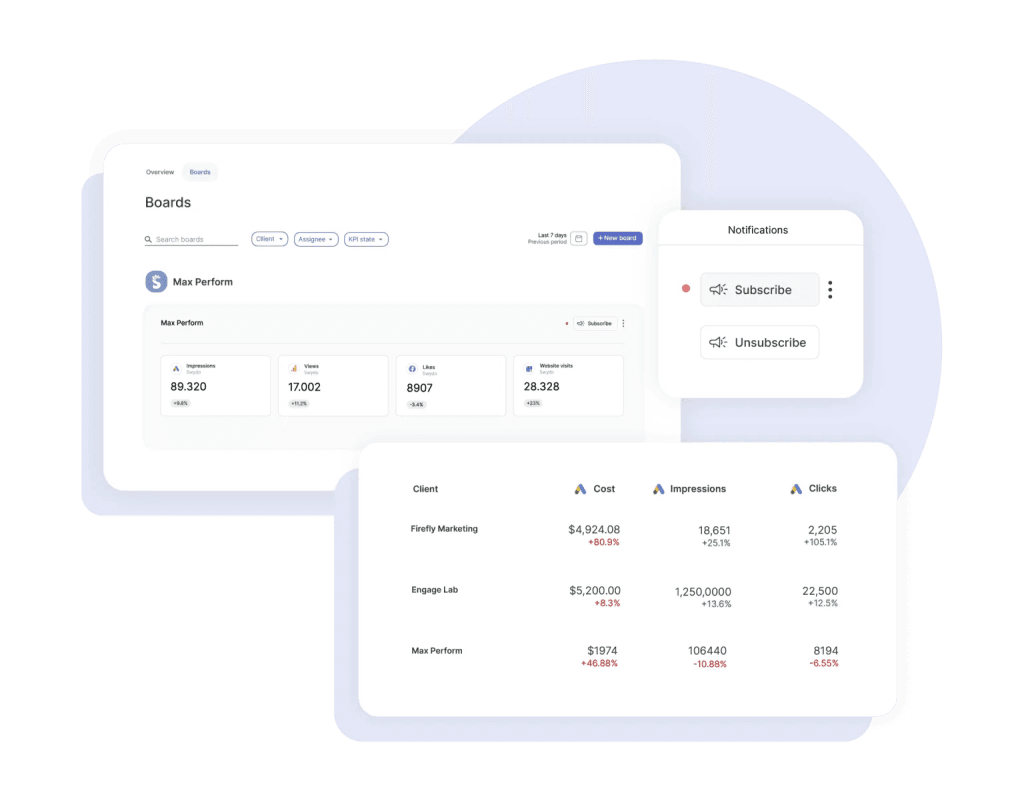
Ready to create client reports in minutes instead of hours? See why agencies choose Swydo for reliable, automated reporting.
Start Your Free Trial