
The best Windsor.ai alternative depends on what you do after the data arrives. Windsor.ai is built to connect the data sources your business uses and pipe them into a spreadsheet, warehouse, or BI tool.
If that is your whole job, a cheaper or more polished pipe may be all you need. If you run an agency, the data is only the start. You still have to turn it into reports for each client, watch every account for problems, and prove results against targets.
That difference sounds small until you are responsible for 30 clients. Then it is the whole job.
Windsor.ai answers the question “how do I get my Meta and Google Ads data into Looker Studio?” It answers it well and cheaply. But an agency owner’s questions are different. Which clients are off track this morning? Whose token expired overnight? Did the monthly reports actually go out, and did anyone open them?
This guide starts with what Windsor.ai is and is not, then sorts seven alternatives by the job each one does best, with prices taken from each vendor’s own site.
The last third covers something most comparison lists skip: why spreadsheets and vibe-coded dashboards quietly break, with sources for every claim.
Which Windsor.ai Alternative Is Right for You
Start with what you are actually trying to do. Each tool below wins a different job, and picking the wrong category costs more than picking the wrong tool inside the right one.
| Tool | Best for | Category | Starting price |
|---|---|---|---|
| Supermetrics | Teams that live in Looker Studio, Sheets, or Excel | Data pipeline | From $55/mo ($44 annual) |
| Funnel.io | Large teams that want a managed data hub | Data pipeline | From $300/mo, annual only |
| Coupler.io | Small teams that want cheap, simple flows to Sheets or BigQuery | Data pipeline | $32/mo ($24 annual) |
| Dataslayer | Budget PPC teams pulling into Sheets or Looker Studio | Data pipeline | $39/mo ($35 annual) |
| Fivetran and Airbyte | Engineering teams with a real warehouse | Data pipeline | Free tiers, usage based |
| Porter Metrics | Freelancers building Looker Studio dashboards | Looker Studio connector | $15/mo ($12.50 annual) |
| Swydo | Agencies managing multiple clients | Client reporting and monitoring | $69/mo ($62 annual) |
Prices are month-to-month with the annual rate in brackets.
What Windsor.ai Actually Does and Who Owns It
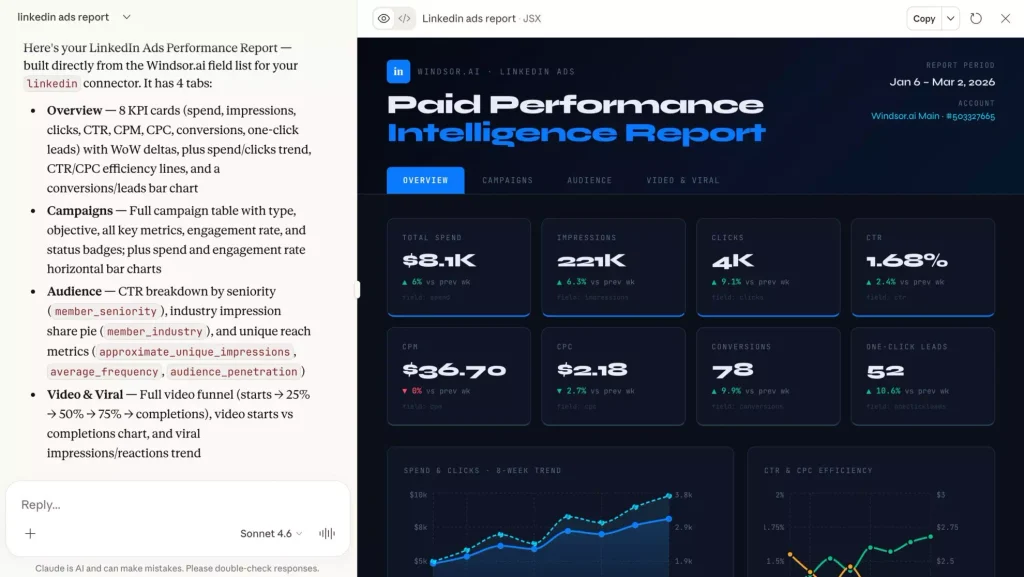
Windsor.ai is a no-code ETL and ELT connector service. It pulls data from more than 325 marketing, sales, and analytics platforms and pushes it into Looker Studio, Google Sheets, BigQuery, Power BI, Snowflake, and AI chat tools.
Its organizing unit is the data source. You pick connectors, authorize accounts, and choose where the rows land. The dashboard, the report, and the client relationship all live somewhere else.
Even Windsor.ai’s own agency pitch reflects that. It promises cross-platform client dashboards and reporting on “hundreds of accounts from a single workspace.” One workspace, many accounts. Not many clients, each with their own setup.
Windsor.ai Pricing and Plan Limits
Windsor.ai prices by the number of data sources and accounts, and every plan includes every connector and destination.
| Plan | Monthly | Annual (per month) | Data sources | Accounts | Sync frequency |
|---|---|---|---|---|---|
| Free (after 30-day trial) | $0 | $0 | 1 | 1 | Daily, no backfills |
| Basic | $23 | $19 | 3 | 75 | Daily, 5 destination tasks |
| Standard | $118 | $99 | 7 | 75 | Daily or hourly, unlimited tasks |
| Plus | $299 | $249 | 10 | 200 | Daily or hourly |
| Professional | $598 | $499 | 14 | 500 | Down to every 15 minutes |
| Enterprise | Quote | Quote | Up to 200 | Up to 50,000 | Custom |
Notice what a “data source” means here: a connector type, like Meta Ads. Twenty clients on Google Ads, Meta, and GA4 is three data sources and 60 accounts, which fits on the $23 Basic plan.
That looks like a bargain, and for the pipe it is. But that $23 buys rows in a destination. The report builder, the scheduler, the white-label layer, the client logins, and the monitoring all have to come from other tools and your own hours.
Two more details worth knowing. Windsor.ai refreshes its preview cache every six hours, so the app can trail the ad platform until you clear it. And the API is rate limited to 600 requests per minute and 10,000 per day.
In January 2026, European hosting and SaaS group team.blue announced a strategic investment in Windsor.ai, with the founding team staying in charge and data remaining in European data centers, according to team.blue’s press release. It is SOC 2 Type II audited and hosted in Germany.
What Windsor.ai Does Well
Credit where it is due. The entry price is hard to beat for the connector breadth, no connectors hide behind a higher tier, and unlimited users come with every paid plan. Support gets consistent praise on G2.
If you are a technical marketer who wants Meta, Google Ads, and GA4 in BigQuery for under $25 a month, it does that job.
Where Windsor.ai Leaves Agencies Doing the Work
The output is raw, so blending usually ends up in SQL or Looker Studio calculated fields. There is no client object, so nothing groups a client’s sources, reports, and targets together.
There is no native way to set a per-client goal, get a daily alert when a client’s CPA spikes, or see every client’s spend on one screen. Windsor’s AI connector for agencies lets you ask ChatGPT or Claude to summarize or flag anomalies, but someone has to remember to ask, client by client.
The Pipe, Tap, and Control Room Test
Think of each client as a building. A pipe carries water from the main into the building. A tap turns that water into something people can use. A control room lets one person watch pressure, leaks, and usage across every building they manage, and get paged when something breaks.
Windsor.ai is an excellent pipe. Supermetrics, Funnel.io, Coupler.io, Dataslayer, Fivetran, and Airbyte are pipes too. Porter Metrics is a pipe with a nicer tap attached for Looker Studio.
Swydo combines the tap and the control room.
Ask yourself three questions:
- Do I need raw rows in a warehouse or spreadsheet? You need a pipe.
- Do I need a branded report or dashboard a client opens without me? You need a tap.
- Do I manage enough clients that I cannot check each account by hand every day? You need a control room.
Most in-house data teams only need the pipe. Most agencies with more than a handful of clients need all three, and that is where picking the wrong category costs the most.
Best Windsor.ai Alternatives for Data Pipelines and ETL
These five tools do the same job as Windsor.ai: extract marketing data and load it somewhere else. They suit in-house analysts, data teams, and anyone who builds their own dashboards. The differences are in pricing model, refresh cadence, and how much cleanup happens before the data lands.
| Tool | Category | Entry price (monthly / annual) | Organized around | Raw data to a warehouse | Every client on one screen | Goals and daily alerts |
|---|---|---|---|---|---|---|
| Windsor.ai | Pipe | $23 / $19 | Data sources + accounts | Yes, all plans | No | No |
| Supermetrics | Pipe | $55 / $44 | Destination + sources | Enterprise only | No | No |
| Funnel.io | Pipe | $300 annual only | Data hub | Yes | No | No |
| Coupler.io | Pipe | $32 / $24 | Data flows | Yes | No | No |
| Dataslayer | Pipe | $39 / $35 | Connectors + users | Yes, row-capped | No | No |
| Fivetran / Airbyte | Pipe | Free tier, usage based | Warehouse tables | Yes, core job | No | Sync failures only |
| Porter Metrics | Connector | $15 / $12.50 | Accounts | Yes, BigQuery | No | Metric alerts |
| Swydo | Reporting + monitoring | $69 / $62 (10 sources incl.) | Clients | Via Sheets + Zapier or Make | Yes | Yes, email and Slack |
1. Supermetrics
The default pipe for Looker Studio and Google Sheets, with pricing that punishes multiple destinations.
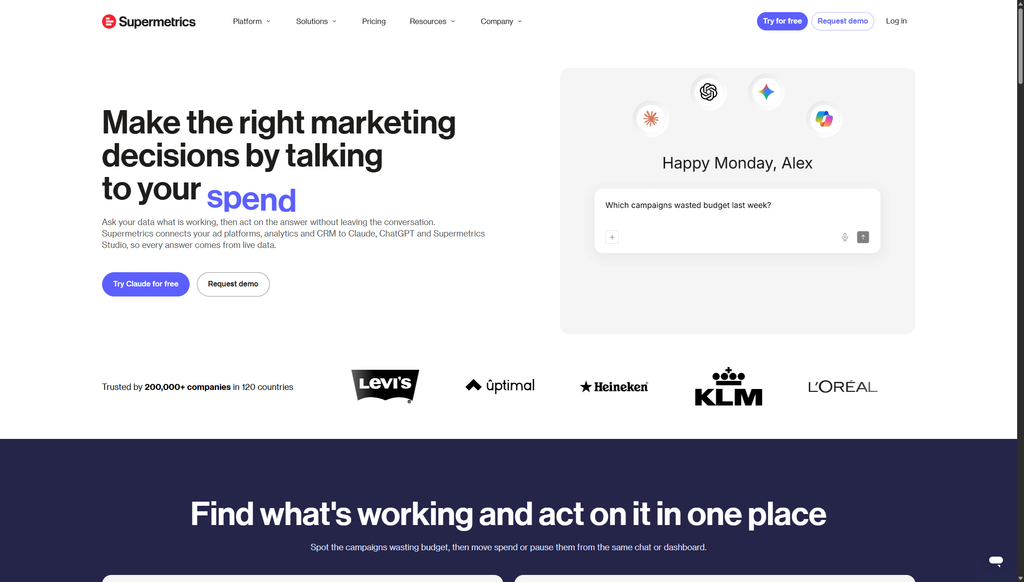
Supermetrics is the tool most marketers reach for first. The connectors are mature, the Looker Studio and Sheets integrations are smooth, and the data schema is consistent across sources.
In the US, Starter is $55 per month ($44 annual) for three data sources, one destination, one user, and three accounts per source. Growth is $222 per month ($177 annual) for six sources, two users, and seven accounts per source. Anything bigger, including warehouses, is a quoted Enterprise plan.
Why AI Chat Destinations Stand Out
Your one core destination can be ChatGPT, Claude, or Copilot instead of a spreadsheet, and Starter includes 4,000 monthly AI credits in Supermetrics Studio. If your team already asks questions of its data in a chat window, that is a cheap way to do it with clean numbers.
The catch is the pricing model. Each plan meters one core destination, so the same Meta Ads data in Google Sheets and Looker Studio counts twice.
A second destination costs $62 per month ($49 annual) on Starter and $187 ($149 annual) on Growth, with a maximum of two. Users, sources, and accounts are add-ons too, and three accounts per source runs out fast for an agency.
Pricing: From $55/mo, $44/mo annual. 14-day free trial, no permanent free tier.
2. Funnel.io
A managed data hub for teams that have outgrown point-to-point connectors.
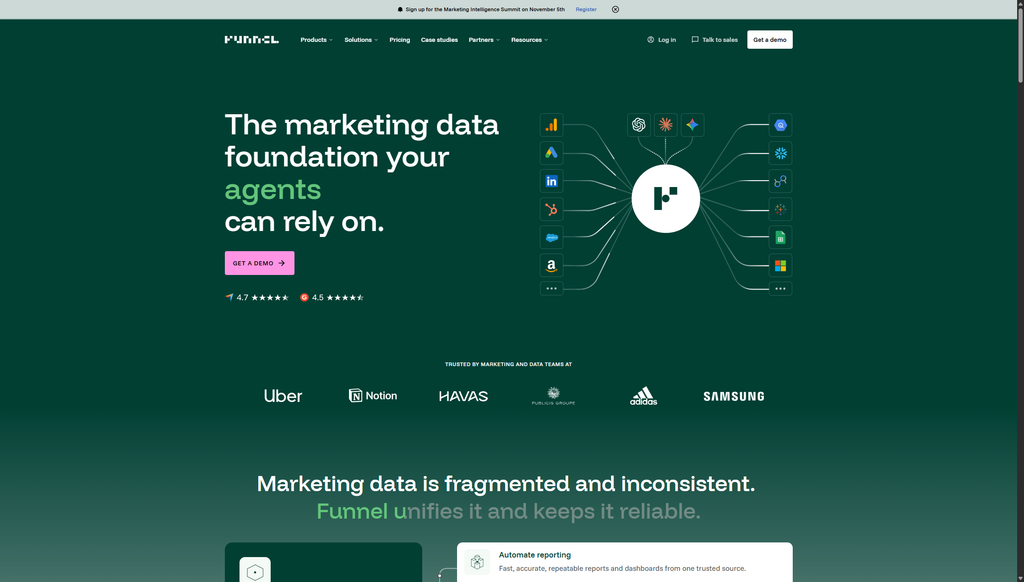
Funnel.io normalizes campaign, cost, and conversion fields across hundreds of sources automatically, stores two years of history in its Data Hub, and pushes to 13 to 47 destinations depending on tier.
Why Automatic Field Normalization Stands Out
Meta calls it “spend,” Google calls it “cost,” LinkedIn calls it “cost in local currency.” Funnel maps all three to one field before the data reaches your dashboard, which removes a whole category of reconciliation errors.
Funnel is annual only, and it meters usage on “flexpoints” that are not priced publicly, so the listed floor is a starting point rather than a quote.
The Agency Standard track starts at $300 per month billed annually with 117 connectors and 13 destinations. Agency Advanced starts at $600 per month billed annually and adds white-label client portals. No free plan.
Pricing: From $300/mo, billed annually only. Trials arranged through sales.
3. Coupler.io
The budget pipe with the clearest limits.
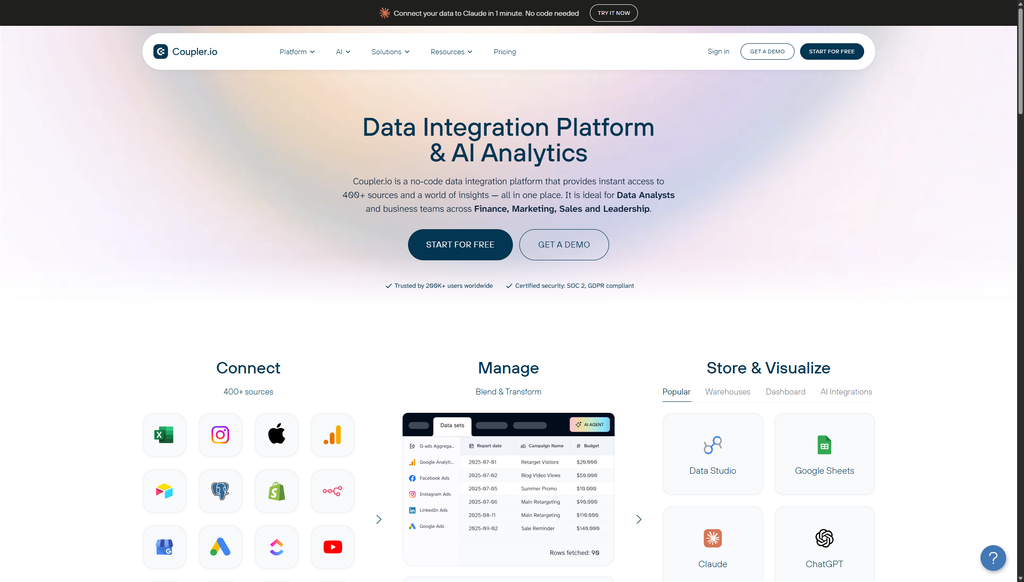
Coupler.io pulls from 400+ sources into Sheets, Excel, Looker Studio, Power BI, BigQuery, and more, and it publishes exactly what each plan gets.
Starter is $32 per month ($24 annual) for three accounts, one destination, daily refresh, and 5,000 rows per run. Active is $132 ($99 annual) for 15 accounts, three destinations, unlimited rows, and transformations. Pro is $259 ($199 annual) for 50 accounts, unlimited destinations, and hourly refresh.
Why In-Flow Transformations Stand Out
You can append, join, and aggregate data before it lands. That is the difference between exporting three tabs and exporting one clean table.
Watch the row cap on Starter. 5,000 rows per run sounds like a lot until you pull daily ad-level data for a month across several accounts, and Coupler.io’s own documentation says the run completes but truncates the dataset.
Pricing: $32/mo, $24/mo annual. Free plan with one account and manual refresh. 7-day trial.
4. Dataslayer
A PPC-focused pipe priced on connectors and users.
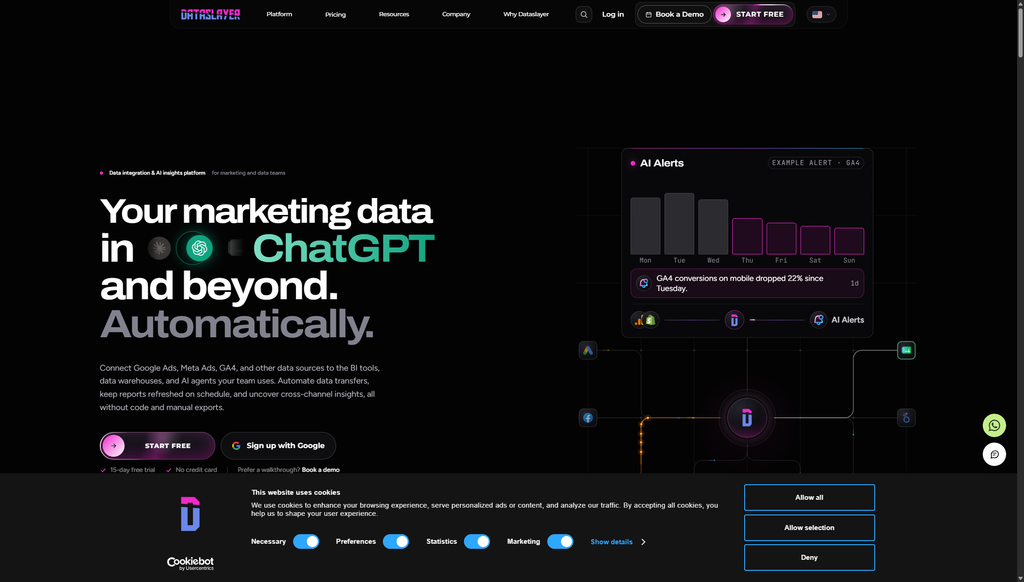
Dataslayer built its reputation as a cheaper Supermetrics for Google Sheets and Looker Studio, and it moved to a connector-and-user model in February 2026.
Starter is $39 per month ($35 annual) for three connectors, one destination, one user, and daily refresh. Advanced is $139 ($115 annual) and adds seven connectors, ten users, hourly refresh, and data blending. Pro is $419 ($345 annual) for ten connectors, unlimited users, and 100 accounts per connector.
Why Unlimited Rows in Core Destinations Stand Out
Sheets, Excel, Looker Studio, and Power BI have no row limits on paid plans. Row caps only apply to warehouse destinations, the opposite of how most competitors meter.
Data blending starts at Advanced, and there are 50-odd connectors, so check the list if you run anything outside the mainstream ad platforms.
Pricing: From $39/mo, $35/mo annual. Free plan with one connector. 15-day trial.
5. Fivetran and Airbyte
Engineering-grade pipes for teams that already have a warehouse.
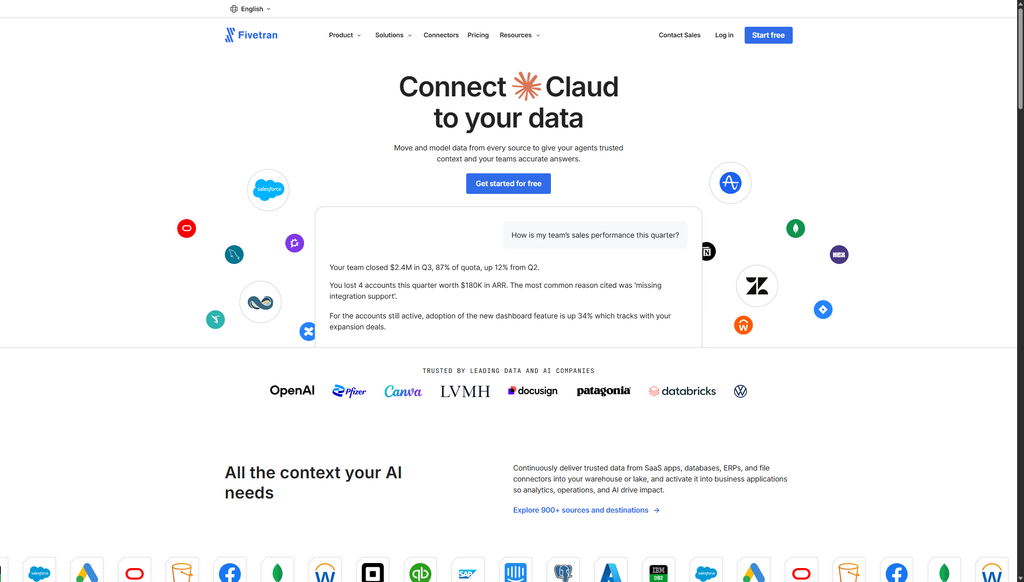
If you have a data engineer and a Snowflake or BigQuery bill, Fivetran and Airbyte are the serious options. Fivetran manages hundreds of connectors and bills on usage, with a free tier for low volumes. Airbyte is open source, so you can self-host for free or use its cloud offering.
Why Schema Change Handling Stands Out
Both tools detect when a source adds or renames a column and adjust the destination table without you rewriting anything. That is the exact failure mode that kills hand-built pipelines.
Neither is marketing-specific. You get raw API objects, not campaign metrics normalized across platforms, and you build every dashboard from scratch.
Pricing: Free tiers available; paid pricing is usage based and quoted on each vendor’s site.
Best Windsor.ai Alternatives When You Need Reports, Not a Warehouse
The last two tools skip the warehouse. One plugs straight into Looker Studio, the other builds, schedules, and monitors client reports itself. The choice between them comes down to whether you want to build dashboards or run a client roster.
6. Porter Metrics
Per-account pricing with every destination included, built for Looker Studio dashboards.
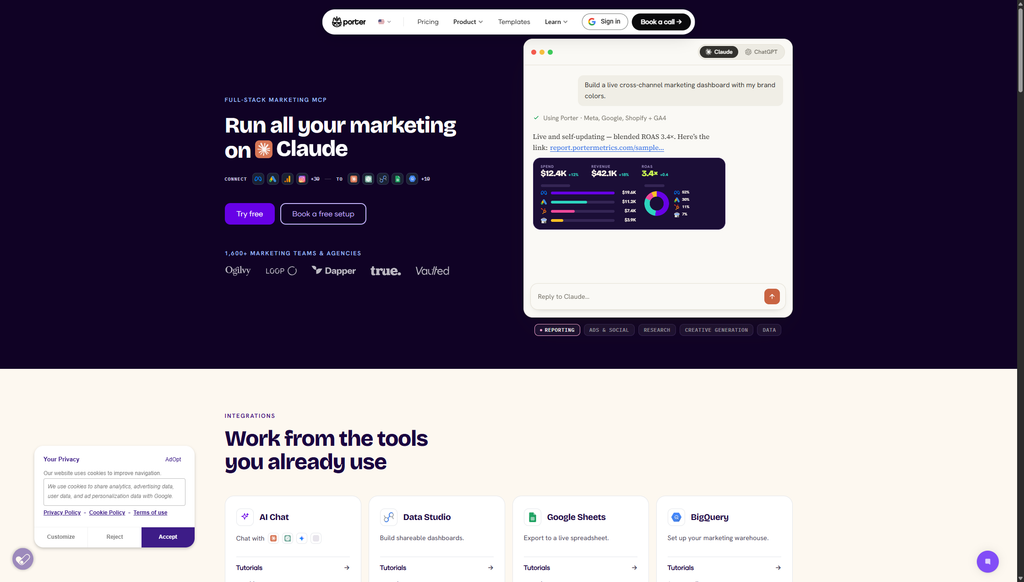
Porter Metrics charges per connected account and includes every destination (Looker Studio, Sheets, Power BI, BigQuery, and AI chat) on every plan, including the free one.
One account is $15 per month ($12.50 annual), 13 to 20 accounts is a flat $100 per month, and volume pricing drops to around $2 per account past 200.
Why Automatic Blending Across Accounts Stands Out
Connect three Meta ad accounts and Porter blends them into one Looker Studio source without a blend step. For freelancers running a few small accounts, that saves real setup time.
Porter has roughly 30 connectors and the free plan caps history at 30 days. For more options in this category, see our roundup of the best Looker Studio connectors.
Pricing: $15/mo for one account, $12.50/mo annual. Free forever plan with 30-day history. 14-day full trial.
7. Swydo
Built around clients instead of data sources, for agencies managing a portfolio.
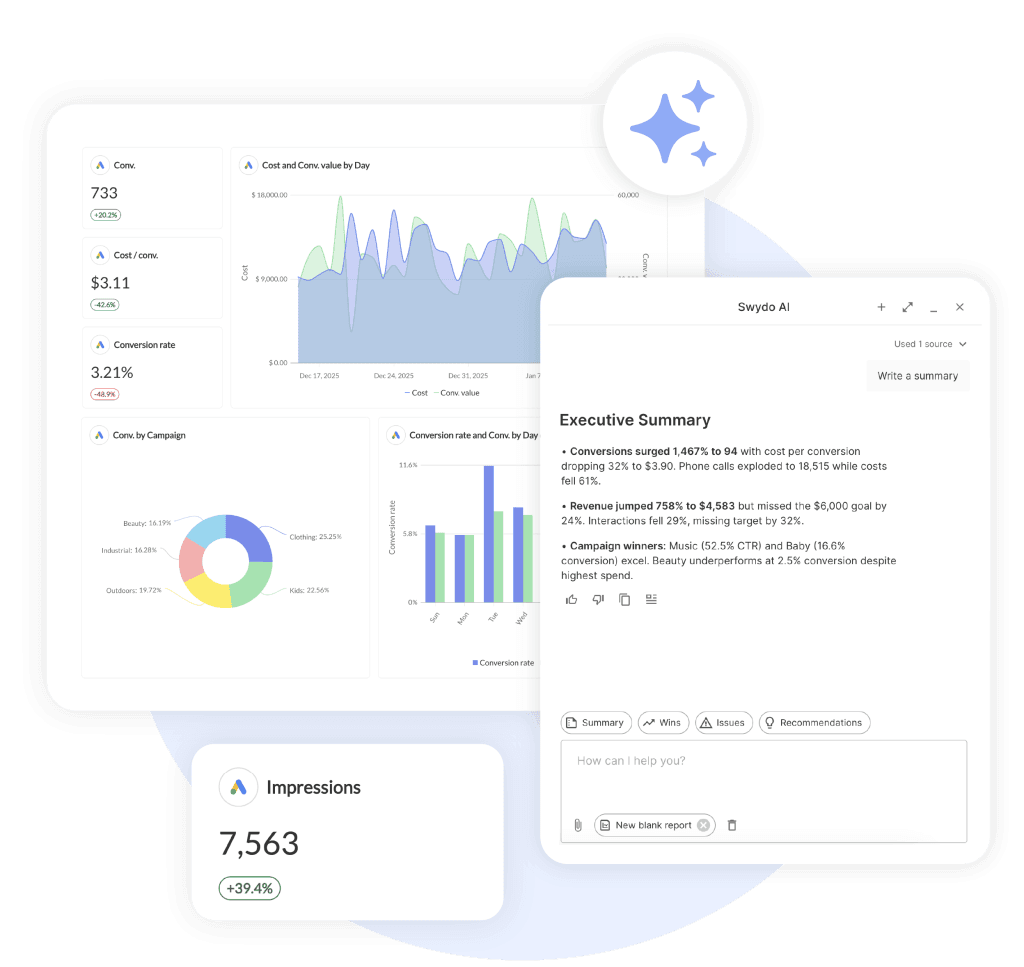
With a pipeline, every new client means another dashboard to build, another schedule to set, and more accounts to check each morning. Swydo cuts those steps by organizing everything around the client, with its own data sources, reports, schedules, goals, and alerts.
Adding an eleventh client means connecting their accounts, linking their report to your master template, and picking a send date. Edit the template once, and every linked report updates.
Metrics Overview puts up to six KPIs for every client on one screen. The account that slipped overnight shows up as one row, not one of 30 open tabs.
Why Monitoring Across Every Client Stands Out
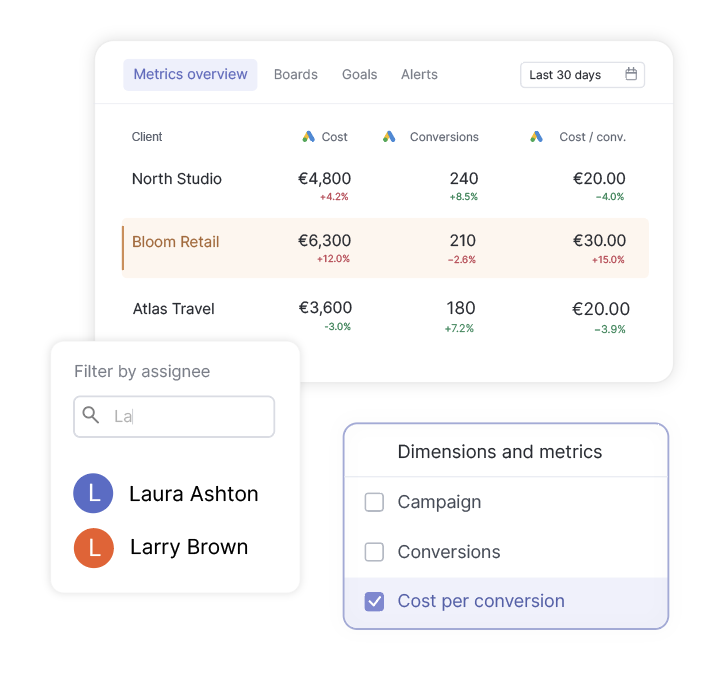
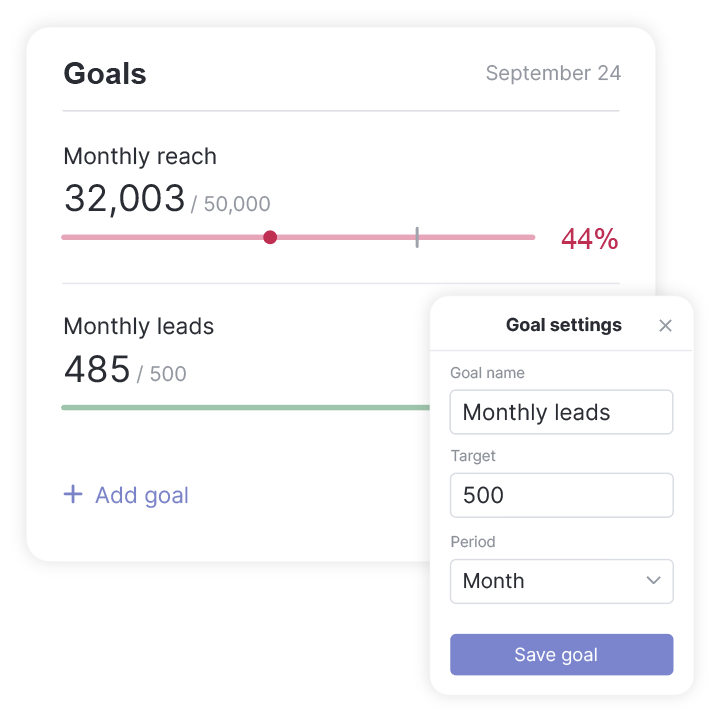
The goal is to spot a problem before your client does. Goals show each client’s targets as On Track, Off Track, or Achieved. Alerts check any metric daily and notify you by email or Slack. Data Health Check Alerts flag an expired token before a scheduled report goes out blank.
One plan costs $69 per month ($62 annual) with ten data sources included, then $4.50 per extra source. Users and clients are unlimited, and Google Sheets with Zapier or Make covers warehouse needs.
Pricing: $69/mo, $62/mo annual. 14-day free trial, no credit card required.
What 5 to 10 Clients Actually Cost
Starting prices are built for one business with one set of ad accounts. An agency multiplies those accounts by every client, and most plans cap accounts per connector, so the plan you need is often a tier or two above the advertised one.
Here is the monthly cost for a typical setup: every client on five platforms (Google Ads, Meta Ads, GA4, LinkedIn Ads, and Google Search Console), with data going to Looker Studio.
| Tool | 5 clients (25 accounts) | 10 clients (50 accounts) | What the price covers |
|---|---|---|---|
| Windsor.ai | $118 (Standard) | $118 (Standard) | Data pipe; reports built in a BI tool |
| Dataslayer | $139 (Advanced) | $139 (Advanced) | Data pipe; reports built in a BI tool |
| Supermetrics | $222 (Growth) | $222 plus account add-ons | Data pipe; reports built in a BI tool |
| Coupler.io | $259 (Pro) | $259 (Pro) | Data pipe; reports built in a BI tool |
| Swydo | $136.50 | $249 | Reports, schedules, goals, and alerts |
Five platforms rule out every entry plan before client count even matters. Windsor.ai Basic covers three data sources, Supermetrics and Dataslayer Starter cover three connectors, and Coupler.io Active covers 15 accounts.
Windsor.ai stays flat because it counts platforms, not clients. Standard allows seven data sources and 75 accounts, so it holds until 15 clients. The 16th client pushes you to Plus at $299 per month ($249 annual).
Supermetrics Growth includes two users, and each extra user is $124 per month. Swydo’s cost rises with each client at $4.50 per data source, with unlimited users.
Whatever the pipe costs, the reports, delivery, and monitoring still have to be built in another tool, and that time is the real cost.
Why Not Just Build It Yourself
Some agencies skip these tools and wire Google Sheets to the ad platform APIs, or vibe-code a dashboard in Cursor or Lovable. It works on day one. The cost shows up later, because the platforms change the rules on their own schedule.
- APIs retire on a fixed clock. Google Ads API version 19 stopped accepting requests on February 11, 2026, and Google retires a major version roughly every quarter.
- Metrics vanish without errors. When Meta removed the 7-day and 28-day view attribution windows, scripts still asking for them got empty data, not an error.
- Logins expire. Refresh tokens from unverified Google Cloud projects expire after seven days.
- Quotas throttle busy dashboards. A standard GA4 property allows 10 concurrent requests, which one busy Looker Studio page can use up. Our guide to Looker Studio quota errors covers the fix.
- Spreadsheets hit ceilings. Google Sheets caps a file at 20 million cells, and Apps Script stops each run at six minutes.
- AI-written code is not secure by default. Veracode found AI-generated code introduced vulnerabilities in 45 percent of cases, a real risk when that code stores client ad credentials.
Windsor.ai Head to Head
Most searches for a Windsor.ai alternative arrive with a specific competitor in mind. Here are the matchups that come up most, in a line or two each.
- Windsor.ai vs Swydo. Different jobs. Windsor moves data from your sources to a destination. Swydo manages clients: reports, schedules, goals, alerts, and health checks across your whole roster. For an agency with multiple clients, Swydo. For a BigQuery feed, Windsor. Some agencies run both.
- Windsor.ai vs Supermetrics. Windsor is cheaper per source and includes all destinations. Supermetrics has more polished Looker Studio and Sheets connectors and AI chat destinations. If you need two destinations, Windsor wins on price by a wide margin.
- Windsor.ai vs Funnel.io. Funnel normalizes fields and stores history for you; Windsor hands you raw tables. Funnel costs roughly ten times more at the floor and is annual only.
- Windsor.ai vs Coupler.io. Similar jobs, similar prices. Coupler publishes clearer per-plan limits and has in-flow transformations; Windsor has more connectors and a bigger account allowance on Basic.
- Windsor.ai vs Porter Metrics. Porter is per account with every destination on every plan; Windsor is per data source. For a freelancer with two or three ad accounts, Porter’s $15 floor is hard to argue with.
- Windsor.ai vs AgencyAnalytics. AgencyAnalytics is a client reporting tool, so it competes with Swydo rather than Windsor. Its per-client pricing at $25 per client per month ($20 annual) adds up fast past a handful of clients. Our full Swydo vs AgencyAnalytics breakdown covers the details.
Mistakes to Avoid When Choosing a Windsor.ai Alternative
Every one of these comes from a real migration I have watched go sideways.
- Treating client management as a data problem. If the pain is “I can’t tell which clients need attention,” more connectors will not fix it. You need a client-level view.
- Buying a pipe when you need a tap. If the reason you are leaving Windsor.ai is “the reports are ugly,” you do not need another connector. You need a reporting platform.
- Reading the sticker price instead of the scaling price. Per-destination (Supermetrics), per-client (AgencyAnalytics), per-connector (Dataslayer), and per-account (Porter) models diverge sharply at 20 clients. Model your real roster.
- Ignoring refresh cadence. A daily refresh is fine for a monthly PDF and useless for a dashboard someone checks at 4pm. Confirm the cadence on the exact plan you are buying.
- Assuming historical backfill. Ask the vendor for the exact backfill window per source in writing.
- Relying on community connectors for client-facing work. Unofficial Looker Studio connectors built on Apps Script inherit every quota above and break silently.
- Skipping the failure test. During the trial, deliberately revoke a Meta token and see how long it takes the tool to tell you. That one test predicts more about your next year than any feature table.
Questions to Ask Any Vendor Before You Commit
Print this list and ask every one.
- Can I see every client’s key metrics on one screen?
- Can I set a goal or alert once and copy it across clients?
- Can I limit a contractor’s access to specific clients?
- Do you alert me when a connection breaks, and how (email, Slack, in-app)?
- How many days after a Google or Meta API version sunset do you typically ship the updated connector?
- What is the backfill window for Meta Ads, Google Ads, and GA4 on the plan I am buying?
- Where is my data stored, and are you SOC 2 audited?
- What happens to my report history if I cancel?
| Tool | Entry price | Best for |
|---|---|---|
| Porter Metrics | $15/mo ($12.50 annual) | One account into Looker Studio |
| Coupler.io | $32/mo ($24 annual) | Small flows into Sheets or BigQuery |
| Dataslayer | $39/mo ($35 annual) | PPC data into Sheets or Looker Studio |
| Supermetrics | $55/mo ($44 annual) | One destination, three sources |
| Swydo | $69/mo ($62 annual) | Client reporting and monitoring, ten sources included |
| Tool | Monthly cost | What you get |
|---|---|---|
| Dataslayer | $139 (Advanced) | Data pipe only; reports built separately |
| Windsor.ai | $299 (Plus) | Data pipe only; 100 accounts exceeds Standard’s 75 |
| Swydo | $474 (100 data sources) | Reports, schedules, goals, alerts, unlimited users |
| AgencyAnalytics | $500 ($25 per client) | Client reporting priced per client |
| Supermetrics | Quoted Enterprise | Self-serve plans cap at 15 accounts per source |
Final Thoughts
Windsor.ai is a good pipe. If pipes are what you need, Supermetrics, Funnel.io, Coupler.io, Dataslayer, Fivetran, and Airbyte are credible alternatives, and Porter Metrics is the cheapest way into Looker Studio.
If your job is a portfolio of clients, look for a tool that knows what a client is, watches every account at once, and tells you first when something breaks. Swydo is built for that job.
Whatever you pick, run the failure test during the trial. Revoke a token. Wait. See who tells you first.
Report on every client from one place, and get an alert the moment a number slips.
Start Your Free Trial Today