
If you copy data from six different platforms into spreadsheets every month, you burn money. We’re talking roughly $96,000 per year for a 50-client agency. That’s not a typo.
The right drag-and-drop report builder changes everything. It turns client reports from that dreaded task your team avoids into something that actually strengthens relationships. It automates the boring stuff so you can focus on analysis and strategy.
Drag-and-Drop Report Builders at a Glance
Compare pricing, features, and capabilities to find the best fit for your agency
Swydo

AgencyAnalytics
DashThis

Whatagraph
Databox
White-Label Features
Pricing & Scale
AI & Automation
Integrations & Languages
What These Tools Actually Do for Your Agency
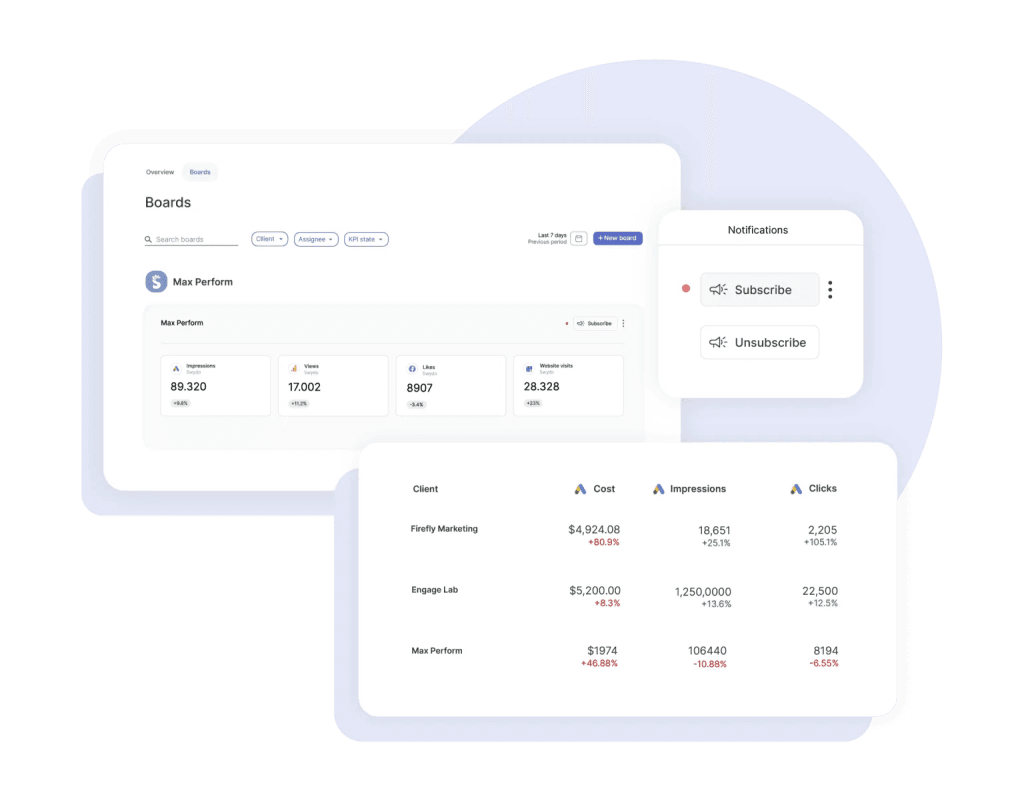
Think of a drag-and-drop report builder as your agency’s data translator. Instead of manually logged into Google Ads, then Facebook, then Analytics, then your client’s CRM and copied numbers into a spreadsheet that breaks when someone moves a column, these platforms pull everything into one interface.
You assemble reports like blocks. Simple as that.
The “drag-and-drop” distinction matters because it separates purpose-built agency tools from technical platforms like Power BI or raw Looker Studio setups. A good test: Can a marketing coordinator with zero code experience create a client-ready report in under 30 minutes? If your team needs a developer to build dashboards, you use a business intelligence tool, not an agency report platform. That distinction has real cost implications for your business.
The core value breaks into three layers:
- Data aggregation connects to your marketing platforms through APIs and automatically pulls metrics on a schedule. No more manual exports.
- Visualization transforms raw numbers into charts, tables, and KPIs that clients actually understand. You know how clients’ eyes glaze over at spreadsheets? This fixes that.
- Automation schedules report delivery, maintains brand consistency, and uses AI to generate insights that would take a human hours to write.
The Real Cost of Manual Reports Versus Automated Systems
The time saved is even more impactful than the money. Managing 50 clients with 6 hours of manual reporting each month demands 300 hours monthly—nearly two full-time employees dedicated just to reports. By automating and reducing that time to 30 minutes of strategic review per client, you reclaim 275 hours every month. That’s over 14 hours per day you can reinvest in growth, strategy, or client communication.
Marketing teams spend an average of 10-15 hours per week just on data collection and format work before any actual analysis happens. At typical agency rates of $150-$224 per hour, that represents $78,000-$174,000 in annual labor costs for a team of just three report specialists.
Beyond direct time savings, report quality impacts retention. A study by Bain & Company found that a 5% increase in client retention rates increases profits by 25% to 95%. And new client acquisition costs 5-25 times more than retention of an existing one. So how much does your current report process cost you in lost clients?
5 Features That Separate Useful Tools From Expensive Dashboards
Not every report platform delivers equal value. After we reviewed how agencies actually use these tools and where setups fail, certain capabilities emerge as genuinely different from marketing checkboxes.
Integration Depth Determines Your Data Reality
Surface-level claims about “50+ integrations” hide crucial details. Does the platform support TikTok and newer channels? Can it pull custom conversions from Google Ads or just standard metrics?
White-Label Features Vary by Tier
If client-face reports matter to your agency, verify exactly which plan includes custom domains, branded login portals, and removal of vendor logos. These details become significant cost multipliers that only show up after trial periods end.
| Platform | Full White-Label Available At |
|---|---|
| Swydo | All plans at $69/month |
| AgencyAnalytics | Agency tier ($179/month) and above |
| Whatagraph | Boost plan at $729/month |
| Klipfolio | $299/month add-on |
AI Features Now Provide Real Value
The latest generation goes beyond gimmicky chat interfaces. According to McKinsey’s State of AI Report 2025, 64% of organizations now regularly use generative AI in at least one business function. That’s double from just ten months prior.
Here’s what AI actually does on each platform:
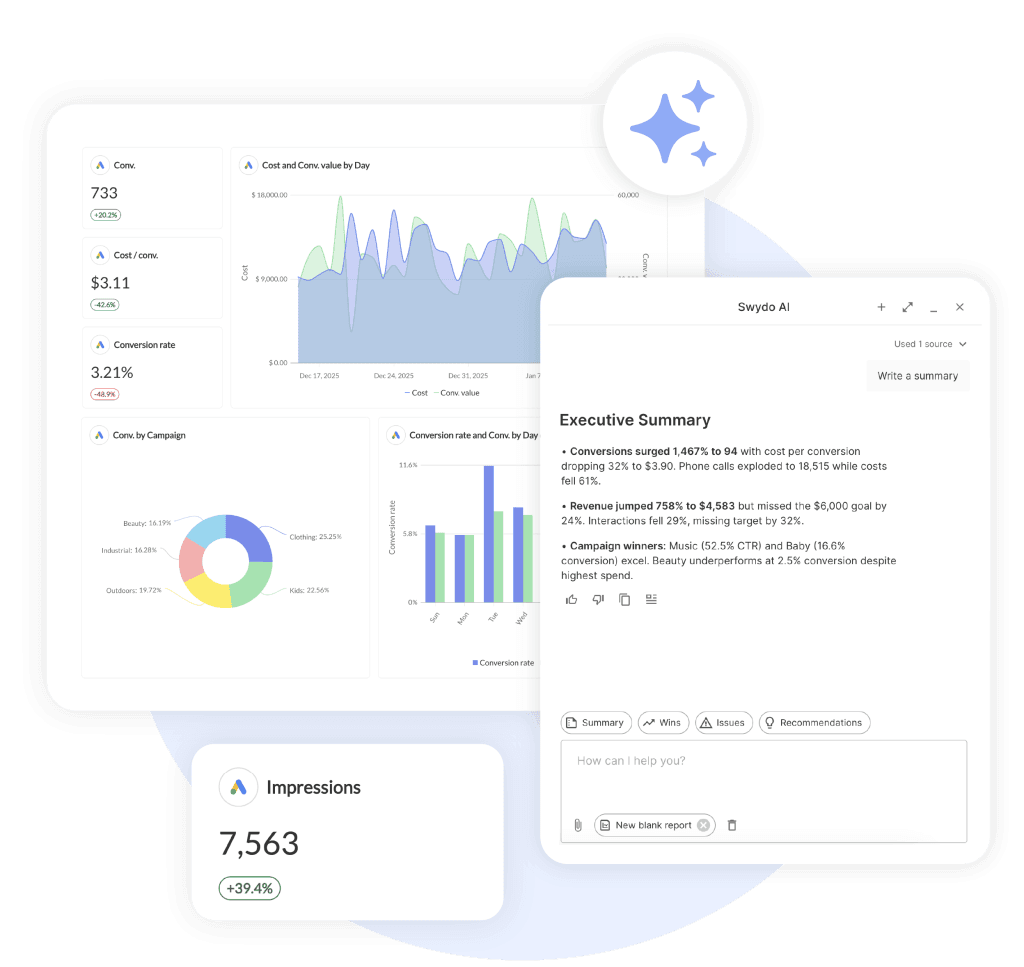
- Swydo’s AI generate automatic report narratives and performance explanations, with 4,000 credits included monthly across all plans”
- AgencyAnalytics’ Ask AI generates actionable insights with anomaly detection and forecast abilities (Agency Pro plans)
- DashThis’s AI Insights Pro ($19/month add-on) provides chat-based interpretation with follow-up questions
- Whatagraph IQ creates entire reports in seconds with plain-language performance explanations
- NinjaCat’s AI Agents automate negative keyword discovery, budget pace alerts, and cross-account benchmarks
Price Models Create Different Cost Curves at Scale
This is where agencies get burned. Per-client prices (AgencyAnalytics at $20/additional client) punish growth differently than per-dashboard models (DashThis) or per-data-source structures (Swydo at $4.50/source after 10).
Calculate your actual cost at 20, 50, and 100 clients before you commit. The “cheapest starter plan” often becomes the most expensive at scale.
Support Quality Predicts Your Setup Experience
G2 reviews reveal consistent patterns:
- Swydo users praise ‘fast, accurate answers’ with in-app chat support and dedicated Customer Success Specialists included on all plans
- DashThis earns 9.6-9.8 scores for support quality with dedicated product specialists
- AgencyAnalytics users cite “response within one minute via chat” as a major plus
- Databox receives 90%+ negative mentions about support on Capterra and G2
- Klipfolio reviews note that “support does not value your business after you sign up”
These patterns predict your setup experience better than any feature comparison.
Platform-by-Platform Breakdown
AgencyAnalytics
G2 Rating: 4.7/5 (417 reviews) | Capterra: 4.8/5
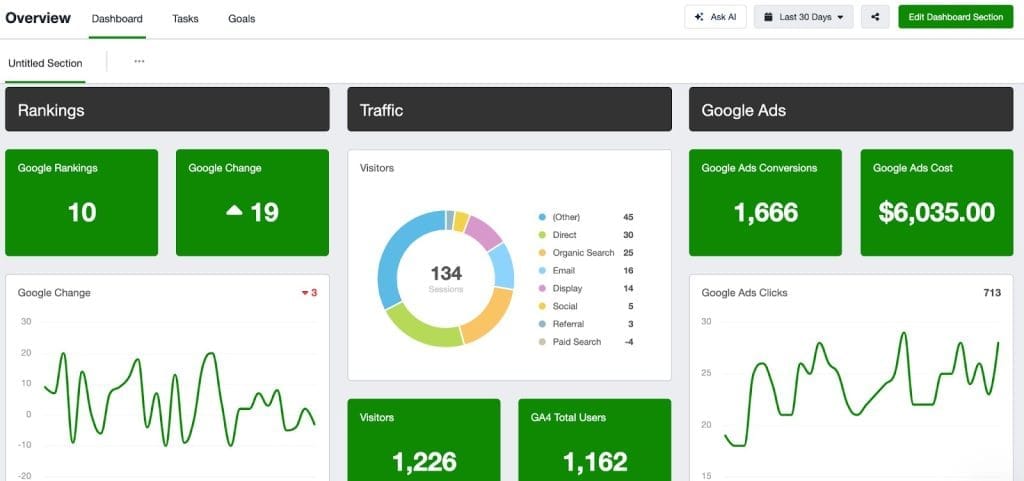
AgencyAnalytics has emerged as the market leader for mid-size agencies that want comprehensive capabilities without enterprise complexity. Over 7,000 agencies worldwide use it. The platform balances depth with accessibility in a way competitors struggle to match.
| Plan | Price/Month | Client Campaigns | White-Label | Additional Features |
|---|---|---|---|---|
| Freelancer | $79 | 5 | Basic (Logo only) | – |
| Agency | $239 | 10 | Full brand support, custom domains | AI features |
| Agency Pro | $479 | 15 | Full brand support, custom domains | Forecast abilities, anomaly detection, benchmarks, API access |
The pricing structure is based on the number of client campaigns rather than specific feature limitations. Additional client campaigns can be added for $20 per month each across all tiers.
What separates AgencyAnalytics is its 80+ integrations with genuine depth. Beyond standard connections to Google Ads, Meta, and Analytics, you get native rank track capabilities, and direct integrations with agency-specific tools like CallRail and CallTrackingMetrics. Benchmarks lets you compare client performance against anonymized data from thousands of customer accounts.
G2 reviewers consistently praise customer support (“response within one minute every time via chat, real person”) and time savings (“automated the work of two to three full-time employees”). Common complaints center on occasional integration sync delays and the recent price increase.
Best for: Full-service agencies that manage 10-100 clients and want comprehensive SEO, PPC, and social reports with genuine AI insights.
DashThis
G2 Rating: 4.8/5 (82+ reviews) | Capterra: 4.4/5
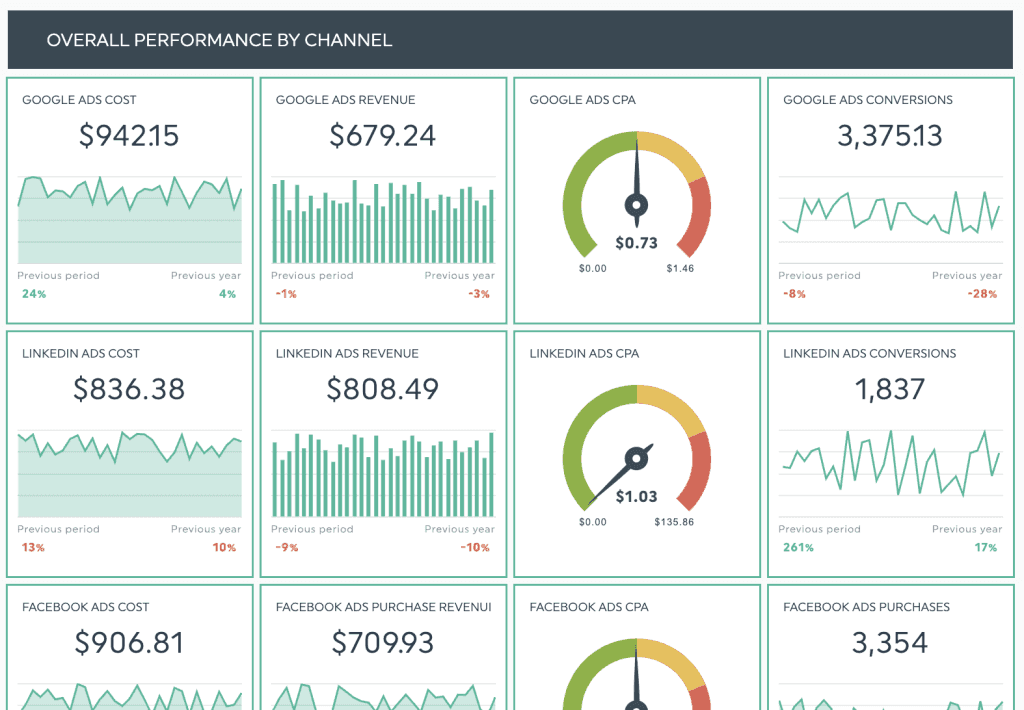
DashThis has carved a distinct position as the easiest-to-use report platform. It deliberately trades advanced features for accessibility. If your team includes non-technical account managers who need to build reports independently, this tradeoff often makes sense.
The pricing is dashboard-based, which works well if you structure one comprehensive dashboard per client.
| Plan | Price (Monthly) | Dashboards Included | Key Additional Features |
| Individual | $4/month | 3 | Unlimited users, unlimited data sources |
| Professional | $159/month | 10 | Custom color themes, full white-label |
| Business | $309/month | 25 | Dedicated customer success |
The 34+ native integrations cover core marketing channels that include GA4, Google Ads, Facebook Ads, TikTok, LinkedIn, HubSpot, and Klaviyo. But DashThis does not offer an API for custom integrations. That’s a real limitation if you have specialized data needs.
User reviews emphasize exceptional support quality and genuinely intuitive design. Complaints focus on price relative to competitors and limited integration count.
Best for: Small agencies and consultants that want beautiful, client-ready reports with minimal learn time.
Whatagraph
G2 Rating: 4.5/5 (277 reviews) | Capterra: 4.4/5 | Trustpilot: 3.8/5
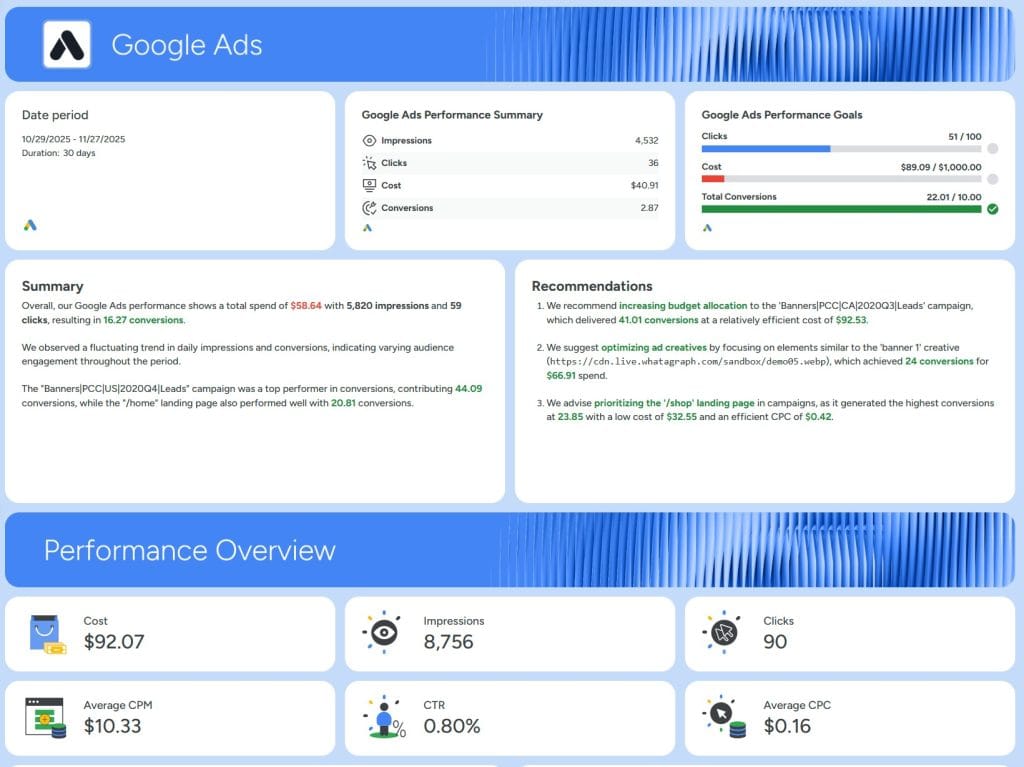
Whatagraph markets itself as “the Tesla of digital analytics tools” and prices accordingly. The platform excels at polished visual reports and has invested heavily in AI capabilities through Whatagraph IQ.
The price uses a source credit model. The Free tier (forever free, not a trial) includes 5 source credits with unlimited users and reports. That’s useful for tests but limited for real agency work.
- Start at $289/month (~$229 USD billed annually) provides 20 source credits.
- Boost at $724/month (~$579 USD) expands to 60 credits with full white-label and BigQuery exports.
One source credit equals one connected account. One Facebook Ads account equals 1 credit. One client’s GA4 equals 1 credit. This adds up quickly for multi-channel campaigns, so do your math before you commit.
Best for: Agencies that prioritize visual impact and are willing to pay premium prices for polished output and AI capabilities.
Swydo
G2 Rating: 4.6/5 | Capterra: 4.5/5 (92 reviews)
Swydo’s single-plan model eliminates the frustration of tier research that plagues other platforms. Every feature is available from day one. That includes full white-label, custom domains, branded PDF exports, and multi-language support in 14 languages.
The base fee of $69/month ($62 billed annually) includes 10 data sources with unlimited users, clients, and reports.
| Data Sources | Monthly Cost (Billed Monthly) |
|---|---|
| 1–10 | $69/month |
| 11–100 | $4.50/source |
| 101–500 | $3.00/source |
| 501+ | $2.00/source |
This model rewards scale. An agency with 100 data sources pays approximately $450/month, significantly less than per-client models at similar volume.
Reviews praise customer support (“top-notch, impeccable, always available”) and template systems that clone easily across clients. Complaints mention occasional surprise bills for exceeded data limits and a UI that “looks dated compared to some amazing tools.”
Best for: Agencies where white-label at lower tiers matters, particularly shops that want predictable per-source prices.
Databox
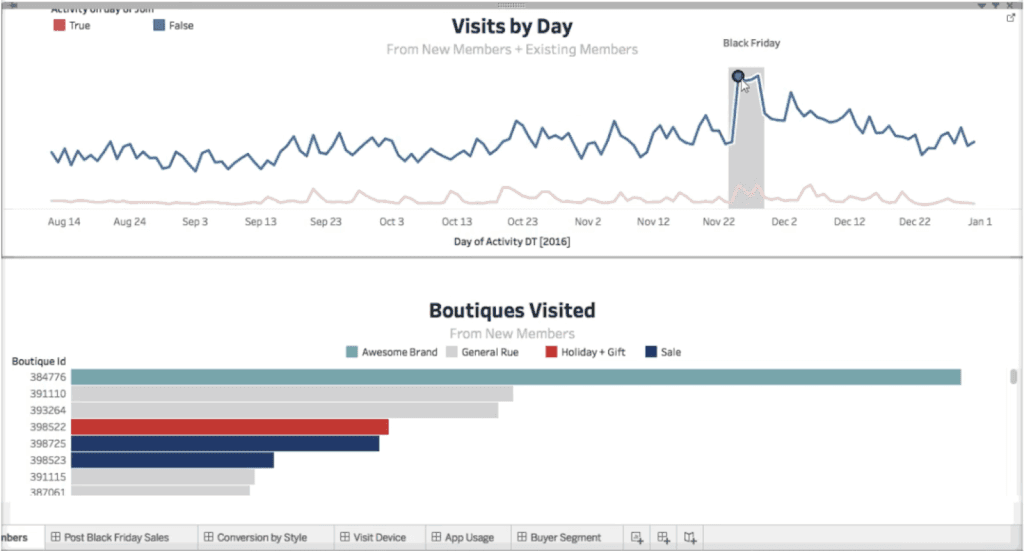
G2 Rating: 4.4/5 (193 reviews) | Capterra: 4.6/5 (200+ reviews)
Databox offers strong data visualization with 130+ integrations and sophisticated AI features. But significant support issues make it a risky choice for client-face work.
| Plan | Monthly Price | Key Features | White-Label Add-on |
|---|---|---|---|
| Professional | $159 | 3 data sources | $200/month |
| Growth | $399 | AI Performance Summaries, Data Stories, Benchmarks | $200/month |
| Premium | $799 | 100 data sources, forecast capabilities | $200/month |
The platform’s AI features are legitimately impressive. But user reviews reveal a critical weakness: customer support quality issues appear in the majority of negative reviews. Users report unresponsive emails, issues that take months to resolve, and difficulty that reaches anyone for urgent problems. When your client’s report breaks before a Monday morning meet, support response time matters.
Best for: Internal teams that want sophisticated KPI track where support response time isn’t mission-critical.
Klipfolio
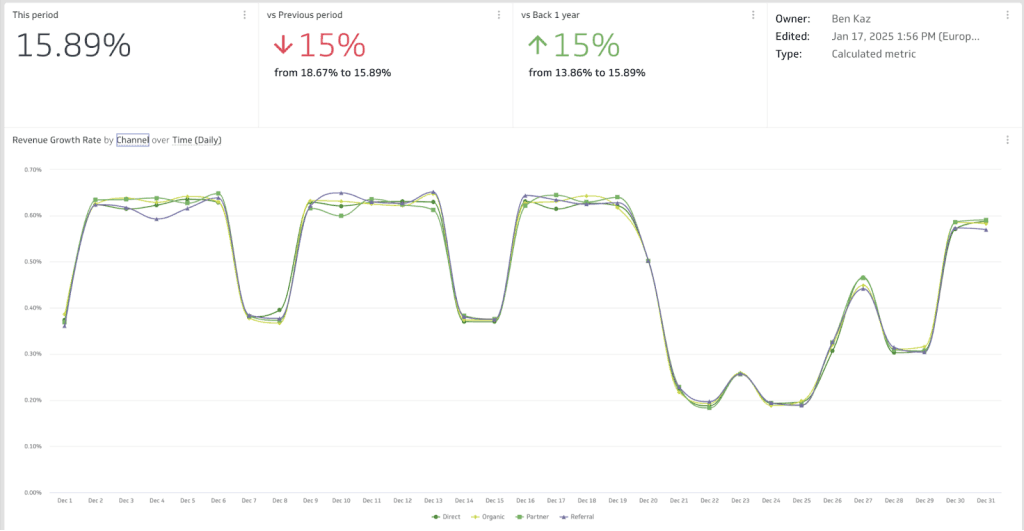
G2 Rating: 4.5/5 (255 reviews)
Klipfolio serves a specific audience: agencies with technical resources who need dashboard customization beyond what template-based tools provide. For everyone else, the learn curve creates setup risk.
The price uses a dashboard-count model.
| Plan | Price (Annual) | Dashboards Included | Data Refresh Rate |
|---|---|---|---|
| Base | $120/month | 3 | 4-hour |
| Grow | $190/month | 10 | Hourly |
| Team | $310/month | 20 | 15-minute |
| White-Label Add-on (Custom Domain) | $69/month | N/A | N/A |
| White-Label Add-on (Custom Theme) | $69/month | N/A | N/A |
| White-Label Bundle | $299/month | N/A | N/A |
Reviews consistently note that “any custom visualizations or data source connections basically requires a developer.” Support quality post-signup receives criticism, and dashboard load speeds frustrate users.
Best for: Technically sophisticated agencies with developer resources who need custom dashboard logic beyond template capabilities.
TapClicks and NinjaCat
For agencies that manage hundreds of clients with complex workflows, two platforms dominate the enterprise conversation.
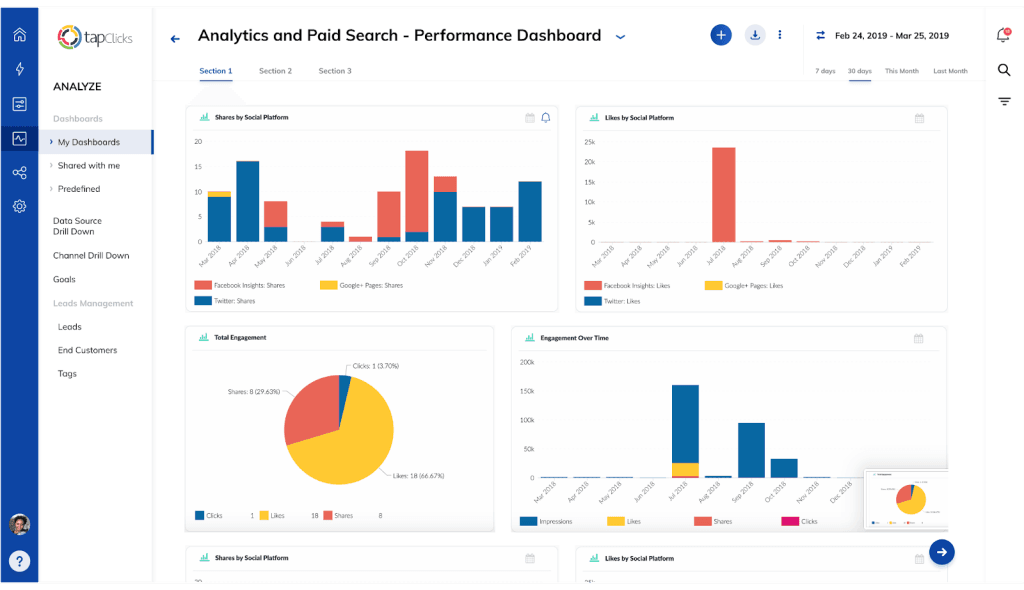
TapClicks offers an 8-product suite with 250+ native integrations plus SmartConnector for unlimited custom sources. The price isn’t public, so you’ll need to contact sales. Entry points start around $99-$1,200/month based on connector needs. G2 ratings hover around 4.3/5. Users praise the massive connector library but note steep learn curves and concern about contract terms that include 2-year commitments with difficult early cancellation.
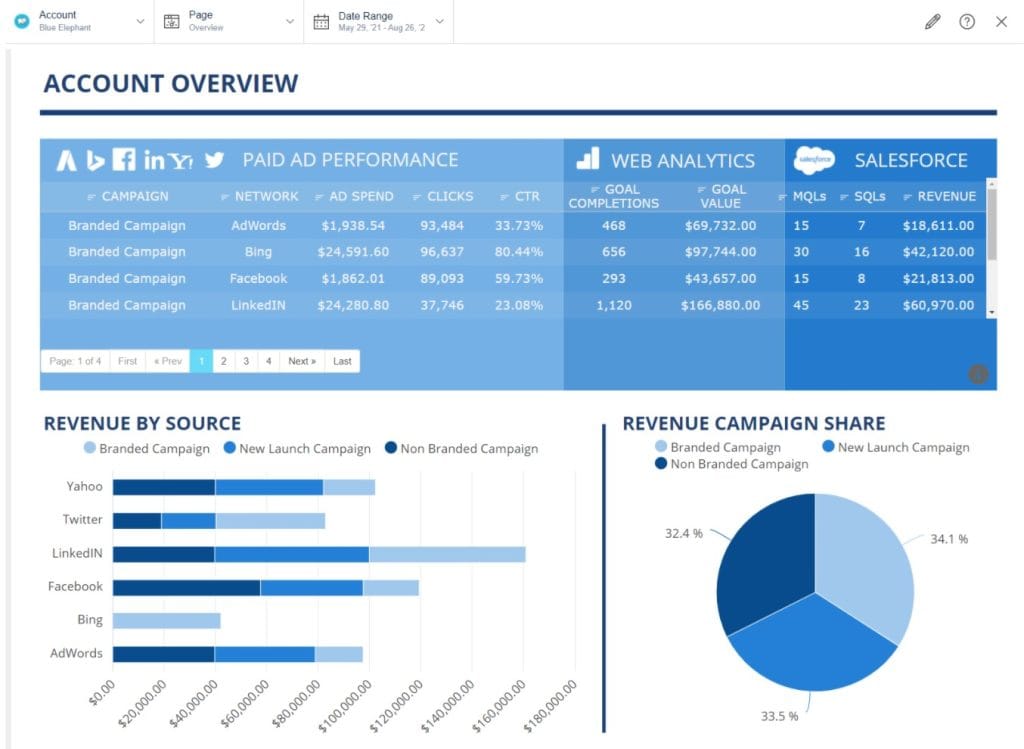
NinjaCat has pivoted heavily toward AI Agents that automate performance monitors, negative keyword discovery, budget pace, and anomaly detection. The platform claims 100+ native integrations built natively on Snowflake infrastructure that handles 100TB+ enterprise workloads. The price is custom/flat-rate, which means predictable costs without surprise compute charges. Entry points typically reach thousands monthly with annual commitments.
Best for: Agencies that manage 100+ clients and want workflow automation and AI-powered optimization alongside reports.
An Honest Assessment of Looker Studio and Power BI
Two free or low-cost options deserve discussion, but not for recommendation. This section exists for realistic expectation-set.
Google Looker Studio remains free for core functionality with Google data sources. The 21 native connectors handle Google Ads, GA4, Search Console, BigQuery, and YouTube Analytics without additional cost. But connections to Facebook, LinkedIn, TikTok, or other non-Google platforms require third-party connectors like Supermetrics (starts at $99/month). These additions transform “free” into “$1,200-3,000+ annually.”
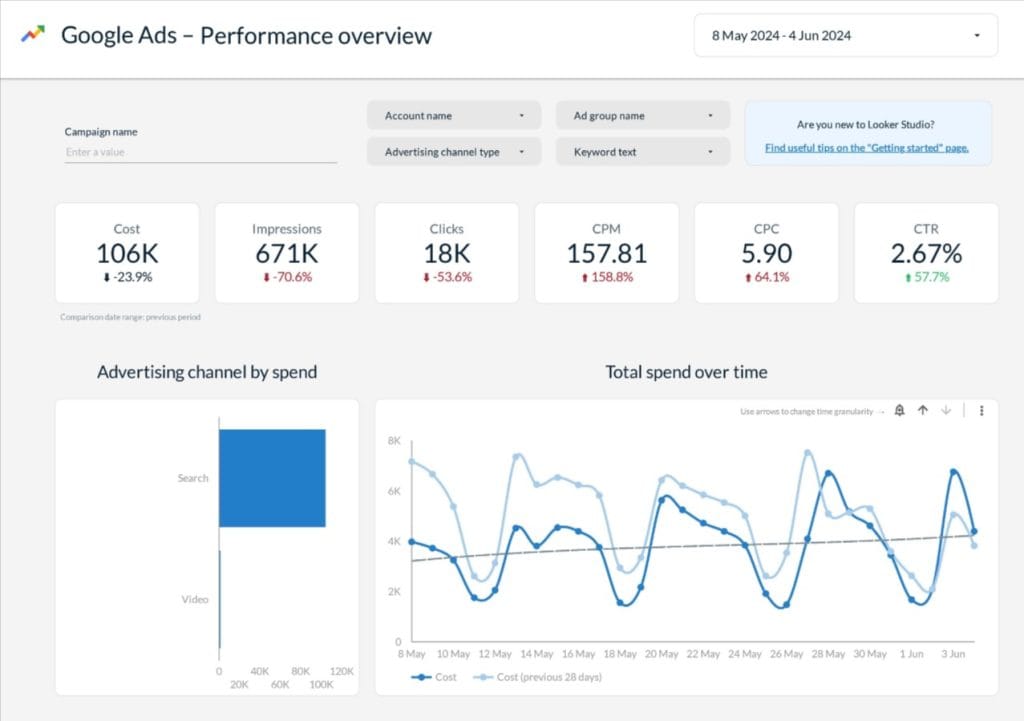
The honest assessment: Looker Studio works excellently for agencies that report primarily on Google ecosystem performance. Multi-channel reports that require paid connectors often cost more than purpose-built agency platforms while they demand more technical expertise.
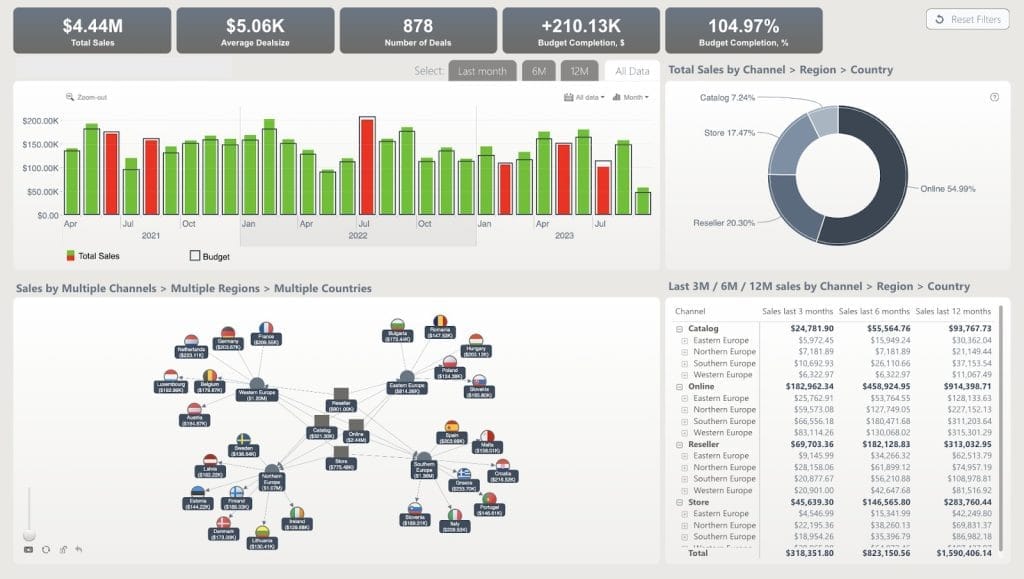
Microsoft Power BI fails the agency use case for a fundamental reason: both report creators AND viewers need paid licenses. At $14/user/month (increased 40% in April 2025), client access to dashboards requires payment per-client. That breaks agency economics immediately. Power BI is excellent for internal business intelligence, but the license structure disqualifies it for client-face reports.
Quick Reference Platform Comparison
| Platform | Start Price | Best For |
|---|---|---|
| AgencyAnalytics | $79/mo (5 clients) | Full-service agencies, 10-100 clients |
| DashThis | $49/mo (3 dashboards) | Simplicity-first, small agencies |
| Whatagraph | $289/mo (20 credits) | Visual impact, premium position |
| Swydo | $69/mo (10 sources) | White-label value, PPC-focused |
| Databox | $199/mo (3 sources) | Internal KPI track only |
| Klipfolio | $140/mo (3 dashboards) | Technical teams, custom logic |
| TapClicks | Custom ($99-$1,200+) | Enterprise, 100+ clients |
| NinjaCat | Custom (thousands/mo) | Enterprise, AI automation |
How to Choose the Right Platform for Your Agency
The optimal choice depends on factors beyond feature checklists. Where does your agency fit?
Under 10 clients and you prioritize simplicity? Start with DashThis ($49-309/month) or Reportz ($49.50/month). Both offer intuitive interfaces, full white-label at accessible price points, and minimal learn curves. DashThis’s unlimited users model works well for teams that want to grow.
Full-service agency that manages 10-50 clients? AgencyAnalytics ($179-349/month plus $20/client) offers the best balance. The comprehensive integration depth covers SEO, PPC, and social media. Built-in rank track and SEO audits eliminate the need for multiple specialized tools.
PPC-focused and you want predictable prices? Evaluate Swydo’s per-data-source model. At 50 data sources, the approximately $265/month total includes every feature. The model rewards efficiency without penalty for client growth.
Visual impact matters and you have budget flexibility? Whatagraph’s premium price ($287-724/month) may be justified. The AI-powered reports and polished output templates create immediate client impressions. But watch the source credit model carefully. A 30-client agency with multiple platforms per client can hit high monthly costs quickly.
You manage 100+ clients with complex workflows? You need TapClicks or NinjaCat’s automation capabilities. The upfront investment pays off through AI-powered optimization and scale efficiencies impossible with lighter tools.
Setup Mistakes That Undermine Report Platform Value
After we analyzed agency reviews and case studies, several failure patterns emerge consistently. Do any of these apply to you?
Too many integrations at once overwhelms teams and extends setup timelines. Connect 3-5 core platforms for initial clients, stabilize workflows, then expand. Agencies that report the fastest time-to-value launched with Google Ads, GA4, and Facebook, and they added platforms monthly rather than attempt everything immediately.
Skip template standardization and you create technical debt that compounds over time. Custom dashboards for early clients feels manageable. But 50 unique report structures become impossible to maintain. Establish 2-3 core templates that cover common service packages before you onboard the first client.
Ignore data source limits until bill surprises arrive and you generate unnecessary cost and frustration. Per-source and per-client models behave differently at scale. Calculate your realistic 12-month scenario with expected client growth before you select a platform.
Assume automation means zero review and you risk client trust. Automated reports occasionally pull incorrect data due to API changes, platform updates, or connection issues. Agencies that spend 15-30 minutes per report on strategic review (add context, highlight wins, explain anomalies) maintain significantly higher retention than those that send raw automated output.
Neglect the GA4 and Meta API transitions and you cause year-over-year comparison problems. GA4’s event-based model creates 10-20% discrepancies versus Universal Analytics baselines. Meta deprecated over 100 unique metrics in August 2024, with additional changes through 2025 that retired reach, impressions, and engagement metrics at the account level. Reports that compare 2024 to 2025 social performance require methodology notes that explain metric changes. Your platform won’t flag this automatically.
Key Takeaway
The drag-and-drop report builder market has matured significantly. There are clear leaders that serve distinct agency profiles.
- AgencyAnalytics: Most complete package for growth-oriented agencies seeking depth and AI capabilities.
- DashThis: Unmatched for simplicity-first setups.
- Swydo: Best white-label value at accessible price points.
- TapClicks and NinjaCat: Justify premium prices for enterprise-scale automation needs.
However, the most important point is that the crucial choice is not about which platform offers the most features. The real question is which platform your team will actually use effectively. A simpler tool fully adopted outperforms a sophisticated platform that gathers dust because setup stalled.
- Start your evaluation with a realistic client count projection.
- Calculate actual costs at 12-month scale.
- Prioritize trial periods that let your account managers build real reports.
- The platforms with 14-15 day trials all offer sufficient time to validate fit before you commit.
Client retention success for agencies today means more than simply presenting data. The data is translated into strategic insights by them, showing value and guiding optimization. Your report platform should enable that conversation, not just generate the PDF that precedes it.
So what’s your next step? Which of these platforms addresses your biggest pain point today?
Drag-and-Drop Report Builder FAQ
Answers to common questions about automated reporting tools for agencies
A drag-and-drop report builder is software that automatically pulls data from marketing platforms like Google Ads, Facebook, and Analytics, then lets you assemble visual reports without coding. You build reports by dragging pre-made widgets (charts, tables, KPIs) into place rather than manually copying data into spreadsheets.
Agency report builders are designed for marketing coordinators to create client-ready reports quickly without technical skills. Business intelligence tools like Power BI or Tableau require developer expertise and are built for internal data analysis. The key test: can someone with zero code experience create a professional client report in under 30 minutes? If not, it’s a BI tool, not an agency report builder.
Looker Studio is free for Google data sources (Analytics, Ads, Search Console). However, connecting non-Google platforms like Facebook, LinkedIn, or TikTok requires third-party connectors like Supermetrics, which start at $99/month. This transforms “free” into $1,200-3,000+ annually. Agencies primarily using Google ecosystem data benefit most from Looker Studio; multi-channel agencies often find purpose-built tools more cost-effective.
Power BI requires both report creators AND viewers to have paid licenses at $14/user/month. This means every client who needs to view their dashboard requires a paid license, which breaks agency economics immediately. Power BI excels at internal business intelligence but its licensing structure disqualifies it for client-facing reports where you’d need to charge clients for access.
It depends on your agency size and priorities. AgencyAnalytics leads for full-service agencies managing 10-100 clients who want comprehensive SEO, PPC, and social reporting with AI insights. DashThis wins for simplicity-first shops where non-technical staff need to build reports independently. Swydo delivers the best white-label value at accessible price points. For enterprise agencies managing 100+ clients, TapClicks and NinjaCat offer the automation capabilities worth their premium prices.
TapClicks offers 250+ native integrations—the most in the market. AgencyAnalytics provides 80+ integrations with genuine depth, including native rank tracking and built-in SEO audits. DashThis has 34+ integrations covering core channels but lacks an API for custom connections. When evaluating integrations, check if the platform supports your specific needs: TikTok, custom conversions from Google Ads, call tracking platforms like CallRail, and CRM systems.
DashThis earns 9.6-9.8 scores for support quality on G2 with dedicated product specialists. AgencyAnalytics users consistently cite “response within one minute via chat” as a major plus. On the negative side, Databox receives frequent complaints about unresponsive emails and issues taking months to resolve. Klipfolio reviews note that support quality drops significantly after you sign up. Support quality predicts your setup experience better than any feature comparison.
Focus on five areas: integration depth (does it support all your marketing platforms, including newer channels like TikTok?), white-label capabilities at your budget tier (custom domains, branded logins, vendor logo removal), AI features that actually save time (automated insights, anomaly detection), pricing model that scales with your growth (per-client vs. per-dashboard vs. per-source), and support quality based on real user reviews.
Entry-level plans typically start at $49-79/month. Mid-range options run $150-300/month with more features and clients. Enterprise solutions start in the thousands monthly. Key pricing models vary: AgencyAnalytics charges per client ($20/additional), DashThis charges per dashboard, Swydo charges per data source ($4.50 after 10 sources), and Whatagraph uses source credits. Always calculate your actual cost at 20, 50, and 100 clients before committing—the cheapest starter plan often becomes most expensive at scale.
| Platform | Starting Price | Pricing Model |
|---|---|---|
| DashThis | $49/mo | Per dashboard |
| Swydo | $69/mo | Per data source |
| AgencyAnalytics | $79/mo | Per client |
| Databox | $199/mo | Per data source |
| Whatagraph | $289/mo | Source credits |
Agencies save an average of 137 billable hours per month after automating reports. Manual reporting for 50 clients at 6 hours each requires 300 hours monthly—nearly two full-time employees. Automation reduces this to about 30 minutes of strategic review per client, reclaiming 275 hours monthly. At typical agency rates of $150-224/hour, that’s $78,000-174,000 in annual labor costs saved for a team of just three report specialists.
Watch for white-label features locked behind premium tiers—Klipfolio charges $299/month just for the white-label bundle. Source credit models (Whatagraph) add up quickly when clients use multiple platforms. Some platforms require annual commitments with difficult early cancellation (TapClicks). Data limits can trigger surprise bills (Swydo users report this). Third-party connector costs for Looker Studio can exceed $100/month per non-Google source.
Most platforms offer 14-day free trials, which provides sufficient time to validate fit before committing. AgencyAnalytics, DashThis, and Swydo all offer trials. Whatagraph has a forever-free tier with 5 source credits—useful for testing but limited for real agency work. Use trial periods to have your actual account managers build real reports rather than just watching demos.
Basic setup takes 2-4 hours: connecting data sources, creating your first report template, and configuring white-label settings. Full implementation with custom templates, automation rules, and team training typically requires 1-2 weeks. Simple tools like DashThis work in under 2 hours per client. Enterprise platforms like TapClicks take 4-8 weeks. Expect a productivity dip during the first month as your team learns new workflows.
Connect 3-5 core platforms first (Google Ads, GA4, Facebook), stabilize workflows, then expand—don’t try everything at once. Establish 2-3 core report templates before onboarding clients; custom dashboards for each client becomes impossible to maintain at scale. Never assume automation means zero review—spend 15-30 minutes per report adding context and highlighting wins. Always calculate your 12-month cost projection with expected client growth before selecting a platform.
No direct export functionality exists between reporting platforms. You’ll need to manually recreate report layouts, reconnect data sources, and rebuild automation workflows. Before migrating, document your current setup: screenshot layouts, list all connections, note automation rules, and export custom calculations. Expect 2-6 weeks for complete migration depending on client count and report complexity. Run new and old tools in parallel for 30-60 days before fully switching.
GA4’s event-based model creates 10-20% discrepancies versus Universal Analytics baselines. Focus on metrics like engagement rate, new users, and average session duration instead of the old bounce rate model. Reports comparing year-over-year performance require methodology notes explaining these metric changes—your platform won’t flag this automatically. Build documentation into your templates that acknowledges these transitions to avoid client confusion.
Yes. Automated reports occasionally pull incorrect data due to API changes, platform updates, or connection issues. Agencies that spend 15-30 minutes per report on strategic review—adding context, highlighting wins, explaining anomalies—maintain significantly higher retention than those sending raw automated output. Automation handles data collection; human analysis provides the context and recommendations that differentiate your agency from a dashboard.
Start from client goals and work backward. Typical essentials: traffic sources (organic, paid, referral), conversion rates, cost per acquisition (CPA), return on ad spend (ROAS), and revenue attribution. For PPC, include clicks, impressions, CTR, CPC, and conversion rate. For SEO, track keyword rankings, organic traffic, and domain authority changes. Always tie metrics back to business outcomes—clients care about revenue impact, not just marketing numbers.
Keep reports to 8-15 pages total with a 1-2 page executive summary. Busy executives should get key insights in 3-5 minutes of reading. Put the most crucial data upfront—spend, ROI, and whether goals were met. Detailed channel breakdowns can follow on later pages. Too much data causes analysis paralysis; focus on metrics that drive decisions rather than showing everything you can measure.
Monthly reports work best for most clients. Use weekly reports for new campaigns or major launches where rapid optimization matters. Quarterly reports work for strategic overviews and business reviews. Match frequency to campaign pace and client preference—fast-moving paid campaigns need weekly updates; established SEO campaigns can use monthly reporting with quarterly deep-dives.
Always. A report without recommendations is a missed opportunity. Don’t just show what happened—explain why it matters and what actions you recommend next. Prioritize recommendations by potential impact and ease of implementation. This transforms your agency from a service provider showing data into a strategic partner guiding decisions. Include recommendations even when performance is strong to show proactive value.
Dashboards show live, real-time data that clients can access anytime—useful for clients who want to monitor performance between formal updates. Reports are point-in-time snapshots with narrative context, insights, and recommendations—better for scheduled reviews and executive presentations. Most agencies use both: dashboards for 24/7 transparency and monthly reports for strategic analysis. Clients with dashboard access tend to have higher retention because they see campaign results without waiting for monthly reports.
Build client-ready reports in minutes with drag-and-drop simplicity.
Start Your Free Trial Today