
A Google Ads optimization checklist is a repeatable system that marketing agencies use to audit, fix, and scale client campaigns across Search, Performance Max, Demand Gen, and AI Max. It covers account structure, bidding, tracking, creative, compliance, and reporting. And right now, it separates agencies that grow client revenue from agencies that quietly waste it.
Google Ads in 2026 runs on a different engine than it did two years ago. AI Max, the platform’s fastest-growing Search product, pulls in an average 14% more conversions at the same cost per acquisition. Performance Max now shows you exactly where your ads run across every Google channel. Smart Bidding Exploration helps campaigns reach 18% more unique search queries that convert. Ads show up inside AI Overviews at the top of search results, which changes how people see and interact with paid listings.
If your optimization process hasn’t caught up to these shifts, your clients are losing ground to agencies whose process has.
Benchmarks vary widely depending on the source, industry, and campaign type. But to give you a general sense of where things stand, here are cross-industry averages from recent data:
2026 Cross-Industry Averages
How Do Your Client Accounts
Stack Up Against Benchmarks?
Cost Per Click
$2.69
Range: $1.00 – $8.50+
Legal & finance can exceed $8 per click; e-commerce sits much lower
Click-Through Rate
6.5%
Range: 4% – 7%
Search CTR benchmark; Display is significantly lower by nature
Conversion Rate
4–7%
Range: 2% – 8%
Varies significantly by industry and what counts as a conversion
Cost Per Conversion
~$70
Range: $28 – $130+
Industry differences are massive — use as a reference, not a target
These numbers come from aggregated reports by WordStream, Store Growers, and others analyzing tens of thousands of Google Ads accounts. Legal and finance CPCs can hit $8 or more, while e-commerce and entertainment sit much lower. Your clients’ results will differ based on industry, region, competition, and campaign type, so use these as reference points rather than targets.
How do your clients’ numbers compare to these ranges? If you can’t answer that quickly, this checklist will help you get there.
This guide covers every optimization area an agency needs to manage today. It reflects AI Max, Performance Max transparency updates, Demand Gen campaigns, server-side tracking, Consent Mode v2, and the current state of privacy rules. Use it as your operating system for Google Ads.
Complete Optimization Checklist
Google Ads Agency Audit — All 19 Sections
Work through every area of the account. Your progress saves as you check off items.
0 / 0 complete
1. Build an Account Structure That Reflects How Google Ads Works Now
Every strong Google Ads account starts with a campaign structure built around business goals. Not product categories. Not “we’ve always done it this way.” Business goals.
Google now recommends a three-campaign framework called the Power Pack. Each campaign type plays a specific role:
Google’s Recommended Framework
The Power Pack: Three Campaigns, One Full-Funnel System
Each campaign type serves a distinct role — remove one and you have gaps in your funnel.
Demand Gen
Awareness Phase
Drives discovery before the search happens
Visual
social-style
ad formats
AI Max for Search
Intent Capture
Captures high-intent queries with AI-driven matching and real-time copy generation
+14%
avg more conversions
at same CPA
Performance Max
Total Coverage
Single AI system covering every Google surface simultaneously
7+
Google channels
in one campaign
These three work together. Demand Gen warms up your audience. AI Max grabs them when they search. Performance Max covers the rest. If you’re still running accounts with only standard Search and Display campaigns, you’re working with an incomplete setup.
Within that framework, organize campaigns around product lines, services, or audience segments. A clothing retailer might split campaigns into men’s wear, women’s wear, kids’ clothing, and seasonal collections. Layer campaign types on top of that — Performance Max for shopping and broad reach, AI Max for high-intent keyword capture, Demand Gen for visual discovery.
For ad groups, use Single Theme Ad Groups (STAGs). Group keywords by theme rather than individual terms. The older Single Keyword Ad Group (SKAG) model doesn’t hold up anymore because Google’s close variant matching has made it mostly ineffective. STAGs give you better Quality Scores, cleaner budget allocation, and far simpler management at scale.
A men’s clothing campaign might have STAGs like:
- T-shirts — men’s t-shirts, casual tees for men, men’s crew neck t-shirts
- Jeans — men’s jeans, slim fit jeans for men, men’s denim pants
- Formal shirts — men’s dress shirts, formal button-down shirts, men’s business shirts
- Suits — men’s suits, two-piece suits for men, men’s business suits
Each STAG gets its own ad copy and landing page. That specificity drives relevance, and relevance drives Quality Score.
Set up a naming convention that makes every campaign identifiable at a glance. Use a consistent format like [Location]_[Channel]_[Product]_[TargetingType]. US_Search_MensJeans_Branded or UK_PMax_KidsClothing_BackToSchool. When a new team member opens the account, they should understand the structure without asking anyone.
2. Set Up Conversion Tracking That Actually Tells You What’s Working
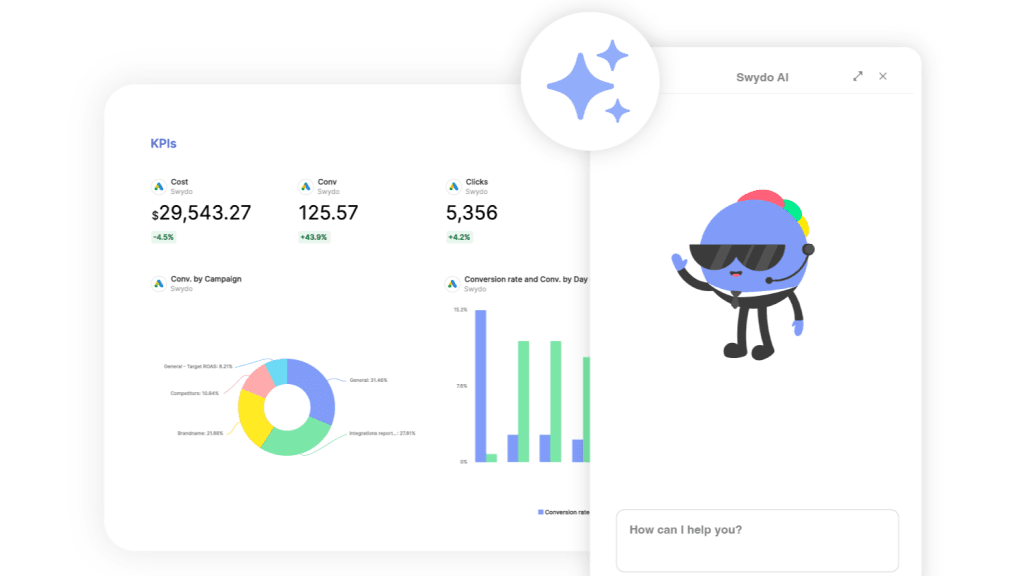
If your tracking is broken or incomplete, every optimization decision you make is based on bad data. That’s not a theoretical risk. It’s what’s actually happening in a lot of agency accounts right now.
Start with the fundamentals. What counts as a win for each client? For an e-commerce brand, that might be completed purchases, add-to-cart actions, wishlist additions, and email signups. For a B2B company, it’s probably form submissions, white paper downloads, webinar registrations, and trial signups. Get this right first, because your bidding, reporting, and optimization all depend on it.
Assign a dollar value to every conversion action. This is how you shift from optimizing for volume to optimizing for profit:
Section 2 — Conversion Tracking
Conversion Value Calculator
Assign a dollar value to every action so Smart Bidding optimizes for profit, not just volume.
Value to Assign
$48
Value to Assign
$200
Value to Assign
$12
Value to Assign
$2.40
Highest Value Action
$200
Lowest Value Action
$2.40
Value Spread Ratio
83x
These values are what you input into Google Ads conversion settings. Smart Bidding uses them to prioritize higher-value actions automatically. The bigger the spread ratio, the more important it is to have all actions tracked separately with distinct values — otherwise the algorithm treats a page view the same as a purchase.
When every action has a number attached, Smart Bidding can optimize for revenue instead of just counting conversions. That’s a significant performance difference.
Google Tag Manager still handles tag deployment, but the bigger shift is toward server-side tracking through Google Tag Gateway and tools like Stape. Instead of running all your tags in the user’s browser where ad blockers can interfere and page speed suffers, server-side tracking processes them on a server you control. You get cleaner data, faster pages, and better resilience against browser-level privacy restrictions. If your clients aren’t on server-side tracking yet, build that migration plan now.
Consent Mode v2 is required for any campaigns aimed at EU and EEA users. It adjusts how Google tags behave based on user consent choices. When someone opts out of tracking, Consent Mode sends cookieless pings that preserve conversion modeling without violating their preferences. Put a Consent Management Platform on every client site that targets these regions. This is not optional.
Connect Google Ads with Google Analytics 4. This integration lets you import GA4 conversion events into Google Ads, see post-click behavior, build remarketing audiences from on-site actions, and feed behavioral signals into bidding strategies. It’s one of the most impactful things you can do for campaign performance, and it takes less than an hour to set up.
For larger accounts with serious spend, Google released Meridian in 2025. It’s an open-source Marketing Mix Model that helps you understand how budget allocation across channels affects results. It requires data science resources to run, but for agencies managing six-figure monthly spend, it’s the most advanced budget planning tool Google offers.
3. AI Max for Search Changes How You Run Search Campaigns
AI Max is the most significant addition to Google Ads Search since responsive search ads. If you haven’t turned it on yet, you’re competing against agencies that have, and those agencies are getting more conversions at the same cost.
AI-Powered Performance Gains
What AI Max & Smart Bidding Add to Your Campaigns
Reported average uplift vs. standard Search campaigns at equivalent spend
AI Max — Conversion Volume
Smart Bidding Exploration — Unique Converting Queries
Smart Bidding Exploration — Total Conversions
High Value Mode — Customer Lifetime Value (Fitness App Example)
What does AI Max actually do? It layers AI automation onto your existing Search campaigns in three ways. Text customization generates headlines and descriptions in real time, adapting copy to match what each user searched for. Final URL expansion sends people to the most relevant page on your site, even if it’s not the URL you originally set. And AI-driven keyword matching extends your reach to queries you never bid on manually, but that Google’s models predict will convert.
The critical difference between AI Max and Performance Max is visibility. AI Max gives you full search term reporting. You see exactly which queries triggered your ads and how they performed. The search terms report flags “AI Max” as a distinct match type, so you always know when AI matching is responsible versus your manual keywords. That transparency is what makes AI Max practical for agencies that need to justify performance to clients.
How do you control what the AI writes? Through text guidelines, which Google expanded to all advertisers globally in February 2026. Text guidelines give you two controls:
- Term exclusions let you block up to 25 specific words or phrases per campaign. If you run a luxury brand, block “cheap,” “budget,” and “discount.” If you have a healthcare client, block language that could trigger compliance problems.
- Messaging restrictions let you write natural-language instructions that steer the AI. Something like “always emphasize sustainability” or “never reference competitor products by name.”
To get AI Max running on your accounts, start with your highest-volume Search campaigns. Feed in at least 8 to 10 diverse headlines and 3 to 4 descriptions. Set text guidelines before you turn anything on. Don’t wait for the AI to produce something off-brand before you add restrictions. Pin brand terms and compliance language to fixed positions.
Then leave it alone for 10 to 14 days. Changing things too early disrupts the learning phase and makes it impossible to read results clearly. Check search term reports weekly during the first month to confirm the AI’s query expansions match your client’s business.
Does AI Max carry risk? Yes. It may match to queries you wouldn’t have chosen yourself. That’s why negative keyword lists and text guidelines are more important now than they’ve ever been. But the upside is hard to walk away from: broader reach, adaptive copy, and consistent conversion lift, all while your competitors already have it turned on.
4. Performance Max Gives You Visibility It Never Had Before
Performance Max runs ads across every Google surface, including Search, YouTube, Display, Discover, Gmail, Maps, and Waze, all through a single AI system. Two years ago, agencies called it a “black box” because you couldn’t see where your money went. That criticism doesn’t apply anymore.
The biggest upgrade is channel performance reporting, now available on all Performance Max campaigns. You can see clicks, conversions, conversion value, and cost broken down by individual channel:
| Channel | Clicks | Conversions | CPA | Conv. Value |
|---|---|---|---|---|
| Search | 2,400 | 120 | $18 | $12,600 |
| YouTube | 8,200 | 45 | $42 | $4,950 |
| Display | 15,000 | 30 | $55 | $2,100 |
| Gmail | 1,800 | 15 | $22 | $1,650 |
| Maps | 600 | 25 | $12 | $3,750 |
When you can see this breakdown, optimization becomes straightforward. If YouTube drives conversions at triple the CPA of Search, adjust your asset groups to lean into search-specific creative over video. That kind of decision used to be impossible with Performance Max. Now it takes five minutes.
Campaign-level negative keywords arrived in 2025, and account-level placement exclusions followed in January 2026. You can block irrelevant search terms, specific websites, videos, and content categories across Performance Max, Demand Gen, YouTube, and Display from one place. That’s the level of control agencies asked for since PMax launched.
High Value Mode is worth testing if your client cares about long-term customer value over short-term volume. Upload a list of your best customers, and Google’s AI identifies their shared characteristics, then bids more aggressively when similar users show up in auctions. In one reported example, a fitness app saw average first-month lifetime value jump from $47 to $71, though total new customer volume dropped 18%. Fewer customers, but each one worth significantly more. That trade-off isn’t right for every client, but for the right ones, it’s a strong option.
For e-commerce accounts, product feed quality is still the single biggest Performance Max lever. The “Priority Fixes” tab in Merchant Center shows potential click uplift for each issue and can auto-fix common problems. Check it weekly. If you’re not, you’re probably losing traffic to competitors whose feeds are cleaner.
When you set up Performance Max, give it strong assets: high-quality images, multiple video lengths, varied headlines and descriptions, and audience signals from your first-party data. Set conversion goals. Then give the system 2 to 3 weeks for initial learning and 60 to 90 days for full optimization. Layer in text guidelines to keep AI-generated copy on brand.
5. Demand Gen Puts You in Front of People Before They Search
Demand Gen is Google’s visual ad format for YouTube (including Shorts), Discover, and Gmail. Think of it as the closest thing Google Ads has to campaigns on Instagram or TikTok. Image ads, video ads, carousels, all built to grab attention in a feed.
Why should your agency care? Because not every customer’s path to purchase starts with a search. Sometimes people need to see a product in a short video, scroll past an offer in their Discover feed, or watch a brand story on YouTube Shorts before they realize they want something. Demand Gen fills that gap. It creates interest rather than just capturing it.
In the Power Pack framework, Demand Gen handles the top of the funnel. It builds awareness, AI Max grabs the search intent that follows, and Performance Max covers everything else. If you’re only running Search campaigns, you’re only reaching people who already know what they want.
The creative approach is completely different from Search. Reusing search headlines won’t work here. You need:
- Vertical video built for YouTube Shorts
- Lifestyle imagery that looks natural in a Discover feed
- Clear value propositions that make sense without any search context
- Carousel formats that walk people through a product range or tell a story
Swap out static creative every 4 to 6 weeks and video every 8 to 12 weeks. Stale assets on these placements drag performance down fast, because users scroll past anything they’ve already seen.
6. Build a Keyword Strategy That Works With AI, Not Against It
Keywords still run your Search campaigns, but their role has shifted. AI Max extends your reach through AI-driven matching, and broad match has become more useful under Smart Bidding. So keyword strategy today is less about controlling every individual term and more about setting strong thematic direction and letting automation extend it intelligently.
Research still comes first. Use Google Keyword Planner, Semrush, and Ahrefs to find terms with high intent and reasonable competition. Check competitor keywords. Look at “People also ask” sections. Factor in seasonal trends.
Long-tail keywords consistently outperform what most agencies expect from them. “Men’s waterproof hiking boots size 12” has less volume than “hiking boots,” but the person typing it is far closer to a purchase. Long-tail terms pull lower CPCs, higher conversion rates, and clearer intent. One term alone might not move the needle, but hundreds of them add up to serious revenue.
For match types, here’s how each one fits into your strategy:
| Match Type | When to Use It | What to Watch |
|---|---|---|
| Exact match | Core, highest-value keywords where you need tight control | Reach is limited, so you’ll miss relevant variations |
| Phrase match | Relevant variations that keep intent alignment | Can still match to queries with slightly different intent |
| Broad match | Wider reach, but only paired with Smart Bidding and strong negative lists | Without Smart Bidding, broad match burns budget on irrelevant clicks |
Broad match modified was retired in 2021. If it still shows up in your strategy documents or client proposals, take it out.
Your negative keyword list protects the budget. Review search term reports weekly. Add irrelevant terms. Build shared negative keyword lists for terms that waste money across multiple client accounts, like job searches, DIY terms, “free” variations, and competitor names (unless you’re running a conquest strategy on purpose).
With AI Max turned on, your keyword list becomes more of a thematic signal than a hard boundary. AI Max takes your keywords as starting direction and expands to related queries it predicts will convert. Ten well-chosen keywords in a tight STAG with clean negative lists will outperform a bloated list of 300 loosely related terms.
7. Write Ad Copy That Earns the Click and Keeps the Promise
Your ad copy is usually the first thing someone sees from your client’s brand. Get it right and you earn a click. Get the landing page right too and you earn a customer. Get both wrong and you just paid for nothing.
Responsive search ads are the only search ad format you can create right now. Expanded text ads were shut down in June 2022 and can’t be created or edited anymore. For RSAs, give Google plenty to work with. Aim for at least 8 to 10 distinct headlines and 3 to 4 descriptions per ad group. Pin your must-show elements (brand name, compliance text, core offer) to fixed positions. Let machine learning test everything else.
What makes someone stop scrolling and actually click?
- Numbers — “1,000+ Styles of Men’s Jeans” beats “Lots of Jeans” because specificity builds trust
- Questions — “Still dealing with jeans that don’t fit?” taps directly into a frustration
- Urgency — “Limited Stock: Designer Jeans 50% Off” gives a reason to act now rather than later
- Benefits — “All-Day Comfort in Premium Denim” tells people what they get, not what the product is
Descriptions should name the pain point, offer the fix, and include a clear call to action. Don’t just list features. Translate them. “Made with premium denim” doesn’t mean much to a buyer. “Premium denim that feels good from morning to midnight” does.
Ad customizers still work well. Insert the user’s location, count down to a sale, or show inventory levels. These small touches make ads feel less like ads and more like helpful answers.
For AI-generated copy through AI Max and Performance Max, set text guidelines before you turn anything on. Block terms that clash with brand positioning. Add natural-language instructions about tone and messaging. Review what the AI writes in your asset reports and pull anything that misses. Google’s Asset Studio can also help you scale visual creative, including AI-generated images through the Nano Banana Pro model.
Landing page alignment is where a lot of agencies lose conversions they already paid for. Your ad says one thing. Your landing page should say the same thing, with the same language, same offer, and same energy. If someone clicks an ad for “50% off running shoes” and lands on a generic homepage, that click is wasted.
Test constantly. Run at least three variations per ad group. Try different value propositions, emotional versus logical appeals, various CTAs, and whether including prices in the ad helps or hurts. Give each test two weeks minimum before you draw conclusions. Refresh static creative every 4 to 6 weeks and video every 8 to 12 weeks.
8. Pick Bidding Strategies Based on What Each Campaign Actually Needs
Smart Bidding is where Google’s AI produces its most measurable results. For any campaign with enough conversion data, automated bidding should be your default.
The question is which strategy fits which campaign:
Smart Bidding Decision Guide
Which Bidding Strategy Fits Your Campaign?
Match each campaign to the strategy that reflects what the client actually cares about.
Target CPA
Lead GenOptimize for leads at a specific cost target. Predictable costs, predictable volume.
Use when: You know what a lead is worth and need to hit cost-per-acquisition targets consistently
Target ROAS
E-commerceMaximize return on every dollar spent. Prioritizes revenue over conversion volume.
Use when: Revenue is the north star metric and order values vary significantly
Maximize Conversions
VolumeGet the most conversions within a fixed budget. Prioritizes count over cost per conversion.
Use when: Volume matters more than CPA and budget is the primary constraint
Max Conversion Value
RevenuePursue the highest total revenue, not the most conversions. Smart for variable-value products.
Use when: Product values vary widely and you want to chase bigger-ticket transactions
Maximize Clicks
New CampaignsDrive traffic and build baseline conversion data before switching to automated bidding.
Use when: Campaign has fewer than 15–30 conversions/month and needs data first
Smart Bidding Exploration
AdvancedTemporarily relaxes ROAS targets to reach untapped converting queries. Reported +18% unique queries and +19% total conversions.
Use when: Strong conversion volume exists and you want to expand reach intelligently
New campaigns with fewer than 15 to 30 conversions per month should start on Maximize Clicks or Manual CPC. Once you’ve built enough data, switch to an automated strategy. Set targets based on historical performance. An aggressive target chokes the algorithm and kills results. Give it 1 to 2 weeks after any major change before you evaluate.
Smart Bidding Exploration deserves a test on accounts with strong conversion volume. It lets campaigns temporarily relax ROAS targets to reach audience segments and queries you weren’t capturing before. Google reports 18% more unique converting search queries and 19% more total conversions for campaigns that use it. You trade slight short-term ROAS fluctuation for meaningful growth.
One tactical move that pays off quickly: open the “Where and when ads showed” report and sort by day and hour. Look for consistent underperformers. If Mondays show double the cost per lead of other days, cut them or reduce bids hard. For example, a pool service campaign might show $80 to $120 per lead most days but spike to $600+ on one particular day. Removing that day from the schedule brings the overall cost per lead down immediately. Small, data-driven moves like that compound over time.
Enhanced CPC (eCPC) is on its way out. Google has been removing it from new campaign types since 2024. If legacy campaigns still run on eCPC, plan the migration to a full automated strategy.
For budgets, use the 70/20/10 split: 70% to proven campaigns, 20% to optimizing existing ones, and 10% to testing new campaign types or features. Fund your best campaigns properly rather than spreading thin across too many underfunded ones. Three well-funded campaigns will always beat ten starved ones.
Section 8 — Bidding & Budget
Budget Allocation Calculator
Split your spend using the 70/20/10 framework — proven campaigns, optimization, and testing.
Total Ad Budget
70% — Proven
Performing Campaigns
Your best campaigns already hitting ROAS or CPA targets. Protect and fund these fully.
$7,000
≈ $233/day
20% — Optimize
Improving Campaigns
Campaigns with potential that need bid, copy, or audience refinements to hit targets.
$2,000
≈ $67/day
10% — Test
New Experiments
AI Max, Demand Gen, new campaign types. Protected budget to test before scaling.
$1,000
≈ $33/day
Suggested Campaign-Level Breakdown
Performance Max
Primary revenue driver
$3,500
AI Max for Search
High-intent capture
$3,500
Standard Search (refining)
Bid & audience testing
$2,000
Demand Gen
New format experiment
$1,000
Why 70/20/10? Three well-funded campaigns will always beat ten starved ones. Concentrating spend on what’s proven lets Smart Bidding accumulate conversion data faster. The 10% test budget protects you from missing the next big feature — like AI Max was in 2025 — while keeping risk contained.
Section 8 — Bidding Strategy
ROAS & CPA Target Calculator
Find the right bidding targets to set in Google Ads — before you touch the campaign settings.
Current ROAS
400%
Revenue ÷ spend × 100
Break-Even ROAS
222%
Minimum to cover ad cost
Recommended Target
350%
Set this in Google Ads
Current CPA
$62.50
Spend ÷ conversions
Max Viable CPA
$200
Value of each conversion
Recommended Target CPA
$75
Set this in Google Ads
Set your target 10–15% more conservative than your current performance when first switching to Smart Bidding. Aggressive targets restrict the algorithm and reduce volume. Give it 1–2 weeks after any change before evaluating results.
9. Fix Your Landing Pages Before You Spend Another Dollar on Ads
You can run perfect ads, but if your landing pages don’t convert, you’re just buying expensive traffic that goes nowhere.
Relevance is the first thing to check. If your ad says “50% off running shoes,” the landing page needs to show that exact offer above the fold. Same language. Same deal. Same visual style. When there’s a gap between what the ad promises and what the page delivers, people bounce, and you pay for the click anyway.
Speed is the second thing. Every extra second of load time costs conversions. Get pages under 3 seconds. Compress images. Use a CDN. Minify CSS and JavaScript. Turn on lazy loading for anything below the fold. Test on mobile with a slow connection, because that’s how a huge portion of your audience actually experiences the page.
Mobile design isn’t an afterthought anymore. For most industries, mobile is the majority of traffic. Pages need large tap targets, readable text without zooming, short forms, properly scaled images, and zero horizontal scrolling. Build for the smallest screen first, then scale up.
What should you test on your landing pages this week? Start with the elements that move the needle most:
- Headlines — does a question outperform a statement? Does a benefit-focused headline beat a feature-focused one?
- Images — product shots versus lifestyle photos. Or test video against static images entirely.
- Form length — how many fields can you cut without hurting lead quality? Sometimes removing one field lifts conversion rate by 10% or more.
- CTA buttons — test the text, the color, the size, and the placement. “Get My Free Quote” often beats “Submit.”
- Social proof — customer reviews, testimonial quotes, trust badges, client logos. Test what type resonates with your audience.
Run a heat map on your top landing pages. See where people click, how far they scroll, and where they leave. That data tells you more about what to test next than any best practice article can.
10. Your Ads Now Show Up Inside AI-Generated Search Results
Google places ads inside AI Overviews, which are the AI-generated summaries at the top of search results. They also appear inside AI Mode, where users ask longer, conversational questions. This changes how people see paid results on the page.
Your ad isn’t just competing with other ads in a list anymore. It’s sitting inside an AI-generated answer. Users evaluate it alongside that synthesized content, which means relevance and quality matter even more than they did before.
You don’t need separate campaigns for these placements. Eligible Search and AI Max campaigns show up in AI Overviews automatically. The optimization levers are the same ones you should already be pulling: make sure ads are tightly relevant to the queries that trigger AI Overviews, have landing page content strong enough to serve as a reference source, and use AI Max text customization to generate copy that fits conversational search contexts.
Track impression and click data by placement where you can. How do your clients’ ads perform in AI Overviews versus standard search results? Compare CTR and conversion rate between the two. That data helps you understand how this new format affects your accounts specifically, rather than relying on industry generalizations.
11. Target Audiences With Your Client’s Own Data First
Your client’s first-party data is the most valuable targeting asset in Google Ads right now. Third-party signals keep getting weaker as browsers restrict them and users block them. The agencies that win on targeting are the ones with strong first-party data strategies.
Customer lists, website visitors, and app users form the foundation of your best remarketing lists. Segment them by purchase history, engagement level, or lifetime value. Upload CRM data through Customer Match for direct targeting. Then personalize your messaging, because a returning customer should see different ads than someone who’s never heard of the brand. How many of your client accounts have this level of segmentation set up?
Remarketing Lists for Search Ads (RLSA) are still one of the highest-ROI targeting options available. Bid higher on users who visited but didn’t convert. Show different copy to past buyers to drive repeat purchases. Go broader on keywords for people who already know the brand, because they convert on generic terms at a much higher rate than cold audiences.
In-market audiences target people actively researching products similar to your client’s. Layer them onto existing campaigns to bid higher on ready-to-buy users, or build separate campaigns with direct, action-oriented copy aimed specifically at this group.
Google deprecated Similar Audiences in August 2023. The replacement is Optimized Targeting, which takes your existing audience signals and finds additional users likely to convert. Use the Observation setting first to collect performance data, then switch to Targeting mode once you’ve identified segments that perform.
For Performance Max, audience signals directly affect how fast the system learns. Upload your best customer lists and define custom segments based on search behavior. Better input data means faster optimization and stronger output. Think of audience signals as GPS coordinates you hand to the AI. The more accurate they are, the faster it reaches the right people.
12. Use Every Ad Asset That Fits Your Client’s Business
Ad assets (Google renamed them from “extensions” in 2022) give your ads more space in search results and more ways for people to interact. Skipping them means giving up free real estate to competitors who use them.
| Asset Type | What It Does | Best For |
|---|---|---|
| Sitelinks | Links to specific pages | Sending traffic to pricing, testimonials, or product categories |
| Callouts | Short selling points | Free shipping, 24/7 support, money-back guarantees |
| Structured snippets | Feature or category lists | Previewing product lines, service types, or course offerings |
| Price | Shows pricing | Attracting budget-conscious buyers and filtering out people who won’t convert |
| Location | Address and directions | Physical stores that want foot traffic |
| Call | Click-to-call button | Service businesses that close deals over the phone |
| Image | Visuals in text ads | Standing out in search results |
| Lead form | In-ad lead capture | Reducing friction by skipping the landing page step |
| Promotion | Time-sensitive offers | Sales, seasonal deals, limited-time discounts |
Write asset copy that’s specific and benefit-driven. “Free shipping on orders over $50” does more work than “great shipping options.” Quantify wherever you can. And use scheduling — show “24/7 customer support” during off-hours, promote in-store events during business hours.
Check asset performance weekly. Replace underperformers monthly. Match your assets to whatever promotion or seasonal push is live. Every asset is another chance to give a potential customer a reason to choose your client over the next result on the page.
13. Automate the Repetitive Work So You Can Focus on Strategy
Automation in 2026 handles the operational tasks that eat your time without adding much strategic value. Smart Bidding manages bids across hundreds of signals per auction. Scripts handle budget pacing, keyword bid adjustments, and automatic pausing of underperformers. Automated rules add if-then logic — stop anything above a CPA threshold, boost budgets on campaigns that are limited, turn seasonal campaigns on and off at specific dates.
Google also released Ads Advisor and Analytics Advisor in late 2025. These are AI tools built into the platform that surface optimization recommendations, troubleshoot problems, and can take action on your behalf. They’re useful for catching issues you’d otherwise miss between manual reviews, but they don’t replace your strategic judgment. Treat them as a second set of eyes, not a replacement for your team.
Asset Studio helps you produce visual creative at scale with AI-generated images and text variations. It’s particularly useful for Performance Max and Demand Gen, where you need a high volume of diverse creative to keep the system performing.
Start with one automation at a time. Monitor it closely. Set thresholds that protect against runaway spend or unintended changes. A good automation setup runs quietly in the background, keeping campaigns healthy without requiring constant attention.
What routine work burns the most hours across your accounts each week? That’s where to put automation first.
14. Track Performance on a Schedule That Prevents Problems
Measurement only matters if it leads to action. Raw data without interpretation is just noise.
Focus on the metrics that drive real decisions:
- ROAS — are campaigns profitable?
- Conversion rate — how well do clicks turn into customers?
- Cost per conversion — what does each customer cost to acquire?
- Quality Score — do keywords, ads, and landing pages work together?
- CTR — are ads compelling enough to earn the click?
Don’t look at these numbers in isolation. A dropping CTR paired with rising CPC usually means ad relevance is slipping. A strong conversion rate with low volume might mean targeting is too narrow. The insight is always in the relationship between metrics.
Stick to a review cadence that catches problems before they get expensive:
Campaign Management System
Optimization Review Cadence
A schedule that catches problems before they become expensive.
- Search term report review
- Add new negative keywords
- Performance spot-checks
- Budget pacing alerts
- Asset performance flags
- Ad copy test results
- Bid adjustment review
- Audience performance check
- Quality Score monitoring
- CPC trend analysis
- Full trend analysis
- Landing page performance
- Full campaign reports
- Refresh underperforming assets
- Competitor landscape check
- Strategic review vs. business goals
- Budget allocation reassessment
- New feature testing plan
- Account structure audit
- YoY performance comparison
Don’t change too many things at once. If you adjust bids, swap copy, and shift targeting in the same week, you won’t know what worked. Make one significant change, wait 10 to 14 days, measure the result, then move to the next thing.
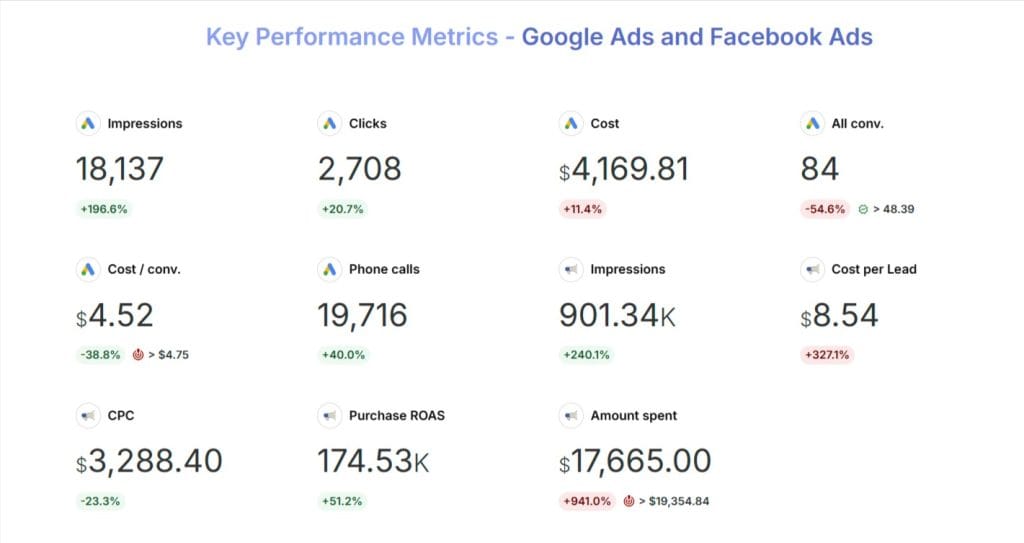
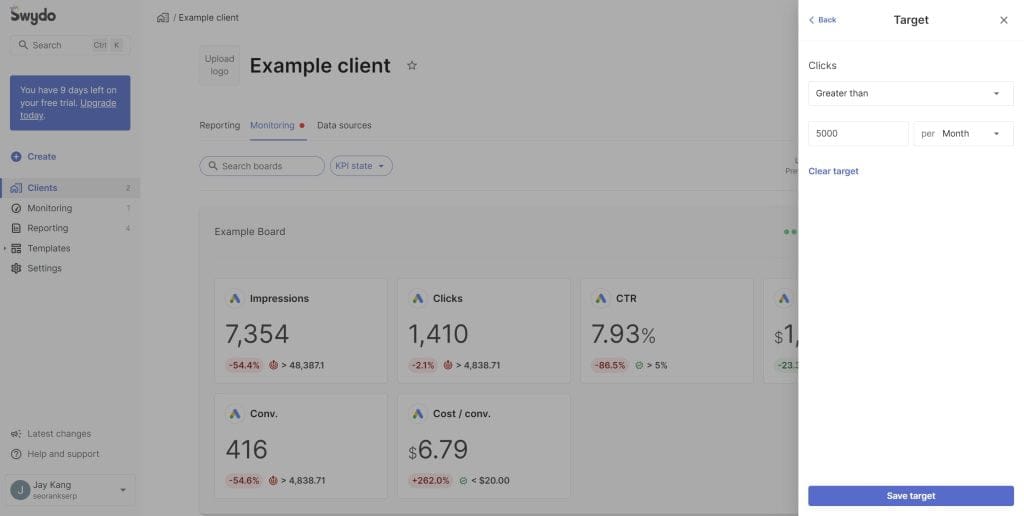
Set up automated alerts for sudden CTR drops, CPC spikes, conversion rate crashes, and budget pacing problems. Finding an issue on Tuesday is always cheaper than discovering it in a monthly report.
When you report to clients, translate PPC numbers into business language. They don’t care about impression share. They care about whether their revenue grew and what you’re doing next to keep it going. End every report with clear action items, not just charts.
15. Get Privacy and Compliance Right the First Time
Privacy compliance affects your campaign performance right now. It’s not a future concern. It’s an operational requirement.
On cookies: Google reversed its plan to remove third-party cookies from Chrome. In July 2024, they dropped the mandatory phase-out. In April 2025, they confirmed they wouldn’t even add a consent prompt. Cookies stay on by default. Then in October 2025, Google retired most of the Privacy Sandbox APIs that were supposed to replace cookies, including Topics, Protected Audience, and Attribution Reporting. A few technologies survived (CHIPS for partitioned cookies, FedCM for sign-ins, and Private State Tokens for fraud prevention), but the broader initiative to build a cookie replacement is over.
That said, cookies lose effectiveness over time regardless. Users block them, Safari and Firefox restrict them, and regulations keep tightening. Your first-party data strategy matters whether Chrome blocks cookies or not.
Consent Mode v2 is required for campaigns aimed at EU and EEA audiences. You need a Consent Management Platform on every client site in those regions. Without it, you lose data and risk compliance violations at the same time.
Stay current on GDPR, CCPA, and any other regulations that apply to your clients. Audit data collection, consent management, storage practices, and user rights across accounts. Build a compliance checklist your team runs through before every campaign launch and every new landing page goes live.
Know Google’s ad policies inside and out. Prohibited content, restricted categories, editorial rules, intellectual property protections — a suspended account can destroy a client relationship in a day. Don’t learn the rules after something goes wrong.
16. Connect Google Ads to the Rest of Your Client’s Marketing
Google Ads performs best when it’s connected to everything else your client does, not sitting in a silo where the search team doesn’t know what the email team promoted last week.
Keep messaging consistent across search, social, email, and display. Coordinate offers and timing. When all channels tell the same story, users get a coherent experience no matter where they find your client’s brand. That consistency compounds into better performance across the board.
Use cross-channel attribution to understand how different touchpoints contribute to conversions. Data-driven attribution splits credit across the full conversion path instead of handing it all to the last click. That insight shapes how you allocate budget and which channels get more investment.
Share data between channels. Email subscriber lists become Customer Match audiences. Social media trends inform keyword research. Search query data guides content strategy. GA4 connects all of it — build behavioral audiences in GA4 and import them into Google Ads for targeting.
How connected are your channels right now? If your paid search strategy and your email calendar don’t reference each other, that’s a gap worth closing.
17. Adjust Your Approach Based on the Industry
The framework in this checklist applies across industries, but the emphasis shifts based on what your client sells and how their customers buy.
E-commerce — Performance Max with clean product feeds is your primary tool. Feed quality is the single biggest lever. Check Priority Fixes in Merchant Center every week. Run remarketing campaigns that show users the exact products they viewed. Adjust bids for seasonality. Use Customer Match for personalized campaigns based on purchase history.
B2B — Lead quality beats lead volume every time. Use lead form assets and call-only ads for direct response. Build longer nurturing campaigns because B2B sales cycles don’t close in a day. Focus ad copy on your client’s expertise — certifications, case studies, specific results — rather than generic claims.
Local businesses — Location assets, Google Business Profile integration, call tracking for offline conversions, and “near me” keywords. If the client has US locations, Waze ads through Performance Max add another physical-world touchpoint during commutes and errands.
Service businesses — Trust is everything. Put reviews, certifications, and awards in your ad assets. Use remarketing to stay visible during long decision-making periods. Write ad copy that names the customer’s problem and positions your client as the fix.
Build internal playbooks for each industry so learnings transfer between similar client accounts and new team members can get productive faster.
18. Scale Your Agency Without Losing Quality
Five accounts, you can keep it in your head. Twenty accounts, you can’t. Scaling requires systems that maintain consistency even when the team grows and the client list doubles.
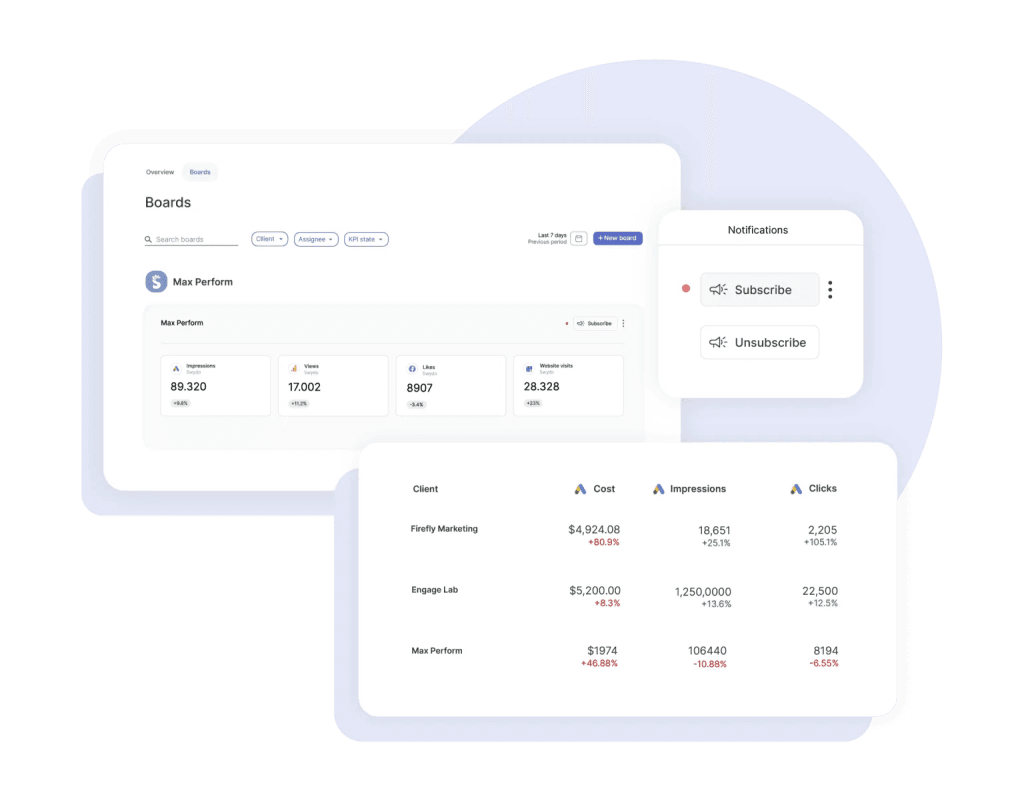
Standardize your processes for account setup, keyword research, ad creation, bidding strategy selection, and reporting. Build templates that adapt to each client without starting from scratch. Plug your optimization workflow into a project management tool like Asana or Monday.com with automated reminders tied to your review schedule.
Get fast with Google Ads Editor. Keyword additions, ad copy updates, campaign settings, negative keyword management, and budget changes across multiple accounts can all happen in bulk. Doing these one at a time is a time sink that shrinks your margins.
Develop specialists on your team. A keyword strategist, a bid management lead, a data analyst, a creative writer, an automation specialist. Generalists can manage accounts, but specialists improve them. Which roles does your team have covered, and where are the gaps?
Keep training ongoing. Internal knowledge sharing, Google certifications, industry conferences, and community participation. Document everything in an internal knowledge base — best practices, common problems, solutions that worked. That resource becomes one of your agency’s most valuable assets as you grow.
19. Stay Ahead of Platform Changes Before They Hit Your Accounts
The agencies that pull ahead aren’t just reacting to updates. They test new features before clients need them and build processes that adapt when the platform shifts.
Follow the Google Ads blog, Ads Liaison announcements, and Think with Google. Join r/PPC, #PPCChat, and LinkedIn PPC groups. Active participation puts problems and ideas in front of you that you’d never see inside your own accounts alone.
Keep an experimentation budget — both time and money — for testing features before you roll them out to clients. AI Max, Smart Bidding Exploration, Demand Gen, and new Performance Max features all work better when you’ve run them in a controlled test first rather than launching straight into a client’s account and hoping for the best.
Give team members ownership of specific areas. One person tracks bidding changes. Another follows creative tools. Someone watches privacy regulation. They share what they find in regular team meetings, so knowledge doesn’t stay stuck with one person.
What’s your current system for catching platform changes before they affect your clients? If the answer is “we deal with it when something breaks,” that’s a vulnerability worth fixing today.
What to Do Right Now
Audit your campaigns against this checklist. Not next week. Now. Find the three areas where closing gaps will move the most revenue for your clients.
Set specific goals. “Increase ROAS by 20% in 30 days.” “Cut CPA by 15% this quarter.” “Get AI Max running on our top five accounts by end of month.”
Make one change at a time. Measure the result. Move to the next thing.
The agencies that grow right now aren’t spending more than everyone else. They run tighter systems, use AI tools where the data supports it, apply human judgment where it counts, and treat optimization as something that happens every day rather than every quarter.
This checklist is the system. Put it to work.
Google Ads Optimization FAQ
Direct answers to the questions agencies and advertisers search most
Most campaigns need 2–4 weeks to exit Google’s learning phase before results stabilize. Smart Bidding strategies need at least 15–30 conversions per month to optimize effectively — below that, the algorithm doesn’t have enough data to make good decisions. Full optimization on Performance Max typically takes 60–90 days.
It depends entirely on your gross margin. A business with 50% margins needs at least a 200% ROAS to break even on ad spend — meaning every $1 spent must return $2 in revenue. A business with 30% margins needs 333% ROAS just to cover costs.
The formula: Break-even ROAS = 100 ÷ gross margin %. Your target ROAS should be 10–15% above break-even to remain profitable after overhead. Cross-industry averages sit around 200–400%, but your client’s margin structure is what determines the right number — not industry benchmarks.
For Search campaigns, the cross-industry average sits around 6.5%, with a typical range of 4–7%. Display CTR is significantly lower by nature — usually under 0.5% — because users aren’t actively searching.
CTR matters most in context: a 4% CTR on a highly competitive branded term is excellent; a 4% CTR on a broad informational keyword may be wasteful. Always pair CTR with conversion rate — a high CTR that doesn’t convert means your ad is compelling but your landing page isn’t delivering on the promise.
Rising CPC usually has one of four causes: more competitors bidding on the same keywords, lower Quality Score (Google charges more when your ad relevance drops), seasonal demand spikes that increase auction competition, or broad match keywords expanding into more competitive queries.
Check Quality Score first — improving ad relevance, landing page experience, and expected CTR can lower your CPC without changing bids. Then review your search term report to confirm your budget isn’t being spent on tangentially related queries that have higher competition than your core terms.
Yes, but strategy matters more at smaller budgets. With limited spend, concentrate everything on exact match and phrase match keywords with proven purchase intent, skip broad match entirely, and run a tight negative keyword list from day one. One well-funded, tightly targeted campaign beats five underfunded ones.
Five metrics tell the real story: ROAS (are campaigns profitable?), conversion rate (do clicks turn into customers?), cost per conversion (what does each customer cost?), Quality Score (do your keywords, ads, and landing pages work together?), and CTR (are ads compelling enough to earn the click?).
Don’t read these in isolation. A dropping CTR paired with rising CPC signals that ad relevance is slipping. A strong conversion rate with low volume usually means targeting is too narrow. Set up automated alerts for sudden CTR drops, CPC spikes, and conversion rate crashes — catching a problem on Tuesday is always cheaper than finding it in a monthly report.
AI Max is a Search campaign feature — it enhances your existing keyword-based Search campaigns with AI-driven query matching and real-time ad copy generation. You keep full search term reporting and can see exactly which queries your ads matched. It stays within the Search channel.
Performance Max is a separate campaign type that runs across every Google surface simultaneously — Search, YouTube, Display, Discover, Gmail, Maps, and Waze — through a single AI system. You give it assets and conversion goals; it decides where and how to show them. Use both: AI Max for high-intent Search capture, Performance Max for full-funnel coverage everywhere else.
The Power Pack is Google’s recommended three-campaign framework: Demand Gen for awareness (YouTube, Discover, Gmail), AI Max for Search for capturing high-intent queries, and Performance Max for full-funnel coverage across all Google channels.
They’re designed to work together, not compete. Demand Gen creates awareness before someone searches. AI Max captures them when they do search. Performance Max covers every other touchpoint. Running only standard Search campaigns means you’re only reaching people who already know what they want — you’re missing everyone earlier in the funnel.
Exact match for your core, highest-value keywords where intent is clear and margins are tight. Phrase match for relevant variations that keep purchase intent intact. Broad match only when paired with Smart Bidding and a strong negative keyword list — without those guardrails, broad match burns budget on irrelevant clicks fast.
With AI Max running, your keyword list functions as a thematic signal rather than a hard boundary. Ten well-chosen keywords in a tight ad group with clean negatives will outperform a bloated list of 300 loosely related terms.
There’s no magic number — what matters is reviewing your search term report every week and adding terms that waste budget. Common categories to exclude from the start: job-seeking terms (“jobs,” “careers,” “salary”), DIY/free intent (“how to,” “free,” “DIY”), competitor names (unless running conquest campaigns on purpose), and irrelevant industries that share your keywords.
Build shared negative keyword lists across client accounts for terms that consistently waste money everywhere — this compounds your efficiency over time and saves hours of individual account management.
A STAG groups keywords by theme rather than using one keyword per ad group. For example, a “Men’s Jeans” STAG might contain: men’s jeans, slim fit jeans, men’s denim pants. Each STAG gets its own dedicated ad copy and landing page.
This matters because relevance drives Quality Score, and Quality Score drives CPC and ad rank. When your keywords, ad copy, and landing page all speak to the same specific theme, Google rewards you with better placement at lower cost. Single Keyword Ad Groups (SKAGs) became mostly ineffective once Google’s close variant matching expanded — STAGs are the modern replacement.
Demand Gen is Google’s visual ad format for YouTube (including Shorts), Discover, and Gmail. It’s the closest thing Google Ads has to Instagram or TikTok-style advertising — image ads, video ads, and carousels built to create interest in a feed rather than capture existing search intent.
Use it when your client’s customers need to discover the product before they know to search for it. If you’re only running Search campaigns, you’re only reaching people who already know what they want. Demand Gen fills the funnel above that. Swap creative every 4–6 weeks for images and 8–12 weeks for video — stale assets on these placements drag performance quickly.
AI Max adds three AI capabilities to existing Search campaigns: real-time text customization (generates headlines and descriptions adapted to each individual search query), Final URL expansion (sends users to the most relevant page on your site, not just the URL you set), and AI-driven keyword matching (extends reach to queries you never bid on manually but that the model predicts will convert).
The result: an average +14% more conversions at the same cost per acquisition compared to standard Search, with full search term transparency so you always know what triggered your ads.
Use text guidelines — set them before you turn AI Max on, not after something goes wrong. You get two controls: term exclusions block up to 25 specific words or phrases per campaign (e.g., “cheap,” “budget” for a luxury brand; compliance-sensitive terms for healthcare clients). Messaging restrictions let you write natural-language instructions like “always emphasize our satisfaction guarantee” or “never mention competitor names.”
Also pin your non-negotiables — brand name, legal disclaimers, core offer — to fixed positions in your responsive ad headlines so the AI can’t move or replace them.
Smart Bidding Exploration temporarily relaxes your ROAS target to reach audience segments and search queries the campaign wasn’t previously capturing. It trades short-term ROAS stability for growth in reach.
Reported results: +18% more unique converting search queries and +19% more total conversions. Best suited for campaigns already hitting targets with strong conversion volume — it’s not a tool for new campaigns still building data.
Yes. Eligible Search and AI Max campaigns appear inside AI Overviews — Google’s AI-generated answer summaries at the top of search results — automatically. No separate campaign setup is needed.
This changes the competitive environment: your ad sits alongside a synthesized AI answer rather than just a list of other ads. Relevance and landing page quality matter more in this context than in standard search results. Track impression and CTR data for AI Overview placements separately to understand how this format performs for your specific accounts.
High Value Mode lets you upload a list of your best customers. Google’s AI identifies what they have in common and bids more aggressively when similar users appear in auctions — optimizing for customer lifetime value rather than conversion volume.
The trade-off is real: you typically get fewer total customers but each one is worth more. It’s the right tool for clients who care about long-term value over short-term acquisition volume. If a client needs to grow their customer base fast, the volume reduction may not be worth it.
Match the strategy to what the client actually cares about: Target CPA for lead gen with a known cost-per-lead goal. Target ROAS for e-commerce where revenue is the primary metric. Maximize Conversions when volume matters more than cost per conversion. Maximize Conversion Value when product values vary and you want to chase higher-ticket transactions.
New campaigns with fewer than 15–30 conversions per month should start on Maximize Clicks or Manual CPC to build data first. Setting aggressive Smart Bidding targets on a data-thin campaign chokes the algorithm — it restricts spend trying to hit a target it has no data to support.
Base your target on historical performance, not wishful thinking. If your current CPA is $80, setting a $40 target immediately halves the algorithm’s ability to bid — it will win fewer auctions and conversion volume will drop. Start 10–15% more conservative than current performance, then tighten gradually as the campaign proves it can hit the target.
Use the 70/20/10 rule: 70% to campaigns already hitting your ROAS or CPA targets, 20% to campaigns with potential that need refinement, 10% to testing new campaign types or features.
Three well-funded campaigns will always beat ten underfunded ones. Concentrating spend lets Smart Bidding accumulate conversion data faster, which improves decisions across the entire campaign. Spread thin, and every campaign is data-starved.
Five high-impact moves: (1) Review your search term report weekly and add negative keywords — this is the single fastest way to stop bleeding budget. (2) Check day-parting data — look for days or hours with consistently high CPAs and cut or reduce bids there. (3) Audit match types — broad match without Smart Bidding is often the biggest waste. (4) Verify conversion tracking — if tracking is broken, you’re optimizing for the wrong thing. (5) Align landing pages — a good ad with a mismatched landing page wastes every click it earns.
Because Smart Bidding optimizes for whatever you tell it to — and if your tracking is broken or incomplete, every decision the algorithm makes is based on bad data. Broken tracking doesn’t show up as an obvious error; it shows up as mysteriously poor performance that no amount of bid adjustment can fix.
Assign a dollar value to every conversion action — not just purchases, but also leads, signups, and micro-conversions. This shifts Smart Bidding from optimizing for conversion count to optimizing for revenue. A lead worth $500 should be weighted differently than a newsletter signup worth $10, or the algorithm treats them as equal.
Consent Mode adjusts how Google tags behave based on a user’s consent choices. When someone opts out of tracking, it sends cookieless signals that preserve conversion modeling without violating their preferences — so your reporting doesn’t go dark when users decline cookies.
It is required for any campaigns targeting EU and EEA users. You need a Consent Management Platform (CMP) on every client site targeting those regions. Running EU campaigns without it means losing data and risking compliance violations simultaneously — both happen at once.
Google reversed course entirely. They dropped the mandatory phase-out, then confirmed they wouldn’t add a consent prompt either — cookies remain on by default in Chrome. Most of the Privacy Sandbox APIs that were supposed to replace cookies (Topics, Protected Audience, Attribution Reporting) have since been retired.
That said, cookies still erode over time regardless — Safari and Firefox restrict them, ad blockers interfere, and regulations keep tightening. A strong first-party data strategy matters whether Chrome blocks cookies or not. Don’t use the reversal as a reason to delay building it.
Yes — it’s one of the highest-impact things you can do and takes under an hour to set up. The integration lets you import GA4 conversion events into Google Ads, see what users do after clicking your ads, build remarketing audiences from on-site behavior, and feed behavioral signals directly into Smart Bidding.
GA4 also connects your paid search strategy to every other channel — email lists become Customer Match audiences, search query data informs content strategy, and on-site behavior shapes retargeting segments. Without this connection, Google Ads operates as a silo.
Server-side tracking moves tag processing from the user’s browser to a server you control. Instead of firing Google Tags in the browser — where ad blockers can block them, iOS restrictions can strip them, and page performance suffers — they fire server-side where none of those limitations apply.
The result: cleaner data, faster pages, and better signal for Smart Bidding. Tools like Google Tag Gateway and Stape make implementation accessible. For high-spend accounts where data quality directly drives algorithm performance, this migration should be a priority.
Four approaches that consistently earn more clicks: specificity with numbers (“1,000+ Styles in Stock” beats “Wide Selection”), questions that name the problem (“Still Dealing With Jeans That Don’t Fit?”), urgency with a real reason (“Limited Stock: 50% Off This Weekend”), and benefits over features (“Denim That Feels Good All Day” instead of “Premium Denim Construction”).
Give Google 8–10 distinct headlines per ad group so the system has real variety to test. If every headline says the same thing in slightly different words, machine learning has nothing useful to work with. Pin brand name, core offer, and any compliance-required language to fixed positions; let the AI test everything else.
Quality Score is built from three components: expected CTR (does your ad earn clicks compared to similar ads?), ad relevance (does your ad copy match what the keyword implies?), and landing page experience (does the page deliver on what the ad promises?).
Check which component is dragging your score down — Google shows this in the keyword detail view. Low expected CTR means your copy isn’t compelling enough. Low ad relevance means your headlines don’t reflect the keyword theme. Low landing page experience usually means slow page speed, mismatched messaging, or a poor mobile experience. Each has a different fix.
At minimum, every campaign should have: sitelinks (links to pricing, testimonials, specific product categories), callouts (short benefit phrases like “Free Returns” or “24/7 Support”), and structured snippets (previewing product lines or service types). These are free additional space in the search result — skipping them hands that visibility to competitors.
Add call assets for service businesses that close deals over the phone, price assets to filter out budget-mismatched traffic, lead form assets to reduce landing page friction, and promotion assets during sales. Write asset copy that’s specific — “Free shipping on orders over $50” does more work than “Great shipping options.”
Because you pay for the click whether the person converts or not. A well-run ad that sends traffic to a mismatched or slow landing page wastes every dollar it earns. Landing page experience also directly affects Quality Score, which affects how much you pay per click — a poor page costs you twice.
Three non-negotiables: (1) Message match — if the ad says “50% off running shoes,” the page must show that exact offer above the fold, not a generic homepage. (2) Speed — every extra second of load time costs conversions; target under 3 seconds. (3) Mobile-first design — for most industries, mobile is the majority of traffic and the most common failure point.
For Demand Gen and display placements: swap static images every 4–6 weeks and video every 8–12 weeks. Users scroll past anything they’ve already seen, and stale creative on these formats drags performance noticeably.
For Search: responsive search ads update continuously through machine learning, but review asset performance monthly and replace consistently underperforming headlines. Run at least three ad variations per ad group and test one meaningful variable at a time — different value propositions, emotional vs. logical appeals, or different CTAs. Give each test at least two weeks before drawing conclusions.
Systematize before you scale. Build standardized processes for account setup, keyword research, ad creation, bidding strategy selection, and reporting. Create templates that adapt to each client without starting from scratch. Five accounts you can manage in your head — twenty requires documented systems and a project management tool with automated review reminders.
Master Google Ads Editor for bulk operations across accounts. Develop specialists on your team rather than only generalists — a keyword strategist, a bid management lead, a data analyst, and a creative writer will improve accounts faster than a team of generalists managing everything. Document solutions to recurring problems in an internal knowledge base.
Weekly: search term report, new negatives, budget pacing, performance spot-checks, asset flags. Bi-weekly: ad copy test results, bid adjustments, audience performance, Quality Score, CPC trends. Monthly: full trend analysis, landing page audit, asset refresh, competitor check. Quarterly: strategic review vs. business goals, budget reallocation, account structure audit, new feature testing plan.
Your client’s first-party data is the most valuable targeting asset available — and it gets more valuable as third-party signals weaken. Start with: uploading CRM data as Customer Match audiences for direct targeting, segmenting website visitors by behavior and purchase history for remarketing, and using RLSA (Remarketing Lists for Search Ads) to bid higher on high-intent users who’ve already visited.
For Performance Max, audience signals directly speed up learning. Upload your best customer lists and define custom segments based on search behavior. Think of audience signals as GPS coordinates for the AI — the more accurate your input, the faster it finds the right people.
Translate everything into business language. Clients don’t care about impression share or Quality Score — they care about revenue, leads, and whether the investment is paying off. Lead with: revenue generated, cost per customer acquired, and month-over-month trend. Connect metrics to business outcomes rather than platform mechanics.
End every report with three clear action items — what you’re doing next and why. Clients who understand what’s happening next trust the process more than clients who receive charts without context. Automated alerts mean you’re never delivering bad news a month late.
The framework stays consistent, but the emphasis shifts. E-commerce: Performance Max with clean product feeds is your primary lever — feed quality in Merchant Center directly determines traffic volume. B2B: lead quality beats lead volume; use longer nurturing campaigns and ad copy built around expertise and proof (certifications, case studies, specific results). Local businesses: location assets, call tracking for offline conversions, and “near me” keywords. Service businesses: trust is everything — put reviews, certifications, and awards in your assets, and use remarketing to stay visible during long decision-making periods.
Build internal playbooks per industry so learnings transfer between similar client accounts rather than starting from scratch each time.
Take Control of your Google Ads performance. Start your free trial today!
Get Started Now