
If your monthly Instagram reports eat up hours you could be billing, the right tool pays for itself in a week.
That’s really what this decision comes down to. Not features. Time.
So which tool actually saves you the most of it? The honest answer depends on a few things. How many clients you have. How picky they are about branding. And how much you care about looking polished versus just getting numbers out the door.
For most agencies in 2026, the short list is Swydo, AgencyAnalytics, Whatagraph, or DashThis.
Need scheduling in the same tool as reporting? SocialPilot or Sendible.
We’ll get into why each one wins for different agencies in a minute. A quick note on the data first. Every price in this guide was checked against the vendor’s own website in April 2026. Tools shift pricing models and sometimes adjust costs more than once a year, so if something looks different from what you saw elsewhere, the numbers here are current.
The One Instagram Change That Breaks Your Year-Over-Year Reports
Take note of this before you pick a tool.
In April 2025, Meta made a change to the Instagram API that quietly broke a lot of reports. They swapped out “impressions” for “views” as the default metric across Reels, Stories, and feed posts. You can read the full changelog on Meta’s developer site.
But the practical issue is this. Views count higher than impressions did. So any report comparing this year to last year is comparing two slightly different things.
Why does this matter for your tool choice? The good reporting tools handled the switch cleanly and kept your historical data intact. The ones that didn’t left holes in your reports that clients will notice.
When you’re evaluating, ask the vendor how they handled the April 2025 switchover. If they look confused, that tells you something.
One other API change worth a flag. The Instagram Basic Display API shut down on December 4, 2024. So if any of your clients are still on personal accounts instead of Business or Creator accounts, no third-party tool can pull their data.
That’s a conversation to have before you onboard. Not after.
Three Types of Tools, and Why You Might Need Two of Them
The phrase “Instagram reporting tool” gets thrown around loosely. That causes real confusion when you’re shopping.
There are actually three different product categories here, and they solve different problems.
The first type is a reporting platform. These tools exist to turn your Instagram data into something your client wants to open. Swydo, AgencyAnalytics, Whatagraph, DashThis, and Databox all live here. They don’t schedule posts. They make reports.
The second type is a social media management suite. Think Sprout Social, Hootsuite, Agorapulse, SocialPilot, Metricool, Sendible, Buffer. These tools do everything — scheduling, inbox, analytics, reporting. Reporting is one piece of a bigger puzzle, and depth varies a lot.
The third type is an analytics specialist. Iconosquare, Rival IQ, Socialinsider. These tools go deep on one thing, like competitor benchmarking or hashtag tracking. They’re usually a supplement, not a standalone solution.
Most agency owners figure out the hard way that once you pass ten or fifteen clients, you probably need two tools.
A reporting platform for client-facing deliverables. Plus a scheduler for day-to-day execution. Trying to do both jobs with one tool usually means compromising on one of them.
Keep that in your head as you read the reviews.
The 15 Best Instagram Reporting Tools for Agencies in 2026
1. Swydo — Best if You Want Predictable Pricing and Fewer Reports Breaking on You
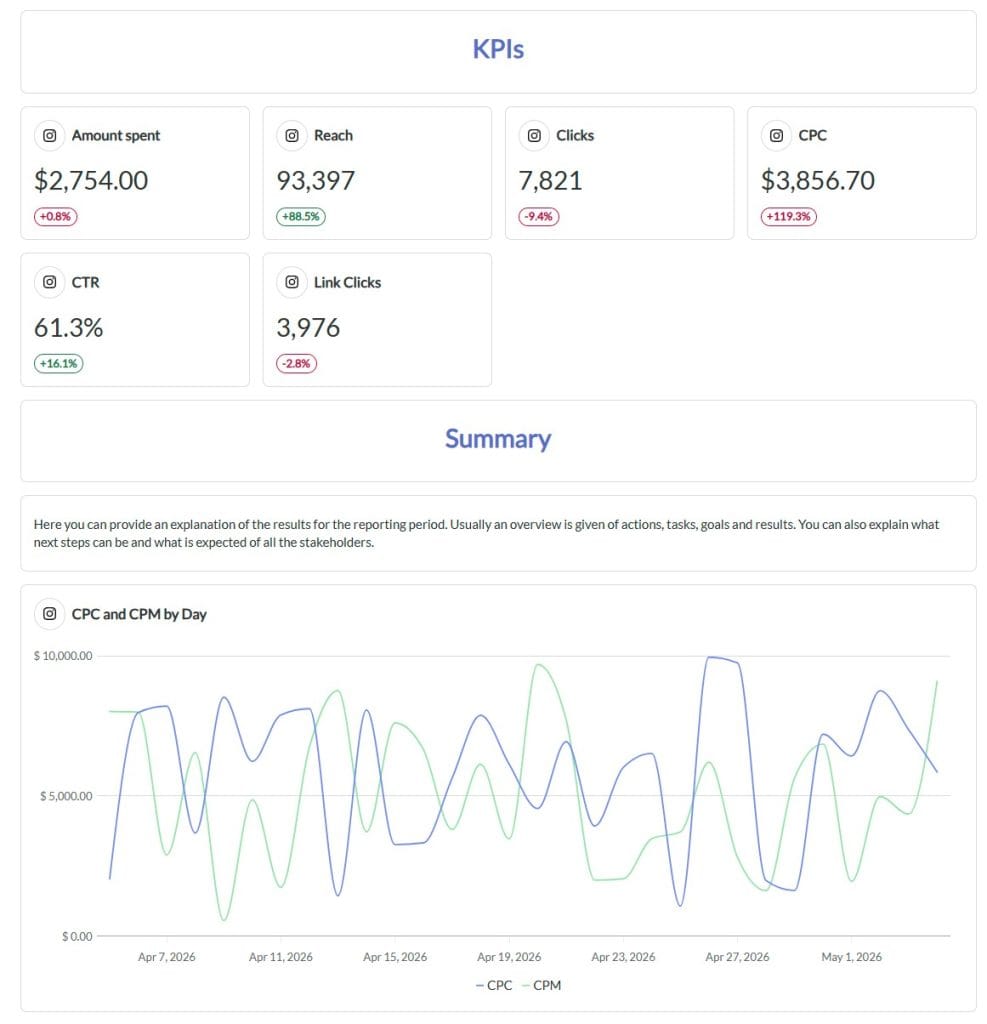
Swydo is built specifically for agencies, and you can feel that in how it’s priced.
Instead of charging per user or per client, Swydo charges for each data source you connect. You pay $69 a month for the base plan, which includes ten data sources, unlimited users, and unlimited clients.
After that, it’s $4.50 per source up to 100 sources. Then $3.00 per source. Then $2.00 if you scale past 500. Annual billing knocks 10% off.
What does this mean for your real bill? Let’s say you have twenty clients and you report on Google Ads, Meta, and GA4 for each of them. That’s 60 data sources. Your total is around $294 a month.
No surprise per-user fees. No upcharge for adding more team members. Just predictable math.
Your 14-day trial doesn’t need a credit card.
Then there’s the feature that matters most to agencies, and it’s one you won’t see on a typical feature list. Data Health Check Alerts.
When an integration breaks — and they do break, because Meta and Google change their APIs constantly — Swydo tells you before your client sees a blank widget in their report. Most tools leave you to find out when the client emails you asking why half the numbers are missing.
Swydo treats broken connections as a product problem, not your problem.
The other thing worth a call-out is how Swydo handles scale. Linked report templates let you build one master report and push updates to every connected client report at the same time.
Change the header. Swap a widget. Update the brand colors. It propagates instantly.
If you’ve ever manually updated 20 reports because the client changed logos, you know how much time this saves.
White-label is fully included in the base plan, which is rare. You get:
- Custom domain so reports live at reports.youragency.com
- Custom email sender so messages go out from your domain, not “via Swydo”
- Your team logo on every report cover
- Swydo branding completely removed from the footer
Swydo AI is also included with 4,000 credits a month. That’s enough for roughly 40 report summaries.
You can generate Summary, Wins, Issues, and Recommendations sections with one click and paste them straight into your report. Or you can turn on client-facing AI mode and let your client ask questions of their own dashboard in plain English. That last feature tends to surprise clients in a good way.
What about limitations? A few worth knowing.
Swydo doesn’t have a public API, so if you want to pipe custom data in, you’ll use Google Sheets plus Zapier or Make. The Shopify integration is in maintenance mode — for ecommerce clients, route through GA4 or Klaviyo instead.
And because you’re billed per data source, duplicating a connection gets billed twice. Adding the same Instagram account to two client folders by mistake, for example. The fix is to use the “Replace data source” action rather than deleting and re-adding.
If you run Instagram Ads for clients, Swydo connects Instagram Ads as its own data source and feeds paid performance into a ready-made Instagram Ads report right alongside your organic widgets
Best fit: agencies with 5 to 100+ clients who care about predictable costs, don’t want to babysit broken integrations, and want their white-label to just work.
2. AgencyAnalytics — Best if You Need Deep Multi-Channel Integration Breadth
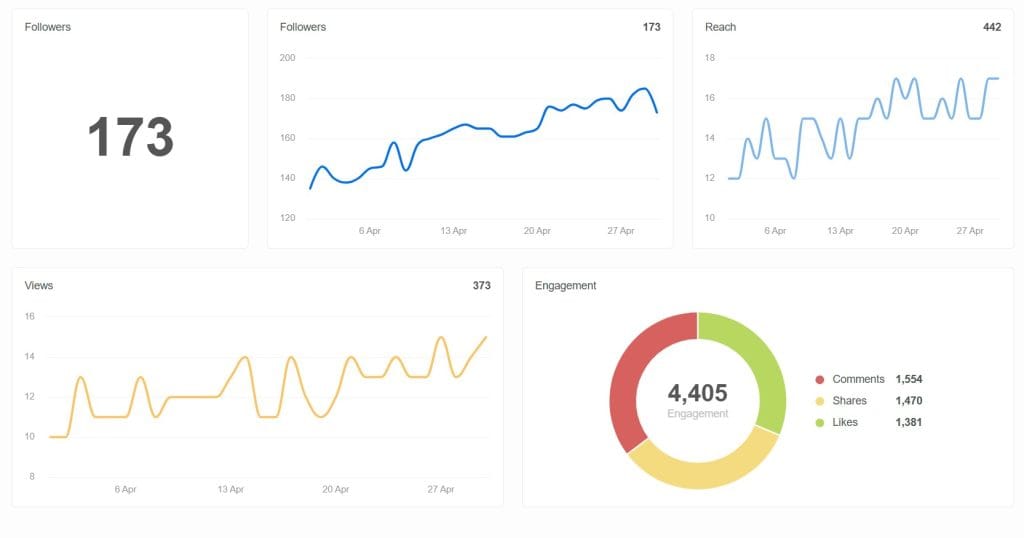
AgencyAnalytics has been around for a while and it shows in the integration library. 85+ data sources, including most of what an agency client would expect you to report on.
Pricing starts at $59 a month for Freelancer. Agency plans scale up from there. Agency Pro begins at $349 a month and adds AI-powered insights.
The interface treats agencies as the primary user. The data object is literally called a “Client,” and that shows up in small conveniences throughout the product. Unlimited dashboards on Agency plans. A 30-day money-back guarantee on top of the 14-day trial. Over 7,000 agencies use it.
Where does it fall short? Per-client pricing means your monthly bill climbs as you add clients. Past 25 or 30 clients, that math starts hurting. Some users report integrations dropping more often than they’d like, which means manual reconnection work.
G2 score is 4.7/5. Capterra is 4.8/5.
If you’re weighing this against Swydo specifically, we’ve put together a side-by-side of Swydo and AgencyAnalytics that breaks down where each one fits best.
Best fit: small to mid agencies that run SEO, PPC, and social in one stack.
3. Whatagraph — Best if Client Presentation Is Your Differentiator
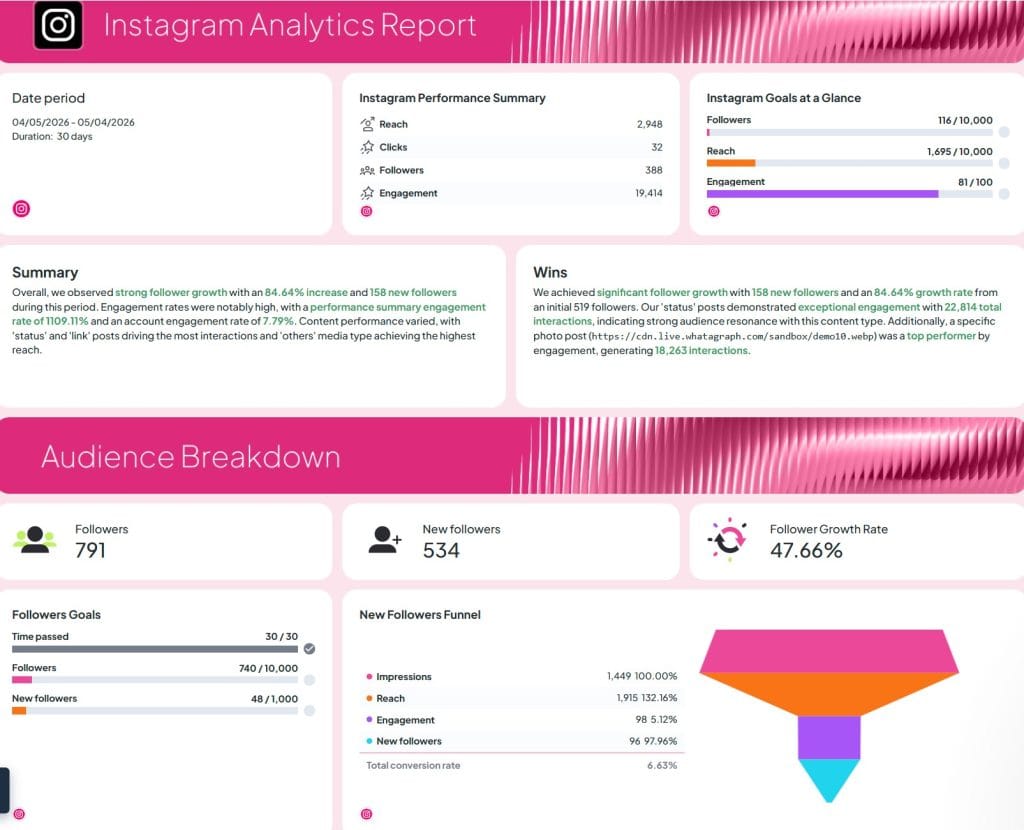
If clients pay you partly for how polished your reports look, Whatagraph is worth a serious look.
The whole product is built around AI-first report generation. You type a prompt, and Whatagraph builds out a full report with widgets and layouts.
Current pricing: a free plan with five source credits. Start at $229/month billed annually (20 sources). Boost at $463/month (50 sources, and white-label unlocks here). Max at custom pricing.
Note that white-label is only on Boost and above.
The smartest feature for agencies is linked templates, which work a lot like Swydo’s. One master report, changes push everywhere. Whatagraph IQ generates summaries in 18 languages. You can even upload a screenshot of a client’s brandbook and the platform will apply their branding automatically.
Two things to watch out for. The paid plans are annual-only, so you’re committing up front. And some agencies report aggressive sales follow-ups after the trial ends.
For a closer head-to-head with the agency-first alternative, see our Swydo vs Whatagraph breakdown.
Best fit: mid to large agencies (10-50+ clients) where client presentation quality drives value.
4. DashThis — Easiest Tool to Get a Junior Team Member Up to Speed On
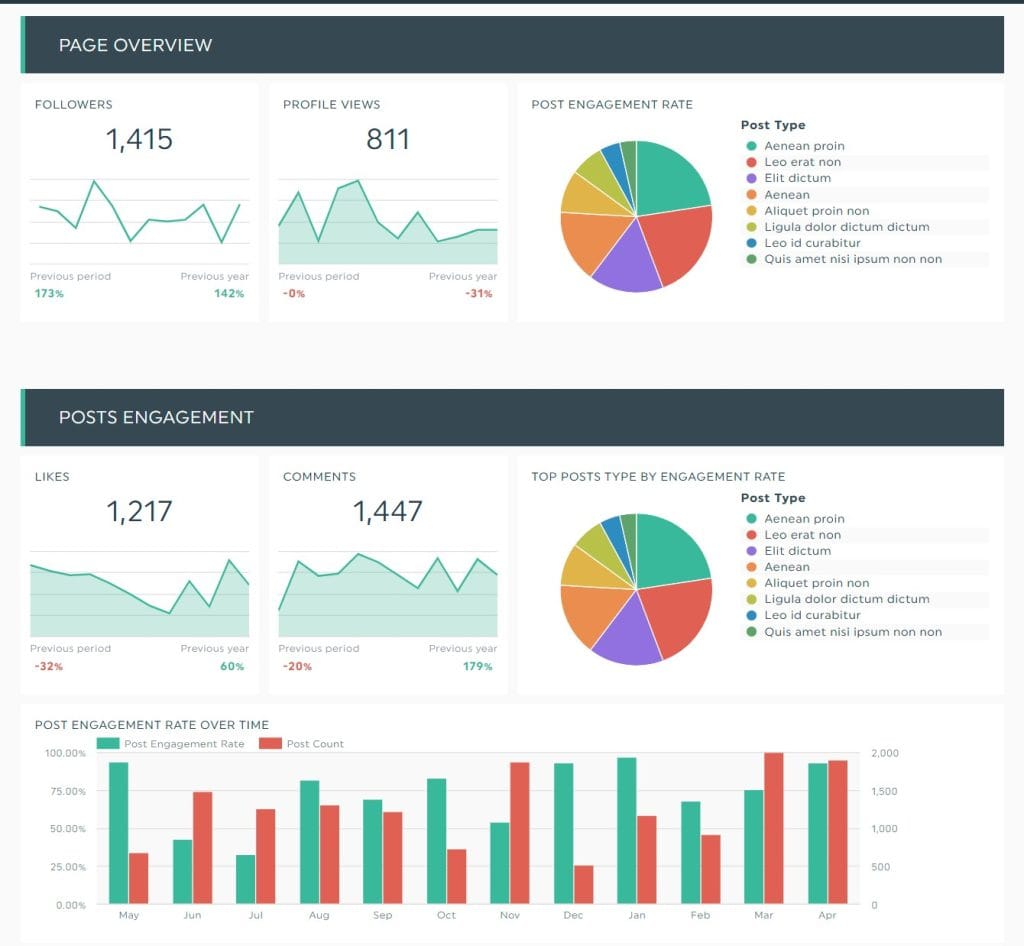
DashThis wins on one specific thing. How fast a new account manager can produce a client-ready report.
Drop in a template, connect the data, send. You’re looking at 15 minutes on a good day.
Pricing as of the March 30, 2026 update: Individual $42/month billed annually (3 dashboards), Professional $135/month (10 dashboards), Business $264/month (25), Standard $429/month (40+).
Heads up that the pricing model changed. Plans now cap both the number of dashboards AND the number of data sources, whereas they used to be unlimited on sources.
Custom domain and removal of the “Powered by DashThis” footer become available on the Professional plan. Customer support is genuinely one of the highest-rated in the category on G2.
The trade-off? Customization is shallower than what you’d get from Swydo, AgencyAnalytics, or Whatagraph. If your reports need to look exactly a specific way, you’ll hit the ceiling faster here.
Worth comparing Swydo vs DashThis directly if customization depth is the deciding factor.
Best fit: small to mid agencies (3-25 clients) who prioritize speed over deep customization.
5. Sprout Social — The Premium Option That’s Priced Like One

Sprout Social has the deepest Instagram reporting of any social suite. Reels, Stories, Carousels, Shopping-tagged posts, competitor benchmarking, the works.
Pricing (per seat, per month, billed annually):
| Plan | Price per seat/month | Included profiles |
|---|---|---|
| Essentials | $79 | 5 |
| Standard | $199 | 5 |
| Professional | $299 | Unlimited |
| Advanced | $399 | Unlimited + API access |
A 10-person team on Professional costs you about $35,880 a year. Before any add-ons. That’s real money.
Sprout’s G2 score holds at 4.4/5 across 4,134 reviews. But reviews also keep flagging auto-renewal issues and contract friction. Worth a careful read before you sign.
Best fit: mid to large agencies (20+ clients) with enterprise budgets. Honestly overkill below 20 clients.
6. Hootsuite — Strong if You Need Social Listening Bundled In

Hootsuite restructured pricing in 2025 and things got pricier. Standard is $199 per user/month for 10 social accounts. Advanced is $399 per user/month for unlimited accounts. Enterprise is custom and starts with a $15,000 annual commitment.
The reason to pick Hootsuite over Sprout comes down to social listening.
Hootsuite Advanced includes customizable analytics reports and competitive benchmarking against 20 competitors. Enterprise brings in Talkwalker-powered listening. If listening is a real deliverable for your agency, not just a “nice to have,” this is where Hootsuite earns its price.
Best fit: mid to large agencies where social listening is genuinely part of the service.
7. Agorapulse — Best Inbox Plus Reporting for 5-20 Clients
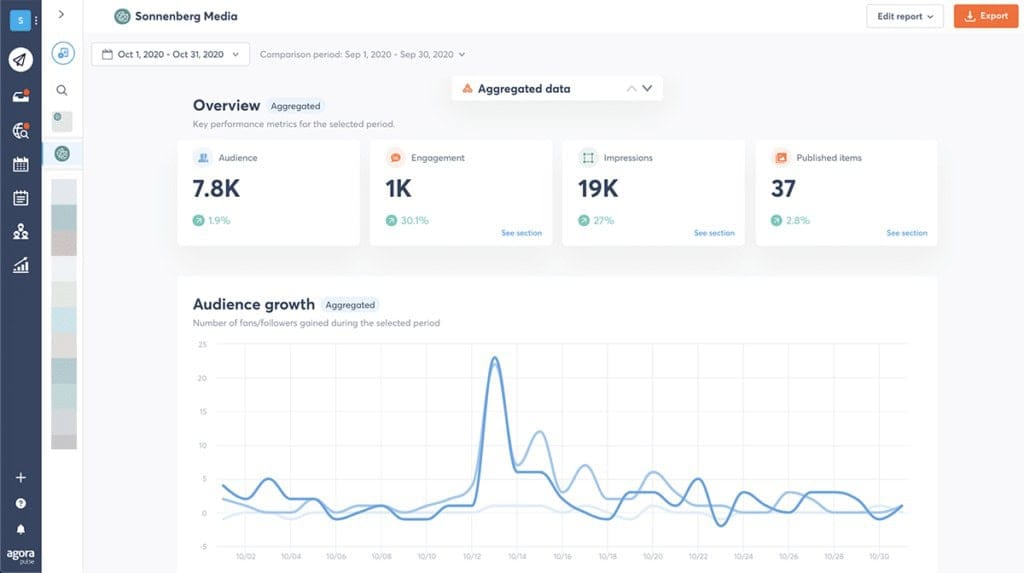
Agorapulse has the best social inbox in the category, and that matters more than you’d think for reporting. When you’re responding to every client comment and DM inside one tool, your reporting has genuine engagement context.
Pricing (annual billing): Standard $79 per user/month, Professional $119, Advanced $149. Free plan is available for one person with three profiles.
What really sets it apart is Instagram ad comment moderation, which most tools just don’t handle. Plus approval workflows and UTM-based ROI tracking.
One thing to know — there’s a long-standing Instagram Stories reporting bug that users keep flagging across release cycles. And the per-user pricing adds up fast at agency scale.
Best fit: 5-20 client agencies where community management is core to the service.
8. SocialPilot — Best Value White-Label if Scheduling Lives in the Same Tool
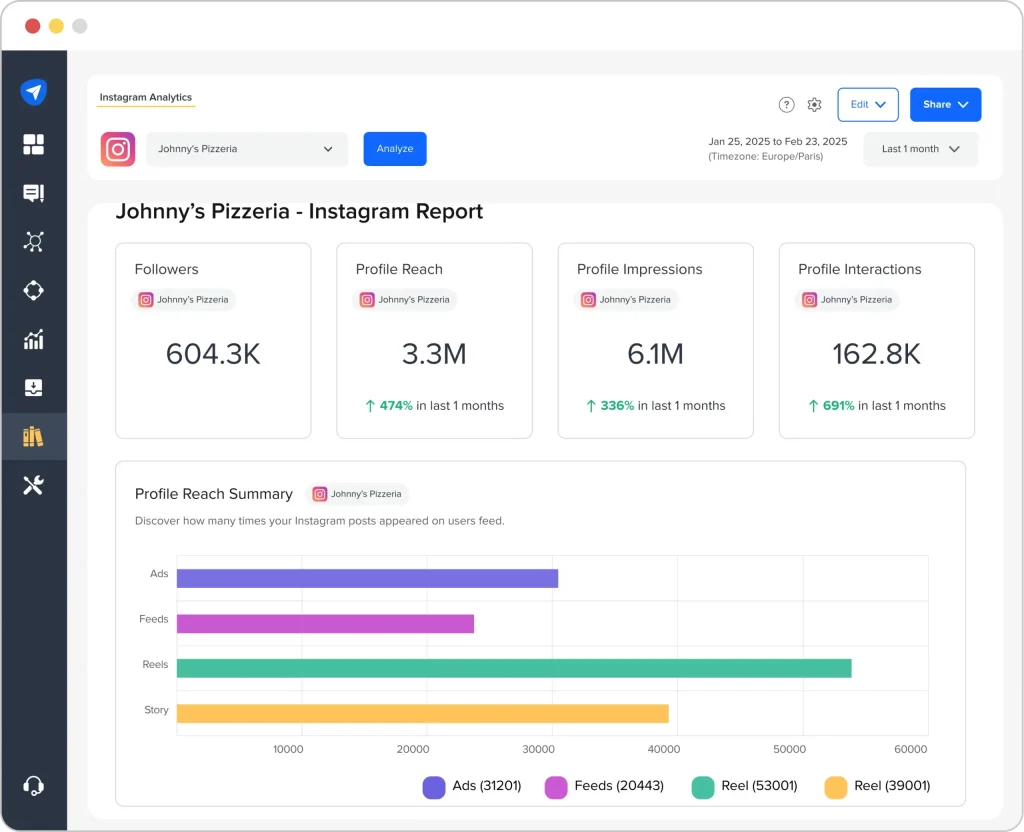
Got a requirement like “it has to look like our software, and I don’t want to pay enterprise prices for that”? SocialPilot is the answer.
Annual pricing:
- Essentials: $25.50/month (7 accounts, 1 user)
- Standard: $42.50/month (15 accounts, 3 users)
- Premium: $85/month (25 accounts, 6 users, white-label reports and client management)
- Ultimate: $170/month (50 accounts, unlimited users, advanced white-label with custom domain, logo, colors, email, and Google Tag ID)
Ultimate is where it gets interesting for agencies. Full custom domain. Custom email. Your branding everywhere. Your client has no idea SocialPilot exists.
For $170 a month with unlimited users, that’s hard to beat.
The limits? Analytics depth isn’t as deep as Iconosquare. And AI content generation is basic.
Best fit: small to mid agencies (15-50 clients) where full white-label is the number-one requirement.
9. Sendible — Purpose-Built for Reseller-Style Agencies
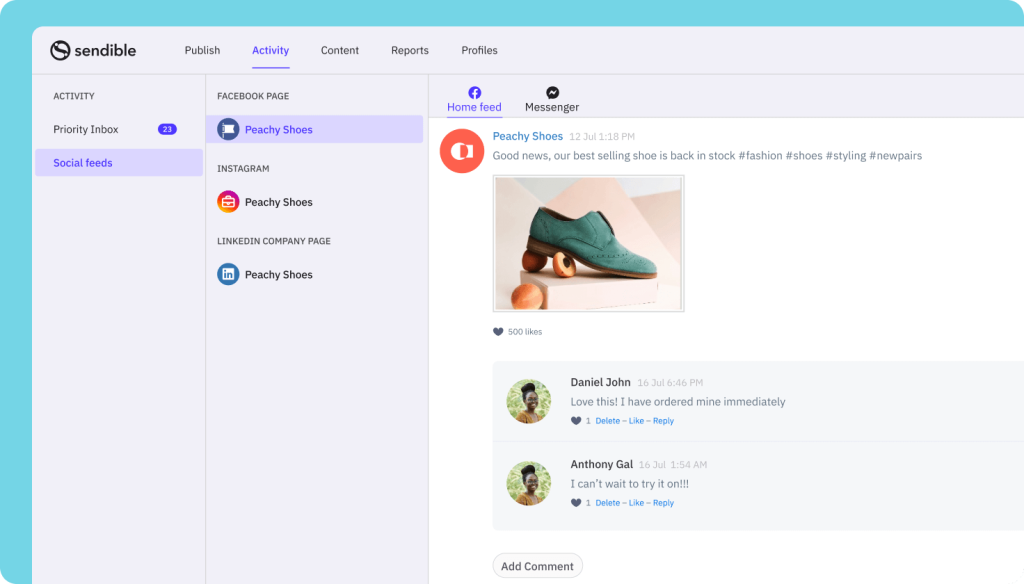
Sendible has been agency-focused for over a decade. It leans further into the reseller model than SocialPilot does.
Pricing: Creator $29/month, Traction $89, Scale $199, Advanced $299, Enterprise $750. White-label is available on Advanced and Enterprise with an additional fee — your total lands around $315/month minimum for full branding.
The standout feature is Client Connect. It’s a widget that lets your client authorize their own social accounts without sharing passwords with you.
If you’ve lost two hours to a client who forgot their Instagram login, you’ll appreciate this. That said, Sendible users flag LinkedIn disconnecting more often than competitors.
Best fit: mid agencies (15-50 clients) where reseller-grade client dashboards are the explicit business model.
10. Metricool — Best Analytics Depth Per Dollar
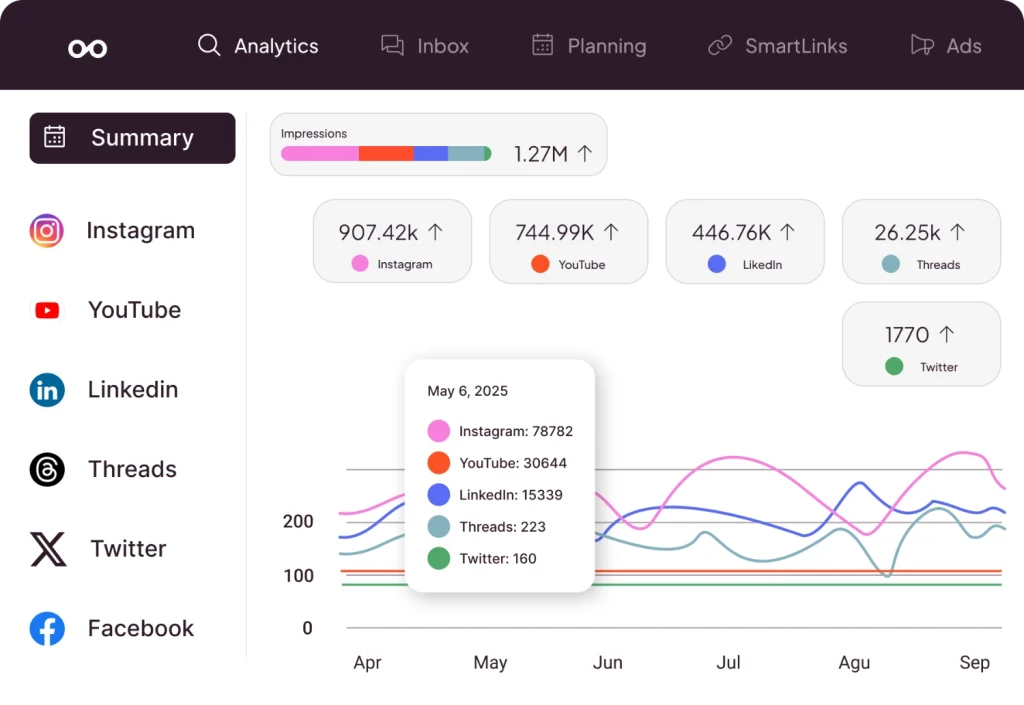
Metricool is the quiet value winner, especially strong in Spanish-speaking and European markets.
Free plan, then Starter from $20/month (up to 10 brands), Advanced from $53/month (up to 15 brands, scaling to $210/month for 50 brands), and Custom with white-label.
What makes Metricool interesting is the native Looker Studio connector on the Advanced plan. That’s rare at this price point. If your agency already reports clients through Google’s ecosystem, Metricool plugs right in.
Competitor tracking goes up to 100 competitors on Starter and above, which is generous. Unlimited users on Advanced and Custom.
White-label is quote-only on Custom.
Best fit: small to mid agencies (5-25 clients) who want depth without paying for Sprout.
11. Iconosquare — Gold Standard for Pure Instagram Depth
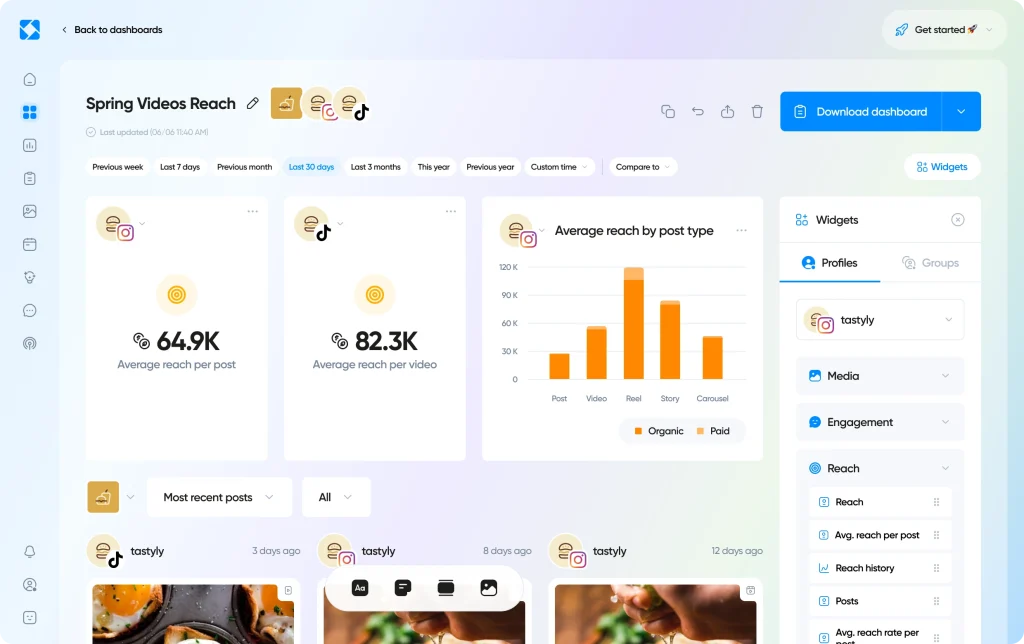
Iconosquare has been in the Instagram analytics game longer than almost anyone, and it shows. Over 100 metrics, industry benchmarks, and aggregated Group analytics for brand portfolios.
Launch is €33/month (5 profiles, 1 user). Scale is €69/month (5 profiles, 3 users). Excel is €116/month (6 users, white-label, unlimited data retention, API access). Custom starts at 20+ profiles.
If Instagram is the analytical centerpiece of your reporting, Iconosquare is hard to beat.
But white-label only unlocks on Excel, and extra user seats cost €16/month each. G2 rates it 4.5/5; Capterra 4.4/5.
Best fit: agencies in visual verticals (fashion, food, hospitality) where Instagram depth matters most.
12. Rival IQ — Your Weapon for New-Business Pitches
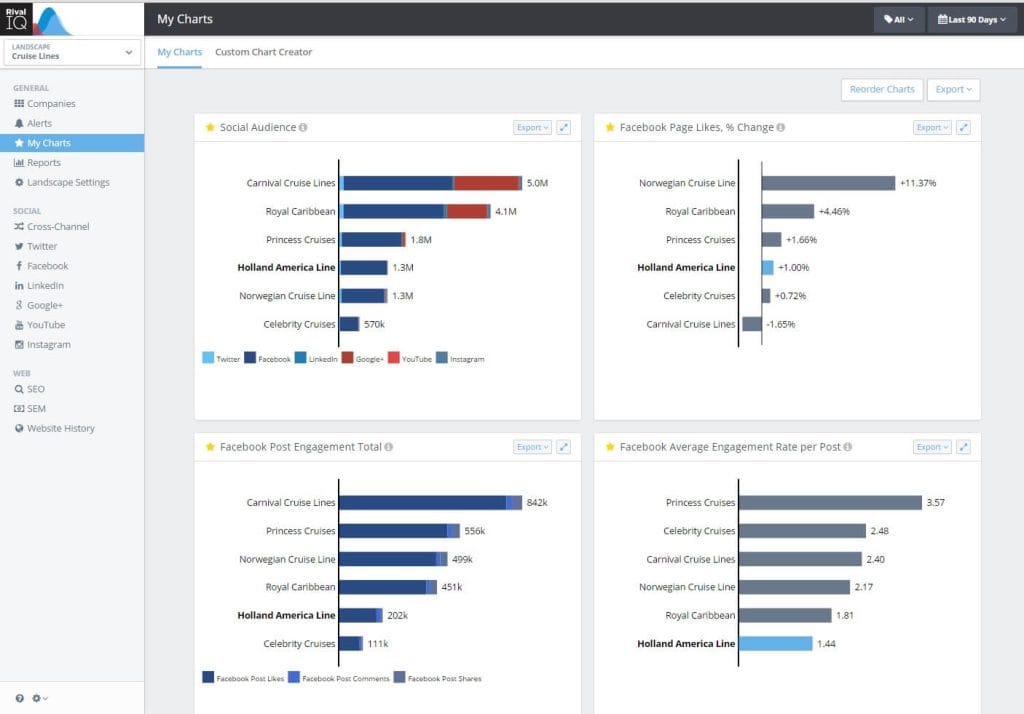
Rival IQ is less a reporting tool and more a competitive intelligence layer. The annual industry benchmark reports Rival IQ publishes are cited across the industry — that’s how it earns its price.
Drive plan is $239/month (10 companies tracked). Engage Pro tops out at $519/month (40 companies).
Where it earns its spot on this list: share of voice analysis, breakout post detection, day/time heatmaps, and PPT exports designed specifically for pitch decks.
If you win new business partly by showing prospects how they stack up against competitors, this is the tool that builds those slides for you.
Best fit: mid to large agencies that do audit and strategy work, or anyone with a heavy new-business motion.
13. Socialinsider — Conversational AI for Content Strategy
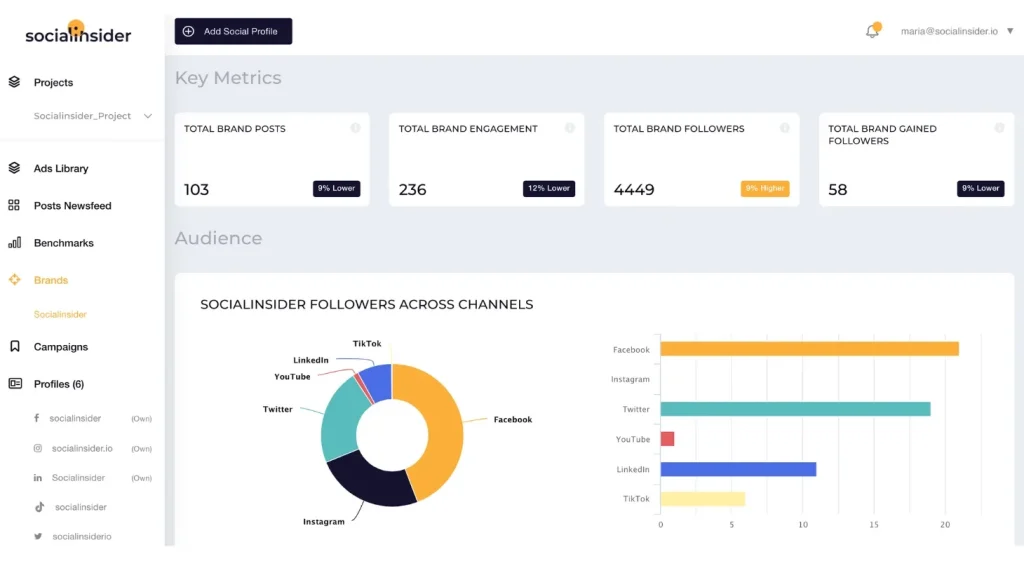
Socialinsider sits near Rival IQ but with a content strategy focus rather than a pitch focus.
Starter is around $99/month for 10 profiles. Professional is $169/month for 20. Advanced is $333/month for 40 with API access.
The conversational Q&A feature lets you ask questions of your data in the dashboard. Authenticated profiles and competitor profiles share one limit, which is generous.
Best fit: mid-sized agencies (10-40 profiles) where competitive content strategy is a service line.
14. Buffer — Only Works if You’re Small
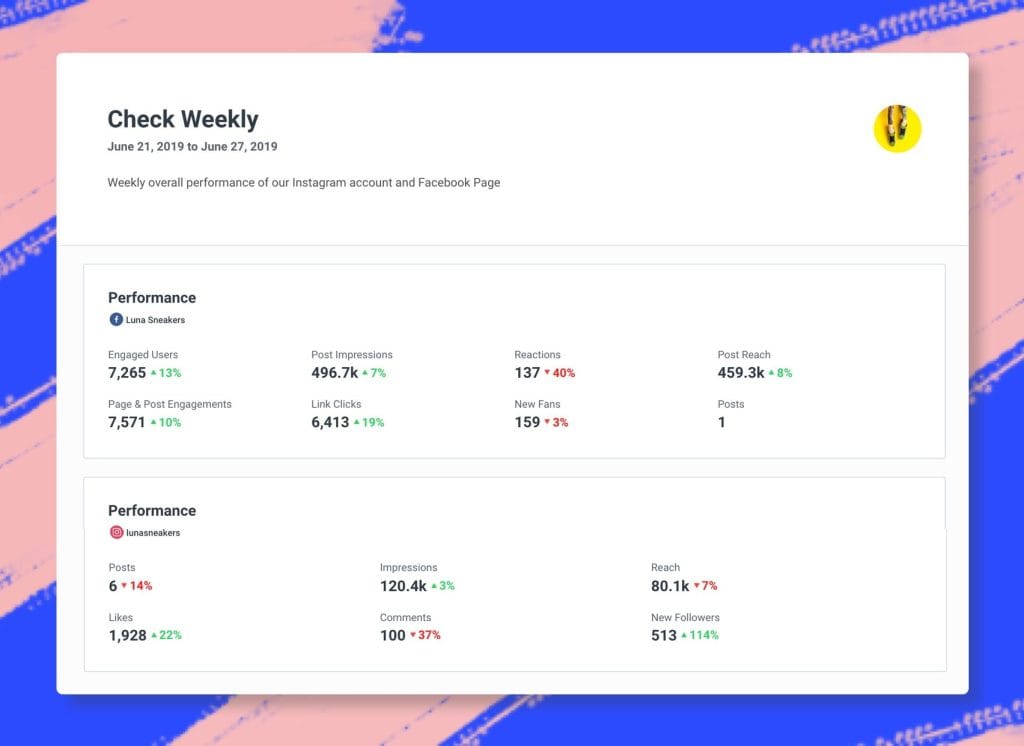
Buffer earns a spot for exactly one use case. Agencies that manage five clients or fewer.
Pricing is honest. Free plan for 3 channels, Essentials at $5/channel/month billed annually, Team at $10/channel/month. AI Assistant is free on every plan. Transparent company too — they publicly share finances.
But Reels metrics are shallow. No social listening. No unified inbox.
If you run more than a handful of clients, you’ll outgrow Buffer in a quarter.
Best fit: solo consultants or very small shops under 5 active clients.
15. Databox — Best if You’re Tying Social to Pipeline
Databox isn’t really an Instagram reporting tool — it’s a marketing-to-revenue dashboard with Instagram as one of many sources. B2B agencies lean on it.
Current pricing (post-March 30, 2026): Starter $44/month, Professional $139, Growth $279, Premium $429, all billed annually. Monthly pricing is higher at $54, $164, $324, and $499 respectively.
Below Premium, white-label is a paid add-on around $250/month.
130+ integrations including HubSpot, Salesforce, Shopify, and Stripe. The most common complaint in G2 reviews is templates breaking. Worth a note. Free plan was sunset in 2026.
If pricing or templates are a sticking point, here are some Databox alternatives to consider.
Best fit: mid to large agencies (15+ clients) where the connection between marketing and sales pipeline is your differentiator.
Quick Decision Guide — Which Tool Fits Your Agency?
| Your situation | What we’d recommend |
|---|---|
| 1-5 clients, solo or very small | Buffer or Metricool Starter |
| 5-15 clients, mixed channels, want flat pricing | Swydo |
| 5-15 clients, mixed channels, many integrations | AgencyAnalytics |
| 15-30 clients, white-label is non-negotiable | Swydo (reporting only) or SocialPilot Ultimate (scheduling + reporting) |
| 15-40 clients, presentation quality is the differentiator | Whatagraph Boost or DashThis Business |
| 30-100+ clients at scale | Swydo custom plan + Supermetrics/Looker Studio as data backbone |
| Enterprise or Fortune 1000 clients | Sprout Social Professional/Advanced |
| Fashion, beauty, food verticals | Iconosquare for Instagram, Dash Social for brand-side |
| New-business pitches need competitive intel | Add Rival IQ to your stack |
How Each Tool Handles White-Label (Where It Actually Matters)
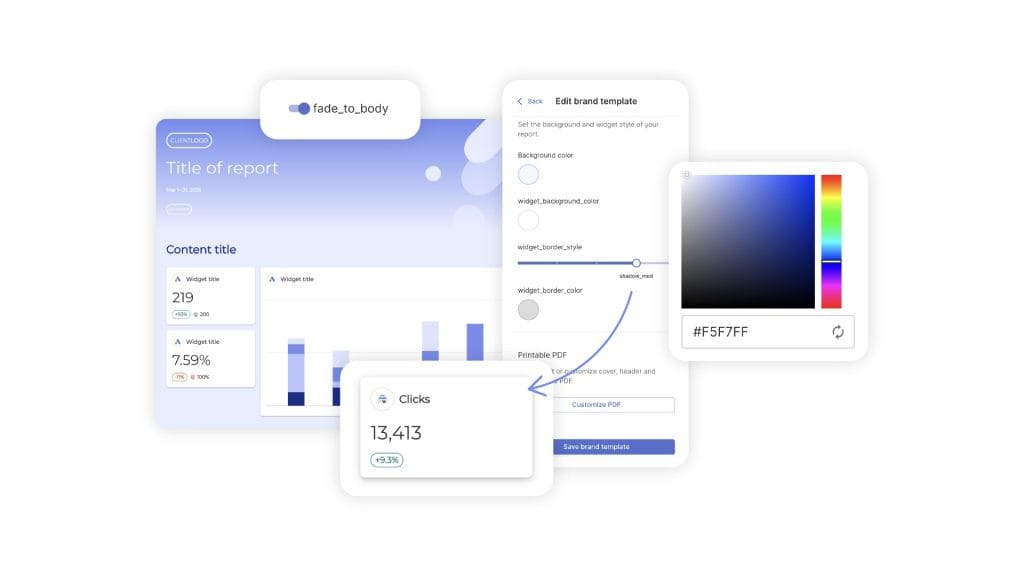
White-label reporting is a spectrum, not a checkbox.
You probably care about four specific things:
- Can you put your logo and colors on reports?
- Is there a custom domain so dashboards live at your URL?
- Do emails go out from your domain, or does the vendor’s name show up?
- Can you fully remove the vendor’s branding?
Here’s where each tool lands on all four:
| Tool | Logo/colors | Custom domain | Custom email | Branding removed |
|---|---|---|---|---|
| Swydo | Yes – Base plan | Yes – Base plan | Yes – Base plan | Yes – Base plan |
| AgencyAnalytics | Yes – Most plans | Yes – Agency+ | Yes – Agency+ | Yes – Agency+ |
| DashThis | Yes – All plans | Yes – Professional+ | Yes – Professional+ | Yes – Professional+ |
| Whatagraph | Yes – Boost+ | Yes – Boost+ | Yes – Boost+ | Yes – Boost+ |
| Iconosquare | Yes – Most plans | No | No | Yes – Excel+ |
| SocialPilot | Yes – Premium+ | Yes – Ultimate | Yes – Ultimate | Yes – Ultimate |
| Sendible | Yes – With add-on | Yes – With add-on | Yes – With add-on | Yes – With add-on |
| Metricool | Yes – Custom only | Yes – Custom only | No | Yes – Custom only |
| Databox | Yes – With add-on | Yes – Premium only | No | Yes – Premium only |
| Sprout Social | Yes – Pro+ | No | No | No |
| Hootsuite | Yes – Advanced+ | No | No | No |
| Agorapulse | Yes – Advanced+ | No | No | No |
| Buffer | Limited | No | No | No |
Mistakes to Avoid (These Cost Agencies Clients)
A few things to watch for before you commit to a tool. These trip up agencies every month.
Most of them come down to client reporting best practices that get overlooked when you’re heads-down in a tool eval.
Comparing “impressions” (pre-April 2025) to “views” (post-April 2025) year-over-year. This is the big one right now.
Views run higher than impressions did. Every report that crosses that date shows a false drop in engagement rate. Your client will see “-25%” and panic.
Footnote every YoY slide that crosses April 21, 2025.
If you need a refresher on which Instagram organic metrics actually move the needle for clients, that’s a separate read worth bookmarking.
Assuming you can retroactively pull Stories data. You can’t.
Stories disappear from the API 24 hours after posting. If you onboard a client on Wednesday, last Tuesday’s Stories are gone. Set that expectation with new clients up front.
Trusting third-party numbers without a cross-check against native Insights. Discrepancies happen.
During every tool trial, pull one client’s top KPIs from Instagram Insights and compare to what the tool shows. Never tell a client “trust me, that’s what the tool says” without a check of your own first.
Forgetting that migrations lose history. Most tools can’t back-import Instagram historical data. A tool switch means losing YoY comparisons for 12 months unless you export CSVs in advance.
Do migrations at the start of a quarter, not mid-month.
A workaround if your new tool supports it. Swydo lets you add Manual KPIs for offline or unsupported metrics, so you can paste in last year’s headline numbers from a CSV. At least YoY context stays alive for the metrics your client cares about most.
Skipping the auto-renewal clause. This is the fastest-growing complaint in the category.
Sprout Social, Brandwatch, Meltwater, and Hootsuite all have documented cases of auto-renewing contracts without clear notice. Request monthly billing during your trial. Diarize the cancel window 30 days before renewal.
Every time.
Connecting the same data source twice on per-source tools. On tools like Swydo that bill per source, adding one Instagram account to two client folders counts as two sources. Use the “Replace” action instead of deleting and re-adding when you need to move connections.
Still using personal Instagram accounts for clients. The Basic Display API shut down on December 4, 2024. If a client is on a personal account, no third-party tool can report on them.
Convert to Business or Creator before the first report.
Questions to Ask Any Vendor Before You Sign
Feature sheets don’t surface the things that actually matter. Ask these on your demo call:
- If I cancel, do I get a full CSV export of my historical data?
- Do you tell me when an integration breaks, or do I find out from my client?
- Is white-label included or is it an add-on? What tier does it unlock at?
- What’s your auto-renewal policy, and how many days’ notice do I need to cancel?
- Do you have SOC 2 or ISO 27001? (Increasingly required by enterprise client procurement.)
- How fast do you ship support for new Instagram API changes? (Meta updates the Graph API a few times a year.)
- How long does a new account manager take to build their first client-ready report?
- What’s the discount on annual? Is there room to negotiate on multi-year?
Agencies that ask these questions on the first call get better deals.
Agencies that wait until they’re locked in pay more.
The Bottom Line — Which Tool Should You Pick?
There’s no universal answer. But here’s how we’d narrow it down fast.
If predictable pricing and less time spent on broken integrations matter most, Swydo is the strongest agency-first pick on this list. Flat per-source pricing. White-label included in the base plan. Proactive alerts when data connections break.
If that sounds like what your agency needs, start a 14-day trial at swydo.com with no credit card required.
If you need integration breadth across SEO, PPC, and social, AgencyAnalytics covers the most ground.
If polished, presentation-ready reports are your selling point, Whatagraph builds them with AI in minutes.
If you need a junior team member shipping client reports by week one, DashThis has the fastest onboarding in the category.
If white-label has to be ironclad and scheduling lives in the same tool, SocialPilot Ultimate at $170/month is the value play. Sendible if you’re explicitly reseller-style.
If Instagram is the analytical centerpiece of every report you send, Iconosquare goes deeper on Instagram-specific metrics than any platform on this list.
If competitive benchmarking wins you new business, Rival IQ pays for itself the first time a pitch deck closes.
If you’re a B2B agency tying social back to pipeline, Databox connects Instagram to HubSpot, Salesforce, and Stripe in a way nothing else here does.
If you’ve scaled past 30 clients, you’re probably on two tools. Something client-facing plus Supermetrics feeding Looker Studio for your own analysis.
Or look at platforms with built-in monitoring. Swydo’s Goals feature (with On Track, Off Track, and Achieved pacing states) lets you spot underperforming campaigns mid-month — instead of at the end-of-month report, which is when your client already knows.
If you haven’t formalized how you set client targets, our guide to SMART goals is a useful starting point.
If you serve enterprise clients, Sprout Social Advanced is overkill everywhere else but a fit here.
The single most useful thing you can do before you commit is run a real-data trial. Most of these tools give you 14 or 30 days free, no credit card required.
Pick one demanding client. Connect their accounts. Build one month of Instagram reports end-to-end. See how it actually feels in your hands.
Feature pages lie. Monday morning reporting doesn’t.
What kind of client do you dread reporting on the most?
That’s probably the one to trial the tool on. If it saves you time there, it’ll save you time everywhere else.
Instagram Reporting Tools FAQ
Direct answers to the questions agencies ask before choosing a reporting platform
Swydo, AgencyAnalytics, Whatagraph, and DashThis are the four best Instagram reporting tools for most agencies. Swydo wins on predictable per-source pricing and white-label included in the base plan. AgencyAnalytics covers the widest range of integrations across SEO, PPC, and social. Whatagraph and DashThis are best when client presentation quality is your differentiator.
The right pick depends on three things: how many clients you have, how strict their branding requirements are, and whether you prioritize polished output or fast turnaround. For agencies that also need scheduling in the same tool, SocialPilot or Sendible are better choices.
Buffer, Metricool, and Whatagraph all offer free plans, but they only work for very small agencies. Buffer’s free tier covers 3 channels. Metricool’s free plan handles a single brand. Whatagraph offers five source credits at no cost.
Free plans are fine if you have fewer than five clients or are testing the waters. Once you cross that threshold, paid plans become essential because of integration limits, missing white-label, and shallow analytics on free tiers.
Once you pass 10-15 clients, you almost certainly need two tools: one for reporting and one for scheduling. Trying to do both jobs with a single platform usually means compromising on one of them.
Below 15 clients, an all-in-one suite like SocialPilot, Sendible, or Agorapulse can handle scheduling, inbox, and reporting reasonably well. Above 15 clients, dedicated reporting platforms (Swydo, AgencyAnalytics) deliver the depth and scale you need, paired with a separate scheduler for execution.
Reporting platforms, social media management suites, and analytics specialists. Each solves a different problem.
Reporting platforms (Swydo, AgencyAnalytics, Whatagraph, DashThis, Databox) turn data into client deliverables but don’t schedule posts. Social media management suites (Sprout Social, Hootsuite, Agorapulse, SocialPilot, Metricool, Sendible, Buffer) handle scheduling, inbox, and reporting in one place. Analytics specialists (Iconosquare, Rival IQ, Socialinsider) go deep on a single function like competitor benchmarking and usually supplement, rather than replace, your main tool.
Match the tool to your client count, not the other way around. The cost-to-value curve breaks badly when an agency outgrows its reporting platform.
| Agency Size | Recommended Tool |
|---|---|
| 1-5 clients (solo) | Buffer or Metricool Starter |
| 5-15 clients, flat pricing | Swydo |
| 5-15 clients, many integrations | AgencyAnalytics |
| 15-50 clients, white-label essential | Swydo or SocialPilot Ultimate |
| 15-40 clients, presentation-focused | Whatagraph Boost or DashThis Business |
| 50-100+ clients at scale | Swydo (per-source pricing scales smoothly) |
| Enterprise/Fortune 1000 | Sprout Social Professional/Advanced |
Buffer or Metricool Starter are the strongest picks for solo consultants and freelancers under five clients. Both have transparent pricing and minimal learning curves.
Buffer charges $5 per channel per month on its Essentials plan with annual billing. Metricool’s Starter plan begins at $20 per month and covers up to 10 brands. If you expect to grow past five clients within a year, jump straight to Swydo or AgencyAnalytics to avoid a painful migration later.
DashThis is the fastest tool to learn and produce a client-ready report with. A new account manager can drop in a template, connect data, and send a report in about 15 minutes.
Customer support on DashThis is rated among the highest in the category on G2. The trade-off is shallower customization compared to Swydo, AgencyAnalytics, or Whatagraph, so agencies with strict design requirements will hit a ceiling faster.
Choose Swydo for predictable flat pricing and proactive integration alerts. Choose AgencyAnalytics for the widest integration library.
Swydo charges per data source with unlimited users and clients, making total cost predictable as your team grows. AgencyAnalytics charges per client, which is friendlier at small scale but climbs faster past 25-30 clients. AgencyAnalytics has 85+ integrations versus Swydo’s smaller but tightly maintained set. Swydo’s Data Health Check Alerts proactively flag broken connections before clients notice missing data.
Pick Swydo for flat agency-first pricing and base-plan white-label. Pick Whatagraph if AI-generated reports and visual polish are your selling points.
Whatagraph’s paid plans are annual-only, meaning you commit upfront. Whatagraph also unlocks white-label only on Boost ($463/month) and above. Swydo includes white-label on every plan and offers monthly billing. Whatagraph’s AI-first report generation is genuinely impressive for agencies that win business on presentation.
Swydo wins on customization depth, white-label, and scaling. DashThis wins on speed-to-first-report and ease of onboarding.
DashThis caps both dashboards and data sources by plan tier, while Swydo only meters data sources with unlimited dashboards. For small agencies prioritizing fast turnaround and minimal training, DashThis is hard to beat. For agencies planning to scale past 25 clients or wanting deeper customization, Swydo is the more flexible long-term home.
Sprout Social has deeper Instagram analytics. Hootsuite has stronger social listening, especially on Enterprise.
Sprout’s Professional plan ($299/seat/month) covers Reels, Stories, Carousels, Shopping-tagged posts, and competitor benchmarking. Hootsuite Enterprise (custom, with a $15,000 annual minimum) brings in Talkwalker-powered listening that goes beyond what Sprout offers. Both are overkill for agencies under 20 clients, and both have documented auto-renewal complaints worth scrutinizing before signing.
SocialPilot Ultimate is better value at $170/month with unlimited users. Sendible is better if you want a reseller-style client portal.
SocialPilot Ultimate includes custom domain, custom email, full branding control, and Google Tag ID integration. Sendible’s Client Connect widget lets clients authorize their own social accounts without sharing passwords, which is uniquely valuable for reseller models. Sendible’s full white-label requires Advanced or Enterprise plus an add-on, bringing the minimum to around $315/month.
Iconosquare is better for daily Instagram reporting depth. Rival IQ is better for competitive intelligence and pitch decks.
Iconosquare has 100+ Instagram metrics, industry benchmarks, and Group analytics for managing brand portfolios. Rival IQ focuses on share-of-voice analysis, breakout post detection, and PowerPoint exports built specifically for new-business pitches. Many agencies use both: Iconosquare for ongoing client work and Rival IQ for prospecting.
Discrepancies between third-party tools and native Instagram Insights are normal but should be small. Differences usually come from refresh timing, time zone settings, or how each platform classifies metrics like “reach” and “views.”
Cross-check one client’s top KPIs against native Insights during every tool trial before committing. If the gap is more than 5-10%, the tool may be aggregating metrics differently than you expect. Never tell a client “trust me, that’s what the tool says” without verifying first.
Meta replaced “impressions” with “views” as the default Instagram metric across Reels, Stories, and feed posts. Views count higher than impressions did, so any year-over-year comparison crossing the changeover compares two slightly different things.
Footnote every YoY slide that crosses the switch date so clients understand the methodology change. Good reporting tools handled the transition cleanly and preserved historical data; weaker ones left gaps. Ask vendors directly how they handled the switchover during demos.
No. The Instagram Basic Display API was retired, so no third-party tool can pull data from personal accounts. Clients must convert to Business or Creator accounts before any reporting tool will work.
Have this conversation during onboarding, not after the first report fails. Conversion takes a few minutes inside the Instagram app and doesn’t change the public appearance of the account, so client objections are usually quick to resolve.
No. Instagram Stories disappear from the API 24 hours after posting and cannot be recovered by any tool.
Set this expectation with new clients up front. Stories analytics begin from the moment of connection. If the client wants historical Stories performance analyzed, they need to pull screenshots from native Instagram Insights before onboarding starts.
Add a footnote to every report slide that crosses the metric change date. Pre-change impressions and post-change views are not directly comparable, so showing them side-by-side without context creates false drops in performance.
Be transparent in the report: a one-line explanation that Meta changed how the metric is counted prevents client confusion. Some tools let you add Manual KPIs to backfill historical numbers from CSV exports, preserving YoY context for the metrics clients care about most.
Most tools won’t tell you when an integration breaks. You find out from your client when they see a blank widget in their report.
Swydo’s Data Health Check Alerts are unusual in proactively notifying you of broken connections before reports go out. When evaluating any tool, ask the vendor directly: “Do you tell me when an integration breaks, or do I find out from my client?” The answer reveals how much manual reconnection work the tool will create for you.
Yes, in most cases. Most reporting tools cannot back-import Instagram historical data, so a migration usually means losing 12 months of YoY comparisons.
Three things to do before migrating: export CSVs of historical KPIs from your current tool, schedule the migration at the start of a quarter, and check whether your new tool supports Manual KPIs (Swydo does) so you can paste in last year’s headline numbers and preserve YoY context for key metrics.
Reach, engagement rate by reach, Reels plays, profile visits, website clicks, and follower growth velocity are the metrics most clients actually pay attention to.
Vanity metrics like raw impression counts or follower counts in isolation are easy to gather but rarely move client decisions. Focus reports on metrics that connect to business outcomes: traffic to the site, leads generated, and conversion-adjacent actions. Tools like Swydo and AgencyAnalytics let you build custom KPI widgets so the report shows what the client cares about, not just what the API returns.
True white-label includes four elements: custom logo and colors, a custom domain for dashboards, custom email sender for notifications, and complete removal of the vendor’s branding.
Many tools advertise “white-label” but only offer logo and color customization, leaving the vendor’s name on emails and dashboard URLs. Verify all four elements before signing, especially if your agency markets reporting as a proprietary deliverable.
Swydo has the most agency-friendly white-label because it’s included on every plan with no add-on fees. Custom domain, custom email, your logo on every report, and complete removal of Swydo branding all unlock at the base $69/month plan.
SocialPilot Ultimate is the best value if you also need scheduling, at $170/month with unlimited users. Whatagraph and DashThis offer strong white-label but only on higher tiers. Sprout Social, Hootsuite, and Agorapulse don’t offer custom domain or email at all.
Only Swydo includes full white-label (custom domain, email, branding removal) in its base plan. Most competitors gate these features behind higher tiers.
| Tool | Custom Domain | Custom Email | Branding Removed |
|---|---|---|---|
| Swydo | Base plan | Base plan | Base plan |
| AgencyAnalytics | Agency+ | Agency+ | Agency+ |
| DashThis | Professional+ | Professional+ | Professional+ |
| Whatagraph | Boost+ | Boost+ | Boost+ |
| SocialPilot | Ultimate | Ultimate | Ultimate |
| Sendible | Advanced + add-on | Advanced + add-on | Advanced + add-on |
| Iconosquare | Not available | Not available | Excel plan |
| Sprout Social | Not available | Not available | Not available |
| Hootsuite | Not available | Not available | Not available |
Yes. Most white-label tools let you create client logins to a branded portal at your own custom domain.
Sendible’s Client Connect goes further by letting clients authorize their own social accounts without sharing passwords with you, which is valuable for reseller-style agencies. Swydo and AgencyAnalytics both support client logins to white-labeled dashboards. Confirm during your trial whether client access counts toward your user seat limit, since some tools charge extra for this.
Most agencies spend between $100 and $500 per month on Instagram reporting tools. Solo consultants spend $5-50/month, small-to-mid agencies spend $100-300/month, and larger agencies with 30+ clients often spend $500-2,000/month or more.
Pricing models vary widely: Swydo charges per data source ($69/month base), AgencyAnalytics and DashThis charge per client or dashboard, Sprout Social and Hootsuite charge per user seat. Per-user pricing scales most painfully as your team grows; per-source and per-client models are more predictable.
Per-source pricing scales with the number of data connections. Per-client pricing scales with how many clients you serve. Per-user pricing scales with team size.
Per-source (Swydo) is most predictable for growing agencies because users and clients are unlimited. Per-client (AgencyAnalytics) is friendly at small scale but climbs past 25-30 clients. Per-user (Sprout Social, Hootsuite) hits hardest as your team grows: a 10-person Sprout team on Professional costs about $35,880/year. Choose the model that aligns with your fastest-growing dimension.
Auto-renewal complaints are the fastest-growing issue in this category. Sprout Social, Brandwatch, Meltwater, and Hootsuite have documented cases of contracts auto-renewing without clear notice.
Three protections: request monthly billing during your trial whenever possible, calendar the cancel window 30 days before renewal, and ask the vendor in writing what their cancellation notice period is. Some tools also have aggressive sales follow-ups after trials end, so be ready for that.
Feature pages don’t tell you what matters. Ask these eight questions on every demo:
1. If I cancel, do I get a full CSV export of my historical data? 2. Do you tell me when an integration breaks, or do I find out from my client? 3. Is white-label included or an add-on, and at what tier? 4. What’s your auto-renewal policy and notice period? 5. Do you have SOC 2 or ISO 27001 certification? 6. How fast do you ship support for new Instagram API changes? 7. How long does a new account manager take to build their first client-ready report? 8. What’s the discount on annual billing, and is there room to negotiate on multi-year? Agencies that ask these on the first call get better deals.
Yes, if you serve enterprise clients or work in regulated industries (finance, healthcare, government). Enterprise procurement teams increasingly require SOC 2 Type II or ISO 27001 from any vendor handling client data.
Smaller clients usually don’t ask, but having a certified vendor on your stack future-proofs you for upmarket growth. Ask vendors for a copy of their most recent SOC 2 report under NDA. If they hesitate or don’t have one, factor that into your decision.
Choosing a tool based on feature pages instead of running a real-data trial. Feature lists look identical across vendors. Monday morning reporting doesn’t.
Pick your most demanding client. Connect their accounts. Build one full month of reports end-to-end. The tool that saves time on the hardest client will save time everywhere else. Most tools offer 14 or 30-day trials with no credit card required, so there’s no good reason to skip this step.
Use the “Replace data source” function instead of deleting and re-adding when moving connections between client folders.
On per-source tools like Swydo, the same Instagram account connected to two different client folders counts as two billable sources. Audit your connections quarterly to catch duplicates, and train every account manager on the replace-versus-delete workflow during onboarding to avoid surprise charges.
Annual billing typically saves 10-20%. Multi-year contracts save more but lock you in. Negotiate on the first sales call, not after the trial ends.
Ask directly: “What’s the discount on annual?” and “Is there room to negotiate on multi-year?” Vendors often have unpublished discounts for agencies that commit early. Avoid vendors that won’t quote discounts upfront, since opaque pricing usually means renewal-time surprises.
Try Swydo on your most demanding client. See how Monday morning reporting actually feels.
Start Your Free Trial Today