
Top agencies succeed in today’s tough digital world by focusing on one key skill: growing efficiently without losing quality. Marketing automation makes that possible, helping the best teams deliver steady results, show clear value, and manage more clients with the same staff.
This guide cuts through the confusion to present the most effective marketing automation tools designed for agency needs today. Small local clients or large enterprise accounts, these solutions address your real challenges and provide measurable benefits. Start now—turn effort into progress.
What Is Marketing Automation and Why It Matters for Agencies
Marketing automation software handles repetitive marketing tasks based on triggers and rules you define. Instead of manually sending follow-up emails, scheduling social posts, or building reports, these systems work 24/7 in the background while your team focuses on strategy and growth.
For agencies, marketing automation solves critical challenges:
- Time recovery: Eliminates hours spent on repetitive, low-value tasks
- Consistency: Ensures every client receives the same high-quality delivery
- Measurable results: Tracks every interaction to demonstrate clear ROI
- Scalability: Lets you take on more clients without proportionally increasing headcount
How Marketing Automation Works
Marketing automation operates on a simple trigger-action framework:
Example Workflow:
- Trigger: Client’s prospect downloads a guide
- Action: System sends a personalized follow-up email
- Branching: Based on email engagement, the system takes different paths
- Tracking: All interactions are measured and recorded
- Optimization: Performance data informs improvements
The beauty of this system is that once set up, it continuously delivers results with minimal oversight. By connecting your automation platform to CRM systems, ad networks, and analytics tools, you create a unified data ecosystem that powers more effective marketing and provides transparent reporting to impress clients.
Agency Pain Points and Marketing Automation Solutions
The right automation tools directly address the four critical challenges that limit agency growth and profitability:
Time Drain
Challenge: Manual execution of repetitive tasks consumes hours that should be spent on strategy and client relationships.
Solution: Automation handles email sequences, content scheduling, and report generation, freeing your team to focus on high-value activities that directly impact revenue.
Inconsistent Results
Challenge: Quality varies between accounts based on workload, with some clients receiving rushed work while others get thorough attention.
Solution: Templated workflows ensure every client receives the same level of service regardless of your team’s current capacity or priorities.
ROI Uncertainty
Challenge: Clients demand proof of campaign performance, but piecing together fragmented data is time-consuming and often incomplete.
Solution: Automated tracking and unified reporting provide clear, quantifiable results that justify your fees and strengthen client confidence.
Growth Ceiling
Challenge: Adding new clients creates proportional increases in workload that quickly max out team capacity.
Solution: Scalable automation systems handle increased volume without requiring additional headcount, maintaining profit margins as you grow.
Key Features of Top Marketing Automation Tools for Agencies
When selecting marketing automation tools, prioritize these five essential capabilities:
Agency-Specific Functionality
Multi-client dashboards to manage all accounts in one view, white-label reporting for professional client deliverables, and partner programs that offer discounted pricing and priority support.
Ease of Use
Intuitive interfaces with drag-and-drop builders and templates reduce training time and accelerate implementation. Your team should be able to master the basics within days, not weeks.
Integration Capabilities
Seamless connections with CRMs, ad platforms, and analytics tools create unified workflows and comprehensive reporting. Look for native integrations with your existing tech stack to minimize data silos.
Scalability
Tools should handle growing client lists and campaign volumes without performance degradation. The best solutions work as efficiently with 50 clients as they do with five, ensuring consistent delivery as you expand.
Value for Investment
Start with powerful free tiers like Google Analytics 4 and HubSpot Free CRM, then graduate to paid options that deliver measurable ROI. The right tools pay for themselves through time savings and improved results.
Tools for Agencies Serving Small Businesses
Small business clients want quick, low-cost results with little trouble. These tools do well in that setting.
Mailchimp

.
What it is: Mailchimp is a leading email marketing platform that has evolved from a simple newsletter service to a comprehensive marketing automation tool trusted by millions of businesses.
What it does: It allows agencies to create, automate, and analyze email campaigns with features for audience segmentation, A/B testing, and AI-powered content creation.
Why it’s a must-have: Mailchimp combines powerful automation with user-friendly design at an accessible price point. Its widespread recognition means clients already trust it, and the Mailchimp & Co partner program gives agencies priority support and co-marketing opportunities that enhance credibility.
Features:
- Automates email campaigns (paid plans only — automation was removed from the free plan in June 2025)
- Creates follow-up series
- Builds landing pages
- Designs signup forms
- Tests different versions (A/B testing)
- Generates content with AI
Benefits: Clients know its name, so it takes less time to explain. The Mailchimp & Co program gives faster help and chances to promote your agency, making you look more dependable.
Pricing:
| Plan | Cost | Contacts | Monthly Emails |
|---|---|---|---|
| Free | $0 | Up to 250 | 500 sends (daily cap of 250) |
| Essentials | From $13/month | 500 | 5,000 sends (10x contacts) |
| Standard | From $20/month | 500 | 6,000 sends (12x contacts) |
| Premium | From $350/month | 10,000 | 150,000 sends (15x contacts) |
Note: Pricing scales with contact count on all paid plans. Mailchimp charges for all contacts, including unsubscribed and inactive contacts on some plans. The free plan no longer includes automation features.
Time and cost savings:
A typical small business client needs 4–6 hours per month for email marketing when done manually. With Mailchimp automation, that drops to 30–60 minutes of oversight and optimization. You save 3–5 hours per client monthly, which equals $300–500 in recovered billable time at standard agency rates.
Alternative worth considering:
Brevo (formerly Sendinblue) offers 300 emails daily on the free tier — which works out to approximately 9,000 emails per month, significantly more than Mailchimp’s free limit of 500. Paid plans start at $9 monthly and include automation features at lower price points than Mailchimp. For budget-conscious clients, Brevo provides similar functionality for less money.mp. For budget-conscious clients, Brevo provides similar functionality for less money.
HubSpot Free CRM

What it is: HubSpot Free CRM is a core customer relationship management system that provides essential functionality without cost barriers.
What it does: It centralizes contact information, communications, and deal pipelines while automating data entry from website leads, emails, and calls. The platform also includes basic marketing tools like forms and live chat.
Why it’s a must-have: HubSpot Free CRM serves as both an immediate solution and a growth pathway. Small clients can start with zero investment while experiencing quality CRM features, and agencies can later upsell them to HubSpot’s paid tiers as they grow—creating additional revenue opportunities without system migration headaches.
Features:
- Manages up to 1,000,000 contacts
- Tracks deals
- Logs emails
- Schedules meetings
- Offers live chat
- Provides lead capture forms
- Includes basic reporting
Benefits: It grows with clients and opens chances to sell more comprehensive services as client needs expand.
Pricing:
| Plan | Monthly (per seat) | Annual (per seat) | Marketing Contacts | Key Features |
|---|---|---|---|---|
| Free CRM | $0 | $0 | Up to 1,000 | Core CRM, 2 seats, 2,000 emails/month |
| Starter | $20/seat | ~$15/seat | 1,000 | All hubs access, remove branding |
| Professional | $890/month (base) | $890/month + $4,500 onboarding | 2,000 | Full automation, social, SEO |
| Enterprise | $3,600/month (base) | $3,600/month + $12,000 onboarding | 10,000 | Multi-touch attribution, custom objects |
Note: Professional and Enterprise plans require annual commitments. Starter plans can be paid monthly with no commitment. Pricing scales with contacts and additional seats. HubSpot’s Starter Customer Platform bundles all five hubs (Marketing, Sales, Service, Content, Operations) at the Starter price, making it a strong entry point.
Time and cost savings:
Manual CRM management through spreadsheets, email folders, and sticky notes consumes 3–5 hours weekly for a typical small business. HubSpot reduces that to 30–60 minutes of data review and cleanup. The platform automatically captures email interactions, website visits, and form submissions without manual logging.
You recover 10–15 hours monthly per client, worth $1,000–1,500 in billable time. The free tier costs nothing, creating immediate positive ROI.
Alternative worth considering:
Zoho CRM offers a similar free tier supporting up to 3 users instead of 2. It includes sales forecasting and more customization options. The learning curve is steeper than HubSpot, but the extra features benefit agencies comfortable with more complex systems.than HubSpot, but the extra features benefit agencies comfortable with more complex systems.
Buffer

What it is: Buffer is a streamlined social media management platform focused specifically on content scheduling and publishing across multiple networks.
What it does: It enables agencies to plan, schedule, and publish content across multiple social platforms from a single dashboard, with basic analytics and content suggestions.
Why it’s a must-have: Buffer’s strength is its simplicity and focused approach to social media scheduling. For agencies managing multiple small business accounts, it eliminates time-consuming manual posting while remaining affordable and easy to learn, even for non-technical team members.
Features:
- Schedules posts across platforms
- Plans Instagram layouts
- Tracks performance analytics
- Suggests content using AI
Benefits: Its easy setup helps you give it to clients, perfect for managing several small accounts.
Pricing:
| Plan | Monthly Cost | Annual Cost | Features |
|---|---|---|---|
| Free | $0 | $0 | 3 channels, 10 scheduled posts per channel |
| Essentials | $6/month per channel | $5/month per channel | Unlimited posts, engagement tools, analytics |
| Team | $12/month per channel | $10/month per channel | Unlimited team members, approval workflows, collaboration tools |
Note: Buffer uses per-channel pricing. Annual billing saves 20%. Volume discounts apply when managing 11+ channels (lower per-channel rate). The free plan has a lifetime limit of 8 unique channel connections.
Time and cost savings:
Manual social posting takes 5–8 hours weekly for a client with daily posts across 3 platforms. Buffer reduces that to 1–2 hours of batch creation plus 15 minutes of daily monitoring. You save 4–6 hours weekly per client, which equals 16–24 hours monthly.
At $100/hour agency rates, that’s $1,600–2,400 in recovered time monthly. Buffer costs $60–120 monthly for typical agency setups, creating 13–20x ROI.
Alternative worth considering:
Hootsuite provides deeper analytics and social listening features. It monitors brand mentions and competitor activity better than Buffer. The cost is higher at $99 monthly minimum, but agencies focused on
Google Analytics 4 and Looker Studio
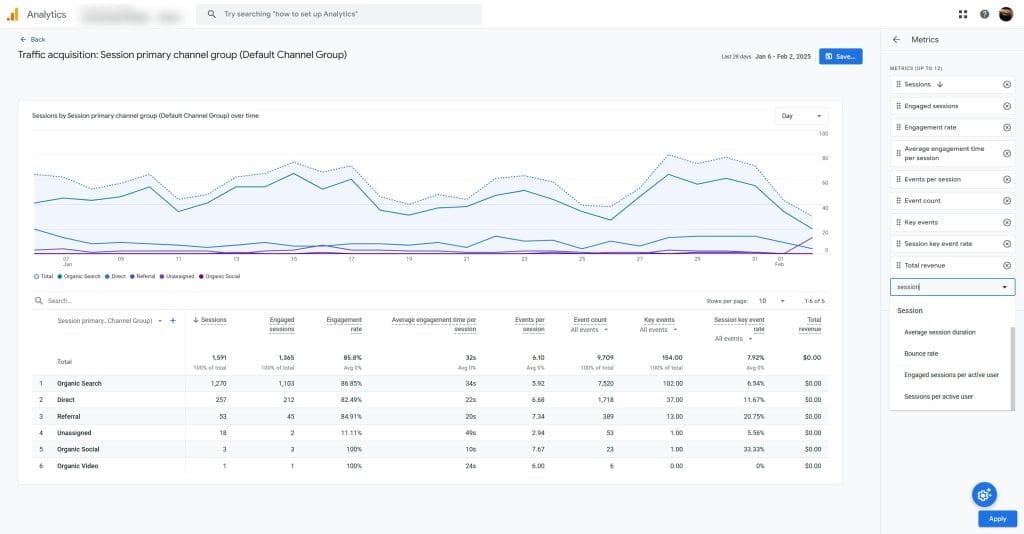
What it is: Google Analytics 4 (GA4) is Google’s latest generation of web and app analytics, while Looker Studio is a free data visualization tool that connects seamlessly with GA4 and other data sources.
What it does: GA4 tracks user interactions across websites and apps using event-based tracking and machine learning. Looker Studio transforms this data into customizable visual reports and dashboards that can be easily shared with clients.
Learn how to create Looker Studio client reports.
Why it’s a must-have: This combination provides enterprise-grade analytics capabilities at zero cost—unmatched value for agencies serving budget-conscious clients. The Google ecosystem integration
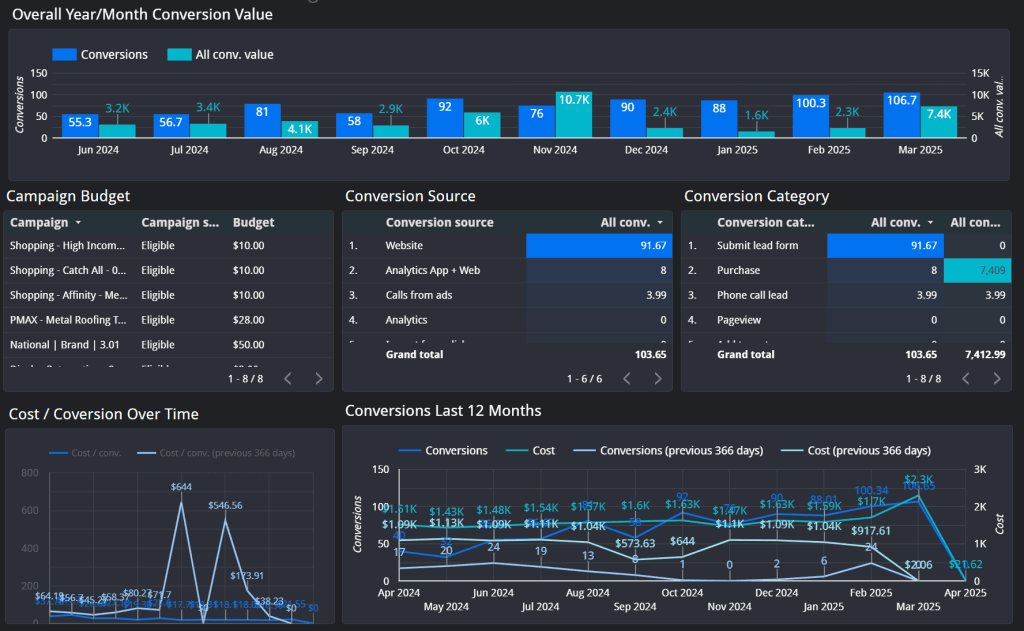
ensures data flows smoothly between platforms, and continuous updates keep you current with analytics trends without additional investment.
Features:
- Tracks website and app actions
- Creates automatic dashboards
- Provides AI-powered insights
- Offers cross-device tracking
- Enables custom event creation
Benefits: These free tools give high-quality insights that would otherwise require expensive enterprise solutions.
Pricing:
| Product | Price | Data Limits | Notes |
|---|---|---|---|
| Google Analytics 4 | Free | No hard limit (sampling after high volumes) | Sufficient for most websites |
| GA4 360 | ~$150,000/year | Unlimited events | Enterprise only |
| Looker Studio | Free | No limits | Unlimited reports and dashboards |
Time and cost savings:
Manual reporting takes 3–5 hours monthly per client. You log into Google Analytics, export data to Excel or PowerPoint, create charts, format everything, write analysis, and email the report.
Automated Looker Studio reporting takes 30 minutes monthly. You review the auto-generated report for accuracy and add brief commentary. The platform handles data collection, visualization, and delivery.
You save 2.5–4.5 hours monthly per client, worth $250–450 in billable time. Since both tools are free, the entire savings flows directly to your bottom line.
Alternative worth considering:
Hotjar adds heatmaps, session recordings, and user feedback surveys. These qualitative insights complement GA4’s quantitative data. You see not just what users do, but why they do it. Hotjar starts at $32 monthly for basic features.
Tools for Agencies Serving Mid-Market Businesses
Mid-market clients need strong automation without high costs. These tools balance power and usefulness.
ActiveCampaign

What it is: ActiveCampaign is an all-in-one marketing automation platform that combines email marketing, automation, sales automation, and CRM functionality.
What it does: It enables creating complex, behavior-driven marketing workflows with a visual builder while tracking customer interactions across email, website, and sales touchpoints to deliver personalized experiences at scale.
Why it’s a must-have: For agencies serving mid-market businesses, ActiveCampaign hits the sweet spot between affordability and advanced functionality. Its automation capabilities can reduce manual work by up to 80%, allowing agencies to manage more clients without expanding headcount. The ActiveCampaign Partner Program provides discounted pricing and co-marketing opportunities that enhance agency credibility.
Features:
- Visual builder for automation
- Website visit tracking
- Optimal email timing
- Version testing (A/B)
- Lead scoring
- Integrated CRM (available as add-on)
- Predictive sending
Benefits: Its agency program offers lower prices, keeping costs down while providing enterprise-level capabilities that impress clients.
Pricing (1,000 contacts):
| Plan | Monthly Cost | Annual Cost (per month) |
|---|---|---|
| Starter | $19/month | $15/month |
| Plus | $59/month | $49/month |
| Pro | $99/month | $79/month |
| Enterprise | $179/month | $145/month |
Note: Pricing scales with contact count. Annual billing saves approximately 20%. A 20% nonprofit discount is available on all plans. As of November 2025, new users are charged for all contacts including unsubscribed, bounced, and unconfirmed contacts. No free plan — only a 14-day free trial (based on Pro features). CRM functionality is available as an enhanced add-on (Pipelines or Sales Engagement packages).
Alternative: Klaviyo focuses on automation for online stores, great for retail clients.
Swydo
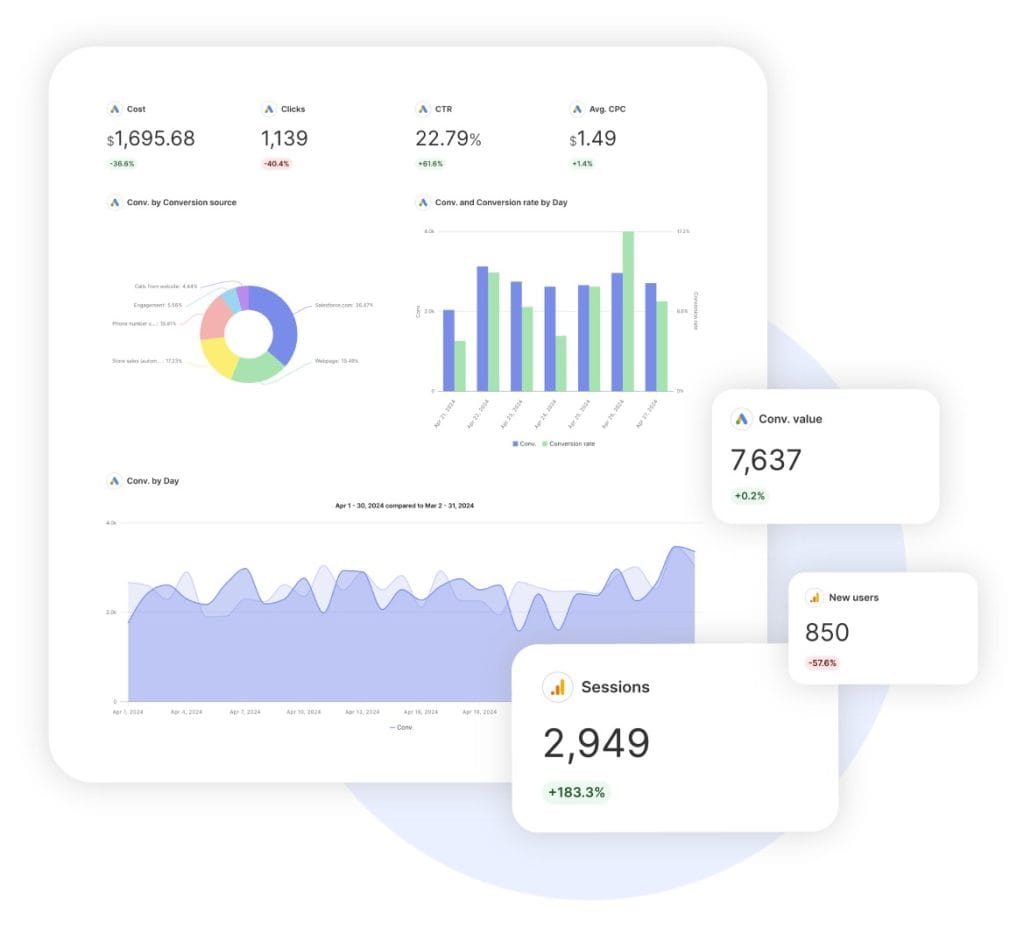
What it is: Swydo is an automated marketing report and dashboard platform designed specifically for digital marketing agencies to streamline client reporting.
What it does: It automatically pulls data from major marketing platforms (Google Analytics, Facebook, Instagram, LinkedIn, and tools mentioned here like MailChimp, Hubspot, Klaviyo, etc.) and transforms it into visually appealing, branded reports that can be scheduled for delivery to clients.
Why it’s a must-have: For agencies juggling multiple client accounts across various platforms, Swydo eliminates hours previously spent manually gathering performance data. Its white-labeling capabilities ensure clients see only your agency’s branding, and the time saved—often 5-10 hours per client per month—can be redirected to strategy and execution, directly improving profitability.
Features:
- Automates reports from platforms like Facebook, X, LinkedIn, Instagram, TikTok, and Snapchat
- White-labeling keeps your agency’s name visible
- Scheduled report delivery
- Custom metrics and calculations
- Interactive dashboards
Pricing:
volume usage:
| Data sources | Price per data source |
|---|---|
| First 10 data sources | included in initial monthly base fee $69 |
| 11 – 100 data sources | $4.50 per data source |
| 101 – 500 data sources | $3.00 per data source |
| 501+ data sources | $2.00 per data source |
For more than 1,000 data sources (monthly) You can Contact us for a custom-tailored plan
Alternatives worth considering:
AgencyAnalytics provides more visual dashboards and includes rank tracking. It costs $149 monthly, higher than Swydo but includes additional features.
DashThis offers simpler interface and basic reports at $49 monthly. It covers fundamental reporting needs for agencies with straightforward requirements.
Whatagraph creates beautiful visual reports with custom pricing. Request a quote for agency-specific needs.
Google Looker Studio remains completely free but requires significant manual setup and maintenance. It works well if you have technical resources available.
Sprout Social

What it is: Sprout Social is one of the best social media reporting tools, an enterprise-grade social media management platform designed for agencies handling sophisticated social strategies across multiple brands and platforms.
What it does: It provides comprehensive tools for publishing, engagement, listening, analytics, and team collaboration across all major social networks, with advanced features like competitive analysis and workflow approvals.
Why it’s a must-have: For agencies managing complex social operations for mid-market clients, Sprout Social’s robust permissions system ensures quality control while enabling team collaboration. Its detailed competitive analysis provides valuable strategic insights for client presentations, and comprehensive reporting justifies higher retainer fees by demonstrating clear value from social activities.
Features:
- Automates posting
- Social listening (available as add-on)
- Performance analytics
- CRM integration
- Competitor comparison
- Team collaboration tools
- Client dashboards
Pricing:
| Plan | Price/Seat/Month | Social Profiles | Analytics | Best For |
|---|---|---|---|---|
| Standard | $199 | 5 | Basic | Small teams, single brand |
| Professional | $299 | Unlimited | Advanced | Growing agencies |
| Advanced | $399 | Unlimited | Premium + Competitive | Established agencies |
| Enterprise | Custom | Unlimited | Enterprise | Large agencies |
Note: Prices shown are for annual billing. Monthly billing is available at a higher rate. All plans are priced per seat — each additional user pays the same per-seat rate. Social listening and premium analytics are available as add-ons (starting at approximately $999/month). A 30-day free trial is available on all plans with no credit card required.
Time and cost savings:
Sprout Social saves 10–15 hours weekly on social media management for a typical agency. That’s 40–60 hours monthly. At $100/hour, that’s $4,000–6,000 in value. A 5-person team on Advanced pays $1,995 monthly, creating roughly 2–3x ROI on time savings alone.
The competitive insights and strategic recommendations support consulting services worth $500–1,500 monthly in additional revenue. Combined, Sprout Social can generate 3–4x ROI for established agencies.
Alternatives worth considering:
Buffer costs far less at $60–120 monthly for typical agency setups but provides much simpler functionality. It handles scheduling well but lacks social listening and deep analytics. provides much simpler functionality. It handles scheduling well but lacks social listening and deep analytics.
Hootsuite offers similar features with more flexible pricing starting at $99 monthly. It provides comparable analytics and team collaboration at lower cost.
Agorapulse costs significantly less at $49 monthly while covering core agency needs. It lacks some enterprise features but works well for growing agencies.
Semrush
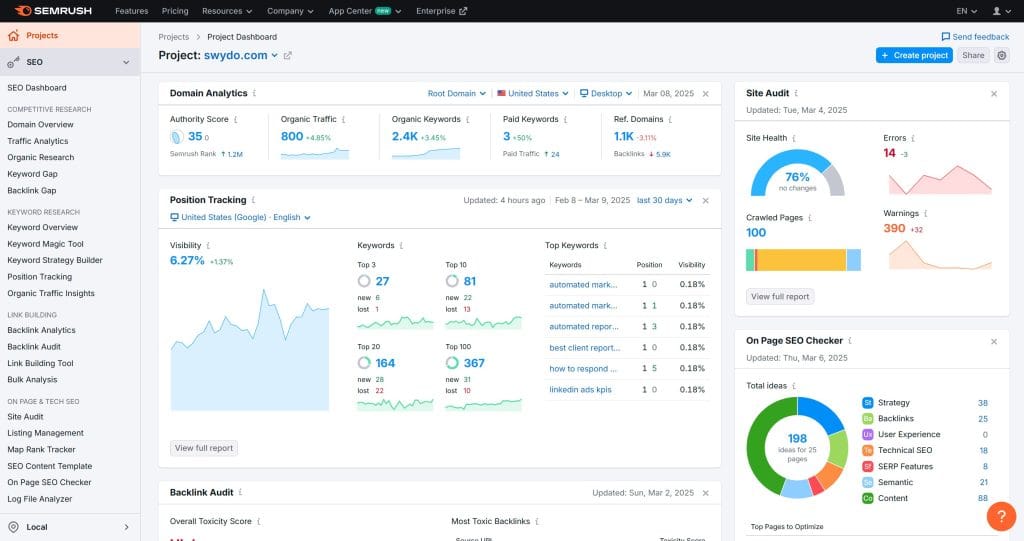
What it is: Semrush is a comprehensive digital marketing suite with a strong focus on search engine optimization (SEO), also covering content marketing, competitive research, PPC, and social media. It’s one of the must-have marketing agency tools.
What it does: It provides automated intelligence on organic and paid search performance, including keyword research, position tracking, on-page SEO recommendations, backlink analysis, and content optimization.
Why it’s a must-have: For agencies offering SEO services, Semrush dramatically reduces research and reporting time while improving accuracy. The ability to quickly identify high-potential keywords, technical website issues, and competitive gaps allows agencies to demonstrate immediate value to clients. Its Agency Growth Kit includes proposal tools and white-label reporting that help acquire new clients.
Features:
- Automates keyword searches
- Site checks and auditing
- Rank tracking
- Link analysis
- Content optimization
- Competitive research
Pricing (SEO Toolkit — Classic plans):
| Plan | Monthly Cost | Annual Cost (per month) |
|---|---|---|
| Pro | $139.95/month | ~$117.33/month (17% discount) |
| Guru | $249.95/month | ~$208.33/month (17% discount) |
| Business | $499.95/month | ~$416.66/month (17% discount) |
Semrush One (bundled SEO + AI Visibility):
| Plan | Cost |
|---|---|
| Starter | $199/month |
| Pro+ | $299/month (includes 3 user seats) |
| Advanced | Custom pricing |
Note: Semrush introduced “Semrush One” in late 2025, which bundles the classic SEO toolkit with the new AI Visibility Toolkit. The classic SEO plans (Pro, Guru, Business) still exist as standalone options. Additional user seats cost $45–$100/month depending on plan. Numerous add-on toolkits are available separately: Local SEO ($30/month), Social ($20/month), Content ($60/month), AI Visibility ($99/month per domain), and more. Annual billing saves 17% on all plans.
Time and cost savings:
- Keyword research: Previously 8 hours, now 1 hour
- Site audits: Previously 6 hours, now 30 minutes
- Competitor analysis: Previously 4 hours, now 1 hour
- Monthly client reporting: Previously 2 hours, now 20 minutes
Total time saved per client: 10–12 hours monthly, worth $1,000–1,200 in billable time. With 10 SEO clients, Semrush costs roughly $25 per client monthly. You need only 1–2 clients to break even, making the ROI overwhelmingly positive.
Alternatives worth considering:
- Mangools provides budget-friendly SEO tools starting at $29–79 monthly. The feature set is basic but covers fundamental keyword research and rank tracking for small-scale operations.ture set is basic but covers fundamental keyword research and rank tracking for small-scale operations.
- Ahrefs offers a superior backlink database and simpler interface. Pricing starts at $199 monthly. For agencies prioritizing link building, Ahrefs provides better data.
- Moz Pro costs less at $99 monthly but offers fewer features and a smaller database. Budget-conscious agencies with basic SEO needs find it sufficient.
CallTrackingMetrics
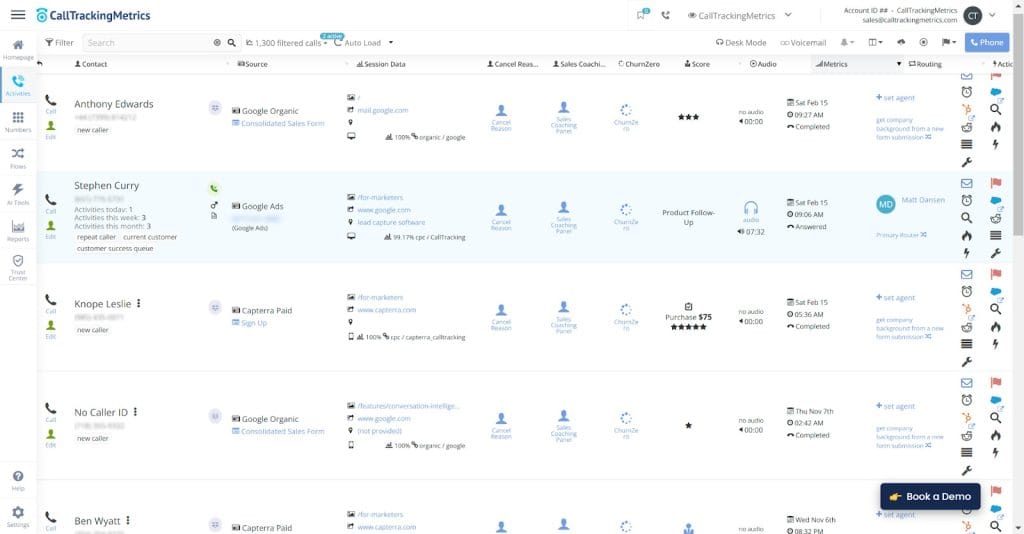
What it is: CallTrackingMetrics is a specialized call analytics and attribution platform that helps marketers understand which campaigns and keywords drive phone calls.
What it does: It dynamically replaces phone numbers on websites and in advertisements to track marketing sources that generate calls, records conversations for quality assurance, and integrates this data with CRM and marketing platforms.
Why it’s a must-have: For agencies serving businesses where phone calls are important conversion points (legal, healthcare, home services, automotive), CallTrackingMetrics provides critical attribution data that would otherwise be missing from reports. This closes the reporting loop and demonstrates the full value of marketing campaigns, while call quality analysis helps agencies improve client operations beyond marketing.
Features:
- Automates call tracking
- Number switching
- Conversation analysis
- White-labeling
- Multi-client dashboards
- Call recording
- Marketing attribution
Pricing:
| Plan | Cost |
|---|---|
| Performance | Starting at $79/month plus usage |
| Growth | Starting at $179/month plus usage |
| Connect | Starting at $329/month plus usage |
| Enterprise | Starting at $1,999/month plus usage |
Note: All plans include per-minute and per-number usage fees on top of the base subscription. Contact CallTrackingMetrics directly for the most current pricing, as plans and pricing may vary.
Alternative: CallRail offers basic tracking, but it has fewer advanced tools. See our best call tracking software list for more options.
See our best call tracking software list for more options.
Tools for Agencies Serving Enterprise Clients
Enterprise clients need solutions that grow and connect well. These tools deliver big results.
Salesforce Marketing Cloud
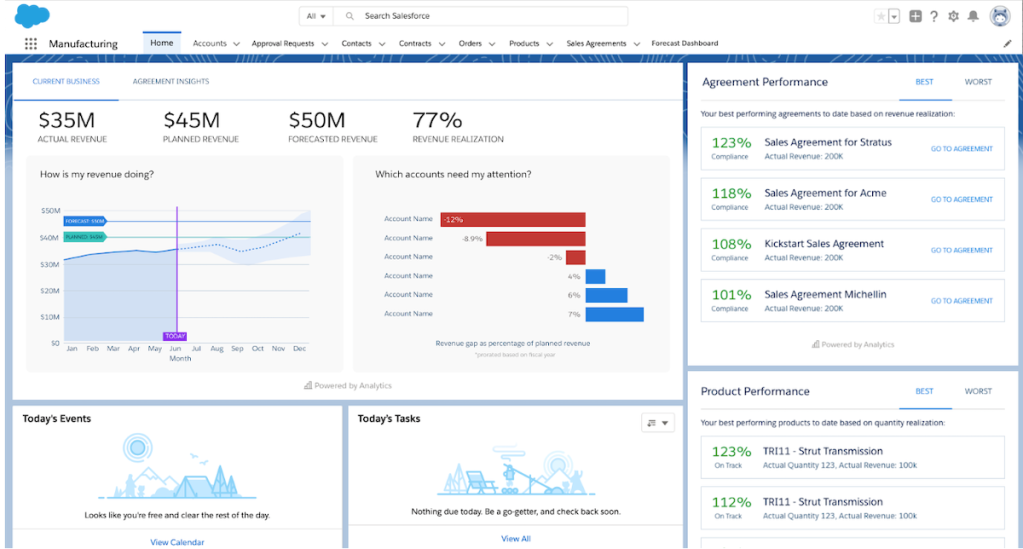
What it is: Salesforce Marketing Cloud is an enterprise-level digital marketing platform within the Salesforce ecosystem, designed for large organizations with complex marketing requirements.
What it does: It enables sophisticated cross-channel marketing automation across email, mobile, social, web, and advertising. Its Journey Builder creates personalized customer journeys that adapt based on real-time behaviors, while Einstein AI provides predictive insights and optimization.
Why it’s a must-have: For agencies serving enterprise clients, Salesforce Marketing Cloud provides the scalability, security, and depth required for sophisticated marketing operations. Its integration with Salesforce CRM creates a unified customer view enabling true personalization at scale, opening opportunities for high-margin strategy and implementation services.
Features:
- Automates projects across many channels
- Personalizes campaigns
- Analyzes with Journey Builder and Einstein AI
- Manages consent and preference centers
- Provides real-time interaction management
Pricing:
| Plan | Cost | Billing |
|---|---|---|
| Starter Suite | $25/user/month | Monthly or annually |
| Pro Suite | $100/user/month | Monthly or annually |
| Marketing Cloud Growth Edition | $1,500/org/month | Billed annually |
| Marketing Cloud Advanced Edition | $3,250/org/month | Billed annually |
Note: Starter Suite and Pro Suite are per-user pricing and serve as entry points to the Salesforce ecosystem. The Growth and Advanced editions are priced per organization (not per user) and require annual commitments. Additional add-ons, credits, and professional services are available at extra cost. Implementation typically starts at $25,000+ depending on complexity.
Alternatives worth considering:
- Braze focuses on mobile-first brands with strong app engagement features. Consumer brands prioritizing mobile experiences choose Braze over Salesforce.agement features. Consumer brands prioritizing mobile experiences choose Braze over Salesforce.
- Adobe Marketo Engage handles complex B2B scenarios better than most platforms. It specializes in sophisticated lead scoring and account-based marketing.
- Oracle Eloqua provides robust B2B automation with deep enterprise features. Large corporations already using Oracle infrastructure find it a natural fit.
- HubSpot Marketing Hub Enterprise costs significantly less at approximately $3,600/month. It’s easier to use and implement than Salesforce but less powerful for massive-scale operations.
Operational Must-Haves for Every Agency
Good internal work leads to client success. These tools make agency tasks easier.
monday.com
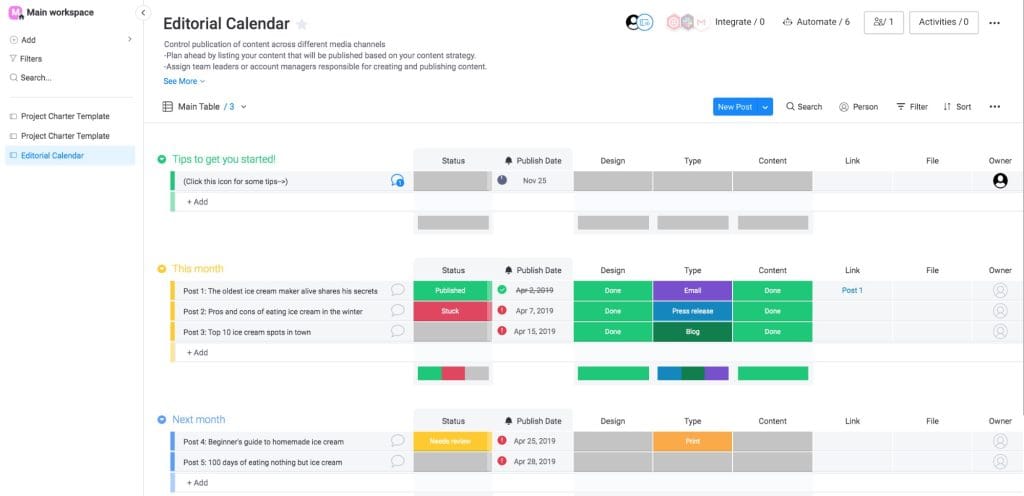
What it is: monday.com is a flexible work operating system that centralizes project management, team collaboration, and workflow automation in a visually intuitive platform.
What it does: It enables agencies to visualize project status, automate repetitive processes, track time against deliverables, and create client-facing dashboards. Its automation engine handles task assignments, status updates, and notifications, reducing administrative work.
Why it’s a must-have: For agencies struggling with consistent project delivery and transparent client communication, monday.com creates standardized processes that ensure quality regardless of which team member is assigned. The platform’s client dashboards provide real-time visibility into project progress, eliminating “Where do we stand?” emails that consume account managers’ time, while saving agencies 20+ hours weekly in administrative tasks.
Features:
- Automates workflows
- Time tracking
- Client dashboards
- Custom statuses and fields
- File sharing and commenting
- Resource allocation
Pricing:
| Plan | Monthly (per seat) | Annual (per seat) | Capacity |
|---|---|---|---|
| Free | $0 | $0 | Up to 2 seats |
| Basic | $12/seat/month | $9/seat/month | Minimum 3 seats |
| Standard | $14/seat/month | $12/seat/month | Minimum 3 seats |
| Pro | $24/seat/month | $19/seat/month | Minimum 3 seats |
| Enterprise | Custom pricing | Custom pricing | Custom |
Note: monday.com uses bucket pricing — minimum of 3 seats, then ascending in multiples of 5. If you have 4 team members, you must purchase the 5-seat option. Automations are not available on Free or Basic plans. The Standard plan includes 250 automation actions/month. The Pro plan includes 25,000 automation actions/month.
Time and cost savings:
Before monday.com, a typical 5-person agency spends 18–20 hours weekly on coordination: status meetings, status update emails, project planning, and deadline tracking.
After monday.com, that drops to 5–6 hours weekly: platform check-ins and brief standup meetings. Everything else is visible on boards automatically.
- Savings: 12–15 hours weekly = 50–60 hours monthly per 5-person team
- Value at $100/hour: $5,000–6,000 monthly
- monday.com cost for 5 users on Pro (annual): ~$95/month
- ROI: approximately 50–60x return on investment
Alternatives worth considering:
- Notion provides more flexible documentation and databases. It excels at knowledge management but has weaker project management compared to monday.com and Asana. Pricing starts at $8/user/month.tabases. It excels at knowledge management but has weaker project management compared to Monday.com and Asana. Pricing starts at $8 per user monthly.
- Asana provides similar features with a cleaner interface and better task dependency management. It lacks built-in time tracking, which agencies need for billing. Pricing starts at $10.99/user/month.
- ClickUp offers the most features at the lowest price starting at $7/user/month. The feature density creates a steeper learning curve and can feel overwhelming.
Harvest
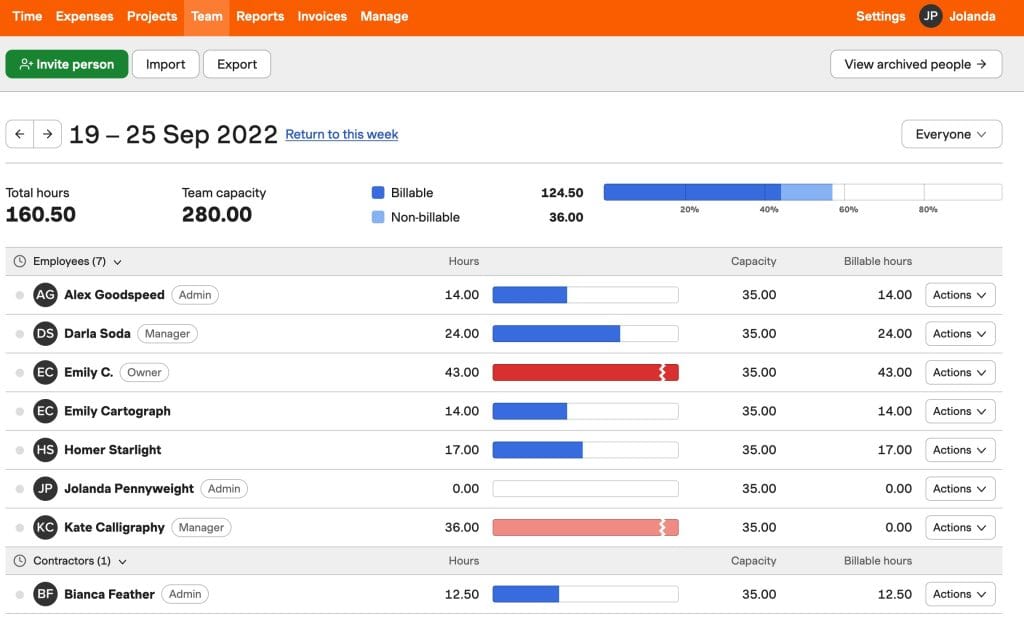
What it is: Harvest is a specialized time tracking and billing platform designed for service-based businesses like agencies. It focuses exclusively on tracking billable time, expenses, and translating those into accurate invoices with minimal administrative effort.
What it does: Harvest makes it simple for team members to log time against specific projects and tasks through various interfaces (web, mobile, desktop, and browser extensions). It automatically calculates billable amounts based on hourly rates, generates professional invoices, tracks payments, and provides detailed reports on team utilization, project profitability, and client billing.
Why it’s a must-have: For agencies that bill by the hour or need to track time against retainer agreements, Harvest eliminates the inaccuracies and administrative burden of manual time tracking. Its detailed reporting reveals which clients, projects, and tasks are most profitable, enabling data-driven decisions about pricing and resource allocation. Agencies using Harvest typically report recovering 5–10% more billable time that would otherwise go untracked, directly impacting the bottom line.
Features:
- Automates time tracking
- Expense logging
- Invoicing
- Team capacity planning
- Budget tracking
- Payment processing
- Retainer management
- QuickBooks and Xero integration
Benefits: Ensures clear profit views at the client, project, and task level while streamlining the billing process from time entry to payment receipt.
Pricing:
| Plan | Cost | Features |
|---|---|---|
| Free | $0 | 1 user, 2 projects |
| Pro | $12/user/month | Unlimited projects |
Alternatives worth considering:
- Productive.io is built specifically for agencies, combining time tracking, budgeting, and project management in one platform. It costs $11–24/user/month depending on features needed.
- Toggl Track offers similar time tracking with weaker invoicing but stronger reporting. It costs $9/user/month.
- Clockify provides free time tracking forever with unlimited users. It lacks the invoicing depth of Harvest but works well if you invoice through separate accounting software.
- TimeCamp provides automatic time tracking that monitors computer activity. It’s more comprehensive at $7/user/month but some teams find automatic tracking intrusive.
Zapier
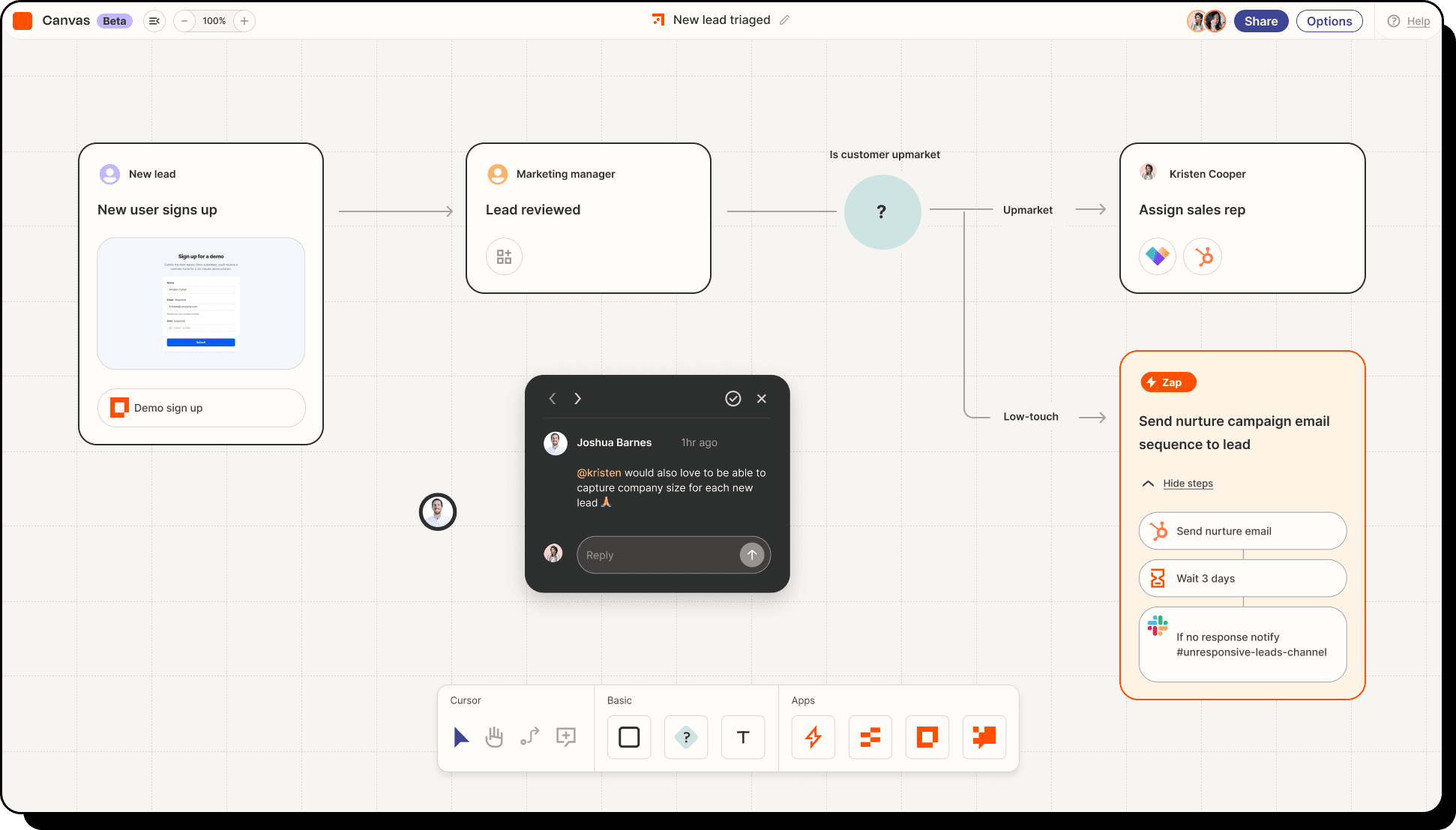
Zapier connects 8,000+ apps without requiring code. The platform creates automated “Zaps” that trigger actions across different applications. When a lead submits a form, Zapier can add them to your CRM, send a welcome email, and notify your team in Slack—all automatically.
What agencies get from Zapier:
Key features:
- 8,000+ app integrations
- Multi-step automations
- Conditional if/then logic
- Scheduling and delay features
- Pre-built workflow templates
- Error handling with retries
- Built-in tools like Filters, Formatters, and Paths (do not count toward task usage)
How agencies use Zapier:
Lead management workflow: Form submission → Add contact to CRM → Send welcome email → Create task for sales rep → Notify team in Slack. This single automation replaces 5 manual steps that previously took 10–15 minutes per lead.
Client reporting workflow: Every Friday, Zapier pulls weekly stats from Google Analytics → Formats data → Sends email summary to client. You save 30 minutes weekly of manual report creation.
Client onboarding workflow: New client added to project management tool → Zapier creates folder structure in Google Drive → Creates communication channel in Slack → Sends welcome email sequence → Assigns onboarding tasks to team. The entire process happens in seconds instead of 30–60 minutes of manual setup.
Social automation workflow: New blog post published → Zapier shares to Facebook, LinkedIn, X, and Instagram with custom captions for each platform. You post once, distribute everywhere.
Content distribution workflow: YouTube video uploaded → Zapier creates posts for all social platforms → Adds to email newsletter → Updates website. One upload cascades everywhere automatically.
Pricing breakdown:
| Plan | Monthly | Annual | Tasks/Month | Multi-Step | Premium Apps | Users |
|---|---|---|---|---|---|---|
| Free | $0 | N/A | 100 | No | No | 1 |
| Professional | $29.99 | $19.99/mo | 750 | Yes | Yes | 1 |
| Team | $103.50 | $69/mo | 2,000 | Yes | Yes | 25 |
| Enterprise | Custom | Custom | Custom | Yes | Yes | Unlimited |
Critical pricing notes:
- Annual billing saves approximately 33% compared to monthly rates. Professional plan drops from $29.99 to $19.99 monthly when paid annually.
- Each action in a Zap counts as one task. A 5-step Zap that runs 10 times uses 50 tasks total (5 steps × 10 runs). However, built-in tools like Filters, Formatters, and Paths do not count as tasks.
- Free plan limits to two-step Zaps only (one trigger, one action). Multi-step Zaps require Professional or higher.
- Premium apps (Salesforce, HubSpot Professional, Shopify) require Professional plan minimum.
- Update intervals: Free checks every 15 minutes, paid plans check more frequently (down to 1–2 minutes depending on plan).
- Task overages: If you exceed your monthly limit, Zapier continues running and bills you per-task for overages rather than stopping your automations.
- Zapier now includes Tables (database), Forms, and Zapier MCP on Free, Pro, and Team plans at no additional cost.
Time and cost savings:
The average agency saves 15–25 hours monthly on manual data entry and repetitive tasks. At $50/hour, that’s $750–1,250 in value monthly. Zapier Professional costs $19.99 monthly on annual billing, creating 35–60x ROI.
A conservative estimate: Zapier saves just 10 hours monthly. That’s still $500 in value for $20 in cost, a 25x return.
Alternative worth considering:
Make (covered next) offers more powerful features for complex workflows at lower cost for high-volume use. If you have technical team members comfortable with a steeper learning curve, Make provides better value at scale.rkflows at lower cost for high-volume use. If you have technical team members comfortable with a steeper learning curve, Make provides better value at scale.
Make
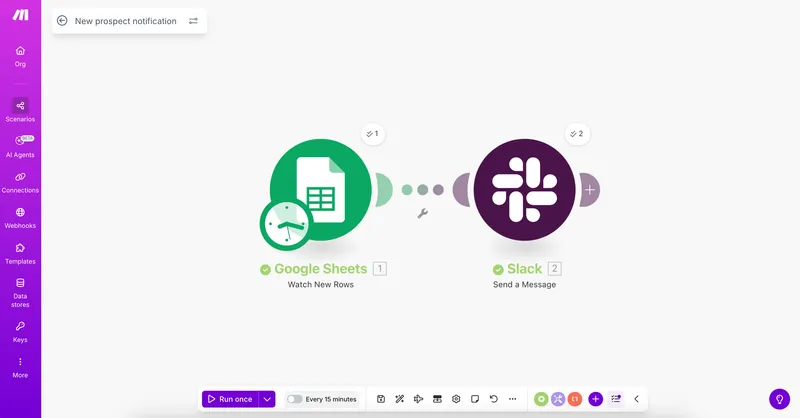
Make (formerly Integromat) provides powerful visual automation for complex multi-app workflows without code. The platform connects 3,000+ apps with advanced data routing, conditional logic, and data transformation beyond simple trigger-action sequences.
What agencies get from Make:
Key features:
- 3,000+ integrations with visual builder
- Advanced data transformation
- Multi-path conditional routing
- Built-in error handling
- Persistent data storage
- Detailed execution logs
How agencies use Make:
Handles complex automations where simple triggers aren’t enough. Route leads based on multiple conditions, transform messy data, and pay less than Zapier at high volumes.
Pricing breakdown:
| Plan | Monthly | Annual | Credits/Month | Min Interval | Best For |
|---|---|---|---|---|---|
| Free | $0 | N/A | 1,000 | 15 min | Testing workflows |
| Core | $10.59 | $9/mo | 10,000 | 1 min | Small agencies |
| Pro | $18.82 | $16/mo | 10,000 | 1 min | Growing agencies |
| Teams | $34.12 | $29/mo | 10,000 | 1 min | Multi-user teams |
| Enterprise | Custom | Custom | Custom | Instant | Large organizations |
Critical pricing notes:
- One credit equals one module execution. Each step in a workflow counts as one credit. A 5-step scenario that runs once uses 5 credits.
- Additional credits beyond included amounts can be purchased. Pricing per additional 10,000 credits varies by plan.
- Credits are now the standard unit (formerly called “operations”). Unused credits carry over for one month on paid plans.
- Annual billing saves roughly 15% compared to monthly. Core drops from $10.59 to $9 monthly, Pro from $18.82 to $16, Teams from $34.12 to $29.
Cost comparison: Make vs Zapier
A workflow runs 100 times daily with 5 steps. That’s 100 × 5 × 30 days = 15,000 credits/tasks monthly.
- Make Pro: $16/month + additional credits as needed = significantly less than Zapier
- Zapier Professional: Requires upgrade to Team plan at $69/month minimum, or significant overage charges
- Savings with Make: Typically $40–50+ monthly or $500+ annually for high-volume use cases
When to use Make vs Zapier:
Choose Make for:
- Data transformation (formatting, calculations, complex logic)
- Workflows with 7+ steps
- High-volume automations (10,000+ tasks monthly)
- Complex conditional branching
- Budget-conscious sophisticated needs
- Visual workflow debugging
Choose Zapier for:
- Simple 2–4 step workflows
- Speed of setup as top priority
- Non-technical team members
- Need for extensive app library (8,000+ vs 3,000+)
- Premium app integrations requiring specific enterprise tiers
Many agencies run both. Zapier handles simple automations. Make handles complex workflows. The combined cost is often less than Zapier alone at high volumes.
Time and cost savings:
Agencies using Make for complex workflows report 20–30 hours monthly saved on data processing and transformation tasks. At $100/hour, that’s $2,000–3,000 in value. Make Pro costs $16 monthly, creating 125–185x ROI.
Alternative worth considering:
n8n offers open-source automation with unlimited operations when self-hosted. Technical agenceration costs entirely. Cloud-hosted n8n starts at $20 monthly.
How to Build Your Marketing Campaign Machine
Your agency has a lot happening with client calls, project changes, and report requests, and you’re the one keeping it together. This isn’t about just adding tools but creating a system that removes the mess, supports your team, and gives clients results they notice. Swydo gets data directly from Facebook, X, LinkedIn, Instagram, TikTok, and Snapchat, so you don’t need Buffer for reports, and ActiveCampaign manages your projects. Here’s how to make it work, tied to your daily routine.
Step 1: Audit Your Load
Take a moment from the rush of tasks, get a coffee, open a document, and write down what’s slowing you.
What to List:
- “Writing many client emails”
- “Setting up social posts by hand”
- “Gathering reports from several sources”
This isn’t extra work but a way to see clearly. You’ll notice the repeated tasks that drag you down, like following leads that stop or rushing to find numbers during a meeting. This shows where you begin, and automation will fix it.
Step 2: Pick Your Core
Choose ActiveCampaign because it’s your main tool for managing projects, emails, customer records, and lead ratings.
Getting Started:
- Start simple
- Watch free YouTube lessons (search “ActiveCampaign basics”) over a few afternoons
- Set up a basic plan like “Lead signs up, gets a welcome email”
By the end of the week, it’s working, your email load drops, and you can think more clearly.
Step 3: Map Triggers
Think about your agency’s lead list where people sign up, but many slip away.
Sample Workflow:
- Lead fills out form
- Day 1: Email says “Thanks for joining”
- Day 3: Text says “Still interested?” if they don’t reply
- Day 7: Sales note if they show interest
In ActiveCampaign, set it up, and your team stops chasing lost leads because the system does it. Try it with a client’s list, see replies come in without extra work. This isn’t just saving time but catching money you’d lose.
Step 4: Stack Tools
Swydo is your client reporting helper and gets data straight from Facebook, Instagram, TikTok, X, LinkedIn, and Snapchat.
Benefits:
- You won’t stay up late gathering numbers for that Monday meeting
- Swydo puts clicks, sales, and views into one dashboard while you prepare client talks
- Set it up once, and it’s always there, showing clients results, not delays
Want to schedule social posts? Buffer’s an extra tool, sets posts for five clients at once, and they post while you plan, not adjust. Swydo doesn’t need Buffer’s numbers, so use platform data directly, but if you use Buffer, save its report file and add it to Swydo with Sheets for everything together. This makes your work smoother with control, not confusion.
Step 5: Optimize Weekly
Friday is your check-in, so review Swydo, ActiveCampaign, and Buffer if you use it.
What to Look For:
- “Emails not getting opens? Change the title.”
- “Instagram’s doing well? Add more there.”
Your team isn’t guessing but using real success, like focusing more on a TikTok project that’s growing. This isn’t just upkeep but keeping your work strong, making good better while clients see improvent.
How to Get the Most Out of Marketing Automation
Your system is running, so now make it the main part of your agency’s success, not just something extra. This is about easing stress, pleasing clients, and growing your earnings, all part of your daily routine. Swydo’s direct reporting from social media platforms, PPC platforms, email marketing tools like Mailchimp, SEO, CRM—you name it—keeps you in charge, and Buffer helps with scheduling if you need it. Here’s how to get the best from it.
Train Hard
Your team is busy, so don’t give them tools and expect them to learn alone.
Training Resources:
- ActiveCampaign webinars (activecampaign.com/events) for project plans
- Swydo’s YouTube (search “Swydo setup”) for reporting
- Buffer’s blog (buffer.com/resources) if you’re scheduling
They’ll move from “What is this?” to “I get it” quickly, with fewer errors filling your email and faster project starts meeting client dates. This isn’t extra but your team improving, not falling behind.
Segment Sharp
Leads aren’t all the same, so stop treating them that way.
Segmentation Examples:
- “People who left get a quick ‘20% off’ message and bring back those who’d go away”
- “Interested ones get a 7-day series with tips, proof, and an offer, turning curiosity into sales”
Your team stops sending the same email to everyone and sends the right message to the right people. Swydo shows which groups work best, like “TikTok leavers buy 20% of the time,” so you focus there. This is money you’d lose by treating everyone the same.
Live Data
Mornings are full with client updates and team talks, but check Swydo and ActiveCampaign.
Data-Driven Decisions:
- Swydo shows “LinkedIn ads do better than Facebook” → Move money there and surprise a client by noon
- ActiveCampaign notes “Morning emails get more opens than afternoons” → Switch times and see more replies
- Buffer says “X posts at 5 PM don’t work” → Post earlier
This isn’t just numbers but guiding your day with facts, not guesses, keeping projects ahead.
Prove Value
Clients care about results, not how you do it.
Value Demonstration:
- “Automation reduced extra tasks and added $10,000 in earnings” (Using ActiveCampaign’s lead-to-sale numbers)
- “Instagram got 2,000 clicks and $5,000 in sales” (Using platform data)
- “Your $5,000 spending brought $25,000 back”
Your team isn’t rushing during meetings because the proof is ready, clients keep signing up, and you sell more services. This keeps clients returning.
Refresh Monthly
Once a month, sit with your tools, maybe during lunch, and look at what’s happening.
Monthly Check Examples:
- ActiveCampaign → Welcome email isn’t getting opens? Add the lead’s name or a clearer request
- Swydo → Snapchat use growing? Suggest more effort there
- Buffer → LinkedIn posts not working? Try different posting times
This keeps your projects current and working well, not old and stuck, and clients see their numbers keep going up instead of staying flat. This isn’t just routine but a way to keep your automation strong, staying ahead and getting clients to say, “You’re d
Your Next Step
Agency growth and success depends on starting now. Begin with ActiveCampaign to handle projects automatically, add Swydo for direct platform reporting, and think about Buffer for scheduling if you need it. Start this week, and you’ll see less work stress and more client success right away. Waiting keeps you stuck. What’s your first step?
Marketing Automation for Agencies FAQ
Direct answers to the questions agencies actually ask about automation tools, setup, and scaling
Marketing automation is software that performs repetitive marketing tasks for you based on triggers and rules you set. It works on a simple “if this, then that” framework. For example: a prospect downloads a guide (trigger), the system sends a personalized follow-up email (action), then branches into different paths based on whether the prospect opened it or not. Once set up, it runs 24/7 without manual effort.
For agencies, this means email sequences, social media scheduling, lead follow-ups, and client reporting all happen automatically. You connect your automation platform to your CRM, ad accounts, and analytics tools so data flows between them. The result is less time on repetitive work and more time on strategy—which is what clients actually pay you for.
A CRM (customer relationship management) stores and organizes contact data—names, emails, deal stages, communication history. Marketing automation acts on that data by sending emails, scoring leads, triggering workflows, and scheduling content based on rules you define. A CRM is your database; marketing automation is the engine that uses it.
Many platforms now blend both. HubSpot Free CRM includes basic automation. ActiveCampaign offers CRM as an add-on to its automation suite. For agencies, starting with a combined platform avoids data silos and makes reporting easier. If you already use a standalone CRM like Salesforce, choose an automation tool that integrates natively with it so contact data syncs automatically without duplicate entry.
White-label means the tool lets you replace its branding with your agency’s branding on anything clients see. Reports carry your logo. Dashboards show your agency name. Emails go out from your domain. The client never sees the underlying software vendor’s identity—it all looks like a proprietary system your agency built.
This matters because it strengthens client perception of your agency’s value and professionalism. Tools like Swydo, ActiveCampaign, and Semrush offer white-label features on agency or higher-tier plans. When evaluating tools, check specifically whether white-labeling is included in your plan tier or requires an upgrade, since some platforms charge extra for it.
Lead scoring assigns points to prospects based on their actions—opening emails, visiting pricing pages, downloading resources, attending webinars. When a lead crosses a score threshold, the system flags them as sales-ready. This tells your client’s sales team exactly who to call first instead of guessing.
Agencies need lead scoring because it directly ties marketing activity to sales outcomes, which is the ROI proof clients demand. ActiveCampaign includes lead scoring on its Plus plan and higher. HubSpot offers it on Professional plans. Without lead scoring, you’re handing clients a list of names. With it, you’re handing them a ranked list of their best opportunities—and that’s a much easier value proposition to defend at renewal time.
The strongest free stack for agencies includes HubSpot Free CRM (up to 1,000,000 contacts, deal tracking, email logging), Google Analytics 4 with Looker Studio (enterprise-grade web analytics and custom visual reports), Buffer free plan (3 social channels, 10 scheduled posts each), and Zapier free tier (100 automated tasks per month). These tools cover CRM, analytics, social scheduling, and app integration at zero cost.
For email specifically, Brevo’s free tier sends 300 emails daily (roughly 9,000 monthly)—far more generous than Mailchimp’s free limit of 500 monthly sends. Start with these free tiers to build your automation foundation and prove ROI before upgrading to paid plans. HubSpot alone recovers 10–15 hours per client monthly in manual CRM work, which is $1,000–1,500 in billable time with no tool cost.
Mailchimp for email marketing combined with HubSpot Free CRM for contact management. Mailchimp’s name recognition means clients already trust it, reducing onboarding friction. Its Mailchimp & Co partner program gives agencies priority support and co-marketing opportunities. Pair that with HubSpot’s free CRM for deal tracking and lead capture, and you have a solid foundation that costs little to nothing.
For social media, Buffer keeps things simple at $5–6 per channel monthly. For reporting, Google Analytics 4 plus Looker Studio provides professional dashboards at no cost. The key principle for small business clients: choose tools with shallow learning curves and low price points. Complexity kills adoption. If a client can’t understand the reports or the tool feels overwhelming, they won’t see value—regardless of how powerful the platform actually is.
Prioritize five things: multi-client management (can you manage all accounts from one dashboard?), native integrations with your existing tech stack (CRM, ad platforms, analytics), white-label reporting for professional client deliverables, scalability (does it perform the same with 50 clients as with 5?), and an agency partner program with discounted pricing or revenue sharing.
Also watch for hidden costs. Some platforms charge for unsubscribed and inactive contacts (Mailchimp), require expensive onboarding fees (HubSpot Enterprise at $12,000, Salesforce implementations starting at $25,000+), or price per seat where every team member adds cost (Sprout Social, monday.com). Always calculate the total cost at your expected usage level—not just the base plan price—before committing.
Use Zapier for simple automations (2–4 steps) and non-technical teams. It connects 8,000+ apps and is faster to set up. Use Make for complex workflows (7+ steps), high-volume automations (10,000+ monthly tasks), and when budget matters at scale. A 5-step workflow running 100 times daily costs roughly $16/month on Make versus $69+/month on Zapier.
Many agencies run both. Zapier handles quick, simple connections like “new form submission → add to CRM → send Slack notification.” Make handles complex data transformations and multi-branch logic. The combined cost is often less than Zapier alone at high volumes. If you have technical team members comfortable with a visual builder, start with Make. If speed and simplicity matter most, start with Zapier.
Salesforce Marketing Cloud is the standard for enterprise cross-channel automation. Its Journey Builder creates personalized customer journeys that adapt in real time, and Einstein AI provides predictive optimization. It integrates deeply with Salesforce CRM, which most enterprise clients already use. Expect implementation costs starting at $25,000+ and platform pricing from $1,500/month per organization.
Alternatives include Adobe Marketo Engage for complex B2B lead scoring and account-based marketing, Oracle Eloqua for companies already in the Oracle ecosystem, and HubSpot Marketing Hub Enterprise at roughly $3,600/month for agencies wanting enterprise features with easier implementation. The enterprise tier opens high-margin strategy and consulting work that justifies the investment—agencies typically charge $15,000–50,000+ for Salesforce implementations alone.
A basic automation workflow—like a lead nurture email sequence—can be live within a week. Expect 2–3 afternoons of learning the platform through free tutorials and webinars, then a day to build and test your first workflow. Full agency setup with reporting dashboards, social scheduling, and multi-client management typically takes 2–4 weeks.
The critical rule: start small and expand. Build one lead follow-up sequence, test it with one client, confirm it works, then replicate across accounts. Agencies that try to automate everything at once usually end up with broken workflows and frustrated teams. Wait at least 3–6 months before adding complex features like behavioral triggers, lead scoring models, and multi-branch conditional logic.
Start with lead follow-up emails. They have the highest revenue impact and are straightforward to build. A basic sequence: lead fills out form → Day 1 welcome email → Day 3 follow-up if no response → Day 7 sales notification if they engage. This single automation catches revenue you’d otherwise lose from leads slipping through the cracks and takes about an hour to set up.
Next, automate client reporting. Manual report creation takes 3–5 hours per client monthly. A tool like Swydo or Looker Studio automates data collection and visualization, cutting that to 30 minutes of review. Third, automate social media scheduling with Buffer or Sprout Social—batching a week of posts takes 1–2 hours versus 5–8 hours of daily manual posting. These three automations alone recover 20–30 hours monthly per client.
Dirty data is the most common reason marketing automation fails. Set three habits: first, deduplicate contacts monthly in your CRM (HubSpot does this automatically; other tools may need manual cleanup or a tool like Dedupely). Second, remove hard bounces and unsubscribed contacts regularly—some platforms like Mailchimp charge for inactive contacts, so this saves money too. Third, standardize data entry with required fields and dropdown selections instead of free-text inputs on forms.
Build a quarterly data audit into your workflow. Check for contacts with missing email addresses, outdated company names, or incorrect tags. Implement progressive profiling on forms—instead of asking for everything upfront, gradually collect additional data points over multiple interactions. Clean data means your automations reach the right people with the right message, which is the entire point of the system.
Segment by behavior first, demographics second. Group contacts based on what they’ve done—visited a pricing page, opened three emails in a row, abandoned a cart, downloaded a specific guide. Behavior-based segments convert significantly better than demographic-only lists because they reflect actual intent, not assumptions.
For agencies, practical segments include: leads who went cold (send a re-engagement offer), active prospects who haven’t converted (send a case study series), and current clients by service type (cross-sell related services). Use your automation platform’s reporting to measure which segments perform best. For example, “TikTok leads who received the 7-day nurture sequence converted at 20%”—that insight tells you where to invest more effort and gives clients concrete data for their next strategy review.
The top five: (1) “Set and forget”—building workflows then never reviewing them, so performance declines while nobody notices. (2) Dirty data—automating with outdated contacts, duplicates, or missing fields, which means messages go to the wrong people or nobody at all. (3) No segmentation—sending the same email to every contact instead of tailoring messages by behavior, interest, or stage. (4) Choosing the wrong tool—picking a platform that’s too complex for your team or too basic for your needs. (5) Skipping team training—handing staff new tools and expecting them to figure it out alone.
The fix for all five is the same principle: start simple, review weekly, and improve monthly. Build one workflow, train your team on it properly, segment your contacts before sending anything, and schedule a Friday check-in to review open rates, click rates, and conversion data. Agencies that treat automation as an ongoing process rather than a one-time setup consistently outperform those that don’t.
Don’t automate high-stakes client communication—contract renewals, crisis management responses, or sensitive feedback conversations should always involve a human. Don’t automate broken processes either; if your lead follow-up workflow is fundamentally flawed, automation just scales the problem faster. And don’t automate creative strategy—AI can draft email copy or suggest content, but strategic positioning and brand voice decisions need human judgment.
Also avoid over-automating client touchpoints. If every email, notification, and message a client receives is automated, the relationship feels impersonal. The best agencies use automation for the repetitive backend work (data entry, scheduling, reporting, lead routing) and free their team to focus on the personal, strategic interactions that build trust and justify premium fees. Automation should support human relationships, not replace them.
Set frequency caps in your automation platform—limit the maximum number of emails or messages a contact receives per week regardless of how many workflows they’re enrolled in. Most tools like ActiveCampaign and HubSpot let you set these limits globally. A good starting point is no more than 2–3 marketing emails per week per contact.
Also build exit conditions into every workflow. If a lead converts, they should automatically stop receiving the nurture sequence. If someone unsubscribes from one campaign, check whether they’re still getting messages from another. Overlapping automations that bombard the same person from multiple directions are the fastest way to spike unsubscribe rates and damage your client’s brand. Test every workflow by enrolling yourself first and experiencing the full sequence as a recipient.
Based on typical agency workloads: email automation saves 3–5 hours per client monthly, CRM automation saves 10–15 hours per client monthly, social media scheduling saves 16–24 hours per client monthly, automated reporting saves 2.5–4.5 hours per client monthly, and project management automation saves 50–60 hours monthly for a 5-person team. For an agency with 10 clients, that’s easily 100+ hours recovered every month.
In dollar terms at $100/hour agency rates: Mailchimp saves $300–500 per client, HubSpot CRM saves $1,000–1,500 per client, Buffer saves $1,600–2,400 per client, Looker Studio saves $250–450 per client, and monday.com saves $5,000–6,000 per team. Most tools pay for themselves within the first week of use. The freed-up hours can be redirected to strategy, client acquisition, or simply taking on more accounts without hiring.
Frame results in business outcomes, not marketing metrics. Instead of “open rate increased 15%,” say “automated follow-ups generated 47 qualified leads and $10,000 in new revenue.” Instead of “we scheduled 120 posts,” say “Instagram drove 2,000 clicks and $5,000 in attributable sales.” Clients care about money in, money out—so connect every automation to revenue or cost savings wherever possible.
Use your reporting tools to build this proof automatically. Swydo and Looker Studio generate visual dashboards that pull real-time data from ad platforms, social accounts, and analytics—so the numbers are always ready before client meetings. For phone-heavy businesses (legal, healthcare, home services), add CallTrackingMetrics to attribute calls to specific campaigns. The agencies that retain clients longest are the ones who make ROI undeniable with data, not the ones who promise the most services.
Yes—that’s the core business case for automation. Agencies using templated workflows can replicate proven processes across new clients in minutes instead of rebuilding from scratch each time. Clone an email sequence in ActiveCampaign, duplicate a reporting template in Swydo, and copy a project board in monday.com. Each new client plugs into existing systems rather than creating proportional new work.
The math works clearly: without automation, adding 5 clients might require hiring 1–2 new team members. With automation handling reporting, email sequences, social scheduling, and project coordination, the same team absorbs those 5 clients while maintaining quality. Monday.com alone delivers roughly 50–60x ROI by recovering 50–60 hours of coordination time monthly for a 5-person team. The ceiling on growth shifts from “how many people can I hire” to “how many clients can my systems handle”—which is a much more profitable question.
AI enhances automation at three levels: content creation (Mailchimp and HubSpot use AI to generate email subject lines and copy), optimization (ActiveCampaign’s predictive sending delivers emails at the time each contact is most likely to open), and analysis (Salesforce Einstein and Semrush’s AI tools surface insights from data that would take humans hours to find manually).
For agencies, AI’s biggest practical impact is in reporting and content efficiency. Tools like AgencyAnalytics use AI to generate client report narratives in seconds. Semrush’s AI recommends content optimizations automatically. Zapier now lets you plug AI models into workflows for tasks like classifying leads based on form responses or summarizing campaign data. The key is using AI to augment your team’s output—not to replace the strategic thinking that clients pay premium rates for.
Automate your client reporting and prove ROI across every campaign—all in one dashboard.
Start Your Free Trial Today