
A PPC monitoring tool watches your live campaigns across Google, Microsoft, Meta, and other platforms, then flags the moment something needs attention. A budget pacing too fast. Conversion tracking gone quiet. A CPA spike. A competitor moving into your auction.
The right one for you comes down to three things: how much you spend a month, how many platforms you run, and whether you’re watching one account or fifty.
That last point trips up a lot of buying decisions.
A solo advertiser on $4,000 a month and an agency on $400,000 across 40 clients have almost nothing in common. Yet they read the same “top 10” lists — and end up either overpaying for enterprise features or outgrowing a starter tool in a quarter. So this list is sorted by spend tier, with a few specialized tools at the end for problems the general platforms don’t handle well.
One thing worth knowing up front, because it shapes what “monitoring” even means now.
Google’s Performance Max and Meta’s Advantage+ campaigns make more of the calls than they used to, and they show you less of the reasoning behind them. The gap between what the platform reports and what’s actually happening keeps widening.
Monitoring used to be mostly about catching your own slip-ups. Now it also means keeping an eye on the algorithm — and on the invalid traffic that can quietly eat into a budget while every dashboard says the campaign looks healthy.
What PPC Monitoring Tools Actually Do
A PPC monitoring tool tracks your campaign metrics around the clock and alerts you when one crosses a threshold you set. So you fix things in hours instead of finding out days later.
That’s the whole job in one sentence. What separates a great tool from a pretty dashboard is what happens after the alert.
The tools worth paying for do three jobs, not one. Think of it as a loop — Detect, Diagnose, Defend.
The Three Jobs of PPC Monitoring
1
Detect
Alert the second a metric drifts — budget pacing, conversion drops, CPC spikes. Almost every tool does this.
2
Diagnose
Trace the change to a cause — a competitor, a broken tag, a shifted budget. The part most tools skip.
3
Defend
Block what isn’t your campaigns at all — bots, click farms, and invalid traffic eating into the budget.
A dashboard stops at step 1. The tools worth paying for get you to Diagnose and Defend.
Detect is the alert layer. Budget pacing past 120% of target, a conversion rate that drops off, a Quality Score dip, a CPC that jumps 30% overnight.
Almost every tool handles this. The trick is doing it well, because a tool that alerts on everything quickly teaches you to ignore all of it.
Diagnose is the part many tools skip, and the part that earns the subscription. Your CPA doubled overnight. The number alone doesn’t help much without knowing why.
The strong tools trace the change back to a cause: a new competitor bidding on your brand term, a landing page throwing errors, a tracking tag that stopped firing, a budget the algorithm shifted. That’s the difference between a tool that interrupts your day and one that saves it.
Defend is protecting the budget from things that aren’t your campaigns at all.
Invalid traffic (bots, click farms, even competitors clicking your ads to use up your daily budget) is real spend. And it’s gotten trickier to spot now that bots can mimic human behavior well enough to fool Smart Bidding. This is the layer the older “best tools” lists tend to leave out.
One distinction is worth holding onto. Monitoring tells you something needs attention while you can still act on it. Reporting shows you what happened after the fact.
They overlap, and some tools do both, but they answer different questions. For the deeper split, here’s a full breakdown of monitoring versus reporting.
How to Choose a PPC Monitoring Tool
Four things separate a useful monitoring tool from a costly one: alert quality, cross-platform coverage, diagnosis depth, and how the price scales as you grow.
Most buyers weigh the first and forget the last. Then they get a surprise on the invoice at 20 clients.
Alerts ranked by business impact, not percentage. A 50% CPC jump on a $10/day budget is noise. A 15% jump on a $5,000/day budget matters a lot.
A tool that treats those the same teaches you to tune it out. The good ones let you weight alerts by what they actually cost you. The few worth setting up first:
- Budget pacing. Flag when daily spend runs past ~120% or falls below ~80% of target
- Conversion tracking failure. Catch it within hours, because a broken tag quietly skews every decision you make until you spot it
- Quality Score drops below a floor you set
- CPC or CPA moves past a threshold that matters for that account’s budget
Cross-platform coverage that matches your mix. Run Google only? A Google-specialist tool is deeper and cheaper.
Run Google, Microsoft, Meta, and LinkedIn? A single-platform tool means bolting on a second subscription the moment a client adds a channel, and you’ve quietly spent more than one cross-platform tool would have cost.
Diagnosis depth. Ask the vendor one question: what happens after an alert fires? Does it just notify, or does it show probable causes? This is the single biggest quality gap in the category.
Price that scales with how you grow. Per-account, per-user, per-data-source, or per-ad-spend. The model decides whether your margin holds as you scale.
An agency adding clients every month feels this more than a single advertiser ever will. Watch the PPC metrics you’re actually billed against, because that’s where the surprises live.
Here’s the quick version, by spend.
PPC Monitoring Tools at a Glance
Sorted by the ad spend each one is built for. Prices are monthly unless noted; annual billing is usually cheaper.
| Tool | Best for | Platforms | From |
|---|---|---|---|
| Small budgets — under $10K / month | |||
| Opteo | Ranked recommendations for Google-only accounts | $129/mo | |
| Adzooma | Free or low-cost monitoring across platforms | Google, Microsoft, Meta | Free / $69/mo |
| Growing accounts — $10K–$100K / month | |||
| Optmyzr | Automation + root-cause diagnosis | Google, Microsoft, Meta, LinkedIn, Amazon | $299/mo ($209 annual) |
| Adalysis | Ad testing & Quality Score | Google, Microsoft | $149/mo |
| Swydo | Client reporting + proactive monitoring | Google, Microsoft, Meta, LinkedIn, TikTok +more | $69/mo |
| Enterprise — over $100K / month | |||
| Skai | Omnichannel + retail media at scale | Search, social, 120+ publishers | $114k/year |
| Specialized | |||
| Helium 10 | Inventory-aware Amazon ads | Amazon, Walmart | $129/mo ($99 annual) |
| SpyFu | Competitor keyword & ad research | Google, Microsoft | $39/mo |
| ClickCease | Click fraud / invalid traffic | Google, Meta, Microsoft | $99/mo |
Best PPC Monitoring Tools for Small Budgets
For accounts under roughly $10,000 a month, you want clear direction without complexity. You almost certainly don’t need an enterprise platform.
Two tools cover most of this tier. One paid and focused, one free and broad.
1. Opteo
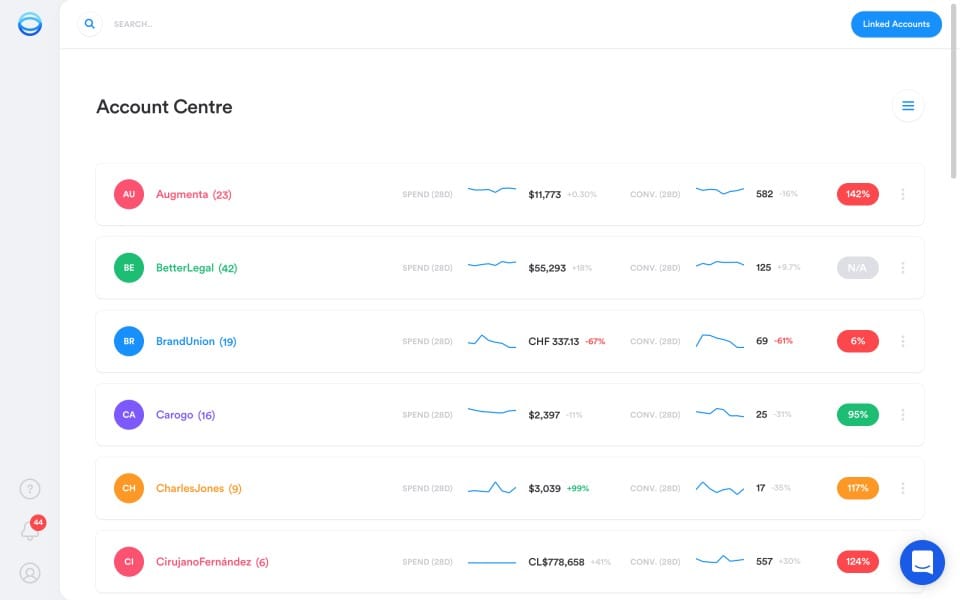
Best for solo advertisers and small teams running Google Ads who want guidance, not a control panel.
Opteo watches your Google Ads account continuously and turns what it finds into specific, ranked suggestions. Fix this bid. Pause that ad. Add these negatives.
Every suggestion ships with the data behind it and the expected impact. So you’re never applying a change blind, and you can explain the reasoning to a client without scrambling.
It’s the lowest learning curve of any tool here. A new team member is reviewing and applying recommendations within minutes.
The trade-off is reach. Opteo is Google Ads only, so the moment a client adds Meta or LinkedIn, you’re adding a second tool. Mid-sized agencies tend to outgrow it for that reason. But if you’re Google-first and you’d rather have clear recommendations than another dashboard to read, it’s hard to beat at this price.
Pricing: Basic from $129/month (up to 10 accounts and $25K monthly spend), scaling to Professional $249 and Agency $499. Two months free on annual billing. Free trial, no card required.
2. Adzooma
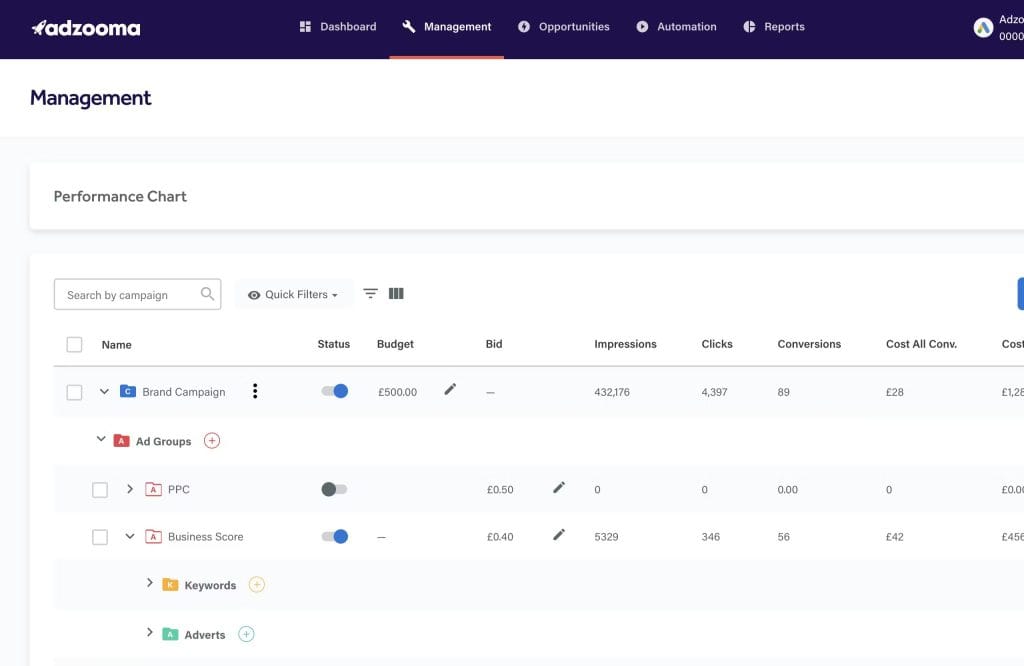
Best for budget-conscious advertisers who want basic multi-platform monitoring at low or no cost.
Adzooma has a genuinely free tier, which is easy to like when you’re watching every dollar.
It connects to Google, Microsoft, and Meta. Even the free plan tracks budgets, sends alerts on spend and CPC changes, and runs performance audits, with no credit card needed.
Be clear-eyed about what free buys you. You get monthly reports, three PPC alerts, and one user seat. That’s enough for a single advertiser keeping a light watch. For weekly or daily reports, custom alerts, and more than one seat, you’ll want a paid plan.
Adzooma points out the kind of issues a seasoned PPC manager already keeps an eye on, and its Performance Max support is lighter than tools built around the current campaign types. Treat it as a monitoring layer and a useful second opinion, not a full optimization engine.
Pricing: Free tier (monthly reports, 3 PPC alerts, 1 seat). Silver $69/month adds weekly reports, custom alerts, unlimited seats, and report branding. Gold $179/month adds daily reports and unlimited alerts. 20% off on annual billing.
Best PPC Monitoring Tools for Growing Accounts
For $10,000 to $100,000 a month, you’ve outgrown one-click suggestions. You’re probably managing multiple accounts or clients.
This tier is about automation, real diagnosis, and reporting that holds up in front of a client. Three tools split the work, and they do different jobs, so don’t assume you only need one.
3. Optmyzr

Best for teams that want automation plus root-cause diagnosis across several platforms.
Optmyzr is the diagnosis tool in this list.
Its rule engine lets you build custom monitoring for budget pacing in real time, conversion anomalies, and competitor activity. And its PPC Investigator is the part that pays off when something moves.
Picture your cost-per-acquisition jumping 40% overnight. Instead of spending an hour digging, the Investigator shows the probable causes ranked by likelihood. Root cause in minutes, not an afternoon.
It covers Google, Microsoft, Meta, LinkedIn, and Amazon, with alerts piped to Slack, Teams, or Zapier. It recently added an AI assistant and an MCP connection too, so you can query your account from tools like Claude and ChatGPT.
The trade-off is that all that depth takes real onboarding time. It rewards people who want to build rules, not skip them.
Worth flagging because it changed: Optmyzr restructured its pricing in mid-2025. It’s now three tiers (Essentials, Premium, Enterprise), priced by your monthly ad spend rather than the old flat plan names.
Pricing: Essentials from $299/month (or $209/month billed annually) at the entry spend tier, with Premium and custom Enterprise tiers above. Pricing climbs with managed ad spend. 14-day free trial; 30-day money-back guarantee.
4. Adalysis
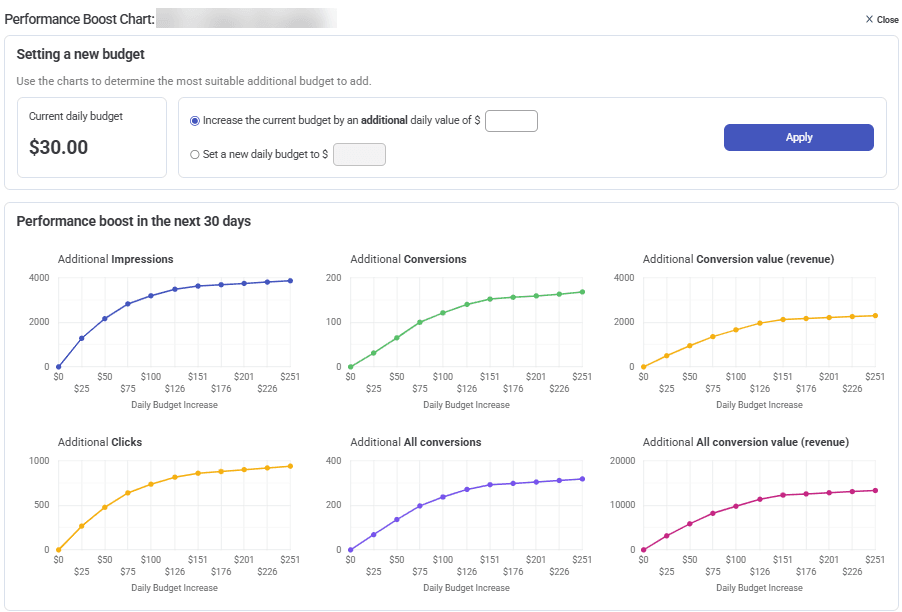
Best for advertisers who live and die by ad testing and Quality Score.
Adalysis does one thing better than almost anything else here: systematic ad testing.
It runs statistical-significance tests across your ad variations, pauses the losers once it has the data, and tells you which headlines and descriptions actually move results. No more guessing which copy works.
Its account audits catch the small, costly errors that hide in big accounts. Broken URLs, negative-keyword conflicts, ad groups running with no ads.
Two things to know. It covers Google Ads and Microsoft Ads only, with no Meta. And its data refreshes once a day, so it’s not the tool for minute-by-minute reaction.
For creative testing and account hygiene at scale, though, it’s excellent.
Pricing: From $149/month (entry plan, up to $50K monthly spend; ~$126/month with annual billing), unlimited accounts, no contract. Free trial.
5. Swydo
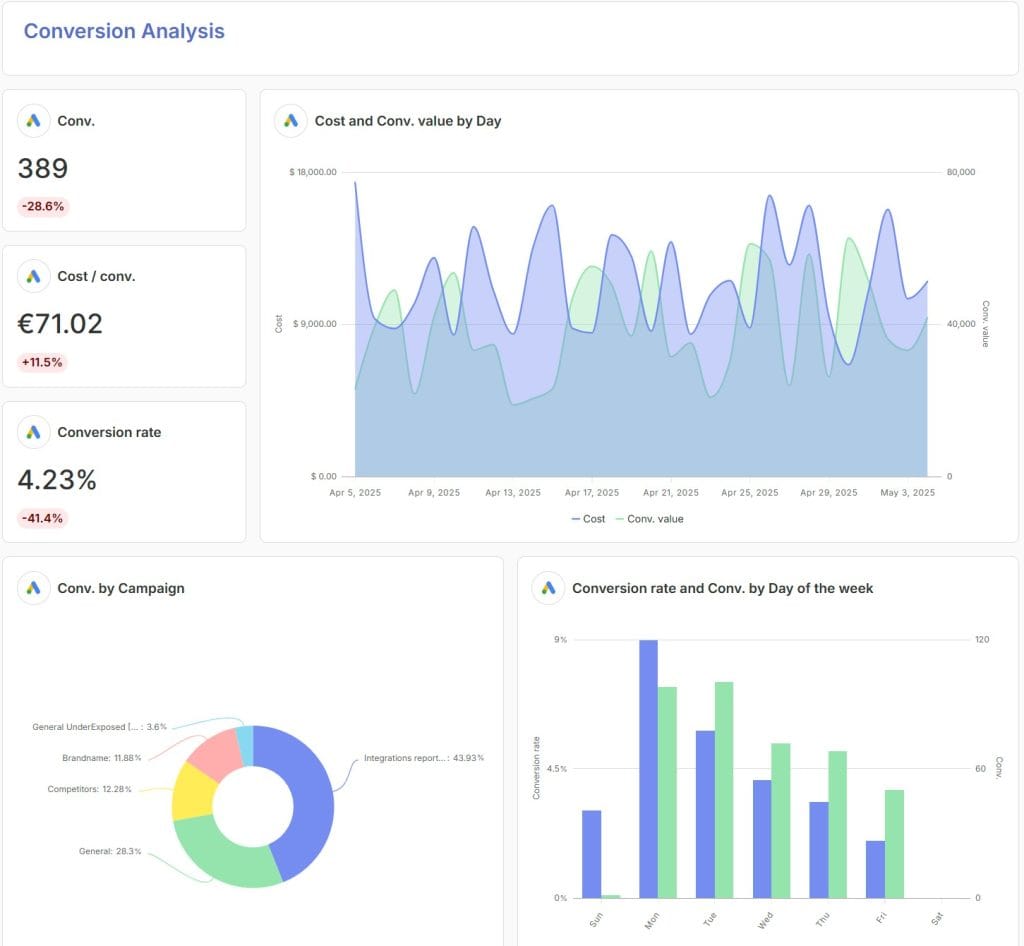
Best for agencies that need client-ready reporting and proactive monitoring from one place.
Every other tool on this list monitors a campaign. Swydo monitors a book of business.
That’s a different problem.
When you run forty accounts, you’re not staring at one CPA. You’re trying to notice which of forty clients moved this morning, before the client notices first, and then explain it in a report at the end of the month.
Most reporting tools stop at the report. Swydo has a full Monitoring suite sitting in front of it, and it’s built from four parts that each answer a different question.
Goals answer “are we going to hit the number?”
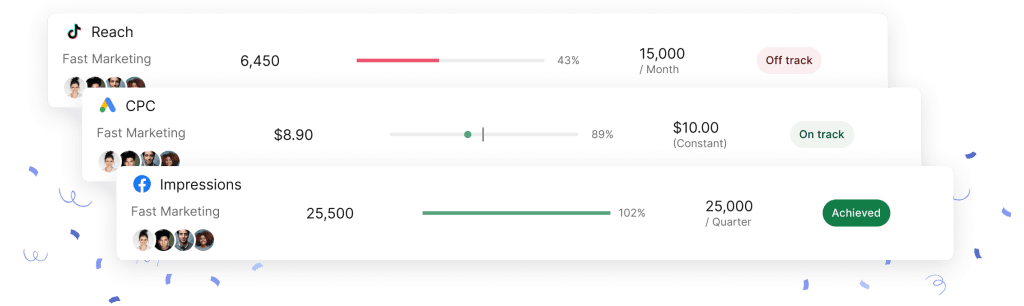
This is the piece a PPC monitoring article should lead with, and the one most reporting tools don’t have at all.
Set a target on any metric for any client, whether that’s a monthly spend cap, a CPA ceiling, a ROAS floor, or a lead volume. Swydo tracks pace against it in real time. Every goal carries a plain state: On Track, Off Track, or Achieved.
Remember the budget-pacing alert this article told you to set up first? That’s a goal. Swydo calculates it per target period, so a daily budget that’s running hot flips to Off Track while there’s still month left to fix it.
Two details that make it work in practice. When you’re setting a target, Swydo shows you Recent Periods Overview, the client’s actual historical values for that metric, so you’re benchmarking against reality instead of guessing at a number. And Goal Notifications tell you both during the period (On Track or drifting) and at the end (Achieved or Missed), sent to whoever owns that client.
Once a goal works, copy and paste it across every other client. Pause it during a promotion instead of deleting it. The Goals overview then shows every client’s objectives on one color-coded screen, which is the closest thing to a portfolio-level early-warning system you’ll find at this price.
Alerts answer “did something break overnight?”
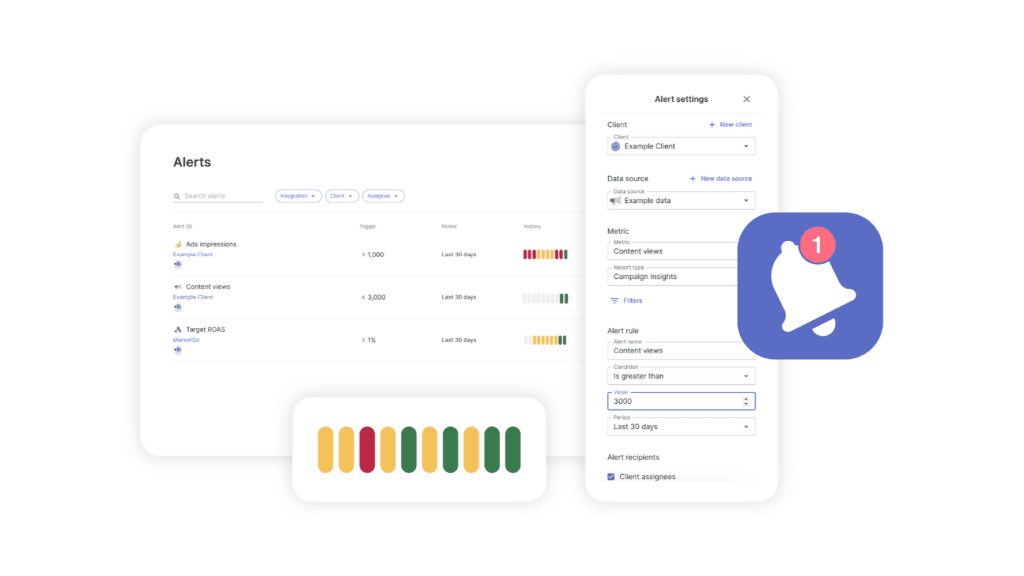
Alerts run daily against any metric, for any client, on any data source. Set the trigger window to 1, 7, 30, or 90 days depending on whether you’re watching for a sudden spike or a slow slide.
When one fires, you get it by email or in Slack. Alert history is color-coded (green for normal, red for triggered, yellow when Swydo couldn’t check), so you can see at a glance whether a client has been quietly unstable for a week.
And a small thing that saves real annoyance: you can pause alerts on specific days. Skip the weekends, stop getting Saturday-morning pings about a B2B account that nobody expects to convert on Saturday.
Metrics Overview answers “how is everyone doing right now?”
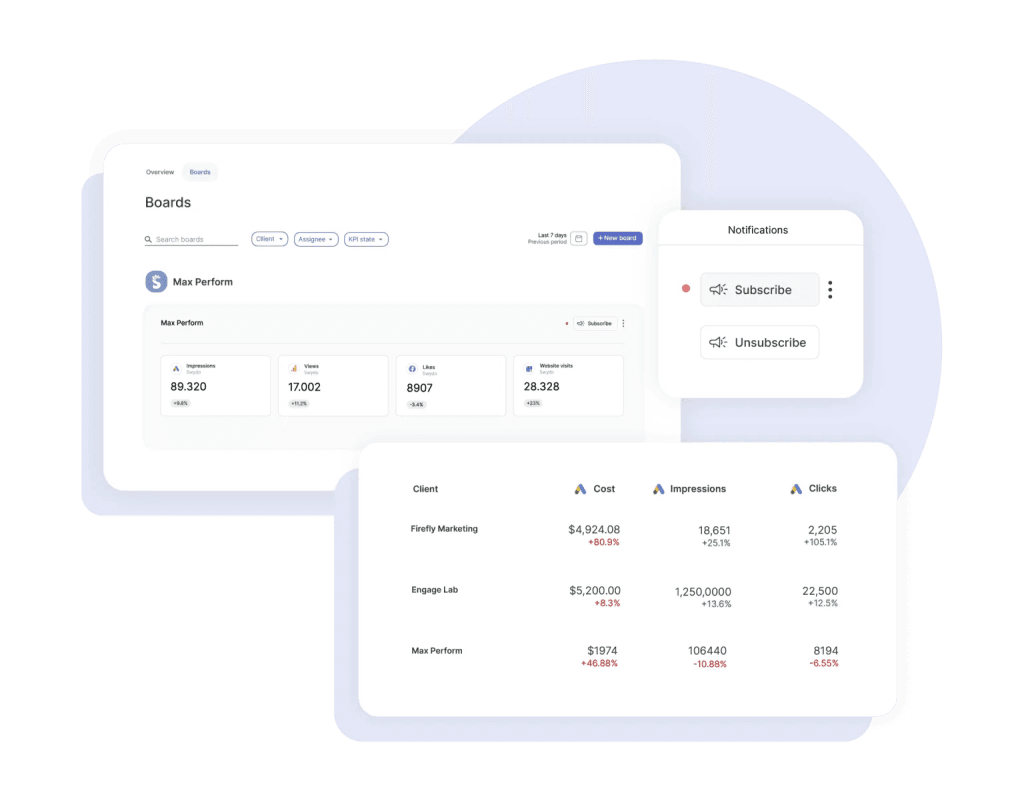
One screen, up to six metrics, every client side by side. Build unlimited views, so PPC leads watch spend and CPA while the account director watches leads and ROAS.
Search across clients, filter by color-coded labels, and start from a ready-made template for Google Ads, Meta, LinkedIn, or GA4. This is the Monday-morning screen, the one that replaces opening fifty dashboards to find the three that need you.
Boards answer “what do I show this client?”
A per-client KPI board for internal use, which you can subscribe to and get emailed when a target flips red or green. When it’s time to talk to the client, Present mode gives you a clean full-screen view with a laser pointer, and you can download the whole board as a scrollable PDF.
Here’s the part that ties the suite together, and the thing genuinely hard to find elsewhere.
Combined Data Sources works across all four.
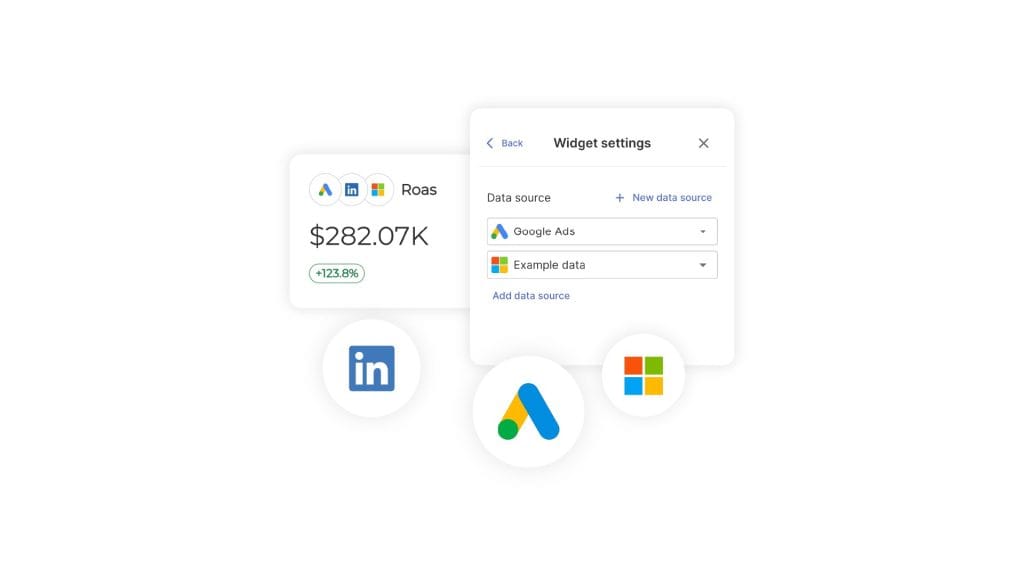
You can blend up to five ad platforms into a single cross-channel number, like total ROAS or blended CPA, and then set a goal on it, alert on it, and report on it.
Monitor blended performance, not just Google in one tab and Meta in another. Most tools make you watch each platform separately and do the blending in your head.
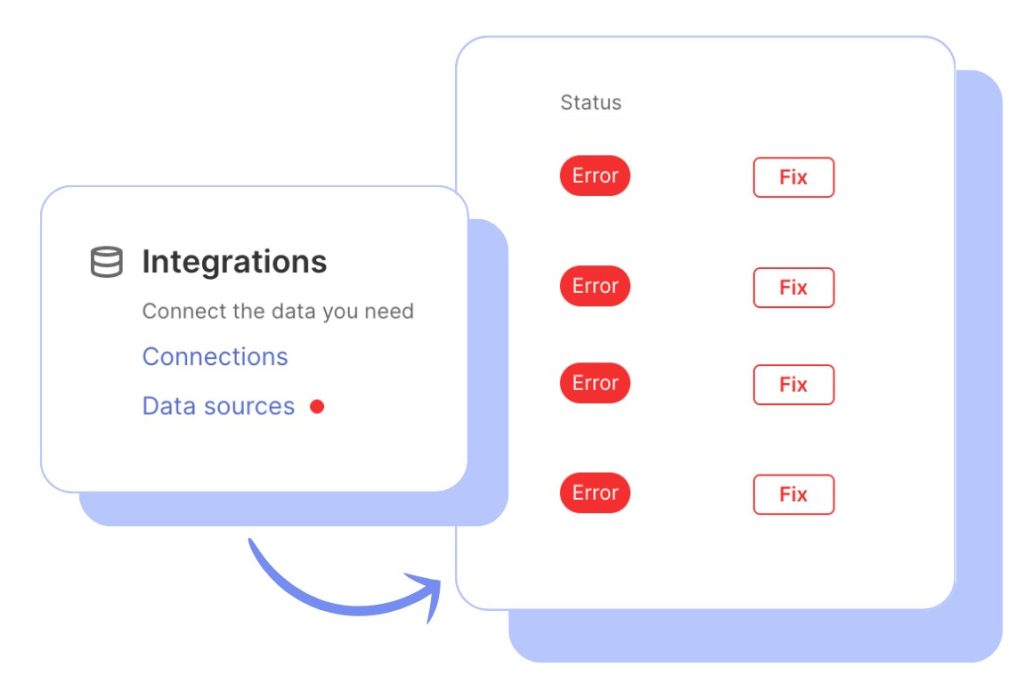
Underneath all of it, Data Health Check quietly watches your connections. Broken tokens and permission errors are the reason a report goes blank. Swydo flags the connection with a red dot and emails you before the numbers go missing. It’s not campaign monitoring, it’s the plumbing that keeps your monitoring honest. But it’s the difference between an alert that didn’t fire because everything’s fine and one that didn’t fire because the data stopped arriving.
Then the reporting side takes over. Swydo pulls Google Ads, Microsoft Ads, Meta, LinkedIn, TikTok, GA4, Search Console and more into white-label client reports, with an AI assistant that drafts the summary, wins, and issues.
Start from a pre-built template, such as, a PPC report or a web analytics report, connect the account, and you’ve got a client report in minutes. To make those reports land well, here are client reporting best practices worth following.
Now the honest limits, because you should know them before the trial.
Swydo detects. It doesn’t diagnose root cause the way Optmyzr’s Investigator does, it won’t manage your bids, and it doesn’t block invalid traffic. It’s a monitoring-and-reporting platform, so pair it with an optimizer when you want the campaign-level automation too.
There’s no permanent free tier. You get 14 days, then a paid plan. And there’s no public REST API, so custom data feeds run through Google Sheets plus Zapier or Make.
What Swydo does own is the layer most agencies actually lose time in: knowing which client needs you today, and proving what you did for them at the end of the month.
Pricing: $69/month base, which includes 10 data sources and unlimited users, clients, reports, goals, and alerts. Every feature sits on the base plan. Additional sources are $4.50 each (11–100), dropping to $3.00 and then $2.00 as you scale. No annual lock-in; you pay as you go.
Best PPC Monitoring Tools for Enterprise
Past $100,000 a month — across many platforms, brands, or countries — you’re buying infrastructure. Custom attribution, retail media, dedicated support, a tie-in to your own data stack.
The category narrowed recently, so the field is smaller than older lists suggest.
6. Skai (formerly Kenshoo)
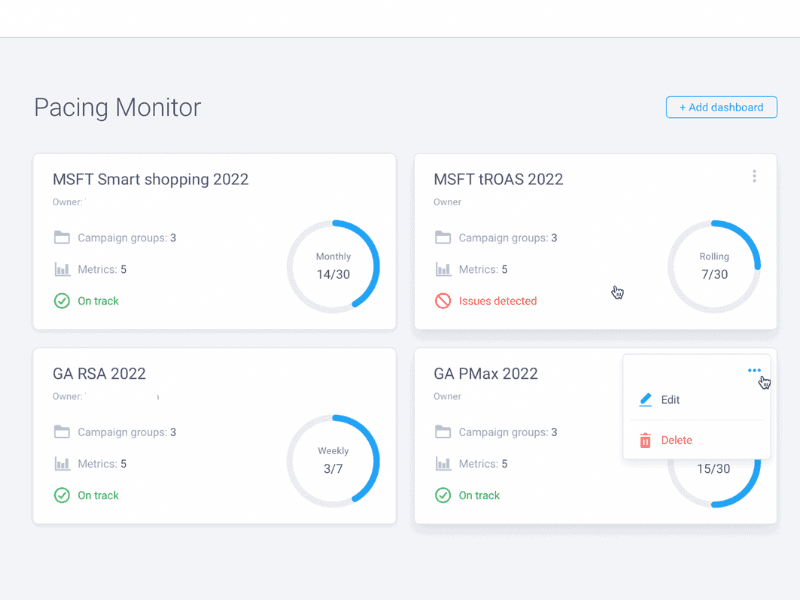
Best for large brands and agencies running omnichannel media, especially with retail media in the mix.
Skai is the omnichannel standard for advertisers managing search, social, and retail media together, across 120-plus publishers from one login.
It’s built for the brands that have to connect ad spend to sales outcomes at scale. Its client roster runs to the likes of L’Oréal, Reckitt, and DoorDash. Its Celeste AI agent answers performance questions in plain language and drafts recommendations.
If you’re managing complex attribution across multiple brands or retailers, this is the tier that fits.
Skai publishes its pricing as a flat annual fee, tiered by how much you spend on ads each year. It moved off the old percentage-of-media-spend model, so your technology cost stays predictable as you scale. Expect onboarding measured in weeks.
Pricing. Flat annual fee, by yearly ad spend:
- Standard, $114k/year. For advertisers spending up to $4M a year
- Advanced, $276k/year. Up to $10M
- Enterprise, $504k/year. Up to $20M
- Enterprise Premier, $756k/year. Up to $35M
- Spending more than $35M a year? Pricing is tailored, so contact sales.
A note for anyone mid-migration: Marin Software, long a fixture in this tier, wound down in 2025 and sold off its assets. If you’re still on it, a move is already on your list. For retail-media-heavy advertisers weighing options at this level, Pacvue is the other name that comes up most.are, long a fixture in this tier, wound down in 2025 and sold off its assets. If you’re still on it, a move is already on your list. For retail-media-heavy advertisers weighing options at this level, Pacvue is the other name that comes up most.
Specialized PPC Monitoring Tools
Some problems the general platforms handle poorly, because they run on different rules. Three are worth a dedicated tool: Amazon advertising, competitor intelligence, and click fraud.
7. Helium 10 (for Amazon)
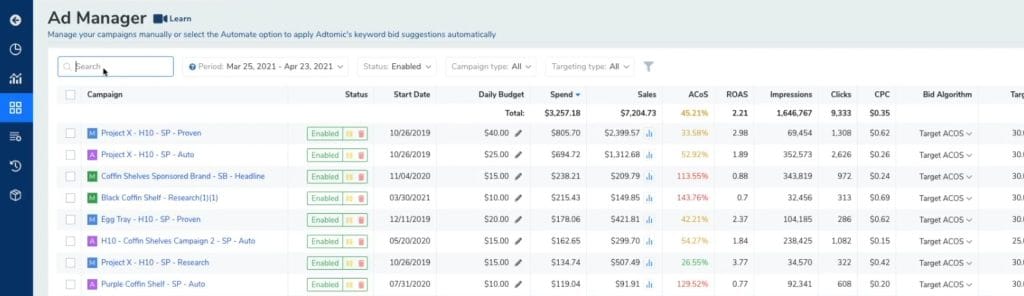
Best for Amazon sellers whose campaigns depend on inventory and the marketplace’s own rules.
Amazon advertising runs on logic that general PPC tools miss, most importantly inventory.
Helium 10’s advertising tools (now branded Helium 10 Ads, formerly Adtomic) tie campaign automation to stock levels. So it pauses ads when a product goes out of stock, instead of spending budget driving clicks to a listing nobody can buy. That one behavior saves wasted spend and the Quality Score damage that comes with it.
Heads up on pricing, which changed in 2026. The old $39 Starter plan was retired, so the entry point is now higher. The PPC automation lives in the higher tiers and carries a small managed-spend fee on top.
Pricing: Platinum $129/month ($99/month annual), Diamond $359/month ($279 annual), Enterprise from ~$1,499/month. Helium 10 Ads adds a 2% fee on managed ad spend. Free limited plan available.
8. Semrush (for competitor intelligence)

Best for seeing what competitors are bidding on before you launch against them.
Semrush is the competitor-and-visibility tool here. And unlike a standalone spy tool, it’s one Swydo already connects to, so the data lands in your client reports instead of another login.
Its Advertising Research shows what competitors bid on, the ad copy they run, and roughly what they spend. Position Tracking watches your own keywords and alerts you when they move. And its AI-visibility metrics track whether your brand shows up in Google’s AI Overviews, the kind of visibility that’s starting to pull clicks away from paid results.
Here’s the part that matters for a Swydo user. Because Swydo integrates with Semrush, you can pull its competitor, keyword, and AI Overview data straight into a report. Swydo was one of the first reporting platforms to surface those AI-search visibility fields. Prefer daily rank tracking? Swydo connects to AccuRanker too.
One caveat: this is research and tracking, not real-time campaign monitoring. Treat it as your visibility layer alongside a proper PPC competitor analysis, not a replacement for live campaign alerts.
Pricing: Semrush Pro $139.95/month ($117.33/month billed annually), with Guru $249.95 and Business $499.95 above it. AI-visibility tracking comes via Semrush’s AI Visibility Toolkit, a paid add-on. Free limited plan and trial available.
9. ClickCease and Lunio (for click fraud)

Best for advertisers losing real budget to bots, click farms, and competitor click-draining.
Click fraud is the kind of wasted spend that doesn’t show up on a standard dashboard. Click volume looks normal, the campaign looks healthy, and a chunk of the budget still went to bots and rival advertisers tapping your ads.
It matters more now because those bots can mimic real people well enough to throw off Smart Bidding’s training data, which slowly wears on the algorithm.
Google filters many invalid clicks and credits advertisers for them (Google Ads Help). But it stays cautious about it, so a dedicated tool catches what slips through.
ClickCease (now part of CHEQ) is the SMB standard. It covers Google, Meta, and Microsoft, sets up in under 30 minutes, and its Pixel Guard feature keeps bots from skewing your Smart Bidding and Performance Max signals. Starter runs $99/month (1 site), Pro $149/month (5 sites, white-label reporting), and Advanced $349/month (20 sites). New accounts get 30% off the first three months, and annual billing saves another 15%.
Lunio is the pick if you advertise across many platforms. It syncs threat data across 13+ ad networks, so a bot caught on one is blocked everywhere. Its pricing is quote-based and tied to your traffic volume.
PPC Monitoring Mistakes That Waste Budget
The costliest monitoring mistakes usually aren’t technical glitches. They’re calls made by misreading the data the tools surface.
Three of them quietly waste more budget than any broken tag. All three are easy to avoid once you know them.
Tie every metric to revenue. Clicks, impressions, and raw conversion counts are easy to chase. On their own, they’re how you grow traffic 50% while revenue slips — you’ve optimized for volume over value.
Watch revenue per click over click-through rate. Customer lifetime value over cost per conversion. Profit margin over total conversions. If you’re not sure which numbers are quietly flattering you, start with this rundown of vanity metrics and keep them out of your alerts.
Give smart bidding room to learn. Google’s Smart Bidding needs roughly two to four weeks to settle. Changing strategy the moment results dip resets the learning each time.
Hold any change for a 14-day window before you judge it. Skip big edits during promotions or holidays, when behavior is skewed. And log what you changed and why, so you don’t re-run experiments that already fell flat. A standing Google Ads optimization checklist keeps that discipline easy.
Match attribution to how people actually buy. Customers research on a phone and buy on a laptop. A last-click view credits only the final tap — so you might pause the mobile campaign that built the awareness and over-fund the desktop one that simply closed the sale.
That quietly starves your top of funnel. Match your attribution to your real sales cycle; here’s a primer on marketing attribution models to choose from.
Final Thoughts
The best PPC monitoring tool is the one that fits your spend and your platform mix. Not the one with the longest feature list.
Under $10K a month, start with Opteo for Google or Adzooma’s free tier across platforms. From $10K to $100K, pair an optimizer like Optmyzr with Swydo for client reporting and proactive monitoring. Past $100K, you’re in Skai’s territory.
And whatever tier you’re in, a quick check for invalid traffic is worth doing before you assume the campaign itself is the problem.
Pick one. Set your first three alerts. Give it a month.
The payoff is simple: you spend less time reacting, and more time on the work that drives results.
Which problem would you most like to catch sooner than you do today?
PPC Monitoring Tools FAQ
Straight answers on what to monitor, which tool to choose, and what it costs
PPC monitoring is the ongoing tracking of your paid-ad campaigns so you catch problems — overspending, broken conversion tracking, sudden cost spikes — while you can still fix them.
A monitoring tool does this automatically across platforms and alerts you the moment a metric moves, instead of you finding out days later.
Set thresholds for the metrics that matter — spend, conversions, CPC, CPA — and get alerted when one crosses the line.
You can check accounts manually every day, or use a monitoring tool that watches every campaign around the clock. The tool approach scales; manual checking stops working once you pass a handful of accounts.
Monitoring tells you something needs attention while you can still act on it; reporting shows what already happened. Monitoring prevents problems, reporting documents them.
Some tools do both. Swydo, for example, handles monitoring through Alerts and a cross-client overview, and reporting through automated white-label client reports.
Monitoring watches your campaigns and tells you when something’s wrong; management makes the actual changes — adjusting bids, budgets, and keywords. Monitoring is the alarm, management is the fix.
Few tools do both well, so many teams run a monitoring or reporting tool alongside a separate optimization tool.
Because paid budgets can leak fast, and automated campaign types like Performance Max and Advantage+ hide much of what’s happening under the hood.
Monitoring is how you spot budget overspend, creative fatigue, and cost spikes the dashboard won’t flag on its own — before they add up to real money lost.
There’s no single best — it depends on your ad spend and how many platforms you run.
Opteo suits small Google-only accounts, Optmyzr and Swydo fit growing agencies, and Skai serves enterprise. Match the tool to your spend tier rather than chasing the longest feature list.
Opteo (from $129/month) for Google-only advertisers who want ranked recommendations, or Adzooma’s free tier for basic monitoring across Google, Microsoft, and Meta.
Opteo gives sharper direction; Adzooma costs nothing but does less.
Swydo (from $69/month) is built for it — one view of every client’s KPIs, alerts on any metric, and broken-connection detection so reports never show up blank.
Many agencies pair it with an optimizer like Optmyzr for the campaign-level automation Swydo doesn’t do.
If you run one account on a small budget, manual checks plus Google’s built-in alerts can be enough.
Once you’re juggling multiple platforms or clients, manual monitoring misses things — a broken conversion tag can skew decisions for days before you notice. That’s the point where a tool pays for itself.
When you spend over roughly $100,000 a month across many platforms, brands, or regions and need custom attribution and retail media.
Skai is the omnichannel standard at that level, with pricing that starts around $114k/year. Below that, a growing-account tool handles the job for far less.
Most run from free to about $500/month, scaling with your ad spend and number of accounts. Enterprise platforms reach six figures a year.
| Tier | Example tools | Typical starting price |
|---|---|---|
| Small budget | Opteo, Adzooma | Free–$129/mo |
| Growing account | Swydo, Optmyzr, Adalysis | $69–$499/mo |
| Enterprise | Skai | ~$114k/year |
| Specialized | Helium 10, ClickCease | $99–$129/mo |
Most tools cost a fraction of a percent of the ad spend they protect.
Yes — Adzooma has a free tier across Google, Microsoft, and Meta, and Google Ads has built-in alerts for a single account.
Free plans work for a light watch on one or two platforms. Paid tools (Swydo starts at $69/month with a free trial) add multi-account views, custom alerts, and reporting.
Usually, yes. A single caught overspend, or a tracking break spotted in hours instead of days, often covers months of the subscription.
The bigger win is time — automated alerts replace hours of manual checking, which frees the team for strategy.
Basic setup is quick — connect your ad accounts and switch on a few alerts, often in under an hour.
Fuller setup with custom rules, thresholds, and client reports takes a few days as you learn each account’s normal patterns. Start with a handful of high-impact alerts and add more over time.
Track the ones tied to money: spend and budget pacing, conversions and conversion rate, CPC, CPA, and ROAS. Watch Quality Score and impression share for early warning signs.
Favor revenue-based metrics over vanity numbers like raw clicks or impressions — traffic that doesn’t convert isn’t progress.
Start with budget pacing (spend running past ~120% or below ~80% of target), conversion-tracking failure, a Quality Score floor, and CPC or CPA moving past a threshold that matters for that account.
Weight alerts by dollar impact, not percentage — a small swing on a big budget beats a big swing on a tiny one.
With a monitoring tool, a quick daily glance and a weekly deep review is plenty — the tool watches continuously and pings you when something breaks.
Without one, check active accounts daily, since problems compound fast. The goal is to shift from constant watching to acting on alerts.
Watch the signals PMax does expose: total spend and pacing, conversions and CPA/ROAS, asset-group performance, and the search-term and placement reports where available.
Set alerts on cost and conversion swings, and protect the campaign from invalid traffic, since bots can skew its automated bidding. A reporting tool that pulls PMax data into one view makes the trends far easier to catch.
Warning signs include high click volume with few conversions, repeat clicks from the same IPs or devices, sudden spend spikes with no lift in results, and traffic from regions you don’t target.
A click fraud tool confirms it by scoring every click and blocking bad sources. Google filters some invalid traffic, but it stays cautious, so plenty slips through.
Yes — most current tools use AI to flag anomalies, rank the probable causes of a change, and write plain-language summaries of performance.
Some connect to assistants like ChatGPT or Claude so you can ask about your account directly. AI speeds up the watching and diagnosing; a human still sets the strategy.
Keep every client’s PPC campaigns on track and their reports on time.
Start Your Free Trial Today