
A 20-client agency running three ad platforms per client pays $294 a month on Swydo and $400 a month on AgencyAnalytics for the same reporting job, on the same clients and the same channels. The gap comes entirely from how each tool counts what you’re buying.
PPC reporting tools pull data from Google Ads, Meta, LinkedIn, Microsoft Ads, TikTok and your analytics stack, then turn it into branded reports and dashboards your clients can read without a call. Which one fits you depends on three things: how many clients you have, how many platforms each of those clients runs, and whether the tool charges you per client, per data source, per dashboard, or per dollar of ad spend.
Full disclosure before you read any further. We make Swydo, and Swydo is on this list. So read our entry with a raised eyebrow, and hold us to the same standard as everyone else. We’ve named what Swydo doesn’t do, and we’ve pointed at competitors where they win.
Here’s the order. A quick comparison table, then all 11 tools with pricing and honest limits, then the four pricing models and what each one costs at 20 clients, then a five-question test that narrows the field in about twenty minutes.
Quick Comparison: 11 Best PPC Reporting Tools (2026)
The table gives you entry price, metering unit, and AI position at a glance. Read the individual entries for the real cost, because the entry price and the bill almost never match.
| Tool | Entry Price | Charged By | Best For | Integrations | AI |
|---|---|---|---|---|---|
| Swydo | $69/mo, $62 annual | Data source | Mid-size agencies, template propagation, monitoring | 38 | Included on the plan, 4,000 credits/mo |
| AgencyAnalytics | $25/client/mo, $20 annual | Client | Full-service agencies running PPC and SEO | 85+ | Included on the single plan |
| Whatagraph | $812/mo, annual only | Source credit | Visual polish and AI narrative reporting | 68, but 22 are Prime-only | IQ on Max, IQ+ on Prime |
| Optmyzr | $299/mo, $209 annual | Ad spend | PPC specialists who optimize as well as report | 5 ad platforms | AI Sidekick and account insights |
| DashThis | $54/mo, $44 annual | Dashboard | Freelancers and small teams who want speed | 30+ | AI Insights included, Pro is an add-on |
| TapClicks | Quote only | Custom | Enterprise agencies and media companies | 250+ | AI agents across all tiers |
| Databox | Free tier; agency from $99/mo | Data source | KPI monitoring and benchmarking | 130+ | Credits on every tier, free included |
| Supermetrics | From $49/mo, $39 annual | Destination | Looker Studio, Sheets and AI-destination workflows | Broad connector catalog | AI credits on every tier |
| Funnel.io | From $300/mo, annual only | Connectors and destinations | Enterprise ETL and warehousing | 600+ | Funnel AI and MCP on all plans |
| ReportGarden | From $75/mo | Data source | Reporting plus client invoicing in one place | 100+ | None published |
| Two Minute Reports | $97/mo | Accounts per connector | Looker Studio and Sheets users | 30+ | AI dashboards on all tiers |
Check pricing with each vendor before you buy. Several tools on this list repriced in the last twelve months, and per-client or per-source overages move the real number well above the headline.
What Is a PPC Reporting Tool and Do You Actually Need One?
A PPC reporting tool collects performance data from your paid advertising platforms, puts it in one place, and delivers branded reports to clients on a schedule. Without one you log into Google Ads, then Meta, then LinkedIn, then build a spreadsheet by hand.
Run the arithmetic on your own team before you shop. Three hours per client per month across ten clients is thirty hours, close to a full working week, every month, spent moving numbers between windows. None of it goes toward optimizing campaigns or winning new business.
Past three or four paid-media clients, the tool costs less than the hours. Below that, the case is weaker than vendors will tell you, and a well-built Looker Studio template may be enough. What does your reporting week look like right now? One painful Friday, or something bleeding into every day?
The 11 Best PPC Reporting Tools for Agencies in 2026
Each entry covers who the tool is for, what it does well, where it falls down, and what you’ll realistically pay. No tool here is right for every agency.
1. Swydo
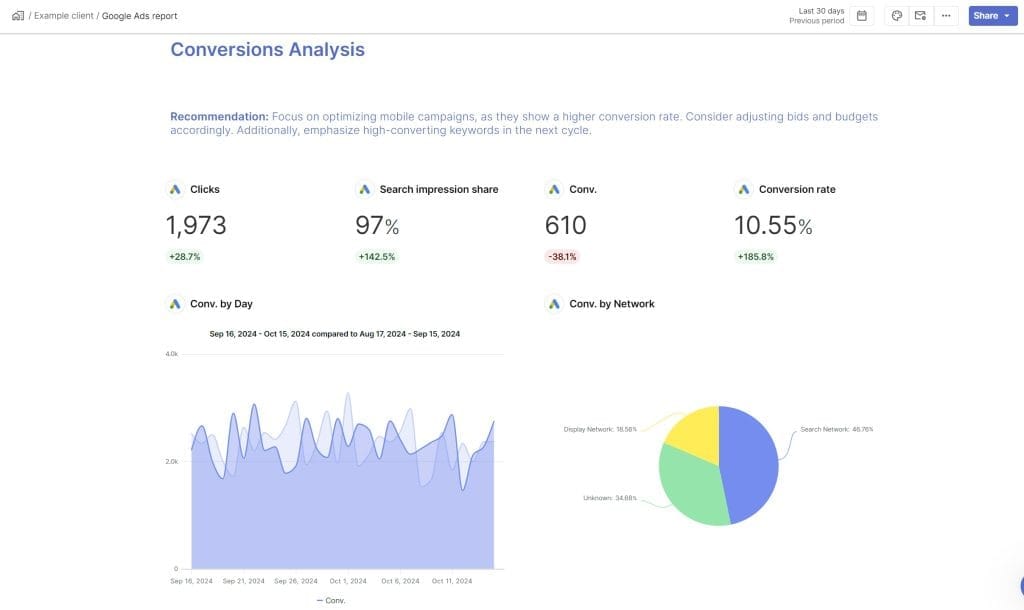
Swydo is the most commonly recommended PPC reporting tool for mid-size agencies, and for good reason. It covers the core agency workflow on a single plan with no feature tiers to climb: templates, white-labeling, scheduling, multi-client management, monitoring. It isn’t the flashiest tool in the category and it doesn’t have the deepest integration library. It does the fundamentals reliably at a price most agencies approve without a meeting.
The feature agencies name most often is template propagation. Update a master report template and the change lands across every client report linked to it. For an agency running 15 to 20 clients on similar platforms, that’s hours back every month.
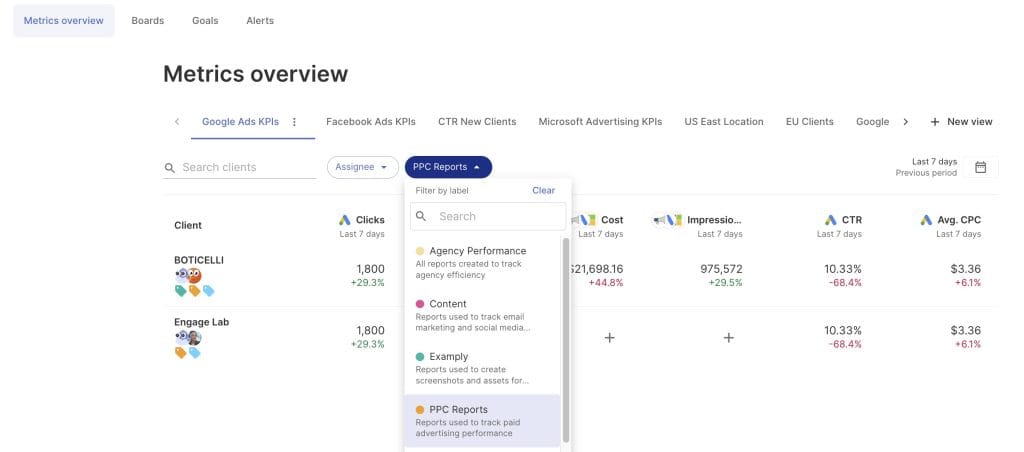
Monitoring is the part that separates Swydo from tools that only produce PDFs. Boards, Metrics Overview, Goals and Alerts all run on the same data sources as your reports, so a metric going out of bounds reaches you by email or Slack the day it happens rather than at the end of the month. Alerts run daily on trigger windows of 1, 7, 30 or 90 days, and you can pause them on weekends so nobody wakes up to a Saturday spend alert.
Combined Data Sources handles the cross-channel question directly. Pull up to five ad platforms into one widget (Google Ads, Meta, LinkedIn, TikTok, Microsoft, Reddit and others) and report blended cost, conversions, revenue and ROAS in a single number. Those combined sources work inside Goals and Alerts too, not only in reports, which is where most blending features stop.
Two newer pieces are worth your attention if you’re evaluating now.
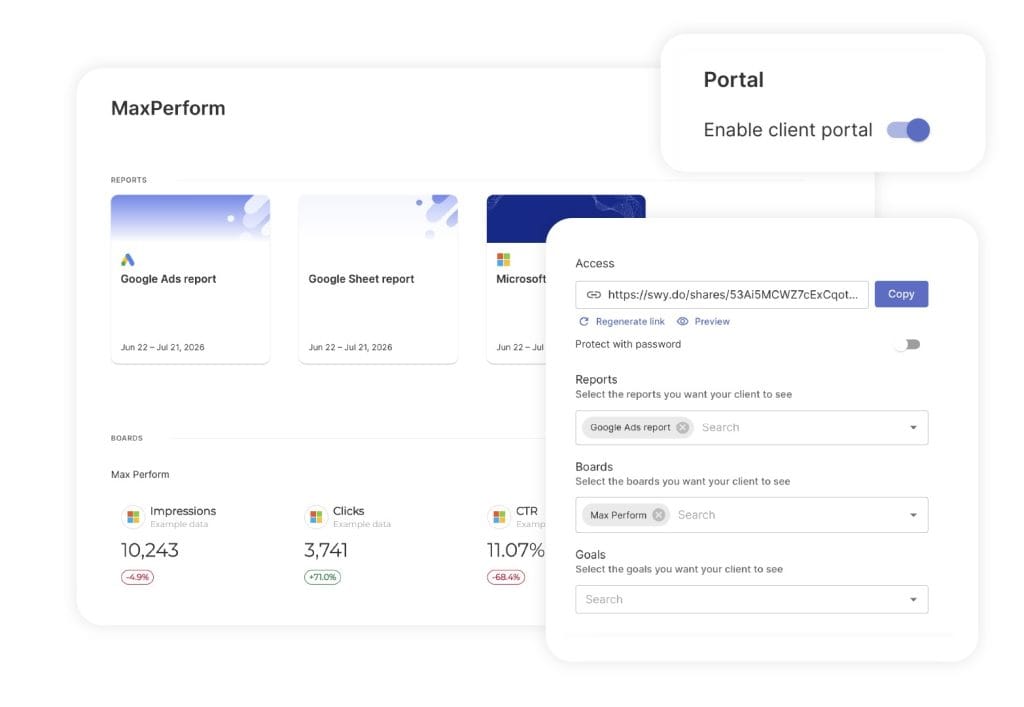
Client Portal gives each client one secure link that holds their Reports, Boards and Goals together instead of three separate URLs. You choose exactly what goes in, preview it as the client will see it, and add a password when the account needs one. Regenerate the link and the previous one dies immediately, which matters the week a client-side marketing manager leaves. Update the contents whenever the account’s reporting needs change.
Agentic Reporting, released in August 2026, moves the AI from writing commentary to building the report. Describe what you need and Swydo generates the structure, creates KPIs, tables and charts, changes date ranges and chart types when you describe the change, and reorganizes sections through conversation. Saved Prompts keeps the ones that worked, so a new hire’s first client report comes out looking like everyone else’s.
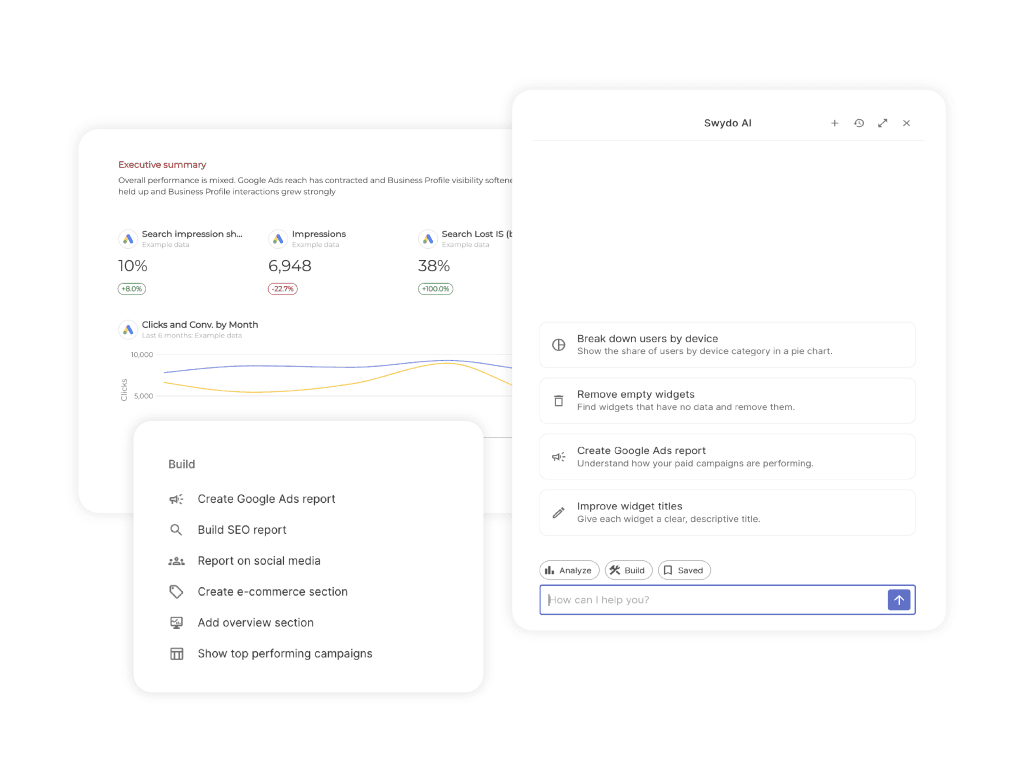
AI credits are included rather than sold as an add-on. Every plan gets 4,000 credits a month, and an average report summary uses about 95, which is roughly 42 summaries before you touch the ceiling. Credits reset monthly and don’t carry over. Anything past the included balance runs against a spending limit you set yourself, and you’re only billed for what you use. Nothing gets charged for credits sitting unused. Billing → View usage details breaks it down by thread and team member, so you can see which part of the team is leaning on it.
You can switch AI on for clients and your wider team from Settings, which lets clients ask questions of their own dashboard. Dashboards get a reduced set of AI features compared with reports. Client usage draws from the same credit pool, so turn it on deliberately rather than everywhere at once.
On privacy: data is processed in AWS using commercially available models, it isn’t used for training, requests route to whichever region has capacity, and the setup is GDPR compliant under the existing data processing agreement.
Where Swydo falls short. There’s no public REST API, so custom data ingestion runs through Google Sheets plus Zapier or Make. There’s no free tier. And the integration count is 38, well below AgencyAnalytics at 85+ or TapClicks at 250+.
Pricing
$69 per month covers 10 data sources with unlimited clients, users, dashboards and reports, or $62 per month billed annually, a 10% saving. Additional sources cost $4.50 each from 11 to 100, $3.00 from 101 to 500, and $2.00 beyond that. Billing is post-paid, so sources you add mid-cycle are charged to the end of the month and sources you remove lower the next bill. Free for 14 days, no credit card.
Because Swydo counts data sources rather than clients, the model rewards you when clients share a platform mix and punishes you when they don’t. A 20-client agency on Google Ads, Meta and GA4 runs 60 sources, which lands at $294 a month. Add LinkedIn and Microsoft Ads to every client and you’re at 100 sources and $474. Count your actual sources per client before you compare anything.
Best For
Agencies of roughly 5 to 50+ clients whose clients use a consistent platform set, and any team that wants monitoring and alerting alongside reporting rather than as a second subscription. Weaker fit for agencies or teams that need API access to push data around programmatically.
2. AgencyAnalytics
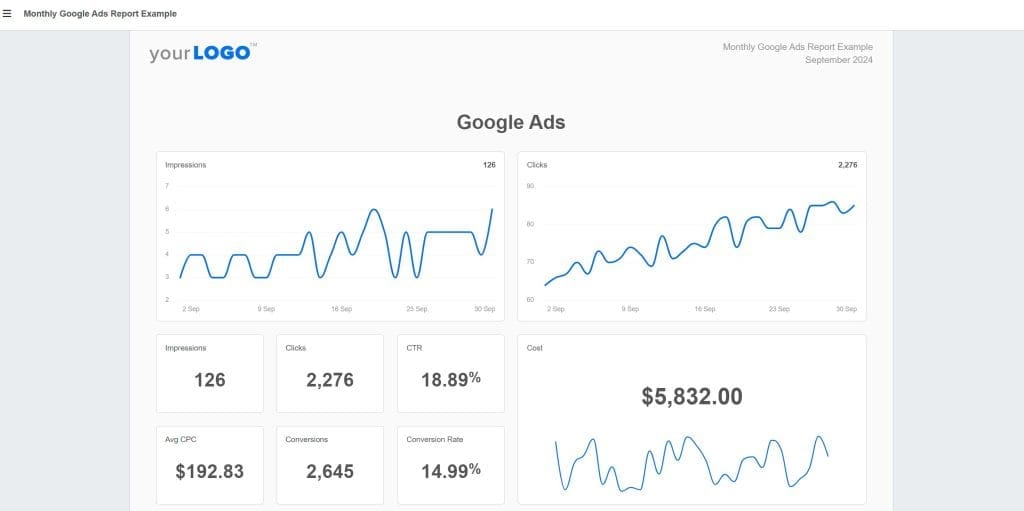
AgencyAnalytics scrapped its tiered lineup and now sells one plan with everything in it, priced per client. That single change fixed the biggest complaint about the platform, which was that white-labeling, aggregation and API access all sat behind upgrades. All of it is now on the one plan.
The platform is built for agencies running more than paid media. SEO rank tracking, site audits, backlink monitoring and social reporting sit under the same roof, which makes it the stronger pick for full-service shops that don’t want two subscriptions. It carries 85+ integrations and a client portal that gives every client their own login to live dashboards.
MCP access for ChatGPT and Claude ships on the plan, so your team can query client data from an AI assistant without a middleware layer. AI insights, anomaly detection and forecasting are included rather than gated.
Pricing
$25 per client per month on monthly billing, or $20 per client per month billed annually. Unlimited staff and client users, unlimited dashboards, unlimited reports, white-label branding with custom domain and email, and API access all come with it. Two add-ons sit outside the plan: AI Tracker at $20.83 per month per 250 credits, and Rank Tracker at $41.67 per month per 500 keywords. Volume discounts start at 25 clients. Free for 14 days, no credit card.
Per-client pricing is the most predictable model on this list and the most expensive at volume. A 20-client agency pays $500 a month, or $400 on annual billing. A 40-client agency pays $1,000 monthly before add-ons.
Best For
Agencies of 5 to 25 clients running PPC alongside SEO and social who want one platform for all of it, and teams whose clients log in themselves rather than waiting on a monthly email. Read our Swydo vs AgencyAnalytics comparison if you’re weighing per-client against per-source at your specific client count.
3. Whatagraph

Whatagraph sits at the premium end of this category and, after its repricing, sits there alone. Two plans replaced the old four-tier lineup. Max starts at $812 per month billed annually with a floor of 50 source credits, and Prime is custom-priced above it. Neither offers monthly billing, which makes Whatagraph the only self-serve tool here where the smallest purchase is a full year.
What the price buys is presentation quality and AI depth. Whatagraph IQ generates a formatted report from a text prompt, answers plain-language questions about your data, explains unusual performance patterns, and writes narrative summaries with context rather than raw numbers. IQ+ is Prime only.
Whatagraph manages its integrations in-house rather than routing them through third-party connectors, so breakages tend to get fixed by Whatagraph rather than left with your team. Count them and there are 68. Check which plan each one is on and the picture changes, because 22 of those 68 are Prime-only. Max, the $812 plan, reaches 46.
The 22 behind Prime are not obscure. They cluster in four groups an agency runs into fast.
| What’s gated | Prime-only integrations |
|---|---|
| E-commerce | Shopify, WooCommerce, BigCommerce, Magento, bol.com |
| CRM and sales | HubSpot, Salesforce, GoHighLevel |
| Data warehouses | BigQuery, Snowflake |
| Programmatic, DSP and enterprise | The Trade Desk, Google Display & Video 360, Campaign Manager 360, Search Ads 360, Criteo, StackAdapt, Basis Technologies, Simpli.fi, Taboola, AdRoll, Adform, Adobe Analytics |
Read that list against your client roster before you read anything else about Whatagraph. One e-commerce client on Shopify, or one B2B client whose pipeline lives in HubSpot, and the $812 plan cannot report on them at all. You are quoted for Prime, which publishes no price.
The 46 on Max cover the paid-social and paid-search core properly, including Google Ads, Meta, LinkedIn, Microsoft, TikTok, Reddit, Pinterest, Snapchat, Amazon, Apple Search Ads, Spotify, Quora and OpenAI Ads, plus GA4, Search Console, Semrush, Ahrefs, SE Ranking, AccuRanker, Klaviyo, Mailchimp, ActiveCampaign, CallRail and CallTrackingMetrics. A pure paid-media agency may never hit the wall. A full-service agency hits it in week one.
For contrast on the same feature, HubSpot sits on Swydo’s single plan at $69 a month rather than behind a quote.
Pricing
Max is $812 per month billed annually, roughly $9,700 committed up front. It includes 50 source credits, unlimited users, unlimited reports, data groups and blends, white-label reports, KPI overviews with alerts, and a dedicated success manager. One source credit connects one data account.
Prime is custom-priced and also annual. It adds the 22 premium integrations, IQ+, Looker Studio transfer, custom report domain, public API access, transfer to BigQuery and Looker, tailored onboarding, priority support and an enterprise SLA. Whatagraph publishes no number for it, so the honest answer to what Prime costs is that you have to ask.
Extra credits can be bought until you hit the next plan threshold, at which point you move up through a sales call. Whatagraph doesn’t publish the per-credit price. A 14-day Max trial is available with no credit card.
Best For
Large paid-media agencies where report presentation is part of the pitch and where a five-figure annual commitment isn’t a decision. Below roughly 50 connected accounts you’re paying for headroom you won’t use, and if you need monthly billing the tool is off your list before features enter the conversation. Agencies with e-commerce, CRM or programmatic clients should price Prime rather than Max, because Max cannot connect those platforms. Our Swydo vs Whatagraph breakdown runs the cost comparison at several agency sizes.
4. Optmyzr
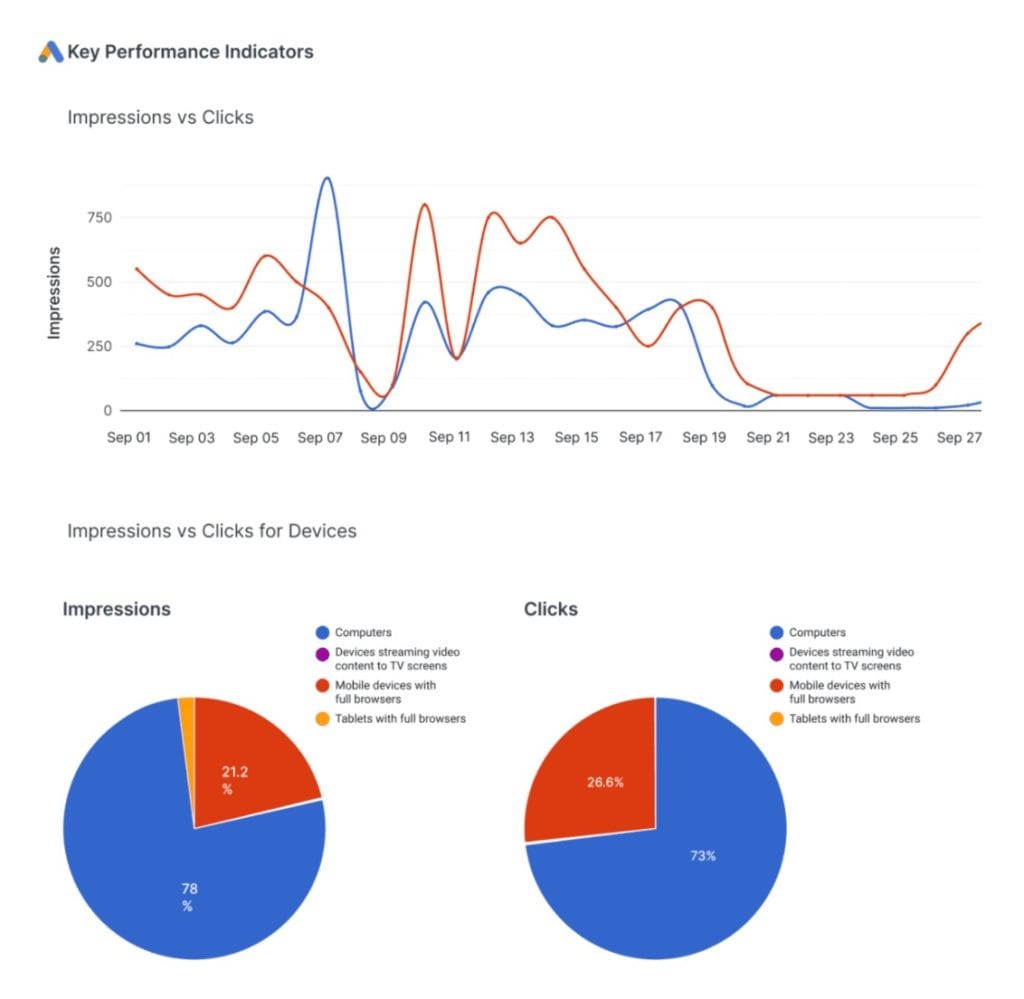
Optmyzr belongs in a different category than most tools here. Reporting platforms show you what happened. Optmyzr is built to explain why it happened and let you act on it without leaving the platform. It was founded by former Google employees and the depth of its paid search logic shows.
The Rule Engine monitors campaigns in real time and surfaces optimization opportunities from your reporting data: bid adjustments, budget pacing problems, negative keyword candidates. PPC Investigator drills into any performance shift and identifies which campaigns, ad groups or keywords moved it. When a client asks why cost per lead climbed, you answer in minutes.
Coverage is narrow by design: Google Ads, Microsoft Ads, Amazon Ads, Meta Ads and LinkedIn Ads. If your clients run TikTok or Pinterest, Optmyzr isn’t your reporting layer.
Pricing
Pricing scales with the monthly ad spend you manage, not client count. At the $25K spend tier, Essentials is $299 per month and covers up to 25 ad accounts, with additional accounts at $5 each. Premium is $389 per month and lifts the account cap. Annual billing saves 30%, which brings those to $209 and $272 per month. Spend tiers run $25K, $50K, $75K, $150K, $250K, $350K, $500K and above, and the price climbs with each. Enterprise is custom above $500K.
Overages are charged per additional $1,000 of ad spend and the rate drops as you climb the tiers, from $3.50 per $1K at the entry tier down to $1.00 per $1K above $1M. Optmyzr waives the first month’s overage for new customers and publishes the full overage table in its billing FAQ. Free for 14 days, no credit card.
Tying cost to spend aligns the bill with revenue in theory. Watch for high-spend, low-margin clients who inflate the bill without lifting your retainer.
Best For
PPC-specialist agencies running Google and Microsoft Ads at scale who want optimization built into the reporting workflow. Poor fit for social-led agencies or anyone needing broad cross-channel coverage.
5. DashThis
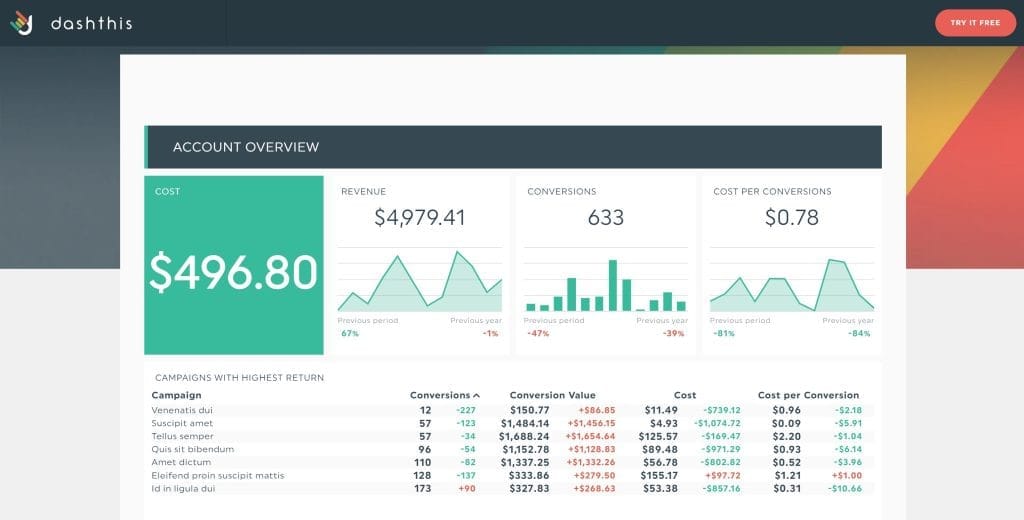
DashThis is the fastest route from zero to a working client dashboard in this category. You trade some flexibility for a reporting system most agencies have running inside an afternoon.
The platform runs on pre-configured widgets for common PPC metrics, dashboard-based pricing that’s easy to forecast, and an interface anyone on your team can use without training. White-labeling covers custom logo, colors, domain and email, and it’s on every plan, which is unusual at this price.
One thing to check before you commit: data sources are capped per plan, not unlimited. Individual allows 15, Professional 40, Business 100, Standard 200. A 20-client agency on three platforms each needs 60 connections, which puts you on Business at $324 a month regardless of how few dashboards you build.
Pricing
Monthly billing: Individual $54 (3 dashboards, 15 data sources), Professional $164 (10 dashboards, 40 sources), Business $324 (25 dashboards, 100 sources), Standard $499 (50 dashboards, 200 sources). Paid yearly those drop to $44, $139, $279 and $429. Users and integrations are unlimited on all four. AI Insights is included on every plan, and AI Insights Pro is a paid add-on at every tier. The trial runs 14 days with 10 dashboards.
Personalized onboarding, priority support and screen-share sessions start at Business. DashThis publishes no API access.
Best For
Solo consultants, freelancers and small agencies of 1 to 5 clients who want fast, repeatable client dashboards without configuration overhead. Also a fair pick for agencies that already know exactly what they report and just need clean delivery. See Swydo vs DashThis for a side-by-side on dashboard limits versus data source limits.
6. TapClicks
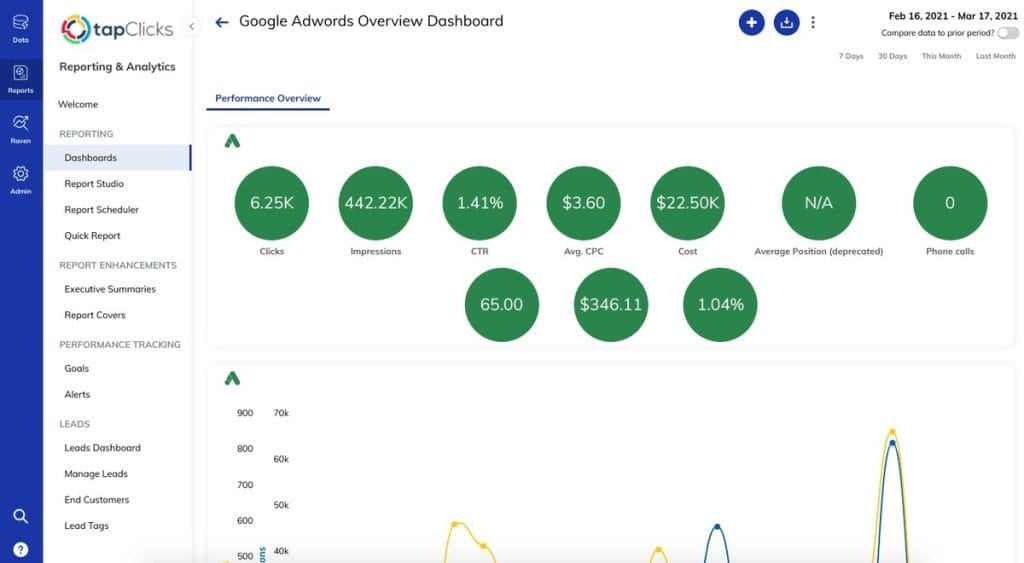
TapClicks handles complexity that breaks simpler tools: hundreds of data sources, multiple product lines, real data transformation requirements, and reporting that has to connect into wider business intelligence systems.
The platform bundles capabilities other vendors sell separately. TapData covers collection and ETL, TapReports covers visualization and client delivery, TapAnalytics covers insights, and Raven extends into organic search. With 250+ native connectors, it has the broadest integration library on this list, and SmartConnector reaches far past that.
AI runs through the tiers as agents rather than as a single feature: an AI PowerPoint builder on the entry tier, a data-transformation agent and AI email insights above it, natural-language dashboard querying higher still, and a custom agent builder at the top.
Pricing
TapClicks publishes no prices. Four tiers exist (SmartStory, SmartReports, SmartAnalytics and SmartSuite) and every one includes a startup bundle of 10 clients at no extra charge. Pricing comes through a sales conversation. A free trial is offered with no credit card, though the length isn’t published.
Third-party listings quote wildly different numbers for TapClicks. Treat all of them as unreliable and get a quote.
Best For
Large agencies of 20+ clients and media companies who need consolidated reporting with genuine data transformation. The setup overhead doesn’t pay off for smaller teams. This is a platform you grow into.
7. Databox
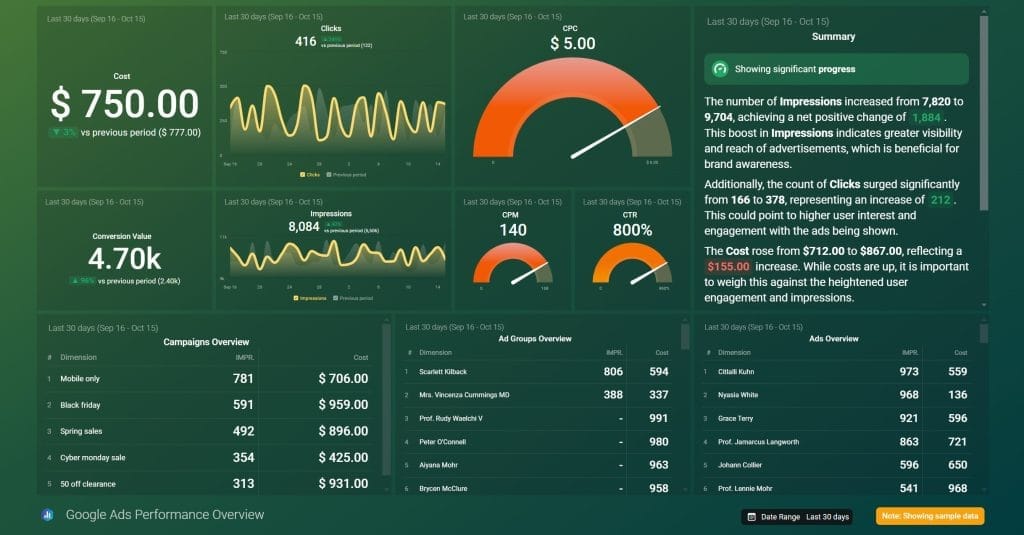
Databox is a KPI monitoring platform more than a PPC reporting tool, and the distinction decides whether it fits you. Most tools here produce scheduled deliverables. Databox produces always-on visibility, with alerts when a metric moves and benchmarks that put performance in context.
Industry benchmarking compares your clients against similar businesses in Databox’s database, which is hard to find elsewhere at this price. The Slack integration pushes metric alerts into your team’s channels so problems surface before the monthly report does.
Databox runs two pricing tracks, and agencies should look at the agency one. It’s structured around client accounts rather than single-team dashboards.
Pricing
Databox runs two tracks. Agencies should price the agency one; the business track is built for single in-house teams.
- Agency track, monthly: Agency Starter $99 (5 client accounts, 3 data sources, 500 AI credits, hourly sync), Agency Pro $199 (unlimited clients, 3 sources, 1,500 credits), Agency Growth $499 (unlimited clients, 4,000 credits, 15-minute sync), Agency Premium $999 (50 sources included, 10,000 credits, white-labeling included). Billed annually those become $79, $159, $399 and $799. Additional data sources are $2.40 per month each.
- Business track, monthly: Free $0 (3 sources, 1 user, 1 dashboard, 50 AI credits, 11 months of history, daily sync), Analyst $79 (1 user, 500 credits), Pro $199 (unlimited users, 1,500 credits), Growth $499 (4,000 credits, 15-minute sync), Custom on request. Billed annually: $64, $159, $399.
Add-ons are the part to watch, and they’re priced monthly: AI credit top-up $250, branding and white-labeling $250, 15-minute sync per source $18, fiscal calendar $50, advanced security management $100, OKRs $200. On annual billing those drop to $200, $200, $14, $40, $80 and $160. White-labeling at $250 a month on every plan below Agency Premium is the one that reshapes the cost. Free for 14 days, no credit card.
Best For
Agencies and in-house teams who value live performance monitoring and real-time alerting over polished monthly reports. The free plan makes it easy to run beside whatever you already use and find out whether the monitoring layer earns its place. Treat it as a complement to a reporting tool rather than a replacement, and price the white-label add-on in before you compare, since a client-facing deliverable needs it.
8. Supermetrics
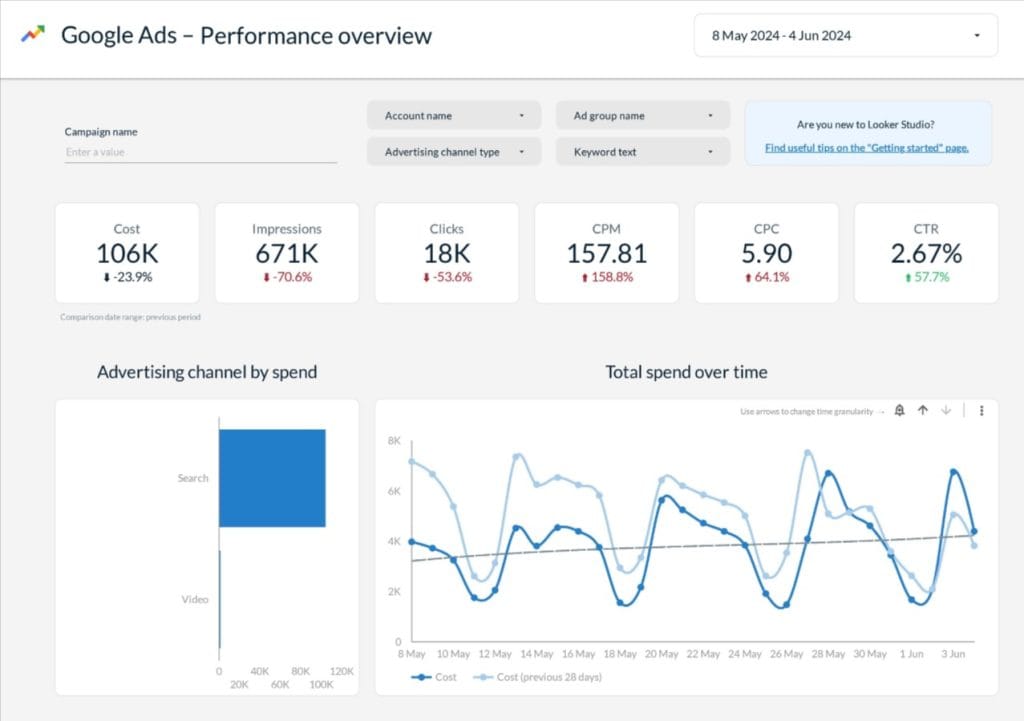
Supermetrics is a data connector, not a reporting platform. It doesn’t build dashboards or deliver anything to clients. It automates the flow of marketing data into the environment your team already works in: Google Sheets, Looker Studio, Excel, Power BI, BigQuery. Newer still, it feeds ChatGPT, Claude and Microsoft Copilot directly as destinations.
That last part changes who Supermetrics is for. If your analysts want to interrogate client data through an AI assistant rather than a dashboard, Supermetrics now feeds that directly.
If you’ve built reporting workflows in Looker Studio or Sheets and don’t want to abandon them, Supermetrics removes the manual extraction that made those workflows painful. Your templates stay exactly as they are.
Pricing
Four tiers, all metered on one core destination. Starter is from $49 per month, or $39 billed yearly, with 3 data sources, 1 user, 3 accounts per source, weekly refreshes in Google Sheets and 4,000 AI credits. Growth is from $199 per month, or $159 yearly, with 7 sources, 2 users, 7 accounts per source, daily refreshes, custom data import and 12,000 credits. Pro is from $499 per month, or $399 yearly, with 10 sources, 3 users, 10 accounts per source, hourly refreshes and 18,000 credits. Enterprise is quote-based and adds SAML SSO, data transformations, warehousing and custom credits. Yearly billing saves 20%.
Pricing is per destination, so a team using both Looker Studio and Sheets pays for both. Data API access is on every tier, and Claude, ChatGPT and Copilot count as core destinations alongside Looker Studio, Sheets, Excel and Power BI. Free for 14 days, no credit card.
Best For
Agencies with in-house analytics capability, existing Looker Studio or Sheets templates worth keeping, and a preference for owning their own reporting environment. Wrong choice if you want a turnkey client reporting system, because you still build and maintain the reporting layer yourself.
9. Funnel.io
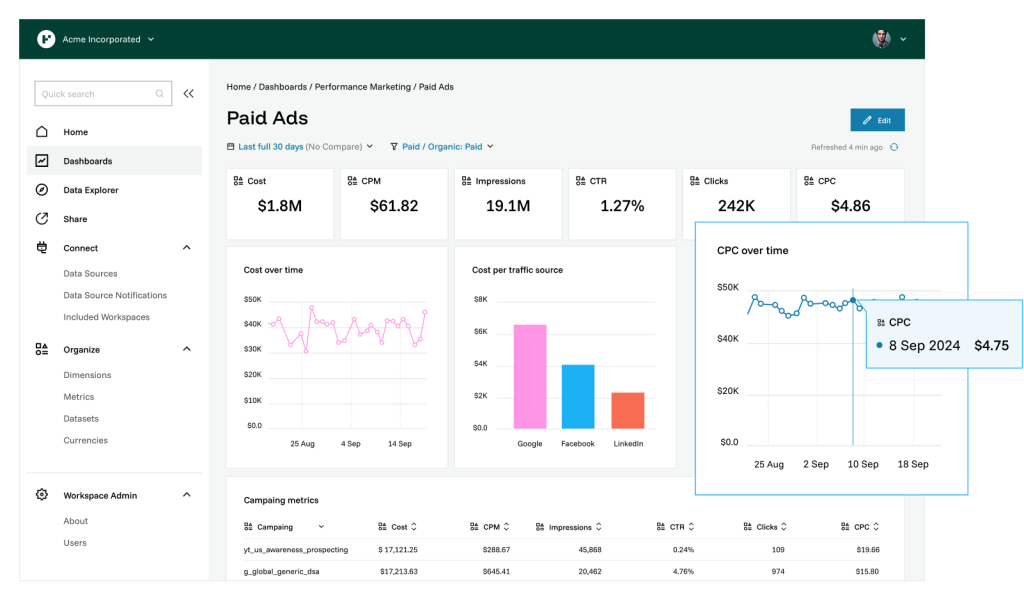
Funnel.io is an enterprise data platform. It collects marketing data from 600+ connectors, cleans and normalizes it, and routes it into data warehouses like BigQuery or Snowflake, BI tools like Tableau or Power BI, or reporting destinations like Looker Studio and Sheets.
Funnel doesn’t produce client reports. It makes sure the data feeding those reports is accurate, timely and consistently structured. For agencies handling enterprise accounts with complex attribution or several product lines, that’s usually the actual bottleneck. Pre-aggregated storage on Funnel’s servers also means faster load times for data-heavy Looker Studio reports, which teams who’ve hit performance walls with other connectors notice immediately.
Pricing
Funnel publishes two separate tracks and agencies should read the agency one. Everything is billed annually; there is no monthly option.
- Agency track. Agency Standard starts from $300 per month with 117 connectors, 13 destinations, 5 users, unlimited workspaces, Funnel MCP and Funnel AI. Agency Advanced starts from $600 per month with 600+ connectors, 47 destinations, unlimited users, custom integrations, advanced Data Hub capabilities, enterprise governance, and white-label client reporting through Portals.
- Brand track. Starter from $300 per month with 117 connectors and 13 destinations. Business from $600 per month with 579 connectors, 46 destinations and unlimited users. Enterprise is custom with 600+ connectors, SAML/OIDC/SCIM SSO and audit logging.
Funnel Measure is a separate add-on on top of either track. Digital Measurement runs $2,250 per month billed annually at $500K to $1M in monthly ad spend, and Advanced Measurement is custom-quoted.
Consumption sits on top of the plan through flexpoints, which Funnel spends against connectors, accounts and destinations rather than rows of data. Funnel doesn’t publish the dollar value of a flexpoint, so the starting price is a floor rather than a quote. Funnel AI and MCP are on every plan. Trials are arranged through sales.
Best For
Large agencies and enterprise marketing teams who need a reliable pipeline feeding existing BI infrastructure. Not a standalone reporting platform, since you still need a visualization layer, and the cost needs a business case.
10. ReportGarden
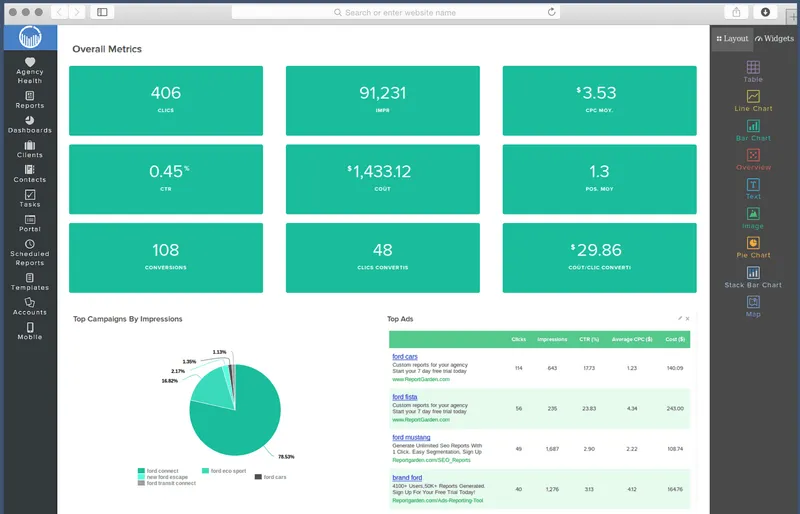
ReportGarden covers the overlap between client reporting and agency operations. Alongside dashboards and automated reports, it includes budget pacing that shows real-time spend against allocation per client, plus built-in invoicing so client billing lives in the same platform as client reporting. Agencies currently paying for both separately can often justify the switch on consolidation alone.
The reporting side is solid without being exceptional. More than 1,000 templates, white-label client portals with custom domains, access to 100+ integrated data sources, and coverage across PPC, SEO and social give it the depth most agencies need. Highly specific report formats run into walls, and there’s no agency-level overview dashboard, so checking on all clients means opening them one at a time.
ReportGarden publishes no AI features at all. Every other tool on this list has some AI story. If AI-assisted reporting is on your requirement list, this one is out.
Pricing
ReportGarden publishes one number: plans start from $75 per month, with fair usage limits and access to 100+ integrated data sources. It meters by data source rather than by client, and a single client running Google Ads, Facebook Ads and a Facebook Page counts as three sources. The tier structure above the entry price isn’t published, so you’ll need a quote for your actual source count. Annual contracts are available with a discount through sales. Free for 14 days, no credit card.
Best For
Small-to-mid agencies of 5 to 20 clients who currently run separate tools for reporting and billing. Also reasonable for agencies who want a no-frills reporting platform with a better price-to-feature ratio than the premium options, as long as AI isn’t part of the requirement.
11. Two Minute Reports
Two Minute Reports is built for teams already living inside Google’s ecosystem. Rather than building its own dashboard environment, it works natively inside Looker Studio and Google Sheets, so your existing templates and client setups stay intact. You just stop pulling data by hand.
Metering is unusual and worth understanding before you price it. You’re charged by accounts per connector, not by client or by total sources. Lite allows 3 accounts per connector, Pro 30, Business 100. A 20-client agency on Google Ads uses 20 of its Google Ads allowance and 20 of its Meta allowance separately, which means Pro rather than Lite.
Unlimited users on every plan helps agencies with big teams, and API access ships on all three tiers.
Pricing
Lite is $97 per month with 3 accounts per connector, 1 destination and daily, weekly or monthly scheduling. Pro is $297 with 30 accounts per connector and hourly scheduling. Business is $597 with 100 accounts per connector. Yearly billing gives two months free on all three. Enterprise is quote-based. Additional accounts cost $10, $8 and $5 per month by tier, and an additional destination is $49 across all plans. Users, queries and data history are unlimited everywhere, and AI dashboards, MCP, Goals and API access are on every tier. Free for 14 days, no credit card, and no free plan.
The trade-off is inherited from Looker Studio: API rate limits, occasional reliability wobbles, and less flexibility for complex white-labeling or multi-client management at scale.
Best For
Small agencies and in-house teams already committed to Looker Studio or Sheets who want automated data pulls without rebuilding anything. Large teams benefit most, since unlimited users at $97 a month is hard to match.
How PPC Reporting Tools Charge and What You’ll Really Pay
Four metering models exist in this category, and the model affects your bill more than the headline price does. Two tools with the same entry price can differ by hundreds of dollars a month at 20 clients. Model the cost at your actual client count and platform mix before you shortlist anything.
Data Source Pricing
Swydo, ReportGarden and Databox charge by platform connection, regardless of how many clients use them. The model rewards consistency. If every client runs Google Ads, Meta and GA4, you pay for three connections per client whether you have five clients or fifty. It gets expensive when clients have scattered platform mixes, since every new platform is another line on the bill. Work out your average sources per client first. That single number tells you whether this model is cheap or dear for you.
Per-Client Pricing
AgencyAnalytics charges $20 per client per month on annual billing, with everything included. It’s the easiest model to forecast, since adding a client has a known cost, and the most expensive at volume. Per-client pricing favors agencies with fewer, higher-value clients over high-volume, low-retainer models. At 20 clients it’s $500 a month; at 50 it’s $1,250.
Dashboard Pricing
DashThis charges by dashboard count, with data source caps layered on top. The model rewards consolidation, so if one comprehensive dashboard serves each client well, your cost per client stays flat. Two things break it: clients who need several dashboards each, and the per-plan source caps, which push a 20-client agency onto the $324 plan on connection count alone.
Ad Spend Pricing
Optmyzr ties cost to total ad spend under management. When a large client cuts budget mid-year, the bill drops. When they scale, it climbs. The model aligns cost with the value you deliver, and it penalizes agencies carrying high-spend accounts on thin margins. Build the variability into your planning rather than budgeting off last quarter.
Annual Versus Monthly Billing
Annual plans save 10 to 30% across the tools here, with break-even against monthly billing landing near the ten-month mark. Once a trial has convinced you, annual is the better financial call. Pay monthly while you’re still evaluating or while client count is moving.
Two caveats. Whatagraph and Funnel.io removed the choice. Both are annual only, so the smallest purchase is a year. Swydo sits at the other end, where annual billing takes the base from $69 to $62 a month. That 10% is the smallest saving here, so staying month to month costs you very little. Check whether an annual plan bills in installments or prepaid in full, because prepaid changes the cash-flow math even when the discount looks identical.
The Right Tool for Your Agency Type
The right choice depends on your size, your clients’ platform mix, and whether reporting is a standalone deliverable or part of an optimization practice.
Solo Consultants and Freelancers
Time and budget are your constraints, not feature depth. DashThis is the fastest to a first client dashboard and the most intuitive. Two Minute Reports fits if you already work in Looker Studio and want automated pulls without rebuilding templates, though at $97 a month it’s no longer the budget option it once was. Databox’s free plan is the cheapest way to keep an eye on three data sources while you decide.
Mid-Size Agencies on the Rise
Consistency and scale are the priorities here. You need templates that work across many clients without rebuilding, white-labeling that carries your brand, and enough automation that reporting doesn’t bottleneck the last week of every month. Swydo handles this well when clients share a platform set, and its monitoring suite means you hear about problems before the client does. AgencyAnalytics is the better call when you run PPC alongside SEO and social and want one platform for everything. The deciding factor is usually channel breadth, not report quality, since both produce good reports.
Large Established Agencies
Advanced permissions, deep customization and integrations beyond the standard ad platforms start to matter. Whatagraph gives the best combination of visual quality and AI narrative for agencies where presentation is part of the product and an annual commitment isn’t a blocker. TapClicks is the answer when integration breadth or data transformation has become the bottleneck. Funnel.io provides the foundation when clients need enterprise data infrastructure underneath.
PPC-Specialist Agencies
Optmyzr is the strongest pick when you want optimization inside the reporting workflow. Diagnosing an issue in the report and acting on it without switching tabs is a real operational edge. Swydo’s PPC templates and cross-channel blending suit specialists who want strong reporting and monitoring without the optimization layer. For a broader view of the paid-search stack, our guide to the best PPC monitoring tools covers the alerting side in more depth.
How to Switch to a New Reporting Tool Without Disrupting Your Clients
The tool is half the problem. How you roll it out decides whether it delivers or becomes another underused subscription. Five steps, in order.
- Document your current reporting hours per client. Without a baseline you can’t measure the change or make the case internally. Break it down: data collection, formatting, writing commentary, sending, and answering follow-up questions.
- Test with your most complex client, not your easiest. If the tool handles your hardest scenario, everything else is downhill. If it struggles, you find out while you can still switch.
- Build three or four templates covering your most common client types. Cover 80% of clients well in month one rather than chasing every edge case. The rest can be built as they come up.
- Run both systems in parallel for one full reporting cycle. It feels wasteful and it catches data discrepancies before a client does.
- Brief clients before they see a different report. A short note explaining the upgrade, what looks different, and how to reach their new dashboard turns “why does this look weird” into a signal that you’re investing.
Our guide to client reporting best practices goes deeper on the client-communication side of a switch.
Which PPC Reporting Tool Should You Pick
Multiply your client count by the number of ad platforms each client runs. That number is your data source count, and it decides more than any feature list will. Under about 60 sources, data-source pricing beats per-client pricing: $294 against $500 at 20 clients on three platforms. Past 100 sources with a scattered platform mix, per-client pricing starts winning, and the calculation flips.
The single strongest reason to choose one tool over another at your size is what happens to the bill when you add your next five clients. Everything else, including report design, AI features and template systems, is close enough between the serious options that it rarely decides anything.
Run your two shortlisted tools on your most complex client’s real data during their free trials. Both take about twenty minutes to connect and build a first report, and you’ll know by the end of an afternoon.
PPC Reporting Tools FAQ
Direct answers to the questions agencies and freelancers search for
Software that pulls data from your ad platforms (Google Ads, Meta, LinkedIn, Microsoft, TikTok) and builds client-ready reports automatically. Instead of logging into each platform and copy-pasting into a spreadsheet, the tool collects, formats and sends on a schedule you set.
Past three or four paid-media clients, yes. Three hours per client per month across ten clients is thirty hours, close to a full working week, spent moving numbers around. Below three clients, a well-built Looker Studio template plus a connector is often enough.
DashThis at $54 a month for speed, since most people have a working dashboard inside an afternoon. Databox’s free plan if you want to watch three data sources without paying anything, though white-labeling is a $250 monthly add-on the moment a client sees it. Swydo at $69, or $62 billed annually, if you’re heading toward five or more clients, since template propagation and monitoring start paying off at that scale.
AgencyAnalytics. Rank tracking, backlink monitoring, site audits and social sit alongside PPC on one plan at $25 per client per month, or $20 billed annually, and every client gets a login to their own live dashboard, which cuts down on one-off requests.
Depends what’s breaking. For integration breadth and data transformation, TapClicks handles 250+ connectors and bundles collection, reporting and analytics. For visual quality and AI narrative, Whatagraph is strongest, at $812 per month on an annual commitment, though check its integration list first: e-commerce, CRM and data-warehouse connectors sit behind the custom-priced Prime tier rather than on Max. For enterprise data infrastructure feeding Tableau or Power BI, Funnel.io from $300 per month billed annually is the foundation, and its agency track adds white-label client reporting through Portals at $600, though it’s a pipeline rather than a reporting platform.
Optmyzr. It was founded by former Google employees and goes past reporting by monitoring campaigns in real time, surfacing optimization opportunities, and letting you act without leaving the platform. PPC Investigator pinpoints which campaigns, ad groups or keywords caused a shift. Pricing starts at $299 per month for up to $25K in monthly spend, or $209 billed annually, and coverage is deliberately narrow: Google, Microsoft, Amazon, Meta and LinkedIn Ads only.
Supermetrics is a data connector, not a reporting tool. It automates the flow of marketing data into Google Sheets, Looker Studio, Excel, Power BI or BigQuery, and now into ChatGPT, Claude and Microsoft Copilot as destinations. It doesn’t build dashboards or deliver anything to clients, so you still maintain the reporting layer yourself.
If you’ve already built templates in Looker Studio that you want to keep, Supermetrics fits. If you want a turnkey system, use a full reporting platform instead.
Funnel.io is a data pipeline, not a client reporting platform. It collects data from 600+ connectors, cleans and normalizes it, and routes it into your BI tools or data warehouse. It doesn’t produce client reports directly. It’s the right choice when the problem is data accuracy and infrastructure, not when you just need to send a monthly report.
Entry-level starts around $49 to $99 per month. Mid-tier runs $150 to $400. Enterprise tools and Whatagraph reach $800 or more. The advertised starting price rarely reflects what an agency pays once sources, clients and add-ons are counted, so model your real cost at your actual client count first.
Four models. Data source pricing (Swydo, ReportGarden, Databox) charges per platform connection regardless of client count, which suits consistent platform mixes. Per-client pricing (AgencyAnalytics) at $25 per client per month is the most predictable and the most expensive at volume. Dashboard pricing (DashThis) charges per dashboard with source caps layered on top. Ad spend pricing (Optmyzr) ties cost to managed spend.
Whatagraph runs a credit variant worth understanding separately. One credit connects one data account, but the plan floor is 50 credits, so a 20-account agency and a 50-account agency pay the same $812 per month.
Whatagraph and Funnel.io. Every other self-serve tool in this guide publishes a monthly rate you can start and stop. Whatagraph removed monthly billing entirely, so the smallest purchase is a year at $812 per month, roughly $9,700 committed before you send a single report.
Swydo, AgencyAnalytics, DashThis, Databox, Optmyzr, Supermetrics, ReportGarden and Two Minute Reports all bill month to month. If you’re still testing against a live client portfolio, the ability to leave after 30 days is usually worth more than a 20% annual discount.
Advertised starting prices understate what an agency pays. Here’s the realistic cost at 20 clients running three platforms each, which is 60 data sources or connected accounts, on monthly billing. Annual billing takes 10 to 30% off most of these:
| Tool | Advertised Start | Cost at 20 Clients, 3 Platforms Each |
|---|---|---|
| Swydo | $69/mo | $294/mo (10 sources included, plus 50 at $4.50) |
| Two Minute Reports | $97/mo | $297/mo (Pro, 30 accounts per connector) |
| DashThis | $54/mo | $324/mo (Business, needed for the 100-source cap) |
| Databox | $99/mo | About $336/mo (Agency Pro, plus 57 sources at $2.40), plus $250 if you need white-labeling |
| AgencyAnalytics | $25/client/mo | $500/mo |
| Whatagraph | $812/mo (annual only) | $812/mo (60 credits sits just above the 50-credit floor) |
| ReportGarden | From $75/mo | Quote only above the entry price |
Optmyzr, TapClicks, Funnel.io and Supermetrics are left out because they meter on ad spend, custom quotes, connectors and destinations rather than client count. Verify current pricing with the vendor before buying.
Usually yes, where you have the choice. Annual plans save 10 to 30% across the tools here, and the break-even against monthly billing lands near the ten-month mark. Pay monthly while you’re still evaluating or while client count is moving.
Two exceptions. Whatagraph and Funnel.io removed the choice, so both are annual only. Swydo sits at the other end, where annual billing takes the base from $69 to $62 a month. That 10% is the smallest saving here, so staying on monthly costs you very little. Check whether an annual plan bills in installments or prepaid in full, because prepaid changes the cash-flow math even when the discount looks identical.
Per data source. $69 a month includes 10, or $62 a month billed annually, with additional sources at $4.50 each up to 100, then $3.00 up to 500 and $2.00 beyond. A 20-client agency running Google Ads, Meta and GA4 per client sits at 60 sources and $294 a month. Add LinkedIn and Microsoft Ads to every client and it’s 100 sources at $474.
Billing is post-paid, so sources added mid-cycle are charged to the end of the month and removing sources lowers your next bill straight away.
One plan, $25 per client per month on monthly billing or $20 billed annually, with every feature included: white-labeling, custom domain, API access, unlimited users, unlimited dashboards. The old Freelancer, Agency and Agency Pro tiers are gone, along with the feature restrictions that came with them.
AI Tracker at $20.83 per 250 credits and Rank Tracker at $41.67 per 500 keywords sit outside the plan as add-ons. Volume discounts start at 25 clients.
White-labeling and AI credits are the two that surprise people. Databox charges $250 a month for branding and white-labeling on every plan below Agency Premium, or $200 on annual billing, which can cost more than the plan itself. DashThis sells AI Insights Pro as a paid add-on at every tier. AgencyAnalytics prices Rank Tracker at $41.67 per 500 keywords. Whatagraph charges extra for a custom report domain on top of Prime.
Beyond branding, watch for SSO and audit logs, faster sync frequency, extra data sources and additional AI credits. Price the configuration you’d run, not the one on the pricing page.
Databox has the only real free plan here: 3 data sources, 1 user, 1 dashboard and 50 AI credits a month, permanently, though nothing on it is white-labeled. Looker Studio is free too, though you’ll usually pay a connector like Supermetrics or Two Minute Reports to feed it.
Free plans work for testing or a very small portfolio. White-labeling, client portals and multi-client management almost always need a paid plan.
Most do, and 14 days with no credit card is the standard. Swydo, AgencyAnalytics, DashThis, Optmyzr, Databox, Supermetrics, ReportGarden and Two Minute Reports all run one. Whatagraph offers 14 days on Max, also without a card. TapClicks and Funnel.io arrange trials through sales.
Use the trial on your most complex client, and pay attention to what happens when it ends. A tool with no monthly option means the next decision after the trial is a full year.
Most do, but check whether it’s on your plan and whether it’s a line item. Swydo includes white-labeling and a custom domain on its single plan. AgencyAnalytics now includes white-label branding with custom domain and email on its one plan. DashThis includes it on all four plans, and Two Minute Reports on all tiers.
Whatagraph includes white-label reports on both plans but puts the custom report domain on Prime. Databox sells branding as a $250 monthly add-on, $200 annually, unless you’re on Agency Premium where it’s included.
Yes, and it’s the newest capability in the category. Instead of dragging widgets around, you describe the report and the tool builds the sections and widgets. Whatagraph IQ Report Creation does it on Max. Swydo’s Agentic Reporting does it on the $69 plan, building report structures, creating and editing widgets, reorganizing sections through conversation, and saving the prompts that worked so the rest of your team can reuse them.
For a PPC agency onboarding a new client, this replaces the slowest part of setup. Prompt quality varies more between tools than the feature lists suggest, so test both during a trial rather than reading specs.
Credits meter AI usage, and every vendor counts them differently. Swydo includes 4,000 a month, and an average report summary uses about 95, so roughly 42 summaries before you hit the ceiling. Credits reset monthly and don’t roll over. Anything past the included balance runs against a spending limit you set, and unused credits are never billed, so you pay only for what you use.
Databox includes 50 credits on its free plan and up to 10,000 on Agency Premium. Supermetrics includes 4,000 on Starter, 12,000 on Growth and 18,000 on Pro. AgencyAnalytics sells AI Tracker credits separately at $20.83 per 250. Larger reports use more credits because they take more processing, so if your team runs AI across every client every month, check the per-thread usage breakdown before assuming the included balance covers it.
Yes, with several tools. AgencyAnalytics gives each client a login to live dashboards. Swydo’s Client Portal puts a client’s Reports, Boards and Goals behind one secure link, with optional password protection, a preview so you see what they’ll see, and link regeneration that kills previous access instantly. ReportGarden includes a white-label client portal with custom domains.
If your clients currently email you on the 18th asking for a number, a portal is what stops that.
Swydo supports it. Switch AI on for clients or your team from Settings, and clients can ask questions of their own dashboard rather than emailing you. Dashboards get a reduced feature set compared with reports, and client usage draws from your credit pool, so turn it on per account rather than across the board.
AgencyAnalytics includes AI insights on its dashboards, and Databox’s Genie is available on every tier including the free one.
Swydo’s template propagation does this. Update a master template and every linked client report inherits the change. For an agency running 15 to 20 clients on similar platforms, it’s hours back every month, and it’s the reason mid-size agencies most often name when they pick Swydo.
Most tools on this list have some template system. The difference is whether existing reports inherit changes or only new ones do, so test that specifically during a trial.
Whatagraph IQ is the most capable, generating formatted reports from a prompt, answering plain-language questions about your data, explaining unusual patterns and writing narrative summaries with context. Access starts at $812 per month on an annual commitment, and IQ+ is Prime only.
Swydo closed most of that gap with Agentic Reporting on its $69 plan, which builds and edits reports from natural language and includes 4,000 AI credits a month. AgencyAnalytics includes AI insights, anomaly detection and forecasting on its single plan, plus MCP access for ChatGPT and Claude. Databox includes Genie on every tier including free. DashThis includes AI Insights on every plan with AI Insights Pro as a paid add-on. ReportGarden publishes no AI features.
At minimum Google Ads, Meta Ads, LinkedIn Ads, Google Analytics 4 and Microsoft Ads. Check TikTok, Reddit, Pinterest, Snapchat or any programmatic platform your clients run before committing, because integration libraries are uneven and not all connectors are maintained equally.
Counts vary wildly. Funnel.io lists 600+ connectors, TapClicks 250+, Databox 130+, AgencyAnalytics 85+, Whatagraph 68 and Swydo 38 with more shipping.
Check which plan each connector sits on, not just the headline count. Whatagraph gates 22 of its 68 behind the custom-priced Prime tier, including Shopify, WooCommerce, BigCommerce, Magento, HubSpot, Salesforce, GoHighLevel, BigQuery, Snowflake, The Trade Desk, Display & Video 360, Campaign Manager 360, Search Ads 360, Criteo, StackAdapt, Taboola, AdRoll and Adobe Analytics. The $812 Max plan reaches 46. One Shopify client or one HubSpot pipeline and Max cannot report on them at all.
Whatagraph is the one to check carefully. It carries 68 integrations, but 22 sit on the custom-priced Prime tier rather than the $812 Max plan, so Max reaches 46. The gated ones are not obscure: Shopify, WooCommerce, BigCommerce and Magento for e-commerce; HubSpot, Salesforce and GoHighLevel for CRM; BigQuery and Snowflake for warehousing; and The Trade Desk, Display & Video 360, Campaign Manager 360, Search Ads 360, Criteo, StackAdapt, Basis Technologies, Simpli.fi, Taboola, AdRoll, Adform and Adobe Analytics for programmatic and enterprise.
A pure paid-media agency may never hit that wall. Add one Shopify store or one HubSpot pipeline and the $812 plan cannot report on it, which means a Prime quote. Elsewhere the gating is milder: AgencyAnalytics puts every integration on its single plan, Swydo puts all 38 on its one plan, DashThis keeps integrations unlimited at every tier, and Funnel.io steps from 117 connectors on Standard to 600+ on Advanced.
Optmyzr is built for it. Its Rule Engine monitors campaigns in real time and flags bid adjustments, budget pacing problems and negative keyword candidates from live data. When a client asks why cost per lead went up, you answer in minutes and act without switching platforms. It’s an optimization platform that includes reporting rather than the reverse.
Swydo approaches the same problem from the monitoring side, with daily Alerts on any metric, Goals with on-track and off-track states, and Slack notifications when something trips. It tells you what to look at; Optmyzr changes it for you.
ReportGarden. It includes budget pacing and built-in client invoicing alongside reporting, so campaign reporting and billing live in the same platform. Plans start from $75 per month with 100+ integrated data sources; the tiers above that aren’t published, so invoicing-inclusive pricing comes through a quote.
For agencies currently paying for two tools, consolidation alone can justify it. Advanced report customization has limits compared with premium tools, and ReportGarden publishes no AI features at all.
Monitoring rather than client deliverables. Databox is built for always-on visibility into how metrics are moving, with alerts when something changes and industry benchmarking that compares client performance against similar businesses. The Slack integration pushes alerts into team channels so issues surface early.
Databox runs two pricing tracks and agencies should read the agency one, which starts at $99 a month and lifts the client cap from Agency Pro up. Price in the $250 monthly white-labeling add-on before you compare, since it’s only included on Agency Premium at $999 a month.
It works best beside a reporting tool rather than instead of one. The free plan makes it easy to run in parallel for a month and find out whether the monitoring layer earns its place.
DashThis is fastest, with most agencies running inside an afternoon. Two Minute Reports is similarly quick if you know Looker Studio. Swydo takes a few hours to connect sources and build a master template, and replication across clients is fast after that, with Agentic Reporting cutting the initial build further by generating structure from a prompt. AgencyAnalytics usually takes a day or two once you’re setting up client portals and cross-channel integrations. TapClicks and Funnel.io are enterprise platforms with onboarding measured in days or weeks.
Four things, in order. Document how long reporting takes per client now, so you have a baseline. Test the new tool on your most complex client rather than your easiest. Run both systems in parallel for one full reporting cycle. Tell clients before they see a different format, framing it as an upgrade.
Your most complex client scenario, not a simple one. Connect the platforms that client runs, build a complete report, and check the numbers against the native platform dashboards. Test white-labeling if branding matters, verify scheduling works, and connect your least-common platform rather than only Google and Meta.
Then calculate your realistic monthly cost at full client count including add-ons, and confirm what billing options exist after the trial. One tool in this guide will only sell you a full year.
Run the arithmetic on your own team rather than trusting a vendor percentage. At three hours per client per month, a ten-client agency doing manual reports spends thirty hours a month on collection and formatting alone. Automating the data pull removes most of that, and what’s left is the commentary and the client conversation, which is the part worth your time anyway.
Measure it before you switch and again after one full reporting cycle. That number is the only one that matters for your business case.
Yes. Two Minute Reports and Supermetrics both work natively inside Looker Studio, automating data pulls into your existing templates without rebuilding anything. Supermetrics starts from $49 monthly, or $39 billed yearly, and supports ChatGPT, Claude and Copilot as core destinations alongside Looker Studio, Sheets, Excel and Power BI. Two Minute Reports starts at $97 monthly, with two months free on yearly billing. Both preserve your setup while removing manual extraction.
DashThis has the lowest learning curve, with pre-configured widgets and an interface that needs no training. Swydo is straightforward too, and its template system means once one person builds the master, everyone else applies it. Skip TapClicks and Funnel.io if fast team onboarding is the priority. Both are powerful and both require real setup and training.
Transform PPC reporting into strategic value your clients will notice.
Start Your Free Trial Today