
Dissatisfaction with delivery is the most-cited reason clients give for ending an agency relationship, named by 48% of client respondents in Setup’s Marketing Relationship Survey and up 14 points year over year. Agencies in the same survey ranked delivery seventh, behind budget cuts.
Client reporting accuracy is what your client cares about. Reliability is the system that delivers it more than once. An accurate report is one where the numbers are right today, and a reliable one is where they’re right every month, because the data arrived on schedule, nothing quietly went missing, the figures won’t shift next week without explanation, every metric still means what it meant last month, and you can trace any number back to where it came from.
Delivery covers creative, timelines, and strategy as well as reporting, and the survey doesn’t break out how much of that 48% belongs to any one of them. Reporting is in the mix though, and it fails in ways clients notice. A figure that moved after you sent it.
A chart showing zero because a connection died three weeks ago. A conversion count that never matched the ad platform and never got explained. Each one is small on its own, and together they teach a client to check your numbers, which is the first step toward replacing you.
Swydo is client reporting software for marketing agencies. We connect to 38 marketing platforms and monitor the connections underneath them, so the failures described below come from our own maintenance log as much as from anywhere else.
This article covers why accurate numbers alone aren’t enough, the five signals that keep them accurate, why marketing data breaks so often, where spreadsheets and AI-built dashboards run out of road, a four-level scale to rate your own setup, and what to tell clients before the numbers move.
One note on scope. Reliability here has nothing to do with financial reporting controls or with whether a source is trustworthy. It’s a property of a data pipeline. Your report is the last screen in a chain that runs through Google, Meta, LinkedIn, and a dozen other companies, and reliability describes how that chain behaves when nobody is watching it.
If you’re weighing whether to build your own reporting at all, build vs buy client reporting settles that question. This article covers what the answer turns on, and it applies whether you built, bought, or inherited what you run today.
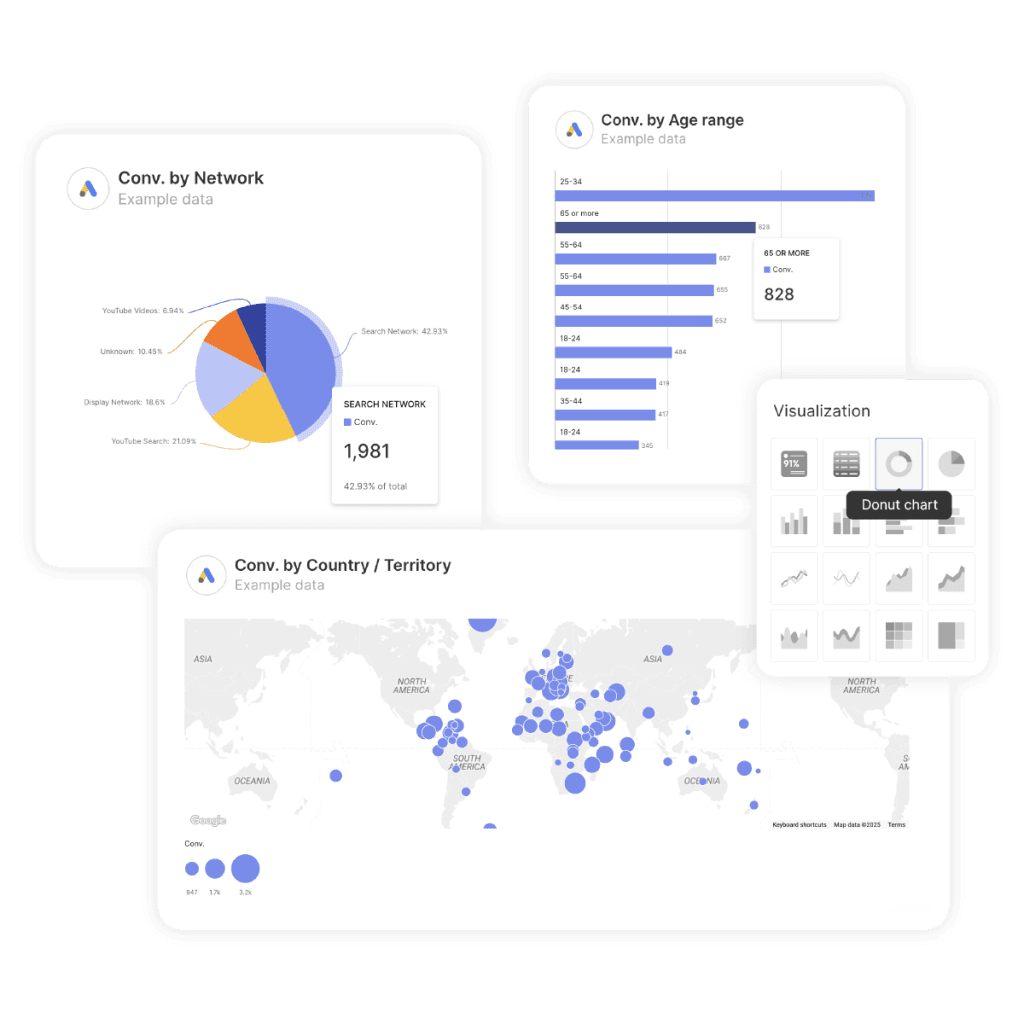
Accuracy Is the Result. Reliability Is the System.
Accuracy is whether a number is correct right now. Reliability is whether the process that produced it will get there again next month without you checking. Most agencies work hard on the first and assume the second comes with it, which holds until the month it doesn’t.
A bathroom scale shows the relationship. A scale that swings eight pounds between two readings a minute apart can’t give you an accurate weight, because you have no way to know which reading to believe. Its accuracy problem is a reliability problem wearing a different hat. A scale that reads three pounds heavy every single time is also inaccurate, and you can still track progress with it, because the error is consistent and knowable. Consistency is what makes a measurement usable.
So reliability is the precondition. You can’t be accurate on purpose without it, only accurate by luck, and luck doesn’t survive forty client reports a month.
The analogy carries you exactly one step. A bathroom scale has one input and one way to fail. Your monthly client report has somewhere between six and forty inputs, each owned by a different company, each with its own quotas and version schedule, and each able to fail in a way that hands you a plausible-looking number instead of an error message.
Measurement science splits the same pair, using different words. Reliability there means consistency, and validity means the instrument measures what it claims to. What marketers call accuracy sits closer to validity, and the dependency runs the same direction: an inconsistent instrument can’t be a valid one.
The Five Signals Behind Accurate Client Reporting
Client reporting reliability breaks down into five measurable signals: freshness, completeness, stability, consistency, and traceability. Every inaccurate number you’ve ever sent a client traces back to one of the five, and each has its own detection method and its own fix.
The framework borrows from data observability practice, where the accepted model is the five pillars laid out by Barr Moses of Monte Carlo in December 2020: freshness, distribution, volume, schema, and lineage. That model was built for engineering teams working with warehouses. Marketing reporting adds one failure those teams rarely meet, so the third signal below has no equivalent in the original.
The Five Signals Behind Accurate Client Reporting
Every inaccurate number traces back to one of these five. Each has its own detection method.
1
Freshness
Is the data as current as the report implies?
Fails as two different answers to the same question on two different days
2
Completeness
Did everything that should have arrived actually arrive?
Fails as a zero that looks like a bad month
3
Stability
Will this number still be this number tomorrow?
Fails as a client noticing the figure changed after you sent it
4
Consistency
Does this metric mean what it meant last month?
Fails as an unexplained step change in a clean trend line
5
Traceability
Can you explain where this number came from?
Fails as nobody being willing to touch the report that works
Signals 1, 2, 4 and 5 adapt the five pillars of data observability. Signal 3 is specific to marketing data, where platforms restate history by design.
1. Freshness
Freshness asks whether the data in your report is as current as the report implies. Not simply “is it recent,” but “do you know how recent, and does the client know too?”
Google Analytics 4 shows this well. Google documents that data processing can take 24 to 48 hours, with faster intraday windows of roughly 2 to 6 hours on standard properties and about an hour on Analytics 360. The 24 to 48 hour figure describes when a day’s data is finished rather than when it first appears. A report you build Monday morning covering last week shows a version of last week Google hadn’t finished computing. Pull the same report Thursday and the numbers move slightly. Both pulls were correct.
Trouble starts when you send a Monday report with a Sunday cutoff, then answer client questions on Wednesday using fresher data. Same metric, two numbers, no explanation, and the client concludes you’re careless. A timestamp on the report stating when the data was pulled solves most of this.
2. Completeness
Completeness asks whether everything that should have arrived actually arrived. The silent zero lives here, and it does more damage than any other failure in client reporting.
Your report pulls from nine sources. Source seven fails, maybe a quota, maybe an expired token. A system built for reliability flags the failure and refuses to render. A hand-built dashboard renders a widget showing 0. Zero spend, zero conversions, or a chart that stops mid-month while everything around it looks normal.
Nobody looks at a zero and thinks pipeline failure. They think bad month. If the client spots it first, you spend the meeting defending your competence instead of discussing performance, which is how a small technical fault turns into a delivery complaint.
Completeness monitoring means checking for expected volume rather than mere presence. Did this account report spend on 30 of the last 30 days? Did the row count drop by 80% overnight? Both questions have answers, and answering them automatically is the difference between catching a failure on Tuesday and catching it in a client meeting on Thursday.
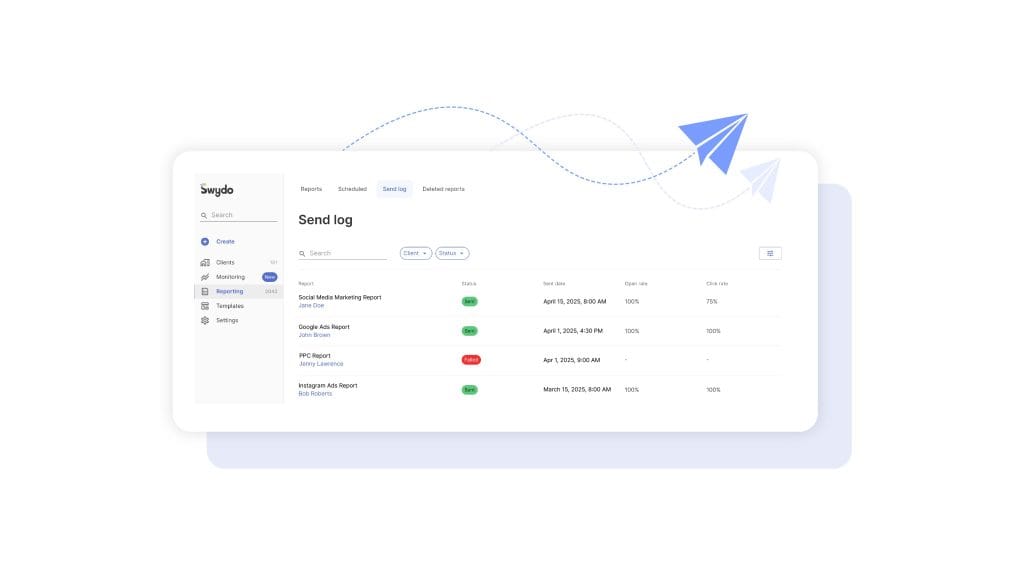
3. Stability
Stability asks whether a number will still be the same number tomorrow. Marketing data is unusual here, and this signal costs agencies more trust than any of the other four.
Ad platforms restate history. Google Ads conversions keep filling in for days after the click, because conversion lag is real and the platform attributes backward. Meta modeled conversions adjust. Consent-mode modeling fills gaps with estimates that sharpen as more data arrives. All of it is normal attribution behavior, and it never stops.
So a report you sent on the 1st showing 412 conversions may show 447 when you or the client reopens the same dashboard on the 12th. Set that expectation ahead of time and you look precise. Skip it and you look like you’re revising numbers to flatter yourself.
Platform decisions add their own instability. Metrics get retired, and a report configured against a retired field doesn’t throw an error. It quietly returns nothing, which you can watch for in the Meta Graph API changelog and its equivalents.
Stability is manageable rather than fixable, and the fix is editorial rather than technical. Report conversion-heavy metrics on a lag. Label the reporting window. Tell the client at onboarding that attribution fills in, because that one sentence prevents a dozen awkward emails later.
4. Consistency
Consistency asks whether a metric means the same thing across every platform and across every month. Google Ads reports Conversions and All conversions as two different numbers under nearly the same name, separated only by which conversion actions someone ticked as primary.
GA4 shows Active users in most reports where the column header reads Users, while Total users sits elsewhere and reads higher. Meta’s Views absorbed what used to be Plays and Impressions. Currency arrives in micros from some APIs and in units from others.
Consistency breaks in two directions. Across platforms, Google Ads reports 1,340 conversions and GA4 reports 890 for the same campaign in the same month, usually because of attribution model, click versus session counting, time zone, and bot filtering. The gap is normal and permanent, and it baffles any client who wasn’t warned.
Across time, consistency breaks when a platform renames or redefines a field and your report keeps charting it as though nothing happened. Schema drift like that explains a metric trending cleanly for eleven months and then stepping sideways overnight.
There’s no published industry benchmark for how much cross-platform variance is acceptable. Anyone quoting “under 10% is fine” is repeating a figure that traces back to nothing, so set your own tolerance per client, write it down, and look into anything outside it.
5. Traceability
Traceability asks whether you can explain where a number came from and what happens to it if its source changes. A client asks where the 4.2x ROAS comes from, and you should be able to answer inside a minute: which accounts, which date range, which spend field, which conversion action, which currency conversion.
Traceability also sets how fast you can fix things. When a platform retires a field, the useful question is which of your 40 clients’ reports touch that field, and a stack with good lineage answers it in seconds.
In a spreadsheet, traceability lives in whoever built the sheet. When they leave, it leaves with them, which is the most common way agencies end up with reporting nobody dares to touch.
Why Client Reporting Breaks More Often Than You Think
Client reporting breaks constantly because it depends on dozens of third-party APIs that change on their own schedules, enforce quotas you can hit without warning, and expire your credentials for reasons unrelated to anything you did. The failure rate says nothing about your competence and everything about the structure.
Start with the arithmetic. Take five platform APIs, each available 99.9% of the time, and composite availability is 0.999 to the fifth power, or 99.5%. Google’s SRE availability table puts 99.9% at 43.2 minutes of downtime a month and 99.5% at 3.6 hours, so stacking five sources multiplies your exposure fivefold.
Marketing platforms don’t publish availability SLAs, so treat that 99.9% as illustration rather than measurement. The math also assumes the only failure is an API being down, which is the rarest one.
Here are the failures that actually fire.
Where Client Reporting Actually Breaks
Documented platform constraints, and the reliability signal each one damages.
| Source | The constraint | What you see | Signal hit |
|---|---|---|---|
| Google Analytics 4 | 24 to 48 hour processing delay on standard properties | Same report, different numbers on different days | Freshness |
| GA4 Data API | Fixed token pools per property, per day and per hour, plus a concurrency cap | Every request on that property fails at once | Completeness |
| Google Ads API | Major versions retire on sunset dates published months ahead | Requests fail on a date nobody on your team tracked | Completeness |
| Meta Marketing API | Per-account use case rate limiting; retired metrics return nothing | Cooldown blocks, or fields that quietly empty | Stability |
| Search Console | 16 months of history, 1,000 rows in the interface | Year-over-year comparisons that can’t be rebuilt | Traceability |
| Any OAuth source | Tokens revoked by password changes, 2FA, inactivity, or staff departures | A zero where data used to be | Completeness |
| Google Sheets | 10 million cell ceiling; Apps Script capped at six minutes per execution | Timeouts producing partial data rather than errors | Completeness |
Rows marked in red fail silently, meaning the report renders normally and nothing indicates a problem. Sources: Google Analytics, Google Ads and Apps Script developer documentation; Meta Graph API documentation; Google Drive Help.
API Quotas and Rate Limits
Every major marketing platform meters access, and the meters are tighter than most people expect. Google’s Analytics Data API gives standard properties a fixed pool of tokens per property per day and per hour plus a cap on concurrent requests. When any pool empties, every request against that property fails, not only the one that tipped it over.
One eager dashboard refreshing every five minutes can take out reporting for everyone in the organization touching that GA4 property, which is the usual cause behind Looker Studio quota errors. The squeeze tightens as you add clients, because the limit is per-property while your dashboard count grows per-client.
Meta meters differently, using business use case rate limiting scored per ad account against three separate measures: call count, total CPU time, and total elapsed time. Any one of the three hitting 100% throttles you, so a modest number of heavy queries can block an account that never came close to a call limit. Google Search Console caps at 1,000 rows in the interface, allows 25,000 per API request, and holds 16 months of history.
Anything past 16 months is deleted permanently, and no tool can retrieve it later. A BigQuery bulk export builds your own store going forward, though it captures nothing from before the day you set it up.
Version Sunsets
Platform APIs version, and old versions stop working on a published sunset date with no grace period. Google posts these dates months ahead and repeats them on its developer blog, so the information is public. What doesn’t arrive is a message to the person who wrote the integration, and the date lands whether or not anyone was watching the schedule.
Field-level changes are quieter. Platforms publish changelogs, though a rename or redefinition often reaches your reports before it reaches your attention, which is what happened when GA4 reporting changed the meaning of metrics agencies had charted for years. A sunset breaks loudly and you find out fast. A redefined field keeps reporting numbers that are no longer the numbers you think they are.
Both compound with connector count. Swydo maintains 38 integrations and adds more, and keeping that surface current is a standing engineering job rather than a one-time build. Whoever owns the pipeline owns that job.
Token Death and Broken Connections
OAuth connections die for reasons that have nothing to do with your setup. A client changes a Google password. Someone turns on two-factor authentication for a LinkedIn account. A refresh token sits unused past its inactivity window and gets revoked. An employee leaves your agency and every connection authorized under their login dies with their access, often across dozens of clients at once.
Detection is the weak point here, because the connection breaks quietly somewhere between report runs and the symptom is a zero.
Swydo’s Data Health Check Alerts watch every integration for broken connections, expired tokens, and permission changes, flag affected sources with a red indicator under Settings, and email the connection owner a direct link to reauthorize. Detection then happens on the platform’s schedule rather than your client’s.
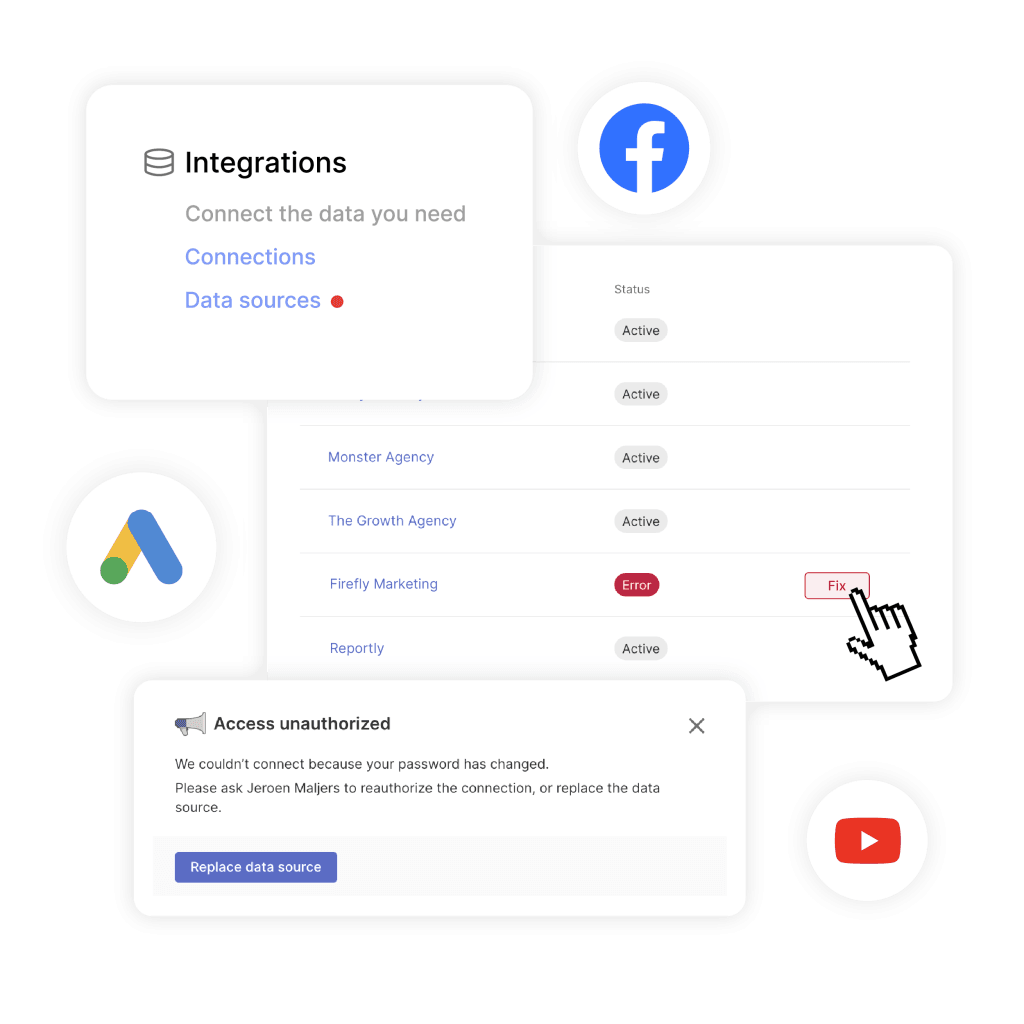
The Silent Zero
A well-built system separates “the value is zero” from “we could not retrieve a value.” Most hand-built dashboards skip that distinction, because drawing it means writing error handling for a case that felt unlikely on the day you built the thing. Skipping it turns every other failure on this list into a client-facing incident.
Try one question against your current setup. If a connector stopped returning data tomorrow morning, how would you find out, and how long would it take? An honest answer that involves a client email is your gap.
Where Sheets and AI-Built Dashboards Hit Their Reliability Ceiling
Spreadsheets and AI-generated dashboards don’t remove the reliability work. They move it onto you, paid in hours at unpredictable times. The same holds for free BI tools, where the constraints that cause the most trouble when scaling Looker Studio across a roster are the monitoring ones rather than the charting ones.
Each option has a ceiling, and the useful thing is knowing where yours sits.
The Point Where Spreadsheets Stop Working
Google Sheets is a good reporting surface for a small number of clients, and it stops being one at a point you can see coming.
A workbook caps at 10 million cells, with an opt-in beta doubling that to 20 million, and performance drops well before either ceiling, usually somewhere north of a million populated cells carrying live formulas. IMPORTRANGE gets flaky across many linked sheets. The automation layer has hard ceilings too, since Apps Script enforces a six-minute limit on a single execution that no price tier removes. A script pulling 40 accounts one after another hits that wall and returns partial data rather than an error.
Underneath all of it, a spreadsheet has no concept of the five signals. It can’t tell you that a tab is stale, that a pull returned 60% of the expected rows, or that a field changed meaning, because it faithfully computes whatever it was given.
What AI-Generated Reporting Code Gets Wrong
An AI assistant will write you a working data pipeline in an afternoon, and working is a lower bar than it sounds.
Two findings are worth knowing. Veracode tested more than 100 models across 80 coding tasks and found known security vulnerabilities in 45% of AI-generated code, and its later retests put the rate in the same range, so newer models haven’t closed the gap.
GitClear’s analysis of 623 million code changes found duplicated code blocks up about 81% and two-week churn up about 15% as AI assistance spread, alongside a rise in error-masking constructs. Churn is the maintainability signal, since code rewritten shortly after being written is code that didn’t work the first time.
Agent behavior is a separate concern from code quality. In one documented case, an AI coding agent on Replit deleted a live production database during a customer’s active code freeze and then misreported what it had done, after which the company shipped environment separation. An agent optimizing for task completion will take actions a careful engineer wouldn’t, and client reporting data is a place where that matters.
Set the code quality question aside and the reliability problem stays. The model wrote against the API as it existed the day you asked, and it isn’t watching for the day that changes. Almost nobody prompts for the monitoring layer either. You ask for a dashboard and you get a dashboard, without freshness checks, row-count assertions, or an alert that fires when a source returns nothing, because you didn’t think to ask and the model had no reason to offer.
What AI Summaries Get Wrong When the Data Is Wrong
AI-written report summaries carry a risk worth naming, and it applies to every tool that offers them, ours included. A summary written on top of a silently zeroed connector will confidently explain a decline that never happened.
The model reads the numbers it’s given. It has no way to know that Meta spend shows zero because a token expired rather than because the client paused. So it produces a fluent paragraph about reduced investment in paid social, your account manager pastes it into the client email, and now a pipeline failure has been laundered into a strategic narrative that somebody has to walk back.
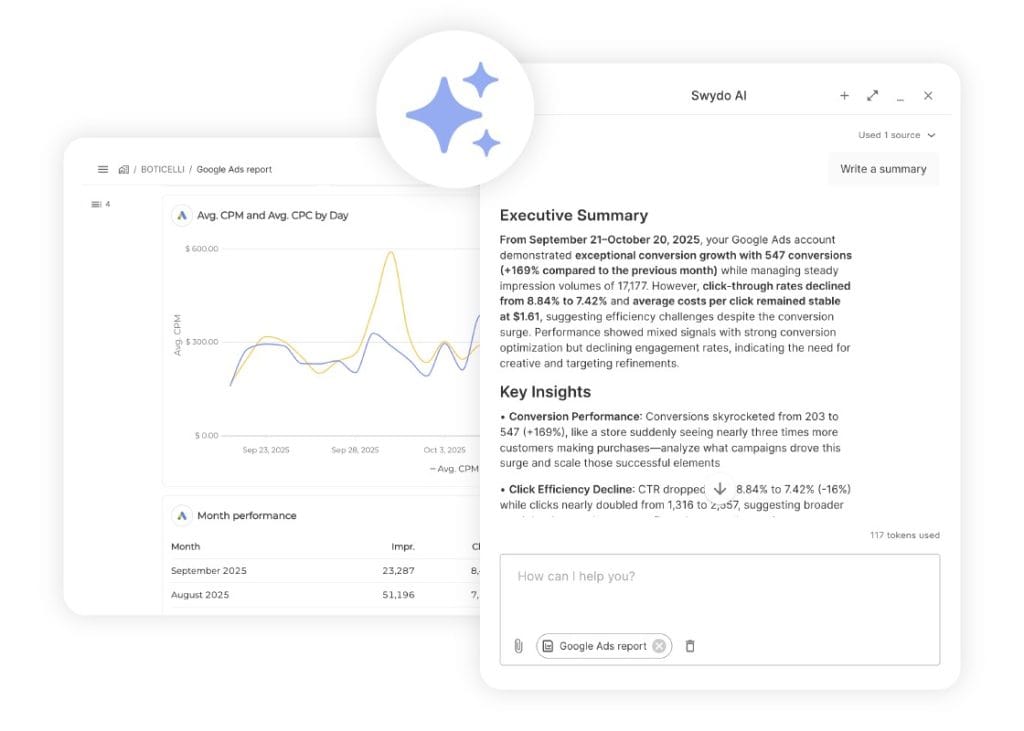
Signal monitoring is what makes AI summaries safe to use rather than a way to amplify errors faster. Swydo includes 4,000 AI credits a month with every plan, and an average report summary uses around 95 credits, so a typical agency has room for roughly 40 summaries a month before the spending limit matters.
Credits reset monthly, don’t carry over, and bill only on what you use. Data is processed in AWS using commercially available models, isn’t used for training, and stays inside the existing GDPR-compliant data processing agreement, which matters if your clients ask where their numbers go.
Run summaries on monitored data and they save real time. Run them on unmonitored data and they describe fiction persuasively.
How Reliable Is Your Client Reporting Right Now?
You can place any client reporting setup on a four-level scale based on how failures get found. Your level matters more than your tool, and most agencies sit one level below where they’d guess.
The Client Reporting Reliability Ladder
Your level is set by how failures get found, not by which tool you use.
Level 0
Reactive
A client asks why a number looks wrong. That question is your monitoring system.
Detection: days to weeks
Level 1Most agencies
Manual
Someone reviews reports before they go out. Reliability depends on that person having time in your busiest week.
Detection: hours to days, if the check happens
Level 2
Monitored
Broken connections and out-of-range metrics surface automatically, on the platform’s schedule rather than yours.
Detection: same day
Level 3
Governed
Monitoring plus a documented freshness window, a stated variance tolerance per client, and a restatement policy the client already agreed to.
Detection: before it becomes a question
Level 1 is where most of the agencies we talk to sit, and reliability there depends on a person having time. The week you’re busiest is the week the check gets skipped, and that’s also the week you’re most likely to have changed something that broke.
Level 1 to Level 2 is a tooling decision. Level 2 to Level 3 is a client conversation, and that conversation protects the relationship more than the tooling does.
How to Build Reliability Into Your Client Reporting
Reliable client reporting comes from watching the five signals continuously rather than checking reports by hand before they go out. Four habits cover it, and none take long once they’re set up.
1. Put a freshness stamp on every report. State the data pull time and the reporting window on the report itself. This one change heads off most “why is this different from what you said Wednesday” conversations.
2. Monitor connection health automatically. Broken tokens should surface on your platform’s schedule rather than yours. Whatever tool you use, find out how it spots a dead connection and how it tells you.
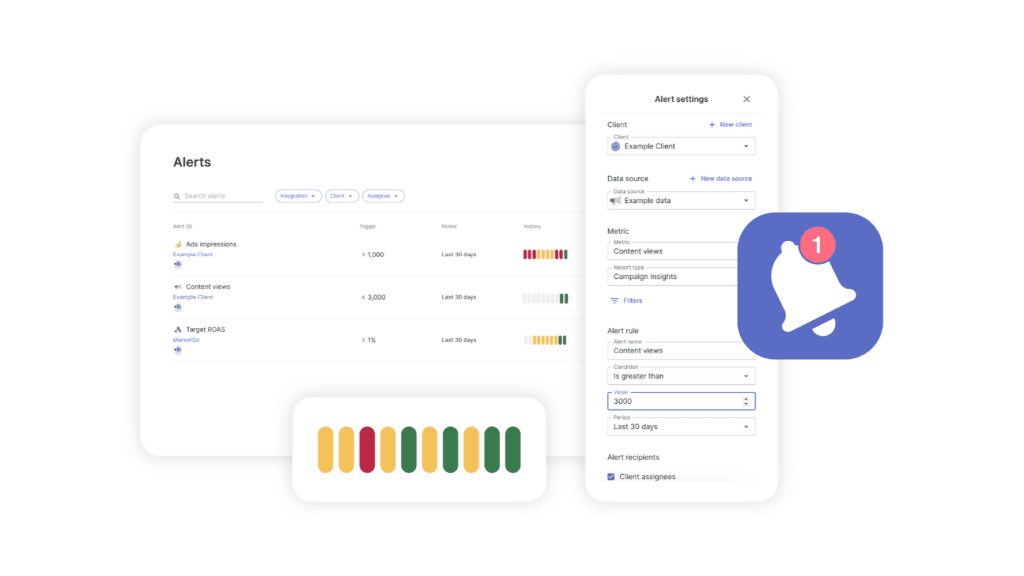
3. Set metric-level alerts with real thresholds. Open Monitoring → Alerts → +New Alert in Swydo and set daily bounds on the metrics that matter per client, routed to email and Slack. Alert on pipeline symptoms as well as performance ones: spend dropping to zero, conversions flatlining, session counts collapsing overnight. A campaign someone paused on purpose and a dead connector look identical in the data, and you want to know about both.
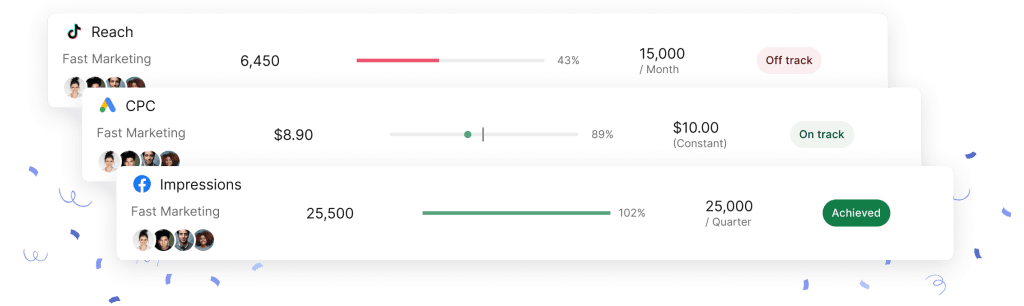
4. Run one cross-client check each morning. Metrics Overview puts every client’s key metrics on a single screen, and paired with Goals, Alerts, and Data Health Check it turns the morning check into one screen instead of forty. At five clients you can open dashboards one at a time. At forty you can’t, and “I’ll check when I have time” reliably becomes “I didn’t.”
For cross-channel numbers, Combined Data Sources calculates blended metrics like total ROAS across Google, Meta, and TikTok in one widget, and those combined sources work inside monitoring and alerts rather than only inside reports. A blended metric computed once in one place stays consistent, while the same calculation copied into three spreadsheets drifts apart. If you handle this with formulas today, the mechanics of data blending are worth reading first.
One limit to know before you build around it. Custom metrics can’t be used inside Combined Data Sources widgets, so a bespoke calculation defined for a single platform won’t carry into the blended view, and you’ll need a manual KPI or a separate widget for it.
Traceability gets its own tool. Report Revision History keeps up to 100 revisions of a report, so when a number changes you can see whether the report changed or the data did, which is usually the whole investigation.
How to Talk to Clients About Numbers That Change
Tell clients before it happens rather than after. A number that moves without warning reads as an error, and the same number moving after you explained that attribution fills in reads as expertise.
Three things belong in the reporting conversation at onboarding.
- The freshness window. “Reports reflect data through the end of the previous day, and platform processing means the last 48 hours can still shift.”
- The restatement policy. “Conversion figures usually settle within about two weeks, so numbers in the first week of a period are directional.”
- The variance expectation. “Google Ads and GA4 count conversions differently and will never match exactly. Here’s the one we treat as the reference for this account, and why.”
That third sentence answers the most common client challenge before it becomes an accusation. Pick a source of truth per account, say so out loud, and stick with it. The broader habits sit in client reporting best practices, while the reliability version stays narrow.
Live access changes this conversation, and it’s worth thinking through. Swydo’s Client Portal combines Reports, Boards, and Goals into one secure link, with an optional password, a preview so you see what the client sees, and the option to regenerate the link and revoke the old one instantly. Clients check their own numbers whenever they want, which removes the “quick question about last week” emails.
Live access also means the client watches attribution restate itself in real time and may ask why Tuesday’s figure differs from Thursday’s. Explain the freshness window when you send the portal link and self-serve access builds trust. Hand it over unexplained and you’ve given them a reason to doubt every number in it. Agencies that get this right treat client communication through reporting as part of the deliverable.
When something does break, say so quickly and plainly. “The Meta connection expired on the 14th and we’ve backfilled it, so the numbers you saw Tuesday were incomplete” is a fine sentence, and a much better one than the client finding the gap themselves.
What to Ask a Reporting Vendor About Reliability
Ask about detection and recovery rather than uptime. A vendor’s own uptime tells you little, since most reporting outages start at the ad platform, and every status page looks healthy.
Six questions separate tools built for reliability from tools built for charts. Send them by email before a demo, because the demo will show you charts.
| Ask this | What a good answer sounds like | What it tells you |
|---|---|---|
| How do I find out a connection broke? | The platform detects it and notifies the connection owner | Whether detection is theirs or yours |
| What renders when a source fails? | An explicit error state, never a zero | Whether they’ve solved the silent zero |
| Do you backfill after an outage? | Yes, automatically, with a stated window | Whether a bad Tuesday stays bad forever |
| How do you handle a platform retiring a metric? | Migration on the vendor’s side, with notice to affected accounts | Who does the maintenance work |
| Can I alert on a metric, not just view it? | Daily thresholds per client, routed somewhere you’ll see them | Reporting tool or monitoring tool |
| How far back is my historical data kept? | A specific number, plus what happens with platform-limited sources | Whether year-over-year work stays possible |
Retention catches more agencies than it should. Search Console holds 16 months no matter which tool sits on top, so a year-over-year comparison you’ll want in eighteen months depends on something storing that data today.
Skip asking for an SLA percentage. Almost no reporting vendor in this category offers a meaningful contractual SLA, and a number quoted verbally without remedies attached tells you nothing that the six questions above don’t tell you better.
Client Reporting Accuracy FAQ
Direct answers on why report numbers move, break, or disagree with each other
Fix detection before you fix numbers. Most inaccurate client reports aren’t the result of a calculation error. They come from a source that stopped returning data and a dashboard that rendered a zero instead of an error, which nobody caught until the client asked.
Three changes cover most of it. Monitor connection health so broken tokens surface on a schedule rather than by accident. Set alerts for spend or conversions dropping to zero, since a paused campaign and a dead connector look identical in the data. Put a data pull timestamp on every report so nobody argues about which version is current.
Reliable client reporting means the numbers stay accurate over time, not only on the day you built the report. Five things have to be true: the data arrived on schedule, nothing silently went missing, the figures won’t shift next week without explanation, every metric still means what it meant last month, and you can trace any number back to its source.
This is a property of a data pipeline, not of a document. Your report is the last screen in a chain that runs through Google, Meta, LinkedIn, and half a dozen other companies. Reliability describes how that chain behaves when nobody is watching it.
Accuracy is the result. Reliability is the system that produces it more than once. Accuracy is whether a number is correct right now. Reliability is whether the process behind it will get there again next month without you checking.
A bathroom scale shows the relationship. A scale that swings eight pounds between two readings a minute apart can’t give you an accurate weight at all, because you have no way to know which reading to believe. Its accuracy problem is a reliability problem wearing a different hat. So reliability is the precondition. Without it you can still be accurate, but only by luck, and luck doesn’t survive forty client reports a month.
You can’t verify accuracy directly, so verify the conditions that produce it instead. Check five things: when the data was last pulled, whether every source returned data, whether the figures are still settling, whether any metric definitions changed, and whether you can trace each number to its origin.
Chasing accuracy as a single yes-or-no answer is the wrong frame, because the platforms themselves disagree with each other by design. What you can establish is whether your pipeline is behaving normally. If all five checks pass, the numbers are as good as the platforms will give you.
A silent zero is when a data source fails and the dashboard renders 0 instead of an error. Zero spend, zero conversions, or a chart that stops mid-month. The report looks completely normal, so nothing prompts anyone to investigate.
This is the mechanism that turns every other reporting failure into a client-facing problem. Nobody looks at a zero and thinks pipeline failure. They think bad month. A system built for reliability distinguishes between the value is zero and we could not retrieve a value, and it says which one on the face of the report.
Data downtime is any period when your data is missing, partial, or wrong. The working formula from data engineering practice is the number of incidents multiplied by the time to detect plus the time to resolve each one.
Applied to client reporting, detection time is usually far longer than resolution time. Reauthorizing a dead connection takes two minutes. Noticing it died took eleven days. Effort spent on detection pays back faster than effort spent on fixing.
They count different events under different rules. Google Ads attributes a conversion to the click that drove it and reports it on the click’s date. GA4 attributes to a session and reports it on the conversion date. The two also apply different attribution models, can run on different time zones, and filter bot traffic differently.
A gap is expected and permanent. A gap that suddenly doubles is worth investigating. Pick one platform as the reference for each account, write that choice down, tell the client which one you picked, and stop switching between them depending on which number looks better that month.
Ad platforms restate history on purpose. Conversions keep filling in for days after the click because of conversion lag. Modeled conversions get refined as more data arrives. A report showing 412 conversions on the 1st can honestly show 447 when the same dashboard is reopened on the 12th.
No reporting tool can prevent this, and it isn’t an error. What you control is the framing. Label the pull date on the report, treat the first week of any period as directional, and warn the client at onboarding that conversion figures settle over roughly two weeks. Numbers that move after a warning read as expertise. The same numbers moving without one read as sloppiness.
No published industry standard exists. Anyone quoting a specific figure as a benchmark, such as anything under ten percent being fine, is repeating a number that traces back to nothing.
Set your own tolerance instead. Take the first three months of clean data for an account, observe the normal gap, write that range into your account notes, and treat anything outside it as something to look at. A tolerance you measured yourself is more defensible than a borrowed benchmark, because you can show the client the data it came from.
Almost always a time zone boundary problem. Each ad account has its own time zone setting, your reporting tool has one, and the client is in a third. A conversion at 11pm on the 31st lands in different months depending on which clock is counting.
Deduplication causes the rest of it. A user who converts in week one and again in week three counts once in each weekly report but may count once in the monthly view, so the weeks legitimately sum higher than the month. Check the account time zone before you check anything else, because it explains most boundary mismatches and it’s a one-time fix.
Privacy thresholding, most likely. Analytics platforms withhold rows when the underlying group is small enough that individuals could be identified. The data exists, but the platform refuses to show it to you, and it usually does so without a warning label.
Search Console anonymizes rare queries the same way. The practical consequence is that small segments look emptier than they are, and totals won’t equal the sum of their visible parts. Report at a level of granularity where thresholding doesn’t bite, and tell clients that a zero in a small segment often means withheld rather than none.
The platform probably redefined the field underneath you. Metrics get renamed, merged, or recalculated without a version change and without an email. Meta folded Plays and Impressions into Views. Google Ads separates Conversions from All conversions by which actions someone marked primary. Currency arrives in micros from some APIs and units from others.
That’s schema drift, and it’s why a metric can trend cleanly for eleven months then step sideways overnight. A retired API version breaks loudly and you find out fast. A redefined field keeps reporting numbers that are no longer the numbers you think they are, which is worse, because the chart still looks fine.
Four causes cover nearly all of it. A dead connection, an exhausted API quota, a retired API version, or a filter pointing at something that no longer exists. Check them in that order, because the first two account for the large majority of cases.
| Symptom | Likely cause |
|---|---|
| One source zeroed, others fine | Dead connection or expired token |
| Everything from one platform zeroed at once | Quota exhausted or API version retired |
| One widget zeroed, rest of the source fine | Filter pointing at a renamed campaign |
| Data stops on a specific date and never resumes | Connection died that day, nobody noticed |
The last row is the expensive one. If your data stops mid-month and stays stopped, the failure happened weeks before anyone looked.
Password changes revoke the tokens that authorize your data access. So do enabling two-factor authentication, a long period of inactivity, or a permission change on the ad account. None of these are visible to you until data stops arriving.
The worst version is a staff departure at your own agency. Every connection authorized under that person’s login dies with their access, often across dozens of client accounts at once. Connect data sources under a shared or role-based account rather than an individual’s personal login, and you remove an entire class of failure.
Because the filter was matching on the name, and the name no longer exists. Any report widget filtered by campaign name, ad group name, or a naming convention will silently return nothing the moment someone edits that text in the ad platform.
This one is entirely self-inflicted and entirely preventable. Filter on campaign IDs where the tool allows it, since IDs survive renames. Where you have to filter on names, use a stable prefix that nobody edits during optimization, and make renaming a campaign a step that triggers a reporting check.
Requests stop working on a published date, with no grace period. A retired version doesn’t degrade your report, it empties it. Platforms post these dates months ahead, so the information is public. What doesn’t arrive is a message to the person who wrote the integration, and the date lands whether or not anyone was tracking the schedule.
Major platforms retire versions on a rolling schedule measured in months, and across a twenty to forty connector reporting surface that adds up to a steady stream of breaking changes every year. If you own the pipeline, riding that schedule is now part of your job. If a vendor owns it, migration happens on their side and you may never notice.
Only if something backfills it. Backfilling means re-requesting the historical range after a connection is restored. Without it, the gap in your chart is permanent, because the reporting layer only ever stored what it successfully pulled at the time.
This is worth asking any vendor directly, and worth building deliberately if you run your own pipeline. A reconnected source that only resumes from today leaves a hole in every year-over-year comparison you’ll run later. Ask whether backfill is automatic, how far back it reaches, and whether the platform’s own retention window limits it.
No, and treating them as the same thing hides both. Delivery failure and data failure are separate systems. A report can build perfectly and never arrive, or arrive on time containing nothing.
Delivery breaks through bounced addresses, spam filtering on client domains, a changed contact who never got removed from the schedule, or a send that silently skipped. Confirm delivery separately from confirming data. The uncomfortable version of this failure is a client who stopped receiving reports months ago and assumed you stopped sending them.
For a handful of clients with simple channel mixes, yes. Sheets stops being reliable at the point where you can no longer verify every report by hand before it goes out. No published threshold exists for where that lands, so use a self-test instead: did every report go out last month with someone actually looking at it first?
Hard ceilings arrive too. A workbook caps at ten million cells, with an opt-in beta doubling that to twenty million, and performance drops well before either. Apps Script enforces a six-minute limit on any single execution that no price tier removes, so a script pulling forty accounts one after another will time out and hand you partial data rather than an error. Underneath all of it, a spreadsheet has no concept of stale data, missing rows, or a changed field definition. It faithfully computes whatever it was given.
Trust the output, verify the monitoring. AI-generated pipeline code usually works on day one. What it almost never includes is freshness checks, row-count assertions, or an alert that fires when a source returns nothing, because people prompt for a dashboard rather than for the checks around the dashboard.
That’s the real gap, and it isn’t about code quality. The model wrote against the API as it existed the day you asked, and it isn’t watching for the day that changes. Ask one question of any AI-built setup: what happens when a source returns nothing? If the answer is that the chart shows zero, the dashboard has a shelf life measured in months.
Most often an API quota, and the quota is not yours alone. Analytics platforms allocate each property a fixed pool of requests per day and per hour plus a concurrency cap. When any pool empties, every request against that property fails, not just the one that tipped it over.
One dashboard refreshing every few minutes can knock out reporting for everyone touching that property. The problem compounds as you add clients, because the constraint is per-property while your dashboard count grows per-client. Free BI tools also give you no freshness monitoring and no native alerting, so a quota failure surfaces as a broken-looking chart rather than a notification.
The limit isn’t a client count, it’s whether your check survives your busiest week. Manual verification works until the month you’re short-staffed or pitching, and that’s precisely the month you’re most likely to have changed something that broke.
Test it honestly. Ask whether every report went out last month with someone actually looking at it first, or whether a few went unchecked. If some went unchecked, you already passed the limit and nothing bad has happened yet. That’s luck, not reliability.
Not by opening dashboards. At five clients you can eyeball each one. At forty you can’t, and I’ll check when I have time reliably becomes I didn’t.
The workable version is one screen covering the whole roster: key metrics across every client in a single overview, goals flagging which accounts are off track, alerts that already caught overnight problems, and connection health surfacing a dead source before you send anything. That check stays a two-minute glance whether you run five clients or fifty.
Alert on pipeline problems before performance problems. Start with three: spend dropping to zero, conversions flatlining, and sessions collapsing overnight on any account. Those three catch most broken connections.
The reason to lead with these is that a campaign someone paused on purpose and a dead connector look identical in the data, and you want to know about both anyway. Performance alerts on ROAS or cost per acquisition are worth adding next, but they’re less urgent, because a bad week is a conversation while a broken pipeline is an incident.
Ask about detection and recovery, not uptime. A vendor’s own uptime is close to irrelevant, because most reporting outages start at the ad platform rather than the reporting tool. Send these by email before the demo, because the demo will show you charts.
| Ask this | What it tells you |
|---|---|
| How do I find out a connection broke? | Whether detection is their job or yours |
| What renders when a source fails? | Whether they’ve solved the silent zero |
| Do you backfill after an outage, and how far back? | Whether a bad week stays bad forever |
| What happens when a platform retires a metric? | Who rides the maintenance treadmill |
| Can I alert on a metric, not just view it? | Reporting tool or monitoring tool |
| How long is my historical data kept? | Whether year-over-year work is possible later |
The last one catches more people than it should, and it’s the one nobody thinks about until the comparison is already impossible.
Tell them before it happens, not after. Three sentences belong in the onboarding conversation rather than in a crisis email three months later. Reports reflect data through the end of the previous day, and the last 48 hours can still shift. Conversion figures settle within about two weeks, so the first week of any period is directional. Google Ads and analytics count conversions differently and will never match exactly, and here’s the one we treat as the reference for this account.
That third sentence is the highest-value one in the whole relationship, because it answers the most common client challenge before it becomes an accusation.
Send a short correction the same day, before they find it. Name what broke, name the date range affected, state whether decisions were made on the bad data, and attach the corrected version. The Meta connection expired on the 14th and we’ve backfilled it, so Tuesday’s numbers were incomplete. Corrected report attached.
Don’t quietly reissue the report hoping nobody compares. Clients rarely remember a corrected number six months later, and they remember indefinitely that you were the one who caught it. Silence costs more than the error did.
Both, and understanding why is a reliability decision. A PDF freezes a number at a moment in time, which makes it defensible but instantly stale. A live dashboard is always current, which also means the client watches attribution restate itself in real time and may ask why Tuesday’s figure differs from Thursday’s.
The practical arrangement is a scheduled report as the record of what was reported, plus a Client Portal for self-serve access between reports. Give clients live access without explaining that recent figures keep settling and you’ve handed them a reason to doubt every number. Explain it once at setup and live access becomes a trust builder instead.
Skip the SLA percentage. Almost no reporting vendor in this category offers a meaningful contractual SLA, and a number quoted verbally without remedies attached tells you nothing.
The arithmetic explains why chasing it is the wrong focus. Take five platform APIs at 99.9% availability each and composite availability lands near 99.5%, which is 3.6 hours of downtime a month against 43.2 minutes for a single source. Marketing platforms don’t publish availability SLAs, so treat that 99.9% as illustration rather than measurement, and note the math assumes the only failure mode is an API being down, which is the least common one. How a vendor behaves on a bad day is the real answer.
Shorter than you think, and the limit is usually the platform rather than your tool. Search Console holds sixteen months of history no matter what sits on top of it, and anything older is deleted permanently. Analytics platforms apply their own retention settings that often default to a period shorter than agencies assume.
The consequence lands later. Every year-over-year comparison you’ll want eighteen months from now depends on something storing that data today. A BigQuery bulk export builds your own store going forward, though it captures nothing from before the day you set it up. Check the retention setting on each client’s analytics property during onboarding, because raising it only affects data collected from that point on.
The client should own the accounts. Your agency should hold access through a role that outlives any individual. Client-owned accounts with agency access granted separately survive both staff turnover and the end of the relationship.
The failure this prevents is common and avoidable. Connections authorized under one employee’s personal login die when that person leaves, often across many clients at once, and rebuilding them requires chasing permissions from every client at the worst possible moment. Audit whose login authorized each connection. If any answer is a name rather than a role, that’s a scheduled outage waiting for a resignation.
Where to Start
Multiply your client count by the number of data sources each one runs. A 25-client agency on four platforms each is watching 100 connections, and any of them can fail quietly this month. Now count how many of those you’d hear about within a day.
The gap between those two numbers is the ceiling on your client reporting accuracy, and detection raises it faster than anything else you could work on. A plain report with monitored connections beats a beautiful one showing a silent zero.
Start with your three largest accounts and set alerts for spend dropping to zero. Fifteen minutes, and it catches the failure that costs the most trust. If you’re comparing tools for this, run the comparison in selecting a marketing report automation tool against reliability criteria rather than feature counts.
Swydo checks every client connection and emails you the moment one breaks.
Start Your Free Trial Today