
A marketing agency reporting stack is the set of six layers that sit between a marketing platform and the number your client reads in a report. Every agency already runs all six, because a layer is a job that has to get done rather than a product you buy.
That second sentence is worth slowing down on, because it’s the whole idea.
Take one job: getting yesterday’s Google Ads spend out of Google Ads and into a client report. Something has to do that. At a four-client agency it’s a person exporting a spreadsheet on Tuesday morning. At a forty-client agency it’s software running at 6am. Either way the job gets done, so either way the layer exists. The only thing that differs is what performs it.
So the useful question isn’t whether you have a reporting stack. You do, and you’ve had one since your first client. The question is which of your six layers is still a person, and whether that’s still working.
This article names all six layers and explains what each one does in plain language. For each one you’ll get the specific signal that tells you it’s outgrown being done by hand, and the equally specific case for leaving it alone. It also covers the data warehouse question, which is the most expensive decision in the stack and the one most often made for the wrong reason.
Swydo is client reporting software for marketing agencies. We cover four of the six layers. The two we don’t cover are storage, which we don’t offer in any form, and narrative, which should stay a person on your team. Both of those get a straight answer here anyway.
Why You Already Have All Six Layers
Every agency runs all six layers because each layer is a job that can’t be skipped. Data has to come out of the platforms. Somebody has to decide what “conversion” means. Somebody has to tell the client what happened. Skip any of those and there’s no report.
What separates a four-client shop from a forty-client one isn’t the number of layers. It’s how many of them are automated and how many are still a person with a browser tab open.
That distinction changes the question you’re asking. “Do I need a reporting stack?” has no useful answer, because you already have one. “Which of my six layers is still a person, and is that still fine?” has a very specific answer, and it’s usually different for each layer.
Some layers should stay a person forever. Telling the client what the numbers mean is the obvious one, and it’s the thing they’re actually paying for. Some layers should never have been a person to begin with. And some are fine as a person right up until the week you’re short-staffed, which tends to be the same week you changed something that broke.
Here’s a question worth answering before you read further. If you had to name who or what performs each of these six jobs at your agency, could you? Most people can name two.
The Six Layers of a Marketing Agency Reporting Stack
Each layer is a job that has to get done. You already have all six. The only question is what performs each one.
1. ConnectionFree to fix
The permission that lets your reporting see a client’s data.
Fix it when: the first person leaves your agency and takes client connections with them.
2. TransportUsually still a person
Moves data out of each platform and into where you build reports.
Fix it when: you skipped the manual check one busy month and nothing bad happened.
3. StorageOften not needed
Keeps a copy of the data after the platform deletes it.
Fix it when: data you sell against is expiring, or you need to add the client’s business numbers.
4. ModelingAlmost always a person
Decides what each metric means before anyone sees it.
Fix it when: two people at your agency define the same metric differently.
5. PresentationUsually already a system
Turns the data into something a client actually reads.
Fix it when: rebuilding reports eats more time than thinking about what’s in them.
6. NarrativeKeep it a person
Somebody saying what the numbers mean and what happens next.
Never automate it. Automating the five layers above is what protects the time this one needs.
A problem in an early layer shows up as a symptom in a later one, which is why agencies so often fix the wrong layer.
The Six Layers of a Marketing Agency Reporting Stack
The six layers are connection, transport, storage, modeling, presentation, and narrative. Each one has a job, something that currently performs that job at your agency, and a specific condition that means it’s time to stop doing it by hand.
Read them in order. The order matters because a problem in an early layer shows up as a symptom in a later one. A dead connection looks like a bad month in a chart, so agencies routinely go and fix the chart.
1. Connection
The connection layer is the permission that lets your reporting see your client’s data. When you log into a client’s Google Ads account and click “allow” so a tool can read it, the platform hands back a digital key called a token. That token is the connection layer.
At most agencies, the connection layer is whoever clicked “allow” first, usually while logged into their own personal account.
This is the one layer where there’s no real argument for both sides, and not because you need to buy anything. The fix is free. Connect through a shared agency login or a role-based account instead of an individual’s personal one, and have the client own the underlying ad and analytics accounts rather than you.
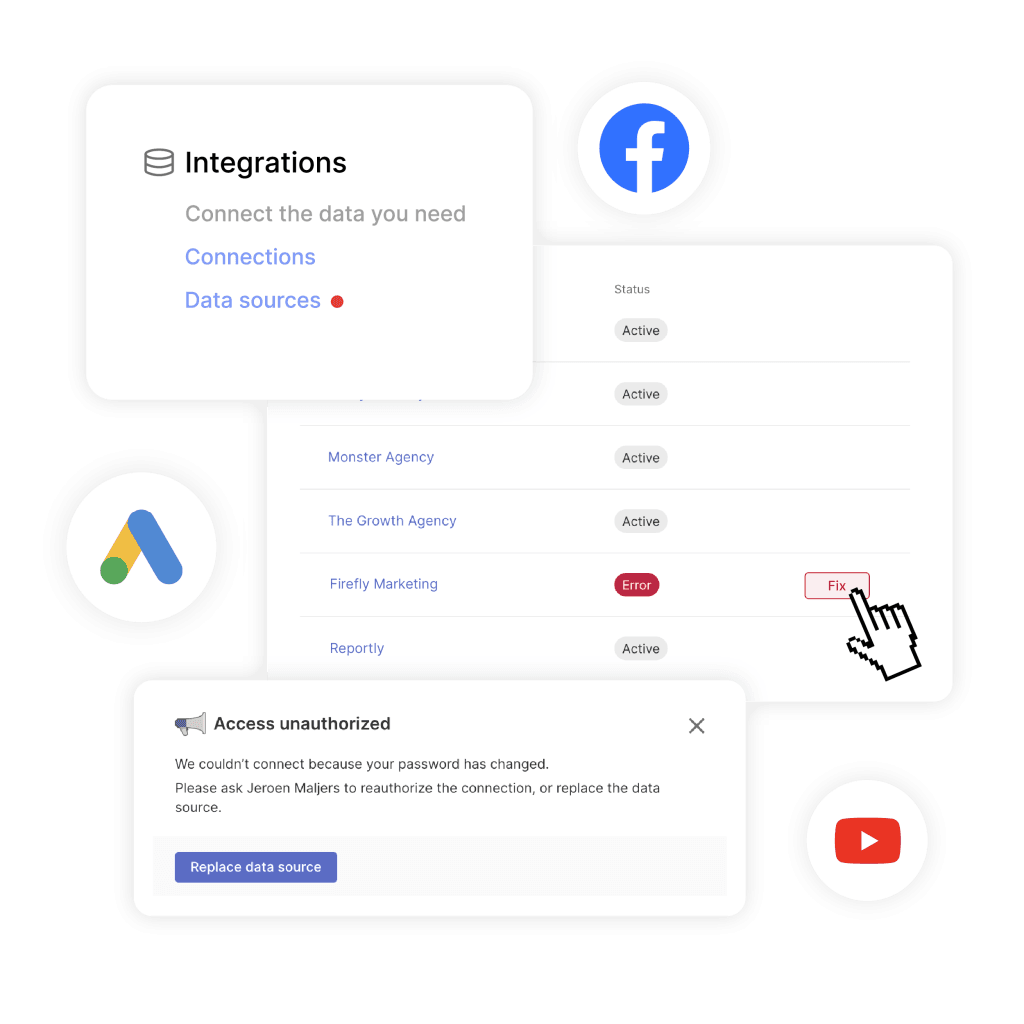
Do that and you remove a whole category of failure. Tokens die for reasons that have nothing to do with your work: a client changes a password, someone switches on two-factor authentication, a permission gets revoked during a staff change on their side. When a token dies, data stops arriving, and nothing announces it.
The part worth paying for is detection rather than the connection itself. Swydo’s Data Health Check Alerts watch every integration for broken connections and expired tokens, flag the affected source under Settings, and email the person who owns that connection with a link to reconnect it. Whatever tool you use, find out how it notices a dead connection, because the alternative is a client noticing first.
The moment to fix this layer is the first time somebody leaves your agency and takes a dozen client connections with them. That’s a bad week, and it’s entirely preventable.
2. Transport
The transport layer moves data out of each platform on a schedule and into wherever you build reports. Platforms offer something called an API, which is a doorway that lets other software request data automatically instead of a human clicking export. Transport is whatever walks through that doorway on your behalf.
Four things can perform this job: a person, a script somebody on your team wrote, a connector tool, or a full reporting platform. All four are legitimate.
Leave it manual when you’re small. Under roughly eight clients, running two or three platforms each, with one person owning reports and enough breathing room to check every one before it goes out, manual exports work fine. The time it takes to set up and learn a platform can genuinely exceed the time it saves at that size. Anyone telling a six-client agency it needs automated pipelines is selling something.
Build it yourself when you have the skills on payroll. You get data shaped exactly how you want it, you pay in hours rather than subscription fees, and if there’s already a developer at your agency for another reason, the maths changes. Agencies whose actual product is measurement rather than media should own this layer. The trap is that an AI assistant will get you a working prototype in an afternoon, which makes the decision look settled before the maintenance question is asked. Our build vs buy breakdown for client reporting runs the numbers on the part that doesn’t show up in a demo.
Rent it when the upkeep starts landing on you. Platforms change how their doorways work, and each one runs its own schedule. Google Ads, Meta, and LinkedIn all retire old versions on published deadlines, and when a version retires, anything built against it stops working that day. A client running five channels means five of those schedules, forever. Rent transport and someone else tracks them.
What Changed Under Your Reports This Quarter
Dated breaking changes on four platforms most agencies report on. None of them sent you an email.
Requests fail. Data stops. You find out when a report is empty.
Partial data. Some requests work, some don’t. The report still builds.
Number changes. Nothing breaks. The figure just means something else now.
June 2026
Page, post and video reach metrics removed from Insights. Roughly two dozen fields including unique page impressions, unique post impressions and unique video views.
Why it stings: the removal applies to every API version, so pinning to an older one buys nothing.
Consent Mode became the single control over what GA4 shares with linked Google Ads accounts. The Google Signals toggle lost that authority.
Why it stings: no error, no warning. Conversion volumes shift and the chart looks like a performance story.
August 2026 — four platforms in fourteen days
API version 21 sunset. Every request still pointed at v21 began failing that day.
Why it stings: Google moved to monthly releases in January 2026, so this now happens more often, not less.
Certain Insights breakdowns now require enablement on each individual ad account before the data will return.
Why it stings: only an admin on the client’s ad account can request it. You cannot fix this from your side.
Marketing API version 202508 sunset and removed from the platform.
Why it stings: LinkedIn ships a new version every month, each with a roughly twelve month shelf life.
Content API for Shopping reached its sunset date. Everything moves to the Merchant API.
Why it stings: any ecommerce client reporting on product feed data sits behind this one.
Already scheduled
Requests to the old Shopping endpoints start failing intermittently with a 410 response, ahead of full shutdown in early 2027.
Why it stings: intermittent is worse than broken. Some days the numbers are simply low.
Legacy campaign level broad match and automated campaign entities drop out of every API version released after this date.
Why it stings: historical comparisons quietly lose a dimension rather than throwing an error.
New features become REST only. The legacy SOAP interface is fully deprecated on 31 January 2027.
Why it stings: a rebuild rather than a version bump, and the deadline is already set.
Version 22 sunset, currently marked tentative. Google’s own note is that the date could move within the month, or change.
Why it stings: you cannot plan a maintenance window around a date the platform reserves the right to move.
Five platforms are shown here. A client running Google Ads, Meta, LinkedIn, Merchant Center and GA4 is exposed to all nine of these events. Forty clients does not make it nine problems. It makes it nine problems on every account that runs that channel.
Sources: Google Ads API deprecation and sunset schedule; Meta Graph API changelog and developer blog; LinkedIn Marketing API recent changes; Google Content API for Shopping sunset notice; Microsoft Advertising SOAP deprecation announcement; Google Analytics Help Center. Dates as published, August 2026.
The signal that transport has outgrown being a person is quieter than you’d expect. It’s the month you skipped the manual check because you were slammed, and nothing bad happened. That’s not reliability. That’s luck, and luck doesn’t survive forty reports a month.
3. Storage
The storage layer keeps a copy of your clients’ data after the platform stops keeping it, and holds it in a shape the platforms can’t produce on their own.
Most agencies have no storage layer at all, and most agencies are right not to. Reporting tools keep a working copy of recent data, which covers ordinary client work without you thinking about it.
Storage becomes its own layer when you need a database you control. That’s the data warehouse question, and because it’s the most expensive decision in the stack, it gets its own section further down.
4. Modeling
The modeling layer decides what a metric actually means. Which conversion action counts as a conversion. How many days after a click a sale still gets credited. Which currency the numbers are in. What goes into “blended ROAS,” which is a single return figure combining several ad platforms, and what quietly gets left out of it.
Every agency has this layer, because every agency has made these decisions. Almost none has written them down.
It works as a person when there’s only one person. One strategist builds every report, has done for three years, and the definitions stay consistent because there’s only one set of them. That’s a real situation and it functions well.
It stops working when a second person joins. Two people define the same metric differently, or you start putting a single number in front of a client that combines platforms. Either one means the definition needs to live somewhere other than a memory.
The honest advice here isn’t a tool. You make this layer explicit by writing your definitions down, and a shared document costs nothing. What software buys you is enforcement. A blended number calculated once in one place stays consistent, while the same calculation copied into three spreadsheets drifts apart within a quarter, and nobody notices until a client asks why two reports disagree.
In Swydo that enforcement is a Combined Data Sources widget, which calculates figures like total ROAS across Google, Meta, and TikTok in one place, and works inside monitoring and alerts rather than only inside reports. If you currently do this with spreadsheet formulas, data blending explains the mechanics before you commit to an approach.
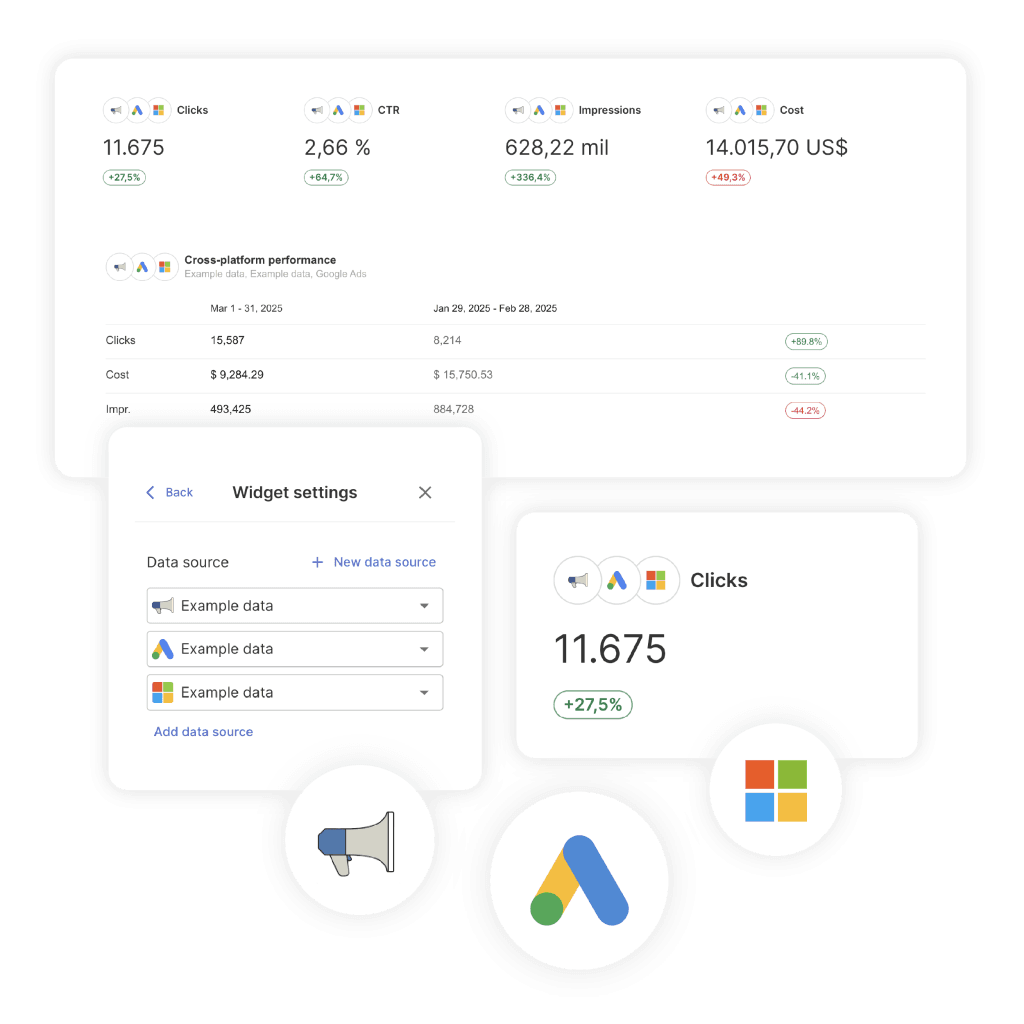
One limit worth knowing before you build around it. Custom metrics can’t be used inside Combined Data Sources widgets, so a calculation you’ve defined for a single platform won’t carry through into the combined view. You’d need a manually entered figure or a separate widget for it.
5. Presentation
The presentation layer turns modeled data into something a client actually reads. A PDF, a live dashboard, a slide, an email.
Free tools are genuinely enough sometimes. A mostly-Google client roster, a manageable number of accounts, and no requirement to put your own branding on things. Paying for presentation you don’t need is one of the more common ways agencies waste money. The Looker Studio limitations that cause real trouble are rarely about what the charts can do.
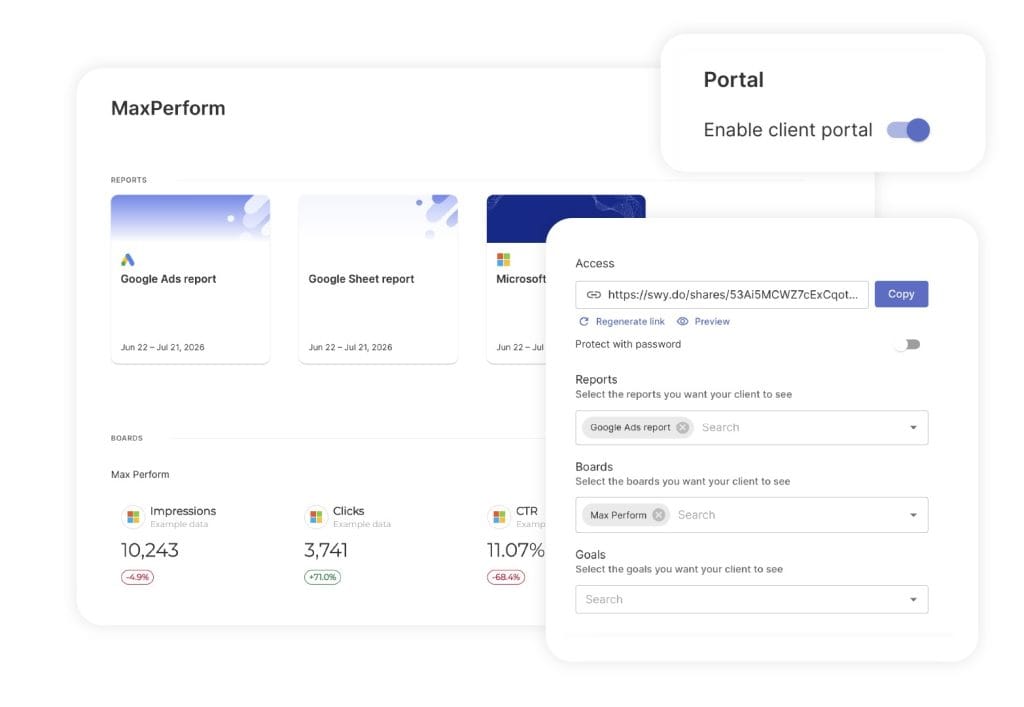
Free stops being enough when rebuilding eats your time. The tipping point arrives when you spend longer assembling reports than thinking about what’s in them, or when you need branding, client-facing portals, and the ability to push a change across forty reports at once. That last one is usually the forcing issue, and scaling Looker Studio covers where the ceiling sits.
Most agencies change this layer first, because it’s the one they look at every day. It’s rarely the one costing them anything.
6. Narrative
The narrative layer is somebody saying what the numbers mean and what happens next. It’s a person, and it should stay one.
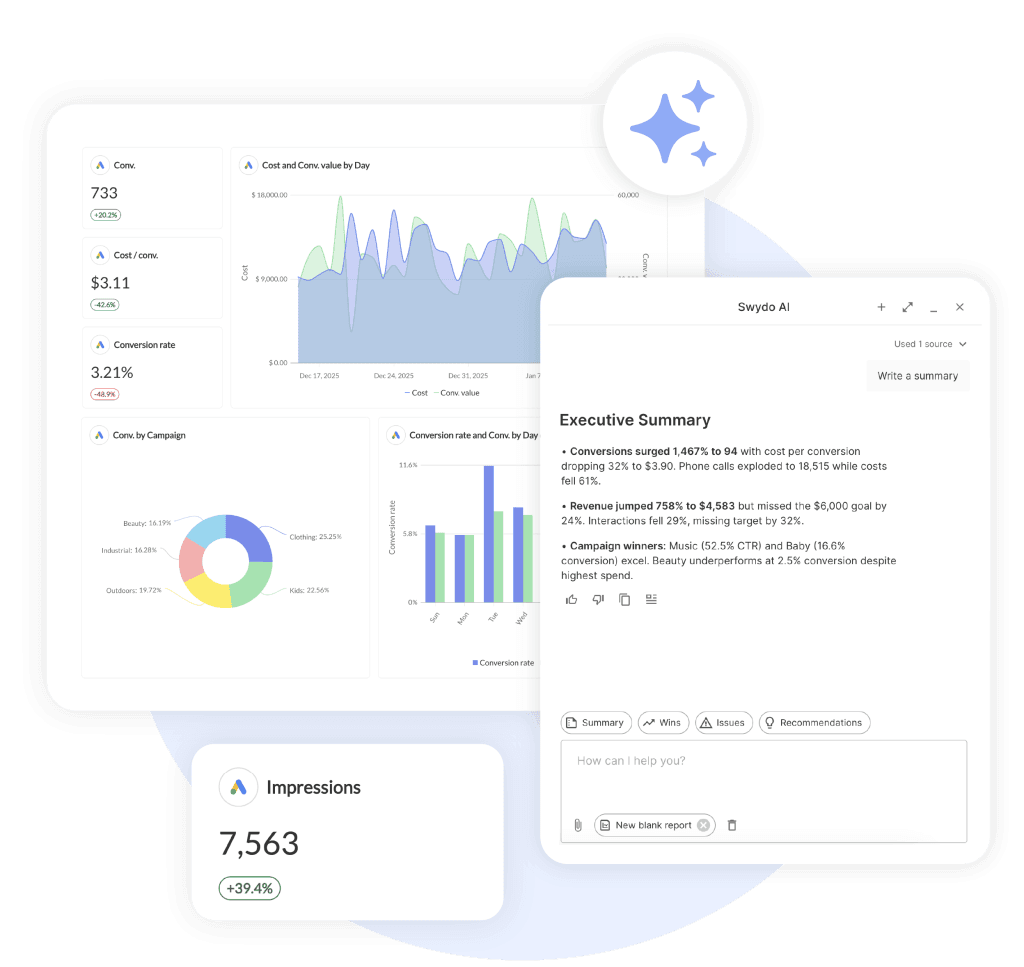
AI can write the first draft. What AI can’t do is know what matters to this particular client this particular quarter, and a summary written on top of data nobody checked will explain a downturn that never happened, in fluent and confident prose. If a connection died and spend shows as zero, an AI summary will describe a strategic pullback from paid social. Your account manager pastes it into an email, and now a broken token has become a story somebody has to walk back.
Automating the five layers above this one is what protects the time this layer needs. That’s the actual argument for a reporting stack, and it’s the same conclusion <a href=”https://www.swydo.com/blog/client-reporting-best-practices/”>client reporting best practices</a> arrives at from a different direction.
Do You Need a Data Warehouse?
A data warehouse is a database you own that stores copies of your clients’ marketing data, so that you keep that data even after the platforms delete it. Google’s version is called BigQuery. Most agencies don’t need one, and the reason has nothing to do with cost.
A warehouse doesn’t replace a layer in your stack. It adds three.
Something has to fill it, which is a pipeline you now maintain. Something has to organize the raw tables into usable metrics, which is work somebody has to do and keep doing. And you still need a presentation layer on top, because a warehouse produces database tables, not client reports. The agency that adds a warehouse hoping to escape connector upkeep has swapped one maintenance job for three.
Storage itself is cheap, and that’s exactly what makes this look like an easy decision. The real cost is the person who keeps the pipeline running, and that person is now permanent.
So the question isn’t whether warehouses are good. It’s whether the problem you have is actually a storage problem. Four times, it genuinely is.
Platform data you sell against is expiring. This is the strongest reason and the most common one. Google Search Console keeps 16 months of performance data and no more, regardless of which reporting tool sits on top of it. Older data is deleted permanently and nobody can get it back. If you pitch and defend multi-year organic growth, something has to be storing that data now. One catch worth knowing: a warehouse copy captures nothing from before the day you switch it on, so this decision is worth making early or not at all.
You need to combine marketing data with business data. Profit margin per product. Which customers stayed for two years. Sales that closed over the phone. Revenue figures living in a client’s CRM. No reporting connector reaches those, because they sit in systems that aren’t marketing platforms. If your reporting has to answer “which channel brought in the most profitable customers,” you need somewhere to put both sets of numbers side by side.
A client contractually owns the raw data. Larger clients sometimes write raw data handover into the contract. That’s a storage requirement, and no amount of dashboard quality satisfies it.
Measurement is the thing you sell. Some agencies sell analysis rather than media buying, using methods that model the effect of spend across channels or test what would have happened without a campaign. If that’s your product, you’re running an analytics business, and you should own storage and modeling deeply.
Three times the answer is no, even when it feels like yes.
Your reports keep breaking. A warehouse fixes none of the things that break reports. Dead tokens, retired platform versions, and daily request limits all happen before data ever reaches storage, and they’ll happen identically with a warehouse in place. This is the most common reason agencies reach for one, and it’s a reliability problem in a storage costume.
You want one source of truth. You can have that without owning any storage. Agree on what each metric means, calculate combined figures in one place instead of several, and write the definitions down. That’s the actual fix, and it costs nothing.
Somebody told you storage is cheap. It is. The pipeline, the organizing work, and the person maintaining both are not, and none of those show up on the first invoice.
Our own position, stated plainly: Swydo doesn’t offer a warehouse and doesn’t connect to one directly. If you conclude you need storage, we’re not that layer. The way data from a warehouse reaches Swydo today is through a Google Sheets data source, which works but isn’t graceful. Plenty of agencies run a warehouse for the two or three clients that need one and a reporting platform for the other forty, and that’s a sensible arrangement rather than a compromise.
Does Your Agency Need a Data Warehouse?
A warehouse doesn’t replace a layer in your stack. It adds three.
Yes, if one of these is true
Data you sell against is expiring
Search Console keeps 16 months whatever tool sits on top. Older data is deleted for good.
You need the client’s business numbers too
Profit margin, phone sales, CRM revenue. No reporting connector reaches those systems.
A client’s contract requires the raw data
That’s a storage requirement. No amount of dashboard quality satisfies it.
Analysis is the thing you sell
Sell measurement rather than media buying and storage stops being overhead. It’s the product.
No, even when it feels like yes
Your reports keep breaking
Dead tokens and retired platform versions happen before data ever reaches storage.
You want one source of truth
That lives in the modeling layer. Agree what each metric means and write it down. Free.
Somebody told you storage is cheap
It is. The pipeline, the organizing work and the person maintaining both are not.
You want fewer moving parts
A warehouse adds two jobs to maintain, and you still need reports built on top of it.
A warehouse captures nothing from before the day you switch it on, so this is a decision worth making early or not at all.
How the Stack Changes as You Add Clients
Client count is the shorthand agencies use for how built-out their stack should be, and it’s a rough guide at best. The number that actually predicts when things break is how many broken connections you’d hear about within a day.
Work it out. Multiply your clients by the number of platforms each one runs. Twenty-five clients on four platforms each is a hundred connections. Now count how many of those you’d notice going quiet this week. The gap between those two numbers is the real measure, and it’s why two agencies with identical client counts can be in completely different shape.
Patterns still cluster by size, though.
Around five clients. Every layer is a person, and that’s correct. Fix the connection layer since it’s free, and leave everything else alone. Anything you buy at this stage is capacity you have no use for yet.
Around twenty-five clients. Transport breaks first, and it breaks as a noticing problem rather than a volume problem. You can still build every report. You can’t verify all of them in your busiest week. Modeling starts drifting at the same time, because more than one person now builds reports and nobody wrote the definitions down. That drift is a standardization problem before it’s a tooling one, and standardizing and scaling client reporting covers the template and shared-KPI work that stops two people defining the same metric two ways.
Around fifty clients. Watching for problems becomes a job of its own whether you plan for it or not. Opening dashboards one at a time stops being realistic somewhere around client fifteen, and “I’ll check when I have a minute” reliably becomes “I didn’t.” Swydo’s Metrics Overview exists for this, putting key metrics for every client on one screen so the morning check stays a two-minute glance at forty clients. The principle holds whatever tool you use: past a certain roster size you need a view that doesn’t grow when the roster does.
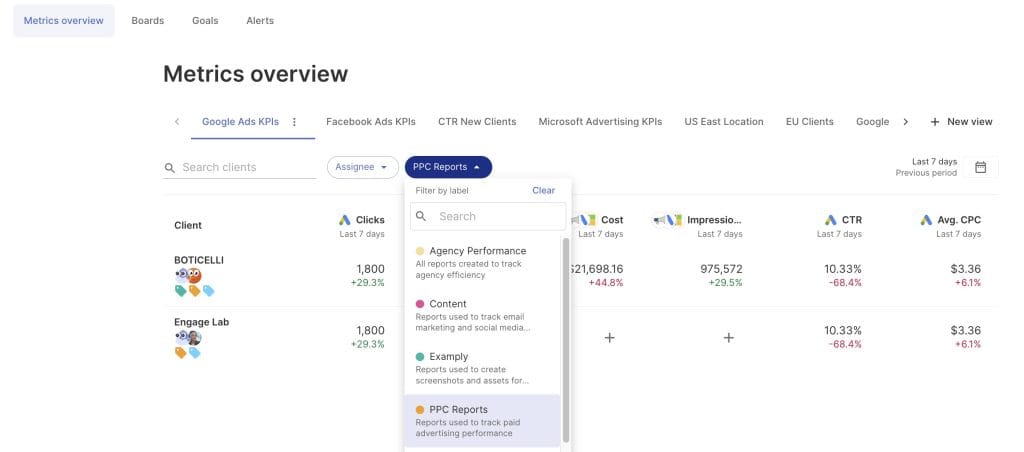
The sequence is more useful than the numbers. Connection, then transport, then modeling, then monitoring. Presentation slots in whenever it’s genuinely the bottleneck, which is later than most agencies assume.
Who Should Own Each Layer
Ownership of a reporting stack splits three ways between your agency, your client, and a vendor. Getting it wrong creates problems that stay invisible until a staff change or a lost account, at which point they all arrive at once.
One pattern underneath the table is worth saying out loud, because it’s the reverse of how most agencies spend their time. The two layers you should never hand to anyone else are modeling and narrative, since those are your judgment and they’re what the client is buying. The two layers most agencies pour the most hours into are transport and presentation, which are the two most worth renting.
Who Should Own Each Layer
Green marks the layers you should never rent, because they’re what clients pay for.
| Layer | Owner | Why |
|---|---|---|
| Accounts and data | Client, always | Survives the end of the relationship in both directions |
| Connection | Agency, via a role | Survives staff turnover on either side |
| Transport | Agency or vendor | The real build-or-rent decision |
| Storage | Rarely anyone | Whoever owns it owns the retention liability |
| Modeling | Agency, never rented | Your judgment, and the thing you’re selling |
| Presentation | Agency or vendor | Branding and client fit |
| Narrative | Agency, never rented | The reason the client keeps paying |
Most agencies spend the most hours on transport and presentation, which are the two most worth renting.
Two specifics catch people out repeatedly.
Client-owned accounts with your agency granted access separately survive the end of the relationship in both directions. You keep working when their marketing manager quits, and they keep their history when they leave you. Agencies that hold client ad accounts in their own name think they’ve built in leverage. What they’ve built is a messy offboarding and a reason for the client to resent them on the way out.
And whoever owns storage owns the obligation that comes with it. Holding three years of a client’s data means being responsible for holding it properly, deleting it when asked, and being able to say where it lives. For most agencies that’s a good reason not to own it.
Where the Cost of a Reporting Stack Actually Sits
Reporting stacks get paid for in one of two currencies, subscription or salary, and agencies underestimate the second because it arrives without warning. A forced platform migration doesn’t send an invoice. It takes a Thursday.
Mapping cost to layer shows why the money conversation usually happens in the wrong place.
| Layer | Where the cost lands | What people underestimate |
|---|---|---|
| Connection | Almost nothing to run | The damage from one bad staff departure |
| Transport | Hours, at unpredictable times | Platform changes you don’t control |
| Storage | Cheap to run, expensive to maintain | The permanent salary attached to it |
| Modeling | Attention rather than money | The cost of never writing definitions down |
| Presentation | A visible subscription line | Nothing, this is the one people price correctly |
| Narrative | Senior salary | That automating the other five is what protects it |
Presentation gets the most scrutiny and matters the least. Comparing tools on their charting features is a comfortable way to avoid the harder question about transport. If you’re at the stage of comparing options, selecting a marketing report automation tool is worth running against how a tool behaves when something breaks rather than against a feature checklist.
On pricing models, since they vary more than the sticker price suggests: Swydo charges by data source rather than by client, with the first 10 sources included and no limit on clients, users, or reports. A data source is one connected account, so a client running Google Ads, Meta Ads, and a Facebook Page counts as three. That model suits agencies with many light clients and suits agencies with a handful of heavy ones less well. Count your sources rather than your clients before comparing any tool’s price, because the two numbers diverge fast.
What Happens When a Layer Fails
Each layer fails in its own way, and the dangerous version is never the one where a dashboard goes blank. It’s the one where the report builds normally, every chart fills in, and a number is quietly wrong.
A dead connection usually shows up as a zero rather than an error, and a zero reads as a bad month rather than a broken pipeline. That’s why failures in the connection and transport layers get diagnosed as presentation problems, and why agencies swap reporting tools to fix something the new tool will do exactly the same way. If your reports have been going wrong in ways you can’t explain, client reporting accuracy covers the five signals that catch these failures before a client does.
Marketing Agency Reporting Stack FAQ
Direct answers on which layers you need, which you don’t, and what to fix first
A marketing agency reporting stack is the set of six layers that sit between a marketing platform and the number your client reads in a report. The layers are connection, transport, storage, modeling, presentation, and narrative.
Every agency already has all six, because a layer is a job that has to get done rather than a product you buy. Something has to pull yesterday’s ad spend out of the platform. Something has to decide what counts as a conversion. Somebody has to tell the client what happened. At a small agency all three are people. At a larger one, most are software.
No. A reporting tool usually covers three or four of the six layers, most often connection, transport, and presentation. The stack is the full chain, including the layers no software performs for you.
That gap matters when you’re comparing software. A tool can be excellent and still leave you with undefined metrics and nobody writing the client narrative. Neither shows up in a demo, and neither gets fixed by switching tools.
A marketing data stack is built around a database you own and designed for a data team to work inside. A reporting stack is built to produce client-facing reports, and it frequently contains no database at all.
The two names get used interchangeably, which leads agencies to price out projects far bigger than what they need. If your output is a report a client reads rather than an analytics platform, you want the reporting stack version. It’s smaller, cheaper, and needs nobody on payroll to maintain it.
Yes. A dashboard and a scheduled report are both the presentation layer, just in two different formats. One is live and the client visits it. One is frozen at a moment in time and arrives in their inbox.
The choice between them is a delivery decision rather than a stack decision, because the five layers underneath are identical either way. Most agencies end up running both, and dashboards vs reports covers when each format serves the client better.
Google Analytics is a data source your stack reads from, not a layer of the stack itself. The same is true of Google Ads, Meta Ads, Search Console, and every other platform.
That distinction saves money and confusion. Analytics platforms have their own built-in reporting, and it’s genuinely useful, but it only ever shows you one platform’s view. A reporting stack exists to combine several sources and put a consistent version in front of a client. Treating Analytics as your reporting system works until the first client asks how paid and organic compare.
Connection, transport, storage, modeling, presentation, and narrative. Each one is a job, and each one is currently performed by either a person or a piece of software at your agency.
| Layer | The job it does |
|---|---|
| Connection | The permission that lets your reporting see a client’s data |
| Transport | Moves data out of each platform and into where you build reports |
| Storage | Keeps a copy of the data after the platform deletes it |
| Modeling | Decides what each metric means before anyone sees it |
| Presentation | Turns the data into something a client actually reads |
| Narrative | Somebody saying what the numbers mean and what happens next |
Read them in that order when you’re diagnosing a problem. A failure in an early layer shows up as a symptom in a later one, which is why a dead connection so often gets treated as a chart problem.
Connection, because it’s free. Connect through a shared agency login or a role-based account rather than somebody’s personal one, and have the client own the underlying ad and analytics accounts. That single change removes a whole category of failure and costs nothing but an afternoon.
Transport is usually next, and the signal is quieter than you’d expect. It’s the month you skipped the manual check because you were slammed, and nothing bad happened. That’s luck rather than reliability, and luck doesn’t survive forty reports a month.
There’s no fixed cadence, and that’s the problem. Each platform runs its own schedule. Google Ads moved to monthly API releases in 2026 with roughly a year of support per version, LinkedIn ships a new Marketing API version every month on a similar shelf life, and Meta removes individual metrics on its own timetable regardless of which version you’re on. In August 2026 alone, four of the platforms most agencies report on shipped a breaking change inside fourteen days.
What matters more than the frequency is the failure mode. Some changes make requests fail outright, which you notice. Some return partial data on some days. And some quietly alter what a number means, which produces a report that builds perfectly and is wrong. Nobody emails you about any of the three.
Modeling and narrative. Everything else is fair game.
Hand off the decision about what a metric means and you’ve handed off your judgment, which is the thing the client hired you for. Hand off the writing of what the numbers mean and the client will eventually work out that nobody is thinking about their account. The irony is that most agencies pour their hours into transport and presentation, which are the two layers most worth renting.
One data source is one connected account, not one platform and not one client. A client running Google Ads, Meta Ads, and a Facebook Page is three data sources.
This matters more than it sounds, because most reporting tools price by data source while agencies budget by client. Count your actual connected accounts before comparing any tool’s pricing. An agency with 15 clients averaging four accounts each is shopping for 60 sources, and that number is what determines the bill.
One shared document, one row per metric, with four columns: the metric name, the platform it comes from, the exact field or setting it uses, and which account it applies to.
Start with the metrics that appear in client reports rather than every metric available. Ten rows covers most agencies. The test of whether it’s working is simple: hand it to a new hire and ask them to rebuild one client report from scratch. Wherever they have to come and ask you something, that’s a definition you haven’t written down yet.
Yes, and yours is simpler. A single-channel agency still runs all six layers, but modeling gets much easier because there’s nothing to reconcile between platforms. No arguing about why Google and Meta count conversions differently, because there’s only one of them.
Single-channel agencies often get plenty of mileage from a platform’s own reporting plus a light presentation layer. What they tend to skip is the connection layer, and that’s riskier for them than for anyone else. One dead token takes out the entire report rather than one section of it.
Most agencies don’t, and the reason has nothing to do with cost. A data warehouse is a database you own that stores copies of your clients’ marketing data. It doesn’t replace a layer in your stack. It adds three.
Something has to fill it, which is a pipeline you now maintain. Something has to organize the raw tables into usable metrics, which is ongoing work. And you still need a presentation layer on top, because a warehouse produces database tables rather than client reports. Agencies that add one hoping to escape connector upkeep have swapped one maintenance job for three.
Four situations justify the cost. Platform data you sell against is expiring, and Search Console deleting anything older than 16 months is the usual trigger. You need to combine marketing numbers with business numbers like profit margin or phone sales that no reporting connector reaches. A client’s contract requires raw data handover. Or analysis itself is what you sell rather than media buying.
One catch worth knowing before you commit. A warehouse captures nothing from before the day you switch it on, so this is a decision worth making early or not at all. Waiting until you need the history means the history is already gone.
No. A warehouse handles storage and gives you somewhere to do modeling, but it does nothing for connection, transport, presentation, or narrative. You’d still need something pulling data in and something turning tables into client-ready reports.
The arrangement that works for agencies with mixed needs is running both. A warehouse for the two or three clients who genuinely need stored history or business data joins, and a reporting platform for the other forty. That’s a sensible split rather than a compromise, and it keeps the expensive layer scoped to the accounts that justify it.
Not as far as most agencies assume, and the limit comes from the platform rather than your reporting tool. Search Console keeps 16 months of performance data whatever software sits on top of it, and anything older is deleted permanently.
Check the retention settings on each client’s analytics property during onboarding, because raising a limit only affects data collected from that point forward. If a year-over-year comparison matters to a client, decide now where that history is being kept. Nobody can recover it later.
Only if you own storage. The five other layers are designed to be run by marketers, and reporting platforms exist precisely so that nobody needs to write code to produce a client report.
A warehouse changes that. Somebody has to keep the pipeline running, fix it when a platform changes, and organize raw tables into metrics people can use. That’s a technical role, and it doesn’t go away after setup. Factoring in a permanent salary is the honest way to price the warehouse decision.
Role-based connections, one presentation tool, and your metric definitions written down somewhere shared. That’s it, and two of the three are free.
Under roughly eight clients running two or three platforms each, moving data by hand is fine and storage is unnecessary. The most common mistake at this size isn’t under-buying. It’s buying a platform to solve a problem you’ll have in two years while the free fixes sit undone.
Two, sometimes three. A spreadsheet handles modeling and presentation well, and can hold a small amount of storage. It does nothing for connection or transport unless a person is doing those jobs by hand.
That’s the honest picture, and it explains why spreadsheet reporting feels fine and then suddenly doesn’t. Nothing degrades gradually. What happens is your client count rises until the two layers a person was covering stop fitting into a week, and the spreadsheet itself was never the problem.
AI can build transport and presentation. It can’t do connection, modeling, or narrative, and it won’t maintain any of it.
Ask an AI assistant for a dashboard and you’ll get a working one, often the same afternoon. What it wrote is code that talks to each platform as those platforms work today. Platforms change how they work on their own schedules, and the code has no idea that’s coming. When a version retires, requests simply stop, and nothing tells you. The full build vs buy comparison covers what that maintenance actually costs over a year.
The bigger gap is modeling. An AI assistant will pick a conversion field and an attribution window for you, and it will pick reasonably. It just won’t know which ones this client agreed to. That decision is yours whether you make it deliberately or let a tool make it silently.
Fewer than you’d think, and coverage matters more than count. One platform covering connection through presentation, plus a document holding your metric definitions, covers most agencies completely.
Tool count becomes a problem when several tools each own a slice of the same layer, because then nobody owns that layer. Three tools that each partly handle transport is worse than one that handles all of it, since the gap between two tools is exactly where data goes missing without anyone noticing.
No, and splitting them creates a modeling problem. Separate tools means separate definitions of the same metric, and the first time a client asks how paid and organic compare, somebody has to reconcile two numbers by hand.
Where a specialist tool does earn its place is as a data source rather than as a second reporting system. Rank tracking and backlink tools produce numbers your reporting stack reads, the same way ad platforms do. Keep one presentation layer and feed everything into it.
Run both for one reporting cycle and compare the numbers before you switch anyone over. Most reporting tools pull historical data straight from the platforms when you connect an account, so the history you’re worried about usually comes back on its own.
The part that genuinely doesn’t transfer is anything you calculated yourself: blended figures, manual entries, offline numbers, and anything typed in by hand. Export those to a file before you migrate. And expect small differences between the old and new version of a report, because your spreadsheet encoded definitions nobody wrote down. Finding those differences is the point of running both.
Connecting accounts and building the first report takes hours. Agreeing what the metrics mean takes weeks.
Agencies budget for the first number and get ambushed by the second. The technical setup is genuinely quick, and any reporting platform worth using gets you to a working client report the same day. What takes time is the conversation about which conversion action counts, which attribution window you’re standing behind, and which platform you’ll treat as the reference when two disagree. Start that conversation on day one rather than after the first client questions a number.
Compare the subscription against the hours it replaces rather than against other tools. Reporting gets paid for in one of two currencies, subscription or salary, and the second one gets underestimated because it arrives without warning.
Work out what your team currently spends assembling reports each month, multiply by an hourly rate, and use that as your ceiling. Most agencies find the number uncomfortable, which is the useful part. A forced platform migration doesn’t send an invoice. It takes a Thursday.
Give clients view access to their own data, never access to your account structure. Most reporting platforms handle this with a shared link or a client-facing portal rather than a full login.
Self-serve access cuts the “quick question about last week” emails and generally builds trust. One thing to set up first: tell the client that recent figures keep settling for a couple of weeks, because live access means they’ll watch numbers change in real time. Explained upfront it reads as expertise. Discovered on their own it reads as sloppiness.
Yes, and it sits in the presentation layer, but check what it costs before you assume it’s included. Some platforms include logo, colors, and a custom sending domain on every plan. Others charge for it separately, occasionally more than the plan itself.
Price it in from the start if reports are a client-facing deliverable for you. White label reporting for agencies covers what’s normally bundled and what tends to be an add-on.
The client should own the accounts. Your agency should hold access through a role that outlives any individual.
Agencies that hold client accounts in their own name think they’ve built in leverage. What they’ve built is a messy offboarding and a reason for the client to resent them on the way out. Client-owned accounts with your access granted separately survive the end of the relationship in both directions: you keep working when their marketing manager quits, and they keep their history when they leave you.
Your access is revoked and their data stops arriving, usually the same day. Anything you want to keep needs exporting before the relationship ends, not after.
Two things are worth doing on the way out. Export the final reports for your own case studies and portfolio, since you won’t be able to rebuild them later. And disconnect the accounts on your side rather than leaving them attached, because most tools bill by connected data source and a departed client can keep costing you money for months.
Name who or what performs each of the six layers at your agency right now. The layers you can’t name are running on assumption, and assumption works fine until it doesn’t.
Then look at where hours go rather than where subscriptions go. Presentation gets the most scrutiny and matters the least, because comparing tools on their charting features is a comfortable way to avoid the harder question about transport.
Where to Start
Name who or what performs each of the six layers at your agency right now. The layers you can’t name are running on assumption, and assumption works fine until it doesn’t.
Then pick the single layer where a person is doing something a system should do, and fix only that one. For most agencies past twenty clients it’s transport, and the test is whether every report went out last month with somebody actually looking at it first.
Leave the warehouse question alone unless one of the four reasons above describes you. It’s an expensive way to solve a problem you probably don’t have.
Connect your clients’ accounts once and get told the moment one goes quiet.
Start Your Free Trial Today